Salesloft vs SignalHire: Cross-Category Comparison
Compare Salesloft (sales engagement platform) and SignalHire (data enrichment tool) side by side. Understand how these tools fit different stages of your sales workflow.
Salesloft and SignalHire cover different stages of one outbound run: Salesloft orchestrates sending and SignalHire supplies contact data. SignalHire Emails is $69 monthly or $57 billed annually, and Salesloft publishes two packages and no rate. Buy the sourcing side first when the list runs out, the sending side first when good contacts sit unmailed.
Key takeaways
- SignalHire Emails is $69 a month billed monthly or $57 billed annually, for 1000 or 12000 credits. Salesloft publishes two packages, Advanced and Elite, both behind a Request a Demo button.
- Salesloft separates Advanced from Elite on a published capability grid covering Sandbox, Multi-team and No-code Custom Object Signals, which is the detail that decides which package a sending buyer should actually be quoted on.
- SignalHire lists Email sequences among its own products, so this pair has a middle option: send from the data tool until the wave outgrows it.
- RevenueFlow runs one message per campaign, so a quiet prospect is approached later through a new campaign with a different angle rather than through a bump under the message they ignored.
Reviewed and updated August 29, 2026
Salesloft vs SignalHire: Cross-Category Comparison
SignalHire publishes the limit on its own word unlimited. Every paid SignalHire package carries UNLIMITED exports, and the same page bounds that with a fair usage policy limiting spending to 2k credits per month on those packages, which is a ceiling written down rather than discovered.
Salesloft publishes two packages, no prices, and a capability grid that separates them on eight named rows. Advanced and Elite both end at a Request a Demo button, so the grid is the only public signal a buyer gets before the call.
Why Compare These Two Tools?
Data enrichment tools provide the contact data that sales engagement platforms use for outreach sequences. The question for buyers is often whether an all-in-one platform that includes data can replace a dedicated enrichment tool.
Salesloft is a sales engagement platform focused on multi-channel sales outreach. Salesloft is described on its own site as an AI-powered revenue workflow platform offering cadence automation, conversation intelligence, deal management, and forecasting to help sales teams drive predictable revenue.
SignalHire is a data enrichment tool focused on B2B lead data and contact enrichment. SignalHire is described on its own site as a Real-time verified contact finder with browser extension for LinkedIn, Facebook, and Twitter, plus team collaboration features.
Every paid SignalHire package carries UNLIMITED users as well as UNLIMITED exports, and the fair usage policy that bounds them restricts excessive data extraction alongside the credit ceiling. SignalHire splits its shelf by data type rather than by size: paying monthly, SignalHire Emails is $69 for 1000 credits and Phones is $69 for 435; billed annually both SignalHire packages drop to $57 with allowances of 12000 and 5400. Its free plan is 5 or 10 credits and carries no user allowance.
The two are separated on a published capability grid and no figures at all. Advanced is described as closing more deals with a connected, modern workflow and Elite as unlocking growth with flexibility and customization to match the business, and both end at a Request a Demo button. The grid rows name what the packages are separated on: Pipeline Generation, Seller Coaching, Full Customer Lifecycle Workflows, Conversation Intelligence, Opportunity Management, Sandbox, Multi-team and No-code Custom Object Signals. The same page carries a 4,000+ sales teams line.
Where Each Tool Fits in Your Workflow
- Step 1Lead sourcing and data
SignalHire covers B2B lead data and contact enrichment, on a free entry plan.
- Step 2Outreach orchestration
Salesloft covers multi-channel sales outreach.
| Aspect | Salesloft | SignalHire |
|---|---|---|
| Category | Sales Engagement Platform | Data Enrichment Tool |
| Workflow Stage | Outreach orchestration | Lead sourcing and data |
| Primary Focus | Multi-channel sales outreach | B2B lead data and contact enrichment |
| Starting Price | Contact Sales | Free |
| Features Listed | 10 | 9 |
| Integrations | 12 | 7 |
What Each Side Actually Does in a Cold Outbound Run
Four things have to happen before a meeting exists, and the category labels on this pair hide where the line between them falls. The first stage belongs to nobody in the stack: somebody decides which companies are worth writing to.
The second is squarely SignalHire's. A list gets assembled against filters, a mailbox gets resolved for each person on it, and a verification pass discards every address the provider could not stand behind.
The third is where the boundary blurs. Salesloft owns sender accounts, sending windows, daily caps, reply detection and the record of who answered, and SignalHire lists Email sequences among its own products. So the honest question here is whether that included sender covers the wave being planned or a handful of one-off emails typed in a browser tab. RevenueFlow runs one message per campaign either way, so nothing here is a bump step or a thread reply on a timer, and on LinkedIn a second message is not sent at all.
The fourth stage is a person reading a reply and a person booking a meeting, against criteria written down before launch. Neither product decides that.
Pricing Comparison
Salesloft Pricing
| Package | Price | Positioned for |
|---|---|---|
| Advanced | Request a Demo | Closing more deals with a connected, modern workflow |
| Elite | Request a Demo | Growth with flexibility and customization to match the business |
Salesloft separates the two on a published capability grid and no figures: Pipeline Generation, Seller Coaching, Full Customer Lifecycle Workflows, Conversation Intelligence, Opportunity Management, Sandbox, Multi-team and No-code Custom Object Signals.
Source: Salesloft Pricing
SignalHire Pricing
| Plan | Price | Contacts | Emails |
|---|---|---|---|
| Free | Free | 5 or 10* credits | - |
| Emails | $69/mo billed monthly, or $57/mo billed annually | 1000 credits monthly, 12000 annually | 1000 credits |
| Phones | $69/mo billed monthly, or $57/mo billed annually | 435 credits monthly, 5400 annually | - |
Every paid package carries UNLIMITED users and UNLIMITED exports, and a fair usage policy restricts excessive data extraction and limits spending to 2k credits per month on those packages.
Source: SignalHire Pricing
Reading the Two Price Shapes Together
The two halves of this pair publish price in different registers. SignalHire prints rates a buyer can multiply out before speaking to anyone. Salesloft's plans page carries two packages and a Request a Demo button on each, so any Salesloft figure in a plan is a placeholder until a quote lands.
So half of this stack can be budgeted from a public page and half cannot, and the half that cannot is usually the larger line. A plan carrying a confident number against the Salesloft row has a placeholder in it, worth labelling as one.
Salesloft's platform row lists Bi-directional CRM sync, Coaching, Reporting & analytics, Security, Governance and AI powered workflows across both packages, which is the closest thing to a specification a buyer gets.
What One Year of This Stack Actually Costs
Take an invented but ordinary case to make the arithmetic concrete: one SDR working a named account list at roughly a hundred new contacts a month. The person and the volume are invented; every rate below is the vendor's own published figure.
SignalHire Emails paying monthly is $69 for 1000 credits, so twelve months is $828. Billed annually the same SignalHire package is $57 a month, which is $684 for the year, and the allowance becomes 12000 credits rather than 1000 a month. That is $144 less on the SignalHire line for the same twelve thousand, held as a pool.
Twelve thousand credits across twelve months averages 1,000 a month against a fair usage cap of 2k credits per month, so the policy ceiling sits at twice the allowance's own monthly average rather than waiting as a surprise at scale. A hundred contacts a month uses a small fraction of that, which is the argument for the phone package instead: SignalHire Phones billed annually is $57 a month for 5400 phone credits.
The Salesloft half of the same year cannot be added up at all, because Salesloft publishes two package names and a capability grid and no rate on either. That is the honest shape of this decision: one line exact, one line open, and the open one usually larger.
Feature Highlights
Salesloft Key Capabilities (Sales Engagement Platform)
- Cadence automation
- Conversation intelligence with AI call summaries
- Deal pipeline tracking and management
- AI-driven revenue forecasting
- CRM sync with bi-directional updates
- Analytics and team performance reporting
- Coaching and rep scorecards
- Mobile app for on-the-go selling
- Calendaring and meeting scheduling
- Workflow automation and rules engine
SignalHire Key Capabilities (Data Enrichment Tool)
- Real-time verified contact data
- Browser extension for LinkedIn, Facebook, Twitter
- Unlimited users on every paid package
- Team management and collaboration
- CSV export
- ATS and CRM integration
- Bulk search capabilities
- Technology tracking
- Company search
Where the Two Actually Overlap
A feature-list comparison reaches what each vendor lists on its own page and nothing stronger.
Salesloft's published grid names no contact-sourcing product. It lists Bi-directional CRM sync and an Enterprise Data Platform for unifying revenue data, which is about joining records a team already holds rather than finding new ones. On the evidence of its own page, Salesloft leaves the sourcing stage open.
SignalHire lists Email sequences among its own products, so the overlap is real. The fair usage policy that limits spending to 2k credits per month applies to the unlimited packages, which is worth knowing before treating that sender as the engine for a full wave.
Integration Ecosystem
Salesloft Integrations
Salesloft connects with: Salesforce, HubSpot, Microsoft Dynamics 365, Gmail, Microsoft Outlook, LinkedIn Sales Navigator, Drift, Vidyard, Zoom, Slack, Highspot, Seismic.
SignalHire Integrations
SignalHire connects with: Salesforce, HubSpot, Greenhouse, Lever, Zapier, Gmail, Outlook.
Shared Integrations
Both tools integrate with: Salesforce, HubSpot, Gmail. This shared ecosystem means they can work together in your tech stack.
When to Choose Which
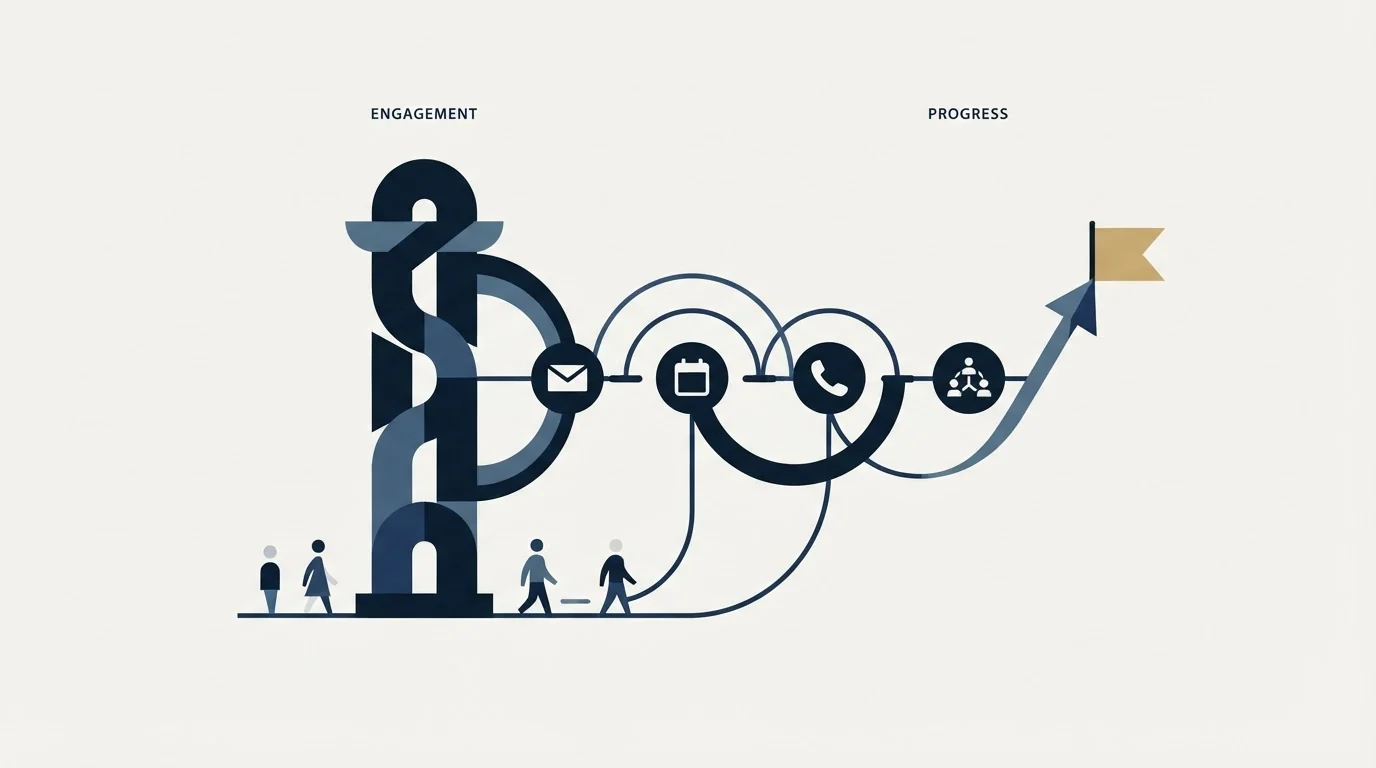
- Your biggest gap is in outreach orchestration
- You already have a solid data enrichment tool and need specialized multi-channel sales outreach capabilities
- You need enterprise-grade multi-channel sales outreach features
- Your team's primary bottleneck is multi-channel sales outreach
- Your biggest gap is in lead sourcing and data
- You already have a sales engagement platform and need better B2B lead data and contact enrichment
- You want an affordable entry point ($0/mo)
- Your team's primary bottleneck is B2B lead data and contact enrichment
Read that split as a question about which gap is open rather than about which product is better. A team that names the wrong gap buys a capable tool and changes nothing about the number of meetings on the calendar.
Do You Need Both, and in Which Order?
Teams that keep outbound running tend to end up with both, and the order they arrive in matters more than the choice between them. Excellent sending over a thin list produces very little, and an excellent list with no reliable sending produces nothing at all.
This pair has a middle option that a category comparison hides. SignalHire lists Email sequences among its own products, so a team with a good list and modest volume can send from the data tool for a while and postpone the Salesloft decision. That works until the wave needs a rotated pool of warmed mailboxes, a real daily ceiling per mailbox and reply routing.
Both connect through Salesforce, HubSpot and Gmail, so the second purchase inherits the first one's records rather than starting a parallel database. One question is worth asking before either: who reads the replies, because neither product books a meeting.
Using Both Together
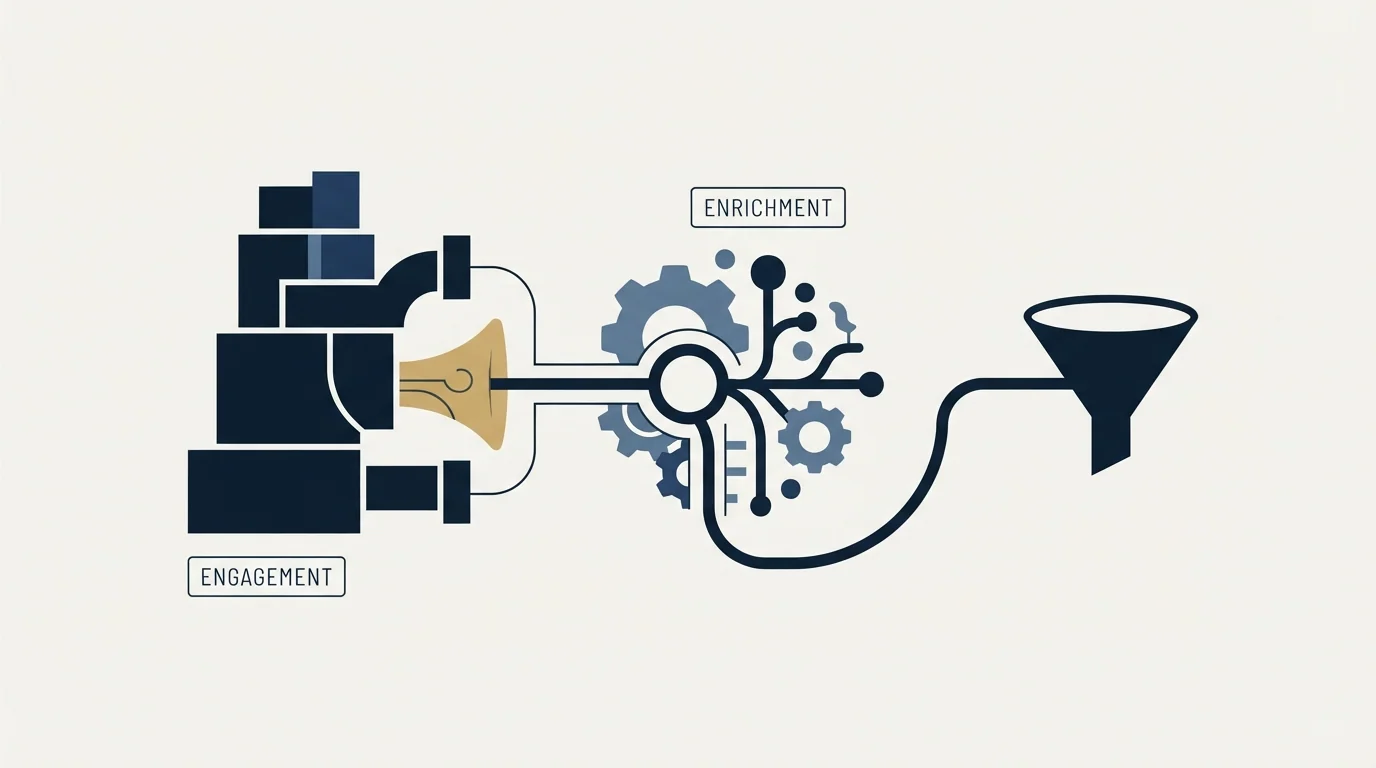
Many sales teams use both a sales engagement platform and a data enrichment tool as part of their complete workflow. Salesloft handles outreach orchestration while SignalHire covers lead sourcing and data.
Since both tools integrate with Salesforce, HubSpot, Gmail, connecting them in your workflow is straightforward.
Rolling It Out Without Breaking the Run
Choose the SignalHire package by data type rather than by size. The Emails and Phones packages carry the same rate and very different allowances, so a team that needs mobile numbers should price the Phones package directly instead of buying Emails and finding the phone credits gone.
Take the Salesloft capability grid into the demo and ask which package carries each row that matters. Sandbox, Multi-team and No-code Custom Object Signals are the rows that separate Advanced from Elite on the public page, so they are the ones worth confirming before a number is discussed.
Keep the sending inventory out of whichever change goes first. Sender domains, mailbox warmup and daily caps are a project of their own, and a stack change made in the same week as a sending change leaves nothing to attribute a bounce rate to. Move one layer, let a full wave run, then move the next.
Run the trial on the accounts being sold to. Coverage is a property of a segment and not of a database, so a provider that looks thin on a random sample can be excellent on the two hundred companies that matter.
Decision Framework
- Write the gap down before naming a product. One sentence: the list runs out, the addresses bounce, or the messages do not go out on time. A decision taken without that sentence is a preference with a purchase order attached.
- Audit what the current stack already covers. Paying twice for one capability hides well, because the two line items sit under different budget owners.
- Price the whole year rather than the entry tier. Seat minimums, billing basis and per-credit overflow move the real number further than any headline.
- Trial against the segment being sold to. A sample drawn from the whole database answers a question nobody asked.
- Measure at the pipeline rather than per tool. Both products feed one funnel, so the measure that survives an argument is meetings booked against criteria fixed in advance.
The Short Version
SignalHire can be costed today from its own page and Salesloft cannot. So the shortcut is to fix the SignalHire line exactly, put a range against the Salesloft line, and stop pretending the second number is known until a quote arrives.
Then pick the order by symptom. A list that runs out before the month does points at SignalHire. Contacts sitting unmailed point at Salesloft. A team that can name neither has a targeting problem rather than a tooling one, and no purchase on this page fixes that.
Related Reading
- Best Salesloft Alternatives in 2026
- Best SignalHire Alternatives in 2026
- Outreach vs Salesloft: Sales Engagement Platform Comparison
- Gong vs Salesloft: Sales Engagement Platform Comparison
- Apollo.io vs SignalHire: Data Enrichment Tool Comparison
If you would rather have this run for you, RevenueFlow books qualified meetings on a pay-per-meeting basis and publishes client results.
Pricing and features are taken from the vendors' own pages. Verify current terms with the vendor before relying on them.
Frequently asked questions.
Frequently asked questions- What is the real difference between Salesloft and SignalHire?
- They own different stages of the same run. SignalHire builds the list and resolves a mailbox for each person on it, with real-time verified contacts with unlimited exports on every paid package. Salesloft owns the sending: sender accounts, sending windows, daily caps, reply detection and the record of who answered, with cadence automation, conversation intelligence and deal management. Neither one books the meeting at the end of it.
- How much do Salesloft and SignalHire cost together?
- Only one side publishes one. SignalHire Emails is $69 a month billed monthly or $57 billed annually, for 1000 or 12000 credits, so that half can be multiplied out before any call. Salesloft publishes two packages, Advanced and Elite, both behind a Request a Demo button, so the other half is a quote. Half of this budget can be fixed from a public page, and the open half is usually the larger line.
- Can one of them replace the other?
- For a while, yes. SignalHire lists Email sequences among its own products, so a team with a good list and modest volume can send from the data tool and postpone the Salesloft decision. That holds until the wave needs a rotated pool of warmed mailboxes, a real daily ceiling per mailbox and reply routing, none of which SignalHire publishes beside that sending line.
- Which one should I buy first?
- Pick by symptom rather than by category. A list that runs out before the month does points at SignalHire. Good contacts sitting in a spreadsheet that nobody has mailed points at Salesloft. A team that cannot name either symptom has a targeting problem rather than a tooling one, and neither purchase on this page fixes that. Buy the one that unblocks the current bottleneck, then measure a full wave before buying the second.
About the author.

Tim Carden is CMO / CTO at RevenueFlow, which builds and operates outbound revenue engines for B2B companies. Studied at McGill University.
Tim Carden · CMO / CTO
Connect on LinkedIn →Explore more.
Ready to scale your outreach?
We build GTM engines that book real meetings. See the receipts.
Related articles.
MyEmailVerifier vs Salesloft: Data Enrichment Tool vs Sales Engagement Platform Comparison
Compare MyEmailVerifier (data enrichment tool) and Salesloft (sales engagement platform) side by side. See pricing, features, and integrations to decide which one, or both, your stack needs.
AroundDeal vs Leadspicker: Data Enrichment Tool vs Sales Engagement Platform Comparison
Compare AroundDeal (data enrichment tool) and Leadspicker (sales engagement platform) side by side. See pricing, features, and integrations to decide which one, or both, your stack needs.
Gong vs NeverBounce: Sales Engagement Platform vs Data Enrichment Tool Comparison
Gong vs NeverBounce: what Gong's own pages say about enrichment, what NeverBounce's API returns about an address, and how each vendor prices.
ContactOut vs Luru: Data Enrichment Tool vs Sales Engagement Platform Comparison
Compare ContactOut (data enrichment tool) and Luru (sales engagement platform) side by side. See pricing, features, and integrations to decide which one, or both, your stack needs.
Enrich Layer vs La Growth Machine: Data Enrichment Tool vs Sales Engagement Platform Comparison
Compare Enrich Layer (data enrichment tool) and La Growth Machine (sales engagement platform) side by side. See pricing, features, and integrations to decide which one, or both, your stack needs.
Leadspicker vs NeverBounce: Sales Engagement Platform vs Data Enrichment Tool Comparison
Compare Leadspicker (sales engagement platform) and NeverBounce (data enrichment tool) side by side. See pricing, features, and integrations to decide which one, or both, your stack needs.