Clearbit vs Close: Cross-Category Comparison
Compare Clearbit (data enrichment tool) and Close (crm platform) side by side. Understand how these tools fit different stages of your sales workflow.
Clearbit vs anything now starts from one fact: Clearbit has joined HubSpot and sells no standalone plan, so its pricing address returns the homepage with no price. Close is a CRM, from $19 per user a month or $9 billed annually, and sits at a different layer. Buy Close, and answer enrichment separately.
Key takeaways
- Clearbit's site reads that Clearbit has joined HubSpot, and its pricing address returns that same page with no plan and no price.
- Close's pricing page lists Solo at $19, Essentials at $49, Growth at $109 and Scale at $149 per user per month, or $9, $35, $99 and $139 billed annually.
- Clearbit and Close do not compete: enrichment produces the list before a campaign and the CRM keeps what came back after it.
- Illustratively, five Close seats on Essentials cost $2,940 a year paying monthly or $2,100 on the annual rate, because Solo is limited to 1 user.
Reviewed and updated September 18, 2026
Most "Clearbit vs" searches now end at the same notice. Clearbit is the unusual half of this comparison, because you can no longer buy it. Its pricing page returns the same page as its homepage, which says Clearbit has joined HubSpot. Close, meanwhile, is very much on sale, which makes Clearbit vs Close less a comparison than a question of order.
Clearbit vs What? What Clearbit Is Now
Clearbit is no longer a standalone product. Its own site reads that Clearbit has joined HubSpot, and its pricing address returns that same page with no plan and no price. So any Clearbit vs comparison today is really the other tool against HubSpot's enrichment, or against a Clearbit alternative. Close is a CRM, which makes it a different layer and never a substitute.
If you arrived comparing data tools, the pages that answer it are Clearbit vs ZoomInfo, Apollo vs Clearbit and, since HubSpot is where the data went, Clearbit vs HubSpot CRM. If you want something you can still buy, start with the Clearbit alternatives.
Clearbit has joined HubSpot
No standalone plan and no price on its own site.
Vs another data tool
The real comparison is HubSpot's enrichment, or a Clearbit alternative, against that tool.
Vs a CRM such as Close
A different layer, never a substitute. Buy the CRM and answer enrichment separately.
Vs nothing yet
Start with the Clearbit alternatives you can still buy.
The Short Answer
Buy Close first, and treat the enrichment side as a HubSpot question rather than a Clearbit one. Clearbit no longer sells standalone plans, so there is no version of this decision where Close loses to a purchase you cannot make.
Clearbit and Close do not compete. Clearbit finds and verifies the people, Close keeps track of what happens after they answer, and a team running outbound at volume usually ends up with both.
Why Compare These Two Tools?
Clearbit is a data enrichment tool focused on B2B lead data and contact enrichment. B2B data enrichment platform (now Breeze Intelligence by HubSpot) with real-time enrichment and visitor identification.
Close is a CRM platform focused on customer relationship management. A CRM built specifically for inside sales teams, with built-in calling, SMS, and email functionality. Close focuses on reducing manual data entry and increasing sales velocity with features like Power Dialer, predictive dialing, and workflow automation.
Where Each Tool Fits in Your Workflow
| Aspect | Clearbit | Close |
|---|---|---|
| Category | Data Enrichment Tool | CRM Platform |
| Workflow Stage | Lead sourcing and data | Pipeline and deal tracking |
| Primary Focus | B2B lead data and contact enrichment | Customer relationship management |
| Starting Price | Retired into HubSpot | $19/mo |
| Features Listed | 8 | 8 |
| Integrations | 4 | 8 |
The table above is a category summary rather than a verdict. The two workflow-stage rows are the only ones where these tools differ in kind; the rest, feature counts included, compares two marketing surfaces of different lengths. The starting-price row is the one most often misread: a per-seat CRM price scales with headcount, so five people cost five times one. Clearbit has no ladder to compare against any more, because it is no longer sold on its own.
What Each Side Does in a Cold Outbound Run
Neither of these tools sends cold volume, and that decides what each is for. Clearbit produces a list, Close keeps the history of what happened to it, and the sending sits in a third place.
The house rule is one message per campaign: no bumps, no thread replies, and no second LinkedIn message landing under the one somebody already ignored. That is why list quality carries so much weight. With a single message per prospect there is no follow up to rescue a bad address, so every unusable row is a lost prospect rather than a delayed one.
The deliverability consequence is harder. A wrong address produces a hard bounce, and enough of those damage the sender reputation of the sending domain. Where sending inventory is shared across campaigns that damage is not contained to the campaign that caused it, so list hygiene before a send costs less than repairing a domain after one.
Close covers the other half: replies have to land where a human will see them, and a meeting only counts when it meets criteria agreed in writing before launch. A qualified appointment nobody logged is indistinguishable from one that never happened.
Pricing Comparison

Clearbit Pricing
Clearbit was acquired by HubSpot and no longer sells standalone plans. Its pricing address, clearbit.com/pricing, returns the Clearbit homepage, which states that Clearbit has joined HubSpot, and the data capability now ships inside HubSpot's Breeze Intelligence rather than as a separate subscription. The tiers below were Clearbit's last published standalone ladder, recorded February 2026, and are listed for historical reference only. There is no current purchase path for them.
| Plan (retired) | Last published price | Contacts | Emails |
|---|---|---|---|
| Entry | $45/mo | 100 credits/month | N/A |
| Business | $1667/mo | Custom | N/A |
| Enterprise | Contact Sales | Custom | N/A |
Source: Clearbit
Close Pricing
| Plan | Price |
|---|---|
| Solo | $19/mo |
| Essentials | $49/mo |
| Growth | $109/mo |
| Scale | $149/mo |
Billed annually the same four tiers run $9, $35, $99 and $139 per user per month, and the page marks annual billing as saving up to 50%.
Source: Close Pricing
Pricing Context
A price comparison here is not really available. Clearbit's last published standalone ladder is listed above for reference and there is no current purchase path for it, so the only live number on this page is Close's.
On the CRM side the entry tier is Close's Solo at $19 per month, or $9 on annual billing, and it is limited to 1 user. A team starts on Essentials, which the pricing page lists at $49 per user, or $35 on annual billing.
What the Pair Costs at a Realistic Team Size
Vendor tables price a seat or a credit. A budget prices a team, so here is the same decision worked end to end. Both inputs are invented for the arithmetic: a team of five that wants roughly 500 new verified contacts a month.
On the CRM side, and on the rate Close's pricing page shows, five seats on Essentials at $49 per seat per month comes to $2,940 for the year, or $2,100 if the same five seats are bought on the $35 annual rate. Solo is cheaper per seat and cannot carry this team, because Close limits it to 1 user. Those totals are illustrative.
Clearbit has no arithmetic to do, because it has no purchase path. Its data now ships inside HubSpot, so the enrichment line in this illustrative budget is a HubSpot line, and a team that is not already buying HubSpot is really choosing a different vendor.
| Line, year one, illustrative | Amount |
|---|---|
| Close, five seats on Essentials | $2,940 paying monthly, $2,100 annually |
| Clearbit, 500 contacts a month | quote, or usage-metered |
| Pair, cheaper billing of each | $2,100 plus whatever the enrichment line comes back at |
Two things fall out of that and neither is about the tools. The billing basis moves more money than the tier choice on most of these ladders, so check whether a published monthly figure is the monthly rate or the annual rate divided by twelve. And the enrichment line is the one that moves with volume, so model it at the volume you intend to send. Against a realistic cost of a booked meeting both lines are usually small, which is why the order of purchase matters more than the total.
Feature Highlights
Clearbit Key Capabilities (Data Enrichment Tool)
- Global data coverage
- Lead, contact, and account enrichment
- Real-time lead scoring and routing
- IP intelligence for visitor identification
- Dynamic form shortening
- Corporate hierarchy mapping
- Industry categorization
- Buyer intent signals
Close Key Capabilities (CRM Platform)
- Built-in calling with Power Dialer
- Native SMS messaging
- Email sequences and templates
- Automated workflows
- Predictive dialing
- AI Email Assistant
- Pipeline and activity reporting
- Role-based access and permissions
Feature Overlap
On this page the two feature lists genuinely do sit in different categories: nothing on Close's list finds a contact who is not already in the system, and nothing on Clearbit's list is a pipeline. State that carefully, because a list difference supports the claim that one vendor lists something and the other does not, and never the claim that only one of them can do it. Feature lists are marketing surfaces kept at different lengths.
Integration Ecosystem
Clearbit Integrations
Clearbit connects with: HubSpot, Segment, Marketo, Salesforce.
Close Integrations
Close connects with: Zapier, Slack, Gmail, Microsoft Outlook, Zoom, HubSpot, Segment, Calendly.
Shared Integrations
Both tools integrate with: HubSpot, Segment.
Read a shared-integration list as a plumbing note rather than a recommendation. Two tools in the same directory means a connector exists; it says nothing about which fields it writes or what happens when the two disagree about a value. That is settled in the rollout section below.
When to Choose Close, and When to Fix the Data First

- Fix the data first if your pipeline is full of contacts you cannot reach, through HubSpot's enrichment or a Clearbit alternative
- Choose Close if nobody can say what happened to the last list, because a CRM is the shared record
- Choose Close if you want calling, email and SMS in the tool your reps already work in
- Start on Essentials rather than Solo if more than one person needs a seat
Do You Need Both, and in Which Order?
Two questions decide the order, and both are answerable in an afternoon.
The first is where the work is stopping. Pull fifty rows out of whatever stores your prospects today and count how many carry a usable direct email, a current employer and a title that matches what the person does now. If a large share fail, the data is the bottleneck and enrichment goes first. If most pass and nobody knows who followed up, Close goes first.
The second is who else has to see it. A CRM is a shared system that survives a rep leaving; enrichment output can live in a spreadsheet for a while without anybody being hurt. That asymmetry is the honest reason to lean toward Close when the two look equally urgent. There is also a case for buying neither yet: a team sending its first few hundred messages a month learns more from the replies than from either tool, and the purchase becomes obvious when the manual version costs a day a week, which is the point to start asking what the enrichment side of the stack is going to be, given that this one cannot be bought.
Rolling the Second Tool In Without Breaking the First
Adding the second tool is where the pair usually goes wrong, and the failure has one shape: two systems writing the same field with different ideas about what is true.
Decide field ownership before anything is connected. Write down which system owns the email address, the job title, the company name and the phone number, and make the other read-only on those fields. The rule that survives contact with a sales team is that anything a human typed after speaking to somebody outranks anything a vendor fetched.
Set the record matching key before the first sync. Matching on a company name creates duplicates the moment somebody writes Ltd instead of Limited; matching on a domain or an existing record id does not. CRM enrichment writing into a wrongly matched record is harder to unpick than one that wrote nothing.
Then run one segment and read fifty finished records by hand before opening it up. Check coverage as well as accuracy, because the match rate is not something a pricing page will tell you, and agree the refresh cadence while you are there: data decay makes a one-off pass a snapshot with a short life.
Using Both Together
Teams weighing another CRM pairing can see how the same enrichment tool stacks up against a different platform in the Clearbit and Freshsales comparison.
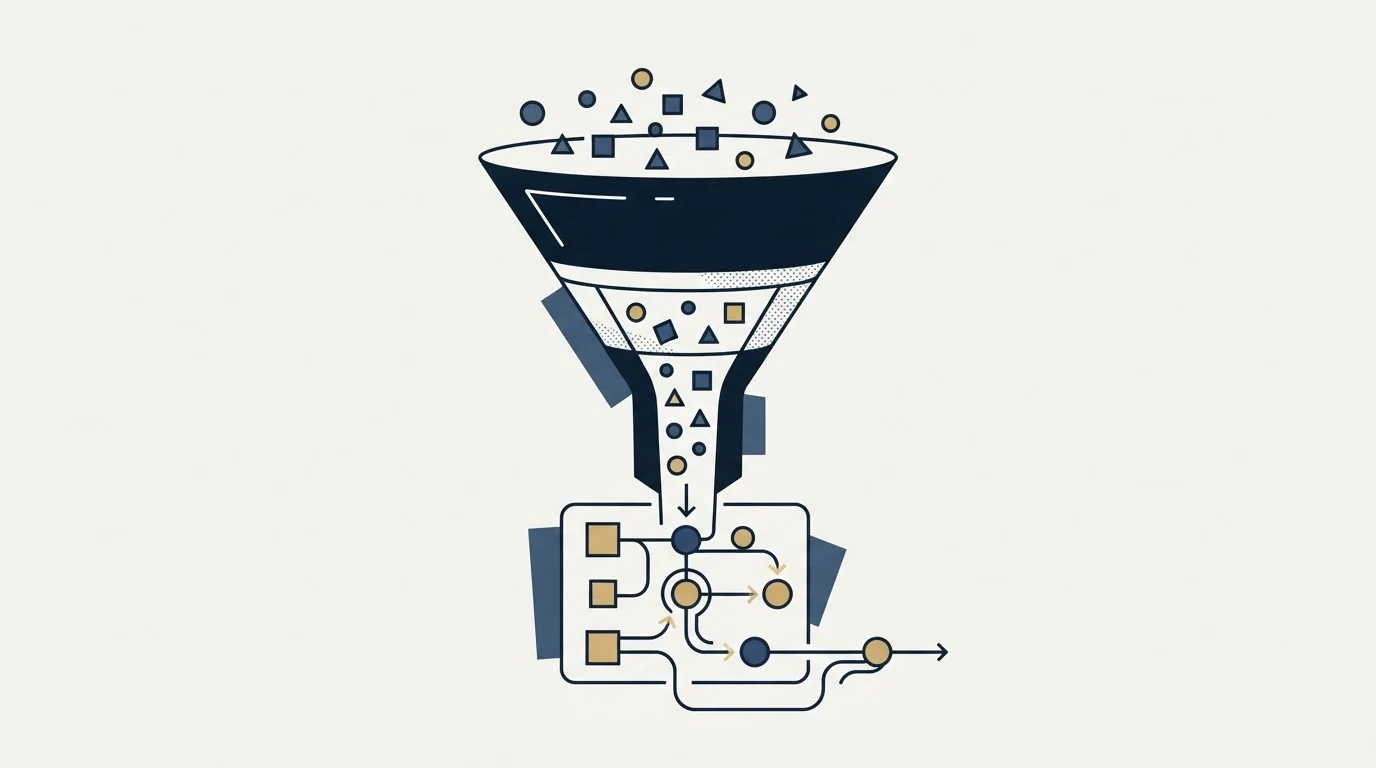
The practical version is narrower than it sounds. Clearbit runs before the campaign and produces rows; Close runs after it and keeps what came back. The only place they have to meet is the moment a row becomes a record, and getting that handoff right is most of the value of running the pair. Agree what counts as a meeting at the same time: meetings are qualified against criteria written down before launch rather than judged afterwards.
The Decision Shortcut
If the whole decision has to fit in a sentence: buy Close, and answer the enrichment question separately, because Clearbit is not a purchase you can make any more.
- A pipeline exists and it is full of dead contacts. Fix the data first, through HubSpot's enrichment or a Clearbit alternative. A second CRM will not fix a data problem.
- A list exists and nobody can tell you what happened to it. Buy Close.
- Neither exists and the budget covers one. Buy Close and source by hand for a quarter.
The Clearbit half of this page is history rather than a shortlist entry. Anybody choosing between the two is really choosing between Close and whatever replaces the enrichment layer.
How These Figures Were Checked
Every figure on this page comes from the vendor's own pricing page, checked against a dated copy of that page rather than from memory, and each is attributed to the surface it appeared on.
Clearbit's pricing address was read for this page and returns the same page as its homepage, a notice saying Clearbit has joined HubSpot, with no plan and no price on it. The retired Clearbit figures are carried forward from the previous reading and are marked as carried forward wherever they appear. They are not presented as re-checked, and a page that cannot be read is not evidence that a price has changed or that it has stayed the same.
The illustrative budget above is arithmetic on those published rates, and the team size and contact volume behind it are invented. Vendors change prices without notice.
Related Reading
- Best Clearbit Alternatives in 2026
- Best Close Alternatives in 2026
- Apollo vs Clearbit: Comparing B2B Data Platforms for Sales and Marketing
- Clearbit vs ZoomInfo: Data Enrichment Tool Comparison
- Close vs Salesforce: CRM Platform Comparison
If you would rather have this run for you, RevenueFlow books qualified meetings on a pay-per-meeting basis and publishes client results.
Pricing and features are taken from the vendors' own pages. Verify current terms with the vendor before relying on them.
Frequently asked questions.
Frequently asked questions- Clearbit vs Close: which should I buy?
- Buy Close, and treat enrichment as a separate question. Clearbit no longer sells standalone plans: its site says Clearbit has joined HubSpot and its pricing address returns that same notice. Close is a CRM with calling, email and SMS, priced from $19 per user a month or $9 billed annually, so the two were never substitutes.
- Can you still buy Clearbit?
- Not as a standalone product. Clearbit's homepage reads that Clearbit has joined HubSpot, and its pricing address returns that same page with no plan and no price on it. The last standalone ladder on this page is carried forward for reference only. Anyone comparing Clearbit today is really comparing HubSpot's enrichment or a Clearbit alternative.
- How much does Close cost?
- Close's pricing page lists four plans per user per month: Solo at $19, Essentials at $49, Growth at $109 and Scale at $149. Billed annually the same tiers are $9, $35, $99 and $139, which the page marks as saving up to 50%. Solo is limited to 1 user, so a team starts on Essentials.
- Do I need a data enrichment tool and a CRM?
- Usually both, in an order you can test. Check fifty rows by hand for a usable email, a current employer and a matching title. If more than a third fail, enrichment comes first. If most pass and nobody knows who followed up, the CRM comes first. A team sending its first few hundred messages can wait.
About the author.

Tim Carden is CMO / CTO at RevenueFlow, which builds and operates outbound revenue engines for B2B companies. Studied at McGill University.
Tim Carden · CMO / CTO
Connect on LinkedIn →Explore more.
Ready to scale your outreach?
We build GTM engines that book real meetings. See the receipts.
Related articles.
AroundDeal vs Salesflare: Data Enrichment Tool vs CRM Platform Comparison
Compare AroundDeal (data enrichment tool) and Salesflare (CRM platform) side by side. See pricing, features, and integrations to decide which one, or both, your stack needs.
Evaboot vs Microsoft Dynamics 365 Sales: Data Enrichment Tool vs CRM Platform Comparison
Compare Evaboot (data enrichment tool) and Microsoft Dynamics 365 Sales (CRM platform) side by side. See pricing, features, and integrations to decide which one, or both, your stack needs.
Agile CRM vs LeadIQ: CRM Platform vs Data Enrichment Tool Comparison
Compare Agile CRM (CRM platform) and LeadIQ (data enrichment tool) side by side. See pricing, features, and integrations to decide which one, or both, your stack needs.
Anymail Finder vs Pipeline CRM: Data Enrichment Tool vs CRM Platform Comparison
Compare Anymail Finder (data enrichment tool) and Pipeline CRM (CRM platform) side by side. See pricing, features, and integrations to decide which one, or both, your stack needs.
AroundDeal vs Maximizer: Data Enrichment Tool vs CRM Platform Comparison
Compare AroundDeal (data enrichment tool) and Maximizer (CRM platform) side by side. See pricing, features, and integrations to decide which one, or both, your stack needs.
Breakcold vs Bulk Email Checker: CRM Platform vs Data Enrichment Tool Comparison
Compare Breakcold (CRM platform) and Bulk Email Checker (data enrichment tool) side by side. See pricing, features, and integrations to decide which one, or both, your stack needs.