7 DMARC Tools Compared on What They Actually Do
This market sells two different things under one word. Record checkers are free everywhere. Report processors are the product you are actually shopping for.
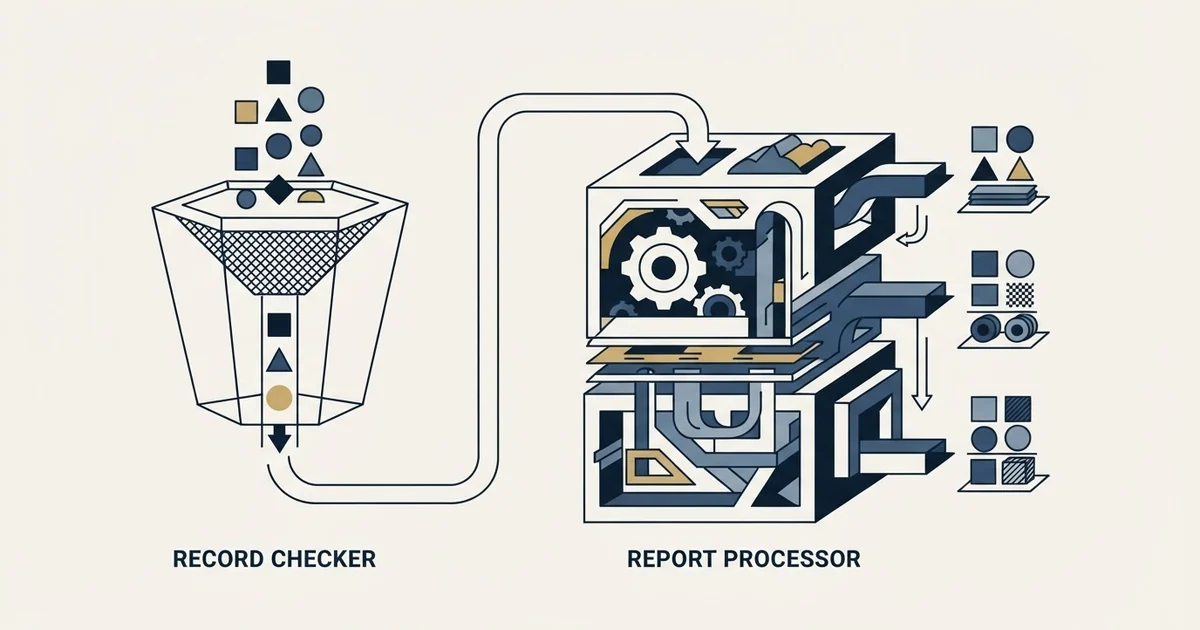
DMARC tools are two products under one name. Free record checkers read your DNS record and report its syntax. Paid report processors receive the aggregate XML that mailbox providers send to your rua address, resolve each sending IP to a named service and track pass and fail over time, which is what you need to reach enforcement safely.
Key takeaways
- A DMARC tool's real job is processing the aggregate XML reports receivers send to your rua address: naming each sending IP, keeping history and flagging a new source. Record checkers only test syntax.
- Valimail Monitor and Postmark's weekly digest give the processing tier away; Postmark's paid tier is $14 a month per domain, and dmarcian's Basic plan is $24 a month or $19.99 billed yearly.
- Cloudflare DMARC Management is included with Cloudflare DNS but works only with apex domains and blocks SPF edits when a CNAME points outside the zone; parsedmarc is the self-hosted option, maintained by one developer.
- For a domain portfolio, per-domain pricing, history length and apex-only support decide the tool, and none of the seven answers the inbox placement question.
Reviewed and updated September 19, 2026
DMARC tools are two genuinely different products sold under one set of words, and the price difference between them is the whole story. One kind reads a DNS record and tells you whether it parses. The other collects the XML reports that mailbox providers send you, turns them into something a person can read, and keeps doing it. The first is free everywhere and takes a second. The second is the one you are actually shopping for.
Here are seven, grouped by what they do rather than by tier, with what each one's own documentation says about it.
The tool is written MXToolbox and searched for as MX Toolbox about as often, and both spellings land on the same lookup page.
DMARC tools: what one actually does
A DMARC tool receives the aggregate reports that mailbox providers send to the address in your domain's rua tag, parses the XML, resolves each sending IP to a named service, and shows which services pass or fail alignment over time, so you can move the policy from p=none to enforcement without cutting off a sender you forgot. The free checkers do a different job: they read the DNS record and report its syntax.
The report itself is the part most buyers have never seen. A receiver such as Google or Microsoft collects every message claiming your domain, groups it by sending IP and authentication result, and once a day sends an XML file to the rua address in your record. Raw, that file is a list of IP addresses and pass or fail counts. The tool's whole value is turning IPs into names, keeping the history, and telling you when a new source appears.
Analyzer, monitor, tool: one category, three names
Searches for a DMARC analyzer, a DMARC monitor and a DMARC tool land on largely the same set of products, and the vendors use the words interchangeably. There is a rough convention worth knowing, because it predicts which half of the market a page is describing.
An analyzer usually means the parsing job: raw aggregate XML in, readable sources out. A monitor usually means the ongoing version of the same thing, with alerting when a new source appears. A checker or lookup tool almost always means the free record-syntax test, which is a different job entirely and is covered in the DMARC check and what its warnings mean.
None of that is a standard, so read the feature list rather than the noun.
Record checking
Free, instant, one-off
- Reads the
_dmarcTXT record - Reports syntax and policy
- Tells you nothing about your mail
- Every vendor gives it away
Report processing
Ongoing, priced
- Receives aggregate XML from receivers
- Resolves IPs to named sending sources
- Tracks alignment over time
- This is the paid product
The free record checkers
MXToolbox runs the lookup most people mean by a DMARC check. Its page describes the tool as one "that will parse the DMARC Record for the queried domain name, display the DMARC Record, and run a series of diagnostic checks against the record". Worth knowing that the same page explains the mechanism "According to RFC 7489", which the IETF obsoleted with RFC 9989 in May 2026, so treat its advice about the retired percentage tag with care. Our MXToolbox deliverability guide covers the wider set of lookups it offers.
Valimail Monitor gives away the report-processing tier rather than only the checker. Its product page describes Monitor as helping you "identify 100% of your services sending activity from your domains so you can see where you're passing or failing DMARC", and states "No trial offers, credit cards, or obligations". For a company that wants source visibility without a purchase decision, that is an unusually clean starting point.
The report processors

Postmark publishes both tiers on one page, which makes it the easiest place to see where the line falls. The free weekly digest covers the "Top 10 mail sources with 5 IPs for each source" with seven days of history, delivered by email only. The paid tier, DMARC Digests, covers "All mail sources and IPs" with 60 days of history and a web dashboard, at "$14 a month per domain" after a 14-day trial. The free service also carries processing limits its FAQ states plainly: reports of fewer than 100,000 records are fully processed and "Any report exceeding this limit will be truncated to the first 100,000 items". Our walkthrough of the Postmark DMARC tool covers setting it up.
dmarcian prices on volume rather than on seats, which matters if you run many low-volume domains. Its pricing page today lists a free Personal plan for non-business use, Basic at $24 a month billed monthly or $19.99 a month billed yearly, Plus at $240 or $199, and Enterprise at $600 or $499. The same page explains: "We base our pricing on the volume of legitimate traffic that is reported to dmarcian via DMARC reports. We don't want to charge our users for forwarded or fraudulent traffic". It also distinguishes active domains, "used to send legitimate email from", from inactive ones that are "reserved or parked for past or future use or defensively registered".
EasyDMARC positions as the all-in-one, describing itself as a way to "Manage DMARC, SPF, DKIM & BIMI" in what it calls "all in one integrated platform", with a free trial that its pricing page says needs no credit card. That page, served in pounds to this reader, lists a free plan, Plus from 44.99 a month or 35.99 billed annually with 2 domains and 3 months of data history, and Premium from 89.99 or 71.99 with 4 domains and a year of history. If you are also standing up BIMI, having the BIMI record prerequisites checked by the same tool that watches DMARC removes a step.
Cloudflare DMARC Management is the option a lot of teams already own without knowing it. Cloudflare's documentation states it is "available to all Cloudflare customers with Cloudflare DNS", and it carries two constraints worth reading before you plan around it. It works only with "apex domains (for example, example.com, not blog.example.com) and not domains in subdomain setups", and it "does not support modifications to SPF records when a CNAME record in your zone points to an external domain". Setting up DMARC on Cloudflare covers both paths.
parsedmarc is the self-hosted answer. Its documentation describes it as "a Python module and CLI utility for parsing DMARC reports" that, paired with Elasticsearch and Kibana or with OpenSearch and Grafana, "works as a self-hosted open source alternative to commercial DMARC report processing services". One caveat is on the project's own front page and deserves repeating: "This project is maintained by one developer." That is a real consideration for something you intend to depend on, and it is stated openly rather than discovered later.
| Tool | Job | What its page says it costs | Read this first |
|---|---|---|---|
| MXToolbox | Record checker | Free lookup | Explains the mechanism per RFC 7489, since obsoleted |
| Valimail Monitor | Report processor | Free, no trial or card | Source visibility without a purchase decision |
| Postmark DMARC | Report processor | Free weekly digest; $14 a month per domain | Free tier: top 10 sources, 7 days, email only |
| dmarcian | Report processor | Basic $24 a month, or $19.99 billed yearly | Priced on legitimate volume, not seats |
| EasyDMARC | All-in-one | Free plan; Plus from 44.99 a month (GBP served) | Domain count and history rise by tier |
| Cloudflare DMARC Management | Report processor | Included with Cloudflare DNS | Apex domains only; SPF edits blocked behind a CNAME |
| parsedmarc | Self-hosted processor | Open source | Maintained by one developer |
What the choice looks like for a domain portfolio
Outbound teams have a shape that most DMARC pricing was not designed around: many domains, each sending modest volume, all doing the same job. That inverts the usual advice.
Per-domain pricing is the thing to check first, because a per-domain fee that is trivial for one company domain is a real line item across a portfolio. Volume-based pricing is friendlier to this shape, which is what makes dmarcian's model worth understanding rather than skipping.
History length matters more than it looks. Seven days of retention is enough to confirm a working setup and not enough to catch a source that sends once a month, which is exactly the profile of the internal system nobody remembered to tell you about.
Apex-only support rules some options out entirely if your architecture puts sending on subdomains. That is a design decision worth making before you pick a tool rather than after.
And there is a floor below which none of this is worth buying. If you have published p=none and want to know who sends as you, a free tier answers that. The paid tiers earn their place when you are moving to enforcement across many domains and need to be sure you are not about to break something you forgot you owned.
DMARC managed services are that paid tier bought with somebody else's hands on the rollout, and the same three questions about per-domain cost, retention and apex support still decide whether the premium earns itself.
Two things worth checking before you commit

Where the reports actually go. Every processor here works by receiving the aggregate reports that mailbox providers send you, which means the rua address in your DNS record points at them rather than at you. That is fine and it is how the category works, with one consequence people meet late: leaving a vendor means editing the record on every domain, and until you do, your reports keep flowing to a service you cancelled. You can list more than one address in rua, so keeping a mailbox of your own alongside the vendor costs nothing and leaves you with the raw files. Postmark's FAQ documents exactly that arrangement.
Whether the tool writes to your DNS. Some of these products manage records for you rather than only reading them, which is a genuine convenience and a genuine change in blast radius. Cloudflare's documentation is explicit that enabling DMARC Management adds an entry to your existing record so it can receive reports on your behalf. Know which tools have write access to the zone that governs your sending, and make that a deliberate grant rather than a side effect of clicking through onboarding.
The part these tools do not solve
Every product here reports on authentication. None of them reports on inbox placement, and the two are separate questions. A domain can pass DMARC on every message and still land in spam, because authentication is a prerequisite for delivery rather than a cause of it. Our deliverability guide covers the difference and what actually moves placement.
We run outbound as one message per campaign, which raises the stakes on getting authentication right the first time: there is no later attempt at the same person to recover a message that failed. That is why the report-reading tier is worth paying for at the point you go to enforcement, and why we maintain more sending capacity than any campaign consumes rather than repairing domains under load.
If you would rather have the whole sending layer built, authenticated and monitored for you, that is part of how we run campaigns.
The short version
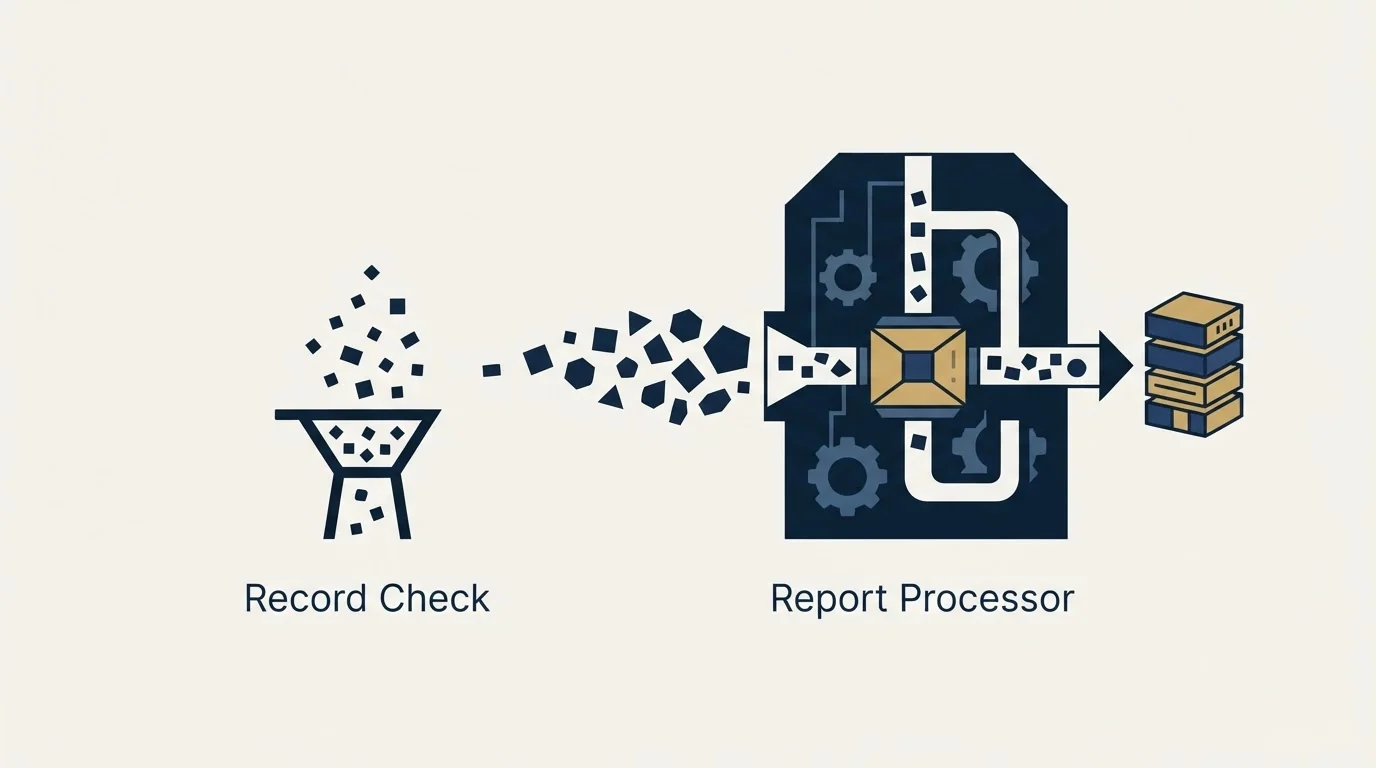
The free tools check a record and the paid tools read your reports, and confusing the two is what makes this market feel expensive. Start with a free report processor to find out who sends as you. Choose the paid tier on per-domain cost, history length and whether your domains are apex or subdomains, not on the feature grid. Take the self-hosted route only if someone genuinely wants to own it. And remember that all seven answer the authentication question and none of them answers the placement one.
Pricing and features are taken from the vendors' own pages. Verify current terms with the vendor before relying on them.
Sources: MXToolbox DMARC check, Valimail Monitor, Postmark DMARC and its FAQ, dmarcian pricing, EasyDMARC pricing, Cloudflare DMARC Management docs, parsedmarc
Frequently asked questions.
Frequently asked questions- What does a DMARC tool actually do?
- It receives the aggregate reports that mailbox providers send once a day to the address in your domain's rua tag, parses the XML, resolves each sending IP to a named service such as your CRM or sequencer, and shows which services pass or fail alignment over time. That is what lets you move from p=none to enforcement without cutting off a sender nobody remembered.
- Are there free DMARC tools?
- Yes, at both levels. Record checkers such as MXToolbox's lookup are free everywhere. Among report processors, Valimail Monitor is free with no trial or card, Postmark's weekly digest covers the top 10 sources for 7 days at no charge, Cloudflare DMARC Management is included with Cloudflare DNS, and parsedmarc is open source if you host it yourself.
- How much do DMARC tools cost?
- On the vendors' own pages: Postmark's DMARC Digests are $14 a month per domain after a 14-day trial; dmarcian lists Basic at $24 a month billed monthly or $19.99 billed yearly, Plus at $240 or $199 and Enterprise at $600 or $499; EasyDMARC, served in pounds, lists Plus from 44.99 a month or 35.99 billed annually. Cloudflare's and Valimail's entry tiers are free.
- Which DMARC tool works for many sending domains?
- Check three things before the feature grid. Per-domain pricing is a real line item across a portfolio, so volume-based pricing like dmarcian's suits many low-volume domains better. History longer than seven days is needed to catch a source that sends monthly. And apex-only tools such as Cloudflare's rule themselves out if your architecture sends from subdomains.
About the author.

Tim Carden is CMO / CTO at RevenueFlow, which builds and operates outbound revenue engines for B2B companies. Studied at McGill University.
Tim Carden · CMO / CTO
Connect on LinkedIn →Explore more.
Ready to scale your outreach?
We build GTM engines that book real meetings. See the receipts.
Related articles.
SPF Softfail vs Hardfail: Which One to Publish
Google recommends the soft fail qualifier and Microsoft recommends the hard one for the same two characters. What each claims, and what a hard fail hides.
Why Your DMARC Is Failing: The Six Causes
Six causes of DMARC failure, ordered by how often they occur, with the symptom in reports and the fix for each. Alignment accounts for most of them.
How to Read a DMARC Report Without a Parser
The aggregate report XML field by field, and the one distinction that matters most: policy_evaluated includes alignment, auth_results does not.
How Lemwarm Works: The Network, the Ramp and the Score
What lemwarm's pool of real inboxes does, how the ramp is sized in the vendor's own numbers, what the score is made of, and where the tool stops.
Woody's SMTP Blacklist: The Delisting Route Refuses
Every page about this list tells you to file a delisting request. Measured on 2 September 2026, the operator's removal endpoint returned HTTP 403.
Suomispam Reputation: Read the Code Before You File
Suomispam publishes four zones and four listing classes, and the response code names which one you have. Two pieces of common delisting advice will not move it.