How to Scrape 2,000+ Apollo Leads in 5 Minutes for $0 (No Code Required)
Stop paying for expensive lead scraping tools. Here's the exact workflow to extract thousands of leads from Apollo using Cursor AI and RapidAPI, without writing a single line of code yourself.
Scraping 2,000+ Apollo leads for free requires an Apollo search URL, a RapidAPI key for an Apollo scraper, and Cursor AI to connect them. Paste both into Cursor with instructions to export results to CSV, and the AI writes the code, handles pagination, and fixes its own errors when given screenshots of failures.
Key takeaways
- The workflow uses three free or near-free tools: an Apollo search URL, a RapidAPI key, and Cursor AI code editor.
- Traditional Apollo subscriptions cost $49-119 per month, while hiring a developer to build a similar scraper costs $200-1,200 per project.
- The high agency stack costs roughly $0-20 total, with RapidAPI Apollo scrapers charging $0.001-0.01 per lead and Cursor Pro costing $20/month if not using the free tier.
- Errors during the process can be fixed by screenshotting them and pasting them back into Cursor with the instruction 'Fix this,' sometimes requiring 4-5 iterations.
- The same pattern of connecting a data source, an API, and Cursor can be applied to LinkedIn, Google Maps listings, industry directories, and government databases.
Reviewed and updated August 28, 2026
How to Scrape 2,000+ Apollo Leads in 5 Minutes for $0 (No Code Required)
I just scraped 2,000 leads from Apollo in 5 minutes.
Total cost: Roughly $0. Lines of code written by me: Zero.
No complex enterprise tool. No expensive subscription. No developer on standby.
Just Cursor (an AI code editor) and a RapidAPI key.
Here's exactly how it works.
The "High Agency" Stack
Most people hit a wall when they need data. They don't know how to code, so they pay for expensive tools or hire developers.
But we've entered a new era. You don't need to learn to code. You need to learn to command AI.
The stack is simple:
Input 1: The Data Source An Apollo search URL. This is your filter criteria: "SaaS CEOs in New York" or "Marketing Directors at Series B companies."
Apollo search URLs pull from the same platform that also handles outreach, so it's worth exploring Apollo's dual role as data and engagement tool before building separate systems.
Input 2: The Pipe A RapidAPI key. Search "Apollo Scraper" on RapidAPI and grab a key. Most have free tiers or cost pennies per request.
The Builder: Cursor AI This is where the magic happens. Cursor is an AI-powered code editor that writes and runs code based on plain English instructions.
The Output: Clean Lead List A CSV with 2,000+ rows of enriched data, ready for Clay or your outreach tool.
Once your team has this clean lead list ready, deciding what to do with it next means weighing Apollo's own outreach tools against lighter options, a tradeoff explored in this comparison of Apollo and Mailmeteor.
The Exact Workflow
- Step 1Get Your Apollo Search URL
Once your search is configured, copy the URL from your browser.
- Step 2Get Your RapidAPI Key
Subscribe to an Apollo scraping API (many have free tiers).
- Step 3Command the AI
That's it. That's the whole instruction.
- Step 4Handle Errors Like a Pro
You screenshot the error, paste it back into Cursor, and say: Fix this.
Step 1: Get Your Apollo Search URL
Go to Apollo and set up your search filters:
- Job titles (CEO, Founder, VP Sales, etc.)
- Company size
- Industry
- Location
- Any other relevant criteria
Sourcing leads from Apollo is only half the workflow, so it helps to weigh Apollo's outreach features against a specialized alternative in this comparison of engagement platforms.
This comparison of Apollo and Copper clarifies how a sales engagement tool and a CRM built for Google Workspace serve different stages of the pipeline.
Once your search is configured, copy the URL from your browser. This URL contains all your filter parameters.
Step 2: Get Your RapidAPI Key
- Go to RapidAPI.com
- Search for "Apollo Scraper" or "Apollo.io API"
- Sign up for an account (free)
- Subscribe to an Apollo scraping API (many have free tiers)
- Copy your API key from the dashboard
Step 3: Command the AI
Open Cursor and paste this into the chat:
"I have an Apollo search URL and a RapidAPI key for [API name]. Connect this API to this search URL and export all the results to a CSV file. Here's my search URL: [paste URL]. Here's my API key: [paste key]."
That's it. That's the whole instruction.
Cursor will:
- Read the API documentation
- Write the necessary code
- Handle pagination (getting all results, not just the first page)
- Format the data properly
- Export everything to a CSV
Step 4: Handle Errors Like a Pro
Here's where most "non-technical" people give up. They hit an error and assume they need a developer.
Wrong.
When you hit an error, you don't call anyone. You screenshot the error, paste it back into Cursor, and say: "Fix this."
The AI will:
- Diagnose the problem
- Explain what went wrong
- Rewrite the code
- Run it again
I've had Cursor fix its own errors 4-5 times in a row until it worked. No frustration. No Stack Overflow. Just paste and command.
Why This Changes Everything
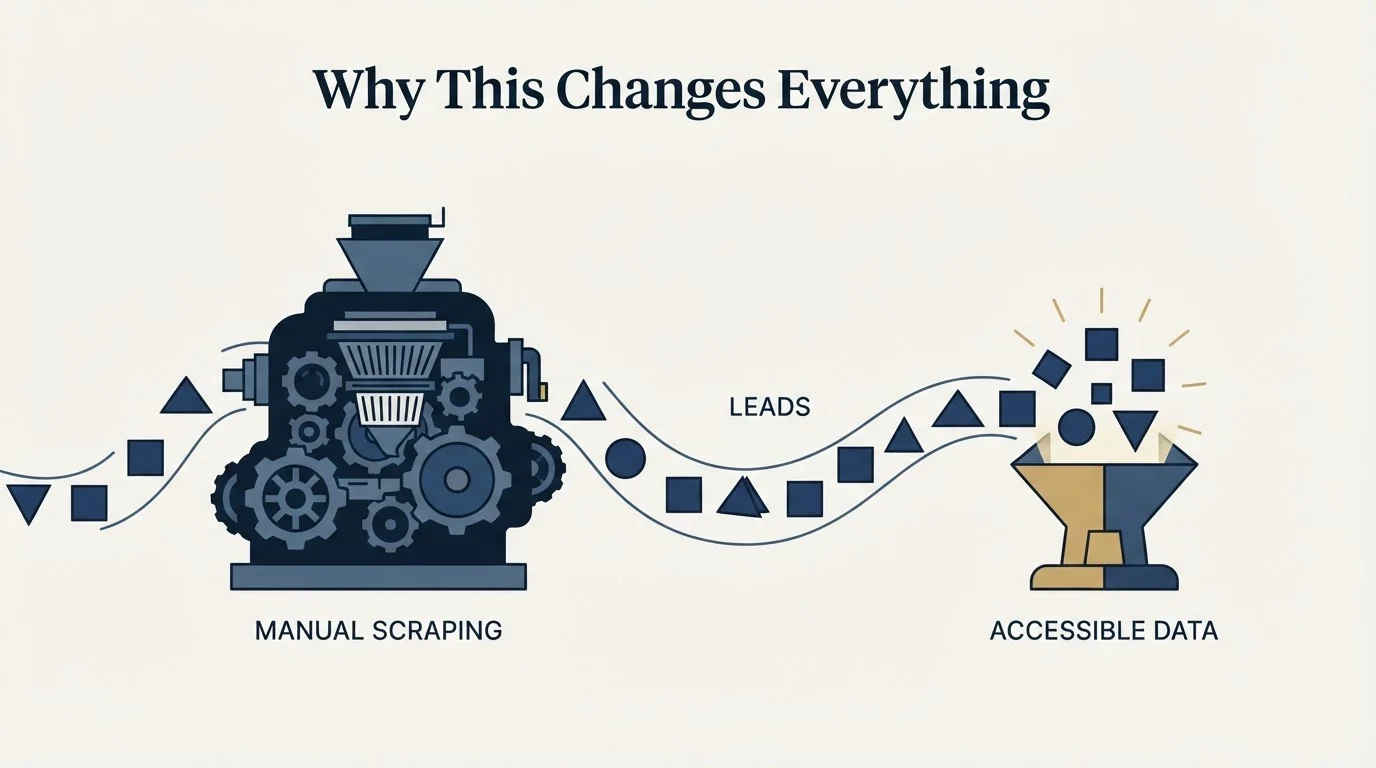
We are moving from an era of "learning to code" to an era of "high agency problem solving."
The barrier isn't technical skill anymore. It's clarity of thought.
If you can articulate:
- The outcome you want (I need 2,000 leads in a spreadsheet)
- The inputs you have (Search URL + API key)
Then the AI builds the bridge.
This is the new literacy. Not Python. Not JavaScript. The ability to break down problems and command AI to solve them.
The Cost Breakdown
Let's compare approaches:
Traditional Method:
- Apollo subscription: $49-119/month
- Limited export credits
- Manual work to segment and export
Developer Route:
- Hourly rate: $50-150/hour
- Time to build: 4-8 hours
- Total: $200-1,200 per project
The High Agency Stack:
- Cursor: Free tier available (Pro is $20/month)
- RapidAPI: Most Apollo scrapers have free tiers or cost $0.001-0.01 per lead
- Your time: 5 minutes
- Total: Roughly $0-20 for thousands of leads
The math isn't even close.
Common Objections (And Why They're Wrong)
"But I'm not technical"
Neither am I. That's the entire point. You're not writing code. You're writing instructions in plain English. If you can write an email, you can do this.
"What if the API changes?"
Then you paste the error into Cursor and say "the API changed, fix this." The AI adapts.
"Isn't this against Apollo's terms of service?"
Check the specific API you're using. Many RapidAPI providers have legitimate access methods. Always use data ethically and in compliance with relevant terms.
"What about data quality?"
The data is only as good as your Apollo search. Spend time refining your filters before scraping. Garbage filters = garbage leads.
Taking It Further
Once you've got this workflow down, you can apply it to almost any data source:
- LinkedIn (via various APIs)
- Google Maps business listings
- Industry directories
- Government databases
- Any website with structured data
The pattern is always the same:
- Find the data source
- Find an API or scraping method
- Command Cursor to connect them
- Export to CSV
This is how we build custom lead databases for pennies while competitors pay thousands for the same data.
The Mindset Shift

Stop thinking "I can't do this because I'm not technical."
Start thinking "I need to clearly define what I want and find the right tools."
The tools exist. The APIs exist. The AI exists.
The only question is whether you'll use them.
Don't let "I'm not technical" be your excuse anymore. The era of high agency problem solving is here.
Your competitors who figure this out will move faster, spend less, and build better systems than those still waiting for developers or paying for expensive software.
Which side do you want to be on?
If you would rather have this run for you, RevenueFlow books qualified meetings on a pay-per-meeting basis and publishes client results.
Ready to put these leads to work? Learn how to personalize your outreach at scale or build the infrastructure to actually land in the inbox.
Frequently asked questions.
Frequently asked questions- Do I need to know how to code to scrape Apollo leads this way?
- No, coding knowledge is not required. The workflow relies on giving Cursor AI plain English instructions describing the Apollo search URL, the RapidAPI key, and the desired CSV output, and the AI writes and runs the necessary code itself.
- How much does this Apollo scraping method actually cost?
- The total cost is roughly $0-20 for thousands of leads. RapidAPI Apollo scrapers often have free tiers or charge $0.001-0.01 per lead, and Cursor offers a free tier, with its Pro version costing $20/month if needed.
- What do I do if the scraping process throws an error?
- Screenshot the error message and paste it back into Cursor AI along with the instruction 'Fix this.' The AI will diagnose the problem, explain what went wrong, rewrite the code, and run it again, sometimes requiring several attempts before it succeeds.
- Where do I get the API needed to connect to Apollo?
- You get it by signing up for a free account on RapidAPI.com, searching for 'Apollo Scraper' or 'Apollo.io API,' subscribing to one of the available scraping APIs, and copying the API key from your dashboard.
- Can this same method be used for data sources other than Apollo?
- Yes, the same pattern applies to other structured data sources such as LinkedIn, Google Maps business listings, industry directories, and government databases by finding the data source, locating a matching API, and commanding Cursor to connect them and export to CSV.
About the author.

Tim Carden is CMO / CTO at RevenueFlow, which builds and operates outbound revenue engines for B2B companies. Studied at McGill University.
Tim Carden · CMO / CTO
Connect on LinkedIn →Explore more.
Ready to scale your outreach?
We build GTM engines that book real meetings. See the receipts.
Related articles.
Two Agencies, One Target List: Who Owns Which Accounts
Two outbound suppliers on one market will contact the same companies unless the buyer splits it first. How to cut the list, run the exclusion feed and check the overlap.
IT Lead Generation: Selling to a Buyer Who Runs Your Playbook
Technology buyers evaluate outbound for a living, and their purchases carry a security review nobody in your meeting owns. Which triggers are real.
The Last Outbound Agency Did Not Deliver: Locating the Failure Before You Buy Again
The leads were bad names a symptom and no stage. Four places an outbound engagement fails, the counts that separate them, and what to change in the next purchase.
HR Lead Generation: The Renewal Clock, and Who Actually Signs
An HR buyer who agrees with every word still cannot act outside their own renewal window. Which triggers are observable, and who signs.
When Outbound Stops Scaling: What Breaks First as You Add Budget
Doubling the budget rarely doubles the meetings. The five constraints that bind in order, the signature each one leaves in the numbers, and what actually buys more.
Already Contracted With Another Lead Generation Vendor: Running Two Without Colliding
Two vendors collide because neither can see the other's send queue. How to split by account, hold one suppression list, and run a bake-off that decides something.