Cold Email Templates for Sales Managers: 10+ Examples
Twelve scenario-labeled cold email templates a sales manager can drop into the team sequencer, plus the QA rubric and coaching loop that keep them working.
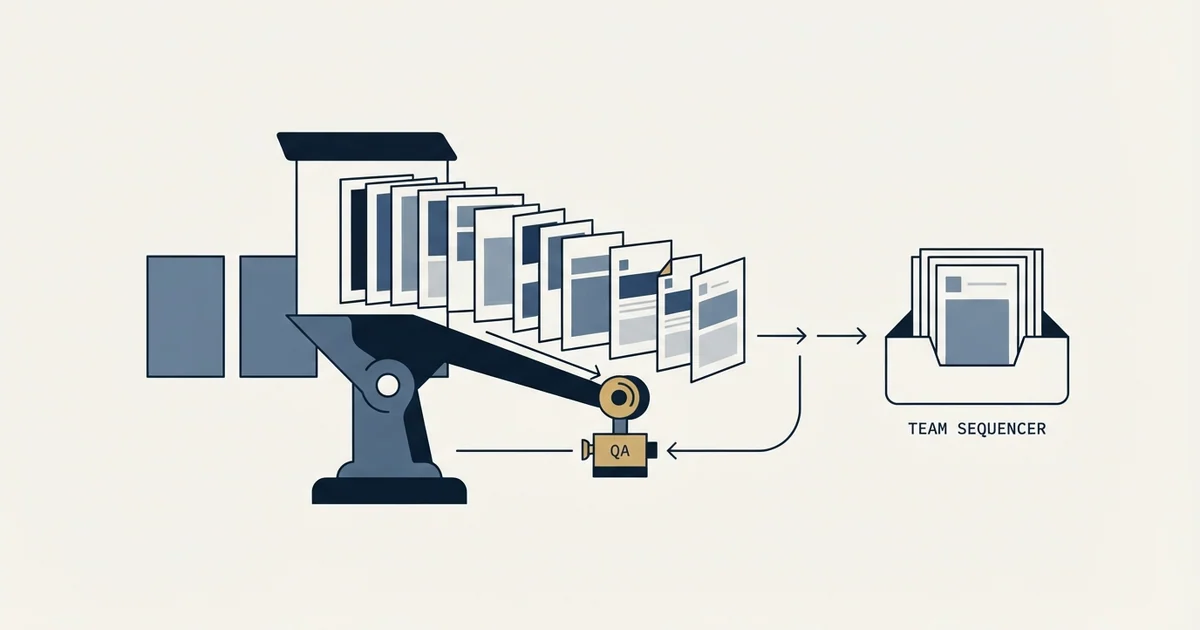
Sales managers should run a small scenario-labeled template library rather than per-rep copy: openers tied to hiring, stack, or problem triggers, three re-approach campaigns that each add a new argument, plus redirect, multithread, closed-lost, and manager escalation templates. Score every template against a seven-point QA rubric and review reply text weekly.
Key takeaways
- Label templates by trigger (hiring signal, tool switch, closed-lost reopen), not by persona, so reps know when to fire each one.
- Belkins' 2026 analysis of 7.5 million cold emails sent in 2025 found an average per-email reply rate of 0.45%, which sets realistic expectations for any template.
- Steps 2 through 6 of a sequence account for 58.6% of all replies, so later attempts need real arguments rather than bump messages. We make ours as separate campaigns rather than steps in one thread.
- Steps 3 to 5 drive 53.5% of email-sourced meetings, making four to five attempts a defensible default. We run them as four to five separate campaigns.
- Keep body copy under 90 words, one idea per email, and make the first ask information or a redirect rather than a 30-minute demo.
- Cap the active library at roughly fifteen templates and roll out three at a time so reps adopt by comparison instead of by mandate.
Reviewed and updated September 1, 2026
Cold Email Templates for Sales Managers: 10+ Examples by Scenario
Open the sequencer on a Monday morning for a six-rep team and you will usually find something like this: 34 active sequences, nine of which are near-identical forks of the same "quick question" email, two that still reference a product name you retired last year, and one a rep built at 11pm before quarter end and never told anyone about. Reply rates across the team range from 0.2% to 4%, and nobody can explain the gap because no two reps are sending the same thing.
That sprawl is the actual problem a sales manager solves. Individual reps need copy that converts. A manager needs a library: a small set of scenario-labeled templates, each with a clear trigger for when to use it, each versioned, each reviewable against a rubric a coach can apply in 90 seconds during a pipeline review.
This is that library. Twelve templates organized by the scenarios your team actually hits, plus the QA rubric and coaching cadence that keep them from rotting.
How to Structure a Team Template Library
Three rules make a shared library survive contact with a real team.
- Yes: Label by trigger, not by persona
- Yes: Lock the argument, free the voice
- Yes: Version everything
Label by trigger, not by persona. "VP Ops template" tells a rep nothing about when to fire it. "Job posting signal, hiring for the role we replace" tells them exactly. Reps pick the wrong template when the label describes who, and the right one when it describes why now.
Lock the argument, free the voice. Freeze the value claim, the proof point, and the ask. Leave the opening line and the sign-off open. Reps who cannot sound like themselves quietly stop using the library, and then you are back to 34 sequences.
Version everything. Every template gets a name, a date, and an owner. When performance moves, you need to know which version was in market. Most teams skip this and lose the ability to learn anything from their own data.
One framing number worth holding before you write a word: Belkins' 2026 study of 7.5 million cold emails sent across 2025 put the average per-email reply rate at 0.45%. Source: Belkins. Copy quality matters, and so does the fact that targeting, list quality, and deliverability set the ceiling your copy operates inside.
The Templates
Template 1: Hiring Signal
Best for: The account just posted a job that implies the pain you solve.
Subject: {{company}} + the {{job_title}} req

{{first_name}}, saw you're hiring a {{job_title}}. Usually that means
{{implied_problem}} has gotten big enough to need a full-time owner.

We handle {{specific_slice_of_that_work}} for {{peer_company_1}} and
{{peer_company_2}}, which took roughly {{time_saved}} off that role's plate.

Worth 10 minutes to compare the two paths before you finish the hire?

{{rep_name}}
Why this works: The trigger is public, recent, and budget-adjacent. It also creates a real deadline (the hire) without manufacturing urgency.
Template 2: Tool Switch or Stack Signal
Best for: Technographic data or a public post shows they adopted, or dropped, a relevant tool.
Subject: since you moved to {{tool_name}}

{{first_name}}, noticed {{company}} is running {{tool_name}}.

Teams tend to hit the same wall around month three: {{specific_limitation}}.
{{peer_company}} ran into it and solved it with {{your_approach}} rather than
replacing the whole stack.

Want the two-paragraph version of how they did it?

{{rep_name}}
Why this works: The ask is for information rather than a meeting, which is a far lower bar for a first reply. It also positions you alongside their existing investment instead of against it.
Template 3: Problem-First Cold Open
Best for: No trigger available, but the segment is tight and the pain is well understood.
Subject: {{specific_metric}} at {{company}}

{{first_name}}, most {{role_title}}s at {{company_size}} {{industry}} companies
tell us the same thing: {{specific_painful_symptom}}.

The usual fix is {{common_workaround}}, which holds until {{breaking_point}}.

{{peer_company_1}} and {{peer_company_2}} took a different route. Happy to walk
through what changed for them if it's relevant.

{{rep_name}}
Why this works: Naming the workaround the prospect is already using proves you understand the job before you pitch anything.
The library needs later attempts as well, and in ours they are separate campaigns rather than replies. One message per campaign: when nobody answers, the next attempt goes out weeks later with its own subject line and its own premise, never a reply in the same thread. A reminder underneath an ignored email reaches the readers most likely to mark it as spam, and the reputation cost lands on the sending domain across every campaign your team is running on it. A fresh email gets a fresh open. The full reasoning, with the numbers from our own campaigns, is in why we stopped using follow-ups.
Template 4: Re-Approach 1, New Angle
Best for: A later campaign, weeks after the opener, to people who did not answer.
Subject: {{peer_company}}, {{specific_before_number}} to {{specific_after_number}}

One more angle, {{first_name}}.

{{peer_company}} had {{specific_before_number}} before we started and
{{specific_after_number}} ninety days in. The mechanism was {{one_line_how}}.

If {{implied_problem}} isn't on your list this quarter, say so and I'll stop.

{{rep_name}}
Why this works: It carries a new argument as its own campaign rather than a reminder, and the explicit permission to decline turns silence into a usable answer.
Template 5: Re-Approach 2, Proof Drop
Best for: A later campaign again, still nothing.
Subject: the {{peer_company}} breakdown

{{first_name}}, sending the {{peer_company}} breakdown since it's the closest
match to your setup: {{one_sentence_summary}}.

{{asset_link}}

No ask attached. If it's useful, reply and I'll send the rest.

{{rep_name}}
Why this works: A genuinely no-ask email resets the relationship after two pitches. Belkins found that steps 2 through 6 of a sequence account for 58.6% of all replies, so the later attempts deserve real copy rather than filler, whether a team runs them as sequence steps or, as we do, as separate campaigns. Source: Belkins.
Template 6: Re-Approach 3, Close the File
Best for: The last campaign in the run.
Subject: closing the loop

{{first_name}}, I'll assume {{implied_problem}} isn't a priority right now and
close this out.

If that's wrong and the timing is just bad, tell me which quarter and I'll come
back then. Otherwise, good luck with {{known_initiative}}.

{{rep_name}}
Why this works: It offers a graceful exit, which reliably surfaces the "wrong timing, not wrong fit" replies that feed your nurture list.
Template 7: Wrong-Person Redirect
Best for: A reply saying "not me," or a contact you suspect is adjacent to the real owner.
Subject: quick redirect?

{{first_name}}, I think I aimed this at the wrong desk.

Who owns {{specific_responsibility}} at {{company}}? Happy to take it there and
leave you out of it.

{{rep_name}}
Why this works: Under 40 words, and it asks for one thing a busy person can answer in five seconds. The forward it generates arrives as an internal referral, which carries far more weight than a cold send.
Template 8: Multithreading an Open Account
Best for: A rep has one contact engaged and needs a second stakeholder.
Subject: {{peer_contact_name}} and I have been talking

{{first_name}}, {{peer_contact_name}} on your team and I have been working
through {{specific_problem}}. Since {{your_function}} usually owns
{{related_concern}}, wanted to loop you in before it goes further.

Short version: {{one_line_summary}}. Any objections from your side I should
know about now?

{{rep_name}}
Why this works: Naming the internal colleague converts a cold email into a warm internal thread, and asking for objections invites the exact input a second stakeholder wants to give.
Template 9: Champion Changed Jobs
Best for: A past user or buyer shows up at a new company.
Subject: congrats on the move to {{company}}

{{first_name}}, saw you landed at {{company}}. Congratulations.

You ran {{your_product_or_approach}} at {{previous_company}}, so you already
know the part that takes the longest. If you're rebuilding
{{relevant_function}} there, happy to skip the pitch and just send the
implementation plan we used last time.

{{rep_name}}
Why this works: It skips discovery and credibility building entirely, which is the whole advantage of a known contact in a new seat.
Template 10: Closed-Lost Reopen
Best for: Deals lost 6 to 18 months ago.
Subject: {{losing_reason}} is fixed

{{first_name}}, when we talked in {{month_year}}, {{losing_reason}} was the
blocker. That's resolved: {{what_changed}}.

Not assuming anything changed on your end. If {{original_problem}} is still
live, worth a second look. If you solved it another way, I'd genuinely like to
hear how.

{{rep_name}}
Why this works: Naming the exact objection that killed the deal proves the rep kept notes and is not running a generic re-engagement blast.
Template 11: Event or Content Opener
Best for: Attendee lists, webinar registrants, or someone who engaged with a post.
Subject: the {{specific_topic}} question from {{event_name}}

{{first_name}}, you were at {{event_name}}. The question that came up most from
{{role_title}}s was {{specific_question}}.

We wrote up how {{peer_company}} answered it. Want it?

{{rep_name}}
Why this works: Shared context replaces personalization research, and a yes-or-no ask makes replying nearly frictionless.
Template 12: Manager Escalation
Best for: A senior account where earlier campaigns from the rep got no answer. Sent from the manager's address as its own campaign.
Subject: {{rep_name}} on my team has been trying to reach you

{{first_name}}, {{rep_name}} on my team wrote to you about
{{specific_problem}} at {{company}} earlier this quarter. No response, which
usually means one of three things: wrong person, wrong time, or wrong message.

I'd like to know which so I can coach accordingly. One word back is enough.

{{manager_name}}
{{manager_title}}, {{your_company}}
Why this works: The title change gets it read, and asking for feedback rather than a meeting is a request most senior people find easy to honor. Use it on roughly one account in ten or it stops functioning as an escalation.
The QA Rubric

Score every template, and a sample of every rep's live sends, against these seven checks. Anything under 5 out of 7 does not ship.
| Check | Pass looks like |
|---|---|
| Trigger is specific | A named event, posting, tool, or person, not a demographic |
| Under 90 words | Body copy fits one phone screen with no scrolling |
| One idea | A reader could restate the point in a single sentence |
| Claim is falsifiable | A number, a named company, or a mechanism, not "world-class" |
| Ask is small | Information, a redirect, or a yes/no, not a 30-minute demo |
| Sounds spoken | Reads aloud without stumbling or sounding like marketing |
| Variables safe | Every variable has a fallback, and no fallback reads as broken |
Two failure modes catch most teams. Variables render as blanks or as awkward defaults ("Hi there, saw you're hiring a ."), and the ask silently inflates from "want the write-up?" to "30 minutes Thursday?" as reps get impatient near quota. Audit both monthly by pulling ten random sent emails per rep straight from the sequencer and scoring them yourself. Reading what actually shipped beats reviewing what was approved.
The Coaching Loop

Templates decay. The loop that keeps them alive runs on a fixed cadence.
- Weekly, 20 minutesRead the actual threads
Pull the last week's replies, positive and negative, and read the actual threads.
- Every two weeksRun one A/B test across the whole team
Change exactly one element (subject line, first line, or ask) and hold everything else constant.
- MonthlyRetire the stale, promote the best rep-written variant
Retire anything that has been in market 90 days without hitting your reply threshold.
- QuarterlyRewrite the proof points
Named customers, before-and-after numbers, and competitive claims age much faster than the structure around them.
Weekly, 20 minutes. Pull the last week's replies, positive and negative, and read the actual threads. Reply text is the highest-signal coaching data a manager has, and almost nobody reads it. Tag each reply as interested, wrong timing, wrong person, or hostile. Hostile replies clustering on one template means the copy or the list is off, and that distinction is usually visible in the wording.
Every two weeks. Run one A/B test across the whole team rather than per rep. Change exactly one element (subject line, first line, or ask) and hold everything else constant. Per-rep testing produces sample sizes too small to read.
Monthly. Retire anything that has been in market 90 days without hitting your reply threshold, and promote the best-performing rep-written variant into the shared library with credit attached. Public credit is the cheapest way to get reps contributing copy instead of hoarding it.
Quarterly. Rewrite the proof points. Named customers, before-and-after numbers, and competitive claims age much faster than the structure around them.
On how many attempts to make, Belkins reports that steps 3 through 5 drive 53.5% of email-sourced meetings, with volume falling off sharply past step 5. Source: Belkins. Four to five attempts is a defensible default. We make ours as four to five separate campaigns spread over months rather than as steps inside one thread, and any argument for going longer should come from your own pipeline data.
Rolling It Out Without Losing the Team

Do not push twelve templates into the sequencer on a Monday and announce a new standard. Start with three: one cold open, one re-approach, one close-out. Run them for three weeks alongside whatever reps are already sending, then compare on the same list segment. Reps adopt libraries they watched beat their own copy, and they quietly resist libraries handed down as policy.
Keep the library small enough that a rep can hold it in memory. Past roughly fifteen active templates, selection becomes its own tax and reps default to whichever one sits at the top of the list.
If you would rather have list building, deliverability infrastructure, copy testing, and campaign management handled outside your team so your reps spend their hours on live conversations, RevenueFlow runs that as a done-for-you program. Book a strategy call and we will map your scenarios to a campaign set built for your ICP.
Related Reading
- Cold Email Templates for Customer Success Managers: 10+ Examples by Scenario
- 15 Objection Handling Email Templates That Actually Work
- 8 Sales Pitch Email Templates That Convert
If you would rather have this run for you, RevenueFlow books qualified meetings on a pay-per-meeting basis and publishes client results.
Frequently asked questions.
Frequently asked questions- How many cold email templates should a sales team actually have?
- Roughly ten to fifteen active templates covers the scenarios most B2B teams hit: two or three cold openers, three re-approaches, a redirect, a multithread, a closed-lost reopen, an event opener, and a manager escalation. Past fifteen, reps stop choosing deliberately and default to whichever template sits at the top of the list.
- Should reps be allowed to edit shared templates?
- Lock the value claim, the proof point, and the ask. Leave the opening line and sign-off editable. Reps who cannot sound like themselves stop using the library and rebuild their own sequences privately, which destroys your ability to compare performance. Promote the best rep-written variants into the shared library monthly, with public credit.
- How do I QA cold emails my reps are already sending?
- Pull ten random sent emails per rep directly from the sequencer each month and score them against a fixed rubric: specific trigger, under 90 words, one idea, falsifiable claim, small ask, spoken tone, and safe variable fallbacks. Reviewing what actually shipped catches variable rendering failures and ask inflation that approved drafts hide.
- Should a rep follow up when a prospect does not reply?
- None in the same thread. Belkins found steps 3 through 5 drive 53.5% of email-sourced meetings, with volume dropping sharply past step 5, so four to five attempts is a defensible default. We make ours as four to five separate campaigns spread over months, each introducing a new argument, a new proof point, or a graceful exit rather than a bump line.
- When should a sales manager email a prospect directly instead of the rep?
- Use a manager escalation on roughly one account in ten, after earlier campaigns from the rep have gone unanswered at a senior account. The title change earns a read, and asking which of wrong person, wrong time, or wrong message applies is easy for a busy executive to answer in one word.
About the author.

Ben Carden is CRO at RevenueFlow, which builds and operates outbound revenue engines for B2B companies. Previously at Gartner Enterprise. Studied at London School of Economics.
Ben Carden · CRO
Connect on LinkedIn →Explore more.
Ready to scale your outreach?
We build GTM engines that book real meetings. See the receipts.
Related articles.
10 B2B Cold Email Templates for One-Message Sends
Ten B2B cold email templates written for a single send, with the four slot structure underneath them and the test that separates a good example from a bad one.
Cold Email Templates for Customer Success Managers
Eleven cold email templates for customer success managers, covering champion change, expansion, renewal rescue, and win-back, with subject lines and timing.
14 Renewal Email Templates That Retain Customers
Master subscription and contract renewals with 14 proven email templates. Reduce churn, lock in renewals early, and maintain customer relationships.
13 Case Study Request Email Templates That Get Results
Get proven email templates for requesting case studies, video testimonials, and written reviews from your happiest customers. Includes templates for every stage from initial ask to final approval.
13 Demo Follow-Up Email Templates to Close More Deals
Proven demo follow-up email templates for every scenario, from same-day recaps to re-engaging stalled prospects and handling competitive evaluations.
Email Subject Line Capitalization: What the Guides Say
What the style authorities actually rule on subject line case, what the published tests measured, and the default for a one to one sales email.