Customer Onboarding Template: Five Messages and a Checklist
Five onboarding messages that take a new customer from signature to a working account with a named owner, plus the reasoning to rewrite before each one goes out.
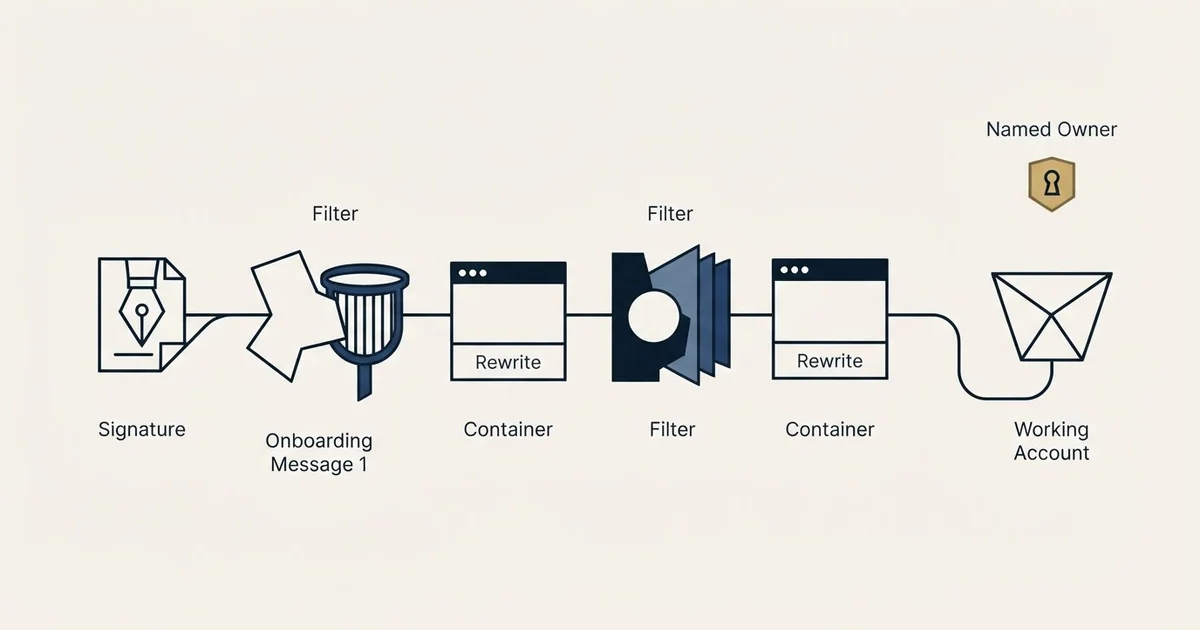
A customer success onboarding template is five post-signature messages with an exit condition: a kickoff that names owners and books the session, an access list, a first-value report from the customer's own account, a day thirty check-in naming who is active, and a handover to the standing owner.
Key takeaways
- A customer success onboarding template is five messages, kickoff, access, first value, a day thirty check-in and handover, each with one job and a date attached.
- Onboarding is a campaign with an exit condition, and the exit is the handover message rather than a date the drip runs out.
- The day thirty message names who is active, who is set up but idle and who has not started, then asks which of three things is blocking the idle group.
- Stages three and four depend on what the customer said they bought the product for being written down where the onboarding team can read it.
Reviewed and updated September 21, 2026
A new customer signs on a Thursday, the account executive posts a celebration in the deal channel, and the first message the buyer receives is an automated invoice on Monday morning. Four weeks later nobody on the vendor side can say whether the product has been switched on. The contract is signed and the relationship has not started.
Onboarding templates are usually boards, spreadsheets and checklists that tell your team what to do next, which is the internal side of that problem, and useful as far as it goes. What fails is the sequence of messages the customer actually receives, because that is the part nobody owns once the seller has moved on to the next deal.
This page gives that sequence: five messages from a signed agreement to a working account with a named owner, the reasoning behind each, and the checklist behind them. Every example is invented to show the shape, and written to be rewritten.
A customer success onboarding template: five stages, one job each
A customer success onboarding template is the sequence of messages a new customer receives between signature and handover, with an internal checklist behind it. Five messages carry it: a kickoff that names owners and books the session, an access list, a first-value report from the customer's own account, a day thirty check-in naming who is active, and a handover to the standing owner.
Onboarding is a short campaign with an exit condition, and the exit condition is the thing most sequences never state. Each stage has a single job and a date attached; a sequence where two messages do the same job produces a customer who reads neither. The same five work as client onboarding texts where the relationship runs on chat rather than email.
As a starting point, kickoff lands in the first two working days, access in the first week, first value in weeks two to four, the check-in at day thirty and the handover between day 45 and day 60. Reset those against your own implementation length.
Two of those five are routinely skipped. First value gets skipped because it requires the vendor to define what a first outcome is before the customer asks, which is real work. Handover gets skipped because the implementation contact drifts into being the permanent contact by default, which works until that person leaves.
Stage one: the kickoff message
The kickoff message exists to convert a signature into a scheduled meeting with named people on both sides. Anything else it carries is decoration.
Send it within two working days of signature, from the person who will run the implementation rather than from the seller, and copy the seller so the buyer sees the handoff happen rather than being told about it later.
Subject: Kickoff for [Company] and next steps

Hi [First name],

[Seller first name] has handed the account over to us, and we will
be running your implementation from here.

Two things to get us started.

First, a working session. We have held 45 minutes on Tuesday and
Thursday next week, both at 10am your time. Either works, and if
neither does, send two slots that do.

Second, the people. On our side it is [Your name] for setup and
[Name] for anything technical. On yours we need whoever will own
[the system] day to day, and whoever has to approve [the integration
or the data access]. They do not have to attend the first session,
but we do need their names before it.

Before we meet we will send a short list of what is needed from you
so the session is not spent gathering it.

[Your name]
What to change before you send this. The two offered slots are the load-bearing part and the part people delete first; an open request for availability adds a round trip and pushes the session back. Replace the bracketed roles with the actual jobs your product touches, because the value of this message is that it makes the customer name people while the purchase is still fresh. If your implementation genuinely takes an hour rather than a working session, say an hour, since a calendar request larger than the work is the first thing that trains a customer to ignore you.
Stage two: the access and setup message
This is the least interesting message in the sequence and the one that decides whether the other four land. Its job is to get the account created, the data loaded and the first three people logged in, which means it has to be a list rather than a letter.
Subject: What we need from you this week

Hi [First name],

Good session yesterday. Here is everything outstanding, in the order
we need it.

From you this week:
1. Confirm the three people who need logins, with their work email
   addresses.
2. Send [the export or the credential] so we can load your existing
   [records].
3. Approve the [integration] request that will arrive from
   [Your company] on [day].

From us this week:
1. Your workspace, live by [date] once we have item 1.
2. A 20 minute walkthrough for the three users on [date].
3. The [data] loaded and checked by [date].

If item 3 on your list needs somebody else, tell us who and we will
approach them directly rather than adding a step for you.

[Your name]
What to change before you send this. Keep the two-column structure, because a list that mixes their work with yours reads as a demand rather than a plan and gets forwarded rather than actioned. Number the items so a reply can say item two is blocked. The last line earns its place: a delay is often a customer waiting on a colleague they do not want to chase, and offering to make that approach yourself removes the delay and the awkwardness at once.
Stage three: the first value message
First value is the only stage with a genuine argument behind it. The vendor has to decide, before the customer asks, what the smallest real outcome is that proves the product works in that account. Not a completed setup, not a training session attended. An outcome the customer would report to their own manager.
Subject: First [outcome] is live

Hi [First name],

[The thing] ran yesterday. Numbers below, and they are your account
rather than a sample.

- [Metric one]: [figure]
- [Metric two]: [figure]
- [Metric three]: [figure]

Two things worth knowing about them. [Observation about what the
figures mean in their situation.] And [the one thing that will
change the figures next month, with what causes it.]

Next up is [the second outcome], which needs [the one input] from
you. Send it when you have it and we will set it running.

[Your name]
What to change before you send this. Every figure here comes from the customer's own account, which is why this template carries brackets rather than numbers; a benchmark from another account belongs in a different message. The observation is the part that separates this from a report, and it is the part an automated digest cannot write. If your product has no outcome available inside four weeks, that is worth knowing before you promise this message, and the honest fix is to change the stage rather than to send a status update dressed as a result.
Stage four: the day thirty check-in

At thirty days the useful question is narrow: does what they bought match what they are using. This is the message that catches the account that has technically onboarded and functionally stalled, and it is the last cheap moment to catch it.
Subject: 30 days in, one question

Hi [First name],

Quick review of where the account is.

Logged in and using it: [names]
Set up but not active: [names]
Not started: [names]

You bought this to [the outcome named in the sales conversation].
That is on track for [names], and the second group is where we
would spend the next two weeks.

One question: is the second group blocked on something we own, on
training, or on the work not being theirs after all? Each of those
has a different fix and we would rather ask than guess.

[Your name]
What to change before you send this. Naming the three groups is the mechanism, and vendors soften it into a percentage because the list feels blunt. The list is the point: an adoption percentage is a number a customer can nod at, and a name is a person somebody has to decide about. The reference back to the outcome named during the sale is what stops this reading as a usage nag, so it has to be the outcome actually discussed rather than a generic one, which means whoever writes this needs access to what the seller wrote down.
The check-ins that follow this one across the life of the account, from a usage drop to a new leader on their side to the run-up to renewal, are in customer check-in email templates.
Stage five: the handover message
The handover message ends onboarding. It names the standing owner, sets the review rhythm and closes the implementation thread so the customer knows which relationship is the live one.
Subject: Handing you over to [Name]

Hi [First name],

Setup is done, so this is the last message from the implementation
side.

[Name] takes the account from here. They already have the history,
including [the specific thing that was difficult], so you will not
be repeating yourself.

The rhythm from here is a review every [quarter], first one on
[date], covering usage, what is working and anything you want built
into the next period. [Name] will send the invitation this week.

For anything urgent before then, [Name] is at [their contact route].
The setup team stays reachable if something from that phase
resurfaces.

[Your name]
What to change before you send this. The clause naming the difficult part is small and it does more than the rest of the message, because the fear behind every handover is having to explain the account again to somebody new. Set the first review date in the message rather than promising to arrange one, since a rhythm that starts with a scheduling thread usually does not start. If the standing owner is the same person who ran the implementation, send this anyway with the role change stated, because the customer needs to know which conversation they are now in.
The checklist behind the sequence
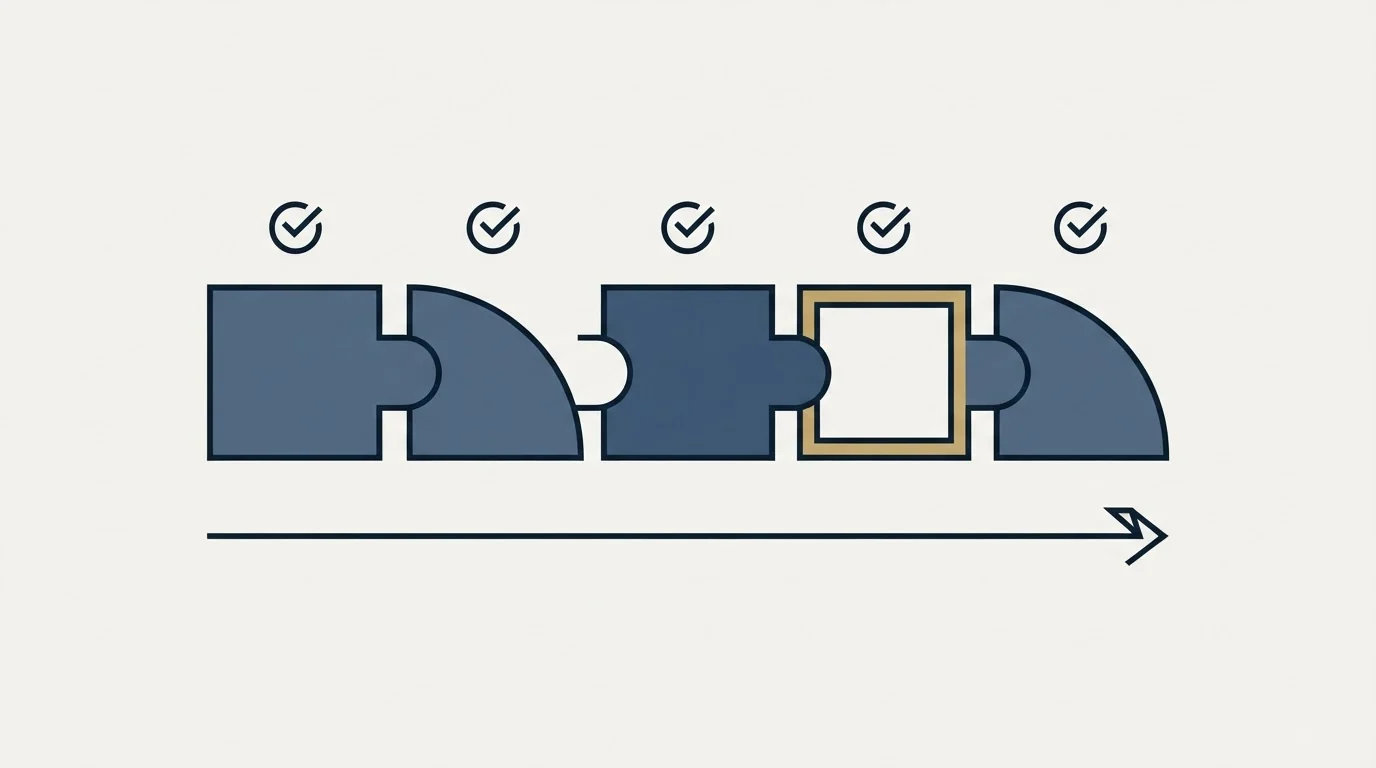
The five messages only work if the internal work behind them is done in the same order.
| Done before it goes out | The message that depends on it |
|---|---|
| The implementation owner is named before signature, not after | 1. Kickoff |
| What the customer bought it for is written down where the onboarding team can read it | 3. First value and 4. Check-in |
| First value is defined per product, in advance, as an outcome rather than a setup step | 3. First value |
| Login and activity data is visible to whoever writes the day thirty message | 4. Check-in |
| The standing owner is decided before the handover message is drafted | 5. Handover |
| A named fallback exists for the week the implementation owner is away | Any of the five |
| The sequence is one campaign with an exit condition, not a drip that keeps running | 5. Handover, the exit |
The second item is the fragile one. What a customer bought the product for is established during the sale, recorded in a call summary or a deal note, and then not read by the person who onboards them. Everything in stage three and stage four depends on it, and a message that guesses at the reason is worse than no message.
Common mistakes, in the order they appear
Onboarding starts at the invoice. If the first thing a signed customer receives is billing, the sequence has already been overtaken. Kickoff goes out first.
The sequence has no end. A drip that keeps sending tips at week nine has stopped being onboarding and become newsletter volume the customer did not choose. Write the exit condition into the sequence, which is usually the handover message going out.
Training is treated as adoption. Attendance is a measure of a calendar invitation. The day thirty message exists because those two numbers come apart quickly.
Every message asks for something. Stage three asks for very little on purpose. A sequence where the customer is chased five times in six weeks teaches them to open none of it.
Nobody owns the message once the seller leaves. This is the structural version of every mistake above. The handoff has to be to a named person on a date, which is why stage one carries it explicitly.
Where this sits against the rest of the lifecycle
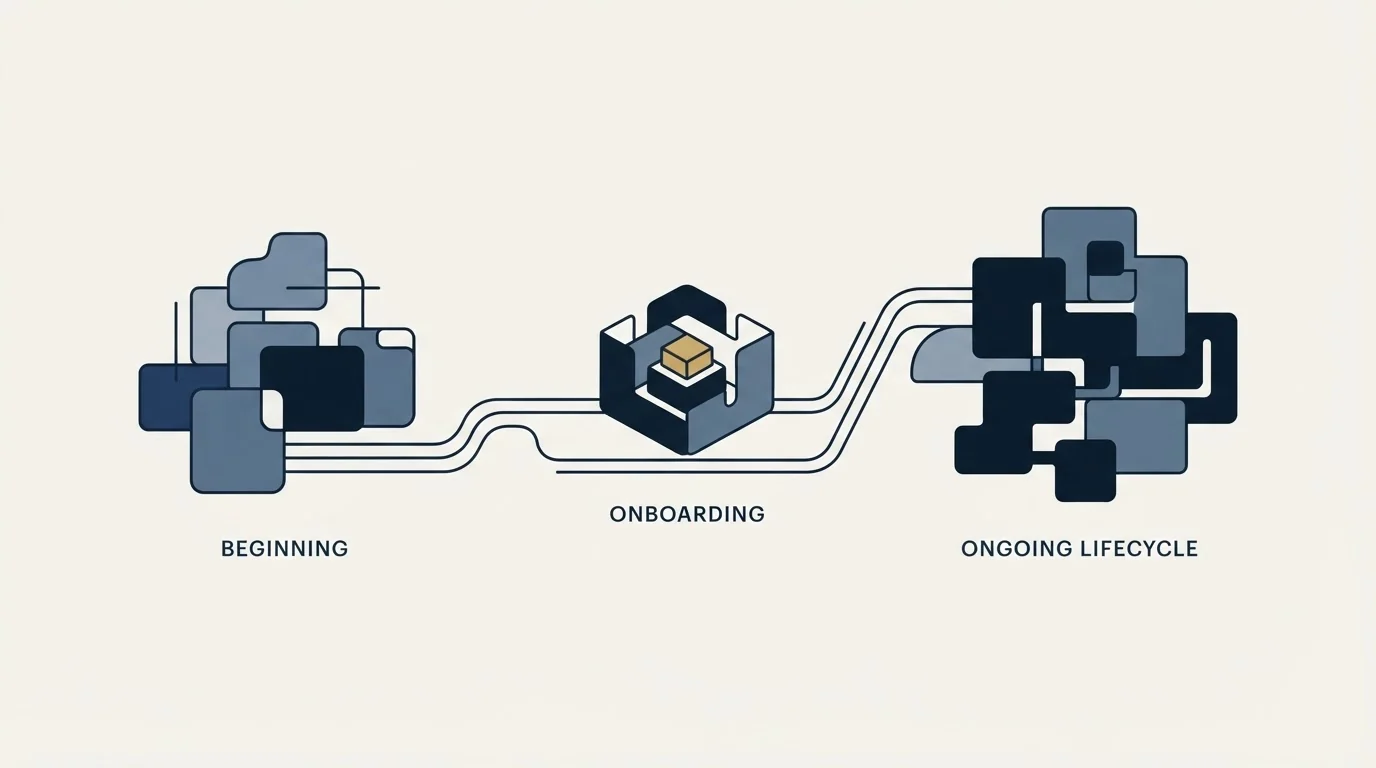
Onboarding is the first of three sequences a customer receives after signing, and the three are usually written by different people who never compare them. The second is expansion, where the trigger is usage rather than a date and the difference between a cross-sell and an upsell decides who sends it. The third is renewal, which starts far earlier than most teams run it and has its own timeline and its own set of renewal messages. A good onboarding sequence makes the renewal conversation shorter, because the first-value message from week three is the evidence the renewal message needs.
Two things this page is not. It is not seller onboarding, which is a different job with a different reader and is covered in the sales onboarding process. And it is not the set of demo follow-up messages that run before the signature, though the two share a discipline: a message with one job lands and a message with four does not.
RevenueFlow runs cold email and LinkedIn for B2B teams, and our doctrine on outbound is one message per campaign with no bumps and no thread replies. Post-signature onboarding is the case where a sequence is correct, because the customer chose the relationship and each message reports something new rather than repeating the last one. If the pipeline that feeds this sequence is the part that needs work, our free campaign is where that starts.
The short version
A customer onboarding template is five messages with an exit condition. Kickoff books the session, access turns the work into two numbered lists, first value reports one real outcome, the day thirty check-in names who is and is not using it, and handover introduces the standing owner with a first review date.
What decides whether onboarding works is whether somebody owns the messages after the seller has moved on, and whether anyone read what the customer said they bought it for.
Frequently asked questions.
Frequently asked questions- What should a customer success onboarding template include?
- Five messages and the checklist behind them. A kickoff within two working days that names owners and books a session, an access list split into their work and yours, a first-value report from the customer's own account, a day thirty check-in naming who is active, and a handover that introduces the standing owner and sets the first review date.
- How many emails should a customer onboarding sequence have?
- Five is enough for most B2B software rollouts: kickoff, access and setup, first value, a day thirty check-in and the handover. More than that and the customer learns to open none of them. What matters more than the count is that each message owns one job and the sequence has a stated exit rather than running until somebody switches it off.
- What counts as first value in an onboarding sequence?
- The smallest real outcome the customer would report to their own manager, produced in their own account rather than in a sample. A completed setup does not count and neither does an attended training session. If your product cannot produce such an outcome inside four weeks, change the stage rather than sending a status update dressed as a result.
- Is a customer onboarding template the same as a sales onboarding template?
- They share a word and little else. Sales onboarding ramps a new seller on your own team. Customer onboarding is the sequence a paying customer receives after signature. They have different readers, different owners and different exit conditions, so a template written for one cannot be used for the other.
About the author.

Ben Carden is CRO at RevenueFlow, which builds and operates outbound revenue engines for B2B companies. Previously at Gartner Enterprise. Studied at London School of Economics.
Ben Carden · CRO
Connect on LinkedIn →Explore more.
Ready to scale your outreach?
We build GTM engines that book real meetings. See the receipts.
Related articles.
14 Renewal Email Templates That Retain Customers
Master subscription and contract renewals with 14 proven email templates. Reduce churn, lock in renewals early, and maintain customer relationships.
13 Case Study Request Email Templates That Get Results
Get proven email templates for requesting case studies, video testimonials, and written reviews from your happiest customers. Includes templates for every stage from initial ask to final approval.
Email Subject Line Capitalization: What the Guides Say
What the style authorities actually rule on subject line case, what the published tests measured, and the default for a one to one sales email.
Follow-Up Call Scripts: Nine Calls Into a Live Conversation
Nine follow-up call scripts, each tied to the event that earns the call, from a demo to a renewal, plus the four moves they share and how each call should end.
10 B2B Cold Email Templates for One-Message Sends
Ten B2B cold email templates written for a single send, with the four slot structure underneath them and the test that separates a good example from a bad one.
Cold Email Templates for Customer Success Managers
Eleven cold email templates for customer success managers, covering champion change, expansion, renewal rescue, and win-back, with subject lines and timing.