Pipedrive Automation: The Trigger and Action Model
Pipedrive's automation engine fails quietly in four documented ways. The trigger and action vocabulary, the branching caps, and the behaviours that stop a workflow dead.
Pipedrive automations pair a trigger event with an action event, and are available on Growth and higher only. Event triggers cover six entities across added, updated and deleted; date triggers cover four. Four documented behaviours stop a workflow without producing any visible error.
Key takeaways
- Workflow automation is available on Growth and higher plans; Lite has none.
- Conditions are checked only once per triggered action unless a wait-until condition is used, and an unmet condition stops every step after it.
- An automation that creates a deal fails permanently at that step if the account is at its open deal limit, and does not resume.
- Data imports do not fire event triggers, except when the import updates or deletes leads, while date triggers can be fired by imports.
Reviewed and updated September 1, 2026
Pipedrive Automation: The Trigger and Action Model, and the Rules That Silently Stop It
An automation that has stopped running looks identical to an automation that never had anything to do. Both sit in the list, enabled, with no error. Pipedrive's automation engine has four documented behaviours that cause exactly that outcome, and none of them announces itself. Knowing them before you build is the difference between a workflow you trust and a workflow that quietly stopped working three weeks ago.
Notifications are the visible half of the same trigger model: an automation can send one when a condition is met, which is why teams that never open the automation builder still end up configuring it through the notification settings.
What the engine is, and what tier it starts at
Pipedrive's knowledge base article on automations, last updated 6 August 2025, states the gate up front: the feature is only available on Growth and higher plans. Below that, there is no workflow automation in the account at all. Creating one also requires the right access, since Pipedrive notes that only global admins or regular users with the correct permissions can create automations.
The model is a single if-then. An automation is made of a trigger event and an action event, with optional conditions and branches between them. Automations live under the account menu at the top right, then Tools and apps, then Automations, and are created from the add button. Names run to 120 characters and descriptions to 200, which is enough room to say what an automation does and why, and worth using: the maintenance cost of a rules engine is almost entirely in the archaeology.
Triggers come in two kinds, and the shapes differ.
Event triggers offer six entity options, each with three events. The entities are deal, person, activity, lead, organization and project, and the events are added, updated and deleted. That is eighteen combinations, and it is the whole vocabulary.
Date triggers offer four entity options: deal, person, activity and organization. You pick a specific date field on the entity, then one of three parameters, being exact date, before date, or after date. Renewal dates, contract end dates and any custom date field are all fair game, which makes date triggers the natural home for anything time-based rather than event-based.
Actions run across a wider set. Pipedrive lists default action options covering person, organization, lead, deal, activity, email, notes, campaigns, projects and webhooks, plus integration actions for Slack, Microsoft Teams, Trello and Asana. The webhook action is the escape hatch worth knowing about: it is how a Pipedrive automation reaches something Pipedrive has never heard of.
Because that escape hatch often reaches a data source rather than a messaging app, comparing lead sourcing and CRM tracking explains why enrichment and pipeline management stay separate systems joined by automation.
A related contrast worth weighing is how a verified contact sourcing tool fits alongside pipeline management, explored in comparing lead sourcing with pipeline tools.
- Deal, person, activity, lead, organization, project
- Added, updated or deleted
- Eighteen combinations in total
- Not fired by data imports, except lead updates and deletions
- Deal, person, activity, organization
- Any date field on the entity
- Exact date, before date, after date
- These DO fire on imports
- Person, organization, lead, deal, activity, email, notes, campaigns, projects, webhooks
- Slack, Microsoft Teams, Trello, Asana
- Executed top down, step by step
- Email is restricted to the synced address
The four rules that stop an automation without telling you
A failed condition halts everything after it. Pipedrive documents that automations check only once whether the condition for each triggered action is met, unless you use the wait-until-event condition. If a condition on a specific action is not met, that action does not execute, and the system does not execute the next step either. So a chain is only as long as its first unmet condition, and a step that fails silently takes its successors with it. If a later step must run regardless, it belongs in a separate automation rather than downstream in the same one, or the chain needs an explicit wait-until so the check is not a single glance.
Hitting the open deal limit kills the deal-creating step permanently. This one is documented in unusually direct language. An automation set up to create a new deal will fail at that step if you are at your open deal limit, and Pipedrive states that the automation will not resume if the deal is created later, manually or through an upload. There is no retry and no queue. An account that brushes its record ceiling during a busy quarter loses automation runs that nobody sees fail, and freeing space afterwards does not recover them. That limit is per plan, and it moved during the 2025 restructure: active leads and deals run per user at the lower tiers and per company at Premium, which means a large Premium team can be closer to its ceiling than the raw number suggests.
Imports do not fire event triggers, with one exception. Pipedrive documents that importing data will not trigger event-triggered automations, except when the import updates or deletes leads, and that date-trigger automations can be activated through imports. Both halves cause trouble in opposite directions. Building an enrichment workflow that expects to fire on imported records produces silence. Running a routine import against records with date fields can wake up date-triggered automations across the whole file at once, which is how a bulk update turns into an unexpected send.
Email actions can only use the synced address, and always send from the automation's creator. Two separate notes in Pipedrive's documentation combine into one operational fact. When an email is the action, it can only use the email address synced to Pipedrive via the email sync feature, and no other address or account can be used. Separately, an automation that sends emails can be triggered by any user in the account, but the email is always sent from the user who created the automation. So an automation built by a sales manager and triggered by a rep sends from the manager. Prospects reply to the manager. Nobody notices until the manager's inbox fills with conversations belonging to other people.
- Depends: No step depends on a later condition being rechecked, since conditions are evaluated once unless wait-until is used
- Depends: The account is not near its open deal limit, because a deal-creating step that fails there never resumes
- Depends: Nothing in the workflow expects to fire on imported records, apart from lead updates and deletions
- Depends: Routine imports have been checked against existing date-triggered automations
- Depends: The mailbox an email action sends from is the right one, given it is always the creator's synced address
- Depends: Activity-creating steps set an explicit relative due date, since an unset date defaults to the same day
- Depends: Branching fits the plan's if/else limit rather than being chained across several automations
Ordering is the fifth thing to hold in mind, and it interacts with the first. Pipedrive documents that multiple actions in one automation execute from the top down, so step three runs only after step two is done. Combined with the halt-on-unmet-condition rule, that makes the order of your steps a reliability decision rather than a cosmetic one: put the action that must happen first, and the action that is merely nice to have last, because everything below a failure is lost.
Two smaller behaviours round the set out. An activity-creating action with no date set produces an activity due the same day, and Pipedrive's guidance is to choose a relative option such as in one day or next Tuesday for anything meant to land in the future. And the users permitted to trigger a given automation can be restricted from an option at the top of the automation, which is the cleanest fix for a workflow that should only run for one team.
Branching is capped, and the cap is the design constraint
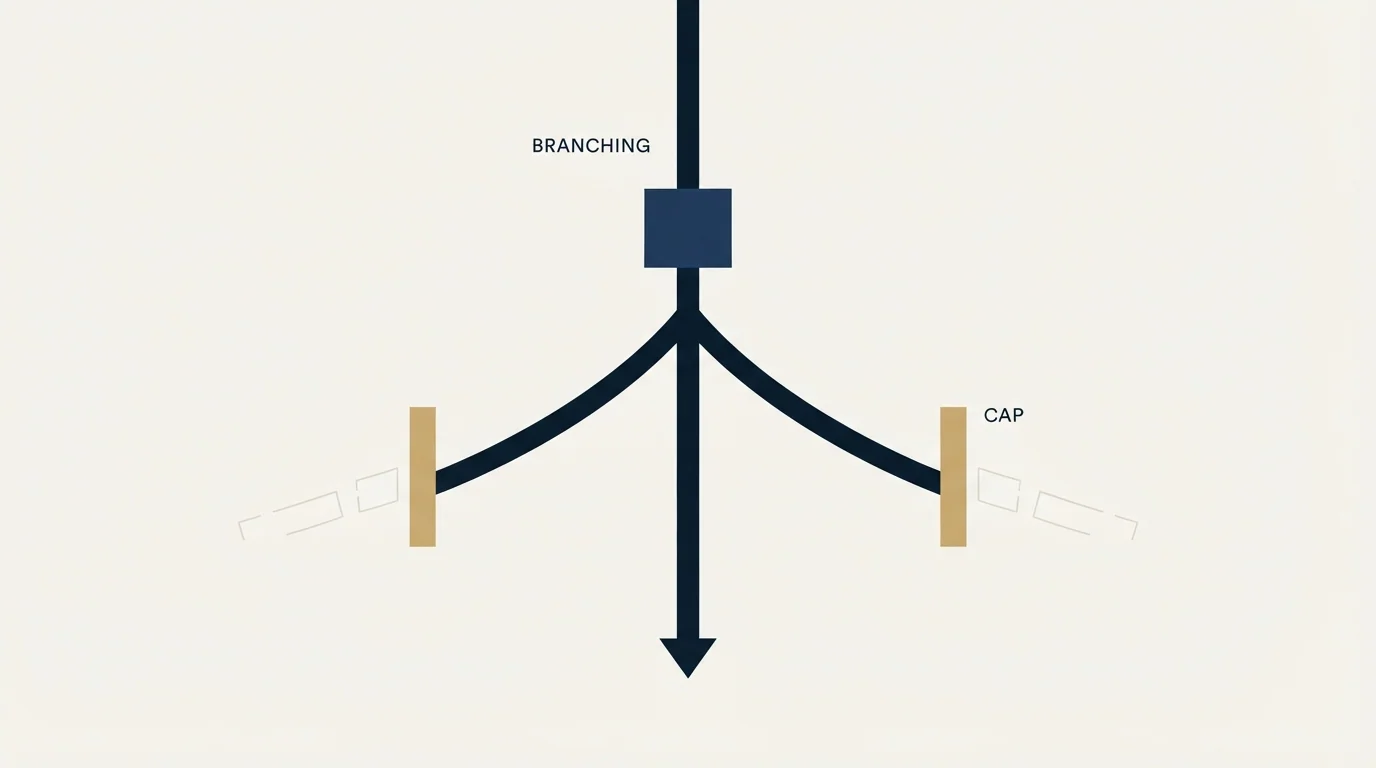
If/else steps are limited per automation, and the limit is tighter at the bottom of the ladder than most designs assume. Pipedrive's plan documentation records if/else steps per automation moving from one to three at the Advanced-to-Growth transition, and from five to ten at Professional-to-Premium. Active automations moved from 100 to 150 across that same Professional-to-Premium step.
Three branch points is not many. A routing rule that forks on territory, then on deal size, then on owner, then on product has already exceeded Growth's allowance, and the workaround is to split it into automations that trigger each other through field updates. That works, and it is where maintainability goes to die: the logic is now spread across four objects with no single view of it, and the halt-on-unmet-condition rule applies independently in each one. Where a process genuinely needs deep branching, the honest options are to move up a tier or to move that logic out of Pipedrive entirely through the webhook action.
What automation should and should not be doing to prospects

Internal automation is uncontroversial. Creating the follow-up activity when a deal changes stage, notifying an owner in Slack, updating a field, firing a webhook so another system stays in step: all of that removes administration and touches nobody outside the company.
The email action is where it gets consequential, and the constraint is not technical. An automated send from a CRM goes out from a real person's synced mailbox, which is the same mailbox their live commercial conversations run through. Volume there is not free. Reputation damage on that address is damage to correspondence with customers, not just to prospecting, which is why sending at any scale belongs on separate infrastructure with its own domains rather than on the mailbox an account executive replies from.
Choosing whether email volume belongs inside Pipedrive at all becomes easier after seeing how it stacks up against a dedicated engagement platform in Gong compared with Pipedrive.
The second constraint is editorial. Automation makes it trivial to send a second message to someone who did not answer the first, and the arithmetic of that is always tempting. It is also the wrong move. A follow-up lands beneath the message that was already ignored and reads as a chase whatever the trigger logic says. One message per campaign, and a genuinely new premise in a new campaign later if the account still merits one, which is a decision worth a human rather than a date trigger.
For the tier and limit background behind the gates above, best CRM tools for SDR teams covers what outbound needs from the CRM layer, HubSpot CRM vs Pipedrive and Pipedrive vs Salesforce cover the platform reads, and best Pipedrive alternatives covers the exit. If the workflow you are trying to automate is the one that fills the pipeline in the first place, see what that looks like done properly.
Pricing and features verified as of mid-2026. Verify current terms with the vendor before relying on them.
Frequently asked questions.
Frequently asked questions- Which Pipedrive plans include workflow automation?
- Growth and higher. Pipedrive's knowledge base states the feature is only available on Growth and above, so Lite accounts have no workflow automation at all. Creation also requires permissions: only global admins or regular users with the correct permissions can create automations, which is a separate gate from the plan itself.
- Why did my Pipedrive automation stop running?
- Most often because a condition was not met. Pipedrive checks each triggered action's condition once, unless you use a wait-until condition, and an unmet condition stops that action and every step below it. The other common cause is hitting the open deal limit, which permanently fails a deal-creating step with no retry.
- Do imports trigger Pipedrive automations?
- Mostly no, with one exception in each direction. Pipedrive documents that importing data will not trigger event-triggered automations, except where the import updates or deletes leads. Date-triggered automations, however, can be activated through imports, which is how a routine bulk update can wake up workflows across an entire file at once.
- Which mailbox does an automated email send from?
- The one belonging to whoever created the automation. Pipedrive documents that an email action can only use the address synced through email sync, and that although any user can trigger the automation, the email is always sent from the user who created it. So a manager's automation triggered by a rep sends from the manager.
About the author.

B2B cold email experts helping companies generate qualified leads through done-for-you outreach campaigns.
RevenueFlow Team
Explore more.
Ready to scale your outreach?
We build GTM engines that book real meetings. See the receipts.
Related articles.
Pipedrive Sequences: A 250-Item Cap and What the Tool Is For
Ten steps, 250 items and a per-sequence sending authorisation. Pipedrive's caps describe the audience the feature was designed for more clearly than its feature list.
CRM Setup: The Objects, Stages and Write-Back Loop
A vendor neutral CRM setup for an outbound team: the object model, stage exit criteria, the required field set, ownership rules and the campaign write-back loop.
The Pipedrive API: A Daily Token Budget
Pipedrive prices API calls rather than counting them. The published token budget, the cost of each endpoint type, and the two ceilings a sync has to respect.
Pipedrive Calling: Native Surfaces, Marketplace Dialers
Pipedrive's knowledge base says it has no built-in calling integration. What ships natively is a set of shortcuts to your phone, and the dialer is a second subscription.
Pipedrive and PandaDoc: The Two Plan Gates
PandaDoc places its Pipedrive integration on Business and Enterprise plans and requires each user to install it individually. Both facts precede any configuration.
Pipedrive Smart Docs: Your Documents Live in Your Drive
Smart Docs saves every document to the Google Drive, OneDrive or SharePoint account you connect. Template access, versions and backups all follow from that.