QuickMail vs TrulyInbox: Cross-Category Comparison
Compare QuickMail (cold email platform) and TrulyInbox (email warmup tool) side by side. Understand how these tools fit different stages of your sales workflow.
QuickMail meters uploaded contacts and emails sent together, from $49 a month for 1,000 contacts and 5,000 sends, with warmup and blacklist monitoring in its feature set. TrulyInbox meters inboxes, free for one account, $29 for three and $99 for fifteen. The two ceilings are unrelated and need sizing separately.
Key takeaways
- QuickMail's tier is decided by uploaded contacts rather than by mailbox count: $49 for 1,000 contacts and 5,000 sends, $99 for 25,000 and 100,000.
- The QuickMail page fetched for this comparison itemises Inbox Rotation in its plan headline, while auto email warmup and blacklist monitoring sit in the feature set.
- TrulyInbox warms one email account free at 10 warmup emails a day, which is enough to test the ramp-up controls before paying for them.
- TrulyInbox publishes a customizable reply rate per plan, quoted from 10% to 65%, which is the control a bundled warmer usually does not expose.
Reviewed and updated August 29, 2026
QuickMail vs TrulyInbox: Cross-Category Comparison
QuickMail's pricing page meters two things together, uploaded contacts and emails sent, starting at $49 a month for 1,000 contacts and 5,000 sends. Its feature set carries auto email warmup and blacklist monitoring, while the plan headline on the page fetched for this comparison itemises Inbox Rotation instead.
TrulyInbox comes at the same problem from the other end and gives it away first. Its free plan warms one email account at 10 warmup emails a day, which is enough to watch a ramp-up schedule and a deliverability score behave against a real mailbox before any money moves.
Why These Two Get Compared
QuickMail and TrulyInbox both appear in a cold outbound budget, and they buy different things. A sending platform runs the campaign: the list, the sequencing, the sending schedule and the replies. A warmup tool works on the mailbox underneath it, generating the engagement history that decides whether the campaign reaches an inbox or a spam folder. Neither substitutes for the other.
The ceilings are the thing to read here, because the two pages count different objects. QuickMail's Starter tier binds on 1,000 uploaded contacts long before it binds on 5,000 sends. TrulyInbox binds on inbox count: three on Starter at $29, fifteen on Growth at $99. Neither ceiling has anything to do with the other, so they have to be sized separately.
Teams reaching this comparison are usually partway through a bigger stack decision, and the wider field of outreach platform alternatives is the part of it that decides how the sending gets done.
Where Each Tool Fits In A Cold Outbound Run
A cold outbound run at RevenueFlow is built on one message per campaign, no thread replies and no bump sequences, spread across a fleet of mailboxes each sending a modest daily volume. That shape is what makes the warming question sharp: a fleet of low-volume mailboxes only works if every mailbox in it is trusted, and a mailbox with no history is not.
- Step 1Deliverability preparation
TrulyInbox warms the mailbox and builds sender reputation, on a free entry plan.
- Step 2Campaign execution
QuickMail sends the campaign from that mailbox, from $49/mo.
| Aspect | QuickMail | TrulyInbox |
|---|---|---|
| Category | Cold Email Platform | Email Warmup Tool |
| Workflow Stage | Campaign execution | Deliverability preparation |
| Primary Focus | Cold email outreach | Email domain warming and deliverability |
| Starting Price | $49/mo | Free |
| Features Listed | 10 | 8 |
| Integrations | 8 | 7 |
The free tier is the part worth noticing. One inbox at 10 warmup emails a day is not a production configuration, and it is enough to see the dashboard, the ramp-up controls and the deliverability score against a real mailbox before any money changes hands.
Pricing Comparison

QuickMail Pricing
| Plan | Price | Contacts | Emails |
|---|---|---|---|
| Starter Plan | $49/mo | 1,000 Uploaded Contacts | 5,000 Emails Sent/mo. |
| Growth Plan | $99/mo | 25,000 Uploaded Contacts | 100,000 Emails Sent/mo. |
| Agency Plan | $299/mo | 100,000 Uploaded Contacts | 500,000 Emails Sent/mo. |
Source: QuickMail Pricing
TrulyInbox Pricing
| Plan | Price | Contacts | Emails |
|---|---|---|---|
| Free | Free | 1 email account | 10 warmup emails/day |
| Starter | $29/mo | 3 email inboxes | 200 warmup emails/day |
| Growth | $99/mo | 15 email inboxes | 1,000 warmup emails/day |
| Scale | $199/mo | unlimited accounts connectable | 3,000 warmup emails/day |
| Scale Plus / Custom Plan | $479/mo | unlimited accounts connectable | 5,000 warmup emails/day |
Source: TrulyInbox Pricing
How Each Side Actually Prices
QuickMail meters uploaded contacts and sends together. Its pricing page lists Starter at $49 a month for 1,000 uploaded contacts and 5,000 emails sent a month, Growth at $99 for 25,000 and 100,000, and Agency at $299 for 100,000 and 500,000. Team members are unlimited on the feature list, which is unusual in this category.
TrulyInbox meters warmup volume rather than seats. Its pricing page starts at a free plan with one email account and 10 warmup emails a day, then Starter at $29 a month for three inboxes and 200 a day, Growth at $99 for fifteen inboxes and 1,000 a day, and Scale at $199 with a daily ceiling of 3,000. The annual option on the page takes Starter to $22, Growth to $84 and Scale to $169 a month.
The page fetched for this comparison shows one price column, so the monthly figure is the figure being compared. Confirm any annual term with the vendor rather than assuming one.
What A Two-Tool Stack Costs
Here is illustrative arithmetic for a ten-mailbox setup, invented as a worked example rather than taken from any client. Both sides come from the vendors' own pricing pages.
On the QuickMail side, ten mailboxes cost nothing extra because the meter is contacts and sends. What decides the tier is list size: Starter at $49 covers 1,000 uploaded contacts and 5,000 emails sent a month, and Growth at $99 lifts that to 25,000 and 100,000. A ten-mailbox fleet sending modestly is already past Starter's contact ceiling.
On the TrulyInbox side, ten inboxes needs Growth at $99 a month, which covers fifteen inboxes and 1,000 warmup emails a day, or $84 on the annual option. Starter at $29 covers three and runs out at the fourth mailbox.
So the stack sits near $198 a month at list scale, split almost evenly. The free TrulyInbox tier is worth a fortnight before that: one account is not a production configuration, and it answers whether the warming method is one you want to pay for.
Does QuickMail Already Include Warmup?
QuickMail's own feature set includes auto email warmup and blacklist monitoring, though the pricing page fetched for this comparison itemises Inbox Rotation rather than warmup in its plan headline. Warming is part of what the platform does; whether it is deep enough is the question a dedicated vendor answers.
This is the question that decides whether you are closing a gap or buying an upgrade, and it is worth answering from the vendor's own current page rather than from a feature list that may predate a repackaging.
How To Tell The Warming Worked
Reply rate is the honest measure and it is the slowest one to arrive. Bounce composition moves sooner and says more: a rising share of soft bounces and policy rejections concentrated on one mailbox provider points at reputation, while a rising share of unknown-user bounces points at the list instead. Those are different problems and only the first one is what a warmup tool is for.
TrulyInbox's real-time deliverability score is the vendor's own answer to the same question, and it is worth reading beside the campaign's numbers rather than instead of them. A vendor dashboard reports its own activity, so a score that improves while replies do not has told you the tool ran rather than that placement changed.
What Warming Will Not Fix
Warming raises the odds that a message is seen. It does nothing about whether the message deserved to be. A warmed mailbox sending a badly targeted list gets the same silence as a cold one, and the engagement ratio the warming was protecting falls anyway once real recipients start ignoring real emails at volume.
Three things sit upstream of both tools and neither vendor sells them. The list has to be right, because relevance is what produces the replies that hold a reputation up. The offer has to be worth answering. And the send pattern has to stay ordinary: one message per campaign, no thread replies, no bump sequences, and a day's volume spread across mailboxes rather than concentrated in one.
Inbox rotation plus unlimited team members is an agency shape. If you are running one client's outbound rather than ten, the Starter contact ceiling will bind long before the send ceiling does.
Feature Highlights
QuickMail Key Capabilities
- Multichannel outreach (email, LinkedIn)
- Inbox rotation
- Auto email warmup
- Blacklist monitoring
- AI-driven follow-ups
- Google-approved sending API
- Advanced analytics
- Unlimited team members
- Reply handling
- 14-day free trial
TrulyInbox Key Capabilities
- Unlimited email account connections on all paid plans
- Customizable reply rate per plan (10% to 65%)
- Customizable email ramp-up schedules
- Human-like email interaction simulation
- Real-time deliverability score tracking
- Multiple email open simulation for natural engagement
- Advanced warmup settings on higher plans
- Free forever plan with 1 inbox
Where The Two Overlap
Warming appears on both sides, so the overlap is real, and the difference is who controls it. QuickMail's page pairs its warmup with inbox rotation and blacklist monitoring, which are sending-side protections. TrulyInbox exposes the warming itself: a customizable reply rate quoted from 10% to 65%, ramp-up schedules, and a real-time deliverability score. Both lists come from the vendors' own pages.
The overlap is small and it sits entirely on the deliverability side. TrulyInbox does one job and does not send campaigns, so the two lists compete on almost nothing that matters to a buyer. Read the difference between them the way it is written: a feature that appears on one vendor's page and not on the other's is a difference in what each chose to publish, not proof that only one tool can do it. Both lists above are taken from the vendors' own pages.
Integration Ecosystem
QuickMail connects with: HubSpot, Pipedrive, Zapier, Make, Slack, Gmail, Outlook, Google Sheets.
TrulyInbox connects with: Gmail, Google Workspace, Outlook, Microsoft 365, Zoho Mail, SMTP, Yahoo Mail.
The shared ground is the mailbox. Both tools attach to the same Gmail, Google Workspace, Outlook or Microsoft 365 account, which is what lets one warm an address while the other sends from it, with no integration work between them.
When To Choose QuickMail First

- Your mailboxes are new, or replies have fallen away on established ones
- You already have a way to send campaigns and the sending is not the gap
- Inbox slots and daily warmup volume, with a free tier
- You want reputation evidence that does not come from the tool doing the sending
- You have no way to run a campaign at the volume the plan needs
- Your mailboxes are established and currently landing in the inbox
- Its pricing page starts at $49 and the platform already bundles warmup
- Your bottleneck is sequencing, sending and reply handling rather than reputation
Using Both Together
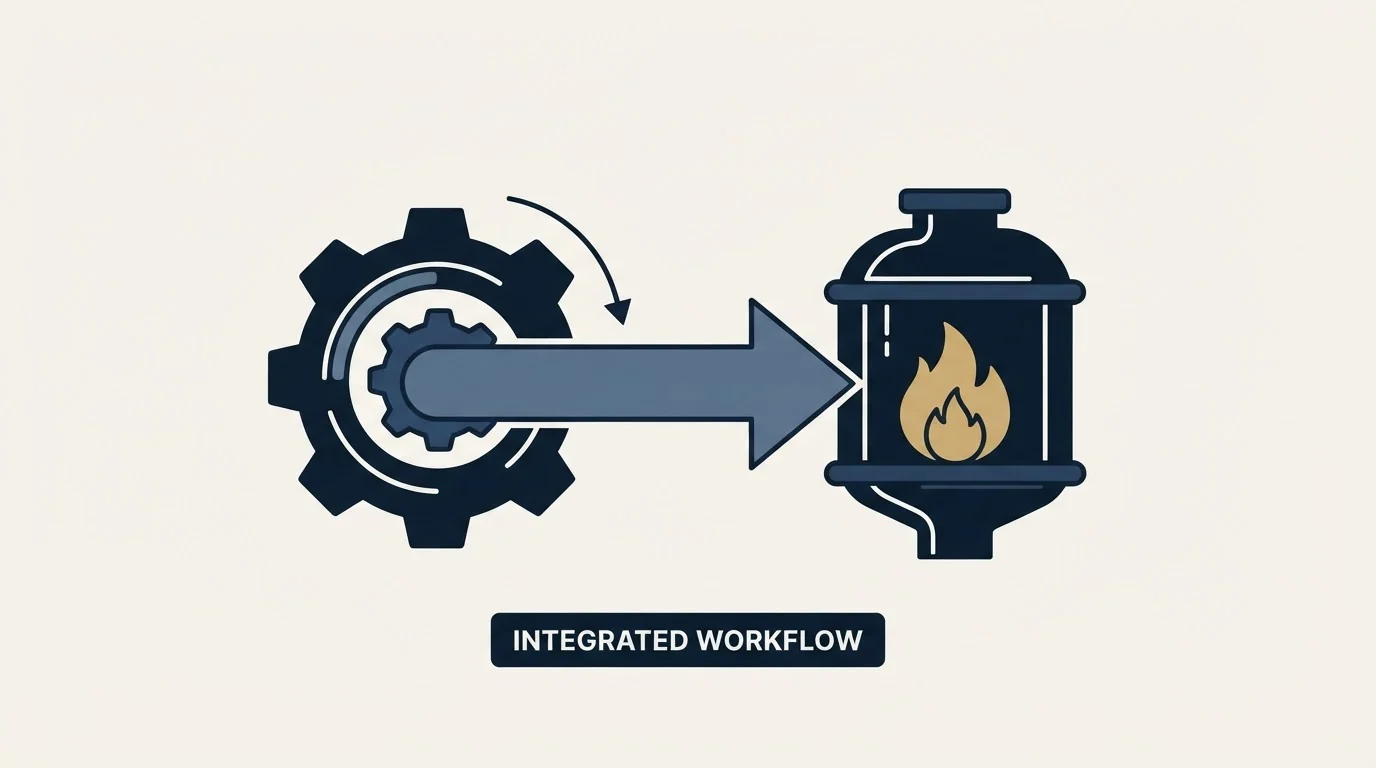
Run the campaign on QuickMail with rotation on, and let TrulyInbox own the warming pattern behind the mailboxes in that rotation. The free tier is the cheapest way to see whether a controlled ramp-up and a reply rate you choose produce a different result from a default you do not.
Neither tool decides the send pattern, and the send pattern is the part the house rules cover. One message per campaign, no thread replies, no bump sequences, and a day's volume spread across the mailboxes rather than concentrated in one.
Rolling It Out Without Losing The Reputation
- Yes: Authenticate first: SPF, DKIM and DMARC on every sending domain before warming starts
- Yes: Warm before you send: Let the ramp-up run its course rather than sending on day two
- Yes: One message per campaign: No thread replies and no bump sequences, whatever the platform allows
- Yes: Split the day across mailboxes: Low volume per inbox beats high volume from one
- Yes: Keep warming running: Leave it on once campaigns start, not off
- Yes: Watch the contact ceiling: QuickMail Starter binds on 1,000 uploaded contacts before it binds on sends
The two house rules on that list are the ones most often broken by a new stack. One message per campaign means a prospect who does not reply is re-approached in a fresh campaign with a fresh angle rather than chased down the same thread, and it keeps each mailbox's send pattern closer to ordinary correspondence. Spreading a day's volume across mailboxes does the same thing for the fleet.
Decision Shortcut
If the bottleneck is list size, QuickMail's tier is decided by uploaded contacts and nothing else: $49 for 1,000, $99 for 25,000, $299 for 100,000. If the bottleneck is mailbox count, TrulyInbox is the line that moves: free for one account, $29 for three, $99 for fifteen. Start on the free TrulyInbox tier alongside whichever QuickMail plan your list forces, and only pay for warming once the ramp-up controls have earned it.
Related Reading
- Best QuickMail Alternatives in 2026
- Best TrulyInbox Alternatives in 2026
- Instantly vs QuickMail: Cold Email Platform Comparison
- QuickMail vs Smartlead: Cold Email Platform Comparison
- Mailreach vs TrulyInbox: Email Warmup Tool Comparison
If you would rather have this run for you, RevenueFlow books qualified meetings on a pay-per-meeting basis, against criteria agreed in writing before launch, and publishes client results.
Pricing and features are taken from the vendors' own pages. Verify current terms with the vendor before relying on them.
Frequently asked questions.
Frequently asked questions- Does QuickMail have built-in email warmup?
- Auto email warmup and blacklist monitoring are both in QuickMail's own feature set. The pricing page fetched for this comparison leads with Inbox Rotation in the plan headline rather than with warmup, so warming is part of what the platform does while the page puts rotation forward as the deliverability feature it sells on.
- What does the free TrulyInbox plan actually cover?
- One email account at 10 warmup emails a day, according to its pricing page. That is not a production configuration for cold outbound, and it is enough to see the ramp-up schedule, the reply-rate control and the deliverability score working against a real mailbox before committing to a paid tier.
- Which QuickMail plan does a ten-mailbox fleet need?
- Mailbox count does not decide it. QuickMail meters uploaded contacts and emails sent, so the tier follows list size: Starter at $49 covers 1,000 contacts and 5,000 sends a month, Growth at $99 covers 25,000 and 100,000. Ten mailboxes cost the same as one on either tier.
- Is a customizable reply rate worth paying for?
- It is the main thing a dedicated warmer offers over a bundled one. TrulyInbox publishes a reply rate customizable per plan from 10% to 65%, so the warming traffic can be made to resemble the mailbox's real correspondence rather than a fixed default that every other account on the platform also runs.
About the author.

Tim Carden is CMO / CTO at RevenueFlow, which builds and operates outbound revenue engines for B2B companies. Studied at McGill University.
Tim Carden · CMO / CTO
Connect on LinkedIn →Explore more.
Ready to scale your outreach?
We build GTM engines that book real meetings. See the receipts.
Related articles.
Growbots vs MailHeat: Cold Email Platform vs Email Warmup Tool Comparison
Compare Growbots (cold email platform) and MailHeat (email warmup tool) side by side. See pricing, features, and integrations to decide which one, or both, your stack needs.
GetSales.io vs Yet Another Mail Merge: Sales Engagement Platform vs Cold Email Platform Comparison
Compare GetSales.io (sales engagement platform) and Yet Another Mail Merge (cold email platform) side by side. See pricing, features, and integrations to decide which one, or both, your stack needs.
Enginy vs Success.ai: Sales Engagement Platform vs Cold Email Platform Comparison
Compare Enginy (sales engagement platform) and Success.ai (cold email platform) side by side. See pricing, features, and integrations to decide which one, or both, your stack needs.
Artisan vs Yet Another Mail Merge: Sales Engagement Platform vs Cold Email Platform Comparison
Compare Artisan (sales engagement platform) and Yet Another Mail Merge (cold email platform) side by side. See pricing, features, and integrations to decide which one, or both, your stack needs.
Hexospark vs JustCall: Cold Email Platform vs Sales Engagement Platform Comparison
Compare Hexospark (cold email platform) and JustCall (sales engagement platform). See pricing, features, and integrations to decide which one, or both, your stack needs.
EmailBison vs Emelia: Cold Email Platform Comparison
Compare EmailBison and Emelia side by side. See pricing, features, and integrations to choose the right cold email platform for your needs.