10 Appointment Setting Email Templates for SDRs and BDRs
Setting appointments is the core metric for SDRs. Here are email templates designed specifically for booking demos, calls, and meetings with prospects.
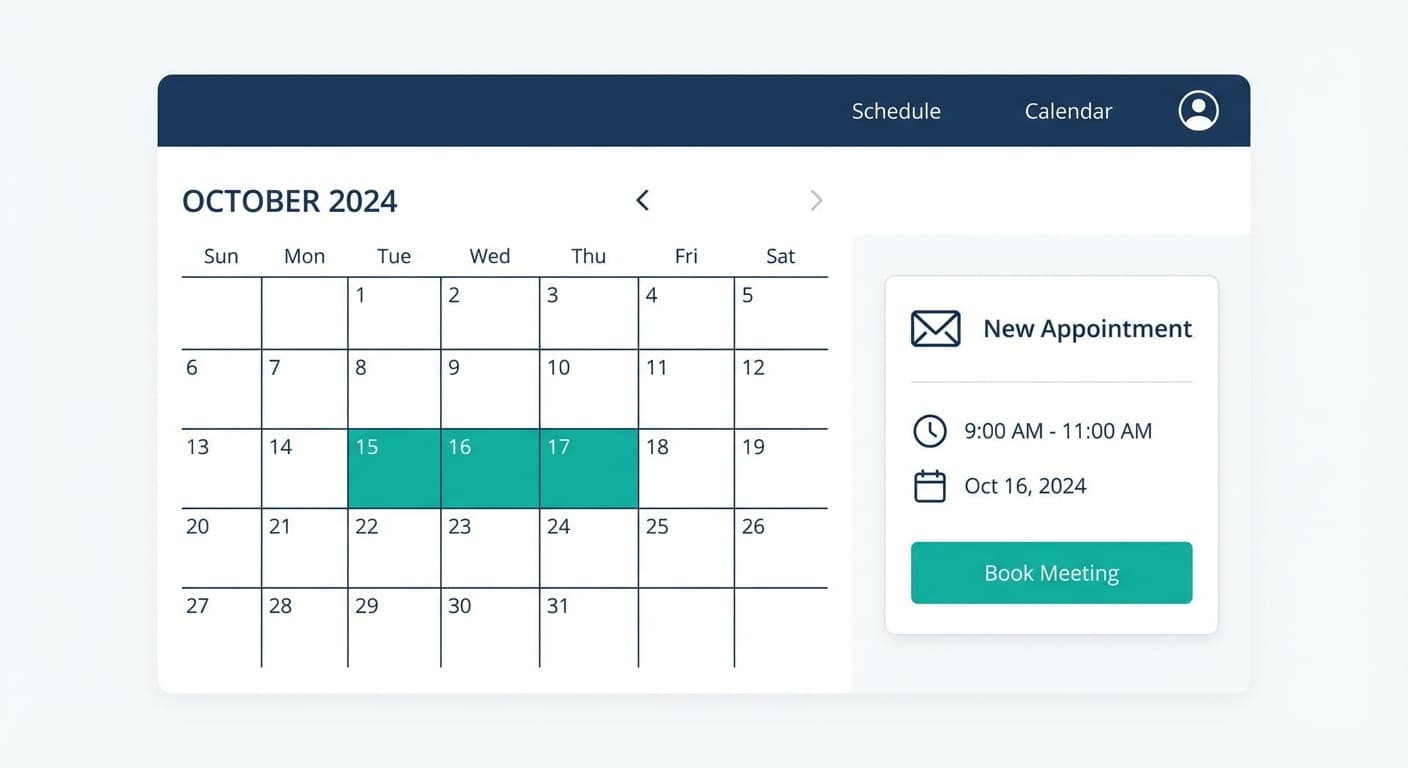
Effective appointment setting emails use a clear meeting request, low-commitment framing (15 minutes), immediate relevance to the prospect's business, friction reduction through calendar links or specific time slots, and urgency. The best approaches include the direct calendar link for frictionless booking, time-specific asks with concrete options 3-5 days out, value-first requests leading with genuine insights, single-message campaigns triggered by business events, and later campaigns that restate value under a fresh subject line while offering specific times.
Key takeaways
- Appointment setting emails should offer 15-minute meetings rather than hour-long commitments to reduce the barrier to saying yes.
- Including direct calendar links or specific time slot options 3-5 business days out eliminates back-and-forth scheduling friction.
- A prospect who does not reply is re-approached weeks later with a new single-message campaign, never with a second email under the first one.
- Never reuse the original subject with a Re: prefix on an unsolicited message; a re-approach carries its own new subject line.
- Value-first approaches that lead with specific insights about the prospect's business change the dynamic from pitching to offering useful information.
Reviewed and updated August 29, 2026
10 Appointment Setting Email Templates for SDRs and BDRs
For Sales Development Representatives and Business Development Representatives, the appointment is everything. Your job performance is measured by how many qualified meetings you book on the calendar. Every other activity, from research to personalization to picking the next campaign angle, exists to support that single goal.
The challenge? Prospects are busier than ever. Their inboxes overflow with meeting requests. Your email needs to cut through the noise and give them a compelling reason to carve out time for you.
This guide provides 10 appointment setting email templates built specifically for SDRs and BDRs. Each template focuses on getting the meeting booked, with practical advice for customization and delivery.
Teams that still consider outsourcing this work to a vendor will find an outsourced vendor evaluation useful before signing a contract.
The Anatomy of an Effective Appointment Setting Email
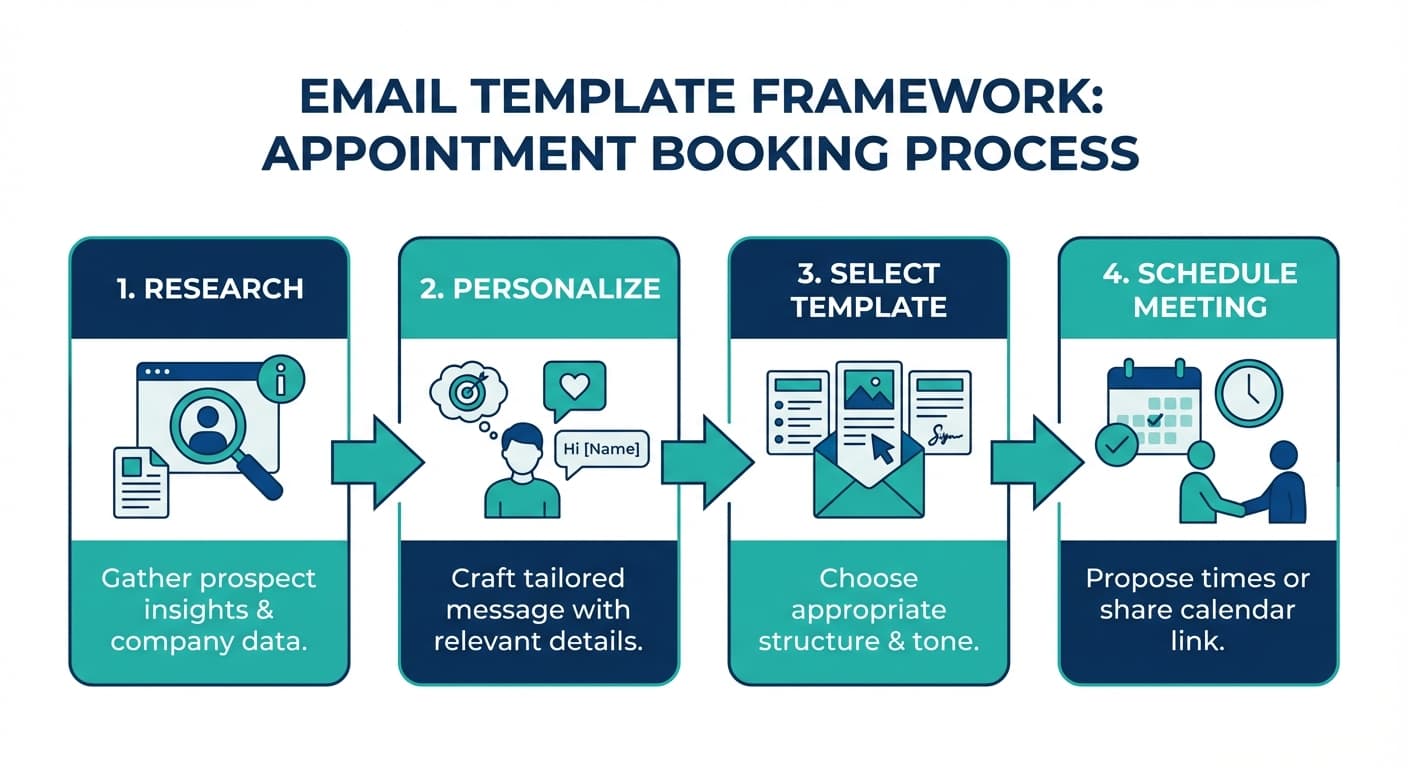
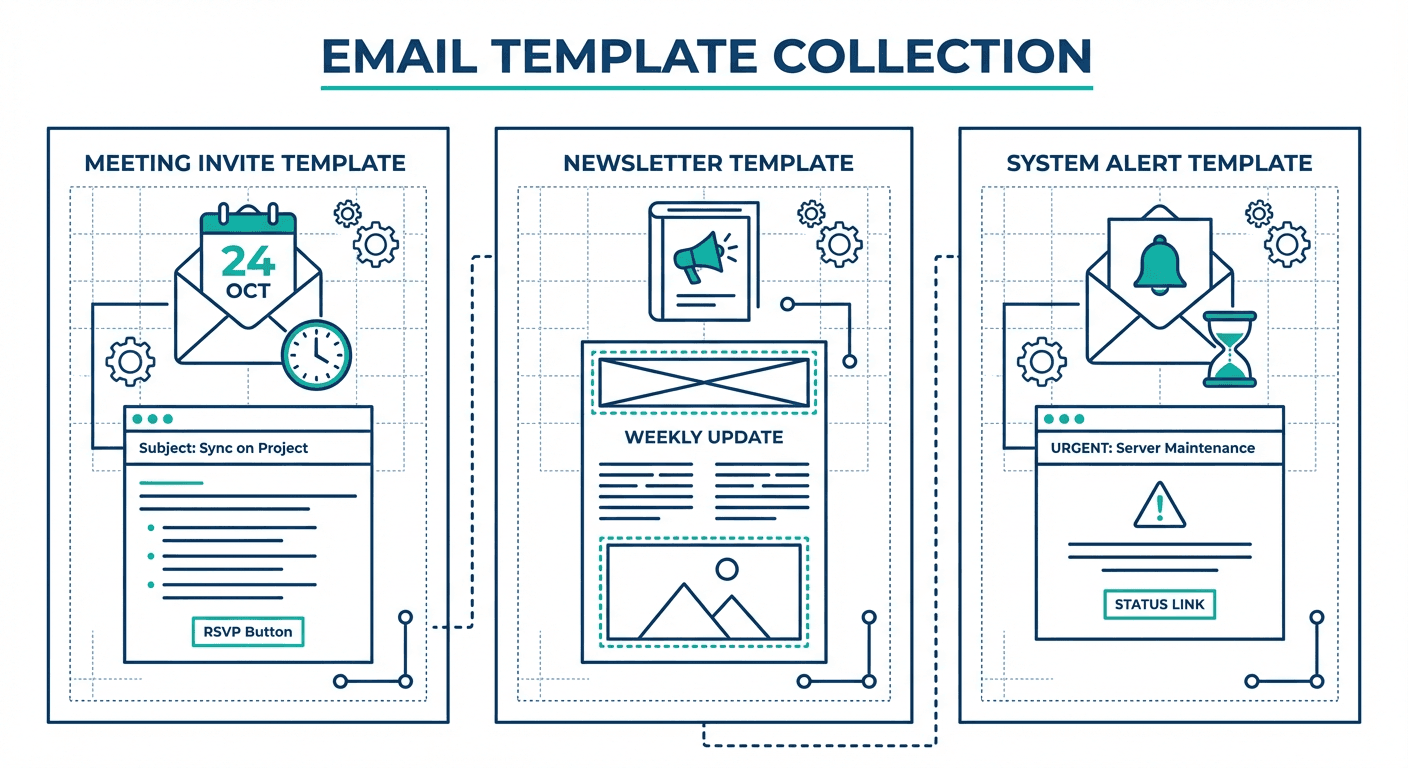
Before diving into the templates, let's break down what makes an appointment setting email work:
A clear, specific ask. Don't bury the meeting request. Make it obvious that you're asking for time on their calendar.
Low commitment framing. 15 minutes feels easy to say yes to. An hour feels like a burden. Start small.
Immediate relevance. Connect your request to something they care about right now, not a vague future benefit.
Friction reduction. Calendar links, specific time slots, and simple next steps make it easy to book.
A reason to act now. Without urgency, emails get filed under "I'll get to this later." Later rarely comes.
Now let's look at 10 templates that put these principles into action.
Template 1: The Direct Calendar Link Approach
Use this when you want to make booking as frictionless as possible.
Subject: 15 min for [Company Name]?
Hi [First Name],
I help [type of companies] with [specific outcome], and based on what I've seen at [their company], I think there's an opportunity worth exploring.
Rather than go back and forth on scheduling, I've made it easy. Pick a time that works for you:
[Calendar Link]
If none of those work, let me know and we can find something that does.
Talk soon, [Your Name]
Why this works: The calendar link removes all friction from the booking process. Instead of negotiating times via email, they can book immediately.
Pro tip: Use a scheduling tool that shows your real-time availability. Outdated calendar links that force rescheduling kill momentum.
Template 2: The Time-Specific Ask
Use this when you want to be direct and give the prospect concrete options to respond to.
Subject: Quick call Tuesday or Thursday?
Hi [First Name],
I've been researching [their company] and have a few ideas about how we might help with [specific challenge or initiative].
Would either of these times work for a 15-minute call?
- Tuesday at 2:00 PM [Time Zone]
- Thursday at 10:30 AM [Time Zone]
If neither works, send me a couple times that do. I'll make it fit.
Best, [Your Name]
Why this works: Specific times are easier to respond to than open-ended requests. The prospect can quickly check their calendar and reply with a yes or alternative.
Pro tip: Offer times 3-5 business days out. Too soon feels pushy. Too far out gets forgotten.
Template 3: The Value-First Appointment Request
Use this when you can lead with something genuinely useful to earn the meeting.
Subject: [Specific insight] for [Their Company]
Hi [First Name],
I put together a quick analysis of [something relevant to their business]. Here's what stood out:
[One specific, valuable insight - 1-2 sentences max]
I have a few more observations I think you'd find useful. Would you have 15 minutes this week for me to walk you through them?
I'm flexible on timing. Just let me know what works.
Best, [Your Name]
Why this works: Leading with genuine value changes the dynamic. You're not asking for their time to pitch. You're offering something useful and asking if they want to hear more.
Pro tip: The insight needs to be real and specific. A generic observation won't earn the meeting.
Template 4: The Trigger Event Opener
Use this as the single message in a trigger-based campaign.
Subject: [Relevant trigger or observation]
Hi [First Name],
I noticed [specific trigger: new hire, funding round, expansion, job posting, etc.]. When companies hit this stage, they often start thinking about [challenge your solution addresses].
I'd love to learn more about how [their company] is approaching this and share what we've seen work for similar teams.
Any interest in a quick call next week?
[Your Name]
Why this works: This opener is designed to start a conversation, not close the meeting in one email. It references a trigger event that creates relevance and gives the reader a concrete reason to answer now.
Pro tip: Plan the next campaign before you send this one. If they don't respond, they go into a fresh campaign four to eight weeks later, built on a different trigger and carrying its own subject line.
Template 5: The Re-Approach With Two Times
Use this in a later campaign, four to eight weeks on, to people who did not answer an earlier one.
Subject: 15 minutes on [specific outcome]?
Hi [First Name],
Writing about [specific outcome] at [their company], because it is usually the kind of thing that sits on a list until somebody puts a time against it.
Short version: I think there's an opportunity to help [their company] with [specific outcome]. I'd welcome 15 minutes to explore whether that's true.
Here are a couple times that work on my end:
- [Option 1]
- [Option 2]
If those don't work, let me know what does.
Thanks, [Your Name]
Why this works: It carries the same value proposition as the earlier campaign, but it arrives as a new email with its own subject line, so it earns a fresh open instead of sitting underneath a message this person has already decided not to answer.
Pro tip: We run one message per campaign and never write a second time into a message somebody left unanswered. That second note reads as pressure, and it is delivered to exactly the readers most likely to hit the complaint button, so the reputation cost lands on the sending domain across everything else it sends. A new email weeks later gets a fresh open. The full argument, with the numbers from our own campaigns, is in why we stopped using follow-ups.
Template 6: The Routing Ask
Use this as a later campaign to the people an earlier one never reached.
Subject: [Topic] at [Their Company]: 1, 2 or 3?
Hi [First Name],
Quick one on [brief reminder of topic]. When a team your size hasn't tackled it yet, it is usually one of three things:
- Already handled, and I should stop writing
- Real, but not this quarter
- Real and current, and worth 15 minutes
A number is a complete reply, and it costs you one keystroke. If timing is just off, tell me when would be better to reconnect.
And if it's option 3, here's my calendar: [Calendar Link]
Either way, thanks for your time.
[Your Name]
Why this works: Numbered options turn a cold read into routable data, and a one-character answer is cheap enough that people who would never write a paragraph will send one. Because it runs as its own campaign with its own subject line, it reaches people who ignored an earlier email without reminding them that they ignored it.
Pro tip: Mean it. If they pick option 1, suppress them and stop. If they don't answer at all, they can come back into a campaign in 3-6 months on a genuinely different premise.
Template 7: The Pain Point Approach
Use this when you have clear evidence the prospect is experiencing a specific challenge.
Subject: [Specific pain point] at [Their Company]?
Hi [First Name],
Companies in [their industry] often struggle with [specific pain point]. The symptoms usually look like [1-2 observable consequences].
Sound familiar?
If so, I'd love to share how we've helped teams like [1-2 similar companies] solve this. It's a 15-minute conversation, and even if we're not the right fit, you'll walk away with some useful ideas.
Would [Day] at [Time] work for a quick call?
Best, [Your Name]
Why this works: Leading with pain creates immediate relevance. If you've accurately identified their challenge, they'll be curious to hear your solution.
Pro tip: Be careful not to assume too much. Framing it as a question ("Sound familiar?") gives them a chance to confirm or correct you.
Template 8: The Social Proof Approach
Use this when you have strong results with similar companies in their industry or category.
Subject: How [Similar Company] solved [specific challenge]
Hi [First Name],
We recently helped [Similar Company] with [specific challenge]. The result: [specific outcome, if you can share it].
I think [their company] could see similar results, and I'd love to show you how.
Would you have 15 minutes this week for a quick call? I'll walk you through exactly what we did and how it might apply to your situation.
Let me know what works, or grab a time here: [Calendar Link]
Thanks, [Your Name]
Why this works: Social proof from a similar company creates credibility and reduces perceived risk. If it worked for someone like them, it might work for them too.
Pro tip: Only name companies you have permission to reference. If you need to keep them confidential, describe them by industry and size instead.
Template 9: The Referral Request for Appointment
Use this when you need help identifying the right person to meet with.
Subject: Quick question about [Topic] at [Their Company]
Hi [First Name],
I'm reaching out because I help companies like [their company] with [specific outcome]. I'm not sure if you're the right person to talk to about this.
If you are, I'd love to set up a 15-minute call to explore whether there's a fit.
If someone else handles [area], would you mind pointing me in the right direction?
Either way, thanks for your time.
Best, [Your Name]
Why this works: This approach is humble and direct. It acknowledges that you might be reaching out to the wrong person while still making your ask. People are often willing to redirect you if you make it easy for them.
Pro tip: Even if they redirect you, ask if you can mention their name when reaching out to the right person. Internal referrals dramatically increase response rates.
Template 10: The Event or Deadline-Based Ask
Use this when there's a natural deadline or event that creates urgency.
Subject: Before [Event/Date]
Hi [First Name],
With [industry event/budget cycle/quarter end/relevant deadline] coming up on [Date], I wanted to reach out now rather than later.
Many [type of companies] are working on [related initiative] ahead of [event], and I think there's an opportunity to help [their company] with [specific outcome].
Would you have 15 minutes before [Date] for a quick conversation? I'd love to share what we're seeing and learn about your plans.
I'm flexible on timing. Just let me know what works.
Best, [Your Name]
Why this works: External deadlines create natural urgency. This template ties your outreach to something real rather than manufactured pressure.
Pro tip: Only use real deadlines. Fake urgency is easy to spot and damages trust.
Customization Framework for SDRs
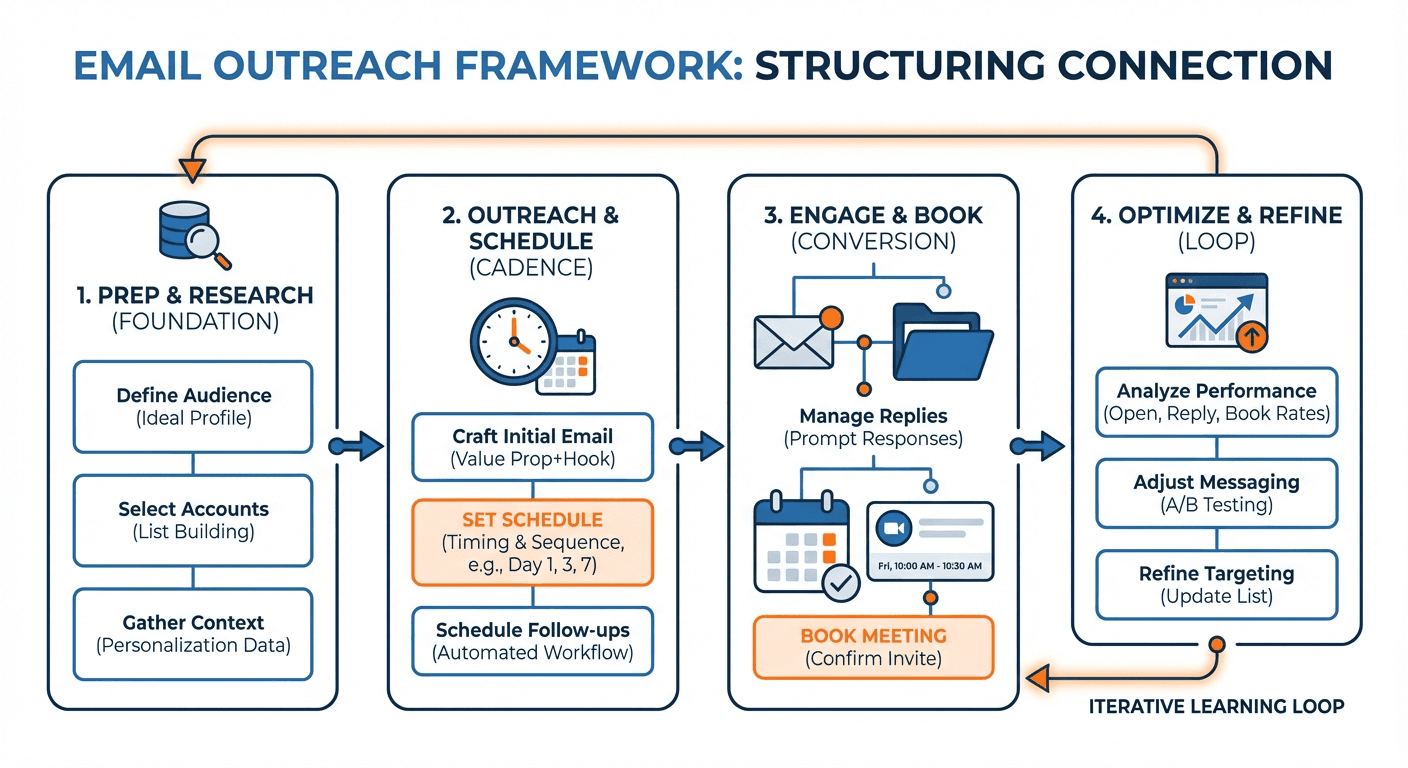
Templates are starting points. Here's a framework for customizing them to your specific situation:
Step 1: Research (5-10 minutes per prospect)
- Check LinkedIn for recent posts, job changes, or shared connections
- Review their company website for news, press releases, or blog posts
- Look for trigger events: funding, hiring, expansion, product launches
- Identify their likely priorities based on role and company stage
Step 2: Select the right template
- New prospect with no prior contact? Start with Template 1, 2, or 4
- Re-approaching people who didn't answer an earlier campaign? Use Templates 5 and 6
- Strong trigger event? Use Template 4 or 10
- Clear pain point identified? Use Template 7
- Great case study to reference? Use Template 8
Step 3: Personalize the key elements
- Replace placeholder text with specific observations
- Adjust the tone to match the prospect's communication style
- Choose time slots based on their time zone
- Reference something specific you found in your research
Step 4: Test and iterate
- Track open rates by subject line
- Track reply rates by template
- A/B test different approaches
- Share what works with your team
Subject Line Best Practices for Appointment Setting
Your subject line determines whether the email gets opened. For appointment setting emails, keep these principles in mind:
Keep it short. Aim for 30-40 characters so it displays fully on mobile.
Be specific. "[Company Name] + [Your Company]" works better than "Quick question."
Create curiosity. "Thoughts on [Topic]?" invites them to learn more.
Include time references when relevant. "15 min Tuesday?" signals exactly what you're asking for.
Test personalization. Some prospects respond to their name in the subject. Others find it salesy. Test both.
Timing Your Outreach
When you send matters almost as much as what you send.
Best days: Tuesday, Wednesday, and Thursday typically see higher response rates.
Best times: Early morning (7-9 AM) or late afternoon (4-6 PM) in their time zone often perform well. People check email before and after their scheduled meetings.
Worst times: Monday mornings and Friday afternoons. People are either catching up or checking out.
Re-approach timing: Leave four to eight weeks between campaigns to the same person. Sooner reads as pressure. Much longer and the trigger you wrote about has gone stale.
Handling Responses
Getting a response is only half the battle. Here's how to handle common scenarios:
"Sure, let's talk" - Respond within 2 hours with specific times or a calendar link. Speed matters.
"Send me more information" - Send a brief summary and ask for a specific time to discuss. Don't let them disappear into a content black hole.
"Not the right person" - Thank them and ask who would be better. Request permission to mention their name.
"Not interested" - Acknowledge their response, ask if you can check back in 6 months, and move on gracefully.
"Timing isn't right" - Ask when would be better. Set a reminder to follow up at that time.
Metrics That Matter
Track these metrics to improve your appointment setting performance:
Open rate: Are your subject lines working? Aim for 40%+ in cold outreach.
Reply rate: Are your emails prompting responses? 10-15% is good for cold email.
Positive reply rate: Of those who respond, how many are interested? Track this separately from total replies.
Meetings booked: The ultimate metric. How many qualified appointments did you set?
Show rate: Are booked meetings actually happening? If prospects are no-showing, your qualification or confirmation process needs work.
Final Thoughts
Appointment setting is a numbers game, but it's not a volume game. Sending more emails to unqualified prospects won't improve your results. Sending thoughtful, personalized outreach to the right people will.
Use these templates as starting points, then customize them based on your research and testing. Track what works, share insights with your team, and continuously refine your approach.
The best SDRs and BDRs treat every email as an opportunity to start a relationship, not just book a meeting. When you lead with genuine value and respect for the prospect's time, the appointments will follow.
For more help with cold email outreach, explore our resources on campaign structure, subject lines, and personalization techniques.
Related Reading
- 15 Event Outreach Email Templates for Conferences and Trade Shows
- 10 Referral Request Email Templates for B2B Sales
- 8 Sales Pitch Email Templates That Convert
If you would rather have this run for you, RevenueFlow books qualified meetings on a pay-per-meeting basis and publishes client results.
Frequently asked questions.
Frequently asked questions- Should I follow up when a prospect does not reply?
- No. Send one message per campaign and never write again under an email somebody has already left unanswered. Wait four to eight weeks, then send a new single-message campaign with its own subject line and its own premise. A second note under an ignored one reads as pressure and reaches the readers most likely to complain, and the reputation damage lands on your sending domain.
- Should I suggest specific times or just ask for a meeting?
- Offer specific time slots 3-5 business days out rather than making open-ended requests. Concrete options like 'Tuesday at 2:00 PM or Thursday at 10:30 AM' are easier for prospects to respond to because they can quickly check their calendar and reply yes or suggest alternatives. Times too soon feel pushy, while times too far out get forgotten.
- What makes an appointment setting email effective for SDRs?
- Effective appointment emails combine five elements: a clear meeting request that isn't buried, low-commitment framing like 15-minute calls, immediate relevance to something the prospect cares about now, friction reduction through calendar links or specific time slots, and a reason to act now rather than later. Leading with genuine value or specific insights about their business also significantly improves response rates.
- How can I reduce friction when requesting a meeting with prospects?
- Reduce friction by including direct calendar links to your real-time availability or offering specific time slot options that prospects can immediately accept. Make the ask for a short commitment like 15 minutes rather than an hour. Avoid negotiating times back and forth through email, which kills momentum. Use scheduling tools that show current availability to prevent outdated links that force rescheduling.
About the author.

Ben Carden is CRO at RevenueFlow, which builds and operates outbound revenue engines for B2B companies. Previously at Gartner Enterprise. Studied at London School of Economics.
Ben Carden · CRO
Connect on LinkedIn →Explore more.
Ready to scale your outreach?
We build GTM engines that book real meetings. See the receipts.
Related articles.
10 B2B Cold Email Templates for One-Message Sends
Ten B2B cold email templates written for a single send, with the four slot structure underneath them and the test that separates a good example from a bad one.
Cold Email Templates for Customer Success Managers
Eleven cold email templates for customer success managers, covering champion change, expansion, renewal rescue, and win-back, with subject lines and timing.
14 Renewal Email Templates That Retain Customers
Master subscription and contract renewals with 14 proven email templates. Reduce churn, lock in renewals early, and maintain customer relationships.
13 Case Study Request Email Templates That Get Results
Get proven email templates for requesting case studies, video testimonials, and written reviews from your happiest customers. Includes templates for every stage from initial ask to final approval.
Email Subject Line Capitalization: What the Guides Say
What the style authorities actually rule on subject line case, what the published tests measured, and the default for a one to one sales email.
Follow-Up Call Scripts: Nine Calls Into a Live Conversation
Nine follow-up call scripts, each tied to the event that earns the call, from a demo to a renewal, plus the four moves they share and how each call should end.