Best Data Enrichment Tools for Agencies (2026)
Multi-tenancy separates agency use from everything else in this guide, and none of these five is built for it. Compare Clay, Apollo.io, UpLead, Lusha and LeadIQ.
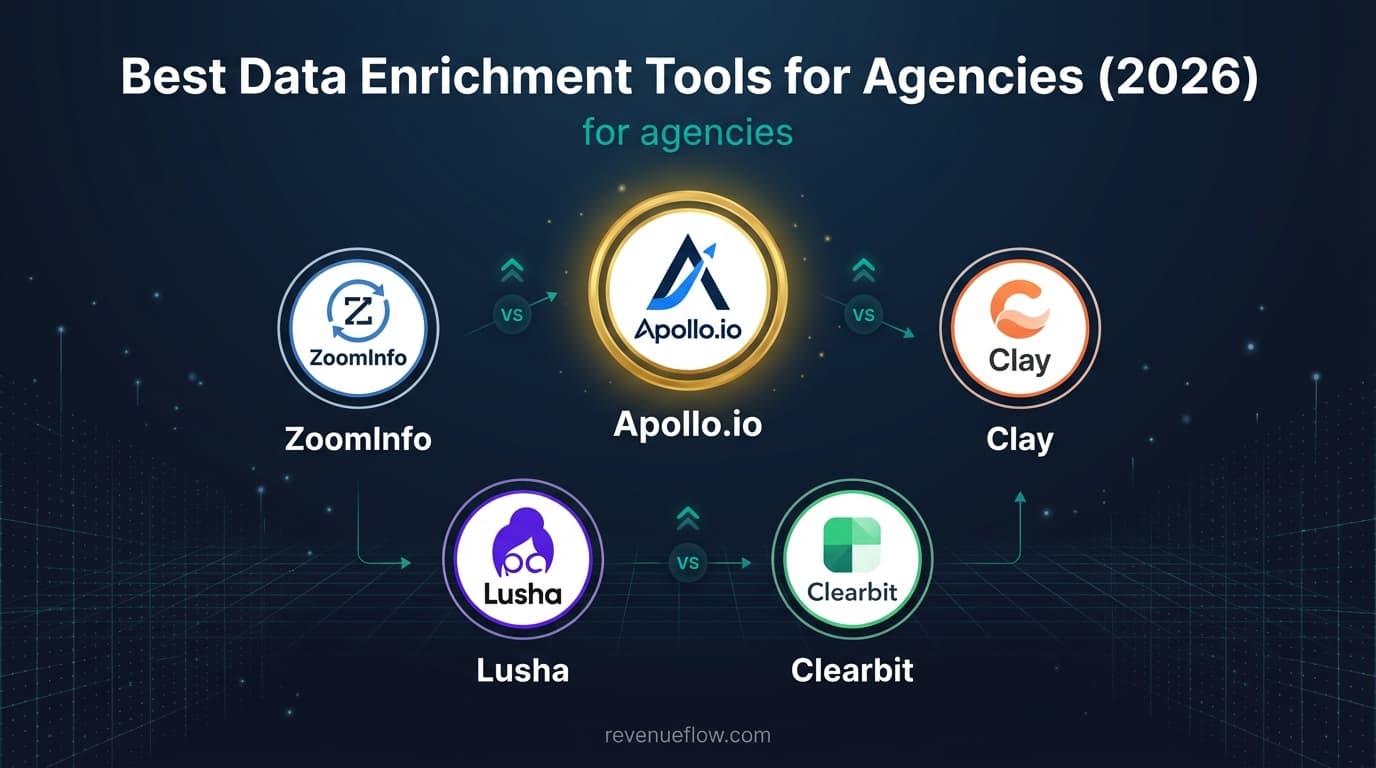
The best CRM enrichment tools for agencies managing multiple clients keep seats, credits and suppression apart by client. Clay fits a repeatable build, with unlimited users on every plan and workbook-level credit budgets on Enterprise. Lusha Premium lists credit allocation, and Apollo.io grants credits per seat.
Key takeaways
- None of the five pricing pages prices a second workspace or client sub-account, so ask the vendor before the second client.
- Clay lists unlimited users and tables on every plan and a credit reporting dashboard, but workbook-level credit budgets only on Enterprise.
- Lusha's Premium plan ($299.95 a month billed yearly) is the one whose card lists team management and credit allocation, with 5 free seats.
- UpLead's Plus plan lists suppression list uploads, which keep one client's customers and past purchases out of another client's campaign.
Reviewed and updated September 21, 2026
An agency runs outbound for eleven clients out of one enrichment subscription and cannot tell which client burned the credits. Multi-tenancy is the requirement that separates agency use from every other case in this guide, and none of the five tools here is built around it.
So the best CRM enrichment tools for agencies managing multiple clients are the ones whose plans let you keep seats, credits and suppression apart by client, and whose builds can be re-run for the next client without starting again. This guide reads Clay, Lusha, UpLead, LeadIQ and Apollo.io for exactly that, from each vendor's own pricing page.
The Best CRM Enrichment Tools for Agencies Managing Multiple Clients
Clay is the strongest fit for an agency whose product is a repeatable build: every plan carries unlimited users and tables, CRM auto-sync starts on Growth, and its workbook-level credit budget, the closest thing here to per-client credit control, is Enterprise only. Lusha's Premium plan lists team management and credit allocation, and Apollo.io grants its credits per seat.
What Agencies Actually Need From Enrichment
Agency use puts a demand on this category that single-company use never does.
Separation between clients. Data, credits and reporting all need to stay divided by client, and none of these tools is designed for that. In practice agencies use separate workspaces or separate accounts, which multiplies cost and administration. Ask specifically what a second workspace costs before assuming one subscription covers a book of clients.
Credit attribution. If enrichment is billed to clients or counted against a retainer, you need to know who spent what. A single shared pool makes that a reconstruction exercise at month end, and the reconstruction is usually wrong.
Suppression per client, not per agency. Each client has its own customer list, its own exclusions and its own prospects already in flight. Cross-contaminating those is the failure that costs an agency a client rather than a campaign, and the control is entirely yours.
Reporting a client will accept. What was sourced, what was contactable and what it cost, per client, in a form that can go in a monthly report without being rebuilt by hand.
Repeatability across clients. An agency's advantage is running the same competent process many times, so a tool that supports a documented, repeatable build is worth more than one with a marginally better database.
Top 5 Data Enrichment Tools for Agencies

None of these pricing pages prices a second workspace or a client sub-account. What they do list is the machinery an agency builds separation from: seats, team management, credit allocation and suppression uploads, each on a particular plan.
| Tool | Seats and client controls, by plan |
|---|---|
| Clay | Unlimited users and tables on every plan; a credit reporting dashboard on every plan; workbook-level credit budgets on Enterprise only. |
| Lusha | 1 seat on Free and Starter, 2 free seats on Pro, 5 on Premium, where team management and credit allocation appear. |
| UpLead | Suppression list uploads on Plus; team management, with seats and permissions, on Professional, billed annually only. |
| LeadIQ | 5 users included on Pro; governance controls and team analytics on Enterprise. |
| Apollo.io | Priced and credited per seat, 30,000 credits per seat a year on Basic; Organization needs 3 seats minimum. |
1. Clay
Clay is a workflow platform rather than a database: it buys from many providers, runs them in a waterfall and lets its AI agent, Claygent, research what they leave blank. Its pricing page lists a Free plan with 100 data credits and 500 actions a month, Launch at $167/mo on the default annual view or $185/mo billed monthly, and Growth at $446/mo or $495/mo, with Enterprise custom. Tables and users per workspace are unlimited on every plan, so adding an account manager costs nothing, and the Launch card lists reusing functions across workflows, which is how one build serves many clients. CRM auto-sync starts on Growth, which matters when each client's records live in their own Salesforce, HubSpot or Pipedrive.
2. Lusha
Lusha is the browser-extension option, the tool individual account managers open while they prospect. Its pricing page opens on yearly billing, with Starter at $37.45 a month, Pro $52.45 and Premium $299.95; billed monthly they read $49.90, $69.90 and $399.90, and the Free plan carries 40 credits a month. Free and Starter include 1 seat, Pro 2 free seats and Premium 5, and Premium is the plan whose card lists team management and credit allocation.
3. UpLead
UpLead sells a contact as one credit, email and mobile direct dial included. On monthly billing Essentials is $99 for 170 credits and Plus $199 for 400; billed annually they become $74 a month for 2,040 credits and $149 a month for 4,800. For agency work the relevant lines are suppression list uploads on Plus, which keep one client's customers and past purchases out of another campaign, and team management on Professional, which is annual billing only. The page states a 95% data accuracy rate for its email verification, and its CRM list runs from Salesforce and Pipedrive to SalesLoft.
4. LeadIQ
LeadIQ is built around one sales team's prospecting motion: capture from LinkedIn into the CRM, and track when a known contact changes job. The Free plan is 1 user with 50 credits; Pro shows $15.00 a month billed annually or $20.00 monthly at the default 2,400 credits a year, with 5 users included, and its credit slider could not be driven here, so no higher volume is quoted. Governance controls and team analytics sit on Enterprise.
5. Apollo.io
Apollo.io is the all-in-one: a database with sequencing, a dialer and analytics on top. Its pricing page lists Free at $0 with 900 credits per seat per year, then Basic $49, Professional $79 and Organization $119 (minimum 3 seats) per seat per month billed annually; on monthly billing Basic reads $65 and Professional $99, and Organization is marked Annual Only. Credits are granted per seat, so a seat per client is one way to keep spend attributable, and the FAQ calls the free tier a Starter plan which is free forever.
If Clay Is the Build but Not the Budget
The question agencies ask most about this category is how to run the same enrichment workflow across many client accounts without rebuilding it each time. Inside Clay the answer is a build defined once, with functions reused across workflows, and each client's list, suppression and budget fed in per run. The objection is usually price or the time it takes somebody to own it.
Among the other four, Apollo.io is the one whose plan cards list automated workflows, 2 on Basic and more on Professional, inside a product that also holds the database and the sequencer. Lusha, UpLead and LeadIQ are lookup and prospecting tools; the repeatable part of an agency build then lives in your own process documents rather than in the tool. Either way, what makes the build repeatable is the same three inputs changing per client while everything else stays fixed.
Which of These Fits Agencies
Clay is the strongest fit despite the setup cost, because repeatability is the agency's actual product. A build defined once and re-run per client is exactly what the platform does well, and the setup amortises across the whole book rather than one campaign.
Apollo.io is the cost-efficient workhorse for straightforward client work, and its free-forever Starter tier is genuinely useful for a new client's first test campaign before the retainer justifies spend.
UpLead suits per-client precision work where the target list is small and the client is paying for accuracy rather than volume.
Lusha is the tool individual account managers actually use, and its Premium plan is where the card lists credit allocation.
LeadIQ is the narrowest fit here, since its strengths are team and CRM features aimed at a single company's sales org rather than at multi-client work. On separation, none of these five pricing pages prices a second workspace or a client sub-account, so the workspace question goes to the vendor.
Where Enrichment Stops
Enrichment fills in fields, a narrower job than the category's marketing implies. It does not choose which of a client's prospects are worth contacting: a verified address on every row of a badly chosen list produces nothing. It does not make a message land, since merge fields are not personalisation, and it does not fix deliverability, because a verified address means the mailbox exists, not that mail reaches it.
Nor does it replace a defensible campaign structure. RevenueFlow sends one message per campaign, with no bump sequences and no thread replies, so re-contacting a non-replier is a fresh campaign rather than step two of a cadence. Under that structure the enrichment budget goes into getting each client's list right the first time.
Choosing for an Agency
What does client separation actually cost? Get the answer before the second client, since a per-workspace price changes the economics of the whole book.
Can credits be attributed without manual reconstruction? If not, either the agency absorbs the ambiguity or clients get billed on estimates, and neither ages well.
Is the build repeatable? The agency margin comes from running the same process many times. A tool that only supports bespoke work per client is a tool that scales badly.
Who operates it? A specialist ops person makes a platform viable. If account managers run their own enrichment, buy for their workflow instead.
Does per-client reporting exist? If the monthly report has to be rebuilt by hand every time, that cost recurs forever and belongs in the comparison.
Getting It Running Without Burning Credits
Every tool here meters something, so the first month of a new client is where the money goes wrong. Take 100 rows from that client's market, run them through the free tier or the trial, and check the results against reality rather than against the tool's confidence score. Qualify first and enrich the survivors, re-verify before a send rather than trusting the export date, and report cost per usable record to the client instead of cost per credit.
How This Comparison Was Put Together
Prices, plan names, credit rules and the team controls each plan lists come from each vendor's own pricing page, with billing toggles switched both ways where the page has one. Where a page could not be driven, such as LeadIQ's credit slider, that is said rather than filled in. No tool here was ranked by measured match rate, and nothing in this guide is a test result.
The Short Version

Clay is the strongest agency fit because repeatability is what an agency sells, and a build defined once and re-run per client amortises the setup across the whole book. Apollo.io is the cost-efficient workhorse, with a free tier that covers a new client's first test campaign. UpLead suits per-client precision work, and Lusha is what account managers will actually open.
The requirement none of them is designed around is multi-tenancy. Client separation, credit attribution and per-client suppression are the things that make agency use work, and they are questions to put to the vendor and controls to build yourself before the second client is onboarded.
Related Reading
If you would rather have this run for you, RevenueFlow books qualified meetings on a pay-per-meeting basis and publishes client results.
Pricing and features are taken from the vendors' own pages. Verify current terms with the vendor before relying on them.
Frequently asked questions.
Frequently asked questions- What are the best CRM enrichment tools for agencies managing multiple clients?
- Clay, for an agency whose product is a repeatable build, since every plan carries unlimited users and tables and CRM auto-sync starts on Growth. Lusha Premium lists team management and credit allocation, and Apollo.io grants credits per seat, which can keep spend attributable. None of the five pricing pages prices a separate workspace per client.
- Is there a Clay alternative for running one enrichment workflow across client accounts?
- Among these five, Apollo.io is the one whose plan cards list automated workflows, 2 on Basic and more on Professional, alongside its own database and sequencer. Lusha, UpLead and LeadIQ are lookup and prospecting tools, so the repeatable part of the build lives in your own process: the same filter and checks, with each client's list and suppression swapped in.
- How do agencies keep enrichment credits separate by client?
- By choosing a plan that can divide them, or by dividing the account. Clay's workbook-level credit budget is Enterprise only, Lusha lists credit allocation on Premium, and Apollo grants credits per seat, so a seat per client is one route. Otherwise a separate account per client is the reliable split, at the cost of more administration.
- Why does suppression have to be per client?
- Because each client has its own customer list, exclusions and prospects already in flight, and cross-contaminating them costs an agency a client rather than a campaign. UpLead's Plus plan lists suppression list uploads for exactly this job, but the control is the agency's: every client list is applied on every send, whichever tool supplied the data.
About the author.

B2B cold email experts helping companies generate qualified leads through done-for-you outreach campaigns.
RevenueFlow Team
Explore more.
Ready to scale your outreach?
We build GTM engines that book real meetings. See the receipts.
Related articles.
Seamless.AI Email Finder: How It Works, What a Credit Buys
How Seamless.AI's email finder resolves a contact in real time, what one Universal Credit buys, the Total AI score on every address, and what the Chrome extension reads.
Is Clay Free? The Free Plan, the Trial and Where Each Stops
Clay's free plan, its 14-day trial and the no-charge-on-a-miss rule are three different things. What each holds and where it stops, from clay.com on 19 September 2026.
Snitcher Pricing: The $49 Table Is the Annual Rate
Snitcher's visible price table is the annual-billing ladder. The ten bands at both billing states, the unique-company meter, and the rules on a help page.
Firmographic Data Providers: What Six of Them Publish
Six firmographic data providers read from their own pages: the fields each sells, the coverage each states, how the data is delivered, and who prints a price.
Apollo Integrations: What Connects, and on Which Plan
Apollo's integrations marketplace sorted by job: what its own pages say each CRM sync moves, which plan ticks which integration, and what a sync costs.
Autobound Pricing: One-Time Credit Packs, Not Seats
Autobound's pricing page sells one-time credit packs for a signal data API, not seats. The six packs, the per-endpoint meter, and what a company costs.