Copper CRM Pricing: Per Seat and Per Contact Limit
Copper charges on two meters and only the seat rate is on the price card. The contact ceiling is what selects the tier for a team that builds its own lists.
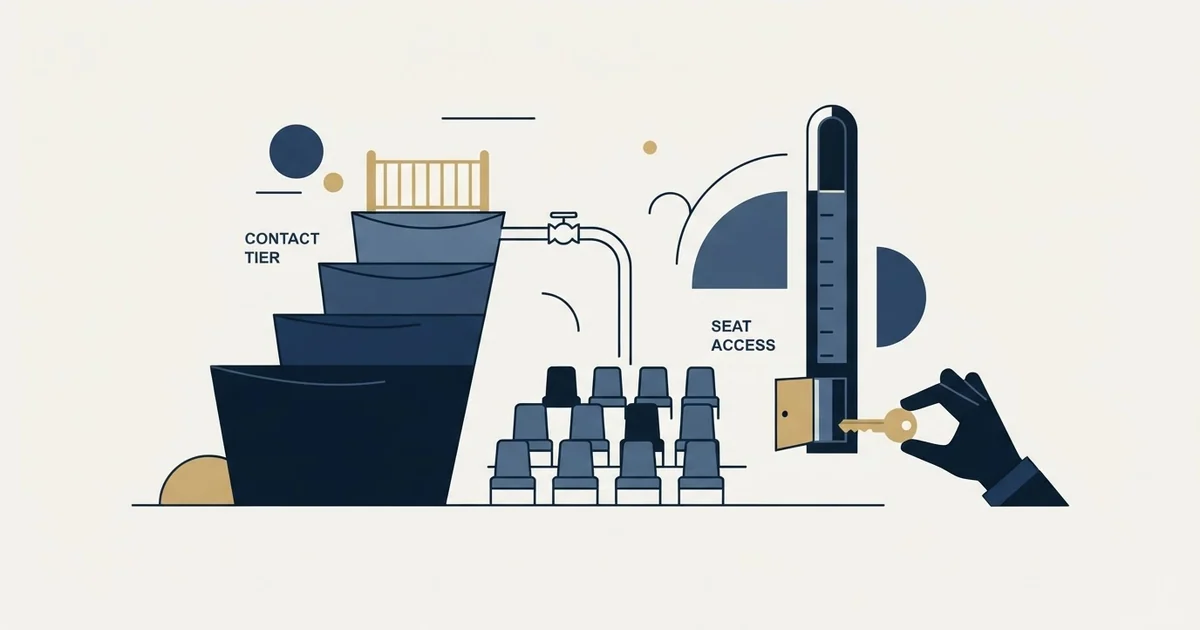
Copper CRM pricing is $29, $69 and $134 per seat per month for Basic, Professional and Business billed monthly, or $23, $59 and $99 paid annually, in USD before taxes. The contact ceilings are 2,500, 15,000 and unlimited, and for an outbound team that second meter, not the seat rate, is what selects the tier.
Key takeaways
- Copper's pricing page lists Basic at $29 per seat per month or $23 paid annually, Professional at $69 or $59, and Business at $134 or $99, in USD before taxes and fees.
- The contact ceilings are 2,500 on Basic, 15,000 on Professional and unlimited on Business, and a single outbound list build usually crosses the first one.
- The annual saving is uneven: about a fifth on Basic, less than a sixth on Professional and a little over a quarter on Business, so the 26% headline describes the top tier only.
- Personal onboarding and premium support are stated for eligible Business and Professional annual tier accounts, so the billing state changes the support footing as well as the price.
Reviewed and updated October 1, 2026
Copper CRM pricing runs on two meters, and only one of them is on the price card. The seat rate is the number everybody quotes. The contact ceiling is the number that decides which tier an outbound team actually lands on, and it moves in much bigger steps than the price does.
Here is the full ladder, read on 2 September 2026 from a page headed "Win customers for life", and how the two axes interact for a team that builds lists rather than inherits them.
Copper CRM pricing: how much does it cost?
Copper CRM pricing is $29 per seat per month for Basic, $69 for Professional and $134 for Business when billed monthly, or $23, $59 and $99 per seat per month paid annually, in USD before taxes and fees. There is no free plan; the page offers a free start with no credit card. Basic holds 2,500 contacts, Professional 15,000 and Business is unlimited.
The three plans, both billing states
Copper's pricing page carries a Monthly and an Annual toggle with the annual state labelled "Up to 26% off", and both states are rendered into the same document. In the annual view each card shows the annual rate beside a struck through monthly one, which is a different construction from a simple toggle and reads as a discount rather than as an alternative state.
Reading a rate card correctly also means checking which currency was served, and a pricing page that selects a currency first can produce two correct readers quoting different numbers.
As published on Copper's pricing page on 2 September 2026, the plans are Basic at $29 per seat per month billed monthly and $23 paid annually, Professional at $69 and $59, and Business at $134 and $99. The page states its own currency, which is more than most vendors in this category do: "Prices are in USD and don't include taxes and fees where applicable."
The annual saving is not uniform. Working the three pairs out as arithmetic on the figures the page prints under "Up to 26% off", Basic saves about a fifth, Professional less than a sixth, and Business a little over a quarter. Worked as illustrative arithmetic on those printed pairs, a seat on Basic saves $72 a year on the annual state, a seat on Professional $120 and a seat on Business $420, which is 21%, 14% and 26% of the monthly-state cost. The headline on that page therefore describes the top tier only, and the cheapest plan is the one where committing for a year buys you the least. That is the opposite shape from several CRMs in the same bracket, where the entry tier carries the deepest annual discount, and it changes which tier an annual commitment makes sense on.
| Plan | Monthly state, per year | Annual state, per year | Saving per seat |
|---|---|---|---|
| Basic | 12 x $29 = $348 | 12 x $23 = $276 | $72, about 21% |
| Professional | 12 x $69 = $828 | 12 x $59 = $708 | $120, about 14% |
| Business | 12 x $134 = $1,608 | 12 x $99 = $1,188 | $420, about 26% |
The "Up to 26% off" headline describes the top tier only.
The contact ceiling is the second meter
The feature that separates the tiers most sharply is not a feature. As published on the same page on 2 September 2026, the Basic card states a "2,500 contact limit", the Professional card a "15,000 contact limit", and the Business card "Unlimited contacts".
Meters differ by vendor as much as tiers do, and pricing per organisation against pricing per seat shows what happens to the bill when a third person joins. A CRM that publishes one flat per user rate with no tiers, no annual toggle and no contact ceiling at all is read the same way on this site's Less Annoying CRM pricing page.
For a team whose pipeline arrives through referral and inbound, the "2,500 contact limit" is a year or more of work. For a team running cold outbound, it is one list build. A single sourcing pass against a mid sized industry segment produces more contacts than the entry plan will hold, so the practical entry point for outbound is Professional rather than Basic, and the comparison to run is against Professional's rate rather than the headline one.
That has a second effect on the annual decision. Because the contact ceiling is what forces the upgrade rather than a feature anybody demonstrated, the upgrade tends to arrive mid term, at whatever billing state the original commitment was made on. Deciding in advance which side of 2,500 the first six months lands on is cheaper than discovering it.
What the premium actually buys

Copper is built as a Google Workspace layer rather than an application that connects to one, and the pricing page's feature table is organised to make that visible. It lists a Chrome extension described as bringing "Copper natively into Gmail and Google Calendar on desktop", Gmail email, contact and file sync, Google Calendar sync, Google Contact sync described as automatically capturing contact information from the people you are talking to, a Google Drive integration for linking documents to records, and a Google Sheets and Looker Studio integration for syncing Copper data out for reporting.
That set is the whole argument for the seat premium, and the entry card sells it as a way to "Optimize your processes with flexible pipelines and team collaboration features". The most common CRM failure is a pipeline nobody trusts, caused by activity that was never logged, and a product that removes the logging decision removes the failure mode. Copper's own alternatives comparison sets the same trade out from the other direction.
The dependency runs the other way just as hard. A stack that leaves Google Workspace is paying a premium for an integration it no longer uses, and that is a step change rather than a gradual erosion. A merger with a company running Microsoft 365 changes the calculation on the day it closes.
Two eligibility gates worth reading twice
The feature table carries two rows whose qualifying text does more work than the tick beside them. Personal onboarding, described as working with an onboarding consultant to set up the account, is listed "For eligible Business & Professional annual tier accounts". Premium support, described as working with a customer success manager to develop success plans, carries the same qualifier.
The word doing the work there is annual. Both are gated on the billing state as well as the tier, so a Professional customer paying monthly is on a different support footing from a Professional customer paying annually, at a difference the price card does not show. If onboarding help was part of why a tier was chosen, that belongs in the order form rather than in a demo.
The page also names a specific adoption statistic beside the Professional card: "63% started off with Professional". Read that as what it is, which is the vendor's own reporting of its own customer mix, published to make the middle tier the default. It is useful as a signal about where the vendor points buyers, not as evidence about where you should land.
What sits above the contact ceiling on each tier

Beyond the ceilings, the feature table separates the tiers on a handful of capabilities that are worth locating before a demo decides for you.
Basic carries the core: contacts, companies, tasks, projects and processes, sales opportunities, leads, custom fields, the Google Workspace set above, task automation, and the AI email template generator and rewriter, with the Professional card offering to "Scale your business with revenue tracking tools, workflows and bulk email" on top of it. Professional adds workflow automation, bulk email, email open and click tracking, pipeline reports and the Zapier connection that Copper describes as linking it to more than 5,000 other apps. Business adds email series, custom reports built from scratch across all Copper data, multi currency, and the option to remove the "Powered by Copper" branding from a form.
Two of those deserve a moment. Multi currency sitting on the top tier only is the sort of requirement that is invisible until the first invoice in a second currency, and it is not a feature anybody thinks to ask about in a demo of a pipeline tool. Custom reporting on the top tier only matters for the opposite reason: reporting depth is the most common complaint about a CRM and the most common reason to migrate, and here the answer to it is a tier change rather than a different vendor.
Copper also states a free start on the page, "Start free, no credit card required", so the tier decision does not have to be made before anybody has used it. What a trial cannot tell you is where the contact ceiling lands, because a trial list is not a production list.
Why the ranked pricing guides disagree with the page
Search the query and the ranked results are independent guides and competing CRMs, and several of them describe a ladder that is not on Copper's page. Pages ranking in September 2026 name a Starter plan at roughly $9 or $12 per seat, sitting below Basic. Copper's own pricing page on 2 September 2026 carries three plans, Basic, Professional and Business, the last of them sold as a way to "Elevate your business with customer nurture, custom analytics and unlimited usage", and no Starter.
The same guides tend to quote a single entry figure without its billing state, which is the more common error and the harder one to spot, because $23 and $29 are both correct numbers for the same plan and describe different commitments. A comparison that pairs one vendor's annual rate against another's monthly rate produces a ranking that reverses when you fix it.
A figure with no fetch date behind it rots quietly. The version of this page that a guide read six months ago may have carried a tier that has since gone, and the guide will not tell you which.
What an outbound team needs from this CRM
Most CRM pricing comparisons are written for a team whose pipeline arrives through inbound. A team running cold outbound has a shorter requirement list, and it changes which meter matters.
That outbound requirement list often includes a signal layer, where monitoring a page for a change buys timing rather than exclusivity and decays quickly.
It needs the meeting recorded against the account with enough structure to join it back to the campaign that produced it. It needs to be the authority on who is off limits, because that export is what the next build suppresses against, and it needs to deduplicate against the sending tool so nobody is enrolled twice under two spellings of one company name. Both of those are contact record questions rather than seat questions, which is why the contact ceiling deserves more attention than it usually gets.
What it does not need to be is the sequencer. The Professional tier adds bulk email and Business adds email series, and a sequencing engine built around multi step cadences fits a programme that sends one message per campaign badly. Judge a CRM on what it keeps, and the shorter shortlist for that job sits in CRM tools for cold email teams.
The other Gmail native option in this bracket takes the opposite structural decision, putting the pipeline inside the inbox rather than beside it, and the trade is worked through in Streak CRM.
The short version
Copper publishes three tiers on 2 September 2026, on a page that opens with "Start free, no credit card required": Basic at $29 per seat per month billed monthly and $23 paid annually, Professional at $69 and $59, and Business at $134 and $99, in USD, before taxes and fees. The contact ceilings are 2,500, 15,000 and unlimited, and for an outbound team that ceiling is what selects the tier.
The annual discount is uneven across the three plans and deepest at the top, personal onboarding and premium support are stated for eligible upper tier annual accounts, and the entry tier that ranked guides use as the headline is the one an outbound list build will outgrow first.
If the constraint is the number of qualified conversations rather than where they get recorded, the CRM tier is not the decision. See what a first campaign produces and size the seats against a known meeting volume.
Pricing and features are taken from the vendors' own pages. Verify current terms with the vendor before relying on them.
Source: Copper pricing, the page that carries every plan name, figure, contact ceiling, currency statement and eligibility line quoted above.
Frequently asked questions.
Frequently asked questions- How much does Copper CRM cost per month?
- Copper's pricing page lists three plans per seat per month: Basic at $29 billed monthly or $23 paid annually, Professional at $69 or $59, and Business at $134 or $99. Prices are in USD and exclude taxes and fees. There is no free plan and no Starter tier on the page, although it offers a free start with no credit card required.
- Does Copper have a free plan?
- No. Copper's pricing page carries three paid tiers, Basic, Professional and Business, and states that you can start free with no credit card required, which is a trial rather than a free plan. Independent guides that list a cheaper Starter plan below Basic describe a ladder that is not on Copper's own page today, so check the vendor's page before comparing.
- Which Copper plan does an outbound sales team need?
- Usually Professional. The Basic card states a 2,500 contact limit, and one sourcing pass against a mid sized segment produces more contacts than that, so the entry plan is outgrown by the first list build. Professional lifts the ceiling to 15,000 contacts and adds workflow automation, bulk email and reporting; Business removes the ceiling and adds custom reports and multi-currency.
- Is Copper cheaper on annual billing?
- Yes, on every tier, but unevenly. Working the printed pairs as arithmetic, a seat on Basic saves about 21% a year on the annual state, Professional about 14% and Business about 26%. The page's headline of up to 26% off describes the top tier only, and the cheapest plan is where a year's commitment buys the least.
About the author.

B2B cold email experts helping companies generate qualified leads through done-for-you outreach campaigns.
RevenueFlow Team
Explore more.
Ready to scale your outreach?
We build GTM engines that book real meetings. See the receipts.
Related articles.
Salesflare Pricing: Three Seat Rates, Two Currencies
Salesflare's cards switch between monthly and annual billing and between dollars and euros. The seat rates, the five user Enterprise floor, credit packs and proration.
Less Annoying CRM Pricing: One Rate, Changed Once Since 2009
Less Annoying CRM publishes a single per user rate with everything included. What it covers, the settled terms, the no discount answer and the one price change.
Pipeline CRM Pricing: Three Plans, Two Deal Ceilings
Pipeline CRM publishes its whole ladder at both billing states. The active deal ceilings, the flat add-ons and the onboarding packages are what decide the bill.
Capsule CRM Pricing: Five Tiers, Priced by Where You Stand
Capsule's pricing URL redirects to a signup page that draws dollars or pounds by location. Both annual ladders, the contact ceilings, the add-on and the downgrade rule.
Pipeliner CRM Pricing: Now Coevera, Two Ladders by Location
Pipeliner CRM became Coevera in 2026 and its pricing page serves a dollar or pound ladder by location. Both ladders, the three seat floor and the billing condition.
Agile CRM Pricing: The Card Shows the Two Year Rate
Agile CRM's cards headline the two year prepaid rate and keep the monthly one in a hover tooltip. The full ladder, the tier meters, the email overage and two FAQs.