Visualping Pricing: Which Limit Binds First, Checks or Pages
The full published plan table, and the arithmetic that decides your tier: every plan carries two limits, and only one of them binds for any given use case.
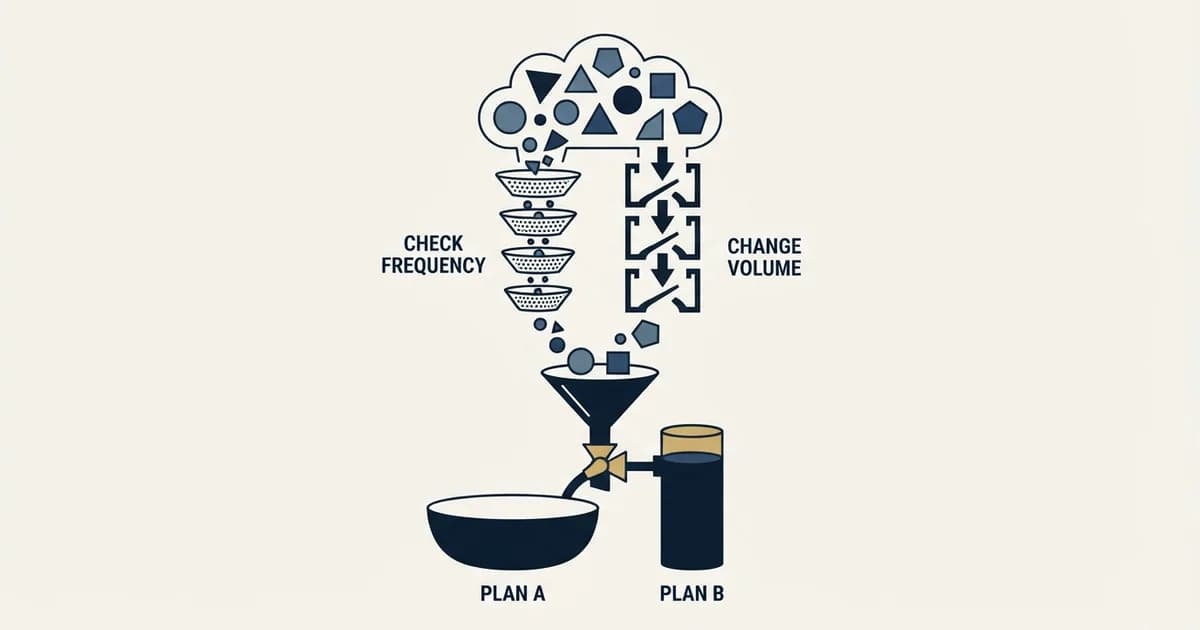
Visualping pricing starts with a free plan of 150 checks a month across 5 pages. Personal plans cost $14, $35 and $70 a month, or $10, $25 and $50 billed annually, and Business plans $140 to $350, or $100 to $250 annually. Pages and check frequency, not the plan name, decide which one you need.
Key takeaways
- Visualping's free plan is $0 for 150 checks a month across 5 pages, one user and hourly checks at most, with the REST API and MCP server included.
- Every annual plan costs 8.571 times its monthly price, a 28.6 percent saving on every tier from Personal 1K at $14 to Business 50K at $350.
- One page checked every 2 minutes uses 21,600 checks a month, so no plan up to Business 20K can run even one page at its own top speed all month.
- The page's calculator sells past the table: 200 pages checked hourly goes to Business 150K at $750 a month billed yearly, and extra pages cost $50 per 500.
Reviewed and updated September 21, 2026
Visualping pricing starts with a free plan: $0 for 150 checks a month across 5 pages, one user, a shortest check interval of an hour and no credit card, with the REST API and MCP server included. Paid plans run from Personal 1K at $14 a month to Business 50K at $350 billed monthly, or $10 to $250 a month billed annually, and Solutions sits above them.
Most tools in this category publish a price and leave you to discover the limits. Visualping's pricing page instead sets out a complete plan table, with the price, the monthly check allowance, the page limit, the maximum check frequency and the seat count all sitting in one row. That makes it unusually easy to price, and it also makes it possible to notice something the plan names actively obscure, which is that the two limits on every plan pull against each other and only one of them binds at a time.
Working out which one binds for your use case is the whole exercise, and it takes about five minutes once the table is in front of you.
Visualping pricing: the published table
Visualping pricing is a free plan and seven paid plans in US dollars. Personal 1K, 5K and 10K cost $14, $35 and $70 a month billed monthly, or $120, $300 and $600 a year. Business 20K to 50K cost $140 to $350 a month, or $1,200 to $3,000 a year. Each plan caps checks a month, pages, check frequency and users.
This is the table from Visualping's pricing page, which publishes both billing bases as adjacent columns:
| Plan | Monthly | Annual | Checks / month | Pages | Max frequency | Users |
|---|---|---|---|---|---|---|
| Free | $0 | Not sold annually | 150 | 5 | Every 60 min | 1 |
| Personal 1K | $14 | $120 ($10/mo) | 1,000 | 10 | Every 15 min | 1 |
| Personal 5K | $35 | $300 ($25/mo) | 5,000 | 20 | Every 5 min | 1 |
| Personal 10K | $70 | $600 ($50/mo) | 10,000 | 40 | Every 2 min | 1 |
| Business 20K | $140 | $1,200 ($100/mo) | 20,000 | 200 | Every 2 min | 5 |
| Business 30K | $210 | $1,800 ($150/mo) | 30,000 | 300 | Every 2 min | 7 |
| Business 40K | $280 | $2,400 ($200/mo) | 40,000 | 400 | Every 2 min | 9 |
| Business 50K | $350 | $3,000 ($250/mo) | 50,000 | 500 | Every 2 min | 11 |
Above that sits Solutions, which the table prices as a custom quote and describes as "Everything in Business plus Premium AI with custom prompts, custom page and check volumes, and dedicated service". The plan cards higher up the same page put a floor under it: "As of $3,000 /yr".
Three lines of small print on the same page change the arithmetic more than any of the tiers do. On rollover it is explicit that "checks do not roll-over monthly". On the API it states that "API usage draws on the plan's normal check quota rather than a separate allowance". And on workspaces it states that "each workspace carries its own plan and cost" rather than being included in the price above, so a second team wanting its own workspace is a second bill rather than a seat.
Checks are the budget, pages are the cap, and they do not scale together

Here is the thing the table shows and the plan names hide. A check is one visit to one page. The maximum frequency is a ceiling you are allowed to select per page, not a rate the plan can sustain across your list, because every one of those visits comes out of the same monthly allowance.
The arithmetic below is derived entirely from the published figures above, assuming continuous monitoring across a thirty-day month. A page checked every 60 minutes consumes 720 checks a month. Every 15 minutes consumes 2,880. Every 5 minutes consumes 8,640. Every 2 minutes consumes 21,600.
Set those against the allowances and a pattern appears: no plan up to Business 20K can sustain even one page running at that plan's own maximum frequency for a full month, and only the three largest Business tiers clear it with headroom. The Free plan's 150 checks cover about a fifth of one hourly page. Business 20K, at $140 a month, buys 20,000 checks against the 21,600 that a single page at two-minute frequency would consume. Business 50K, the table's top row, sustains roughly two pages at its top speed.
That is not a criticism of the pricing, and the vendor is not hiding it. The same page's own FAQ says "the monthly allowance supports checking all 5 pages about once a day", which is exactly the calculation above run in the other direction, and 5 pages checked daily for 30 days is 150 checks. The maximum frequency is there for the handful of pages where you genuinely need it, not as a default setting for your whole list.
For an outbound team the broad-and-slow pattern is almost always the right one. Monitoring 200 pages once a day consumes 6,000 checks in a thirty-day month, which sits comfortably inside the Business 20K allowance while using the full 200-page limit. The page limit binds first and the check allowance sits mostly unused. The plan you would have chosen by reading the check number alone is not the plan you need.
What the calculator on the page picks
The pricing page now carries a calculator above the table: type how many pages you want to monitor, pick how often, and it names a plan and a price. Driven through six jobs in its default yearly state, it confirms the argument above and adds three things the table does not show.
It sells past the table's top row. Two hundred pages checked hourly is 144,000 checks a month, and the calculator answers with Business 150K at $750 a month billed yearly, with 1,500 pages included. Five hundred pages hourly, 360,000 checks, goes to a custom plan and a sales conversation.
It sells pages without checks. A thousand pages checked daily is 30,000 checks, so the calculator picks Business 30K at $150 and adds 1,000 extra pages at $100, a total of $250 a month billed yearly. Five hundred pages daily gets Business 20K plus 500 extra pages at $50, $150 a month. That is the page add-on the FAQ mentions for raising the page count "without upgrading the number of checks".
And it shows the break at small volumes. Ten pages checked daily is 300 checks, and the calculator picks Personal 1K at $10 a month; the same ten pages checked hourly is 7,200 checks and jumps to Personal 10K at $50. The pages did not change. The frequency moved the bill fivefold.
| Job | Checks | Plan picked | Price a month |
|---|---|---|---|
| 10 pages, daily | 300 | Personal 1K | $10 |
| 10 pages, hourly | 7,200 | Personal 10K | $50 |
| 200 pages, daily | 6,000 | Business 20K | $100 |
| 1,000 pages, daily | 30,000 | Business 30K plus 1,000 extra pages | $250 |
| 200 pages, hourly | 144,000 | Business 150K | $750 |
| 500 pages, hourly | 360,000 | A custom plan | Talk to sales |
The annual discount is the same number on every tier
One property of the table is easy to miss because it is spread across eight rows. Dividing each annual price by its own monthly price gives the same answer every time: 8.571. Every annual plan on the page, from the $14 tier to the $350 tier, costs the equivalent of roughly 8.6 months at that plan's monthly rate, which is a saving of 28.6% in all seven cases; the Free row is not sold annually.
That uniformity means there is no tier where committing annually is a better or worse deal than any other, so the annual decision is purely about whether you will still want the tool in nine months rather than about finding the sweet spot. It also means an annual quote that does not divide out to 8.571 is either a different plan than you think or a negotiated one, which is worth noticing on a renewal.
The seat ladder is the other thing worth reading across rows. All four Personal plans carry a single user, and the Business plans carry 5, 7, 9 and 11 seats as volume rises. Seats are not bundled into a cheaper plan, but they are no longer only bought through a larger one: the FAQ says a workspace that has run out of users can add one "for just $60/year". A team that needs a sixth person on Business 20K is therefore $60 a year away from it, rather than a tier away.
What every plan includes, which is more than usual

The page states that every plan includes "visual, text, and element change detection", AI change summaries, and an "important-or-not flag on every change". More notably for anyone building this into a workflow, it states that "REST API and MCP server access come with every plan, including the free one".
An API on the free tier is unusual in this category and it matters for evaluation: you can wire the integration and test it against real pages before any money moves, which is a materially cheaper way to find out whether change monitoring produces anything useful for you than committing to a Business plan and discovering the alerts are noise. Remember the check quota is shared with API usage, so the 150 free checks are the ceiling for the pilot as well.
Two more entries in the feature matrix are included on every plan family and are worth knowing about, because they decide whether monitoring works at all on the pages you care about. The page lists "Actions (log in, click, type, or script before each check) Included Included Included" across Free, Personal and Business alike, along with a "Chrome extension (record actions in your browser)" on every one of them. That is what makes a page behind a login or behind a click monitorable rather than only a public URL.
Proxies are the exception to the everything-included pattern, and the page records the split as "Proxies (where checks run from) Basic Basic Basic, Premium on request". If your target pages are the kind that challenge automated visitors, the proxy line rather than the check count is what puts you on a Business plan.
The alert channels are where the plan families genuinely separate. Email, webhooks, REST API, MCP, Telegram and n8n are listed on every plan including Free. The page puts the two thresholds plainly: "SMS alerts start on the Personal 5K plan" and "Slack, Microsoft Teams, and Google Sheets are Business features". A team whose alerting lives in Slack is therefore on a Business plan for the routing rather than for the volume. A webhook into your own tooling is available on every plan and is the cheaper route to the same place if you are willing to build it. Change history is the last divider: three months by default, extendable to a year on Business accounts.
Free
- $0: 150 checks, 5 pages, 1 user
- Hourly at most
- Email, webhooks, REST API, MCP server, Telegram, n8n
- Actions, so pages behind a login work
Personal
- $14 to $70 a month, one user
- Every 15, 5 or 2 minutes
- SMS alerts from Personal 5K
Business
- $140 to $350 a month, 5 to 11 users
- Slack, Microsoft Teams, Google Sheets
- Change history extendable to a year
- Extra users at $60 a year each
The trial, and how it ends
The trial terms are unusually clean and the page is specific about them. Starting a Business trial gives "14 days of Business features with no card on file". When it ends, monitoring stops, the FAQ says Visualping emails before and after, and it states that "the account becomes a free personal account two weeks later". On billing it states that "Nothing is ever charged automatically, because there is no card on file".
For annual plans, the page states that early cancellation will "refund you for unused months without the annual discount", which is the ordinary shape and is stated rather than buried.
Whether website change monitoring earns a line in an outbound budget
The honest answer is that it depends entirely on which changes you monitor, and the distinction is the same one that separates a useful signal from an expensive one anywhere else.
Vendors watching for contact moves rarely price in public, and three annual tiers published in full put a rate card where the category normally offers none.
A page changing tells you something happened. It does not tell you that somebody now has a job to do, and that difference is what decides whether the alert converts into a reason for a specific person to want a conversation this quarter. A careers page gaining a role, a pricing page changing tiers, a customers page adding a logo: those describe a situation that changed. A blog post appearing describes a publishing schedule. The full version of that distinction, and why the second kind produces outreach with the timing of a static list, is in signal-based outbound.
The second consideration is that a change on a public page reaches everyone else watching it on the same day, so what monitoring buys is timing rather than exclusivity, and timing decays fast. Where change monitoring does hold a real edge is in the pages nobody else thinks to watch, which tends to mean your own accounts rather than a category-wide list.
Signal platforms built on the same idea rarely publish anything, and one published entry rung among signal platforms is the exception, with the tiers above it quoted rather than priced.
If you are assembling this layer, the connection-shape survey in 27 intent signal APIs covers what else plugs in and how, B2B intent data covers the purchased-signal half of the same question, and the messaging side, which is where most of these programmes actually fail, is in trigger event templates.
For teams who would rather have the whole motion run than assemble it, a free campaign is the shorter path.
Pricing and features are taken from the vendors' own pages. Verify current terms with the vendor before relying on them.
Frequently asked questions.
Frequently asked questions- Does Visualping have a free plan?
- Yes. Visualping's pricing page lists a free plan at $0 with 150 checks a month across 5 pages, one user and a shortest interval of 60 minutes, with no credit card. It includes change detection, AI summaries, email and webhook alerts, the REST API and the MCP server. The allowance supports checking all 5 pages about once a day.
- How much does Visualping cost?
- Visualping's paid plans run from Personal 1K at $14 a month to Business 50K at $350 billed monthly, or $120 to $3,000 a year billed annually. Each plan caps checks a month, pages, check frequency and users. Solutions is quoted, with plan cards reading as of $3,000 a year, and the calculator also offers larger Business plans such as 150K at $750 a month.
- What counts as a check on Visualping?
- A check is one visit to one page to look for changes, so one page monitored daily uses up to 31 checks a month and one checked hourly about 720. API calls draw on the same monthly check quota rather than a separate allowance, and unused checks from the monthly allowance do not roll over into the next month.
- Can I add users to a Visualping plan?
- Yes. Personal plans carry one user and Business plans carry 5, 7, 9 or 11 by tier, and Visualping's FAQ says a workspace that has exceeded its user count can add a user for $60 a year. Each workspace carries its own plan and cost, so a second workspace for another team is a second subscription.
About the author.

B2B cold email experts helping companies generate qualified leads through done-for-you outreach campaigns.
RevenueFlow Team
Explore more.
Ready to scale your outreach?
We build GTM engines that book real meetings. See the receipts.
Related articles.
The Real Cost per 1,000 Emails, Verifications and Data Credits in 2026
Unit prices computed from verified vendor plans: $1.00 per 1,000 emails sent, $2.00 per 1,000 verifications and $19.60 per 1,000 enrichment credits.
Snitcher Pricing: The $49 Table Is the Annual Rate
Snitcher's visible price table is the annual-billing ladder. The ten bands at both billing states, the unique-company meter, and the rules on a help page.
Twain Pricing: Credits per Lead, Three Research Modes
Twain sells credits, not seats, and a lead costs 1 to 14 of them depending on the research mode. The two ladders, the four expiry clocks and the cap.
Autobound Pricing: One-Time Credit Packs, Not Seats
Autobound's pricing page sells one-time credit packs for a signal data API, not seats. The six packs, the per-endpoint meter, and what a company costs.
Lavender Pricing: Two Products, No Pricing Page
Lavender has no pricing page. The Email Coach ladder per seat at both billing states, the free routes, and the separate per-agent price for Ora.
What Cold Email and Sales Tools Actually Cost in 2026: Pricing Data From 386 Vendors
RevenueFlow's verified dataset of 386 sales tools puts the median starting price at $39.98 a month. Here is the spread by category, tier and billing model.