14 Trigger Event Email Templates That Catch Prospects
Reach prospects when they're most likely to need your solution. These trigger event templates help you capitalize on company changes, news, and milestones.

Trigger event emails work because they connect outreach to real-time company changes when prospects are actively thinking about related problems. The 14 templates cover funding rounds, leadership changes, product launches, regulatory shifts, hiring surges, and office expansions. Effective trigger emails act quickly, reference the specific event naturally, connect it to a genuine need rather than using it as an excuse, and position your solution as relevant to their new situation without being presumptuous.
Key takeaways
- Trigger events create relevance by connecting your email to something prospects are already actively thinking about, improving response rates compared to generic cold emails.
- The templates are organized into five categories: funding and growth, leadership changes, product and business events, industry and market shifts, and operational changes.
- Timing matters critically with trigger events: acting quickly after the event demonstrates research and catches prospects while the topic is fresh in their minds.
- Effective trigger emails acknowledge the specific event, connect it to challenges that typically arise in that situation, and offer value rather than just using the trigger as an outreach excuse.
- Common mistakes include making the email feel automated, arriving too late after the event, drawing wrong conclusions about what the trigger means, and being insensitive to difficult transitions like layoffs or acquisitions.
Reviewed and updated September 15, 2026
14 Trigger Event Email Templates That Catch Prospects at the Right Moment
Timing matters more than most salespeople realize. A prospect who ignored your email last month might be ready to buy today, if something in their situation has changed.
Trigger events are those changes: new funding, leadership transitions, product launches, regulatory shifts. They create windows of opportunity when prospects are more receptive to new solutions.
This guide provides 14 trigger event email templates organized by event type. Each template demonstrates how to reference the trigger naturally and position your solution as relevant to their new situation.
Why Trigger Events Improve Response Rates
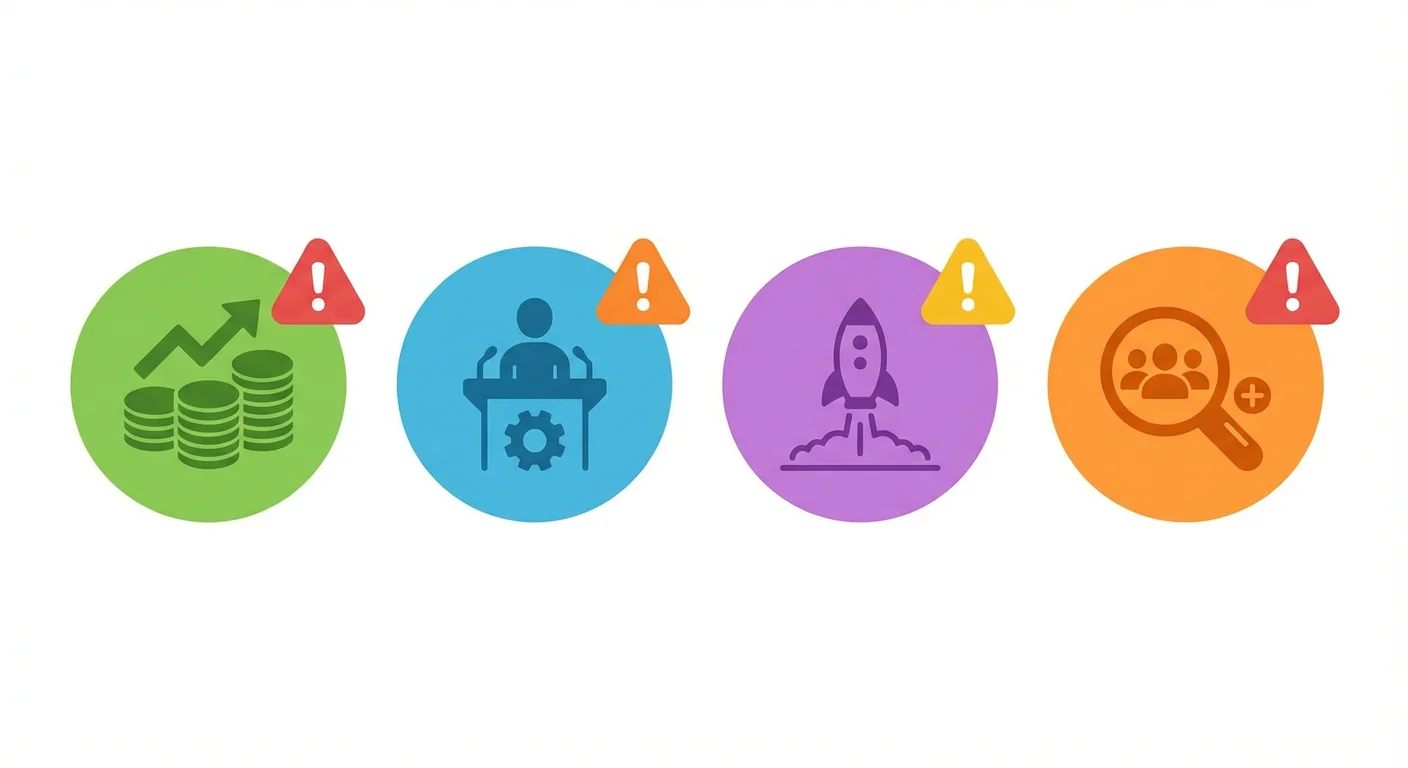
Generic cold emails compete with every other demand on a prospect's attention. Trigger-based emails arrive at moments when the topic is already on their mind.
Trigger events work because they:
- Create relevance: Your email connects to something they're actively thinking about
- Signal research: You've paid attention to their situation
- Imply urgency: Changes often require timely responses
- Demonstrate understanding: You know what the event means for them
The key is connecting the trigger to a genuine need, not just using it as an excuse to reach out.
A sales trigger and a trigger event are one object under two names, an observable change that creates a timely reason to write, and the window on each is shorter than most teams plan for.
Section 1: Funding and Growth Triggers
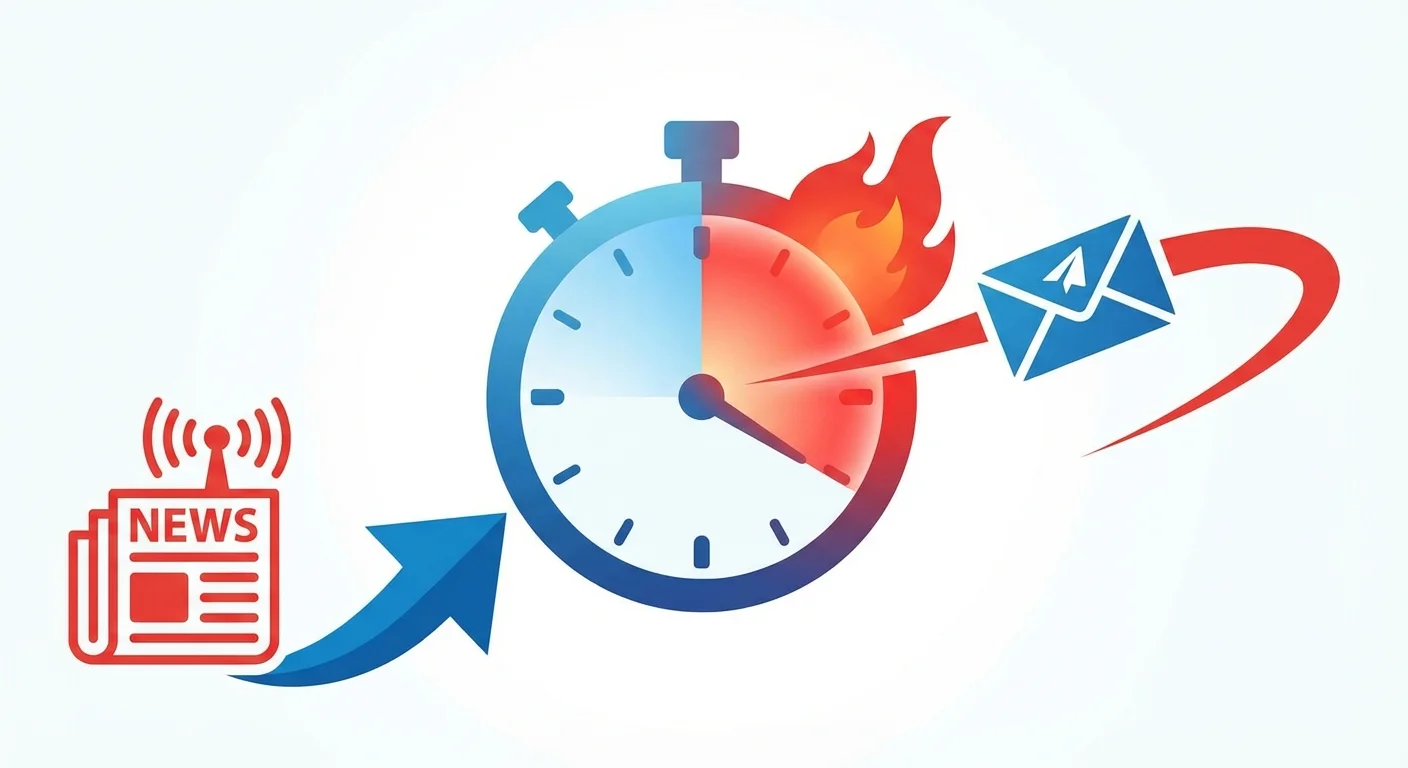
These templates leverage financial events that signal growth plans.
Template 1: New Funding Round
When to use: When a company announces fundraising.
Subject: Congrats on the [Series X] raise
Email:
Hi [Name],
Congratulations on the [Series X] funding. [Amount] is a significant milestone.
Companies at this stage often accelerate [specific area your solution addresses]. The resources are there, but so is the pressure to deploy them effectively.
We've helped teams like [Similar Company] navigate this phase by [brief value proposition].
Would a conversation about your post-funding priorities be valuable?
Best, [Your name]
Customization tips:
- Reference the specific funding amount and round
- Connect your solution to typical post-funding priorities
- Acknowledge the opportunity without being presumptuous
Template 2: Acquisition or Merger
When to use: When a company is acquired or announces a merger.
Subject: [Company]'s next chapter
Email:
Hi [Name],
I saw the news about [acquisition/merger]. That's a significant transition.
Integration periods often surface [specific challenge your solution addresses]. Teams need to [relevant outcome] while managing the changes.
We've worked with companies during similar transitions and helped them [specific value].
If this is on your radar, would a conversation be worthwhile?
Best, [Your name]
Customization tips:
- Be sensitive to the complexity of M&A situations
- Focus on challenges that arise during integration
- Don't assume you know how the deal affects them personally
Template 3: Expansion Announcement
When to use: When a company announces geographic or market expansion.
Subject: [Company]'s expansion into [market/region]
Email:
Hi [Name],
I noticed [Company] is expanding into [new market/region]. Exciting move.
Expansion often creates [specific challenge]. Teams need [relevant capability] without the playbook they had in established markets.
We've helped companies like [Similar Company] scale [function] during expansion. They found [specific value].
Worth a conversation as you plan the expansion?
Best, [Your name]
Customization tips:
- Research the specific expansion target
- Identify challenges unique to that type of expansion
- Position yourself as supporting growth, not creating more work
Section 2: Leadership Change Triggers
These templates leverage changes in company leadership.
Template 4: New Executive Hire
When to use: When a new executive joins in a relevant role.
Subject: Your first 90 days at [Company]
Email:
Hi [Name],
Congratulations on joining [Company] as [Title]. The first few months in a new role are critical.
New [Title]s often evaluate existing [processes/tools/vendors] to understand what's working and what needs attention. If [specific area] is part of your assessment, I'd welcome the chance to share what we've seen work.
Would a brief conversation be useful as you get oriented?
Best, [Your name]
Customization tips:
- Wait a few weeks after they start to allow them to settle
- Focus on helping them in their new role, not just selling
- Offer perspective rather than pushing for immediate decisions
Template 5: Promotion Announcement
When to use: When someone is promoted to a role relevant to your solution.
Subject: Congratulations on [new role]
Email:
Hi [Name],
Congratulations on your promotion to [new role]. Well deserved based on what I've seen of your work.
In this new role, you likely have a broader mandate around [relevant area]. If re-evaluating [specific function] is part of that mandate, I'd be happy to share how we've helped teams like yours.
Worth a conversation as you shape your priorities?
Best, [Your name]
Customization tips:
- Acknowledge their achievement genuinely
- Identify new responsibilities that come with the promotion
- Offer to be a resource without being pushy
Template 6: Departure Announcement
When to use: When a key person leaves the company.
Subject: Transitions at [Company]
Email:
Hi [Name],
I noticed [departing person] recently left [Company]. Leadership transitions often prompt [related consequence or opportunity].
If you're reassessing [relevant area] during this period, I'd be happy to share what we've seen work for teams in similar situations.
Would a brief conversation be useful?
Best, [Your name]
Customization tips:
- Be respectful of the departed person and the situation
- Focus on helping them through transition, not capitalizing on disruption
- Wait an appropriate time before reaching out
Section 3: Product and Business Triggers
These templates leverage product launches and business changes.
Template 7: Product Launch
When to use: When a company launches a new product or feature.
Subject: The [product name] launch
Email:
Hi [Name],
Congratulations on launching [product name]. [Brief observation about the product.]
Launches create momentum, but they also create [relevant challenge like customer support volume, onboarding needs, or scaling pressures].
We've helped teams like [Similar Company] handle [challenge] during high-growth periods. Their approach: [brief insight].
Would discussing your post-launch priorities be valuable?
Best, [Your name]
Customization tips:
- Show you've actually looked at the product
- Connect to challenges that arise after launches
- Time the outreach for shortly after launch, not the day of
Template 8: Strategic Pivot or Repositioning
When to use: When a company announces a change in strategy.
Subject: [Company]'s new direction
Email:
Hi [Name],
I saw the announcement about [Company]'s shift toward [new direction]. That's a significant move.
Strategic pivots often require changes in [relevant area]. Teams need to [specific capability] that aligns with the new direction.
We've helped companies navigate similar transitions. Would understanding their approaches be useful as you plan yours?
Best, [Your name]
Customization tips:
- Be thoughtful about how significant the pivot is
- Focus on supporting their new direction
- Offer relevant experience without claiming to know their specific needs
Template 9: Partnership or Integration Announcement
When to use: When a company announces a major partnership.
Subject: The [Partner] partnership
Email:
Hi [Name],
I noticed [Company] partnered with [Partner]. That opens some interesting possibilities.
Partnerships often create [specific opportunity or challenge]. Teams need [relevant capability] to maximize the collaboration.
We work with companies that integrate with [Partner] and have insights on [relevant topic]. Would sharing those be valuable?
Best, [Your name]
Customization tips:
- Research what the partnership involves
- Identify how your solution complements the partnership
- Position yourself as enhancing, not complicating, their partnership
- A funding round, an acquisition or merger, an expansion announcement
- Connect to post-funding priorities, to what integration periods surface, or to scaling without the playbook they had in established markets
- Reference the specific amount and round
- Do not assume you know how a deal affects them personally
- A new executive hire, a promotion, a departure
- New leaders often evaluate existing processes, tools and vendors as they get oriented
- Wait a few weeks after they start, so they can settle
- Be respectful of the person who left and of the situation
- A product launch, a strategic pivot, a partnership announcement
- Launches create momentum and also support volume, onboarding needs and scaling pressure
- Show you have actually looked at the product
- Time it shortly after launch rather than on the day
Section 4: Industry and Market Triggers
These templates leverage broader industry events.
Template 10: Regulatory Change
When to use: When new regulations affect their industry.
Subject: [Regulation] implications for [Company]
Email:
Hi [Name],
The new [regulation name] requirements take effect [date]. Companies in [industry] are scrambling to comply.
We've helped [X] companies meet [regulation] requirements through [brief description of approach]. Teams that started early avoided the last-minute pressure.
If [Company] is working on compliance, would a conversation about approaches be useful?
Best, [Your name]
Customization tips:
- Know the regulation details well
- Be specific about compliance timelines
- Position yourself as helping them avoid problems
Template 11: Industry Event or Conference
When to use: Around major industry events.
Subject: Before [Event Name]
Email:
Hi [Name],
[Event Name] is coming up in [timeframe]. It's usually where [industry] teams discover new approaches to [relevant topic].
Companies that evaluate solutions before the event often find better options and avoid the conference chaos.
If [specific topic] is on your radar, would a pre-conference conversation be valuable?
Best, [Your name]
Customization tips:
- Reference events the prospect would attend
- Offer a calmer alternative to conference chaos
- Time the outreach appropriately before the event
Template 12: Competitor Activity
When to use: When a competitor takes significant action.
Subject: [Competitor]'s move into [area]
Email:
Hi [Name],
I noticed [Competitor] just [announced/launched/entered] [specific action]. This could shift the landscape in [industry].
Companies responding to competitor moves often need to [relevant capability] quickly. We've helped teams like [Similar Company] stay competitive when the market shifted.
Would discussing how others are responding be valuable?
Best, [Your name]
Customization tips:
- Reference genuine competitor activity
- Focus on helping them respond, not creating fear
- Have specific examples of how others have handled similar situations
Section 5: Operational Triggers
These templates leverage operational changes and challenges.
Template 13: Hiring Surge
When to use: When a company is aggressively hiring.
Subject: Your [X] open positions
Email:
Hi [Name],
I noticed [Company] is hiring [X] [role type] positions. That level of growth creates both opportunity and strain.
Teams scaling this quickly often find [specific challenge]. New hires need [relevant capability] to ramp effectively.
We've helped companies like [Similar Company] handle rapid scaling. Would exploring that be useful?
Best, [Your name]
Customization tips:
- Reference specific job postings when possible
- Identify challenges that come with rapid hiring
- Position yourself as supporting their growth
Template 14: Office Move or Expansion
When to use: When a company opens new offices or relocates.
Subject: The move to [location]
Email:
Hi [Name],
Congratulations on [Company]'s expansion to [new location]. That's a significant investment.
New locations often require [relevant capability]. Teams need [specific outcome] to ensure the expansion succeeds.
We've helped companies establish [function] in new locations efficiently. Would a conversation about your approach be valuable?
Best, [Your name]
Customization tips:
- Research what the new location represents
- Connect to challenges specific to expansion
- Time the outreach appropriately (not too early, not too late)
Finding Trigger Events
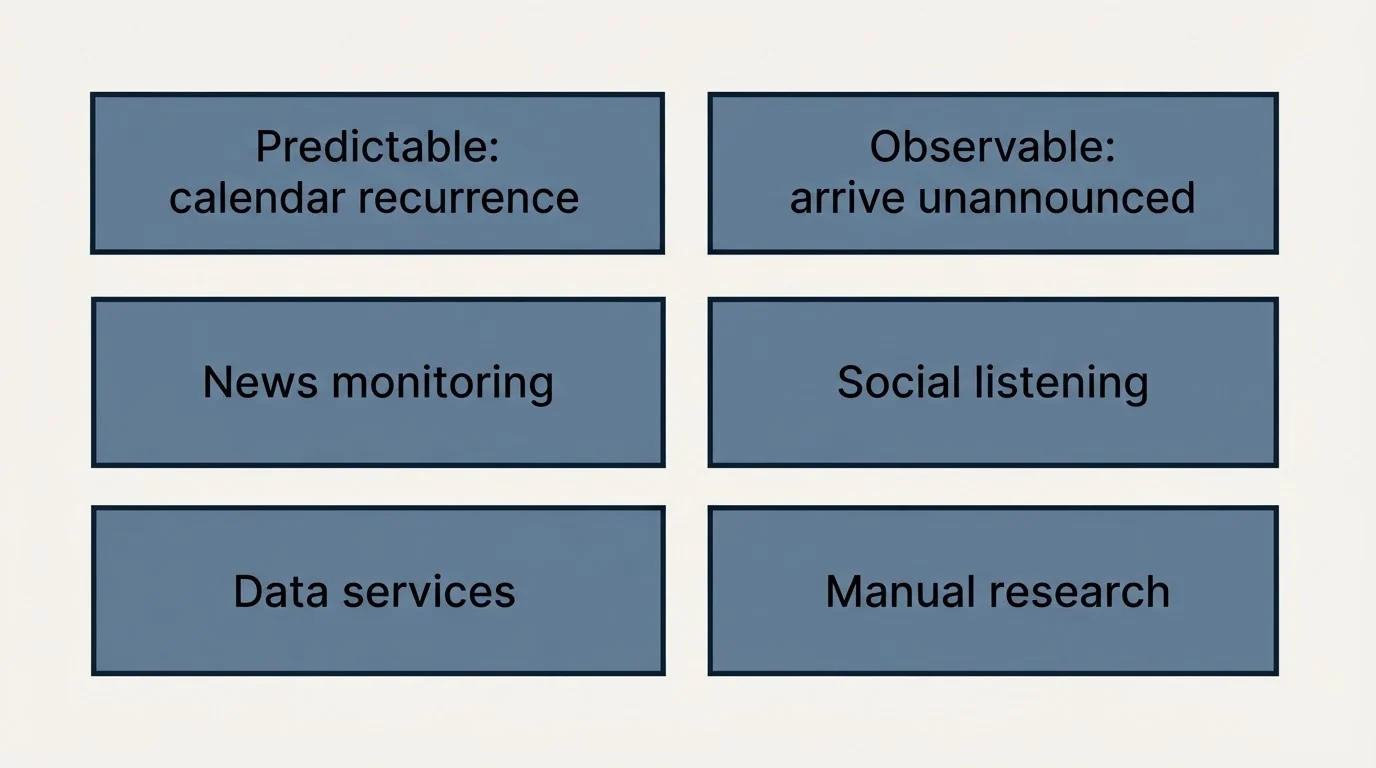
Worth separating before any of this: which triggers are predictable and which are merely observable. A funding round or a leadership change arrives when it arrives, while a renewal window, a fiscal year end and a hiring cycle recur on a calendar, and only the second kind can be planned around rather than watched for.
The January version of a calendar trigger, including the re-open to a prospect who asked to be contacted in the new year, is worked through in how to write a new year outreach email.
To send trigger-based emails, you need to find the triggers:
News Monitoring
- Google Alerts for target companies
- Industry news aggregators
- Press release monitoring services
Social Listening
- LinkedIn notifications for target contacts
- Twitter/X monitoring for announcements
- Company blog subscriptions
Data Services
- Funding announcement databases (Crunchbase, PitchBook)
- Job posting aggregators (Indeed, LinkedIn Jobs)
- Technographic data providers
Manual Research
- Company websites and newsrooms
- SEC filings for public companies
- Industry award announcements
- Yes: News monitoring: Google Alerts for target companies, industry news aggregators, press release monitoring services
- Yes: Social listening: LinkedIn notifications for target contacts, Twitter/X monitoring for announcements, company blog subscriptions
- Yes: Data services: funding databases such as Crunchbase and PitchBook, job posting aggregators such as Indeed and LinkedIn Jobs, technographic data providers
- Yes: Manual research: company websites and newsrooms, SEC filings for public companies, industry award announcements
Best Practices for Trigger Event Emails
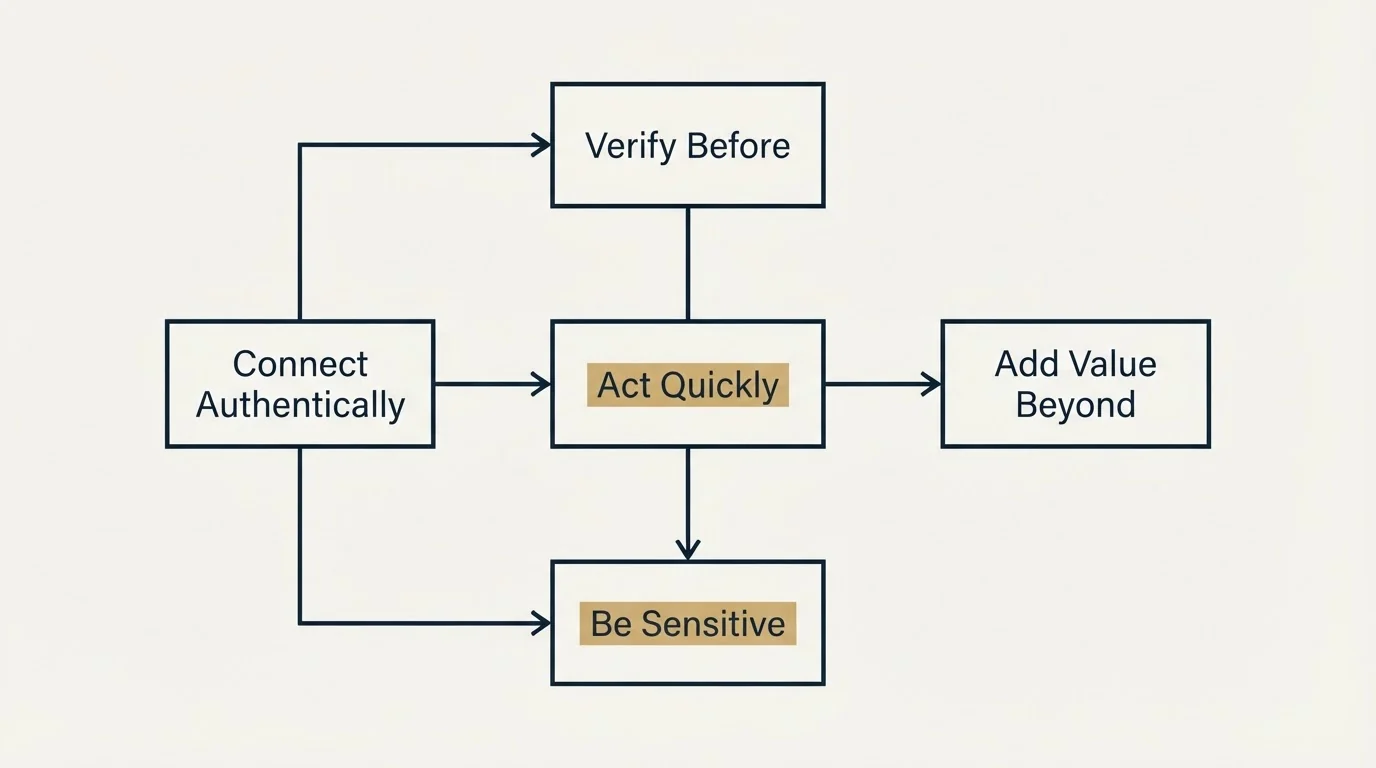
Act Quickly
Trigger events have a window. The day of a funding announcement, everyone reaches out. A week later, the excitement fades. Find the balance between too early (seems automated) and too late (seems irrelevant).
Connect Authentically
Don't force connections. If the trigger doesn't genuinely relate to what you offer, don't pretend it does. Forced relevance damages credibility.
Add Value Beyond the Trigger
Reference the trigger, but add perspective they don't already have. Everyone will congratulate them on funding. Few will offer genuine insight on post-funding challenges.
Be Sensitive to Context
Some triggers are sensitive. Layoffs, failed products, and departures require careful handling. When in doubt, don't use the trigger.
Verify Before Sending
Triggers based on rumors or outdated information backfire. Verify the event before sending.
Common Trigger Event Mistakes
The Automated Feel
"I noticed [Company] raised funding" followed by a generic pitch. The trigger reference needs to show genuine understanding.
The Late Arrival
Reaching out about funding that happened three months ago. Triggers have a shelf life.
The Wrong Conclusion
Assuming a trigger means something it doesn't. A new CEO doesn't automatically mean vendor changes.
The Insensitive Outreach
Using layoffs or bad news as triggers without appropriate care. Some triggers aren't opportunities.
Measuring Trigger Event Performance
Track these metrics for trigger-based campaigns:
- Response rate by trigger type: Which triggers generate the most responses?
- Time sensitivity: How do response rates change based on timing?
- Meeting conversion: Which triggers lead to actual meetings?
- Deal progression: Do trigger-based leads close faster or larger?
- Trigger accuracy: How often are triggers incorrectly identified?
Use this data to prioritize which triggers to monitor and act on.
Related Reading
- 15 Event Outreach Email Templates for Conferences and Trade Shows
- 15 Pain Point Email Templates That Get Prospects to Respond
- 12 Curiosity-Driven Email Templates That Get Prospects to Open and Reply
Getting Help With Trigger-Based Outreach
Trigger-based campaigns require monitoring, quick response, and relevant messaging. If you're looking to implement trigger-based outreach:
Schedule a free strategy call to discuss:
- Which triggers matter most for your target market
- How to monitor triggers efficiently
- Messaging frameworks for different trigger types
- Campaign workflows that capitalize on timing
Schedule your free strategy call here.
We'll help you build trigger-based campaigns that reach prospects at the right moment.
Frequently asked questions.
Frequently asked questions- Why do trigger event emails get better response rates than regular cold emails?
- Trigger event emails arrive when prospects are already thinking about related challenges, making your outreach immediately relevant. They signal you've researched their situation, create natural urgency since changes require timely responses, and demonstrate you understand what the event means for their business. Generic cold emails compete with everything else demanding attention, while trigger-based emails connect to active priorities.
- How quickly should I send a trigger event email after the event happens?
- Speed matters significantly with trigger events. You should act quickly to demonstrate research and catch prospects while the topic is fresh. However, timing varies by event type: new funding announcements warrant immediate outreach, while new executive hires benefit from waiting a few weeks to allow them to settle into their role. The key is balancing speed with appropriate sensitivity to context.
- What are the main categories of trigger events I should monitor?
- The five main trigger event categories are funding and growth events like new rounds or expansions, leadership changes including new hires and promotions, product and business triggers such as launches or pivots, industry and market events like regulatory changes or competitor activity, and operational triggers including hiring surges or office moves. Each category creates different opportunities to position your solution as relevant to their changing situation.
- How do I find trigger events for my prospects?
- You can monitor trigger events through news monitoring tools, social listening on platforms like LinkedIn, specialized data services that track company changes, and manual research of company websites and press releases. The article recommends combining multiple methods to catch events early and verify information before reaching out, ensuring your email references accurate details about the trigger.
- What's the biggest mistake people make with trigger event emails?
- The automated feel is a critical mistake: when emails sound templated or use the trigger as a thin excuse to pitch rather than genuinely connecting it to the prospect's needs. Other common errors include arriving too late after the event has passed, drawing wrong conclusions about what the trigger means for them, and being insensitive to difficult situations like departures or layoffs without considering the human context.
About the author.

Ben Carden is CRO at RevenueFlow, which builds and operates outbound revenue engines for B2B companies. Previously at Gartner Enterprise. Studied at London School of Economics.
Ben Carden · CRO
Connect on LinkedIn →Explore more.
Ready to scale your outreach?
We build GTM engines that book real meetings. See the receipts.
Related articles.
10 B2B Cold Email Templates for One-Message Sends
Ten B2B cold email templates written for a single send, with the four slot structure underneath them and the test that separates a good example from a bad one.
Cold Email Templates for Customer Success Managers
Eleven cold email templates for customer success managers, covering champion change, expansion, renewal rescue, and win-back, with subject lines and timing.
14 Renewal Email Templates That Retain Customers
Master subscription and contract renewals with 14 proven email templates. Reduce churn, lock in renewals early, and maintain customer relationships.
Follow-Up Call Scripts: Nine Calls Into a Live Conversation
Nine follow-up call scripts, each tied to the event that earns the call, from a demo to a renewal, plus the four moves they share and how each call should end.
13 Case Study Request Email Templates That Get Results
Get proven email templates for requesting case studies, video testimonials, and written reviews from your happiest customers. Includes templates for every stage from initial ask to final approval.
Email Subject Line Capitalization: What the Guides Say
What the style authorities actually rule on subject line case, what the published tests measured, and the default for a one to one sales email.