LinkedIn Connection Limit: The Number It Does Not Publish
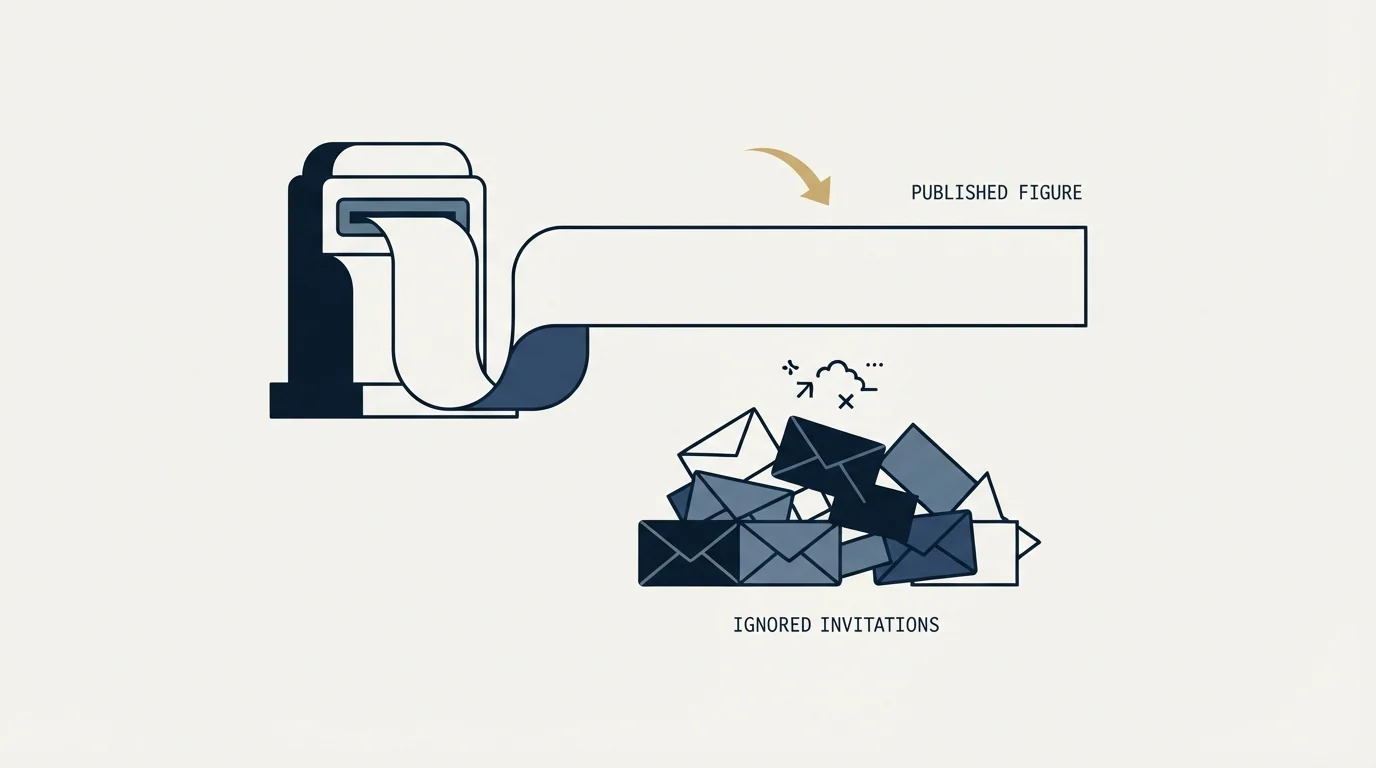
LinkedIn publishes no weekly invitation figure. It publishes three restriction triggers, and one of them is how many of your invitations went ignored.
LinkedIn publishes no weekly connection request limit. Its invitation restrictions page names three triggers instead: many invitations sent in a short time, many invitations ignored or left pending, and excessive volume with suspected automation. Your acceptance rate is therefore part of the limit, which is why no single weekly figure could be accurate.
Key takeaways
- LinkedIn's invitation restrictions page describes what triggers a limit and never states how many invitations you may send, so the weekly figures circulating elsewhere are third-party estimates.
- Invitations left ignored or pending are a named trigger, so two accounts sending identical volume can be treated very differently depending on who they invited.
- LinkedIn does publish a ceiling of 30,000 first-degree connections, and states that withdrawing an invitation blocks resending to that person for up to three weeks.
- Published remedies run from a few hours to a full month depending on the trigger, most restrictions clear within a week, and LinkedIn will not remove one on request.
Reviewed and updated September 2, 2026
Search for LinkedIn's connection limit and you will be told it is 100 invitations a week, or 200 if your Social Selling Index is high, or 250 on Sales Navigator. Those numbers appear on dozens of pages, cited confidently, often with a year in the headline.
LinkedIn publishes none of them.
Its own help page on invitation restrictions describes what triggers a limit and what to do when you hit one, and never states how many invitations you may send. That is not an oversight. A published number would be a target to send right up to, and the mechanism LinkedIn describes is not a counter at all.
People search this as the LinkedIn weekly invitation limit, and the honest answer is that LinkedIn publishes restriction triggers and remedies rather than a weekly number, so every figure circulating is a third-party estimate.
s vendor/ dir: 'Asked as the LinkedIn invite limit, the answer is on LinkedIn Invitation limit reached help page, which states that a restriction typically lasts one week, that withdrawing pending invitations will not remove it, and that you cannot buy or acquire more invitations while restricted, without ever stating how many you may send.
Asked as a connection limit per week, the answer does not change: LinkedIn describes no weekly window to plan against, and the account that gets restricted is the one whose invitations went ignored rather than the one that crossed a count.
What LinkedIn actually publishes
Here is the whole of it, from LinkedIn's own page on invitation restrictions, verified today.
LinkedIn says it limits the number of invitations you can send "to protect the member experience and ensure that requests are relevant", and that exceeding those limits or using prohibited tools may get your account restricted. It then names three triggers.
- Yes: You sent many invitations within a short amount of time
- Yes: Many of your invitations were ignored, left pending, or marked as spam
- Yes: You sent an excessive number and LinkedIn suspects an automation tool
- No: A specific published weekly number that you crossed
The second trigger is the one that matters and the one no listicle mentions. Your acceptance rate is part of the limit. Invitations that sit unanswered count against you, so two accounts sending identical volume can get very different treatment depending on who they invited. That is why a single weekly figure could never be accurate: the constraint is relational, not arithmetic.
One number LinkedIn does publish is the ceiling on the network itself. Members can hold a maximum of 30,000 first-degree connections, and LinkedIn recommends keeping only quality connections.
First-degree status also gates other controls, and voice messaging is limited to first-degree connections and to a single minute.
The rules people find out the hard way
Four more published facts, each of which changes how you should operate.
Withdrawing an invitation locks you out for up to three weeks. After you withdraw, you cannot resend an invite to that same recipient for up to three weeks. Bulk-withdrawing pending invitations to tidy up your ratio therefore has a cost, and it is a common piece of advice that quietly removes those people from your reachable pool.
Basic and Premium are both subject to limits. LinkedIn states this explicitly. Paying does not buy a higher invitation allowance, which is worth knowing before upgrading for that reason.
You cannot buy your way out. LinkedIn says you cannot buy or acquire more invitations, whether restricted or otherwise.
Standard and personalized invitation limits are separate systems. LinkedIn states that restrictions and limits on standard invitations are separate from the limits placed on personalized invitations. So the note allowance below is a different budget from the invitation allowance.
Teams juggling the note allowance alongside acceptance pressure will find the wider rules on invitations, notes and lockouts laid out in the full guide to invitation rules.
The personalized note allowance, where LinkedIn contradicts itself
If you add a note to a connection request, a second limit applies, and here LinkedIn's own pages disagree with each other. Both were live today.
| Page | Free account allowance | Character limit |
|---|---|---|
| Personalize invitations to connect | Three per month | 200 |
| Differences between InMail and personalized invitations | Five per month | 200 |
On Premium both pages agree that personalized invitations are unlimited, though they differ on the character cap, with the older page stating 300 characters.
We are not going to pick one. Plan against three, because if the lower figure is current you have budgeted correctly, and if the higher one is you have three notes in hand. The general lesson is the same one this whole page is about: even the primary source needs checking against itself, and a number repeated across five blogs is not more reliable than a number on the vendor's page, it is usually just older.
Why there is no reset day to wait for
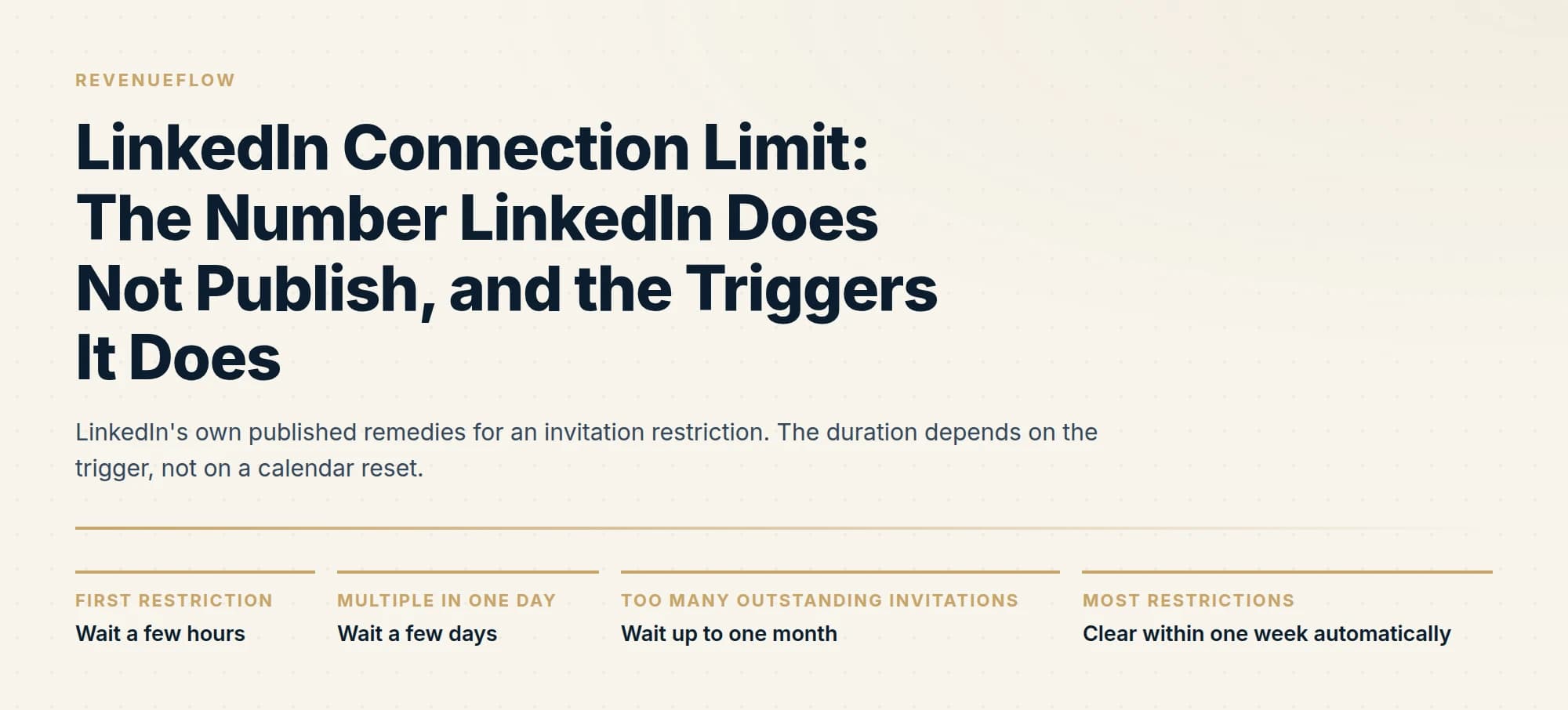
A frequent question is when the weekly limit resets. The premise assumes a fixed weekly window, and LinkedIn does not describe one. What it does publish is a set of remedies that vary by what you did.
- First restrictionWait a few hours
LinkedIn's stated remedy for a first occurrence. Then try again.
- Multiple in one dayWait a few days
Repeated restrictions inside a day escalate the wait.
- Too many outstanding invitationsWait up to one month
The pending-invitation trigger carries by far the longest penalty.
- Most restrictionsClear within one week automatically
LinkedIn removes most restrictions itself, and will not remove one on request.
Two things follow. The pending-invitation restriction is roughly thirty times longer than a first-offence speed restriction, which tells you which behaviour LinkedIn considers worse. And there is no appeal: LinkedIn states it will not remove invitation restrictions on request, and that Support cannot disclose the type or reason for the restriction on your account, for privacy reasons.
So you will not be told what you did, and you cannot ask for it to be lifted. You wait.
Why a published number would not help you anyway
It is worth arguing this directly, because the absence of a figure reads as LinkedIn being unhelpful and it is closer to the opposite.
Imagine LinkedIn published 100 a week. Every automation tool would ship a default of 99, every programme would run at the ceiling, and the median invitation would get worse rather than better, because the constraint would have been converted into a quota to fill. The behaviour LinkedIn actually wants to discourage, spraying requests at people with no reason to accept, would be formally endorsed up to a line.
A trigger-based system behaves differently. An account inviting people who accept can operate at volumes that would restrict an account inviting strangers, and both are being measured on the same underlying signal. That is a fairer system and an unpredictable one, which is exactly why the third-party pages fill the gap with numbers. Uncertainty is uncomfortable and a figure feels actionable, even when nobody can source it.
The practical consequence is that you cannot outsource this judgment to a setting. Whatever number a tool defaults to was chosen by that tool's vendor, not by LinkedIn, and it carries none of LinkedIn's authority. If a platform tells you its limits are "LinkedIn safe", ask where the figure came from.
Automation makes it worse, in writing
The third trigger names automation directly, and LinkedIn's separate page on prohibited software is unambiguous. It does not permit third-party software, including crawlers, bots, browser plug-ins or extensions, that scrape, modify the appearance of, or automate activity on LinkedIn. Members using such tools are in violation of the User Agreement and risk having accounts restricted or shut down.
The escalation path is published too. If your account is suspended for automated activity it re-enables automatically at the time in the suspension notice, and repeated suspensions may result in permanent restriction of the account. LinkedIn also notes that prohibited tools may stop working without notice, which is its own operational risk if a programme depends on one.
Our LinkedIn automation tools guide covers where the line sits in practice, and what LinkedIn's terms say about scraping covers the User Agreement clauses in full.
How to operate without a number

Since there is no published figure to stay under, the only durable approach is to manage the triggers.
- Step 1Target for acceptance, not for volume
Ignored and pending invitations are a named trigger, so a smaller list with a plausible reason to accept is safer than a bigger one.
- Step 2Ramp rather than start at capacity
Sending many invitations in a short time is the first trigger. A new or newly active account is the most exposed.
- Step 3Watch your pending pile, do not bulk-withdraw it
Outstanding invitations carry the longest penalty, and withdrawing costs you three weeks per person.
- Step 4Treat a restriction as feedback, not a bug
You will not be told the reason, so the useful response is to reduce volume and improve targeting rather than to appeal.
The first step is where most programmes go wrong, and it is also where our own position sits. We do not send a second LinkedIn message to someone who ignored the first, because it lands directly beneath the message they already declined. The same logic applies upstream: an invitation sent to someone with no plausible reason to accept is not a free lottery ticket, it is a contribution to the pending pile that LinkedIn measures. InMail versus a connection request covers when to spend a credit instead of an invitation, which is often the better answer for senior prospects who ignore requests from strangers.
LinkedIn's own recommendation, on the same restrictions page, is to invite only people you know and trust, and to use InMail and Groups to reach members you do not. That is the platform describing its intended division of labour, and cold outbound programmes routinely invert it.
Because the connection note is only one of several ways to reach a member, it helps to compare it against the other four outreach routes and their costs.
If you would rather not carry this risk on your team's personal accounts at all, we run LinkedIn alongside email for clients on a pay-per-qualified-meeting basis, which puts the account exposure on our side. You can see what a campaign would look like for your market.
The short version
LinkedIn does not publish a weekly connection request limit, and the figures circulating on other sites are third-party estimates rather than platform documentation. What LinkedIn publishes is three restriction triggers: too many invitations too quickly, too many ignored or left pending, and excessive volume with suspected automation. It publishes a 30,000 first-degree connection ceiling, a three-week lockout after withdrawing an invitation, and remedies running from a few hours to a full month depending on what you did. Most restrictions clear inside a week, no restriction is appealable, and Support will not tell you the reason. Manage the triggers rather than a number, and understand that your acceptance rate is part of the limit.
All LinkedIn figures and rules here are from LinkedIn's own Help Center pages on invitation restrictions, personalizing invitations, the differences between InMail and personalized invitations, and prohibited software, plus the LinkedIn User Agreement. All re-fetched with cache-busting and verified as of mid-2026. The free-account personalized invitation allowance genuinely differs between two live LinkedIn pages, as shown above. Weekly invitation figures quoted elsewhere on the web do not appear in LinkedIn's own documentation and are not repeated here.
Frequently asked questions.
Frequently asked questions- What is LinkedIn's weekly connection request limit?
- LinkedIn does not publish one. Its help page on invitation restrictions describes what triggers a limit and what to do when you hit one, without stating how many invitations you may send. The weekly figures quoted on other sites do not appear in LinkedIn's own documentation. Whatever number an automation tool defaults to was chosen by that tool's vendor.
- How many personalized invitations can you send?
- Two LinkedIn pages disagree. Its page on personalizing invitations states three per month on a free account, while its page on the differences between InMail and personalized invitations states five. Both were live on the same day, and both give a 200-character limit. Premium is unlimited on both pages. Plan against three, and treat this as separate from the standard invitation allowance.
- When does a LinkedIn invitation restriction lift?
- There is no calendar reset, and the duration depends on the trigger. LinkedIn's published remedies are a few hours for a first restriction, a few days for several in one day, and up to a month where too many invitations are outstanding. Most restrictions clear within a week automatically. LinkedIn will not remove one on request, and Support will not disclose the reason.
- Should you bulk-withdraw pending invitations?
- It carries a cost worth weighing. LinkedIn states that after withdrawing an invitation you cannot resend to that recipient for up to three weeks, so tidying your pending pile removes those people from your reachable list for that period. Since outstanding invitations carry the longest published penalty, the better answer is to send fewer invitations to people likelier to accept.
- How many LinkedIn connections can I send per day?
- LinkedIn publishes no daily figure, just as it publishes no weekly one. Its restrictions page names the triggers instead: sending many invitations in a short period, and leaving too many outstanding. The workable approach is to ramp a new or newly active account rather than starting at capacity, and to send only where there is a plausible reason to accept.
About the author.

B2B cold email experts helping companies generate qualified leads through done-for-you outreach campaigns.
RevenueFlow Team
Explore more.
Ready to scale your outreach?
We build GTM engines that book real meetings. See the receipts.
Related articles.
LinkedIn Account Restricted From Sending Invitations
Nobody is going to tell you what you did. The three published triggers carry very different penalties, and the instinctive fix locks you out for three weeks.
LinkedIn Voice Notes: 60 Seconds, 1st Degree Only
LinkedIn publishes three limits on voice messaging and they decide the play before the script does. What they rule out, and the one slot that survives.
LinkedIn Message Types: Five Routes and What Silence Costs
Five ways to put a message in front of someone on LinkedIn, priced differently on the way out and priced very differently when nobody replies.
LinkedIn Invitations: The Rules LinkedIn Publishes
What an invitation actually buys, why the note allowance depends on which LinkedIn page you read, and what withdrawing one costs you.
LinkedIn Prospecting: Three Routes and What Each Costs
Connection requests, InMail and content each reach a prospect differently. How to pick a route, build a list that gets accepted, and stay inside the limits.
The LinkedIn Green Dot: What Active Status Shows
LinkedIn's green dot and white-centred ring, as LinkedIn's own pages define them, who can see them, and why a cold list shows presence for only some prospects.