InMail vs Connection Request: Choosing for LinkedIn Outreach
Connection requests are free but carry account risk and a waiting cost. A per-prospect framework for choosing between the two, with the limits behind each.
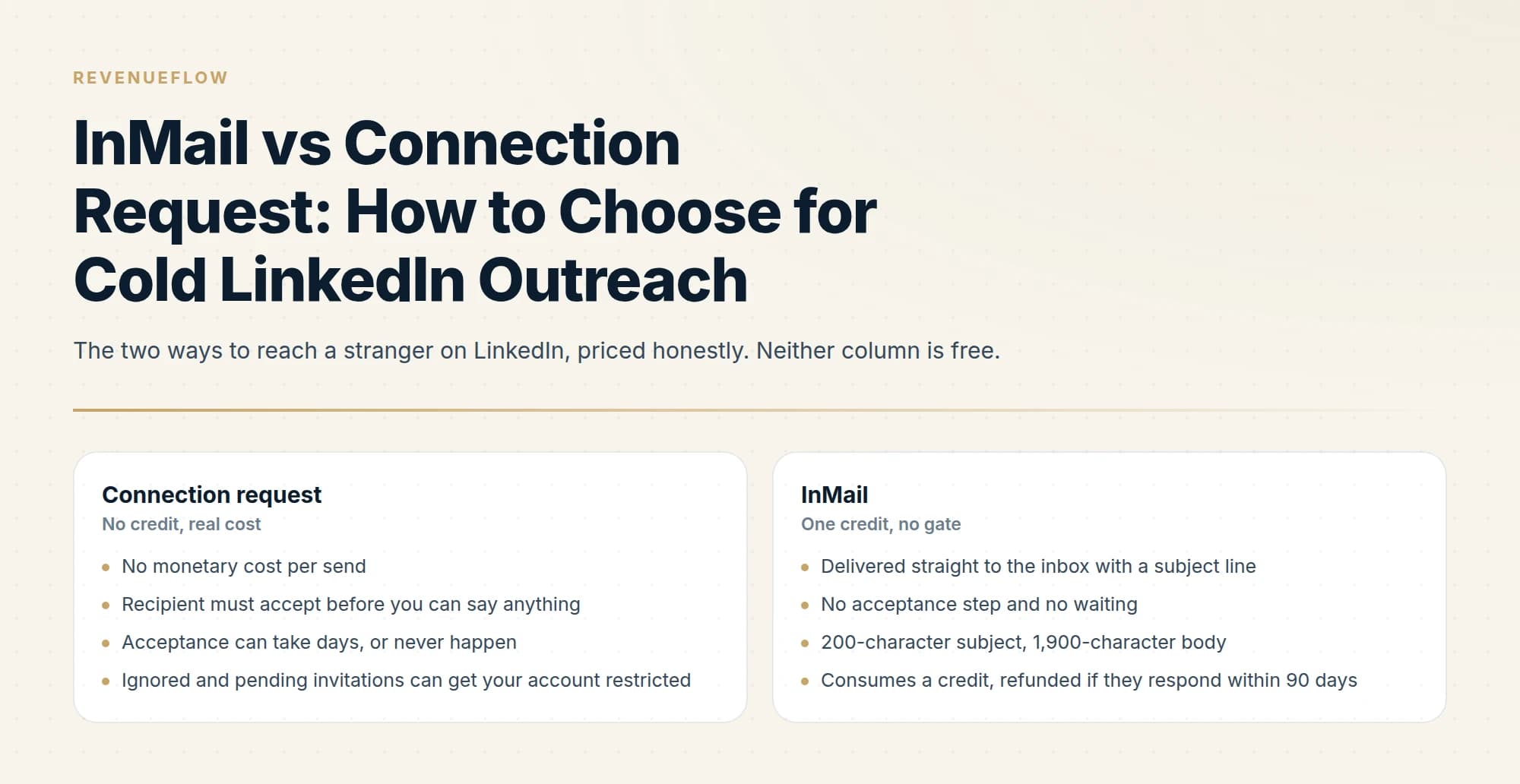
InMail vs connection request comes down to cost against risk. A connection request costs nothing to send but needs acceptance, and LinkedIn can restrict accounts whose invitations are ignored or left pending. An InMail costs one credit, arrives with no gate, and the credit comes back if the recipient responds within 90 days.
Key takeaways
- A connection request is free but gated on acceptance, and LinkedIn may restrict accounts whose invitations are ignored or left pending.
- An InMail costs one credit, carries a 200-character subject and a 2,000-character body, and is refunded on any response within 90 days.
- InMail allowances run 5 a month on Premium Career, 15 on Business, 30 on All-in-One and 50 on Sales Navigator Core.
- Choose per prospect: InMail for senior, time-sensitive targets; requests for people with a visible reason to accept.
Reviewed and updated September 21, 2026
The usual way this decision gets made is by budget. Connection requests are free, InMail costs a credit, so teams send connection requests until something breaks and then wonder whether the paid option would have worked better.
The free option is not actually free. It is paid for in account risk and in weeks of waiting, and LinkedIn is unusually direct about the first part: your account can be restricted specifically because too many of your invitations were ignored or left pending. Volume of unanswered requests is itself a penalty condition.
That makes this a real trade rather than a budget question, and the right answer changes per prospect.
InMail vs connection request: what each path costs
| Line | Connection request | InMail |
|---|---|---|
| Price per send | None | One credit |
| Gate | They must accept first | None, straight to the inbox |
| Message size | Note of 200 characters, 300 on Premium | Subject of 200, body of 2,000 |
| Allowance | 3 or 5 notes a month free, unlimited on Premium | 5, 15, 30 or 50 credits a month by plan |
| If ignored | Counts toward an invitation restriction | The credit is not refunded |
| Second attempt | No re-invite for up to three weeks after a withdrawal | Another credit on Sales Navigator |
| Opt-out | None | Recipients can switch InMail off |
The line worth rereading is the fourth one on the left. LinkedIn states that an account may be restricted from sending invitations because many of the invitations sent were ignored, left pending, or marked as spam by recipients. Most restrictions lift automatically within a week, but LinkedIn will not remove one on request and will not explain which trigger fired, and an account restricted for too many outstanding invitations is told to wait for up to a month.
Connection request templates are the easy half of that decision and the note caps above are the constraint every one of them has to live inside, which is roughly two sentences after the greeting on a free account and a little more on Premium.
So a connection-request campaign with a poor acceptance rate is not simply an underperforming campaign. The InMail allowance behind the other column is set by plan: 5 credits a month on Premium Career, 15 on Premium Business, 30 on Premium All-in-One and 50 on Sales Navigator Core. It is an accumulating liability on the account, and unlike a wasted InMail credit it cannot be refunded.
The hidden asymmetry
An ignored InMail and an ignored connection request are not the same event.
The ignored InMail costs you one credit, and only if nobody reacts at all. Any response refunds it, including an auto reply and including a flat "not interested", because LinkedIn records declined responses as responses for credit purposes.
The ignored connection request costs you nothing today and sits in the recipient's pending list contributing to exactly the signal LinkedIn uses to decide whether to restrict your account. Withdrawing it locks you out of re-inviting that person for up to three weeks.
LinkedIn's own guidance on avoiding invitation restrictions says to send invitations only to people you know and trust, and to use InMail and Groups to network with members you do not know. That is the platform describing its intended division of labour, and cold outbound programmes routinely invert it.
When the connection request is the right move

It wins in three situations, and they have a shape in common: the connection has value beyond the single message.
When you want the ongoing relationship, not one conversation. A first-degree connection can be messaged freely forever, sees your content in their feed, and costs no credit ever again. For anyone you expect to talk to repeatedly, the request is the cheaper long-term instrument by a wide margin.
When acceptance is genuinely likely. Shared employer, shared group, a real mutual connection, someone who engaged with your post last week. High acceptance probability means low pending-invitation risk and a free channel at the end of it.
Another angle worth weighing: if your acceptance signal comes from post engagement, what scraping post comments actually returns explains why that data rarely includes a way to reach the commenter directly.
When there is no urgency. If the conversation is equally useful in three weeks, the waiting cost is zero and there is no reason to pay.
When the InMail is the right move
When the person is senior enough that stranger requests go unanswered. The people whose calendars matter most are the people with the fullest pending-invitation lists. A request to them is a lottery ticket that also carries account risk if it loses.
When timing is the reason you are writing. A funding round, a job posting, a product launch, a conference next month. Anything that stops being relevant while you wait for an acceptance that may never arrive.
When you need to say something before they decide. A connection request buys you 200 or 300 characters of note and then silence until they act. An InMail delivers a subject line and a full message into the inbox with no gate in front of it.
When their profile shows they are worth a considered attempt. InMail rewards being selective in a way connection requests do not, because the credit comes back when the message lands well.
Points to InMail
- Senior, and almost certainly ignores stranger requests
- A reason this matters now rather than next quarter
- You need to make a case, not just get in the door
Points to a request
- A shared employer, group or genuine mutual connection
- You want them in your network for repeat contact
- Your recent acceptance rate is healthy
Two cases sit outside both columns. If a target has Open Profile enabled, anyone can message them without a credit, so the decision collapses: message them. And if your recent acceptance rate is poor, that is a signal to reduce invitation volume rather than to push harder, because the pending pile is what triggers restrictions.
What acceptance actually buys you

The reason the connection request keeps its place, despite the risk, is what happens after a yes.
A first-degree connection can be messaged freely, forever, with no credit and no gate. They see your posts in their feed. Their network becomes visible to you as second-degree, which changes what your searches return. None of that expires, and none of it costs anything again.
Weighed against one InMail, that is a substantially larger asset. The problem is that you only receive it when they accept, and acceptance is the part you do not control. An InMail delivers a known quantity for a known price. A connection request is a lottery with a good prize, a real cost when it loses, and odds you can only influence at the margins.
That framing resolves most individual cases quickly. If the expected value of the relationship is high and acceptance is plausible, invite. If you need one specific conversation and acceptance is doubtful, spend the credit.
Running both without doubling the risk
Teams that use both channels well tend to keep them separated by list rather than by sequence.
The connection-request list is built from people with a visible reason to accept: shared groups, shared employers, recent engagement with your content, genuine mutual connections. Keeping the list to that population is what protects the acceptance rate, and the acceptance rate is what protects the account.
The InMail list is built from named accounts that matter, where the message can reference something specific and the credit is likely to come back. It is small by design.
What does not work is running the same list through both, sequentially. The person who ignored the connection request is the person whose InMail now arrives as the second approach, and the request is sitting in their pending list while they read it. That is the pattern most likely to produce both a restriction risk and a wasted credit, from one prospect.
Each prospect belongs to one list or the other, decided before anything is sent.
Shared groups, shared employers, recent engagement, genuine mutual connections. That keeps the acceptance rate, and the account, healthy.
Where the message can reference something specific and the credit is likely to come back. Small by design.
An InMail read beside an ignored request still pending is a restriction risk and a wasted credit from one prospect.
Neither one gets a second attempt
This is the constraint that shapes everything else, and it applies identically to both paths.
A LinkedIn thread is permanent and visible. Message someone a second time and it lands directly underneath the message they already chose not to answer. It reads as a bump whatever the campaign structure calls it. Plenty of the market runs multi-step LinkedIn sequences on exactly that basis; we do not run no-reply retargets on LinkedIn at all, for that reason.
The platform reinforces it mechanically. On Sales Navigator a second InMail to someone who has not responded simply costs another credit. LinkedIn also sends its own automatic reminder to the recipient within three days of an InMail being sent, so the nudge you were considering has already happened without you.
The practical conclusion is that a LinkedIn first touch has to carry the entire campaign, whichever door you knock on. Persistence belongs in email, where a fresh angle genuinely arrives as a new message rather than as a follow-up in a thread somebody already declined.
Tooling priced for that pairing exists, and billing per LinkedIn account rather than seat hands every tier unlimited email inboxes alongside the LinkedIn one.
The programme-level answer
For a cold list at any real scale, the sustainable pattern is neither channel at volume.
Connection requests work as a low-volume, high-acceptance motion aimed at people with a plausible reason to accept. InMail works as a small, deliberate budget spent on accounts where the ungated delivery genuinely buys something. Both are bounded by account-level activity limits that apply regardless of subscription and regardless of tooling, which the LinkedIn automation tools guide covers in detail.
Volume lives in email. LinkedIn is where you go for the accounts email is not reaching, and treating it as a second bulk channel is how accounts get restricted.
Unlike LinkedIn's credit-gated messaging, phone outreach carries its own consent traps, and the voicemail drop distinction explains why ringless voicemail requires prior consent under the TCPA.
If you want the underlying definitions, what InMail is and how it differs from a connection request is the primer. What an InMail costs per reply puts a number on the paid path, and how to send one that gets answered covers the execution.
We run both channels alongside email for clients on a pay-per-qualified-meeting basis, which means the per-prospect judgment above is work we do rather than work you do. You can see what a campaign would look like for your market.
Invitation limits, restriction triggers, personalized note character limits, InMail allowances and refund rules are per the LinkedIn Help Center articles listed below. LinkedIn's pages currently disagree on the free-account personalized invitation allowance, listing three per month on the more recently updated page and five on an older one. Verify current terms with LinkedIn.
Sources: Types of restrictions for sending invitations, Differences between InMail Messages and personalized invitations, Personalize invitations to connect, Understand InMail credits in Sales Navigator, InMail messages FAQ
Frequently asked questions.
Frequently asked questions- Is InMail better than a connection request?
- It depends on the prospect. InMail suits senior people who ignore stranger requests, time-sensitive reasons to write, and cases where you need to make an argument, since it arrives with no gate. A connection request suits people with a visible reason to accept, and it builds a lasting first-degree connection.
- Can ignored connection requests get your LinkedIn account restricted?
- Yes. LinkedIn's Help Center says an account may be restricted from sending invitations when many of its invitations are ignored, left pending or marked as spam. Most restrictions lift within a week, LinkedIn will not remove them on request, and a withdrawn invitation cannot be resent for up to three weeks.
- How many InMails do you get on LinkedIn?
- LinkedIn's InMail FAQ lists 5 credits a month on Premium Career, 15 on Premium Business, 30 on Premium All-in-One and 50 on Sales Navigator Core. A credit comes back when the recipient responds within 90 days, auto replies and declines included, and Sales Navigator lets unused credits build up to 150.
- How long can a LinkedIn connection note be?
- LinkedIn's Help Center caps a personalized invitation note at 200 characters on a free account and 300 on Premium. Its pages disagree on how many notes a free account gets, three a month on the newer page and five on an older one, while Premium members can personalize every invitation.
About the author.

B2B cold email experts helping companies generate qualified leads through done-for-you outreach campaigns.
RevenueFlow Team
Explore more.
Ready to scale your outreach?
We build GTM engines that book real meetings. See the receipts.
Related articles.
LinkedIn Outreach for Banks: A Regulated Message
How a bank's relationship managers use LinkedIn to reach business owners: what the FFIEC guidance, FINRA's notices and LinkedIn's own rules require, and where to stop.
B2B Lead Lists for Aviation Companies: Build or Buy
Aviation is one of the few industries whose accounts are published by its regulator, which changes what is worth buying and what is worth downloading yourself.
Cold Calling for PPC Agencies: What You Can See First
A paid media prospect is partly readable before the call and has already been told by the platform what to do when a stranger rings about its ads.
LinkedIn Outreach for Utilities: Selling to the Sector
How a vendor selling to utilities uses LinkedIn next to a published sourcing process: the three ownership models, the registration gate and what a message may ask.
SDR Outsourcing for Logistics Companies: The Brokerage Line
What an outside sales development team may do in a freight company's name, the calling and email rules it inherits, and which arrangement survives a bid-shaped market.
SDR Outsourcing for Business Brokers: The Fee Timing
Whether a success-fee brokerage should rent sales development at all: the fee timing, the texts that limit what an outside person may say about value, and who signs.