What Is LinkedIn InMail? Not a Connection Request
LinkedIn InMail explained: how credits work, why replies refund them, the 200 and 1,900 character limits, and when a connection request is the better move.
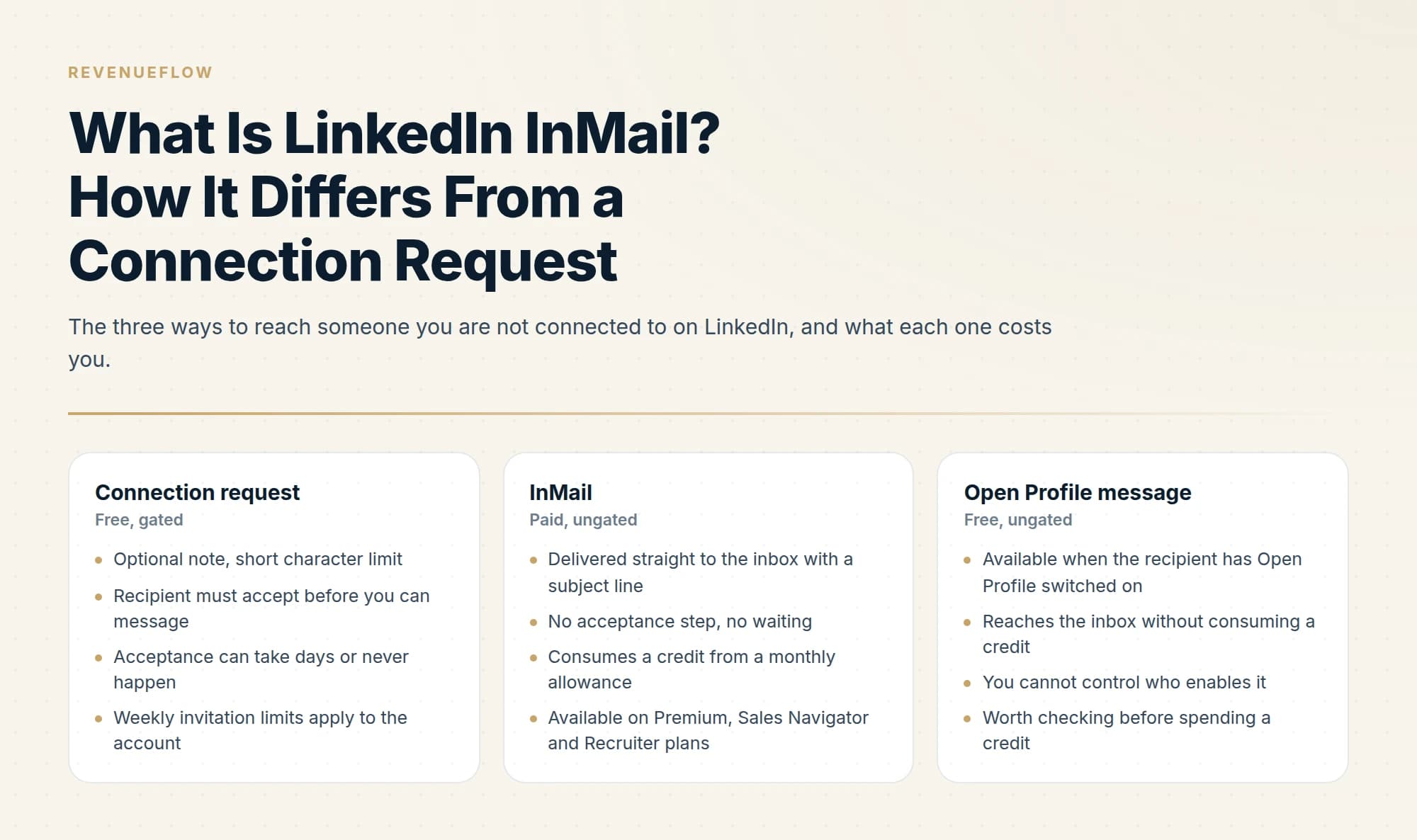
LinkedIn InMail is a paid private message that reaches a member you are not connected to. It lands in their normal inbox with a subject line and needs no connection request. Each send uses a credit: Sales Navigator gives 50 a month, banked up to 150, and LinkedIn returns the credit if the recipient responds within 90 days.
Key takeaways
- InMail is LinkedIn's paid, ungated message: it reaches a stranger's normal inbox with a subject line and no acceptance step, unlike a connection request.
- Sales Navigator allocates 50 InMail credits a month, lets you accumulate up to 150, and returns a credit when the recipient responds within 90 days.
- Subject lines can run to 200 characters and bodies to 1,900, but those are ceilings, and the first few words of the subject carry the open decision.
- Check Open Profile before spending a credit, because that message is free, and treat the thread as one shot since a follow-up lands under the ignored message.
Reviewed and updated September 18, 2026
LinkedIn InMail is a paid message that reaches someone you are not connected to. It lands in their normal LinkedIn inbox with a subject line, and it does not require them to accept anything first. That last part is the whole product: a connection request has to be approved before you can say anything, and an InMail does not.
Where InMail lets you reach someone before connecting, exporting your existing connections explains what contact details you can already pull for people you are linked to.
The confusion worth clearing up early is that InMail is not a better version of a connection request. It is a different transaction with a different cost, a different acceptance behaviour, and a different set of situations where it is the right move.
An InMail message is the paid route: it lands in the recipient inbox with a subject line without needing a connection first, and it draws on a monthly credit allowance rather than being sent freely.
What is InMail on LinkedIn?
InMail is LinkedIn's paid private message for reaching a member you are not connected to. It comes with Premium, Sales Navigator and Recruiter subscriptions, arrives in the recipient's normal inbox with a subject line, and needs no connection request first. Each send uses one credit from a monthly allowance, and LinkedIn returns the credit if the recipient responds within 90 days. How many LinkedIn InMail credits each plan carries is set out separately.
InMail versus the alternatives
There are three ways to reach a stranger on LinkedIn, and they behave differently enough that picking the wrong one wastes either money or weeks.
Free, gated
Connection request
An optional short note. The recipient must accept before you can message, which can take days or never happen, and weekly invitation limits apply to the account.
Paid, ungated
InMail
Delivered straight to the inbox with a subject line, with no acceptance step. Consumes a credit from a monthly allowance on Premium, Sales Navigator and Recruiter plans.
Free, ungated
Open Profile message
Reaches the inbox without a credit when the recipient has Open Profile switched on. You cannot control who enables it, so check before spending a credit.
The Open Profile column is the one most people skip. Some LinkedIn members turn on a setting that lets anyone message them without a connection or a credit. When a target has it enabled, spending a credit on them is simply paying for something already free. It is worth checking the profile before sending.
Checking it first is cheap, and the Open Profile definition quotes LinkedIn describing the setting as letting members contact you directly for free.
How InMail credits work
Credits are the meaningful constraint, and the rules are more forgiving than most people assume.
On Sales Navigator, LinkedIn allocates 50 InMail credits per month, and you can accumulate up to 150 total. Unused credits carry into the following month and must be used within 90 days. The accumulation cap applies across all Sales Navigator editions, so Core, Advanced and Advanced Plus share the same ceiling.
The rule that changes the economics is the response credit. LinkedIn returns a credit for every InMail that receives a response within 90 days of being sent, and the credit arrives immediately on the recipient's reply. Auto-replies count as responses for this purpose.
Read that mechanism carefully, because it inverts the usual intuition about volume. A message that gets replies is close to free, and a message that gets ignored is what actually consumes the allowance. The constraint on InMail is not really the credit count. It is the response rate, and a poorly targeted send is expensive twice over.
Allowances on other LinkedIn plans differ, and LinkedIn revises them, so check the plan comparison on the LinkedIn Help Center for the tier you hold rather than relying on a number from a blog post. Sales Navigator is the tier most outbound teams operate on and the figures above are the ones LinkedIn publishes for it.
Since credit allowances and refund rules vary by plan and can be confusing to track, the InMail credits and limits guide lays out how banking, expiry, and refunds work across tiers.
The character limits

LinkedIn allows up to 200 characters in the subject line and up to 1,900 characters in the body. Both are hard caps enforced in the composer.
Treat those as ceilings rather than targets. A 1,900-character InMail arriving unrequested from a stranger reads as a wall, and the subject truncates in the inbox list long before 200 characters, so the first few words carry the entire open decision.
InMail · in the recipient's normal LinkedIn inbox, no acceptance step
Subject line: required, up to 200 characters, truncated in the inbox list long before that 1
Body: up to 1,900 characters 2
The thread: anything sent later lands directly beneath this message 3
- 1Write the subject for the truncated view. It is a ceiling, not a target.
- 2A full-length body from a stranger reads as a wall. A few short lines read as a message.
- 3Which is why a follow-up reads as a bump under the message they already ignored. Treat the thread as one shot.
When an InMail is worth a credit
The decision is mostly about whether the ungated delivery is buying you something a connection request would not.
Spend the credit when
- The person is senior enough that connection requests from strangers go unanswered
- You have a specific, timely reason to reach them now rather than in three weeks
- Open Profile is off, so the message genuinely requires a credit
Keep it when
- They are already a first-degree connection
- You are sending the same message to a large undifferentiated list
- You have a warm mutual connection who could introduce you instead
The second "no" is where most InMail budget goes to die. Ungated delivery does not improve a generic message. It just guarantees that a generic message is seen and ignored, which costs a credit and a small amount of sender reputation with that person.
What a good InMail contains
The format constraints push toward a specific shape, and most InMails that fail are failing structurally rather than creatively.
A subject that names the topic, not you. The inbox list shows your name already. The subject's job is to answer "what is this about" in the handful of words visible before truncation. "Question about your Q3 hiring" works. "Introduction from Acme" does not, because it describes the sender's intent rather than the recipient's interest.
An opening line that survives the preview. LinkedIn shows the first line under the subject in the inbox list, so it is read whether or not the message is opened. Spending it on "I hope this finds you well" wastes the one line you are guaranteed.
One specific, checkable reason for contact. Something you observed about their company, their role, or a change that happened. The test is whether the sentence could be sent unchanged to a hundred other people. If it could, it will read as a template, because it is one.
A request proportionate to a cold approach. Asking a stranger for thirty minutes is a large ask. Asking whether a topic is worth a conversation is a small one, and small asks convert better on a first touch precisely because the recipient is not committing to a calendar block with someone they have never met.
A short body. The 1,900-character ceiling is not a target. LinkedIn's own guidance is that shorter messages perform better, and an unrequested message that fills the composer signals that the sender's needs, rather than the recipient's time, set the length.
What to leave out: attachments, links in the first message where avoidable, and any variation of "I know you're busy." Everyone is busy, and naming it consumes space without adding information.
Account limits sit above credits
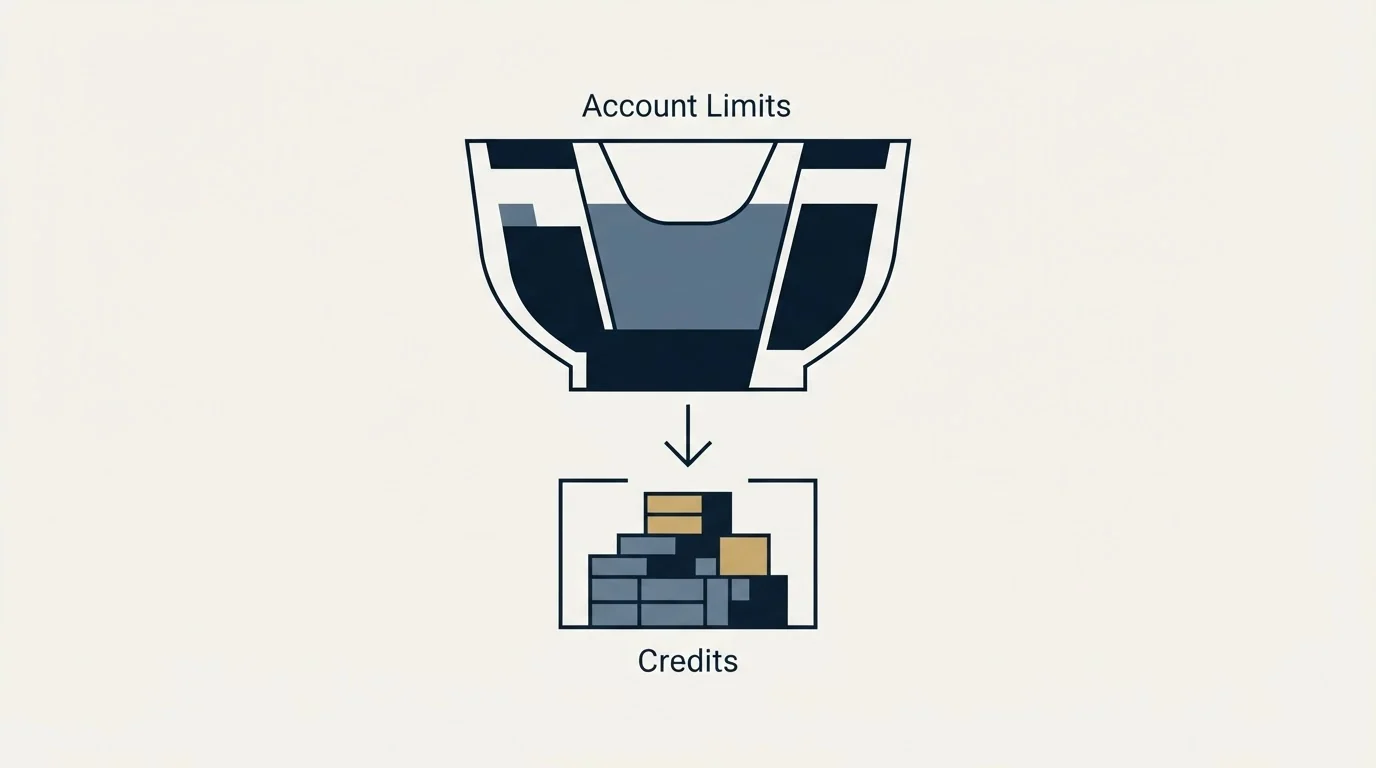
Credits govern how many InMails you may send. A separate set of limits governs how much any LinkedIn account can do in total, and those apply regardless of which subscription you hold or which tool you use.
Invitation volume, profile views, searches and messaging all carry thresholds that LinkedIn enforces at the account level, and exceeding them puts the account at risk rather than simply queuing the work. This matters most when a tool is sending on your behalf, because automation makes it trivially easy to cross a line you would never approach manually.
The LinkedIn API's open permissions sets out which access any developer can use freely and which functions still require separate partner approval.
The practical implication for InMail specifically is that it does not free you from those constraints. A campaign that runs InMail at volume is still an account doing a lot of outbound activity, and the account-level ceiling is what actually bounds the programme. The LinkedIn automation tools guide covers where those limits sit and what safe operation looks like.
How InMail fits an outbound programme
InMail sits alongside email rather than replacing it, and the two channels have different strengths. Email scales further and costs less per touch. InMail reaches people whose inboxes are saturated and whose LinkedIn presence is more active than their email discipline.
A structural point that matters for how you use it: a LinkedIn message thread is permanent and visible. When you message someone a second time, your new message lands directly beneath the one they already chose not to answer. That is a bump, whatever the campaign structure calls it, and it is the reason we do not run no-reply retargets on LinkedIn at all. A fresh angle on email arrives as a genuinely new message. On LinkedIn it arrives as a follow-up in a thread the recipient has already declined.
The practical consequence is that a LinkedIn first touch has to carry its own weight. There is no second attempt that reads as anything other than a nudge, so the single message is the campaign. Our LinkedIn outreach templates cover the copy side of that constraint, and the LinkedIn automation tools guide covers what can safely be automated around it, including the account limits that apply regardless of which tool you use.
Cost per reply, not cost per credit
The number that matters is what a reply costs, and it depends on three inputs: what your plan costs, how many credits you actually use, and what share of sends get a response inside 90 days.
Because replies return the credit, a high-response programme consumes very few credits and the effective cost per reply approaches the cost of the seat divided by the replies. A low-response programme burns the full allowance every month and the cost per reply climbs steeply. The lever is targeting, not volume, which is the opposite of how cold email economics usually behave.
If you are weighing the subscription cost itself, the tier differences and what each unlocks are broken down in our Sales Navigator pricing guide.
That calculation also decides whether the channel is worth running yourself. LinkedIn outreach carries a per-seat cost, an account-safety ceiling, and a single-message constraint, which together make it a channel that rewards precision over volume. We run it alongside email for clients on a pay-per-qualified-meeting basis, so you can see what a campaign would look like for your market before committing seats to it.
Common mistakes

Treating the subject line as a formality. It is the only thing shown in the inbox list alongside your name. A subject that describes the message ("Question about your Q3 hiring") outperforms one that describes you.
Sending on Monday morning. Not because of any universal best time, but because InMail competes with the weekend backlog. Any slot where the recipient's inbox is calmer is better than the busiest hour of their week.
Ignoring the profile before sending. The recipient's recent activity, their listed priorities, and whether Open Profile is on are all visible before you spend anything. Skipping that check is how a credit gets spent on a message that could have been free, or on someone who left the company.
Building the shortlist before any credit is spent has its own trap, since the Boolean operators LinkedIn actually supports are fewer than most guides suggest and the rest fail silently.
Buying a higher tier for more credits. If the allowance is running out, the response rate is the problem. More credits at a lower response rate costs more and returns the same.
The short version
InMail is a paid, ungated message to someone you are not connected to. On Sales Navigator you get 50 credits a month, can bank up to 150, and get a credit back whenever a recipient responds within 90 days. Subject lines cap at 200 characters and bodies at 1,900. Check Open Profile before spending, because that message would be free. And treat the LinkedIn thread as one shot, because the follow-up you are considering lands under the message they already ignored.
InMail allowances, character limits and plan features are per the LinkedIn Help Center as of mid-2026. LinkedIn revises these; verify current terms on the official plan pages before budgeting.
Sources: InMail credits in Sales Navigator, InMail character limits
Frequently asked questions.
Frequently asked questions- What is InMail on LinkedIn?
- InMail is LinkedIn's paid private message for reaching a member you are not connected to. It is included with Premium, Sales Navigator and Recruiter subscriptions, arrives in the recipient's normal LinkedIn inbox with a subject line, and needs no connection request first. Each send uses one credit from a monthly allowance.
- What is the difference between InMail and a connection request?
- A connection request is free and gated: the recipient must accept before you can message, which can take days or never happen. InMail is paid and ungated: it goes straight to the inbox with a subject line and no acceptance step, and it costs one credit. A third route, an Open Profile message, is free and ungated.
- How many InMail credits do you get on Sales Navigator?
- LinkedIn's help page says Sales Navigator users are allocated 50 InMail credits per month and can accumulate up to 150 in total. Unused credits transfer to the following month and must be used within 90 days. All Sales Navigator subscription types provide the same number, and a credit is returned when the recipient responds within 90 days.
- Is there a character limit on LinkedIn InMail?
- Yes. LinkedIn's help page says InMail messages can have up to 200 characters in the required subject line and up to 1,900 characters in the body. Treat both as ceilings. The subject is truncated in the inbox list well before 200 characters, and a full-length body from a stranger reads as a wall.
About the author.

B2B cold email experts helping companies generate qualified leads through done-for-you outreach campaigns.
RevenueFlow Team
Explore more.
Ready to scale your outreach?
We build GTM engines that book real meetings. See the receipts.
Related articles.
LinkedIn InMail: A Guide to Credits, Limits and Spending One
The full InMail system in one place: credit allowances by plan, the refund rule, character limits, the rules nobody tells you, and how to decide on a send.
LinkedIn InMail Credits: How They Roll Over and Expire
How the InMail credit system behaves: monthly allocation, rollover ceilings, the 90-day clock, exactly what refunds a credit, and why you cannot buy more.
Is There Unlimited LinkedIn InMail? Open Profile Loophole
No LinkedIn plan offers unlimited InMail. What Open Profile actually does, the three ceilings on it, and the refund rule that gets you closer than any workaround.
How to Send a LinkedIn InMail That Gets Answered
The exact send flow on desktop and mobile, the composer limits, the checks worth running before you spend a credit, and the structure that gets a reply.
LinkedIn Sales Navigator Free Trial: Real Value in 30 Days
A plan for a Sales Navigator trial: what to build in the first session, what only a trial can tell you, and what to capture before access ends.
Sales Navigator Lead Generation: Lists That Export Cleanly
Building searches that map to a real ICP, why saved searches are the actual product, and the export constraint that shapes every workflow around the tool.