LinkedIn Sales Navigator Free Trial: Real Value in 30 Days
A plan for a Sales Navigator trial: what to build in the first session, what only a trial can tell you, and what to capture before access ends.
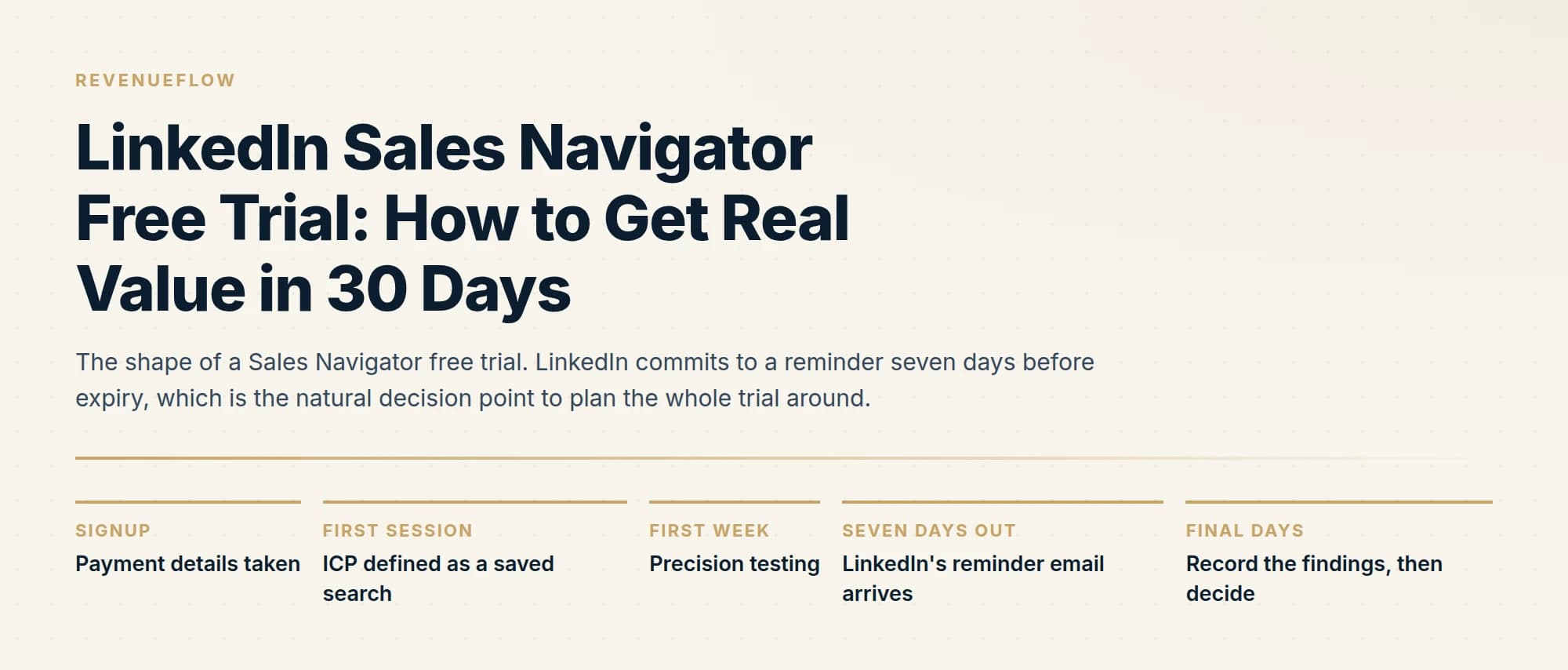
A Sales Navigator trial is best used to answer one question: whether the search filters can express your ideal customer profile precisely enough to build a usable list. Spend the first session encoding the ICP as a saved search, then judge the data quality on accounts you already know.
Key takeaways
- The only thing a trial answers that nothing else can is whether the filters express your ICP precisely, so test that first.
- Judge data quality against accounts you already know, because a list of unfamiliar companies looks convincing whether or not it is accurate.
- Saved searches and alerts are the recurring value, so set them up early and see what they surface over the trial period.
- Decide what you need to capture before access ends, since Sales Navigator deliberately offers no bulk export.
Reviewed and updated September 1, 2026
A Sales Navigator trial gets started on a Monday afternoon, a dozen searches get run over the following fortnight, and the next thing anyone notices is a charge on the card handed over at signup. LinkedIn asks for payment details before the trial starts and says so plainly on its own compare-plans page. The clock does not pause for a busy month.
That is the failure mode worth designing around, because the trial itself is genuinely useful. It gives you full access to the search product for a bounded period, and there are two questions about your market that nothing else answers. This is a plan for spending that period well, and for arriving at the end of it with a decision rather than a renewal.
What LinkedIn actually commits to
Start from what is published rather than what circulates. LinkedIn's compare-plans page states four things about the trial, and all four change how you should run it.
Trials are available on Core and on Advanced. Eligibility is narrower than most people assume: the page says free trials are available to LinkedIn members "who are not currently on any paid LinkedIn subscription (including Premium or Sales Navigator) and have not used a LinkedIn free trial in the past 365 days", and adds that "trial availability and features may vary by plan and region". A LinkedIn Premium subscription you already pay for disqualifies you until you drop it, and one trial per year means this is a single attempt rather than something you can restart when a quieter week arrives.
Payment details are required. LinkedIn's stated reason is a seamless transition into a subscription, and the page confirms you can cancel for any reason before the trial ends to avoid being charged.
There is a warning email. The page commits to sending "an email reminder seven (7) days before your free trial expires". That is the most operationally useful sentence LinkedIn publishes about the trial, because it gives you a fixed decision point that arrives by itself.
And the length is not published. The compare-plans page does not state how many days a Sales Navigator trial runs. Several third-party sites quote a figure with confidence. Read yours off the signup screen and the confirmation email when you start, then put the end date in your own calendar, because that is the only version of the number that applies to your account and region.
- SignupPayment details taken
LinkedIn requires a card up front. Read the end date off the confirmation and put it in your own calendar the same day.
- First sessionICP defined as a saved search
Two or three saved searches and one saved account list, built the same day access opens.
- First weekPrecision testing
Check the filters against customers you already have, then read profiles from a cold result set and count the misses.
- Seven days outLinkedIn's reminder email arrives
The published warning. Treat it as the deadline for the buy or cancel decision, not as a prompt to start evaluating.
- Final daysRecord the findings, then decide
Write down the filter combinations, the counts and the failure modes before access ends.
The first session decides the rest of it

The common way a trial gets wasted is drift. Somebody runs a search, gets 40,000 results, scrolls a bit, feels good about the volume and comes back a week later having learned nothing. Volume is the least informative output the product produces.
Do three concrete things on the first day.
Write your ICP as a filter combination. LinkedIn advertises "50+ advanced search filters" on the compare-plans page, and the point of the trial is finding out which combination of them describes your buyer. Start with the firmographic layer, meaning industry, headcount and geography, before touching job titles. Save it. A saved search is the unit of work in this product, and an unsaved search is a session you cannot repeat or compare against.
Build one account list, not a lead list. Pick 50 to 100 companies you would genuinely want as customers and save them as an account list. Account lists are what alerts hang off, and the alert workflow is the part of the product that pays for itself later. A lead list built on day one is a snapshot; an account list is a subscription to what happens at those companies.
Run your known customers through the filters. Take 20 to 25 companies that are already customers, and check whether your filter combination actually returns them. This is the single highest-value hour of the trial and almost nobody spends it, because it feels like looking backwards. It is a calibration test with a known answer, and a filter set that cannot find the customers you already won will not find the ones you have not.
- Step 1Write the ICP as filters
Industry, headcount and geography first, titles second. Save every version you try, including the ones that fail.
- Step 2Save one account list
50 to 100 companies you actually want. Alerts attach to accounts, so this is what makes the timing workflow testable.
- Step 3Back-test on existing customers
Run 20 to 25 current customers through the filters. Count how many the search returns and note why the misses were missed.
- Step 4Read 50 cold profiles
Take the filter output for companies you do not know and read individual profiles. Count how many are the buyer you meant.
The two questions only a trial can answer
Everything else about this product can be researched from the outside. Pricing is published, the feature grid is published, and reviews cover the interface. Two things cannot be established without access to the live index against your own market.
Does the filter set describe your buyer precisely? Search precision is not a property of the tool alone. It is a property of the tool applied to your segment. The same filter architecture that isolates a VP of Revenue Operations at a 500-person software company to within a handful of people will return an unusable mess in a market where the same job carries eleven different titles, or where the person you need is titled "Owner" at 4,000 companies. You find out by reading profiles and counting, not by looking at result totals.
Is your market represented at all? LinkedIn coverage is uneven by industry and by company size, and the gaps are systematic rather than random. Segments built on smaller owner-operated businesses, field trades and regional service companies are frequently thin, out of date, or titled in ways no filter anticipates. A trial is how you find out whether your addressable market lives on LinkedIn before you commit to a year of paying for search over it.
Run both as counting exercises with a written result. Fifty profiles, tallied into three buckets: this is the buyer, this is the right company but the wrong person, and this is not my market. A 70% hit rate and a 25% hit rate are completely different purchases at the same price, and the difference is invisible from a result count.
- Yes: Whether your filter combination returns customers you already have
- Yes: What share of a cold result set is genuinely the buyer you meant
- Yes: Whether your segment is well represented and correctly titled on LinkedIn
- Yes: Whether the alert stream on a saved account list produces anything you would act on
- No: Whether the price is defensible, which is arithmetic you can do without access
- No: Whether Advanced is worth the upgrade, which is a feature question answered on the plan page
- Depends: Long-run data freshness, which a short trial cannot observe
What to take away before access ends
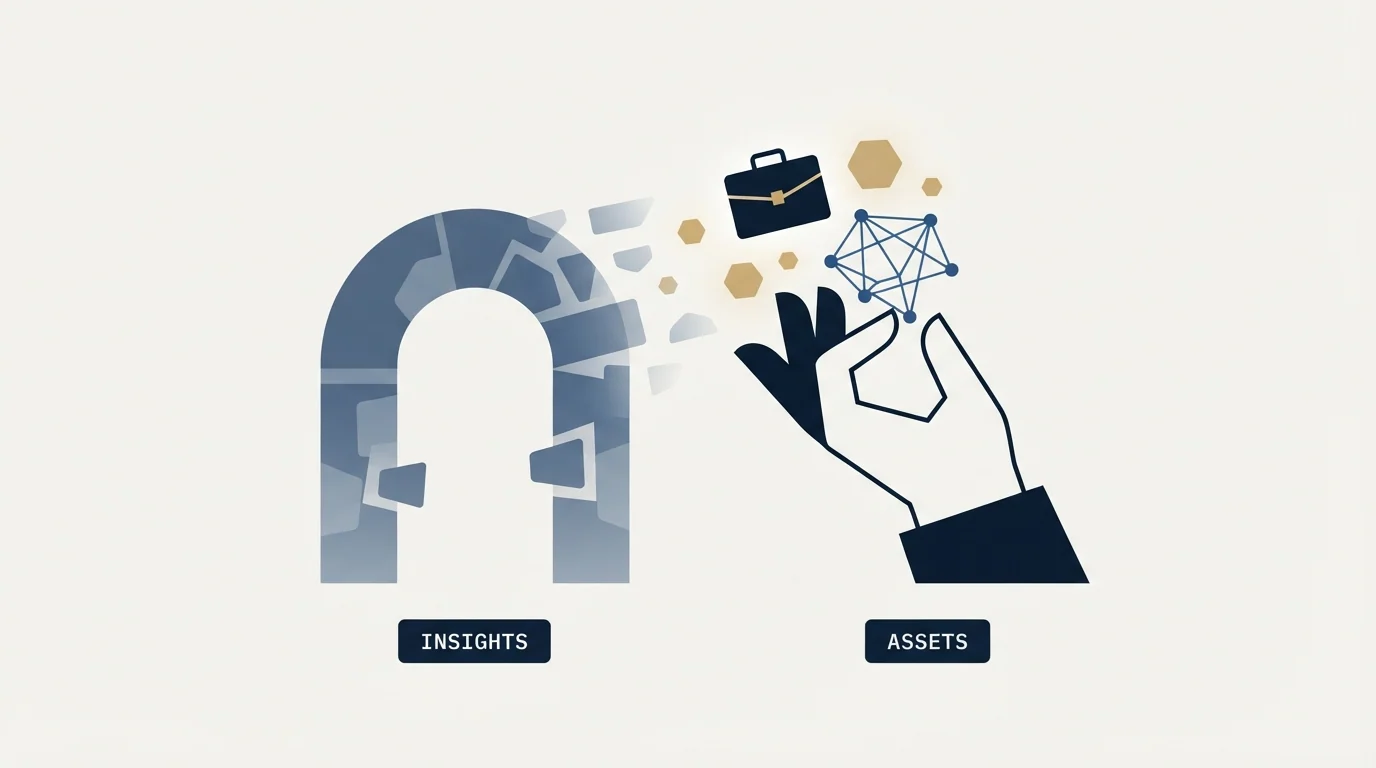
Be clear about the constraint here. Sales Navigator has no bulk export, and using third-party tools to extract lists violates LinkedIn's User Agreement. So the thing you carry out of the trial is a decision record rather than a dataset.
Four items, written down somewhere outside LinkedIn while you still have access.
The filter combinations that worked, copied out in full, including the values. Rebuilding a saved search from memory three weeks later reliably produces a different search.
The result counts per segment. If your ICP splits into three sub-segments, the addressable count for each one is the input to every capacity plan you make afterwards, and it is the number that tells you whether the market supports the programme you are planning.
The titles that actually exist. Trial searching is the cheapest title research available, because you are reading how your market describes itself rather than how you assume it does. That list is worth having whether or not you subscribe, and it improves targeting in every other channel you run.
The accounts worth pursuing, matched back to your own CRM. Your CRM is the system that persists, and an account list living only inside a subscription you might cancel is not a record you own.
Deciding at the end
The reminder email arrives seven days out. That is your decision meeting, and it should be reviewing evidence you already collected rather than starting the evaluation.
Three findings point at buying. Your existing customers were findable through the filters. The cold result set was mostly the right people. And at least one alert on your saved account list produced something you would have acted on, which is the clearest signal that the timing workflow will get used rather than admired.
Three point at cancelling. Your market is thin or badly titled. You never opened the tool after week one, which is the honest predictor of what a paid seat becomes. Or the only thing you wanted was a list of contacts with verified email addresses, in which case a data provider does that job directly and Sales Navigator is the wrong shape of purchase.
If it is a buy, two questions follow, and both have their own answers. Which tier you need is a feature decision, covered in Core versus Advanced. Whether the annual figure clears your own bar is arithmetic, set out in the break-even calculation. The published prices for both tiers, in dollars and in local currencies, are in the Sales Navigator pricing breakdown.
Two execution notes for whatever you decide. The 50 monthly InMail credits included on every tier are a real part of the value and expire unused each month, so if you have never sent one, read how InMail credits work before assuming you will. And resist connecting anything to the account during a trial: the automation layer is where account risk enters, which is covered in LinkedIn automation tools.
We treat Sales Navigator as a targeting and timing layer rather than a sending tool, and the outbound itself runs on separate infrastructure. If the trial tells you your market is findable and the constraint is turning that into booked meetings, you can see what a campaign would look like for your market.
The short version
LinkedIn offers a free trial on Sales Navigator Core and Advanced. Its compare-plans page states that trials are limited to members not currently on any paid LinkedIn subscription who have not used a LinkedIn free trial in the past 365 days, that payment details are required up front, that you can cancel any time before the trial ends to avoid a charge, and that LinkedIn sends an email reminder seven days before expiry. The page does not publish a trial length, so read the end date off your own signup and calendar it.
Spend the first session writing your ICP as a saved search, building one account list of 50 to 100 real targets, and back-testing the filters against customers you already have. Then run two counting exercises that no amount of outside research can substitute for: whether the filters return your existing customers, and what share of a cold result set is genuinely the buyer you meant.
There is no bulk export and third-party extraction violates the User Agreement, so take away a decision record instead: the exact filter combinations, addressable counts per segment, the titles your market actually uses, and target accounts matched into your own CRM. Use the seven-day reminder as the decision point, and treat "I stopped opening it after week one" as the most reliable finding the trial produces.
Sales Navigator trial terms verified against LinkedIn's own compare-plans page as of mid-2026. Verify current terms with LinkedIn before relying on them.
Sources: LinkedIn Sales Navigator plans and pricing, LinkedIn
Frequently asked questions.
Frequently asked questions- What should I do first in a Sales Navigator trial?
- Encode your ideal customer profile as a saved search rather than browsing. That tests the one thing the trial uniquely answers: whether the available filters can express your actual targeting criteria. If they cannot, no amount of data quality makes the subscription worthwhile.
- How do I judge Sales Navigator data quality?
- Run a search that should return companies and people you already know, then check the results against what you know to be true. Job titles are self-reported and headcount figures lag reality, so testing against familiar accounts reveals the error rate far faster than reviewing unfamiliar ones.
- Can you export leads from a Sales Navigator trial?
- Not in bulk. Sales Navigator deliberately provides no mass export, so anything leaving the tool goes through a CRM integration or manual capture. Plan what you need to record before the trial ends, because losing access means losing the lists you built unless they were synced elsewhere.
- Is a Sales Navigator trial worth doing?
- Yes if you have a specific targeting question to answer, and much less so as a browse. A trial spent confirming that the filters match your segmentation, and that the data holds up on accounts you know, produces a real buy or no-buy decision rather than a general impression.
About the author.

B2B cold email experts helping companies generate qualified leads through done-for-you outreach campaigns.
RevenueFlow Team
Explore more.
Ready to scale your outreach?
We build GTM engines that book real meetings. See the receipts.
Related articles.
Sales Navigator Lead Generation: Lists That Export Cleanly
Building searches that map to a real ICP, why saved searches are the actual product, and the export constraint that shapes every workflow around the tool.
What Is LinkedIn InMail? Not a Connection Request
LinkedIn InMail explained: how credits work, why replies refund them, the 200 and 1,900 character limits, and when a connection request is the better move.
Sales Navigator Core vs Advanced: What Justifies the Upgrade
Advanced adds team management, CRM integration, ROI reporting and Buyer Intent over Core. Who genuinely needs each, and why a solo seller usually should not upgrade.
LinkedIn InMail: A Guide to Credits, Limits and Spending One
The full InMail system in one place: credit allowances by plan, the refund rule, character limits, the rules nobody tells you, and how to decide on a send.
LinkedIn InMail Credits: How They Roll Over and Expire
How the InMail credit system behaves: monthly allocation, rollover ceilings, the 90-day clock, exactly what refunds a credit, and why you cannot buy more.
The Sales Navigator API Is Partner-Only: What SNAP Covers
SNAP is LinkedIn's Sales Navigator partner platform. What it covers, what the sources disagree about, and the sanctioned routes for everyone who is not a partner.