LinkedIn Message Types: Five Routes and What Silence Costs
Five ways to put a message in front of someone on LinkedIn, priced differently on the way out and priced very differently when nobody replies.
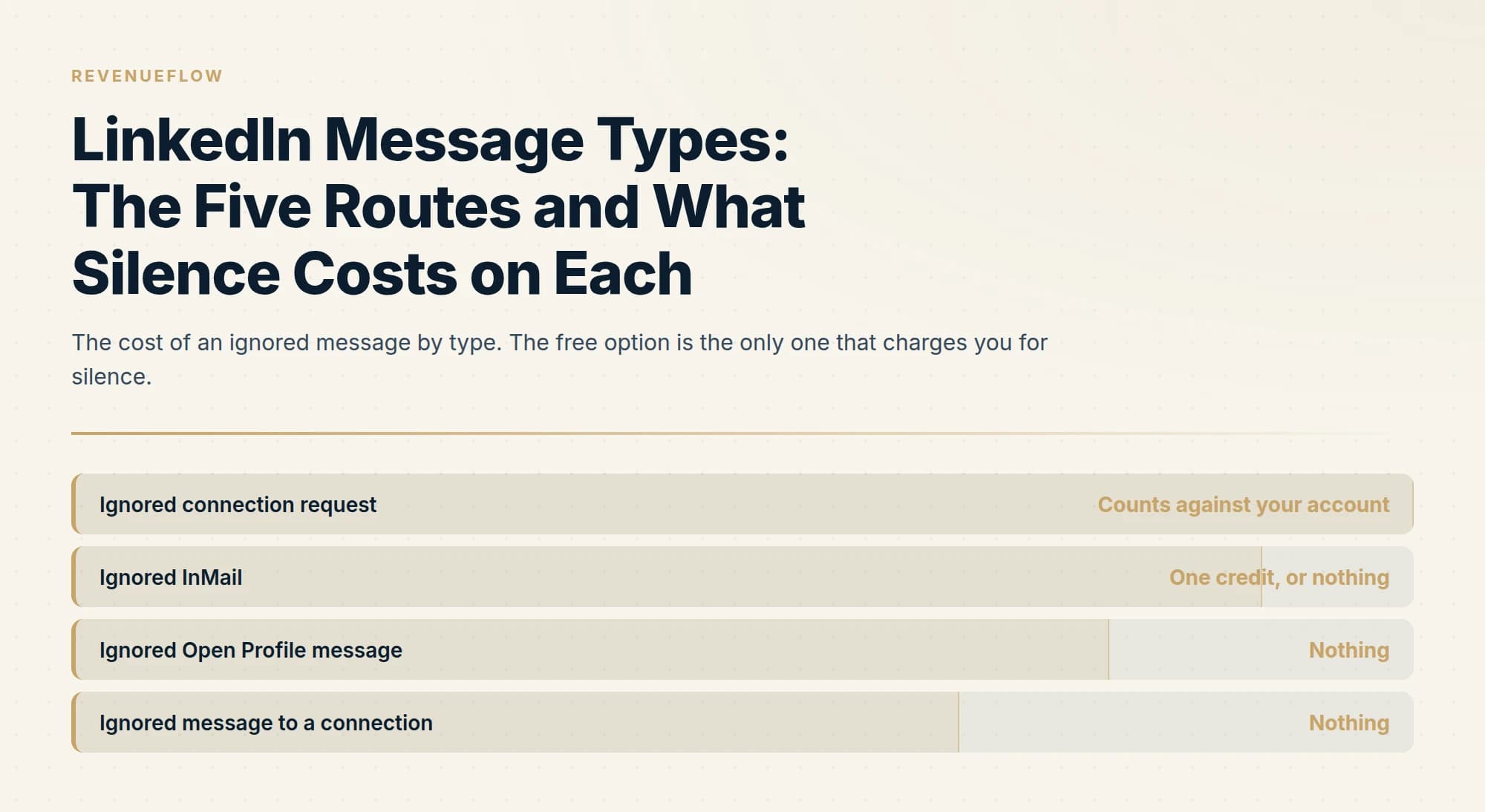
LinkedIn has five message types: a connection request note, an InMail, an Open Profile message, a regular message to a connection, and a group message. They differ on price, gating and length, and the connection request note is the only one whose being ignored counts toward an account restriction.
Key takeaways
- An ignored connection request counts toward LinkedIn's published restriction triggers, while an ignored InMail is refunded when the recipient responds within 90 days, including a decline.
- LinkedIn's character-limits page states 1,900 characters for an InMail body while its InMail FAQ and its send-an-InMail page state 2,000, so writing to 1,900 stays inside whichever applies.
- A recipient can switch off InMail in their message preferences, and no subscription level or credit balance overrides that setting.
- Open Profile status is visible on the profile before you send, so checking it first avoids spending a credit on a message that would have been free.
Reviewed and updated September 2, 2026
There are five ways to put text in front of somebody on LinkedIn, and they have different prices, different length limits, different rules about who you can reach, and different consequences when they are ignored. Most people know about two of them.
Picking the wrong one is the most common and most expensive mistake in LinkedIn outreach, because the cost of a bad choice is not the message. It is either a credit you did not need to spend or an account restriction you did not need to earn.
Searched as the LinkedIn message character limit, the table above is the whole answer: 200 characters for a connection note, 200 for an InMail subject and 1,900 for an InMail body on LinkedIn own character-limits page, and no limit we could verify for a message to an existing connection.
LinkedIn does show read receipts, as a small profile photo against the last message the other person has seen, and both sides have to leave the setting on for either to get them. Knowing a message was read is exactly the information that tempts a second one, and a second LinkedIn message lands directly beneath the first, which is why we do not send it.
Three of the five routes work without Premium, which is why a Premium subscription is a credit purchase rather than a permission upgrade.
The five message types
- Attached to an invitation, so they must accept first
- 200 characters, and free accounts get only a few per month
- Ignored invitations count toward account restrictions
- Buys a permanent free channel if accepted
- Costs a credit from a monthly allowance
- Lands directly in the inbox with a subject line
- Refunded if they respond within 90 days
- Ignoring it costs your account nothing
- Free when the recipient is a Premium member with it enabled
- No credit consumed
- LinkedIn limits how many you can send in a period
- Visible on their profile before you send
The two remaining types are for people you already know. A regular message to a first-degree connection costs nothing and has no acceptance step, which is the whole reason a connection is worth more than a single InMail. And a group message reaches fellow members of a LinkedIn group, which is one of the two routes LinkedIn itself recommends for reaching people you do not know.
A group message is also how one person introduces two others, and the sequence that keeps that from arriving as an ambush is set out in how to introduce someone on LinkedIn.
The sequence people picture when they ask how this works is request, acceptance, then a message, and it is a real route rather than a workaround: the note attached to an invitation is capped and gated, and the message that follows an acceptance is neither. Two things are worth knowing before designing around it. Acceptance is the gate, so the addressable audience of that route is whoever accepts rather than whoever was invited. And the message after acceptance is the one touch we send, because a further message to somebody who did not answer lands in the same thread beneath the one they already saw.
Once that acceptance lands, other formats open up, and voice messaging from the mobile app is one of them, absent from the desktop browser entirely.
That last point deserves weight. LinkedIn's own guidance on avoiding invitation restrictions says to invite people you know and trust, and to use InMail and Groups to network with members you do not. Groups are the forgotten half of that sentence.
What each one costs when it fails
The prices above are what you pay to send. The more important number is what you pay when nobody replies, and here the ordering reverses.
Ignored and pending invitations are a published restriction trigger
Any response inside 90 days refunds it, including a decline
No credit consumed and no invitation pending
No cost beyond the relationship
This is the inversion that catches teams out. The connection request is free to send and the only one of the five that charges you for being ignored, because LinkedIn counts ignored and pending invitations among its reasons for restricting an account. An InMail is the opposite: it costs money to send and nothing to have ignored, and it is refunded outright if the person replies at all, including to say no.
So for a prospect unlikely to accept a request from a stranger, the paid option is frequently the cheaper one once you count account health. The connection limit page covers how that accounting works, and InMail versus a connection request covers choosing between them per prospect.
Character limits, and where LinkedIn disagrees with itself
The published limits vary by type, and one of them is genuinely unsettled.
| Message type | Subject | Body |
|---|---|---|
| InMail | 200 characters | 1,900 or 2,000, see below |
| Connection request note | No subject | 200 characters, or 300 on Premium |
| Sponsored message ad | 60 characters | 1,500 characters |
LinkedIn's dedicated character-limits page states 1,900 characters for an InMail body. Its InMail FAQ and its send-an-InMail page both state 2,000. All three are live. Write to 1,900 and you are inside whichever applies.
Sponsored message ads are a different product entirely, bought through Campaign Manager rather than sent from a seat, and their tighter 60-character subject is a real constraint rather than a rounding difference. Our Sponsored InMail guide covers that format.
For regular messages to existing connections, LinkedIn does not publish a limit we could verify, so we are not going to state one. In practice the constraint is attention rather than characters.
Length is not the interesting constraint anyway
Every limit above is a ceiling, and treating any of them as a target is the reliable way to write a message nobody answers.
LinkedIn's own guidance is that shorter messages get more responses, and its composer nudges toward brevity as you approach the cap. The structural reason is that the recipient decides whether to read before they have read anything: the inbox list shows your name, the subject if there is one, and the opening line. Everything you write after that is read only by people the first fifteen words already convinced.
That makes the opening line the highest-value text in any LinkedIn message, and it is routinely spent on a greeting. "Hope you're well" is a sentence that survives being deleted.
The subject line, where the format gives you one, works the same way and gets misused the same way. The inbox already shows your name, so a subject that introduces you is spending the slot on information the reader has. A subject naming the topic answers the only question they are actually asking, which is what this is about. "Question about your Q3 hiring" earns an open in a way "Introduction from Acme" does not, and the difference costs nothing to apply.
Length discipline also compounds with the choice of type. A 200-character connection note forces brevity automatically, while an InMail hands you nearly two thousand characters and no obligation to use them. Teams that write well in the constrained format frequently write badly in the roomy one, because the constraint was doing work nobody noticed.
Who can block you before you start
Two rules decide whether a message is deliverable at all, and both operate before any limit or credit comes into play.
Recipients can opt out of InMail entirely. LinkedIn states that you cannot message a member who has chosen not to receive InMail in their message preferences, regardless of your subscription or how many credits you hold. There is no workaround and no notification in advance; the option simply is not offered on that profile.
In Sales Navigator you have to unlock a lead's profile before you can InMail them. It is a step in the workflow rather than a cost, and it catches people building lists programmatically who expect to move straight from a saved lead to a send.
Both are worth knowing at list-building time rather than at send time, because a list containing people who cannot be messaged is a list whose real size is smaller than its row count. The same is true of the Open Profile check in the other direction: knowing who can be reached free changes what the list costs to work, and both facts are visible before you commit.
When to use which
- Yes: They have Open Profile enabled, so the message is free either way
- Yes: They are already a first-degree connection, so just message them
- Yes: Acceptance is plausible and you want the ongoing relationship: invitation
- Yes: They are senior, the timing matters, or you need to make a case: InMail
- Depends: You share a group, which LinkedIn itself suggests for reaching strangers
- No: Sending an invitation because it is free
- No: Sending a second message to someone who ignored the first
The Open Profile check is the cheapest win available and almost nobody does it. Some Premium members switch on a setting that lets anyone message them without a credit, it is visible on the profile before you send, and spending a credit on one of them is paying for something already free.
Not every profile signal survives contact with a cold list, and presence shown only for connections is one a prospect outside the network never displays.
The second message, which we do not send
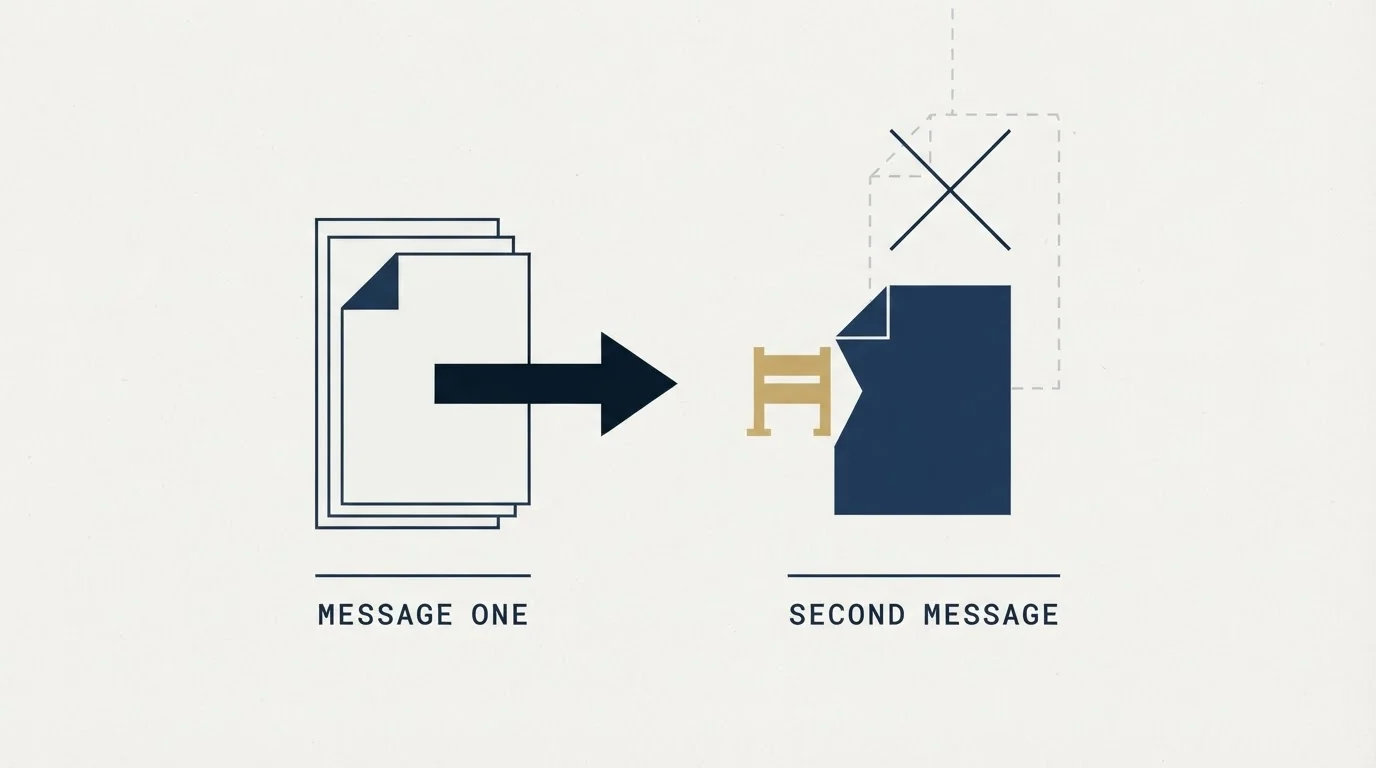
The last "no" above is our position rather than a platform rule, and it is worth explaining because most guidance on LinkedIn messaging assumes the opposite.
A LinkedIn thread is permanent and visible. When you message someone a second time, it lands directly beneath the message they already chose not to answer, in the same conversation, with the first one still on screen. It reads as a bump whatever the campaign structure calls it, which is why we run one message per campaign and do not send LinkedIn follow-ups or no-reply retargets at all.
The platform partly enforces this anyway. On Premium you cannot send a second InMail to someone until they respond to the first, and LinkedIn sends the recipient an automatic reminder within three days of an InMail, so the nudge you were considering has already happened without you.
Where persistence belongs is email, because a fresh angle there arrives as a genuinely new message rather than as a follow-up in a thread someone already declined. That division, LinkedIn for the considered single touch and email for the sequence, is how we run both channels together. LinkedIn prospecting covers the wider motion.
The short version
LinkedIn has five message types and they price failure differently. A connection request note is free to send, capped at 200 characters, rationed on free accounts, and the only type that costs you account health when ignored. An InMail costs a credit, lands ungated with a 200-character subject, and is refunded if the person responds within 90 days, including a decline. An Open Profile message is free where the recipient enabled it. A message to an existing connection is free and unlimited, which is what makes an accepted invitation valuable. Group messaging is the route LinkedIn itself recommends for strangers and almost nobody uses. Check for Open Profile before spending anything, and treat the first line as the only text guaranteed to be read.
We run LinkedIn alongside email for clients on a pay-per-qualified-meeting basis. You can see what a campaign would look like for your market.
Message types, character limits, credit and refund rules, restriction triggers and LinkedIn's guidance on Groups are from LinkedIn's own Help Center pages, re-fetched with cache-busting and verified as of mid-2026. The InMail body limit genuinely differs between three live LinkedIn pages, as noted above. LinkedIn publishes no character limit we could verify for regular messages to connections, and none is stated here.
Frequently asked questions.
Frequently asked questions- What are the LinkedIn message types?
- Five. A connection request note is free, capped at 200 characters and rationed on free accounts. An InMail costs a credit and reaches people who have not accepted you. An Open Profile message is free where the recipient has enabled it. A message to an existing connection is free. A group message reaches fellow members of a LinkedIn group.
- How long can a LinkedIn InMail be?
- LinkedIn's own pages disagree. Its dedicated character-limits page states 1,900 characters for the body, while its InMail FAQ and its send-an-InMail page both state 2,000. All three were live together, so writing to 1,900 keeps you inside whichever figure applies. The subject line is 200 characters, and LinkedIn's guidance is that shorter messages get more responses.
- Is an InMail or a connection request cheaper?
- It depends on whether they answer. A connection request is free to send and is the only route that costs you account health when ignored, because LinkedIn counts ignored and pending invitations among its restriction triggers. An InMail costs a credit that comes back if the person responds within 90 days. For a prospect unlikely to accept, the paid route is often cheaper.
- Should you send a second LinkedIn message?
- We do not, and the platform partly settles it anyway. A LinkedIn thread is permanent, so a second message lands directly beneath the one already ignored and reads as a bump. On Premium you cannot send another InMail until the person responds, and LinkedIn sends the recipient an automatic reminder within three days. Persistence belongs on email instead.
About the author.

B2B cold email experts helping companies generate qualified leads through done-for-you outreach campaigns.
RevenueFlow Team
Explore more.
Ready to scale your outreach?
We build GTM engines that book real meetings. See the receipts.
Related articles.
LinkedIn Voice Notes: 60 Seconds, 1st Degree Only
LinkedIn publishes three limits on voice messaging and they decide the play before the script does. What they rule out, and the one slot that survives.
LinkedIn Invitations: The Rules LinkedIn Publishes
What an invitation actually buys, why the note allowance depends on which LinkedIn page you read, and what withdrawing one costs you.
LinkedIn Account Restricted From Sending Invitations
Nobody is going to tell you what you did. The three published triggers carry very different penalties, and the instinctive fix locks you out for three weeks.
LinkedIn Connection Limit: The Number It Does Not Publish
LinkedIn publishes no weekly invitation figure. It publishes three restriction triggers, and one of them is how many of your invitations went ignored.
The LinkedIn Green Dot: What Active Status Shows
LinkedIn's green dot and white-centred ring, as LinkedIn's own pages define them, who can see them, and why a cold list shows presence for only some prospects.
LinkedIn Outreach for Banks: A Regulated Message
How a bank's relationship managers use LinkedIn to reach business owners: what the FFIEC guidance, FINRA's notices and LinkedIn's own rules require, and where to stop.