Octopus CRM: The Cheapest Way Into LinkedIn Automation
Octopus CRM has no pricing page: the prices sit in a homepage anchor, and they start at $6.99. A browser extension sold at extension prices, examined.
Octopus CRM is a Chrome extension automating LinkedIn connection requests, bulk messaging, profile views and endorsements from inside your own browser session. Its published prices run from $6.99 to $39.99 a month depending on tier and billing state, and live in a homepage anchor rather than a pricing page.
Key takeaways
- Requesting octopuscrm.io/pricing returns HTTP 404 with or without a trailing slash; the published prices sit in an anchor section on the homepage.
- Monthly prices published on 16 August 2026 were $9.99, $14.99, $21.99 and $39.99, with an annual state marked minus 35 percent at $6.99, $9.99, $14.99 and $24.99.
- The page markup contradicts itself on which billing state is active, so both sets are quoted rather than one being inferred from the toggle.
- LinkedIn's help page names browser extensions that automate activity as prohibited, so an extension is a different exposed surface rather than a safer category.
Reviewed and updated August 28, 2026
Octopus CRM has no pricing page. Requesting octopuscrm.io/pricing returns HTTP 404, with or without the trailing slash. The prices live in an anchor section on the homepage, at /#pricing, which is a small detail that tells you something real about the product: this is a lightweight Chrome extension sold at extension prices, not a platform with a commercial page of its own.
Those prices start at $6.99 a month. Set that against Expandi's published $99 a month per seat, and it is a different order of magnitude buying a different kind of thing.
What Octopus CRM is
Octopus CRM is a browser extension that automates simple LinkedIn actions from inside your own Chrome session: sending connection requests, messaging first-degree connections in bulk, viewing profiles automatically and endorsing skills. A basic CRM and an analytics view sit behind those actions, and it integrates with HubSpot and Zapier.
The architecture is the whole story. Actions originate from your genuine browser, your real fingerprint and your own IP address, which is the most consistent signal an account can present. The cost of that consistency is that the browser has to be open. A laptop closing at six o'clock stops a campaign mid-sequence, and there is no vendor infrastructure to carry on without you.
Its own feature list includes an activity control that the page describes as alerting you when it detects excessive activity on your LinkedIn account, and it states compatibility with free, Premium, Sales Navigator and Recruiter Lite account types.
What it costs
The homepage renders both billing states into one document, and the markup for the toggle contradicts itself: the monthly tab carries an accessibility attribute marking it as selected while the annual tab and its panel carry the classes that actually make a panel visible. Rather than guess which set a visitor sees first, here are both.
- Starter $9.99
- Pro $14.99
- Advanced $21.99
- Unlimited $39.99
- Starter through Advanced state Sales Navigator compatibility
- Unlimited adds Premium and Recruiter compatibility
- Starter $6.99
- Pro $9.99
- Advanced $14.99
- Unlimited $24.99
- Same compatibility statements as the monthly set
- All plans state a 7-day obligation-free trial
- No credit card required to trial
The page also states that agencies managing 20 or more accounts should contact the team for special pricing, which is the usual signal that per-seat self-serve stops making sense somewhere above that.
At these prices the cost of the tool is not the decision. By our own arithmetic on the published annual rate, ten sender accounts on the Advanced tier is under $150 a month, which is less than two seats of a cloud alternative at Expandi's published rate. The decision is entirely about whether a browser-resident tool fits how you work.
The architecture trade, stated plainly
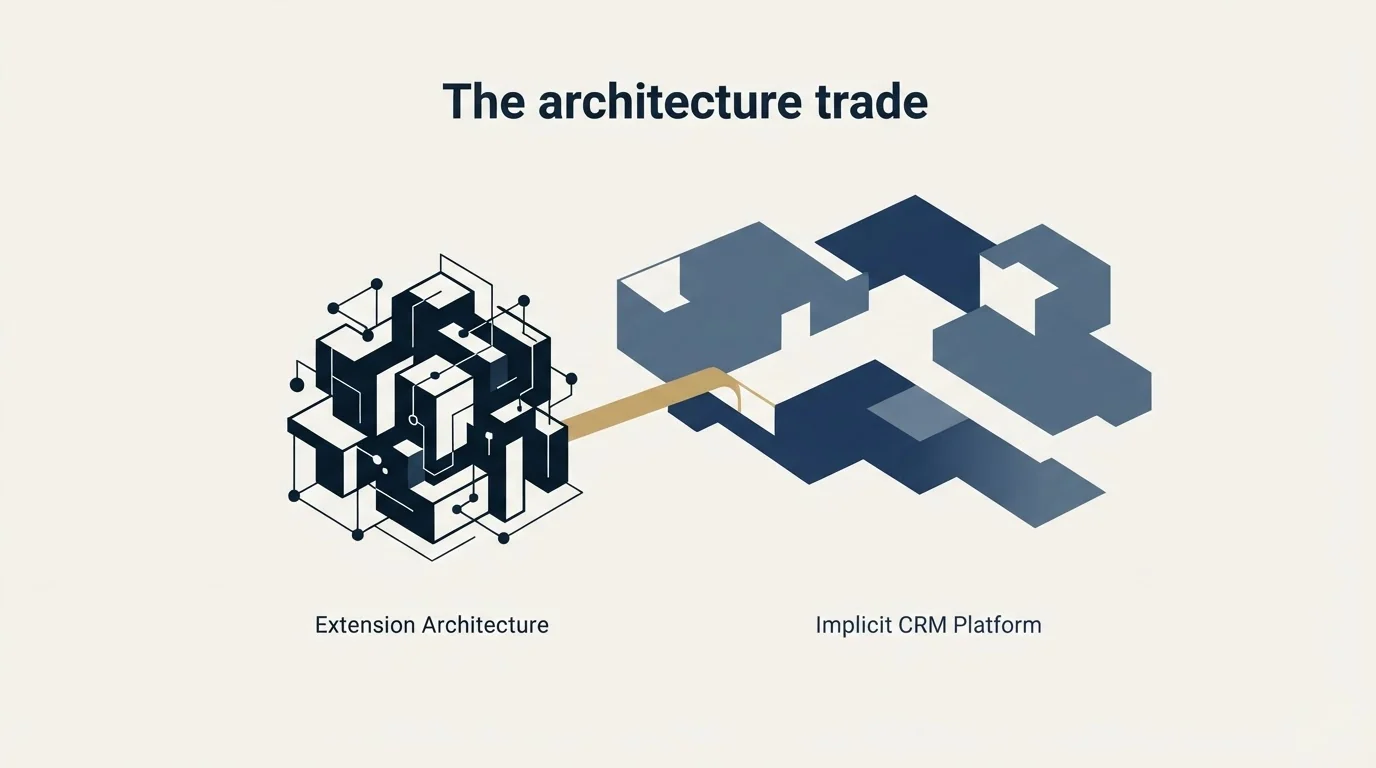
- Runs in your own session, your own IP
- IP consistency is native, nothing to configure
- Stops when the browser stops
- Cheap: the published rates on this page top out at $39.99 a month
- The injected extension is an inspectable surface
- Poor fit for many accounts at once
- Runs on vendor infrastructure
- Requires a stable country-matched proxy per account
- Runs whether your machine is on or off
- Expandi publishes $79 to $99 per seat per month
- Session and IP fingerprint is the exposed surface
- Built for multi-account operation
The worst configuration is not either of these. It is a cloud tool on a rotating datacentre IP pool driving an account with years of history signing in from one home connection in one city. Consistency is the property being protected, and a browser extension gets it for free.
What LinkedIn's own pages say
An extension is not a safer category in LinkedIn's eyes. It is named specifically.
LinkedIn's help page on prohibited software and extensions states that it does not permit third-party software including "crawlers, bots, browser plug-ins, or browser extensions that scrape, modify the appearance of, or automate activity on LinkedIn's website", that members using such tools are in violation of the User Agreement, and that they "risk having their accounts restricted or shut down" as well as the tools becoming non-functional.
The User Agreement, effective 3 November 2025, carries the underlying prohibitions: no using "software, devices, scripts, robots or any other means or processes (such as crawlers, browser plugins and add-ons or any other technology)" to scrape or copy the service, and no bots or "other unauthorized automated methods" to add contacts or send messages.
So the honest framing for an extension is not lower risk. It is a different exposed surface, and one that happens to preserve the IP and fingerprint consistency that cloud tools have to reconstruct with proxies.
What the activity control is, and is not

Octopus CRM publishes an activity control that alerts you when it detects excessive activity on your account. That is a useful feature and it is worth being precise about what it can see.
It observes your usage of the tool. It cannot observe LinkedIn's internal thresholds, because LinkedIn does not publish them and does not expose them. So the alert is the vendor telling you that you are sending a lot, measured against the vendor's own idea of a lot.
The figures that actually govern restriction are not published anywhere. LinkedIn's help page on invitation restrictions describes the triggers qualitatively: many invitations in a short amount of time, many invitations ignored or left pending or marked as spam, and it states directly that "if you send an excessive number of invitations and we suspect the use of an automation tool, we may suspend or restrict your account". No number appears.
Two numbers do come from LinkedIn's own pages and are worth carrying. Free and Basic members can attach a personalised note to five connection requests per month, with Premium members unlimited. And an invitation restriction typically lasts a week, cannot be shortened by support, and is not lifted by withdrawing pending invitations. On the same page family: after withdrawing an invitation you cannot re-invite that person for up to three weeks.
The CRM in the name
Calling it a CRM invites a comparison the product will lose, so it is worth setting expectations precisely.
What Octopus CRM provides is a record of the LinkedIn actions it took and the people it took them against, with tagging, notes and a funnel view over the top. That is a campaign log with contact detail attached, and for a single seller running one account it is genuinely enough. You can see who was invited, who accepted, who was messaged and who replied, which is the whole of what a solo LinkedIn motion needs to be tracked.
That lightweight contact log stands in contrast to full CRM platforms, and sellers who outgrow it can weigh the trade-offs in this Freshsales and Zoho comparison.
What it is not is a system of record. It does not hold deal stages across channels, it does not reconcile a LinkedIn conversation with an email thread and a call, and it does not survive the person who owns the browser leaving. The HubSpot and Zapier integrations exist precisely because the real CRM is somewhere else.
Since a real system of record still has to hold those pipeline stages, teams evaluating dedicated options can weigh Google Workspace automation against customizable boards in this CRM platform comparison.
The practical rule is that the integration matters more than the built-in CRM. If LinkedIn activity does not reach the system where your pipeline actually lives, the channel becomes invisible in reporting and the first person to ask what it produced will get an answer assembled by hand. Set up the push to the real CRM during the trial, not after the first campaign, because retrofitting attribution onto a channel that already ran is the expensive version of that work.
Who should buy it
An individual seller running LinkedIn from one account, at a modest daily rate, who works at a desk with a browser open anyway. At $6.99 to $14.99 a month, this is the cheapest credible entry into the category and the architecture is genuinely the low-complexity one.
A small team where each person runs their own account from their own machine. That maps naturally onto an extension and gets IP consistency per person for free.
It is a poor fit for agency work across many client accounts, which the vendor effectively concedes by routing 20-plus account operations to a sales conversation. Sender rotation, per-client separation and a shared inbox are the requirements at that shape, and they belong to a different product class. That model is described in our HeyReach review, and the full architecture comparison sits in LinkedIn automation tools.
It is also a poor fit for anyone who needs campaigns to run overnight or at a scheduled hour, which is the one thing a browser-resident tool structurally cannot do. Workarounds exist, and all of them amount to leaving a machine awake with a browser open and a session logged in, which trades the architecture's main advantage for a worse version of what cloud tools already provide.
What to settle before buying
Check which billing state a quoted figure refers to, because both render into the same page and the annual discount is 35 percent.
Check what the endorsement and profile-view automations are actually for in your motion. Auto-endorsing strangers is a signal that reads exactly as automated to the person receiving it, and the acceptance rate it costs you is not recovered by the visibility it buys.
Check whether your buying committee's accounts are Premium, since the personalised-note allowance on free accounts is five a month and a connection request without a note is a materially different ask. If Sales Navigator is going into the stack alongside it, Sales Navigator pricing is usually the second line item and the one most often over-bought.
And decide the daily rate before the tool. Volume that comes from sender count rather than per-account intensity is the model that survives on this channel, and it is the cheapest thing to get right at the start. If you would rather not own the account risk at all, get a free campaign plan and we will map the channel to your ICP before anything sends.
Pricing and features verified as of mid-2026. Verify current terms with the vendor before relying on them.
Frequently asked questions.
Frequently asked questions- How much does Octopus CRM cost?
- Its homepage pricing anchor published Starter, Pro, Advanced and Unlimited at $9.99, $14.99, $21.99 and $39.99 a month, with an annual state marked minus 35 percent at $6.99, $9.99, $14.99 and $24.99. All plans state a seven-day trial with no card required. Agencies managing 20 or more accounts are routed to a sales conversation.
- Is a browser extension safer than a cloud tool?
- It is different rather than safer. Running in your own session preserves the IP and fingerprint consistency that cloud tools rebuild with proxies, which is a real advantage. LinkedIn names browser extensions that automate activity as prohibited on the same page as everything else, so the permission position is identical.
- What does the activity control actually detect?
- It observes your usage of the tool and alerts when that looks excessive by the vendor's own measure. It cannot see LinkedIn's internal thresholds, because LinkedIn does not publish or expose them. Treat it as a useful usage guard rather than as an early warning from the platform.
- Who should not buy it?
- Anyone running many client accounts, since the vendor itself routes 20-plus account operations to a sales conversation and there is no shared inbox across accounts. Also anyone who needs campaigns to run overnight, which is the one thing a browser-resident tool structurally cannot do without leaving a machine awake.
About the author.

B2B cold email experts helping companies generate qualified leads through done-for-you outreach campaigns.
RevenueFlow Team
Explore more.
Ready to scale your outreach?
We build GTM engines that book real meetings. See the receipts.
Related articles.
SalesRobot Pricing: Two Tabs, Yearly Opens First
SalesRobot prices LinkedIn per account and email per user on two tabs, with the LinkedIn tab opening on yearly. Both ladders at both states, quotas and credits.
La Growth Machine Pricing: Per Identity, Euros First
La Growth Machine prices per identity and loads in euros on annual billing. The full matrix from the page's own script: four periods, three currencies, three plans.
Humanlinker Pricing: Euros First, Two Users for One
Humanlinker's Pro plan is priced in euros on a user slider where two users cost the same as one. Every slider step, the annual factor, and how the dollar figure is made.
The Real Cost per 1,000 Emails, Verifications and Data Credits in 2026
Unit prices computed from verified vendor plans: $1.00 per 1,000 emails sent, $2.00 per 1,000 verifications and $19.60 per 1,000 enrichment credits.
TexAu Pricing: Four Tiers, Billed Only on a Match
TexAu charges credits only when a lookup succeeds. The four tiers at both billing states, the rollover cap, and three places the page disagrees with itself.
Lavender Pricing: Two Products, No Pricing Page
Lavender has no pricing page. The Email Coach ladder per seat at both billing states, the free routes, and the separate per-agent price for Ora.