HeyReach Review 2026: How the Multi-Sender Model Works
HeyReach attaches many LinkedIn sender accounts to one campaign and rotates them. A practitioner review of the workspace model, verified pricing and real limits.
HeyReach is a LinkedIn outreach tool that attaches many sender accounts to one campaign, rotates leads across them and puts every reply in one inbox. Its pricing page lists Growth at $79 a month per sender, Agency at $999 for 25 senders and Unlimited at $2,999, capped at 300 senders, and it never charges per user.
Key takeaways
- HeyReach's pricing page lists Growth at $79 a sender a month, Agency at $999 for 25 senders upgradeable to 50, and Unlimited at $2,999, with quarterly billing 10% off and yearly 20% off.
- On monthly billing Growth passes Agency's flat $999 between 12 and 13 senders, so an agency past that point gets up to 25 senders for less.
- The Unlimited plan is capped at 300 senders under a fair-use policy, and Agency and Unlimited require you to bring your own proxies.
- PhantomBuster meters automation slots and execution time, from 56€ a month billed annually, while HeyReach meters LinkedIn senders and rotates leads across them.
Reviewed and updated September 21, 2026
RevenueFlow runs client LinkedIn campaigns on HeyReach daily. This HeyReach review is written from that, not from a trial account, and it is deliberately specific about the one architectural decision that makes HeyReach different from other LinkedIn tools: a campaign is attached to many sender accounts, and the leads are distributed across them. It covers the model, the 2026 pricing, the honest limits, and the PhantomBuster question agencies keep asking.
That sounds like a small feature. It changes the entire risk and throughput model of LinkedIn outbound.
The core model in one paragraph
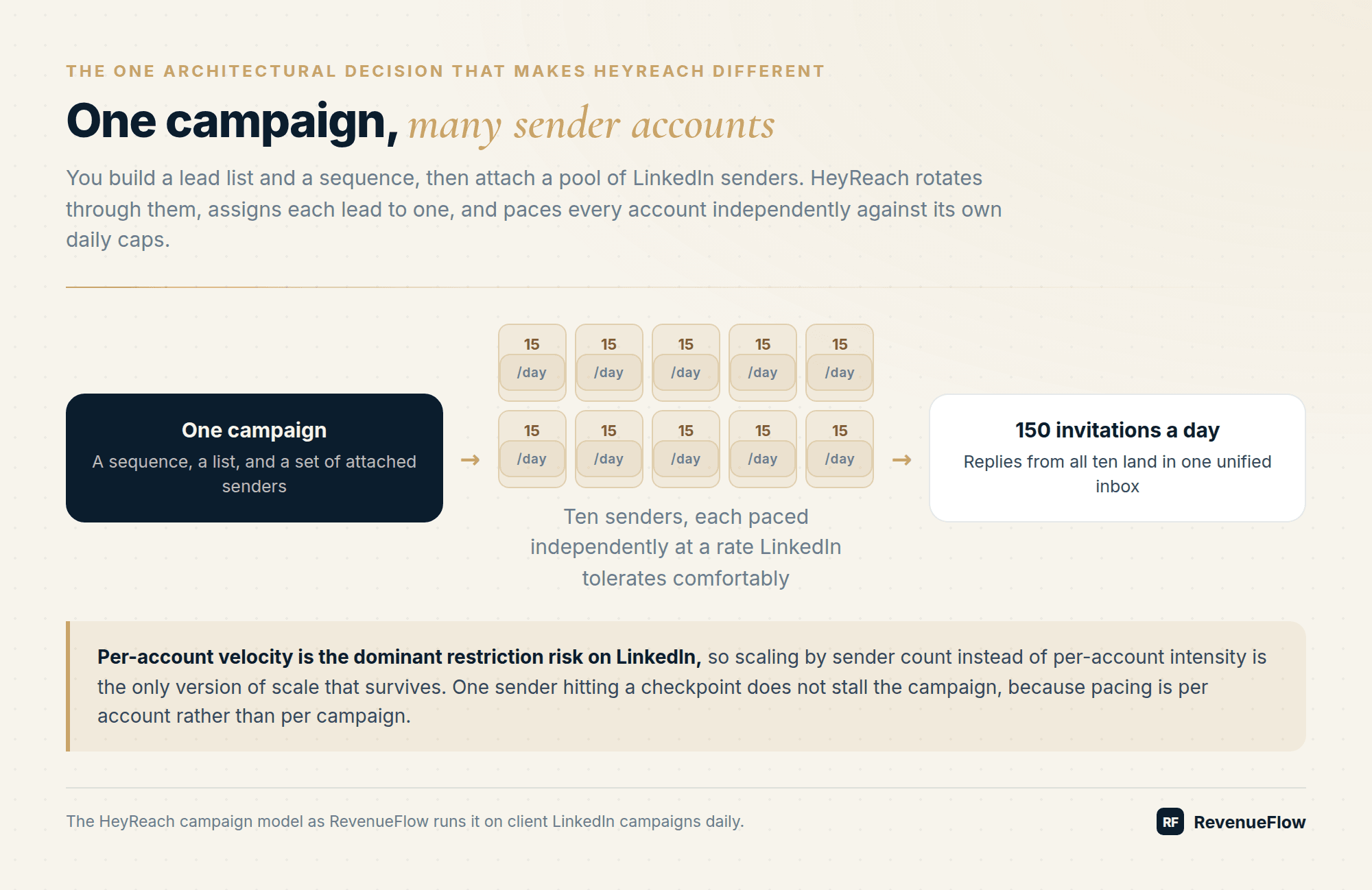
In most LinkedIn tools, one seat equals one campaign engine: your account sends your sequence to your list. In HeyReach, you build a lead list, build a sequence, then attach a pool of LinkedIn sender accounts to the campaign. HeyReach rotates through the senders, assigning each lead to one of them, and paces each account independently against its own daily caps. Ten senders at 15 invitations a day gives a campaign 150 invitations a day while every individual account stays at a rate LinkedIn tolerates comfortably. Replies from all ten land in one unified inbox.
That is the whole thesis, and it is the correct thesis. Per-account velocity is the dominant restriction risk on LinkedIn, so scaling by sender count instead of per-account intensity is the only version of scale that survives. We cover the underlying limits in what is safe and what gets you restricted.
Structure: workspaces, lists, campaigns, senders
The object model is simple enough to teach a new operator in an afternoon:
For an agency this maps cleanly onto how the work is actually organised. One client, one workspace, its own senders, its own reporting. Whitelabel is included on the Agency tier so the client-facing surface carries your brand, and the pricing page describes workspaces as keeping each client's data, senders, leads and campaigns separate under one login.
The ordering constraint in that diagram is the part new operators trip on. A campaign cannot exist before its senders and its list do, which means the setup work for a new client is front-loaded: connect the profiles, wait for them to settle, build the list, and only then build the campaign. Teams that plan a launch date from the campaign backwards rather than from the sender connections forwards end up optimistic.
HeyReach Pricing 2026, From Its Own Pricing Page
HeyReach's pricing page lists Growth at $79 a month per LinkedIn sender, Agency at $999 a month for 25 senders and Unlimited at $2,999 a month, in US dollars, with quarterly billing 10% off and yearly 20% off. It charges per sender and never per user, and the Unlimited plan is capped at 300 senders under a fair-use policy.
The Growth plan carries a sender stepper, so the headline figure is an entry point that scales with the number of senders you attach rather than a flat all-in fee. Agency and Unlimited are the flat-fee tiers.
| Plan | Monthly | Quarterly | Yearly | Senders | Notable inclusions |
|---|---|---|---|---|---|
| Growth | $79 | $71 | $63 | Scales with senders added | Unlimited campaigns, unified inbox, 100 enrichment credits per sender, API and webhooks, MCP server |
| Agency | $999 | $899 | $799 | 25 included, upgradeable to 50 | Everything in Growth, 1,000 enrichment credits, whitelabel, done-for-you onboarding, bring your own proxies, dedicated Slack channel |
| Unlimited | $2,999 | $2,699 | $2,399 | Unlimited, capped at 300 by a fair-use policy | Everything in Agency, 3,000 enrichment credits, multi-brand whitelabel at $500 each, migration support, priority support |
Quarterly and yearly figures are the effective monthly rate on those commitments, which the pricing page marks as -10% and -20%. Billed up front, that is $756 a sender a year on Growth, $9,590 a year on Agency and $28,790 on Unlimited. The page also lists a custom done-for-you service tier and a heavily discounted early-stage program, which you qualify for at under $250,000 ARR, with fewer than 5 people, and if you are not yet a HeyReach customer.
Trials differ by tier. The FAQ says the entry plan can be tested for 14 days with no credit card and 3 LinkedIn accounts, and that a 30-day free trial of Agency or Unlimited can be requested.
Two mechanics the table does not carry. HeyReach charges per LinkedIn sender and never per user, so teammates, VAs and clients can be added at no cost, which is unusual enough to be worth checking against whatever you are currently paying per seat. And the proxy arrangement differs by tier: Growth gives each sender a dedicated residential proxy, while Agency and Unlimited require you to bring your own.
One inconsistency on the page itself, worth knowing if you are reading it closely: the pricing table names the entry plan Growth while the FAQ below it still calls that plan Starter. They describe the same tier.
The crossover math is worth doing before you commit. Growth is the right tier until your sender count makes the per-sender total approach $999, which on the monthly rate is around twelve senders, at which point Agency is both cheaper and unlocks whitelabel. Agencies running one or two clients should not buy the Agency tier for the branding alone.
Source: HeyReach pricing
The tier crossover, worked
Here is an invented but arithmetically honest worked example. The sender counts are chosen to bracket the crossover. No part of it comes from a customer, and both rates are the published ones on monthly billing.
| Senders | Growth at $79 each | Agency flat | Cheaper |
|---|---|---|---|
| 5 | $395 | $999 | Growth |
| 10 | $790 | $999 | Growth |
| 13 | $1,027 | $999 | Agency |
| 25 | $1,975 | $999 | Agency |
The crossover sits between twelve and thirteen senders on monthly billing, and Agency includes twenty-five, so anyone past the crossing is buying spare capacity rather than paying a premium for it. That is the single most useful number in this review for an agency sizing its first year.
What it does genuinely well
Sender rotation with independent pacing. The pacing is per account, not per campaign, so one sender hitting a checkpoint does not stall the campaign. In production this is the difference between a campaign that degrades and one that stops.
The unified inbox. Managing replies across ten LinkedIn accounts without this is unmanageable. Being able to hand a client a single conversation view for their workspace removes most of the reporting friction from LinkedIn as a service line.
Client separation that actually holds. Workspaces are a real boundary. Lists and senders do not leak between clients, which matters when clients can and do inspect the tool directly.
API, webhooks, and an MCP server. You can push lists in and pull activity out programmatically, which is what makes LinkedIn a component of a wider outbound system rather than a separate manual channel. If your enrichment already runs elsewhere, this is the integration point.
Integrations with the email side. HeyReach's pricing page lists native integrations with Instantly and Smartlead for multichannel campaigns, alongside Clay, RB2B, Trigify, Make, Zapier and HubSpot. We run LinkedIn as its own motion rather than as steps inside an email sequence, so for us those integrations carry data between the channels rather than mixing them.
Honest limitations
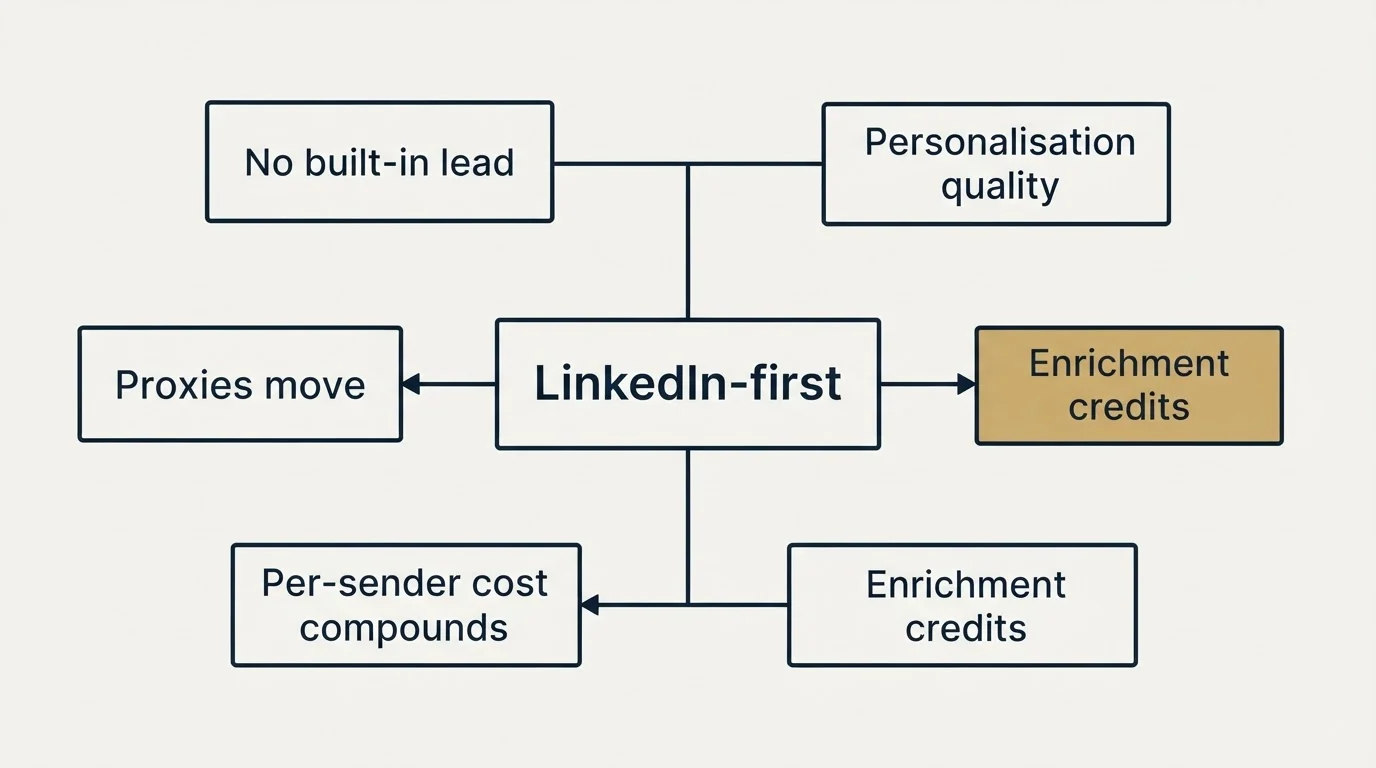
It is LinkedIn-first, and email is the junior partner. If your primary channel is email with LinkedIn as a touch, a dedicated email platform plus HeyReach beats trying to run the whole motion here. Compare the sending-side options in the cold email pricing guide.
Unlike this LinkedIn-first tool, judging a broader sales engagement platform means separating verified user feedback from complaint sites, a distinction the Salesloft review breakdown walks through.
No built-in lead database. You bring the list. That means a Sales Navigator subscription, a data provider, or your own sourcing pipeline sits upstream, and its cost belongs in your channel budget. Our Sales Navigator pricing breakdown covers the most common upstream line item.
Teams that still need to source verified contact data upstream will find a vendor claims breakdown useful for judging what a provider actually promises before it hits the sequence.
Personalisation quality is your problem, not the tool's. HeyReach renders custom fields faithfully. It does not generate good ones. The difference between a poor acceptance rate and a good one lives in the data you push into those fields rather than in the sequence builder.
Enrichment credits are a one-time allocation, not a monthly grant. 100 per sender on Growth is a top-up to get started, and the page says so. Treat enrichment as an upstream line item you are buying elsewhere.
Per-sender cost compounds before the Agency tier. The economics are excellent above roughly thirteen senders and unremarkable below five.
Proxies move from included to your problem at the Agency tier. Growth gives each sender a dedicated residential proxy; Agency and Unlimited expect you to bring your own. That is a real operational cost that arrives exactly when you cross into the cheaper tier, and it is easy to miss in the crossover arithmetic above; the FAQ's answer for a team with no proxies is to book a call.
Account risk stays with you. No LinkedIn tool is LinkedIn-approved, HeyReach included. It gives you the architecture to run safely. It cannot make a 40-connection sender account look legitimate, and it will not stop a bad list from generating spam reports.
Alternatives worth considering
Rates below are from each vendor's own pages and are subject to change. Each is quoted in the currency its page served, and the billing basis is named because it differs from tool to tool.
| Tool | Priced from | Choose it when |
|---|---|---|
| HeyReach | $79 a month per sender; Agency $999 for 25 senders | You rotate many sender accounts and need per-client workspaces |
| Expandi | $99 a month, or $79 billed annually | A single brand, few accounts, and a dedicated country-based IP matter most |
| Dripify | Basic $59 a user a month, or $39 billed annually | A small in-house team wants the cheapest credible sequencer |
| La Growth Machine | €50 a month per identity, billed annually | Email is co-equal with LinkedIn in the motion |
| PhantomBuster | 56€ a month billed annually, for 5 automation slots and 20 hours of execution time | You need scheduled automation workflows priced by run time |
Expandi is the closest genuine competitor and the honest comparison is this: Expandi optimises the safety of one account, HeyReach optimises the coordination of many. A three-person sales team is better served by Expandi. An agency running LinkedIn for eight clients is not.
Is HeyReach Better Than PhantomBuster?
For running LinkedIn campaigns across many sender accounts, yes, because that is the job HeyReach is built around and PhantomBuster's pricing page does not sell. The two meter different things. HeyReach charges per LinkedIn sender and rotates leads across them into one inbox. PhantomBuster charges for automation slots and execution time, from 56€ a month billed annually for 5 slots and 20 hours, with unlimited users.
That difference is the answer for an agency. Adding a client on HeyReach means adding senders to a workspace; adding one on PhantomBuster means adding workflows that compete for the same slots and hours. Teams that use PhantomBuster for scheduled automation around their outbound can read the PhantomBuster alternatives for the wider field.
How we use it, and the doctrine that constrains it
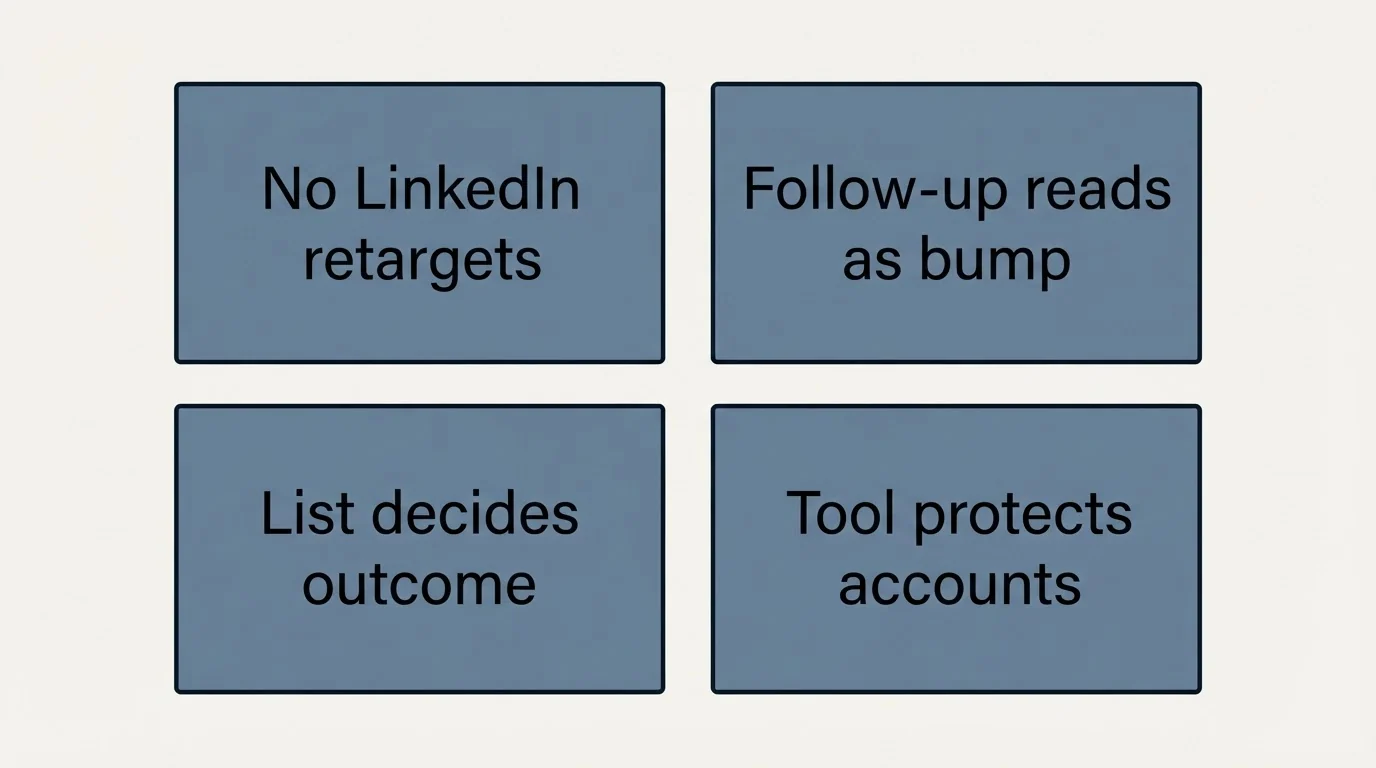
Two things about how we run LinkedIn are worth stating, because they change what you should expect from any tool in this category including this one.
We do not run no-reply retargets on LinkedIn. A second message lands in the same thread, directly underneath the one the person chose not to answer, so it reads as a bump whatever the campaign structure says. That is a channel property rather than a tool limitation, and it means the sequence depth HeyReach supports is not depth we use against non-responders. Where email allows a fresh campaign with a genuinely new angle, LinkedIn does not.
The list decides the outcome, not the sequence. Acceptance rate and reply rate on LinkedIn track the quality of the targeting and the quality of the custom fields far more tightly than they track sequence structure. HeyReach's architecture protects the accounts and coordinates the volume; nothing in it improves a list that should not have been built.
Meetings booked through the channel are qualified against criteria agreed in writing before launch, and budget, timing and authority are never conditions of billing.
Verdict
HeyReach is the right tool if you are running LinkedIn outbound across multiple sender accounts, especially on behalf of clients. The workspace model, the sender rotation, and the unified inbox are the three things that make that job tractable, and HeyReach is built around all three. It is the wrong tool if you are one seller with one profile, where a $39 sequencer does the same job, or if LinkedIn is a minor touch inside an email-led motion.
The number to take away is the crossover: around thirteen senders on monthly billing, Agency stops being an upgrade and starts being a discount, and it includes twenty-five. Budget for proxies at that point, because they stop being included.
Whichever tool you pick, the channel lives or dies on list quality and sender hygiene, not on features.
Related Reading
- LinkedIn Automation Tools: What Is Safe and What Gets You Restricted
- LinkedIn Sales Navigator Pricing Breakdown
- Cold Email Pricing Guide 2026
- Salesloft Review: Separating Verified Feedback from Complaint Sites
- Cognism Review: What the Vendor Actually Promises
If LinkedIn is a channel you want running without owning the account infrastructure, RevenueFlow runs done-for-you LinkedIn outbound alongside cold email. Get a free campaign plan and we will scope the sender count and the targeting before anything sends.
Pricing and features are taken from the vendors' own pages. Verify current terms with the vendor before relying on them.
Frequently asked questions.
Frequently asked questions- How much does HeyReach cost in 2026?
- HeyReach's pricing page lists Growth at $79 a month per LinkedIn sender, $71 on quarterly billing and $63 on yearly, Agency at $999 a month for 25 senders, and Unlimited at $2,999 a month, capped at 300 senders. It charges per sender and never per user, and a heavily discounted early-stage program exists for companies under $250,000 ARR.
- Is HeyReach better than PhantomBuster?
- For LinkedIn campaigns across many sender accounts, yes, because HeyReach is built to rotate leads across senders into one unified inbox and charges per sender. PhantomBuster's pricing page sells automation slots and execution time, from 56€ a month billed annually for 5 slots and 20 hours, which suits scheduled workflows rather than coordinated sender rotation.
- When does the HeyReach Agency plan become cheaper than Growth?
- On monthly billing, between 12 and 13 senders. Twelve Growth senders cost $948 a month and thirteen cost $1,027, against Agency's flat $999, which includes 25 senders. Past that point Agency is cheaper and adds whitelabel, but you must bring your own proxies, which Growth provides per sender.
- Does HeyReach offer a free trial?
- Yes. HeyReach's FAQ says the entry plan can be tested for 14 days with no credit card and 3 LinkedIn accounts, and that a 30-day free trial of the Agency or Unlimited plan can be requested. The pricing page also lists an early-stage program for companies under $250,000 ARR with fewer than 5 people.
About the author.

B2B cold email experts helping companies generate qualified leads through done-for-you outreach campaigns.
RevenueFlow Team
Explore more.
Ready to scale your outreach?
We build GTM engines that book real meetings. See the receipts.
Related articles.
Social Selling Tools by Job, and the Account-Risk Line
Fourteen social selling tools sorted into six jobs, split by whether each acts through your LinkedIn account or beside it, from the vendors' own pages.
Is Clay Free? The Free Plan, the Trial and Where Each Stops
Clay's free plan, its 14-day trial and the no-charge-on-a-miss rule are three different things. What each holds and where it stops, from clay.com on 19 September 2026.
Video Prospecting Tools by Job: What Each One Is For
Ten video prospecting tools sorted by the job each vendor's own page describes: record and share, personalise at volume, avatars, hosting and interactive demos.
Seamless.AI Email Finder: How It Works, What a Credit Buys
How Seamless.AI's email finder resolves a contact in real time, what one Universal Credit buys, the Total AI score on every address, and what the Chrome extension reads.
Autobound Pricing: One-Time Credit Packs, Not Seats
Autobound's pricing page sells one-time credit packs for a signal data API, not seats. The six packs, the per-endpoint meter, and what a company costs.
Sales Training Programs: 13 Providers by What They Teach
Thirteen sales training providers and three free sources, grouped by what each one teaches, from their own pages as read on 18 September 2026. No ranking.