Pipedrive MCP: Giving an AI Assistant Write Access
Pipedrive's native MCP server lets an assistant create and update CRM records. The permission model, the setup, and where it belongs against the API and the rules engine.
Pipedrive launched a native Model Context Protocol server on 30 June 2026, letting assistants search, create and update CRM records in natural language. Permissions are inherited from the connecting user's existing Pipedrive role and visibility settings, and actions are recorded in an audit trail.
Key takeaways
- The assistant can only access data and perform actions the connecting user's Pipedrive account is already authorised for.
- Pipedrive states that MCP actions run against live CRM data while maintaining a full audit trail of actions performed.
- By default an assistant may not load every available MCP tool, so a missing capability can be an unloaded tool rather than an absent feature.
- MCP suits tasks that differ every time; recurring conditional work still belongs in the deterministic automation engine.
Reviewed and updated September 1, 2026
Pipedrive MCP: Giving an AI Assistant Write Access to Your Pipeline
Pipedrive announced a native Model Context Protocol server on 30 June 2026, and the announcement contains a sentence that is easy to skim past and worth stopping on. The assistant can create and update CRM records. Not read them, not summarise them, not draft something a human then pastes in. Write.
That is a different category of integration from a reporting connector, and it deserves a different level of thought before anyone turns it on across a sales team. The good news is that Pipedrive's own documentation is unusually clear about where the boundaries are, and the boundaries are sensible.
What the server is and what it can do
MCP is an open standard that lets AI assistants connect to external tools and data sources. Pipedrive's feature page frames its implementation as connecting an assistant such as ChatGPT or Claude to Pipedrive data through a secure sign-in, describing the setup as requiring no coding, APIs, middleware or developer support.
The published capability list from Pipedrive's launch announcement covers seven things:
- Search deals, contacts, organizations and leads using natural language
- Create and update CRM records without manual data entry
- Convert leads into deals and manage activities
- Generate pipeline insights and sales analysis
- Turn meeting notes into structured CRM records
- Automate follow-up actions and multi-step sales workflows
- Execute other intelligent automations
Read as a set, the shape is clear. Four of those are data entry and one is analysis. The single strongest case for the whole feature sits in the middle of the list and is the least glamorous: turning meeting notes into structured CRM records. CRM hygiene fails because entering data is boring, not because anyone disagrees that it matters, and a tool that converts a paragraph of notes into a properly associated activity, contact update and deal-stage change removes the friction at exactly the point it usually wins.
The permission model, which is the part that makes this safe
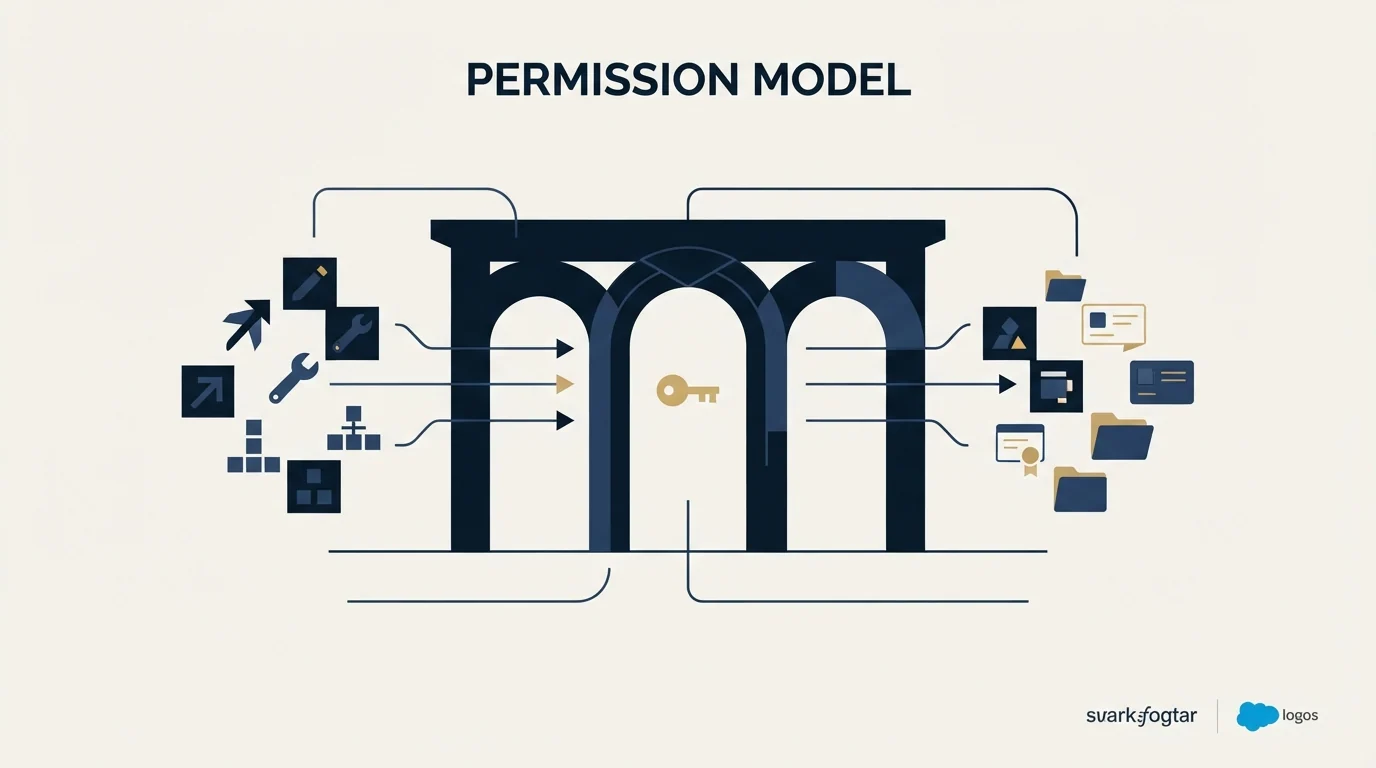
The security question everyone asks is what stops an assistant from reading or changing something it should not. Pipedrive's answer is inheritance, and it is stated directly in the knowledge base article on connecting the MCP server to Claude, last updated 16 July 2026: the assistant can only access data and perform actions that your Pipedrive user account is authorised to access, and permissions are inherited from your existing Pipedrive role and visibility settings.
That is the right design, and it has a consequence worth naming. The MCP connector does not create a new permissions surface to audit; it inherits the one you already have. Which means the quality of your existing role and visibility configuration becomes load-bearing in a way it may not have been before. An account where everyone can see and edit everything, because that was simpler when only humans were clicking, is an account where every connected assistant can also see and edit everything.
Pipedrive's launch announcement adds the second half of the accountability story: actions run against live CRM data in real time while respecting existing user permissions and maintaining a full audit trail of actions performed. An audit trail is what makes a write-capable integration reviewable after the fact rather than merely trusted in advance.
- Step 1Open connectors
Go to Customize, then Connectors, then the add button, then Add custom connector.
- Step 2Name and point it
Enter Pipedrive MCP BETA as the app name and https://mcp.pipedrive.ai/mcp as the connection, then add it.
- Step 3Authorise
Sign in to Pipedrive if prompted, review the requested permissions in the Pipedrive dialog, and allow the installation.
- Step 4Check the tools loaded
Verify the connector is enabled in a new conversation, and enable the setting that loads all available tools if you need the full set.
That last step is a documented gotcha rather than housekeeping. Pipedrive notes that by default not all available MCP tools may load at the start of a conversation, and that the setting to load all available tools sits in the connector configuration. A tool that did not load looks exactly like a capability the server does not have, so an assistant reporting that it cannot do something may simply not be holding the tool for it.
MCP, the API and the automation engine are three different tools
Pipedrive now offers three ways for something other than a person to act on the data, and they are not interchangeable. Choosing wrongly is the most common way an integration project ends up harder than it needed to be.
The automation engine is deterministic. A trigger fires, conditions are checked, actions run in order. It is the right choice for anything that must happen the same way every time: create the follow-up activity when a deal changes stage, notify the owner, update a field. It runs whether anyone is watching, it is auditable as a rule rather than as an event log, and its behaviour is entirely predictable. Its limits are documented and sharp, covered in Pipedrive automation.
The API is for systems. It is the right choice when another piece of software needs to read or write Pipedrive on a schedule or in response to its own events, and it is bounded by the account's API token allowance, which Pipedrive documents as moving from 90,000 to 150,000 across the Professional-to-Premium transition. An integration built here is code someone maintains, and it does exactly what it was written to do.
MCP is for a person in the loop. The assistant is not running unattended on a schedule; someone is asking it for something in a conversation, and the output is shaped by how they asked. That makes it excellent at the tasks that are different every time and tedious every time, which is precisely the category that neither of the other two serves well. Structuring a set of meeting notes is different on every call, so no rule covers it and no integration is worth writing for it.
The failure mode is using MCP where the automation engine belongs. An assistant asked to keep the pipeline tidy each morning is a rule wearing a conversation, and it will be less consistent than the rule, harder to reason about when it drifts, and dependent on someone remembering to ask. If the same thing should happen every time under the same conditions, that is a job for a trigger and an action.
Where the judgment sits, and it is not in the tooling

An assistant that can update a CRM record is doing something reversible and internal. An assistant whose output reaches a prospect is doing something neither of those things, and the line between the two runs straight through the capability list above.
"Automate follow-up actions and multi-step sales workflows" is the phrase to slow down on. Inside the company, automating a follow-up means creating the activity, updating the stage, notifying the owner. Outside it, the same words describe sending someone a message. Those are different decisions with different failure modes, and a natural-language interface makes them equally easy to ask for.
Our own position on the second one is a matter of policy rather than tooling preference. Outbound campaigns carry one message. There are no bump sequences and no thread replies, because a second message lands underneath the one that was already ignored and reads as a chase whatever generated it. An assistant that offers to follow up with a quiet prospect is offering to do the thing we have decided not to do, and the fact that it can is not an argument that it should. Where a prospect genuinely merits another attempt, the answer is a new campaign with a genuinely new premise, decided by a person.
The narrower version of the same caution applies to record writes. Bulk operations expressed in a sentence are the risk surface here, because natural language compresses scope without compressing consequence. "Update the stage on the deals from that conference" is one clause and an unknown number of records. Before anyone gets comfortable, it is worth agreeing which operations are allowed to run without a confirmation step, and using Pipedrive's role and visibility settings to make the dangerous ones structurally unavailable rather than merely discouraged.
- Depends: Existing Pipedrive roles and visibility settings have been reviewed, since the connector inherits them exactly
- Depends: Anyone with broad edit rights that existed for convenience has been reconsidered
- Depends: The audit trail has been located and someone knows how to read it
- Depends: There is an agreed line between internal record writes and anything that reaches a prospect
- Depends: Bulk write operations have an explicit confirmation habit, given how compact a natural-language request is
- Depends: Testers know that a missing capability may be an unloaded tool rather than an absent feature
What it does not solve

An assistant connected to the CRM works on what the CRM holds. It can find a deal, summarise a pipeline, restructure a note into an activity, and it can do all of that faster than a person. What it cannot do is know about a company that is not in the database, and that limitation is total rather than partial.
This matters because the most common request a sales team will put to a CRM assistant, once the novelty passes, is some version of who should we talk to next. The assistant will answer it from the records available, which means it will rank the accounts someone already sourced. The market outside those records is invisible, and no amount of assistant capability changes that, in the same way that no reporting configuration changes it. Sourcing is a separate job that happens before the CRM has anything to say.
The Pipedrive and RocketReach comparison explains why pairing a pipeline tool with a lead sourcing tool solves the gap this limitation exposes.
The related limitation is field coverage. Natural-language filtering reads the fields that are populated, so an assistant asked to find manufacturing accounts above two hundred people returns the subset where industry and headcount happen to be filled. That is an enrichment problem, covered in CRM enrichment and in Clay enrichment, and it sits upstream of anything an assistant can fix.
For the surrounding Pipedrive decisions, Pipedrive automation covers the deterministic rules engine that MCP sits beside rather than replaces, Pipedrive dashboards and Insights reports covers the reporting layer an assistant will be summarising, and the Pipedrive Essential plan and its successor tiers covers the record and API limits that bound any integration. Pipedrive vs Salesforce and best Pipedrive alternatives cover the platform question.
For the population no CRM assistant can see, because it is not in the CRM yet, see what building that list produces.
Pricing and features verified as of mid-2026. Verify current terms with the vendor before relying on them.
Frequently asked questions.
Frequently asked questions- What can an AI assistant do with Pipedrive MCP?
- Pipedrive's launch announcement lists searching deals, contacts, organizations and leads in natural language, creating and updating records, converting leads into deals and managing activities, generating pipeline insights, turning meeting notes into structured records, and automating follow-up actions and multi-step workflows.
- Is it safe to give an assistant write access to the CRM?
- The permission model is inheritance, which is the right design. Pipedrive states the assistant can only access data and perform actions the connecting user's account is authorised for, with permissions taken from existing role and visibility settings. That makes the quality of your existing role configuration load-bearing rather than incidental.
- How do I connect Pipedrive MCP to Claude?
- Pipedrive documents the path as Customize, then Connectors, then add a custom connector. Enter Pipedrive MCP BETA as the app name and https://mcp.pipedrive.ai/mcp as the connection, then authorise through the Pipedrive dialog. If you need every tool available, enable the setting that loads all tools in the connector configuration.
- Should I use MCP instead of Pipedrive automations?
- No, they suit different work. The automation engine is deterministic and runs unattended, which is what you want for anything that should happen the same way every time. MCP has a person in the loop and shines on tasks that are different on every occurrence, such as turning a set of meeting notes into structured records.
About the author.

B2B cold email experts helping companies generate qualified leads through done-for-you outreach campaigns.
RevenueFlow Team
Explore more.
Ready to scale your outreach?
We build GTM engines that book real meetings. See the receipts.
Related articles.
Pipedrive Calling: Native Surfaces, Marketplace Dialers
Pipedrive's knowledge base says it has no built-in calling integration. What ships natively is a set of shortcuts to your phone, and the dialer is a second subscription.
Pipedrive Sequences: A 250-Item Cap and What the Tool Is For
Ten steps, 250 items and a per-sequence sending authorisation. Pipedrive's caps describe the audience the feature was designed for more clearly than its feature list.
Pipedrive and PandaDoc: The Two Plan Gates
PandaDoc places its Pipedrive integration on Business and Enterprise plans and requires each user to install it individually. Both facts precede any configuration.
Pipedrive Smart Docs: Your Documents Live in Your Drive
Smart Docs saves every document to the Google Drive, OneDrive or SharePoint account you connect. Template access, versions and backups all follow from that.
Airtable vs Pipedrive: A Database You Shape, a CRM You Don't
One product has no opinion about what a deal is and one has it pre-installed. Published prices, the currency trap on the comparison pages, and the test that decides.
CRM Setup: The Objects, Stages and Write-Back Loop
A vendor neutral CRM setup for an outbound team: the object model, stage exit criteria, the required field set, ownership rules and the campaign write-back loop.