SalesQL Pricing: Four Plans, Priced Per Credit
SalesQL publishes four plans on a monthly-first pricing page. Here is the dated ladder, the per-profile credit meter, the seat limits, and what the page leaves out.
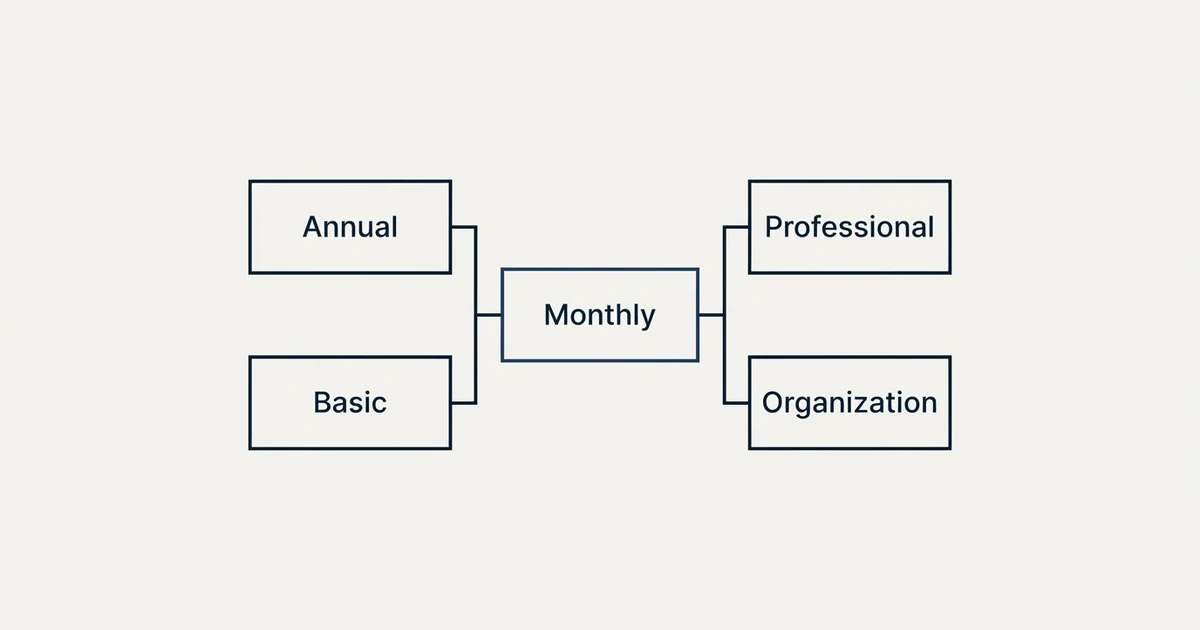
As published on SalesQL's pricing page on 4 September 2026, Free is $0 with 50 credits, Basic $39 with 2,000, Professional $79 with 5,000 and three seats, Organization $119 with 12,000 and fifteen seats, all monthly. The Annual tab prints $29, $59 and $89. One credit is spent per LinkedIn profile that resolves to an email.
Key takeaways
- SalesQL's pricing page opens on the Monthly tab, where the paid plans read $39, $79 and $119 a month on 4 September 2026.
- The Annual tab, labelled 25 percent off, prints the same three plans at $29, $59 and $89 a month.
- One credit is spent per LinkedIn profile that resolves to at least one email, and profiles that resolve to nothing cost nothing.
- The five-tier ladder with 100 credits at $39 that review sites still quote is not on the vendor's site.
Reviewed and updated September 5, 2026
SalesQL's pricing page publishes four plans and opens on its monthly tab. Most of the pages ranking for the query still describe five tiers and a $39 plan with 100 credits. As published on SalesQL's pricing page on 4 September 2026, the $39 plan carries 2,000 credits, and the five-tier ladder appears on none of the vendor's pages read that day.
That gap between the search results and the vendor is the first thing to know, because a buyer who prices this tool from a third-party review is budgeting against a ladder the vendor retired. Everything below comes from salesql.com's own pages fetched on 4 September 2026, with each figure attributed to the surface it appears on.
The four plans, as the page publishes them
The pricing page carries a segmented control with two tabs, Monthly and Annual, and the Monthly tab is the one selected when the page loads. The figures a first-time visitor sees are therefore the monthly rates.
On the monthly tab, as published on SalesQL's pricing page on 4 September 2026, Free is $0 a month with 50 credits a month, Basic is $39 a month with 2,000 credits a month, Professional is $79 a month with 5,000 credits a month, and Organization is $119 a month with 12,000 credits a month. Professional is marked as the most popular plan.
Clicking the Annual tab, which the page labels as 25 percent off, changes the three paid figures to $29, $59 and $89 a month respectively, read from the same page in a rendered browser session on the same day. Free stays at $0 on that tab. The page does not print an annual total beside those figures, so the yearly commitment is the monthly figure multiplied by twelve, which is arithmetic performed here rather than a number the vendor publishes.
Seats move with the tier. The Free and Basic plans include one seat, Professional includes three seats, and Organization includes fifteen. The Basic card states there are no extra seats, and neither card for the two higher tiers publishes a per-seat price for adding people beyond the included count, so the seat ceiling on the two lower plans is a hard one on the vendor's own page.
- 50 credits a month on Free, 2,000 on Basic
- Verified email addresses on both
- Phone numbers on Basic only
- CSV enrichment at 1,000 rows a file on Basic
- Email verifier at 100 credits on Free, 5,000 on Basic
- No API on either
- 5,000 credits a month
- Phone numbers and unlimited exports
- CSV enrichment at 5,000 rows a file
- Email verifier at 10,000 credits
- API at 5,000 calls a day
- Priority support
- 12,000 credits a month
- Everything on Professional
- CSV enrichment at 50,000 rows a file
- Email verifier at 20,000 credits
- API at 20,000 calls a day
- Bulk verifier at 10,000 rows a file
What a credit buys
The credit rule is the sentence that decides the bill, and the vendor states it plainly in the page FAQ. SalesQL charges one credit every time it successfully retrieves at least one email address for a LinkedIn profile, and paid accounts also unlock company details and mobile phone numbers when available.
Read that carefully, because it is a per-profile meter rather than a per-field one. A profile that resolves to an email costs one credit whether or not a phone number came back with it, and a profile that resolves to nothing costs nothing. That is a friendlier meter than the per-field pricing common elsewhere in the category, where a phone number can cost many times an email out of the same pool, a pattern FullEnrich's per data point credit costs show clearly.
The page separates two other allowances from the data credit. Email verifier credits are a distinct pool, at 100 on Free, 5,000 on Basic, 10,000 on Professional and 20,000 on Organization. CSV enrichment is capped per file rather than per month, at 1,000 rows on Basic, 5,000 on Professional and 50,000 on Organization, and is not available on Free. The API, which appears only on the two upper tiers, is rate limited per day at 5,000 calls on Professional and 20,000 on Organization.
What the page does not state is as important as what it does. There is no rollover rule anywhere on the pricing page or in its FAQ, so whether unused data credits carry into the next month is not published. There is no overage rate, so what happens when a plan's credits run out mid-month is not published either. The FAQ does say a cancelled plan keeps its remaining credits until the billing cycle ends, and that renewal is automatic on whichever of the monthly or annual options was chosen.
The vendor's own machine-readable twin has no prices
SalesQL serves a plain markdown document at the pricing URL with a .md suffix. Read on 4 September 2026, it is 1,239 bytes, it names the four plans with their monthly credit allowances, and it reproduces the FAQ. It carries no prices at all.
That is worth recording because a growing number of vendors publish these twins for automated readers, and this one answers the structure question without the price question. The rendered page is the only surface carrying the figures, and the visible figures are the monthly ones unless the tab is switched. The page's structured data does not help either: its software application record lists an offer at a price of zero in US dollars, which describes the free plan and nothing else.
The vendor's help centre, at help.salesql.com, has a collection titled Plans and Pricing. Read the same day, it contains five articles about cancelling, past-due workspaces, upgrading or downgrading, contacting support and blocking a profile from lookups. None of them carries a rate. A separate help article about new plans that search engines still index answered a not-found status on three separate fetch routes, so whatever it once said about the plan change is not available to quote.
Where the third-party ladder came from
The stale five-tier ladder is consistent across the review sites, which suggests it was real once. Starter, Advanced, Pro and Ultimate at $39, $79, $119 and $179 with credit allowances of 100, 300, 600 and 1,200 is the ladder those pages carry. The vendor page today carries Basic, Professional and Organization at $39, $79 and $119 with 2,000, 5,000 and 12,000 credits, and no $179 tier.
Two of the three paid price points survived the change and the credit counts behind them moved by an order of magnitude. A team that priced the tool a year ago and is renewing now is looking at a different product at the same monthly number, which is a good reason to read the vendor page rather than a review before a renewal conversation. The same shape, a price that held while the allowance changed, is how LeadMagic publishes two per credit rates for one plan: the number is stable and the unit behind it is not.
- Step 1Count profiles, not rows
One credit is spent per LinkedIn profile that resolves to at least one email. Rows that resolve to nothing are free, so the estimate is profiles multiplied by your own find rate.
- Step 2Add the verifier separately
Email verifier credits are a second pool with its own allowance per plan. A verification-heavy workload draws on that pool, not on the data credits.
- Step 3Check the seat ceiling
One seat on Free and Basic, three on Professional, fifteen on Organization, with no published per-seat add-on. The seat count can decide the tier before the credit count does.
- Step 4Pick the billing tab deliberately
The page opens on Monthly. The Annual tab prints the three paid plans about a quarter lower per month, and the yearly total is that figure times twelve.
Who the vendor says it is for
The pricing page and the homepage name three roles, in this order: sales, recruitment and marketing. The homepage describes a LinkedIn email finder and prospecting tool that connects to a CRM or an outbound stack, and the pricing page's testimonial strip is drawn from sales and recruiting users.
For an outbound team, the relevant question is where a per-profile LinkedIn finder sits in a resolution chain. A finder that charges only on success belongs after the cheap stages and before any per-lookup provider, which is the ordering worked through in waterfall enrichment. Whether its coverage on your own list justifies the credit is a bake-off question rather than a pricing one, and email finder tools sets out how to run that test on your own rows.
Recruiting is named beside sales on every vendor surface. That does not change the meter or the ladder, but it does mean the free and Basic tiers are sized for an individual working a LinkedIn feed rather than for a team running enrichment at volume, which is what the one-seat limit and the 1,000-row CSV cap on Basic say in numbers.
A reader comparing this ladder against the field should compare meters before prices, because a per-profile finder and a per-field waterfall answer the same question with different arithmetic.
- Yes: Confirm which tab you are reading, because the page opens on Monthly and the Annual figures are lower
- Yes: Count the seats you need against one, one, three and fifteen
- Yes: Estimate profiles that will resolve, since only a found email spends a credit
- Yes: Size the verifier pool separately from the data credits
- Depends: Ask the vendor about rollover and overage, because neither is published
- No: Budget from a review site's five-tier ladder
- No: Read the markdown twin for prices, since it carries none
This page is the price sheet, not a shortlist. For a ranked set of substitutes to weigh against it, this site keeps a separate page of SalesQL alternatives.
The short version
As published on SalesQL's pricing page on 4 September 2026, the ladder is Free at $0 with 50 credits, Basic at $39 with 2,000 credits, Professional at $79 with 5,000 credits and three seats, and Organization at $119 with 12,000 credits and fifteen seats, all monthly, with the Annual tab printing $29, $59 and $89 for the paid plans. One credit is spent per LinkedIn profile that resolves to at least one email, verifier credits are a separate pool, and the API appears from Professional upward.
Rollover and overage are not published, the seat counts have no published add-on, and the five-tier ladder still circulating on review sites is not on the vendor's site. Price the tool from the page, on the tab you will actually be billed on.
If the constraint turns out to be the supply of qualified conversations rather than the supply of email addresses, you can see what a first campaign produces on your own market.
Plan names, prices, credit allowances and seat counts above were read from SalesQL's own pricing page, its markdown twin and its help centre on 4 September 2026. Verify current terms with the vendor before relying on them.
Sources: SalesQL pricing, SalesQL help centre, Plans and Pricing
Frequently asked questions.
Frequently asked questions- How much does SalesQL cost per month?
- As published on SalesQL's pricing page on 4 September 2026, Basic is $39 a month with 2,000 credits, Professional is $79 with 5,000 credits and three seats, and Organization is $119 with 12,000 credits and fifteen seats. The page opens on its Monthly tab, and the Annual tab prints those plans at $29, $59 and $89 a month.
- Does SalesQL have a free plan?
- Yes. The Free plan is listed at $0 a month with 50 credits a month, verified email addresses, one seat and 100 email verifier credits. It does not include phone numbers, unlimited exports, integrations, CSV enrichment or the API, all of which start on the Basic plan or above according to the pricing page read on 4 September 2026.
- What counts as a SalesQL credit?
- The pricing page FAQ states that SalesQL charges one credit every time it successfully retrieves at least one email address for a LinkedIn profile, and that paid accounts also unlock company details and mobile phone numbers when available. Email verifier credits are a separate pool with its own allowance on every plan.
- Do unused SalesQL credits roll over?
- The pricing page and its FAQ do not publish a rollover rule or an overage rate as of 4 September 2026, so neither can be stated from the vendor's site. The FAQ does say a cancelled subscription keeps its remaining credits until the end of the current billing cycle and that plans renew automatically on the monthly or annual option chosen.
About the author.

B2B cold email experts helping companies generate qualified leads through done-for-you outreach campaigns.
RevenueFlow Team
Explore more.
Ready to scale your outreach?
We build GTM engines that book real meetings. See the receipts.
Related articles.
LeadGibbon Pricing: Three Monthly Plans, No Annual Tab
LeadGibbon publishes three monthly plans and no annual rate. The dated ladder, the verified-emails-only meter, the rollover rule, and what the page does not publish.
Enrow Pricing: Three Billing States, Two Currencies
Enrow prices per verified result across monthly, annual and pay-as-you-go tabs in euros and dollars. The ladder, the credit meter and the currency clause.
Seamless.AI Email Finder: How It Works, What a Credit Buys
How Seamless.AI's email finder resolves a contact in real time, what one Universal Credit buys, the Total AI score on every address, and what the Chrome extension reads.
Snitcher Pricing: The $49 Table Is the Annual Rate
Snitcher's visible price table is the annual-billing ladder. The ten bands at both billing states, the unique-company meter, and the rules on a help page.
Autobound Pricing: One-Time Credit Packs, Not Seats
Autobound's pricing page sells one-time credit packs for a signal data API, not seats. The six packs, the per-endpoint meter, and what a company costs.
TexAu Pricing: Four Tiers, Billed Only on a Match
TexAu charges credits only when a lookup succeeds. The four tiers at both billing states, the rollover cap, and three places the page disagrees with itself.