Best CRM Tools for Marketing Agencies (2026)
The best CRM tools for marketing agencies, compared on client separation, white-label reporting and seat pricing, from each vendor's own pricing page.
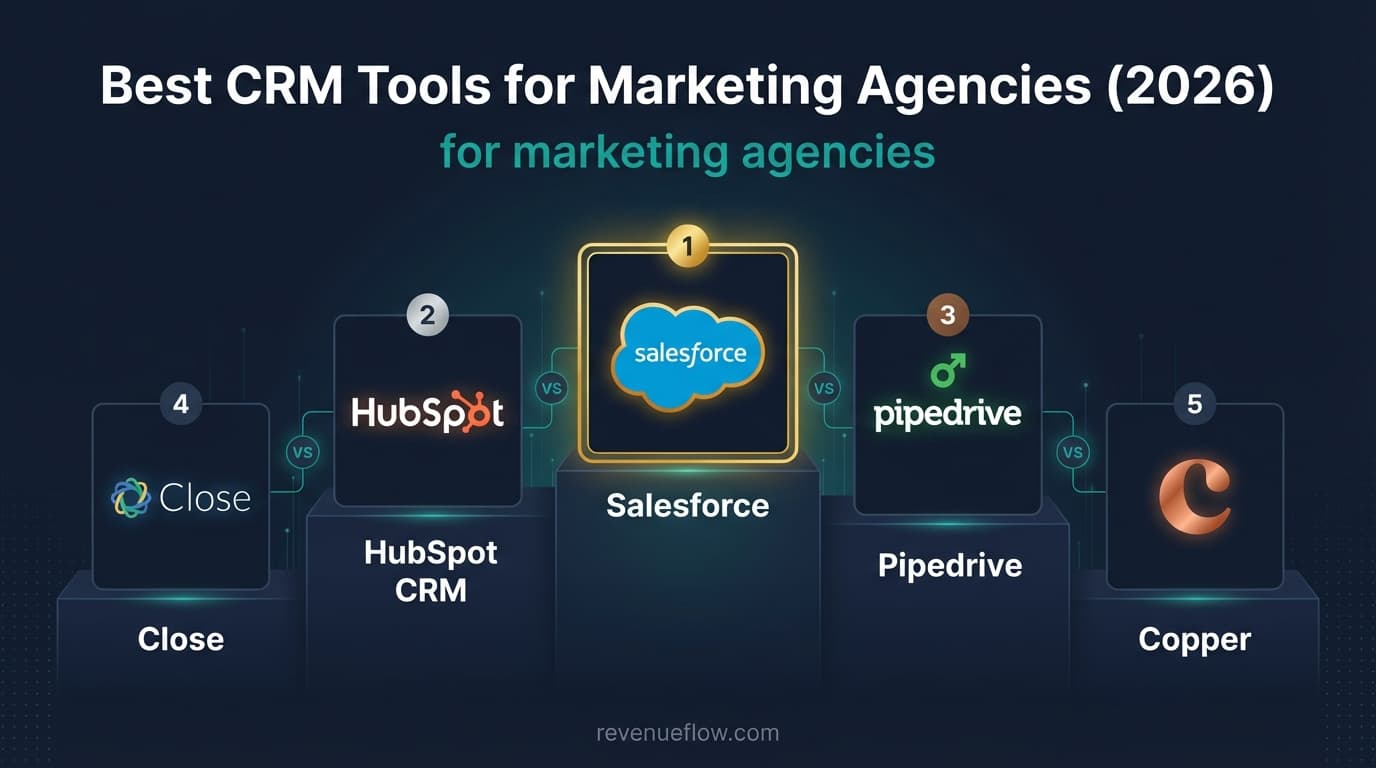
The best CRM tools for marketing agencies keep each client's records separate, report per client and remove the vendor's branding. Of five mainstream marketing CRM tools, HubSpot CRM, Zoho CRM and Salesforce list free plans, Freshsales starts at $9 per user, and the features agencies need usually sit one or two tiers above the entry price.
Key takeaways
- A marketing agency needs two layers in one CRM, its own new-business pipeline and a separated record per client, and most products are designed around the first only.
- Four requirements decide an agency's shortlist: multi-client separation, white-label reporting, seat pricing that survives growth, and fast client onboarding.
- On their own pricing pages HubSpot CRM, Zoho CRM and Salesforce list free plans, Freshsales lists $9 to $59 per user, and Salesforce now tops out at Max for $550.
- The entry price is rarely the agency price: HubSpot removes its branding at Starter, while Freshsales lists field-level permissions only on Enterprise.
Reviewed and updated September 18, 2026
A marketing agency asks more of a CRM than most product companies do, because it holds other companies' customers as well as its own. The best CRM tools for marketing agencies keep each client's records apart, report per client, and price in a way that survives adding a seat for every new account manager. This page compares five mainstream marketing CRM tools on exactly that, using each vendor's own pricing page.
A search for the best CRM for digital marketing lands on this same shortlist, because a digital marketing team and an agency are choosing on the same two things: whether client records stay separated, and whether reporting respects that separation.
Agencies working entirely inside Gmail have a narrower shortlist again, and what a Workspace claim actually covers shows the label spans four distinct pieces of integration.
If you would rather not run this stack yourself, our guide to outbound for agency owners covers what handing the motion off looks like from your seat.
What is a marketing CRM tool?
A marketing CRM tool is customer relationship management software used by a marketing team or agency: one shared record of companies, people, deals and the history of contact with each, with reporting on top. For an agency the record has two layers. The agency's own pipeline of prospective clients sits in one, and the leads it generates for each client sit in another, and the second layer is the one most CRMs were not designed around.
What a marketing agency needs from a CRM
Four requirements separate an agency's shortlist from a product company's, and none of them appears on a feature grid under its own name.
Multi-client management. Each client's contacts, leads and activity have to be separable, either as separate pipelines with permissions or as separate accounts. A contact who belongs to one client must not be visible to the team working another, and a suppression request received for one client must not be lost when the same person appears in a second client's list.
White-label reporting. Whatever the client sees, whether a dashboard, a PDF or a shared link, should carry the agency's name or the client's, not the vendor's. Check which plan removes the vendor's branding, because it is rarely the entry one.
Scalable campaigns and seats. Agencies grow by adding account managers, so per-seat pricing compounds in a way it does not for a fixed sales team. The plan that looks cheapest for three seats is often not the cheapest for twelve.
Client onboarding. A new client arrives with a list, a set of fields and a reporting expectation. How quickly a new pipeline, its required fields and its permissions can be stood up decides how much of the first month is billable.
Teams whose outreach leans on cold email deliverability rather than agency reporting may want a parallel look at email warmup tools built for recruiters.
The five CRM tools, from their own pricing pages

Every figure below is what the vendor's own pricing page listed when it was fetched for this page, in the currency it served. Three of the five serve local currency by visitor location, so confirm the figures in your own currency before budgeting.
HubSpot CRM. HubSpot's CRM product page lists a free tier with contact management, deal pipelines, CRM import and a reporting dashboard, then Starter from $15 per seat per month (the page footnotes a discount for new customers), Professional from $50 and Enterprise from $75. Starter is the tier that lists "No HubSpot branding", alongside permission sets and multiple currencies, which makes it the practical floor for an agency that shares anything with clients. Custom reporting arrives on Professional and custom objects on Enterprise. Agencies weighing it against the rest of the field can start from HubSpot CRM alternatives.
Zoho CRM. Zoho's pricing page lists a free edition for 3 users, then Standard, Professional, Enterprise and Ultimate. The page served rupees to us: 800, 1,400, 2,400 and 2,600 per user per month, so no dollar figure is quoted here. It is the longest ladder of the five, which suits an agency that wants to start small and move up one step at a time.
Freshsales. Freshworks lists three plans for Freshsales: Growth at $9, Pro at $39 and Enterprise at $59 per user per month, billed annually, with a 21-day trial. No free plan appears on the page. Growth lists a Kanban view, contact lifecycle stages, email templates, custom fields and basic workflows. Territory management and sales sequences arrive on Pro, and field-level permissions, custom modules and audit logs on Enterprise, which is where client separation by permission becomes possible.
Salesforce. Salesforce's sales pricing page lists a Free Suite at $0, Starter Suite at $25 per user per month and Pro Suite at $100 billed annually, then the renamed upper editions: Core at $195, Advanced at $395 and Max at $550. It is the most configurable option and the most expensive by a wide margin, and an agency rarely needs it unless its clients already run Salesforce and expect work delivered inside it. The cheaper routes to the same shape are in Salesforce alternatives.
Pipedrive. Pipedrive's pricing page refuses a plain fetch and renders in a browser, where it listed four plans in pounds: Lite at 14, Growth at 39, Premium at 59 and Ultimate at 79 per seat per month, billed annually. It is built around one visual deal pipeline per team, which makes it the quickest of the five to stand up for an agency's own new-business pipeline. Other options of the same shape are in Pipedrive alternatives.
| CRM | Free plan on the page | Lowest paid | Highest listed |
|---|---|---|---|
| HubSpot CRM | Yes | $15 | $75 |
| Zoho CRM | Yes, 3 users | 800 rupees | 2,600 rupees |
| Freshsales | No, 21-day trial | $9 | $59 |
| Salesforce | Yes, Free Suite | $25 | $550 |
| Pipedrive | No, 14-day trial | 14 pounds | 79 pounds |
What the plan names actually gate

The entry price is rarely the agency price, because the features an agency needs sit one or two tiers up. Two of the five vendors publish enough on their pricing pages to show the pattern.
HubSpot CRM
Branding off at Starter, reporting at Professional
Starter lists "No HubSpot branding", permission sets and multiple currencies. Professional lists custom reporting and duplicate management. Enterprise lists custom objects and field-level permissions.
Freshsales
Permissions arrive at Enterprise
Growth lists custom fields and basic workflows. Pro lists territory management and sales sequences. Enterprise lists field-level permissions, custom modules, a sandbox and audit logs.
The practical reading is to price the tier that carries your separation and reporting requirements, multiplied by the seats you expect in a year, and to ignore the entry price unless the entry plan genuinely carries them.
How to choose, and what to test in the trial
Every vendor here lists a free plan or a trial, and an agency can settle most of the decision inside it with one real client's data.
Integration needs come next. List the systems your clients actually use, since an agency inherits its clients' stacks, and check each one on the vendor's own integrations page instead of on a comparison table. Support quality matters more for an agency than for most buyers, because a permissions question that blocks onboarding is billable time lost.
What none of the five does for an agency's outbound
A CRM keeps the record. It does not send cold email safely on a client's behalf, and an agency that runs outbound for clients needs that kept separate. Cold sending wants its own sending domains per client, so that one client's reputation problem never touches another's, along with warmup, bounce handling and a suppression list enforced at send time. Several of these products sell multi-step follow-up sequences, which is an accurate description of the software and not a recommendation. Our own practice is one message per campaign, with no bumps, and a later approach runs as a separate campaign on a different premise. The CRM's job in that arrangement is to receive the outcomes: replies, meetings and opt-outs written back against the right client and the right record.
Final thoughts
Marketing agencies need a CRM that handles general CRM work and keeps clients apart, and the second requirement decides the shortlist. HubSpot CRM removes its branding at the lowest paid tier of the five and has a genuine free plan to start on. Freshsales has the lowest entry price and puts permissions at the top of its ladder. Zoho CRM offers the most steps between free and its top edition. Pipedrive is the fastest to stand up for the agency's own pipeline, and Salesforce is the choice when clients already live in it.
Compare at least two tools with a hands-on trial before deciding. The right choice depends on how many clients you separate, how many seats you will add, and what your clients expect to see.
Teams that also handle outreach for manufacturing clients can review email tools built for manufacturers to match software choices to that industry's longer sales cycles.
Related Reading
- Best Salesforce Alternatives in 2026
- Best HubSpot CRM Alternatives in 2026
- Best Pipedrive Alternatives in 2026
If you would rather have this run for you, RevenueFlow books qualified meetings on a pay-per-meeting basis and publishes client results.
Pricing and features are taken from the vendors' own pages. Verify current terms with the vendor before relying on them.
Frequently asked questions.
Frequently asked questions- What is a marketing CRM tool?
- A marketing CRM tool is customer relationship management software used by a marketing team or agency: a shared record of companies, people, deals and contact history with reporting on top. For an agency it has two layers, the agency's own pipeline of prospective clients and a separated record of the leads it generates for each client.
- What is the best CRM for a marketing agency?
- The one that keeps clients apart at a price that survives adding seats. HubSpot CRM has a free plan and removes its branding at Starter. Freshsales has the lowest entry price and lists permissions on Enterprise. Zoho CRM has the most steps on its ladder. Pipedrive is quickest to set up, and Salesforce suits agencies whose clients already use it.
- What should a marketing agency look for in a CRM?
- Four things. Multi-client management, so one client's contacts are invisible to another client's team. White-label reporting, so what a client sees carries no vendor branding. Seat pricing that still works at twelve seats, not three. And fast onboarding, meaning a new client's pipeline, fields and permissions can be set up quickly.
- Is there a free CRM for marketing agencies?
- Three of the five vendors compared list one on their own pricing pages. HubSpot CRM lists a free tier with contact management, deal pipelines and a reporting dashboard, Zoho CRM lists a free edition for 3 users, and Salesforce lists a Free Suite at $0. Freshsales lists a 21-day trial and Pipedrive a 14-day trial instead of a free plan.
About the author.

B2B cold email experts helping companies generate qualified leads through done-for-you outreach campaigns.
RevenueFlow Team
Explore more.
Ready to scale your outreach?
We build GTM engines that book real meetings. See the receipts.
Related articles.
CRM Report Template: Four Reports, Field by Field
A CRM report template is four saved queries: pipeline by stage, activity by owner, conversion by source and stale deals, each with its filter, fields and formulas.
Which CRMs and Tools the Outbound Stack Connects To: Integration Data From 342 Sales Tools
HubSpot is named as an integration by 52.3% of 342 verified sales tools, Zapier by 50.3% and Salesforce by 43.3%. Here is the full map by category.
Sales Data: The Classes, and Which Ones You Can Buy
Sales data covers two collections with almost nothing in common: the account attributes a provider sells you, and the outcomes only your own sending produces.
Best CRM for Google Workspace: What Lives in Gmail
Working with Google Workspace covers four separate integrations, and most of the category ships as a browser extension. What five vendors publish about theirs.
Best Time to Cold Call: What the Studies Counted
The best time to cold call figures traced to their originals: one inbound study from six companies, three vendor call datasets, and what survives the read.
Best Time to Send a Sales Email: What Was Measured
The send time studies behind the midweek morning answer, what each one actually counted, and why a broadcast finding does not transfer to a sales email.