Best Data Enrichment Tools for Enterprise (2026)
At enterprise scale this is a procurement exercise with a data question attached. Compare Clay, Apollo.io, UpLead, LeadIQ and Lusha on review, API and governance.
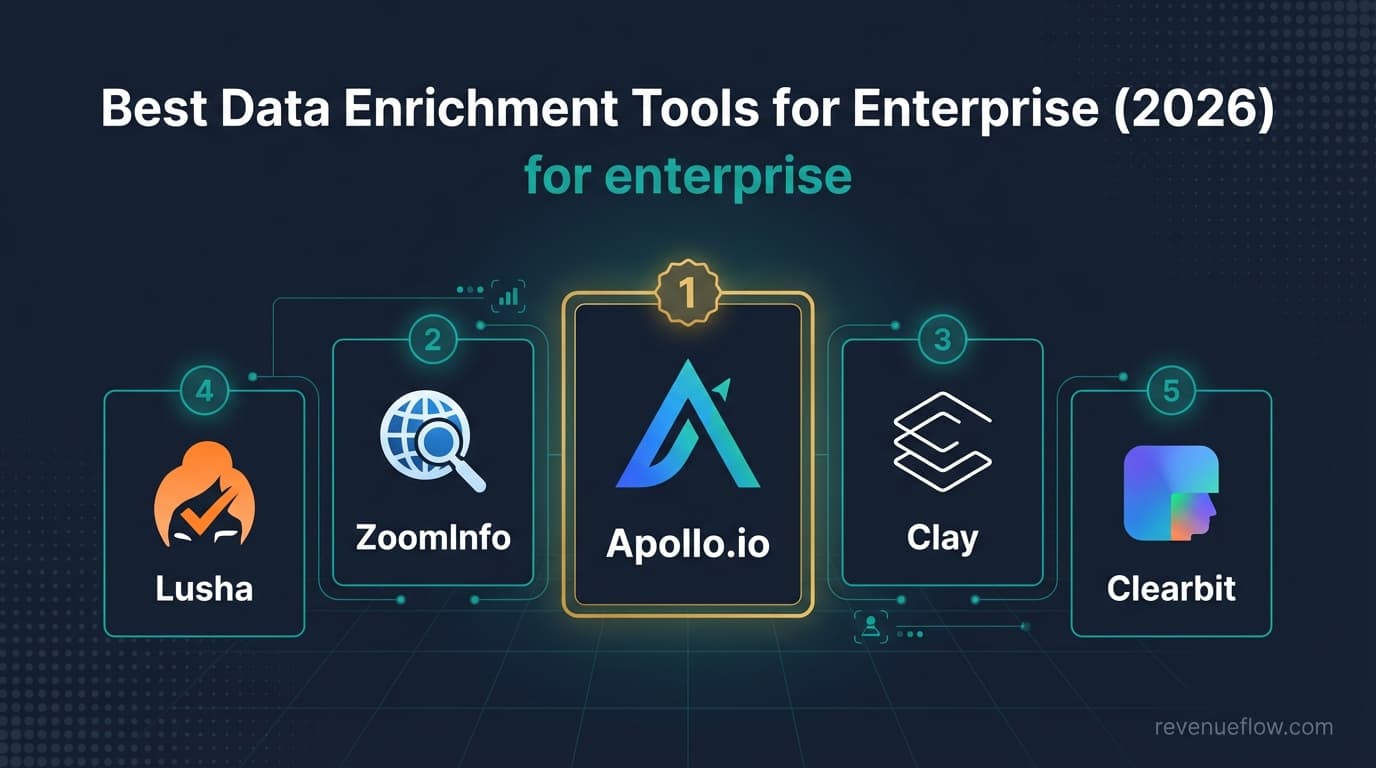
An enterprise data enrichment software comparison turns on procurement questions more than coverage. Of Clay, Apollo.io, UpLead, Lusha and LeadIQ, only Clay names SSO and role-based access on its pricing page; every vendor prices its enterprise tier by conversation. Start the security review, the API test and the CRM write-back approval in week one.
Key takeaways
- Only one of the five pricing pages, Clay's, names single sign-on and role-based access control (on its Enterprise tier); for the other four the security review is a questionnaire, so start it on the day the trial starts.
- Clay's rendered page lists Free with 500 actions a month, Launch at $167 a month, Growth at $446 and Enterprise on request; Apollo's lists Basic $49, Professional $79 and Organization $119 a seat with a 3-seat minimum.
- UpLead sells a 7-day trial rather than a free tier, then Essentials at $99 a month for 170 credits and Plus at $199 for 400; Lusha's yearly-billed ladder runs from $37.45 on Starter to $299.95 on Premium.
- LeadIQ's rendered pricing page offered every plan free for 30 days and showed no plan prices, so its ladder is carried unverified here and is a question for the vendor.
Reviewed and updated September 18, 2026
An enterprise team runs a six-month evaluation, picks the tool with the best coverage, and then spends another three months on a security review it could have started on day one. At this size the selection is a procurement exercise with a data question attached, and the order those two run in decides how long it takes. That is why an enterprise data enrichment software comparison has to start with the gating questions and only then reach the five tools priced below.
What Enterprise Teams Actually Need From Enrichment
Enterprise requirements are the ones a features comparison covers worst, because so few of them are features.
Security and access review, which comes first or costs months. Single sign-on, role-based access, audit logging, data residency and a current sub-processor list are gating requirements rather than preferences. None of the five vendors settles all of them on a public page, so they are procurement questions, and starting them in week one rather than month four is the single largest lever on how long the evaluation takes.
An API that supports the real volume. At enterprise scale enrichment is a pipeline rather than an interface: records flow in from the CRM, get enriched, and flow back. Rate limits, batch sizes and error handling decide whether that pipeline is maintainable, and they are documented rather than marketed.
Governance across many users. Who can pull data, how credits are allocated between teams, and what stops one team exhausting the pool matter more at 200 seats than any per-record accuracy difference.
Contractual answers, not published prices. Every vendor here has an enterprise tier priced by conversation, so the published pricing is not the price. What is negotiable, what the floor is, and what support commitment comes with it are the useful questions, since a named contact and a response-time undertaking are things only the enterprise tier carries.
Write-back that the CRM team will accept. Enrichment that degrades CRM data quality is worse than none, and the system-of-record owner has a veto for good reason.
Enterprise data enrichment software comparison
Five tools, compared on what an enterprise buyer actually gates on: what the entry price meters, what the enterprise tier lists, and whether the pricing page names single sign-on or role-based access. Every cell is read from the vendor's own pricing page today.
| Tool | Entry paid plan meters | Enterprise tier on the page | SSO or RBAC named on the pricing page |
|---|---|---|---|
| Clay | Launch $167 a month, actions and data credits | Custom, "Enterprise" | SSO and RBAC listed on Enterprise |
| Apollo.io | Basic $49 a seat, annual, 30,000 credits a seat a year | Organization $119 a seat, min 3 seats | Not on the plan cards |
| UpLead | Essentials $99 a month, 170 credits | Professional, annual billing only, custom seats and credits | Not on the plan cards |
| Lusha | Starter $37.45 a month yearly, 4,800 credits a year | Scale, custom credits and seats, advanced compliance | Credit allocation on Premium; SSO not named |
| LeadIQ | Not rendered in this read | Enterprise named in the navigation | Not readable |
One vendor, Clay, names the two access controls on its pricing page and four do not. That is not evidence the four lack them; it means the security review is a questionnaire for four of the five, which is the work to start in week one.
Top 5 Data Enrichment Tools for Enterprise

1. Clay
Data enrichment and workflow automation platform with 150+ integrations and AI-powered enrichment (Claygent).
From Clay's rendered pricing page: a Free plan with 500 actions a month and unlimited seats and tables, Launch at $167 a month, Growth at $446 a month, and an Enterprise tier priced on request that lists sign-in with SSO and role-based access control. A 14-day trial covers the paid plans. Cost above the entry points scales with actions and data credits rather than seats.
Integrations: Salesforce, HubSpot, Pipedrive, Close, Apollo.io, Clearbit, ZoomInfo, Lemlist (+6 more)
2. Lusha
B2B contact database with browser extension for LinkedIn prospecting, CSV enrichment, and intent signals.
From Lusha's rendered pricing page, billed yearly: Free with 40 credits a month, Starter at $37.45 a month for 4,800 credits a year, Pro at $52.45 for 7,200, Premium at $299.95 for 40,800 with credit allocation, and a Scale tier with custom credits and seats and advanced compliance, priced on request. The monthly-toggle rates were not rendered in this read; the $49.90, $69.90 and $399.90 figures the previous version carried are not on the page today.
Integrations: Gmail, Outlook, Salesforce, HubSpot, Outreach, Microsoft Dynamics 365, Pipedrive, SalesLoft (+4 more)
3. UpLead
B2B prospecting platform whose own site states a 95% data accuracy rate, real-time email verification, and 200M+ leads worldwide.
From UpLead's pricing page: a Test Drive free trial at $0 for 7 days with 5 credits, Essentials at $99 a month for 170 credits, Plus at $199 a month for 400 credits with suppression list uploads, and Professional on annual billing only with custom seats and credits. One credit unlocks one contact, and the page states a data accuracy rate of 95% for verified emails. There is no free tier, only the trial.
Integrations: Salesforce, HubSpot, Zoho CRM, Pipedrive, Microsoft Dynamics 365, Outreach, SalesLoft, Zapier
4. LeadIQ
B2B prospecting platform with AI-powered email personalization (Scribe), champion tracking, and one-click CRM capture.
Pricing carried UNVERIFIED. LeadIQ's pricing page, rendered for this update, reads "Try any plan free for 30 days" and names an Enterprise tier in its navigation, but its visible text carried no plan prices in the read this page is built from. The free-tier credit count and the Pro price the previous version quoted are therefore not restated; read the live page before budgeting.
Integrations: Salesforce, HubSpot, Outreach, SalesLoft, Gong, LinkedIn Sales Navigator, Gmail, Zapier
5. Apollo.io
All-in-one sales intelligence platform with 240M+ contacts, AI-powered campaigns, and built-in email sequencing.
From Apollo's rendered pricing page, per seat per month billed annually: Free at $0 with 900 credits a seat a year, Basic at $49 with 30,000 credits a seat a year, Professional at $79 with 48,000, and Organization at $119 with 72,000 and a minimum of 3 seats. Apollo's home page puts the database at 240M+ contacts and 30M+ accounts. The plan cards exist only in the rendered page; the static HTML carries no price.
Integrations: Salesforce, HubSpot, Outreach, SalesLoft, Marketo, SendGrid, LinkedIn
Reading the Roster: What Each Tool Is Actually For
The five tools above get compared as if they were interchangeable. They are not, and the differences matter more than the pricing table suggests.
Clay is a workflow platform rather than a database. It buys from 150+ providers, runs them in a waterfall so a miss at one provider falls through to the next, and lets an AI agent research whatever the providers leave blank. That is the most capable option here and the one with the steepest setup. Its pricing page lists a free plan, then Launch from $167/mo and Growth from $446/mo, with Enterprise custom, and above those entry points the cost scales with actions and data credits rather than seats.
Lusha is the browser-extension option: work a LinkedIn profile or a company page, reveal contacts, push them to the CRM. It suits people who prospect by hand and want the data where they already are. Its ladder is the yearly-billed one above, from $37.45 a month on Starter to $299.95 on Premium; the pricing page renders it in the browser rather than in the page source, so check the live page before budgeting on any figure quoted second-hand.
UpLead sells accuracy over volume. Its site states a 95% data accuracy rate and 200M+ leads, with real-time verification at the point of export, and its pricing page lists Essentials at $99/mo for 170 credits and Plus at $199/mo for 400 credits. Credit-metered pricing rewards a small, well-chosen list and punishes a scattergun one.
LeadIQ is built around the prospecting motion rather than bulk export: capture from LinkedIn into the CRM in one click, track when a known contact changes job, and draft outreach from what it found. Its rendered pricing page offers every plan free for 30 days and showed no plan prices in this read, so its ladder is a question for the vendor.
Apollo.io is the all-in-one: a 240M+ contact database with sequencing, dialer and analytics on top, and a free-forever Starter plan its own pricing FAQ confirms. Buying one subscription instead of three is the appeal, and the trade is that each layer is adequate rather than best in class.
Which of These Fits Enterprise
Clay is the most capable and the most demanding to review. A platform that fans requests across 150+ providers is a genuine data-governance question, and the right response is to ask it rather than to avoid the tool. Its pricing page lists an Enterprise tier at custom pricing, which is where any enterprise conversation would start anyway.
Apollo.io brings the broadest single-vendor footprint, with a 240M+ contact database plus sequencing, which appeals when vendor consolidation is itself a goal.
LeadIQ is the specialist worth adding rather than replacing anything: champion tracking across a large installed base is a use case the generalists do not cover.
UpLead suits a team that wants accuracy on a defined account list rather than reach, which is what many enterprise ABM programmes look like.
Lusha fits as a rep-level tool alongside a platform, not as the platform.
None of these five published SSO, data residency or audit-logging detail on the pages checked, so treat all of it as a question for the vendor.
Where Enrichment Stops
Enrichment tools fill in fields. That is genuinely useful and it is a narrower job than the category's marketing implies, so it is worth naming the boundary before the selection criteria.
They do not decide who is worth contacting. A tool that returns a verified address for every row on a badly chosen list has done its job perfectly and produced nothing, because the list was the problem. Enrichment quality and targeting quality are separate decisions, and the second one is where results actually move.
They do not make a message land. Merge fields are not personalisation, and a paragraph assembled from enriched attributes reads exactly like a paragraph assembled from enriched attributes. What earns a reply is a relevant offer, and no data provider supplies one.
They do not fix deliverability. A verified address means the mailbox exists, not that mail reaches it. Sender reputation, authentication and sending volume decide that, and they sit in a different part of the stack entirely.
And they are not a substitute for a defensible campaign structure. RevenueFlow sends one message per campaign, with no bump sequences and no thread replies, so re-contacting a non-replier is a fresh campaign rather than step two of a cadence. Under that structure the enrichment budget goes into getting the list right the first time rather than into finding more ways to touch the same people.
Choosing for Enterprise
Run procurement and evaluation in parallel. The most common enterprise failure is a technically excellent choice that cannot be approved. Send the security questionnaire on the day the trial starts.
Test the API, not the interface. At this scale a human will rarely touch the tool. Rate limits and error behaviour under real batch volume are what determine whether the integration survives.
Ask what the floor is. Every enterprise tier is negotiated, so the useful questions are the minimum commitment and what genuinely moves in a negotiation.
Model credit governance. Work out who allocates, who can exhaust the pool, and what happens when they do. At 200 seats this is a real operational question.
Get the CRM owner in early. They hold a veto over write-back, and finding that out late has killed more enrichment rollouts than coverage ever has.
Getting It Running Without Burning Credits
Every tool here meters something, so the first month is where the money goes wrong.
Start with a sample. Take 100 rows you know well, run them through the free tier or the trial, and check the results against reality rather than against the tool's own confidence score. Coverage varies enormously by segment, and a provider that is excellent on one population can be thin on the next. That check costs an afternoon and it is the only thing that tells you whether the tool works on your list.
Enrich late, not early. Pulling a full record for every company in a target market before anybody has decided who is worth contacting is the most common way a credit balance disappears. Qualify first, enrich the survivors.
Verify at the point of use. A record enriched six months ago is not a current record, and stale addresses turn into bounces, which cost deliverability rather than credits. Re-verify before a send rather than trusting the export date.
Then track cost per usable record instead of cost per credit. The credit price is the number on the pricing page; the number that matters is what you paid for each contact that turned out to be real, current and worth contacting.
Run them through the free tier or trial and check against reality, not the tool's confidence score.
Pulling a full record for every company in a market is how a credit balance disappears.
A record enriched six months ago is not a current record; stale addresses cost deliverability, not credits.
The credit price is the number on the page; the number that matters is what each real, current contact cost.
How This Comparison Was Put Together
Prices, plan names and capability claims come from each vendor's own pricing or product page, read on the day of writing and kept as a dated snapshot. Where a vendor's page no longer renders its prices, that is said rather than filled in from a third-party roundup, because a figure copied from another article is not a source.
No tool here was ranked by measured match rate or data accuracy, and nothing in this guide is presented as a test result. Enrichment coverage depends on the segment, the geography and the seniority of the people being looked up, so a league table built on somebody else's list would not predict yours. The only accuracy figure worth acting on is the one you measure on your own data.
The Short Version

Clay is the most capable platform here and the one whose provider fan-out most needs a governance answer, which is a reason to ask early rather than to avoid it. Apollo.io offers the broadest single-vendor footprint if consolidation is the goal. UpLead fits accuracy-first ABM on a defined account list, and LeadIQ is worth adding as a specialist for champion tracking across a large installed base.
The decision that actually sets your timeline is not on any comparison table. Start the security review, the API test and the CRM write-back conversation in week one, because in an enterprise evaluation those three, not coverage, are what take the quarter.
Related Reading
- Best Apollo.io Alternatives in 2026
- Best ZoomInfo Alternatives in 2026
- Best Lemlist Alternatives in 2026
If you would rather have this run for you, RevenueFlow books qualified meetings on a pay-per-meeting basis and publishes client results.
Pricing and features are taken from the vendors' own pages. Verify current terms with the vendor before relying on them.
Frequently asked questions.
Frequently asked questions- Which data enrichment tool is best for enterprise?
- The one that clears procurement first. Clay is the most capable and the only one of the five whose pricing page names SSO and role-based access, on its Enterprise tier; Apollo.io brings the broadest single-vendor footprint at 240M+ contacts; UpLead suits accuracy-first ABM on a defined list; LeadIQ is a specialist for champion tracking; Lusha fits as a rep-level tool beside a platform rather than as the platform.
- How do enterprise data enrichment tools compare on price?
- Published entry prices are not the enterprise price, since every vendor here quotes the enterprise tier by conversation. For scale: Clay Launch is $167 a month and Growth $446; Apollo Organization is $119 a seat a month billed annually with a 3-seat minimum; UpLead Plus is $199 a month for 400 credits; Lusha Premium is $299.95 a month billed yearly for 40,800 credits; LeadIQ's rendered page showed no plan prices.
- What should an enterprise security review ask a data enrichment vendor?
- Single sign-on and role-based access, confirmed in writing rather than assumed. Data residency and retention terms your reviewers accept. A published, current sub-processor list, which matters most for a platform like Clay that fans requests across 150+ providers. API rate limits and batch behaviour documented rather than described. And the CRM owner's written approval of the write-back schema, because that veto has killed more rollouts than coverage has.
- How do enterprise teams avoid burning enrichment credits?
- Sample first: run 100 rows you know well through the trial and check them against reality. Qualify before enriching, so credits go to survivors rather than to every company in a market. Re-verify at the point of use, because a record enriched six months ago costs deliverability if it bounces. Then track cost per usable record instead of cost per credit, since the credit price is the page's number and the usable-record price is yours.
About the author.

B2B cold email experts helping companies generate qualified leads through done-for-you outreach campaigns.
RevenueFlow Team
Explore more.
Ready to scale your outreach?
We build GTM engines that book real meetings. See the receipts.
Related articles.
Seamless.AI Email Finder: How It Works, What a Credit Buys
How Seamless.AI's email finder resolves a contact in real time, what one Universal Credit buys, the Total AI score on every address, and what the Chrome extension reads.
Is Clay Free? The Free Plan, the Trial and Where Each Stops
Clay's free plan, its 14-day trial and the no-charge-on-a-miss rule are three different things. What each holds and where it stops, from clay.com on 19 September 2026.
Snitcher Pricing: The $49 Table Is the Annual Rate
Snitcher's visible price table is the annual-billing ladder. The ten bands at both billing states, the unique-company meter, and the rules on a help page.
Firmographic Data Providers: What Six of Them Publish
Six firmographic data providers read from their own pages: the fields each sells, the coverage each states, how the data is delivered, and who prints a price.
Apollo Integrations: What Connects, and on Which Plan
Apollo's integrations marketplace sorted by job: what its own pages say each CRM sync moves, which plan ticks which integration, and what a sync costs.
Autobound Pricing: One-Time Credit Packs, Not Seats
Autobound's pricing page sells one-time credit packs for a signal data API, not seats. The six packs, the per-endpoint meter, and what a company costs.