Best Email Warmup Tools for FinTech (2026)
The five email warmup tools worth comparing for FinTech in 2026, with prices read off each vendor's own pricing page and an honest read on fit.
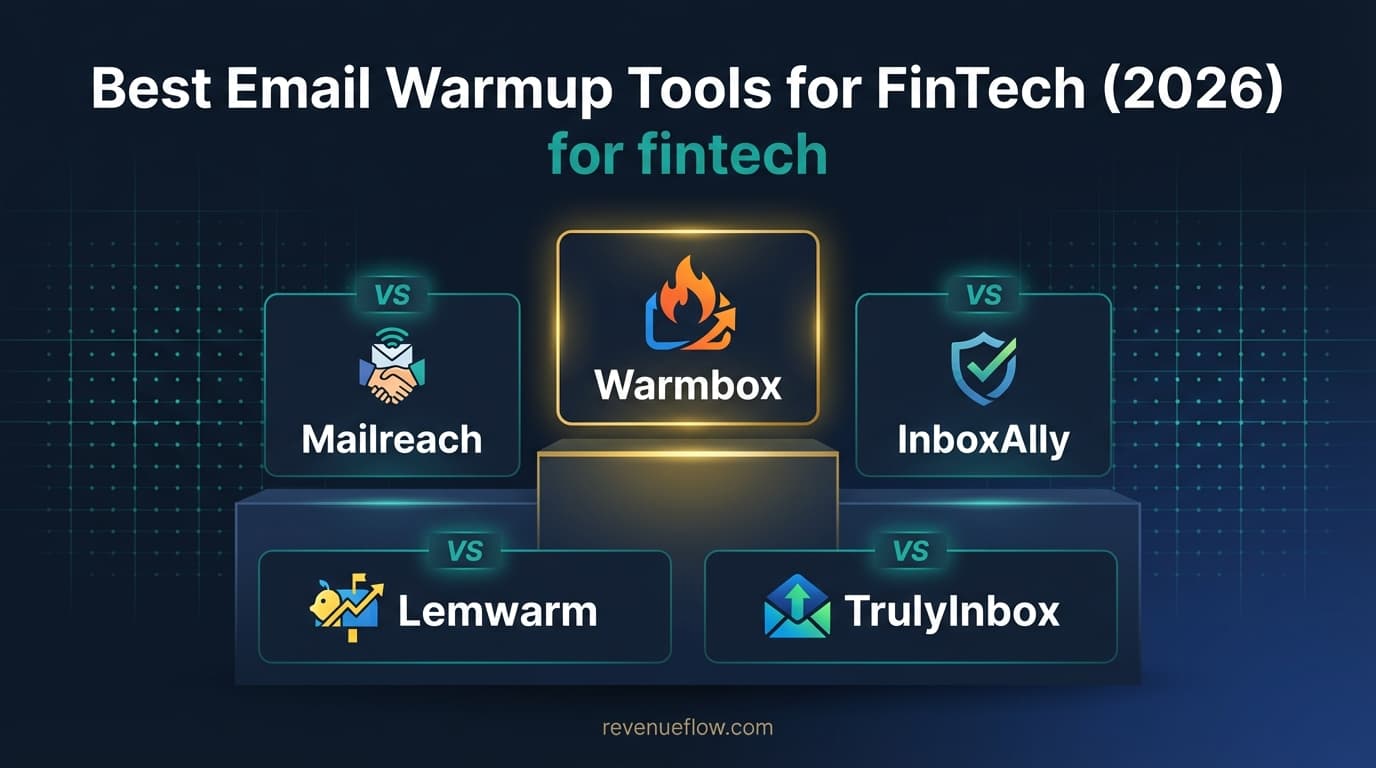
The best email warmup tools for FinTech in 2026 are TrulyInbox, Mailreach, InboxAlly, Lemwarm and Warmbox. TrulyInbox publishes a free plan and then $29/mo, Warmbox starts at $15 a month yearly, Mailreach charges $19.5 per mailbox, and InboxAlly starts at $149. For fintech, the deciding factor is sending history against regulated gateways.
Key takeaways
- Financial services filtering treats an unknown domain as guilty until it has history, so warmup lead time and a multi-domain spread matter more than any feature on a comparison page.
- The five tools bill on five different units: warmup emails per day (TrulyInbox), per mailbox (Mailreach), seed emails and sender profiles (InboxAlly), per email address (Lemwarm) and a fixed inbox cap (Warmbox).
- TrulyInbox publishes a free forever plan for 1 account at 10 warmup emails/day, then $29/mo paid monthly, and connects unlimited accounts on every paid plan.
- Warmbox Solo is published at $15 /month on yearly billing for 1 inbox warm-up, and Mailreach publishes $19.5 / mailbox Per Month, so the cheaper option flips as soon as inbox count rises.
Reviewed and updated August 28, 2026
Best Email Warmup Tools for FinTech (2026)
Banks, insurers and payment companies run mail security that treats an unknown sending domain as guilty until it has a history. For a fintech selling into them, warmup is not a marginal optimisation. It is the difference between a campaign that gets read and one that is quarantined without ever producing a bounce you can diagnose.
What FinTech Companies Need
- Regulatory compliance
- Data security
- Domains kept away from customer and regulator mail
Sending history is the whole lever. Financial services gateways weight domain age and consistent volume heavily, so the only thing that improves placement before a campaign is weeks of sustained, legitimate-looking traffic. That is precisely what the tools here sell, and it is why this category matters more to fintech outbound than the sending platform does.
Volume architecture is the second demand. Reaching filtered recipients safely means spreading sends across several domains rather than pushing one hard, which turns warmup into a multi-domain problem. The pricing unit then decides the bill: per-mailbox charging multiplies with the architecture, and volume charging does not.
Third, mailbox access is a security question. A warmup tool authenticates directly into an inbox, so for a company that will face a vendor security review, what the tool stores and where is a contract term worth settling before a trial rather than after one.
FinTech Compliance Considerations
Financial regulation applies to the markets you sell into rather than to a warmup tool, and no vendor here markets itself as a compliance product. The rules that constrain outbound are settled before a list is built, not configured in this stack.
Two things do land on this category. Warmup tools authenticate directly into a mailbox, so data storage, processing location and retention are contract terms worth settling before a security review rather than after one. And warmup traffic is mail your own domain sends, so it belongs exclusively on domains that carry no customer, counterparty or regulator correspondence. Sensitive financial data has no place anywhere in this stack, and a prospecting programme built on business contact details never needs it there.
How This Guide Was Put Together
Every price, plan name, inbox cap and volume limit here was read off the vendor's own pricing page, from a dated snapshot taken while the guide was written, and each figure is attributed to the page it came from rather than to the vendor in general. Where a figure comes from a different surface, the text says so.
No lab test sits behind this. Nobody here ran a controlled warmup across five platforms, so the guide makes no claim about which tool produces the best inbox placement. What it does judge is the pricing model, the capacity limits, and which shape of sending operation each set of published plans was drawn for.
Top 5 Email Warmup Tools for FinTech

- Unlimited email accounts on every paid plan
- Priced on warmup emails per day, not inboxes
- Reply rate rising from 25% to 65% by tier
- and 5 more listed below
- Smart AI warming algorithm with dozens of parameters
- 20 spam test credits included with the warmer
- Blacklist, SPF, DKIM and DMARC monitoring
- and 5 more listed below
- Real seed-inbox engagement rather than a peer network
- 100 to 1,000 seed emails a day by tier
- 10-day free trial with no card
- and 5 more listed below
1. TrulyInbox
Warmup platform priced on the emails you send rather than the accounts you connect, with adaptive sending patterns, AI-written warmup content and per-mailbox scoring.
From the TrulyInbox pricing page: free forever for 1 account at 10 warmup emails/day, up to $479/mo paid monthly on Scale Plus, above which the plan is quoted as Custom.
| Plan (TrulyInbox pricing page) | Billed annually | Paid monthly | Warmup emails/day | Reply rate |
|---|---|---|---|---|
| Free | Free forever, 1 account | Free | 10 | |
| Starter | $22/mo, $264/year | $29/mo | 200 | up to 25% |
| Growth | $84/mo, $1,008/year | $99/mo | 1,000 | up to 45% |
| Scale | $169/mo, $2,028/year | $199/mo | 3,000 | up to 60% |
| Scale Plus | $407/mo, $4,884/year | $479/mo | 5,000 | 65% |
Two things there matter more than the prices. It states Unlimited Accounts on every paid plan, describing its model as pay for emails sent, not accounts connected, the opposite of how the rest of this list bills. And it publishes the sizing rule: warmup runs on a 2:1 ratio, two warmup emails per cold email, ongoing. That is the number to take away whichever tool you buy.
Key Features:
- Unlimited email account connections on all paid plans
- Customizable email ramp-up schedules
- AI adaptive warmup strategy
- Human-like email interaction simulation
Integrations: Gmail, Google Workspace, Outlook, Microsoft 365, Zoho Mail, SMTP, Yahoo Mail
Best fit for the multi-domain architecture fintech outbound needs, since its page connects unlimited accounts and prices on warmup emails per day, so spreading volume across domains does not multiply the bill.
2. Mailreach
Warmup and deliverability platform that drives positive engagement signals with a multi-parameter algorithm, bundled with spam testing and DNS monitoring.
From the Mailreach pricing page: $19.5 per mailbox, per month, and above 100 mailboxes that page stops naming a number and quotes custom pricing.
| Mailreach pricing page | Published figure |
|---|---|
| Warmup rate | $19.5 / mailbox Per Month |
| Annual billing | Save 20% |
| Mailbox slider | 1, 20, 40, 60, 80, 100+ |
| Included with the warmer | 20 spam test credits |
| Sending ceiling | Up to 100 emails per day |
That page is a calculator rather than a plan ladder, so its running totals depend on where the sliders sit and no single price is what a visitor always sees. The per-mailbox rate survives every slider position, which is why it is the figure quoted here.
Key Features:
- Smart AI warming algorithm with dozens of parameters
- Automated spam testing with 20+ credits included
- MailReach Co-Pilot AI deliverability assistant
- Blacklist, SPF, DKIM, and DMARC monitoring
Integrations: Gmail, Google Workspace, Outlook, Microsoft 365, Zoho, SMTP, Mailgun, SendGrid (+1 more)
The bundled spam testing plus blacklist, SPF, DKIM and DMARC monitoring maps directly onto what financial services filtering actually checks. At the published $19.5 per mailbox the cost rises with the domain spread rather than staying flat.
3. InboxAlly
Deliverability platform that trains inbox placement using its own seed inboxes, which open, read and reply to your mail rather than exchanging it with other senders.
From the InboxAlly pricing page: $149 / month billed monthly, up to $1,190 / month on Premium, with Enterprise quoted as Contact us.
| Plan (InboxAlly pricing page) | Price | Seed emails per day | Sender profiles |
|---|---|---|---|
| Starter | $149 / month | 100 | 1 |
| Plus | $645 / month | 500 | 5 |
| Premium | $1,190 / month | 1,000 | 10 |
| Enterprise | Contact us | Custom volume | Unlimited |
That page publishes no annual discount, prices everything billed monthly, and offers a free trial of 10 days with no credit card required. The seed model explains the price gap: you are buying inboxes the vendor controls rather than a slot in a peer network.
Key Features:
- Real seed email engagement (opens, replies, scroll depth)
- SmartRank optimization with per-ISP reputation scoring
- Inbox simulation mimicking genuine user behavior
- Custom content control for warmup emails
Integrations: Gmail, Google Workspace, Outlook, Microsoft 365, SendGrid, Mailgun, Amazon SES, SMTP (+1 more)
Its seed-inbox mechanism is the strongest available answer when a domain is already being quarantined by a regulated recipient, which is a real scenario here. Its pricing page starts at $149 / month for 1 sender profile, which is remediation pricing rather than routine.
4. Lemwarm
Warmup tool from lemlist that builds sender reputation across a network of real inboxes, with a technical setup check and a daily deliverability score.
From the Lemwarm pricing page: $24 per email address per month yearly or $29 monthly, up to $40 yearly or $49 monthly, above which teams of more than 10 users are quoted Custom.
| Plan (Lemwarm pricing page) | Yearly | Monthly | Priced per |
|---|---|---|---|
| Essential Plan | $24 | $29 | PER EMAIL /month |
| Smart Plan | $40 | $49 | PER EMAIL /month |
| Custom | Contact sales | Contact sales | More than 10 users |
The per-address unit is the detail to carry into a budget, because those figures read like a team price and are not. That page also offers Quarterly billing at Save 10% against Yearly at Save 20%, and states that every lemlist plan includes lemwarm, so check what you already own before buying separately. Lemwarm's homepage sizes the warm-up network at 20,000+ healthy domains in 100+ countries.
Key Features:
- Automatic email warm-up with human warm-up emails
- Warm-up network of 20k+ healthy domains
- Warm-up network tailored to your industry
- Technical setup check and deliverability reports
Integrations: Gmail, Google Workspace, Outlook, Microsoft 365, SMTP, lemlist (native), HubSpot (via lemlist), Salesforce (via lemlist) (+1 more)
The technical setup check is worth having in a sector where authentication failures are fatal. The PER EMAIL /month unit works against a wide domain spread, so it suits a fintech with a small concentrated sending footprint.
5. Warmbox
Warmup tool with fixed plans, customizable recipes, spam-score monitoring and a reporting dashboard, covering a wide spread of mailbox providers.
From the Warmbox pricing page: $15 /month on yearly billing or $19 /month monthly, up to $139 /month yearly or $159 /month monthly, above which Team plans are quoted Contact Us.
| Plan (Warmbox pricing page) | Yearly billing | Monthly billing | Inboxes | Emails/day | Members |
|---|---|---|---|---|---|
| Solo | $15 /month | $19 /month | 1 inbox warm-up | 50 emails/day | 1 |
| Start-up | $69 /month | $79 /month | 3 inbox warm-up | 250 emails/day | 3 |
| Growth | $139 /month | $159 /month | 6 inbox warm-up | 500 emails/day | 6 |
| Team | Contact Us | Contact Us | Custom | Custom | Custom |
The inbox cap decides whether Warmbox is cheap or unusable for you: Growth is the largest named plan on that page and covers 6 inboxes. A team running more than that is into Contact Us territory whatever the headline suggests, which is a very different position from the tools here that connect unlimited accounts.
Key Features:
- Automated email warm-up with AI-powered interactions
- Customizable warmup recipes and strategies
- Spam score monitoring and blacklist checks
- Real-time analytics and reporting dashboard
Integrations: Gmail, Google Workspace, Outlook, Microsoft 365, Yahoo Mail, Amazon SES, SMTP, Zoho Mail
Its named plans stop at 6 inbox warm-up, which is below what a serious fintech outbound architecture usually needs. Fine for an early team running a couple of domains.
The Five Tools Price on Five Different Units
Comparing headline prices across warmup tools is close to meaningless, because no two of these five charge for the same thing.
| What you are actually billed for (from each vendor's pricing page) | Tool |
|---|---|
| Warmup emails sent per day, with unlimited accounts connected | TrulyInbox |
| Each mailbox warmed, per month | Mailreach |
| Seed emails per day and sender profiles | InboxAlly |
| Each email address, per month | Lemwarm |
| A plan with a fixed inbox cap | Warmbox |
A team with 40 inboxes sending lightly is cheapest on the tool that ignores inbox count; the same team sending hard is cheapest on the one that ignores volume. Work out both numbers before comparing any prices.
Comparison Table
| Tool (figures from its own pricing page) | Entry price | Free option |
|---|---|---|
| TrulyInbox | Free, then $29/mo monthly | Free forever, 1 account |
| Mailreach | $19.5 / mailbox Per Month | No |
| InboxAlly | $149 / month | 10-day free trial |
| Lemwarm | $24 yearly, $29 monthly | No |
| Warmbox | $15 /month yearly, $19 monthly | No |
Recommendation by Budget

Starting at nothing. The TrulyInbox pricing page publishes a free forever plan for 1 account at 10 warmup emails/day, the only ongoing free plan on this list.
The cheapest paid tiers. Warmbox Solo is published at $15 /month yearly and $19 /month monthly for 1 inbox warm-up; Lemwarm Essential Plan at $24 yearly and $29 monthly PER EMAIL /month; TrulyInbox Starter at $22/mo annually and $29/mo monthly for 200 warmup emails/day across unlimited accounts.
The middle, where the unit bites. Mailreach publishes $19.5 / mailbox Per Month, so ten mailboxes costs roughly ten times one, while TrulyInbox Growth is published at $84/mo annually and $99/mo monthly for 1,000 warmup emails/day whatever the inbox count. Those two diverge in opposite directions as a team grows.
The upper published tiers. InboxAlly starts at $149 / month for 100 seed emails per day, with $645 and $1,190 named above it, and TrulyInbox Scale is published at $169/mo annually and $199/mo monthly.
How to Choose for FinTech
Does the price scale with domains or with volume? Fintech deliverability requires spreading across domains, so a per-mailbox unit is charging you for doing the right thing.
Does it monitor authentication and blacklists? These are what regulated recipients actually check, and monitoring them is more valuable than a warmup dashboard.
What does the vendor store, and where? A warmup tool holds mailbox access. That is a security-review question, and it is easier to answer before a trial than during one.
Is spam testing included? Silent quarantine is the failure mode in this sector, so a placement test is the only pre-send feedback available.
How long is the runway? Financial services gateways reward sustained history. Plan the warmup period before planning the campaign date.
Warming Without Wasting the Month
- Step 1Separate domains
Buy outbound domains that carry no client, product or transactional mail, and attach only those
- Step 2Authenticate
Fix SPF, DKIM and DMARC first, because warmup cannot compensate for a domain that fails them
- Step 3Warm at low volume
Weeks of steady sending history at the published 2:1 ratio, two warmup emails per cold email
- Step 4Send, still warming
Keep the warmup running once campaigns start, and send one message per campaign
Design the domain spread first and warm all of it in parallel. A fintech programme concentrated on one domain will be filtered no matter how carefully it is warmed, and adding domains later restarts the clock on each new one.
Measure by replies rather than opens once live. Open tracking is unreliable against the security tooling used across financial services, so a campaign showing low opens and normal replies is usually healthy while the reverse is usually not.
Send one message per campaign. A compliance or operations lead at a regulated firm reads a second email as pressure, and complaints in this sector travel further than the marginal reply is worth.
Where the Tool Stops Mattering
Warmup improves placement and changes nothing else. It cannot make a regulated buyer want the product, and it cannot survive an authentication failure, so fix SPF, DKIM and DMARC before spending anything here.
The second limit is timing. FinTech buying clusters around audits, renewals and mandates, and knowing when those fall is a data purchase. A perfectly warmed domain sending in the wrong quarter is still sending in the wrong quarter.
Final Thoughts

Multi-domain architecture with a flat bill: TrulyInbox. Authentication and blacklist monitoring bundled: Mailreach. A domain already quarantined by a regulated recipient: InboxAlly. Setup checking with lemlist already in place: Lemwarm. An early team on a couple of domains: Warmbox.
Related Reading
- Best Lemlist Alternatives in 2026
- Best Mailreach Alternatives in 2026
- Best Warmbox Alternatives in 2026
- Best TrulyInbox Alternatives in 2026
- Best InboxAlly Alternatives in 2026
- Email sending tools for fintech teams
If you would rather have this run for you, RevenueFlow books qualified meetings on a pay-per-meeting basis and publishes client results.
Pricing and features are taken from the vendors' own pages. Verify current terms with the vendor before relying on them.
Frequently asked questions.
Frequently asked questions- Do warmup tools help with financial services deliverability?
- They are the main lever available. Banks and insurers weight domain age and consistent sending volume heavily, and warmup is what builds both before a campaign exists. What it cannot do is compensate for SPF, DKIM or DMARC failures, which are free to fix and gate everything else, so authenticate first and warm second.
- What should a fintech ask a warmup vendor before buying?
- Where data is stored and processed, how long it is retained, and who at the vendor can reach a connected mailbox. Warmup tools authenticate directly into inboxes rather than receiving an upload, so this is a security-review question and it is far easier to answer before a trial than during one.
- How long does email warmup actually take?
- Longer than any signup flow suggests. The software connects a mailbox in minutes, and the sending history it then builds is measured in weeks, which is why the domains should be bought and warming before the list and the copy are ready. No plan tier shortens that, because what you are buying is time rather than throughput.
- How much warmup volume do I need?
- TrulyInbox publishes the sizing rule on its pricing page: warmup runs on a 2:1 ratio, two warmup emails for every one cold email, every day and ongoing. Multiply your intended daily cold sends per mailbox by two, add up across inboxes, and buy the plan covering that daily total rather than an average.
About the author.

B2B cold email experts helping companies generate qualified leads through done-for-you outreach campaigns.
RevenueFlow Team
Explore more.
Ready to scale your outreach?
We build GTM engines that book real meetings. See the receipts.
Related articles.
PlusVibe Pricing: Three Tiers and a Credit Slider
PlusVibe publishes its whole ladder, monthly and annual, with an enrichment credit slider on every tier. The entry figure is the lowest step, not the price.
Best Time to Cold Call: What the Studies Counted
The best time to cold call figures traced to their originals: one inbound study from six companies, three vendor call datasets, and what survives the read.
Best Time to Send a Sales Email: What Was Measured
The send time studies behind the midweek morning answer, what each one actually counted, and why a broadcast finding does not transfer to a sales email.
Is Clay Free? The Free Plan, the Trial and Where Each Stops
Clay's free plan, its 14-day trial and the no-charge-on-a-miss rule are three different things. What each holds and where it stops, from clay.com on 19 September 2026.
Video Prospecting Tools by Job: What Each One Is For
Ten video prospecting tools sorted by the job each vendor's own page describes: record and share, personalise at volume, avatars, hosting and interactive demos.
Seamless.AI Email Finder: How It Works, What a Credit Buys
How Seamless.AI's email finder resolves a contact in real time, what one Universal Credit buys, the Total AI score on every address, and what the Chrome extension reads.