BriteVerify API: Rate Limits and the Browser Key Trap
The BriteVerify API splits into a client side key on a public path and a server side key on a private one. Endpoints, rate limits, and how to read a risky verdict.

The BriteVerify API documentation is a Postman collection at docs.briteverify.com. Real time verification runs on bpi.briteverify.com with a client-side key on a public path or a server-side key on a private one, at 500 verifications per key per minute; client-side keys add 25 per IP per minute.
Key takeaways
- Choose the key type at creation: a client-side key posts to /api/public/v4/fullverify and belongs in a browser, a server-side key posts to /api/v4/fullverify and never does.
- Real time keys allow 500 verifications per minute, client-side keys add 25 per client IP per minute, and bulk averages 4,000 a minute; above a limit the API returns 429.
- Branch on status_detail, not status: mailbox_full and temporary_error retry later, disposable and not_enough_data are rejected, blocked is kept and monitored.
- Bulk lists do not start until you send the start directive; export every page, reconcile counts, then delete. Credits read from /api/v4/accounts/credits on either host.
Reviewed and updated September 19, 2026
The BriteVerify API documentation is published by Validity as a Postman collection at docs.briteverify.com. It covers a real time host for single verifications of email, phone and US or Canadian postal addresses, a bulk host for list jobs, a key type chosen when the key is created, and published limits of 500 verifications per key per minute.
Two BriteVerify verification endpoints differ by one path segment. One is /api/v4/fullverify and takes a server side key. The other is /api/public/v4/fullverify and takes a client side key. Both live on the same host, both take the same body, both return the same shape, and the choice between them is the single most consequential decision on the integration, because getting it wrong puts a working credential into a JavaScript bundle that any visitor can read.
Everything below comes from the BriteVerify API documentation, which is published as a Postman collection and is the only first-party source in this area that returns readable content to a fetch. Where a figure is not in those bytes, this guide says so rather than borrowing one from a competitor's review page.
The BriteVerify API Documentation: Two Key Types, and What Leaks When You Pick Wrong
The documentation's setup instructions ask you to choose a key type at the moment you generate the key: select Client-side for keys used in a client-side, meaning browser, implementation, and otherwise select Server-side. The two types then post to different paths on the same real time host, bpi.briteverify.com. A client side key posts to /api/public/v4/fullverify. A server side key posts to /api/v4/fullverify.
Auth is a header rather than a bearer token, and the format catches people out. Both endpoints take Authorization: ApiKey: {your_key}, with the literal string ApiKey: inside the header value, followed by the key. A request that sends the raw key with no prefix, or that uses a Bearer scheme out of habit, returns 401 rather than a helpful error.
The consequence of shipping the wrong key type into a browser is spelled out in the documentation's own security guidance. API keys "are sensitive and should be handled as passwords, since they provide access account data as well as the ability to perform verifications". A server side key in front-end code is readable by anybody who opens developer tools, and it can be replayed from anywhere to burn your verification credits and read your account. The recovery path is deactivation, and the documentation is blunt that deactivating a key "cannot be undone", so the fix is generate, replace in code, deactivate, in that order.
The rate limit design confirms the intent, and this is the part worth understanding rather than memorising. Client side keys carry an extra constraint of 25 verifications per client IP address per minute, which server side keys do not have. That per-visitor ceiling is what makes a public key tolerable in a browser: one abusive visitor is throttled at 25 a minute rather than being handed the whole account. A server side key pasted into the same form has no per-IP protection at all, so the throttle that was supposed to contain the blast radius simply is not there.
The Salesloft API guide explains how a shared team-wide rate limit governs every integration rather than any single app's calls.
The practical rule: if the verification call is fired by a form in a page, use a client side key and the public path, and treat that key as public. If the call is fired by your own server, your CRM middleware or a batch job, use a server side key and keep it in the same place you keep database credentials.
The published limits, and what they imply for job design

Throughput is governed by four published figures, and they split cleanly between the real time path and the bulk path.
Exceeding a limit returns HTTP 429, and the documentation asks integrating applications to be built so they avoid reaching the throttle rather than to rely on retries. That is the right instinct: a fixed per minute window means an immediate retry lands in the same exhausted window and simply consumes another rejection. Back off, and put a queue in front of any job that can generate bursts.
The 25 per IP ceiling has a design implication that catches real forms. A validation-on-keystroke or validation-on-blur pattern can fire many calls for one person filling in one field. A field that revalidates on every blur can plausibly fire a dozen calls while one person corrects a typo, half the per-IP allowance for a single form fill; that figure is illustrative, not measured. Debounce the field, validate once on submit or once when the field settles, and cache the verdict for the address string you already checked.
On the bulk side the constraints are shaped differently. A bulk job takes up to 100,000 emails per page and up to 1,000,000 email addresses per job, described in the documentation as 20 pages of 50,000. Throughput is the vendor's problem at that point rather than yours, so the engineering question moves from rate limiting to job state handling.
One request, three data types, two countries
fullverify is one endpoint for three kinds of data. The request body accepts an email, a phone and an address object, and the documentation states you must provide at least one of them and may include one, two or all three depending on the use case. There is an include_county query parameter on the documented calls for the address side.
Two things follow. First, send only the fields you need; a request is not obliged to carry all three. Second, and this constrains architecture rather than code, the documentation states that phone number and mailing address verification are available for the United States and Canada only at this time. A form serving a global audience gets email verification everywhere and phone and address verification for part of its traffic, so the front-end has to degrade rather than assume.
That three-in-one scope is unusual for an email verification API, and it is worth knowing before you compare BriteVerify against a pure email verifier on price, since you may be paying for surface area you never call. The comparison of email verification tools covers what the email-only vendors charge.
Branch on status_detail, never on status
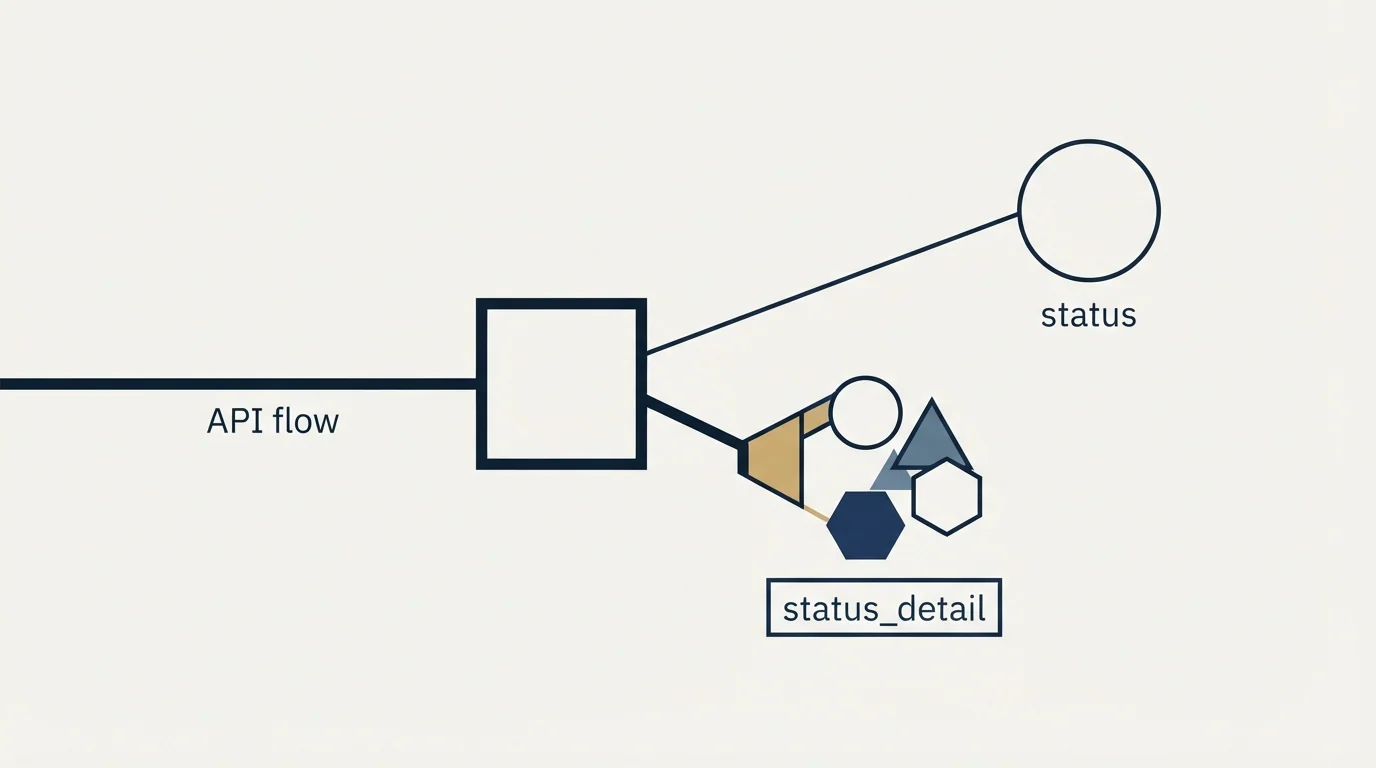
The email response carries a status field with three possible values: valid, invalid and risky. The first two behave as you would expect. The third is where integrations go wrong, because risky is a bucket rather than a verdict.
The documentation defines risky as covering addresses that "may be valid, but certain conditions suggest potential delivery issues or poor performance", explicitly including "addresses associated with full inboxes, disposable or role-based accounts, or domains that return uncertain responses". The reason is returned separately in status_detail, and those reasons need opposite handling:
mailbox_fullis temporary. The documentation states that sending to it "will generate a soft bounce", so the address is real and the right action is to hold and retry later. Treat it the way you would treat any other soft bounce.temporary_errormeans the provider returned a temporary failure, and the documentation says to validate again later. This one is genuinely retryable and should go back in the queue rather than into a suppression list.disposableis permanent and structural. A disposable address will self-destruct, so it should be rejected at the form and never enter the database.role address, returned as an enrichment attribute rather than a status detail, flags generic mailboxes such as info@ and support@. Whether a role based address is acceptable depends entirely on what you are sending.blockedmeans the provider refused the check without saying why. The documentation's advice is to keep those addresses and monitor delivery closely.not_enough_datameans the domain never returned the expected response, and here the documentation's advice inverts: exclude the address, since it is likely invalid.
An integration that collapses all six of those into "risky, do not use" throws away deliverable contacts on mailbox_full and blocked. One that collapses them into "risky, send anyway" mails disposable addresses. Neither error shows up in a happy-path test, and both look like the integration working.
The response also carries enrichment attributes describing the address rather than judging it: freemail, education, government, military, alias for plus-addressing, typo, corrected and duplicated, which flags an address that already appeared earlier in the same request. And if typo correction is enabled on the account, an invalid result can return corrected_email, corrected_email_status and corrected_email_status_detail, which is the one place the API will hand you a better address than the one you sent.
Phone and address responses use a shorter vocabulary of valid, invalid and unknown, with the reason in an errors object. The address error codes are the operationally interesting ones, because most of them are recoverable at the form: suite_missing, street_number_missing and missing_minimum_inputs all describe an incomplete submission rather than a bad address, so the correct response is to ask the person for one more field.
The bulk path is a job, not a request

Bulk verification runs on a separate host, bulk-api.briteverify.com, with its own list lifecycle. The one behaviour that surprises people is that creating a list does not start it.
Credits are readable from both hosts at the same path, /api/v4/accounts/credits, on bpi.briteverify.com for the real time side and on bulk-api.briteverify.com for bulk. The host, not the path, decides which balance you read, so name the base URL explicitly when both calls sit in the same file. Both return the balance plus credits held in reserve for list uploads currently processing, which is the number that matters if you are gating a large job on available budget. The general habit from operating any metered API applies here too, and the Apollo API guide covers it in more depth: meter a job by its own consumption rather than by the account-wide counter, because a shared account inherits every other job's usage.
What the prebuilt integrations actually remove
BriteVerify is listed as an integration by several sending and automation platforms, and it is worth being precise about what those integrations do, because the word covers two very different things.
Twilio SendGrid publishes its own account of the flow, and it is a batch list clean driven from the BriteVerify user interface. You open the BriteVerify app, click Verify New List and select SendGrid, then paste in a SendGrid API key created with restricted access carrying read on Email Activity, read on Stats, full on Suppressions and full on Marketing Campaigns. A toggle removes risky results from the final list, and when the run finishes BriteVerify "transfers the cleaned list directly to your SendGrid account". That is documented by SendGrid, and it is a real time saver for one specific job.
What it does not do is any of the work described above. It does not verify at the point of collection, it does not give you a status detail branch, it does not decide your retry policy, and it does not manage a key. If your requirement is a clean contact list inside one platform, a prebuilt integration removes the plumbing. If your requirement is that bad data never enters the system in the first place, you are writing the API integration regardless, and the platform connector is orthogonal to it. The same distinction applies to any sending platform's connector list, including the ones described in the Smartlead API guide.
What is not published, and where it was checked
Three things that a developer reasonably wants are not in the first-party bytes.
Credit cost per verification type is not stated in the API documentation. The documentation confirms the model is credit based, since it publishes credits endpoints returning a balance and a reserve, but not what an email check, a phone check or an address check each consume. Validity does not publish a rate card on any surface that returns a page, so that number comes from a sales conversation.
Unlike BriteVerify's opaque credit pricing, Cognism publishes clear endpoint boundaries, detailed in what Cognism's API can automate, showing credits fund search, redeem and enrich but never webhooks or CRM sync.
The knowledge base article on public keys, which the API documentation itself links as the fuller explanation of client side verification, sits on knowledge.validity.com and is served as a JavaScript-rendered help centre. A fetch returns HTTP 200 with a few hundred kilobytes of script shell and a generic title, and the article text is not in the bytes at all, so it could not be quoted here. Read it in a browser.
Two Validity addresses that would be the natural home for integration and real time documentation, validity.com/briteverify/real-time-verification/ and validity.com/briteverify/integrations/, now redirect to Validity's Contact Data Quality page, which is where the capabilities are described alongside the API collection.
One thing the documentation makes clear enough to act on: no verification API can confirm a mailbox on an accept-all domain, which is why BriteVerify returns those as risky rather than as valid. If your list is heavy with enterprise domains, the verification step is not the part of your stack that will decide your bounce rate, and the difference between hard and soft bounces is where to start reading instead.
Our email-finding waterfall verifies each address through MillionVerifier before it is loaded into any campaign, and that is a fixed step rather than something decided build by build. If you would rather not build and maintain the verification integration at all, get a free campaign plan and we will show you what the pipeline looks like for your market.
API details verified against the BriteVerify API documentation and its published collection in mid-2026, and re-read for this update. Verify current terms with the vendor before relying on them.
Sources: BriteVerify API documentation, Using SendGrid with BriteVerify, Validity Contact Data Quality
Frequently asked questions.
Frequently asked questions- Where is the BriteVerify API documentation?
- Validity publishes it as a Postman collection at docs.briteverify.com. It covers the real time host, bpi.briteverify.com, for single email, phone and address verifications, and the bulk host, bulk-api.briteverify.com, for list jobs, with the key types, rate limits, status values and error codes. A knowledge base article on public keys renders only in a browser.
- What are the BriteVerify API rate limits?
- Real time keys allow 500 verifications per key per minute, and client-side keys are also limited to 25 verifications per client IP address per minute, with both limits enforced together. Bulk averages 4,000 verifications a minute for 95% of customers. Exceeding a limit returns HTTP 429, so back off rather than retrying immediately.
- What is the difference between a client-side and server-side BriteVerify key?
- A client-side key is chosen for browser implementations, posts to /api/public/v4/fullverify and carries the extra 25-per-IP limit, so it can be treated as public. A server-side key posts to /api/v4/fullverify, has no per-IP limit and must be handled as a password; a leaked one should be replaced, then deactivated.
- How should I handle a risky BriteVerify result?
- Read status_detail. A mailbox_full or temporary_error address is real and should be retried later. A disposable address, or one with not_enough_data, should be rejected. A blocked address is kept and its delivery monitored closely. A role address such as info@ is an attribute, and whether to accept it depends on what you send.
About the author.

Tim Carden is CMO / CTO at RevenueFlow, which builds and operates outbound revenue engines for B2B companies. Studied at McGill University.
Tim Carden · CMO / CTO
Connect on LinkedIn →Explore more.
Ready to scale your outreach?
We build GTM engines that book real meetings. See the receipts.
Related articles.
The ZeroBounce API: Auth, Rate Limits and What to Store
ZeroBounce publishes three different answers to its own rate-limit question. Here is which one to build against, plus the statuses no API can decide for you.
The NeverBounce API: What It Automates and Hands Back
NeverBounce refuses automated requests on its marketing pages and renders its docs in JavaScript. Here is the v4 API, read from surfaces that answer a fetcher.
ZeroBounce Pricing: The Three Things Buyers Miss
What the ZeroBounce pricing page actually publishes, which billing state it shows by default, and the credit rules that decide what a buyer really pays.
BriteVerify: What It Verifies and the Price to Ask For
BriteVerify checks email, phone and postal address under Validity, and publishes no rate card on any surface that returns a page. What that means for buyers.
NeverBounce Under ZoomInfo: What Buying Verification Changes
NeverBounce serves no pricing page to automated requests, so here is what its own surfaces do show, and what changes when your verifier belongs to a data platform.
Email Address Capitalization: What It Changes for Senders
Capitalization in an email address does not decide delivery. It decides whether two rows are one person, and that is where a suppression list quietly fails.