Build an Outbound Engine From Scratch: The 7-Stage System
Seven stages, 30+ tools, zero SDRs. The order is deliberate, because every downstream failure in outbound traces back to one of the first four stages being rushed.
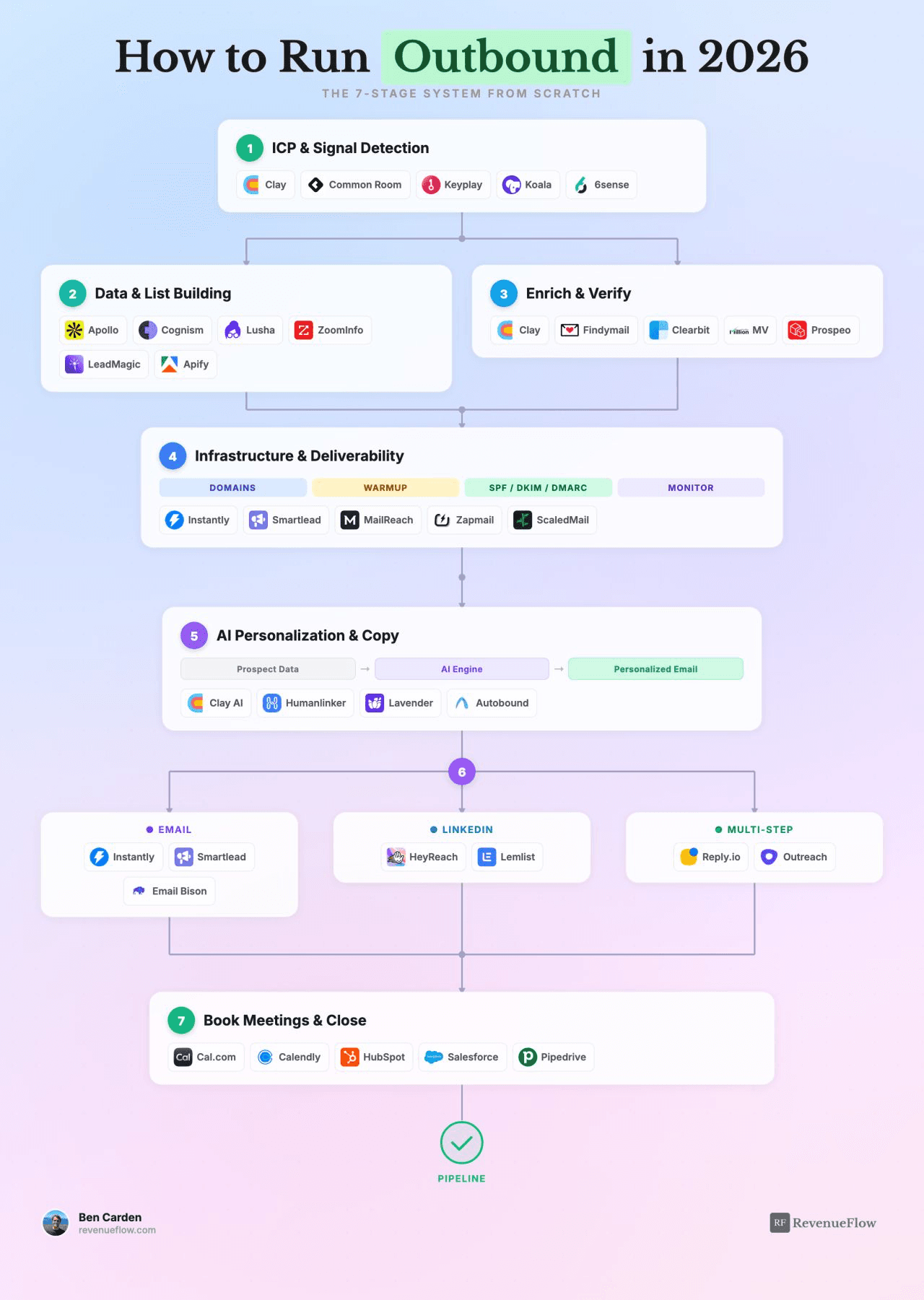
Building an outbound engine from scratch requires six to eight weeks across seven stages: ICP definition, data sourcing, enrichment and verification, infrastructure warmup, AI personalization, channel setup and sending, and meeting automation. The first four stages form the foundation and must be solid before later stages can function. Infrastructure warmup alone requires two to four weeks, and skipping it renders all other efforts ineffective regardless of targeting or copy quality.
Key takeaways
- Infrastructure warmup requires two to four weeks and should start on day one in parallel with earlier stages to avoid delays.
- A bounce rate above a few percent damages domain reputation with mailbox providers, and recovery takes far longer than the campaign that caused the damage.
- Cross-referencing at least two data sources is essential because every provider has non-random coverage gaps that cluster in under-targeted segments.
- Email verification costs a fraction of a penny per address, making it irrational to skip this step given the asymmetric damage bad data causes to deliverability.
- Teams typically blame copy or targeting for outbound failures when the actual problem is that stages three or four were skipped, with symptoms appearing three stages later.
Reviewed and updated September 5, 2026
If I Had to Build an Outbound Engine From Scratch Today
Seven stages. 30+ tools. Zero SDRs.
The order matters as much as the contents, so I have written it in build order rather than in the order you would draw it on a whiteboard.
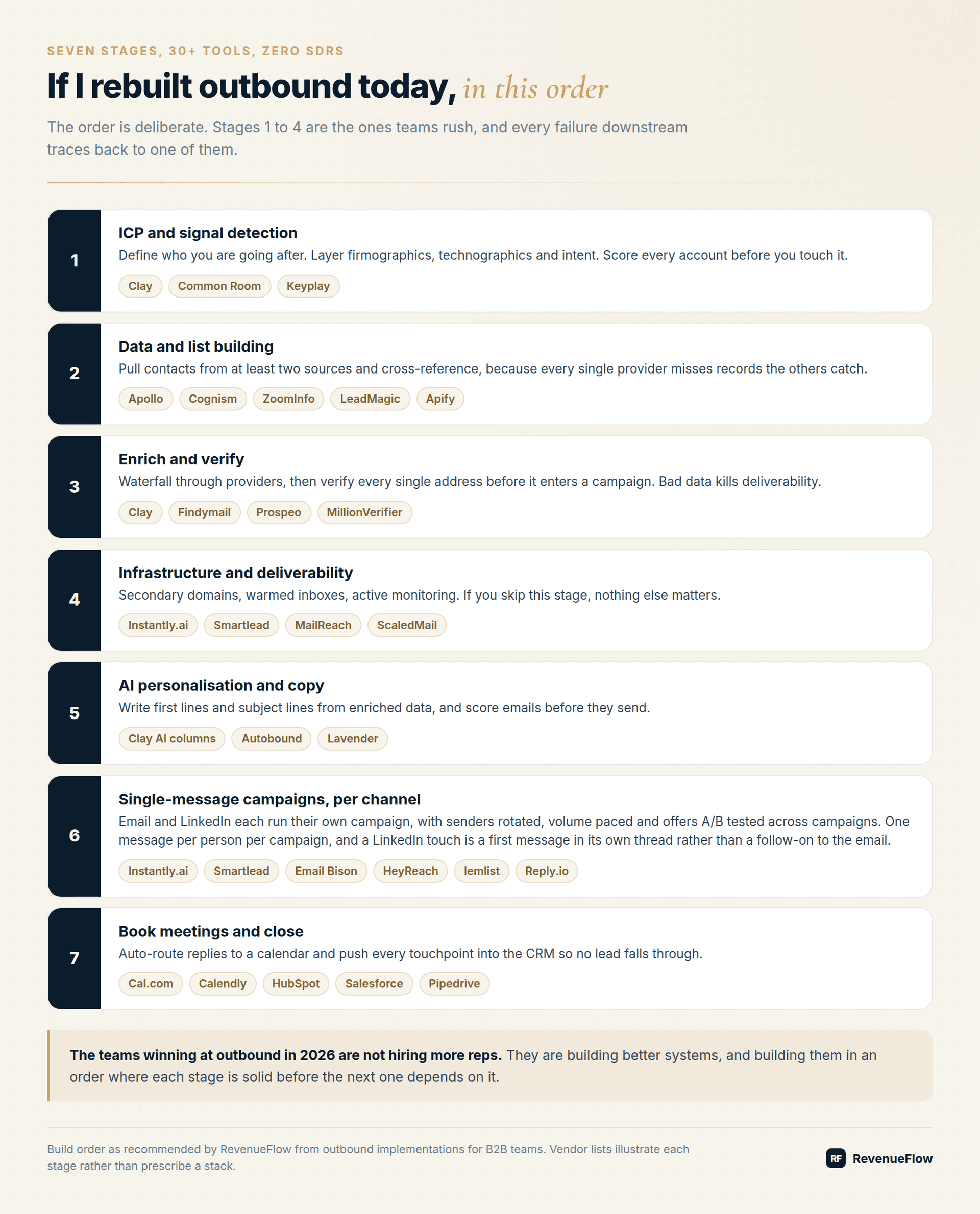
Stage 1: ICP And Signal Detection
Starting from no systematic outbound at all is the ordinary case rather than the difficult one, and it has an advantage worth naming: there is no existing sending reputation to protect and no legacy list to inherit, so the stages below can be run in order rather than retrofitted around something already running.
Define who you are going after before you buy anything.
Use Clay, Common Room, or Keyplay to layer firmographics, technographics, and intent signals. Score every account before you touch it.
Most teams skip straight to stage 2 because building a list feels like progress and defining an ICP feels like a meeting. That inversion is the single most expensive mistake in outbound, because every stage after this one amplifies whatever targeting decision you made here.
Stage 2: Data And List Building
Pull contacts from Apollo, Cognism, ZoomInfo, or LeadMagic. Use Apify for scraping where the data does not exist in a database.
Cross-reference at least two sources. Every provider misses records that another catches, and the misses are not random. They cluster in exactly the segments where you are least likely to have competition, which is to say the segments worth targeting.
Stage 3: Enrich And Verify
Waterfall enrichment through Clay. Find emails via Findymail or Prospeo. Verify every single address with MillionVerifier before it enters a campaign.
Bad data kills deliverability, and the damage is asymmetric. A bounce rate above a few percent trains mailbox providers to distrust your domain, and recovering that reputation takes far longer than the campaign that damaged it.
Verification costs a fraction of a penny per address. There is no scenario where skipping it is rational.
Stage 4: Infrastructure And Deliverability
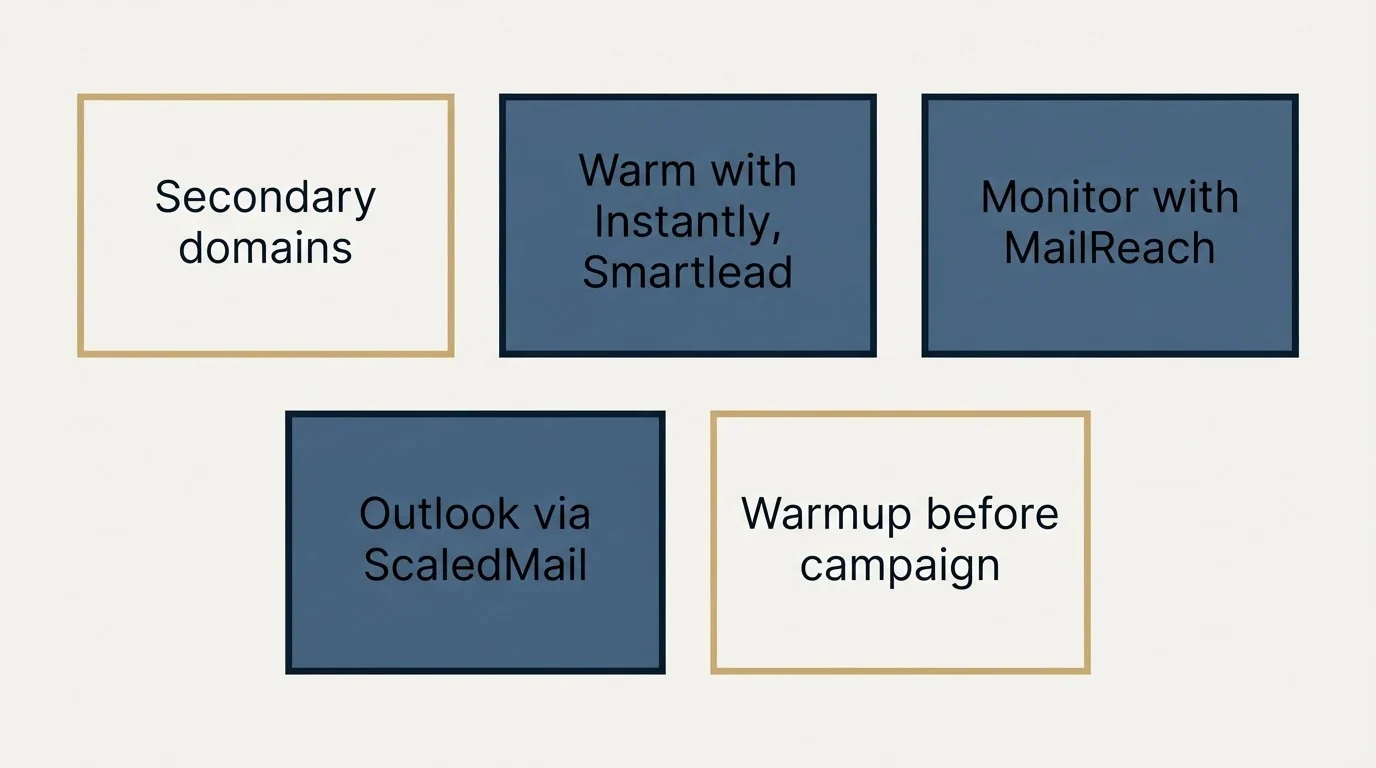
Teams who report difficulties setting up outbound infrastructure internally are almost always describing this stage, and the timeline further down is the honest answer to how long it takes when nobody has done it before.
Set up secondary domains. Warm inboxes through Instantly.ai or Smartlead. Monitor with MailReach. Use ScaledMail for Outlook inboxes.
If you skip this step, nothing else matters.
I want to be blunt about this because it is the stage teams most consistently underinvest in. Perfect targeting, perfect data, and perfect copy sent from a cold primary domain produces a reply rate of approximately zero, and you will spend three weeks blaming the copy.
Choosing to send campaigns straight from a Gmail inbox instead of a warmed domain changes that reputation math, as GMass mail merge inside Gmail explains.
Budget two to four weeks for warmup before your first campaign. That waiting period is not lost time, it is the thing that makes the campaign work.
Stage 5: AI Personalisation And Copy
Use Clay AI columns or Autobound to write first lines and subject lines from enriched data. Lavender scores emails before they send. Autobound's own pricing page now sells one-time credit packs for a signal data API and no per-seat writing plan, which is worth reading in Autobound pricing before it goes into a stack budget.
Note the dependency: personalisation is only as good as stage 3. Generating a custom opener from stale enrichment data produces a confidently wrong email, which performs worse than a generic one because the error is visible to the reader.
Stage 6: Single-Message Campaigns, Per Channel
Run email through Instantly.ai, Smartlead, or Email Bison. Add LinkedIn via HeyReach or lemlist. Email and LinkedIn each run their own campaign, one message per campaign, and a LinkedIn message opens its own thread rather than following on from the email.
Email sending platforms often revise their plans without notice, and a look at GMass's updated pricing tiers shows how quickly quoted rates can turn stale.
Rotate senders. Stagger timing. A/B test offers across campaigns rather than steps within one.
Stage 7: Book Meetings And Close
Auto-route replies to Cal.com or Calendly. Push every interaction into HubSpot, Salesforce, or Pipedrive.
No lead falls through, and more importantly, no positive reply waits four hours for a human to notice it.
Why This Order
What people are asking for when they ask for a reliable pipeline built with outbound is the order below rather than any single stage: reliability comes from the sequence being run in the right order, because every stage executed on a bad output of the previous one produces confident numbers about nothing.
Starting from no infrastructure or process for lead generation is the situation this order was written for, and the sequence matters more than the tool choices, because a company with nothing in place has no reason to build stages five to seven first except that they are the ones that feel like progress.
Stages 1 through 4 are the foundation, and they are the ones teams rush because none of them produce a visible output.
Teams that have not done any outbound lead generation before usually want to know what happens first, and the order above is the answer: stages one to four produce nothing visible and decide everything, which is why a programme that starts at stage five feels fast for a month and then stalls.
Nobody celebrates a well-defined ICP. Nobody demos a warmup schedule. So those stages get compressed, and then stages 5 through 7 get built on top of a foundation that cannot support them.
Every outbound diagnosis I have run follows the same pattern. The team believes the problem is copy or targeting. The actual problem is that stage 3 or stage 4 was skipped, and the symptoms surfaced three stages later.
A Realistic Timeline
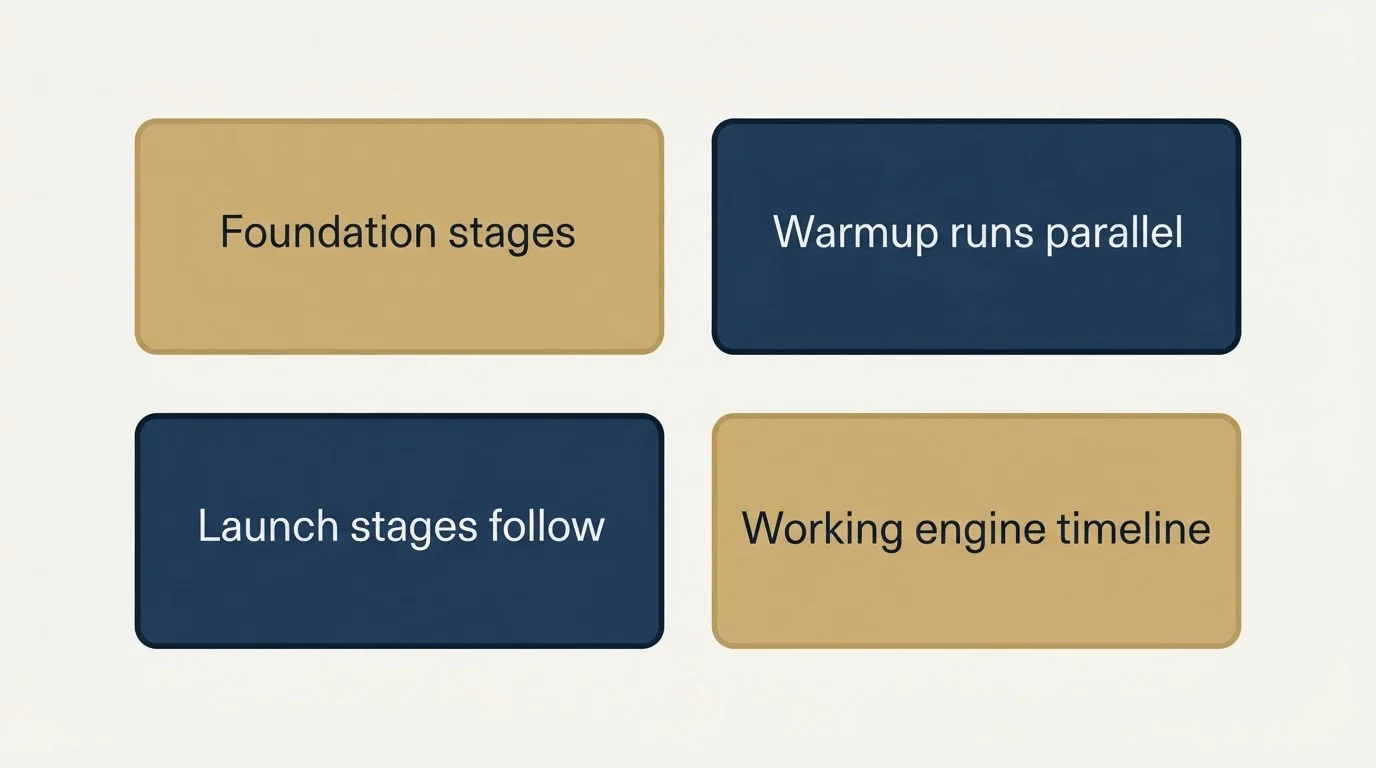
The failure mode worth naming is months of building before anyone is contacted, because the order below is meant to be run quickly rather than perfectly: every stage can be run at a small scale first, and a stage built to its final standard before the next one is tested is a stage built against assumptions nothing has checked.
This is the honest answer to a plan to launch outbound at scale quickly and read responses inside a fortnight: stages one to three can move that fast, stage four cannot, and a launch that hits the original date did so by shipping without it.
Stages 1 to 3 take one to two weeks if you are decisive about the ICP.
Stage 4 takes two to four weeks, most of which is waiting for warmup. Start it in parallel with stages 1 to 3 rather than sequentially.
Stages 5 to 7 take another week or two to configure.
Six to eight weeks to a working engine. Anyone promising you two is skipping stage 4, and you will find out in month three.
The Point
The teams winning at outbound in 2026 are not hiring more reps.
They are building better systems, in an order where each stage is solid before the next one starts depending on it.
Build Timeline
| Stage | Time needed | Can run in parallel? | Consequence of rushing it |
|---|---|---|---|
| 1. ICP and signals | 3–5 days | No, everything depends on it | Every later stage amplifies bad targeting |
| 2. Data and lists | 3–5 days | With stage 4 | Coverage gaps you cannot see |
| 3. Enrich and verify | 2–4 days | With stage 4 | Bounces that damage domains for months |
| 4. Infrastructure | 2–4 weeks | Start this on day one | Nothing you send arrives |
| 5. AI personalisation | 3–5 days | After stage 3 | Confidently wrong emails |
| 6. Single-message campaigns | 3–5 days | No | Poor testing discipline |
| 7. Book and close | 2–3 days | No | Replies go cold |
Frequently Asked Questions
How long does it take to build an outbound engine from scratch?
Six to eight weeks to a working system, most of which is stage 4 warmup running in the background. Start infrastructure on day one and run the earlier stages alongside it. Anyone promising two weeks is skipping warmup, and you find out in month three.
Why is infrastructure the most important stage?
Because it is binary. Perfect targeting, perfect data, and perfect copy sent from a cold primary domain produces a reply rate close to zero, and you will spend three weeks blaming the copy. Nothing above stage 4 works until stage 4 works.
Why cross-reference at least two data sources?
Every provider misses records another catches, and the misses cluster in predictable segments: smaller companies, non-US geographies, recently changed roles. Those are frequently the segments with the least competition, which makes them worth the extra step.
Do I really need to verify every email?
Yes. Verification costs a fraction of a penny. A bounce rate above a few percent trains mailbox providers to distrust your domain, and recovering that reputation takes considerably longer than the campaign that damaged it.
Which stages do teams most often rush?
Stages 1 through 4, because none of them produce a visible output. Nobody celebrates a well-defined ICP or demos a warmup schedule, so they get compressed, and then the later stages get built on a foundation that cannot support them.
Related Reading
- How to Book 200 Sales Calls With Cold Email (Without Hiring a Single SDR)
- The 7-Layer GTM AI Stack for 2026 (The Order Matters More Than the Tools)
- How We Cut Cold Email Costs by $2,600/Month: The Exact Infrastructure Switch
We build AI-native pipeline systems, and the engagement on offer is priced per qualified meeting rather than as a retainer. You pay when we book you a qualified sales meeting. See if you qualify.
Frequently asked questions.
Frequently asked questions- How long does it take to build an outbound engine from scratch?
- Six to eight weeks to a working system. Infrastructure warmup accounts for most of this time, requiring two to four weeks running in the background. Start infrastructure on day one and run earlier stages alongside it. Stages one through three take one to two weeks if you are decisive about ICP, and stages five through seven need another one to two weeks to configure. Anyone promising a two-week timeline is skipping warmup, and the consequences surface in month three.
- Why is infrastructure the most important stage in outbound?
- Infrastructure is binary: it either works or everything fails. Perfect targeting, perfect data, and perfect copy sent from a cold primary domain produces a reply rate of approximately zero. Teams then spend weeks blaming the copy when the real issue is skipped warmup. Nothing in stages five through seven functions until stage four is solid, making it the foundation all other efforts depend on.
- Why should I cross-reference multiple data sources?
- Every data provider misses records that another catches, and these gaps are not random. They cluster in exactly the segments where you face the least competition, which are precisely the segments worth targeting. Using at least two sources eliminates coverage blind spots that would otherwise leave your best opportunities invisible.
- What happens if I skip email verification?
- Bad data kills deliverability asymmetrically. A bounce rate above a few percent trains mailbox providers to distrust your domain, and recovering that reputation takes far longer than the campaign that damaged it. Verification costs a fraction of a penny per address, making it irrational to skip given the severe downstream consequences of even small bounce rates.
About the author.

Ben Carden is CRO at RevenueFlow, which builds and operates outbound revenue engines for B2B companies. Previously at Gartner Enterprise. Studied at London School of Economics.
Ben Carden · CRO
Connect on LinkedIn →Explore more.
Ready to scale your outreach?
We build GTM engines that book real meetings. See the receipts.
Related articles.
Cold Email Sender Name: Whose Name Goes On It
The from field is read before the subject line and is the only part of a cold email a recipient can independently verify. What has to agree, and what breaks it.
The Cold Email Signature Is an Identity Claim
A recipient who is mildly interested and mildly suspicious checks that you exist before replying. The signature is where that check either resolves or does not.
What a Cold Email Is, and What Separates It From Spam
A cold email is a first business email to somebody with no prior relationship with you. What that one condition rules in, rules out, and demands technically.
GMass Mail Merge: Sending Inside Gmail, and What It Costs
GMass runs the merge inside Gmail, which removes every setup step and hands your sending ceiling and your reputation to Google in the same move.
The GMass Extension: What Sending From Your Mailbox Trades
GMass puts the sending layer inside Gmail, which removes the setup and concentrates the risk on your primary domain. When that trade is right, and when it is not.
Disposable Email: The Data-Quality Class Hiding Inside a Privacy Tool
A disposable email address is a throwaway inbox created to receive one message. In a B2B list it is a row that will accept mail and never be read again.