Gmail SMTP Settings: Two Google Endpoints, Which to Use
Google runs two SMTP services on two hostnames. One sends as a single mailbox, the other is an organisation relay, and configuring the wrong one costs an afternoon.
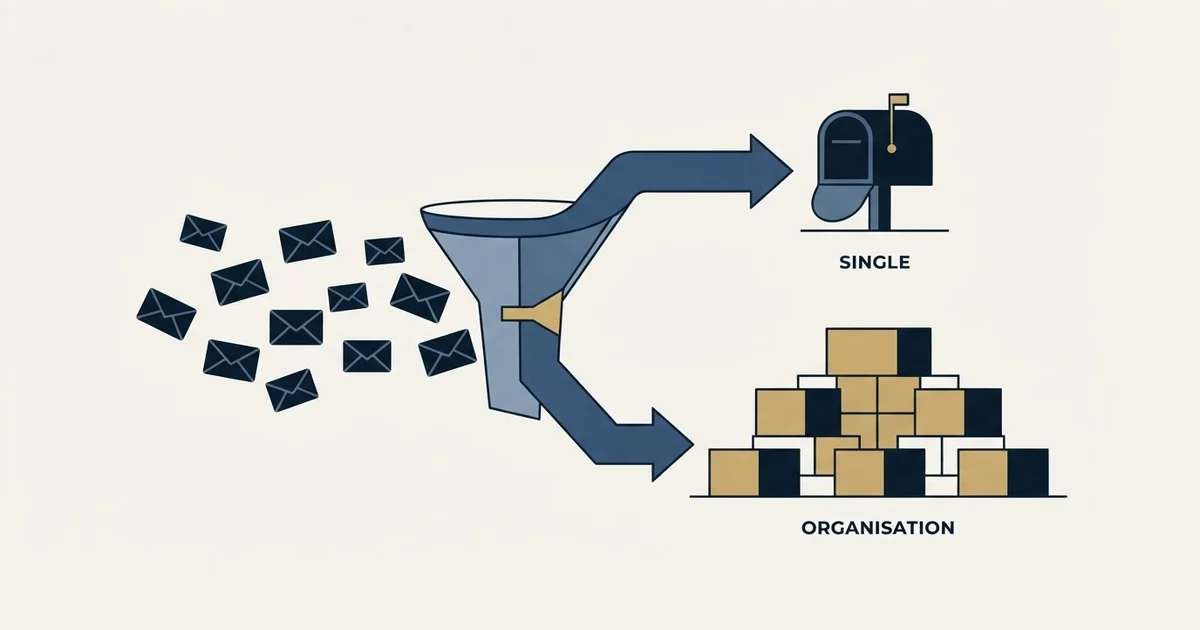
Gmail SMTP settings for one mailbox: server smtp.gmail.com, port 465 for SSL or 587 for TLS with STARTTLS, and the full email address as the username, authenticated with OAuth. Google Workspace's organisation relay is a different service, smtp-relay.gmail.com, set up by an administrator, with 10,000 messages per user a day against 2,000 for mailbox submission.
Key takeaways
- Mailbox submission uses smtp.gmail.com on port 465 for SSL or 587 for TLS, with the complete email address as the username.
- Google Workspace accounts no longer accept apps that sign in with a username and password; Google's admin page says to use OAuth, which SMTP clients implement as SASL XOAUTH2.
- Google's admin page caps the smtp.gmail.com route at 2,000 messages a day, while the smtp-relay.gmail.com service allows each user 10,000 messages in a 24-hour period.
- Both Workspace paths cap recipients at 100 per SMTP message or transaction, and Google counts bulk sender status by primary domain, so separate mailboxes on one domain do not separate the traffic.
Reviewed and updated September 19, 2026
An app asks for four things: server, port, username, password. You type smtp.gmail.com, port 587, your work address and your password, and the app either sends or returns an authentication failure that names nothing useful. That is the entire visible surface of the Gmail SMTP settings, and it hides a fork that decides whether the setup survives contact with real volume.
Google runs two SMTP services on two different hostnames. One is mailbox submission. The other is an organisation relay. They accept similar-looking settings, they authenticate differently, they allow very different amounts of mail, and the most common failure on this topic is configuring the wrong one for the job. Someone working out how to configure Gmail SMTP for a web app, or how to set up SMTP in Gmail so a form sends notifications, is almost always looking at the first. Someone with a scanner in a warehouse, a monitoring box, or a legacy on-premise mail server is usually looking at the second, whether or not they know it yet. Both get filed by people under Google Workspace SMTP, which is why the two keep getting confused.
Here are the real settings for both, and then the part that almost nothing on this subject says out loud: an SMTP connection is a connection to exactly one mailbox, so choosing the endpoint is a decision about mailbox architecture rather than a decision about configuration.
People search this as Gmail SMTP settings, as Google SMTP settings, as Google SMTP configuration and as the SMTP settings for a Google email address, and Google Mail as an SMTP server is the same question again; all five land on the two hostnames below.
Gmail SMTP settings: the values to enter
For sending as one Gmail or Google Workspace mailbox, the server is smtp.gmail.com, the port is 465 for SSL or 587 for TLS with STARTTLS, and the username is the full email address. Authentication is OAuth through the app's Sign in with Google option; Workspace accounts have required it since May 1, 2025. Google's admin page caps this route at 2,000 messages a day.
| Setting | Mailbox submission | Organisation relay |
|---|---|---|
| Server | smtp.gmail.com | smtp-relay.gmail.com |
| Port | 465 for SSL, 587 for TLS | 587 with TLS; 25, 465 or 587 without |
| Signs in as | One mailbox, full email address | SMTP authentication over TLS, or your IP addresses |
| Password | OAuth; an app password only as a fallback | None with IP address authentication |
| Daily limit | 2,000 messages | 10,000 messages per user |
| Recipients | 100 per message over SMTP | 100 per SMTP transaction |
| Set up by | The person who owns the mailbox | An administrator, in the Admin console |
Incoming mail for the same mailbox: imap.gmail.com on port 993 and pop.gmail.com on port 995, both requiring SSL.
The two hostnames
Google's Workspace admin documentation for sending mail from a printer, scanner or app describes both options on the same page (https://knowledge.workspace.google.com/admin/gmail/send-email-from-a-printer-scanner-or-app). For the first, it states: "The fully qualified domain name of the SMTP service is smtp.gmail.com." For the second, on the same page: "The fully qualified domain name of the SMTP service is smtp-relay.gmail.com."
The names are close enough that people copy the wrong one out of a forum post and spend an afternoon on it. The difference underneath is not cosmetic.
The submission endpoint, settings first
For an app that should send as one specific person or one specific shared mailbox, smtp.gmail.com is the correct target.
Choosing the mailbox that authenticates to smtp.gmail.com matters even more once a CRM sits beside the inbox, which the Pipedrive side panel guide covers, since it adds context without touching Google's sending limits.
The port question is where most guides go vague, and Google is specific about it. The same admin page gives the options as "Port 25, 465, or 587" and then resolves them: "For SSL, enter 465. For TLS, enter 587." Google's developer documentation for IMAP and SMTP access says the same thing from the client's side (https://developers.google.com/workspace/gmail/imap/imap-smtp): "The outgoing SMTP server, smtp.gmail.com, supports TLS. If your client begins with plain text before issuing the STARTTLS command, use port 465 (for SSL) or port 587 (for TLS)."
So the choice between 465 and 587 is decided by what your client does rather than by which port is better. A client that opens an encrypted connection immediately wants 465. A client that opens in plain text and upgrades with STARTTLS wants 587. If the app's own field is labelled "TLS" or "STARTTLS", 587 is the setting it is asking for. Port 25 exists in Google's list and is still worth avoiding, because outbound 25 is routinely blocked at the network or hosting level, and the resulting failure presents as a timeout rather than as a configuration error.
The username is the full email address, including the domain. Not the local part, not a display name. This one detail causes a surprising share of authentication failures, because a lot of setup screens label the field "username" and people fill it in like a username.
Authentication, and the thing that changed

This is where documentation written before 2025 becomes actively misleading.
Google's admin page still describes the older shape plainly. It says the option "requires you to authenticate with your Gmail or Google Workspace account and password when you set it up", and it also instructs, "For authentication, enter your complete Google Workspace email address ... and an app password". An app password is a credential generated for one application, a 16-digit passcode in Google's own description, so the application never holds the account password itself.
The same page carries the change that overrides all of it: "Starting May 1, 2025, Google Workspace accounts no longer support less secure apps, third-party apps, or devices that ask you to sign in to your Google Account with your username and password. You must use OAuth".
The mechanism for that is named in the developer documentation: "The SASL XOAUTH2 mechanism enables clients to provide OAuth 2.0 credentials for authentication." An app that supports XOAUTH2 will send you through a Google consent screen and hold a token afterwards. An app that only offers a password box does not support it, and no amount of correct host and port settings changes that.
Now the trap, which is worth naming because bouncing between the two pages is the actual experience of anyone researching this. The Workspace admin page above tells administrators to authenticate with an app password. Google's consumer help page on app passwords states that "App passwords aren't recommended and are unnecessary in most cases" (https://support.google.com/accounts/answer/185833). Both pages are official, both are current, and they are written for different audiences: one for an administrator wiring a device into a managed Workspace domain, the other for an individual with a personal Google account. If you are on Workspace, read the admin page and the May 2025 line together, and treat OAuth as the path rather than the upgrade. Personal accounts point the same way: Google's help page for adding Gmail to another email client says Gmail "no longer supports third-party apps or devices which require you to share your Google username and password", and sends people to the client's "Sign in with Google" option instead.
OAuth
Sign in with Google, carried over SMTP as the SASL XOAUTH2 mechanism. The route Google says to use.
Required on Workspace
App password
A 16-digit passcode for one app, with 2-Step Verification on. The admin page still instructs it; the account help calls it not recommended.
Fallback only
Account password
Refused for Workspace accounts from May 1, 2025, and Gmail no longer supports apps that ask you to share it.
Refused
The relay endpoint, and who it is genuinely for
smtp-relay.gmail.com exists so an organisation can route mail from its own servers, devices and internal applications through Google. It is configured by an administrator in the Workspace admin console, and it authorises senders differently.
Google's admin documentation on routing outgoing SMTP relay messages (https://knowledge.workspace.google.com/admin/gmail/advanced/route-outgoing-smtp-relay-messages-through-google) gives the standard configuration directly: "If you're using TLS encryption, configure your on-premise mail server to point to smtp-relay.gmail.com on port 587." It also states the constraint that shapes the whole feature: "Without TLS encryption, you can't use SMTP authentication and must use IP address authentication."
That second sentence is the real difference between the two services. Submission always ties a connection to a set of credentials for one mailbox. The relay can instead trust a registered IP range, which is exactly what a copier or an unattended application server needs, because neither has a person to hold credentials on its behalf.
The relay is infrastructure for an organisation's own systems, and it gives a campaign tool no extra headroom and no faster lane to the same place. If what you actually want is a general-purpose relay for outbound campaigns, our guide to free SMTP relay servers works through what those tiers give you and why the shelf is the wrong one for cold outreach; the concept itself is defined in our SMTP relay entry.
What each path allows

The allowances differ by a factor of five, and they are published separately.
For the submission option, Google's admin page states plainly: "The sending limit is 2,000 messages per day."
For the relay, Google's support documentation on SMTP relay limits (https://support.google.com/a/answer/2956491) states that "each user can send up to 10,000 messages in a 24-hour period", and adds a shape that catches people out: "There is a 100-recipient limit per SMTP transaction for smtp-relay.gmail.com." A system that batches 500 recipients into one transaction fails against that limit no matter how much daily headroom it has.
A personal Gmail account sits below both. Google's help page on sending limits says the limit message appears after "more than 500 recipients in a single email and or more than 500 emails sent in a day", and the Workspace sending-limits page puts a paid user at 2,000 messages a day, 1,500 for mail merge and 500 on a trial account, over a rolling 24-hour period, with 100 recipients per message sent over SMTP.
Those figures are the ones that decide the endpoint. For the full picture across providers, including how the per-day, per-minute and per-recipient limits interact, our email sending limits by provider breakdown holds the tables so this page does not have to repeat them.
One connection, one mailbox
Here is the part that turns a configuration question into an architecture question.
When an application authenticates to smtp.gmail.com, it is not connecting to Google in the abstract. It is connecting to one mailbox, and every message it sends inherits that mailbox's address, that mailbox's domain, and that mailbox's accumulated standing with every receiving system. Change the From header in your app and the underlying account is still the account; Google's own SMTP server mechanics do not care what your code prints in a header.
So the questions that look like configuration are really these: which mailbox should this traffic belong to, which domain should it be seen coming from, and what else is riding on that domain's reputation. A form-notification script and an invoicing system can share one mailbox happily. Anything that sends at volume to people who did not ask for it is a different animal, and pointing it at the mailbox your contracts go out from puts one asset behind two very different jobs.
If the app on the other end is an outreach tool
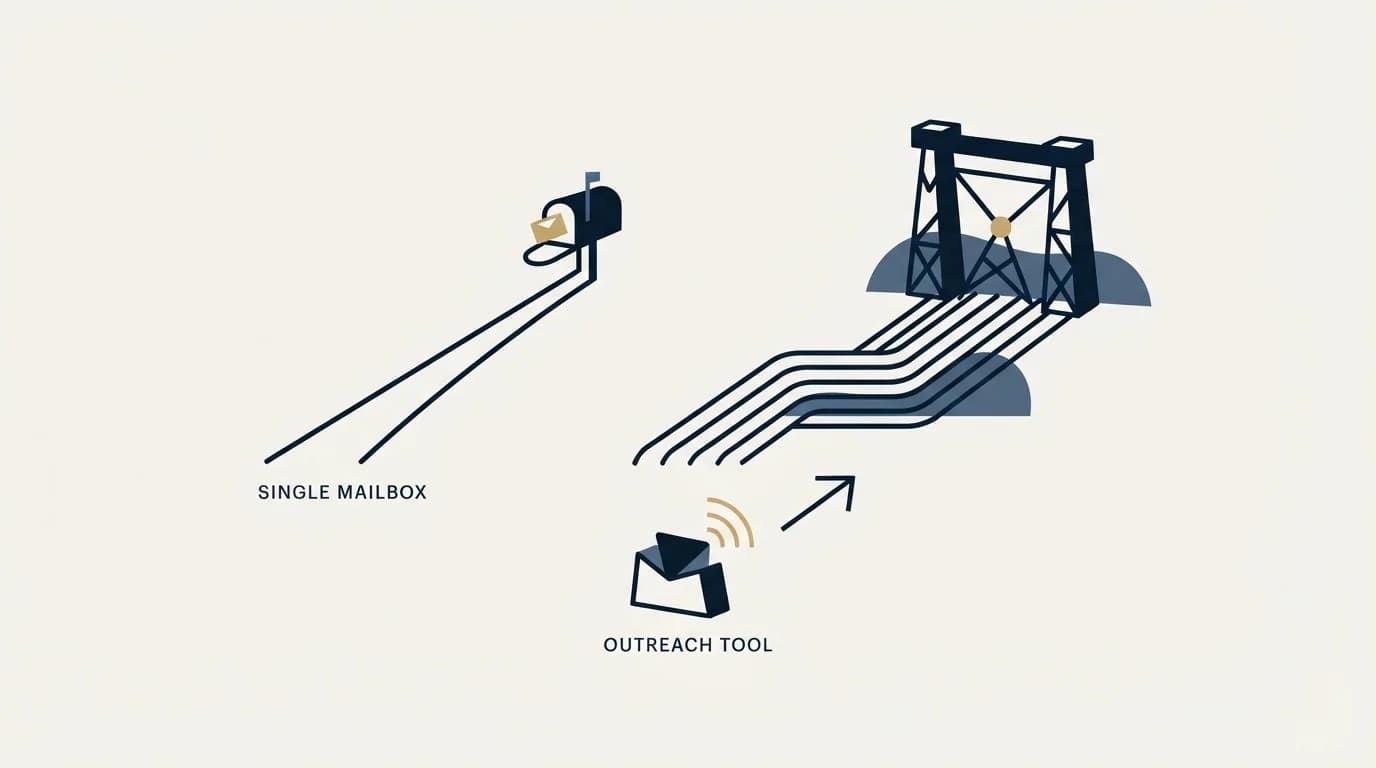
A campaign tool asking for SMTP settings is asking to send as one of your mailboxes. That is a legitimate thing to do, and the constraint worth respecting is narrow: do not point it at your primary or personal mailbox and its domain. The asset at risk is the domain your invoices, contracts and support threads travel on, and reputation damage there is expensive in a way that has nothing to do with campaign performance.
Google's own bulk sender guidance shows why the domain is the unit rather than the mailbox. Its requirements page for bulk senders (https://support.google.com/mail/answer/14229414) defines a bulk sender as "any email sender that sends close to 5,000 messages or more to personal Gmail accounts within a 24-hour period", and then states the aggregation rule: "Messages sent from the same primary domain count toward the 5,000 limit." The same page notes that "bulk sender status doesn't have an expiration date", and that "starting November 2025, Gmail is ramping up its enforcement on non-compliant traffic". Sending from separate mailboxes on the same primary domain does not separate the traffic, because Google is counting the domain.
The working shape is separate mailboxes on separate sending domains, kept distinct from the domain the business runs on, with authentication configured per domain. That is the same conclusion the rest of the stack points at, and our cold email infrastructure guide walks the layers in the order they break. If your app is on the Microsoft side of the fence instead, the tenant behaviours there are different enough to need their own page, and our Office 365 SMTP settings guide covers them.
RevenueFlow runs cold email and LinkedIn outreach for B2B companies on separate sending infrastructure, so this layer is our problem rather than the client's. If you would rather not build and maintain it, prepay a single qualified meeting and see the output before committing to anything larger.
Pricing and features are taken from the vendors' own pages. Verify current terms with the vendor before relying on them.
Frequently asked questions.
Frequently asked questions- What port does Gmail SMTP use?
- Google lists three ports, 25, 465 and 587, and resolves them on its admin page: enter 465 for SSL and 587 for TLS. The choice follows the client's behaviour. A client that opens an encrypted connection at once uses 465; one that starts in plain text and upgrades with STARTTLS uses 587. Port 25 is often blocked outbound by networks and hosts, which shows up as a timeout.
- Can I still use my Gmail password for SMTP?
- Not for a Google Workspace account. Google's admin page says that from May 1, 2025 Workspace accounts no longer support apps or devices that sign in with a username and password, and that OAuth must be used instead. For a personal account, Google's help page points to the Sign in with Google option, and calls app passwords not recommended and unnecessary in most cases.
- What is the difference between smtp.gmail.com and smtp-relay.gmail.com?
- smtp.gmail.com is mailbox submission: one person authenticates as one account, every message carries that account's identity, and Workspace caps it at 2,000 messages a day. smtp-relay.gmail.com is an organisation relay an administrator configures in the Admin console for servers, devices and apps; it can authenticate by IP address and allows 10,000 messages per user a day.
- How many emails can I send a day through Gmail SMTP?
- It depends on the account. Google's Gmail help page shows the limit message after more than 500 emails in a day on a personal account. A Google Workspace user can send 2,000 messages a day, 1,500 for mail merge and 500 on a trial account, and the Workspace SMTP relay allows 10,000 messages per user in a 24-hour period.
About the author.

Tim Carden is CMO / CTO at RevenueFlow, which builds and operates outbound revenue engines for B2B companies. Studied at McGill University.
Tim Carden · CMO / CTO
Connect on LinkedIn →Explore more.
Ready to scale your outreach?
We build GTM engines that book real meetings. See the receipts.
Related articles.
Mass Email From Outlook: The Limits Microsoft Publishes
Microsoft publishes the ceiling on one mailbox and, a few paragraphs later, recommends that bulk commercial mail go to a specialist provider instead.
IMAP or SMTP: One Sends, One Reads, and the Ports
A mail setup pane asks for two servers because the two protocols run in opposite directions. The RFCs define both jobs, and the ports are where providers disagree.
SMTP for Yahoo: The Settings and the Sender Requirements
Yahoo publishes its outgoing settings in six lines. It also publishes sender requirements enforced since February 2024, and refuses to name the volume that triggers them.
GMass SMTP Test: What a Passing Connection Cannot Prove
GMass publishes a free SMTP connection tester that anyone can use. What its four stages separate, why the last one gets misdiagnosed, and where the tool's boundary is.
Maildoso Review: Mailboxes Capped at 15 Sends a Day
Every Maildoso plan publishes the same ceiling of 15 emails per mailbox per day. That number turns a sending target into a mailbox count before price enters.
Sending Cold Email From the CRM You Already Pay For
A CRM sequence tool sends from your primary domain and your own mailbox, and vendor terms usually require documented consent. What a separate cold stack buys.