Mailshake vs Reply.io: Which Cold Email Platform Fits You?
Mailshake and Reply.io both sell a $99 multichannel plan. What each includes, where LinkedIn, calling and contact data sit, and which fits your team.
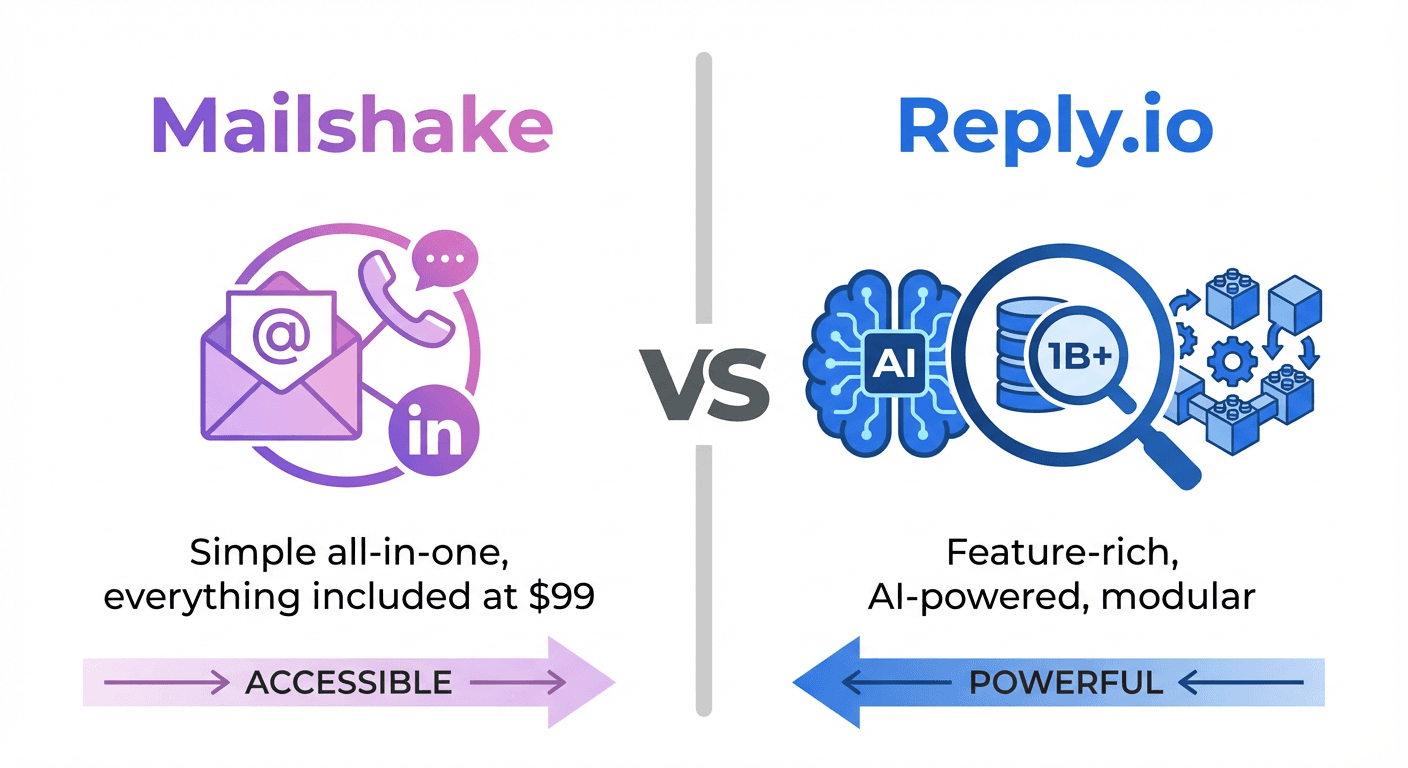
Reply.io vs Mailshake comes down to LinkedIn and the dialer. Both multichannel plans are $99 a month on monthly billing: Mailshake's Sales Engagement adds a power dialer with free North American minutes, and Reply.io's Multichannel adds LinkedIn, calls and SMS with a 14-day trial. Mailshake's entry plan is $29.
Key takeaways
- Mailshake runs $29, $49 and $99 a month ($25, $45 and $85 yearly); Reply.io's Email Volume starts at $59 per user and Multichannel at $99.
- Only Reply.io lists LinkedIn automation: included on Multichannel, or $69 a month per account on Email Volume.
- Mailshake's Sales Engagement includes a power dialer with unlimited free minutes to North American numbers; Mailshake has no free trial.
- Both now include contact data: Mailshake's Data Finder credits and Reply.io's 50 live data credits a month.
Reviewed and updated September 21, 2026
Reply.io vs Mailshake is a choice between a wide platform and a narrow one. Mailshake started as a straightforward email outreach tool and has expanded into sales engagement, with a dialer and its own contact finder. Reply.io has built out a larger feature set, including LinkedIn automation, the Jason AI SDR product and live data from what it describes as 1 billion B2B contacts.
This guide breaks down the objective differences so you can make an informed choice.
Reply.io vs Mailshake: the quick answer
If you want a narrower tool with a built-in dialer, Mailshake is the more streamlined option. Its Sales Engagement plan includes a power dialer with unlimited free minutes to North American phone numbers, at $99 a month or $85 billed yearly.
If you need LinkedIn automation in the same sequences, a larger contact pool or a free trial, Reply.io covers more. Its Multichannel plan includes email, LinkedIn, calls and SMS at $99 per user a month, with a 14-day trial, and it sells the Jason AI SDR for teams automating more of sales development.
Groove vs Reply.io breaks down how Groove, whose product pages now redirect to Salesloft, compares to Reply.io's database-driven approach for teams weighing complementary tools.
Understanding the Core Difference
Both platforms run automated email sequences, both include email warmup, and both can put a phone call in the motion. Only Reply.io's pricing lists LinkedIn automation.
The difference is in scope and complexity.
Mailshake focuses on doing core outreach well. Its plans run from one sending address to ten, the Sales Engagement plan adds five phone numbers and a power dialer, and its pricing page lists no LinkedIn automation on any plan.
Reply.io is a broader platform. Its pricing page carries three product tabs, Sales Outreach, AI SDR and Agencies, and every Sales Outreach plan includes 50 live data credits a month from its B2B database. More features means more to learn, but also more capability for teams that need it.
Groove versus HubSpot CRM explains how a Salesforce-native engagement platform and an all-in-one CRM often complement rather than compete with each other.
Pricing Comparison
Mailshake pricing
| Plan | Monthly, yearly | Addresses and sends |
|---|---|---|
| Starter | $29, $25 | 1 address, 1,500 sends |
| Email Outreach | $49, $45 | 2 addresses, unlimited |
| Sales Engagement | $99, $85 | 10 addresses, unlimited |
| Agency | Talk to sales | Unlimited addresses |
Every plan includes unlimited campaigns, email warmup and email verification, and Starter already carries A/B testing and AI email writing. Email Outreach adds email rotation, a unified inbox and the Salesforce, Pipedrive and HubSpot integrations. Sales Engagement adds five phone numbers, a power dialer with unlimited free minutes to North American numbers and 2,500 Data Finder credits. Data Finder is $19 a month as an add-on ($17 yearly), and ready-to-use mailboxes are $12 a month ($11 yearly). There is no free trial: the FAQ says payment is collected up front, and billing is by the number of users.
Source: mailshake.com/pricing
Reply.io pricing
| Plan | From | What it includes |
|---|---|---|
| Email Volume | $59 a user ($49) | 1,000 active contacts, unlimited mailboxes |
| Multichannel | $99 a user ($89) | Email, LinkedIn, calls and SMS |
| AI SDR Starter | $800 ($500) | Jason AI SDR, 1,000 active contacts |
| Agency Core | $210 | Client workspaces, unlimited users |
On Email Volume, LinkedIn automation is $69 a month per account and calls and SMS are $29 a month per account. Multichannel includes both, plus WhatsApp semi-automation, and lists 5 mailboxes on monthly billing and 10 on annual; it is the plan with the 14-day trial. Every Sales Outreach plan carries 50 live data credits a month and up to 200 website visitor reveals, and active contacts are the unique people a plan can start a sequence with each month.
Source: reply.io/pricing
Pricing Analysis
At the entry level Mailshake is cheaper: Starter is $29 a month against $59 per user for Reply.io's Email Volume, both on monthly billing. The value calculation depends on what features matter to you:
For pure email outreach: Mailshake's Email Outreach plan ($49) sends without a monthly cap from 2 addresses. Reply.io's Email Volume ($59 per user) caps active contacts at 1,000 a month but allows unlimited mailboxes under its fair usage policy.
For multichannel with calling: the list prices now match. Mailshake's Sales Engagement is $99 with a power dialer and free North American minutes; Reply.io's Multichannel is $99 per user with calls, SMS and LinkedIn included.
For LinkedIn automation: only Reply.io lists it, included on Multichannel or $69 a month per account on Email Volume. Mailshake's pricing page lists no LinkedIn automation.
For access to leads: both now include contact data. Reply.io gives 50 live data credits a month from its 1 billion contact pool; Mailshake gives 50 Data Finder credits on Starter and Email Outreach and 2,500 on Sales Engagement.
Since Reply.io's pricing and add-on structure also comes up against Gmail-based tools, see how it stacks up in comparison with Gmail-based sending.
Email Warmup
Both platforms include email warmup functionality to build sender reputation before launching campaigns.
Mailshake Warmup
Mailshake includes unlimited email warmup on all plans. The system automatically sends and engages with emails across their network to build positive sender signals.
Reply.io Warmup
Reply.io includes warm-up with every mailbox on all plans. The platform also offers an anti-spam suite designed to identify and fix deliverability issues before they impact campaigns.
Warmup Comparison
Both platforms handle warmup well. Reply.io's anti-spam suite adds proactive deliverability monitoring, which can help identify issues early. For most users, both approaches are sufficient.
B2B Contact Database
Both vendors now include contact data, and the gap is smaller than the database sizes suggest.
Reply.io describes live data from 1 billion B2B contacts, found in real time, and each Sales Outreach plan includes 50 live data credits a month, with up to 200 website visitor reveals.
Mailshake sells its own Data Finder, which finds business contacts by role, location or company. Starter and Email Outreach include 50 credits, Sales Engagement 2,500, and Data Finder is $19 a month as an add-on ($17 yearly). Heavier sourcing on either tool still means an external list.
Since sourcing contacts externally often means enriching them too, this comparison of data enrichment tools can help decide where that data should come from.
Fifty credits a month will not replace a data tool for most teams, so price the data you actually need separately on both.
Multichannel Capabilities
Mailshake Multichannel
- Email: Unlimited on Email Outreach and above
- Phone: Power dialer with five phone numbers and unlimited free minutes to North American numbers (Sales Engagement only)
- LinkedIn: Not listed on any plan
- Lead Catcher: All of your leads in one place, in Mailshake's own words
Reply.io Multichannel
- Email: Included on all plans
- Phone: Included on Multichannel; $29 a month per account on Email Volume
- LinkedIn: Included on Multichannel; $69 a month per account on Email Volume
- SMS: Bundled with calls; WhatsApp semi-automation on Multichannel
- AI Personalization: Part of the Jason AI SDR plans
Multichannel Comparison
Both vendors now sell a multichannel plan at $99 a month per user on monthly billing. Mailshake's Sales Engagement bundles the dialer and its free North American minutes; Reply.io's Multichannel bundles LinkedIn, calls, SMS and WhatsApp semi-automation. The add-on prices apply to Reply.io's Email Volume plan, so a team that wants LinkedIn should price Multichannel rather than Email Volume plus both add-ons, which comes to $157 a month for one user.
The tradeoff is mailbox count: on monthly billing Reply.io's Multichannel lists 5 mailboxes against the 10 email addresses on Mailshake's Sales Engagement, and on annual billing both list 10.
AI Features
Mailshake AI
Mailshake includes AI email writing, called SHAKESpeare, on every plan including Starter, and its pricing page says it will auto-generate email copy in under a minute.
Reply.io AI
Reply.io has invested heavily in AI capabilities:
- AI Personalization: Automatically customizes emails based on prospect data
- AI SDR: Jason, a separate product: AI SDR Starter from $800 a month, or $500 billed annually, for 1,000 active contacts, and AI SDR Growth from $2,500, or $1,500 annually
- B2B Data + AI: The combination of their contact database and AI enables prospecting at scale
AI Comparison
Reply.io's AI capabilities are more extensive. The AI SDR product represents a different approach to outreach, automating tasks that typically require human SDRs. Mailshake's AI features are helpful but focused on email writing rather than full workflow automation.
Integrations
Mailshake Integrations
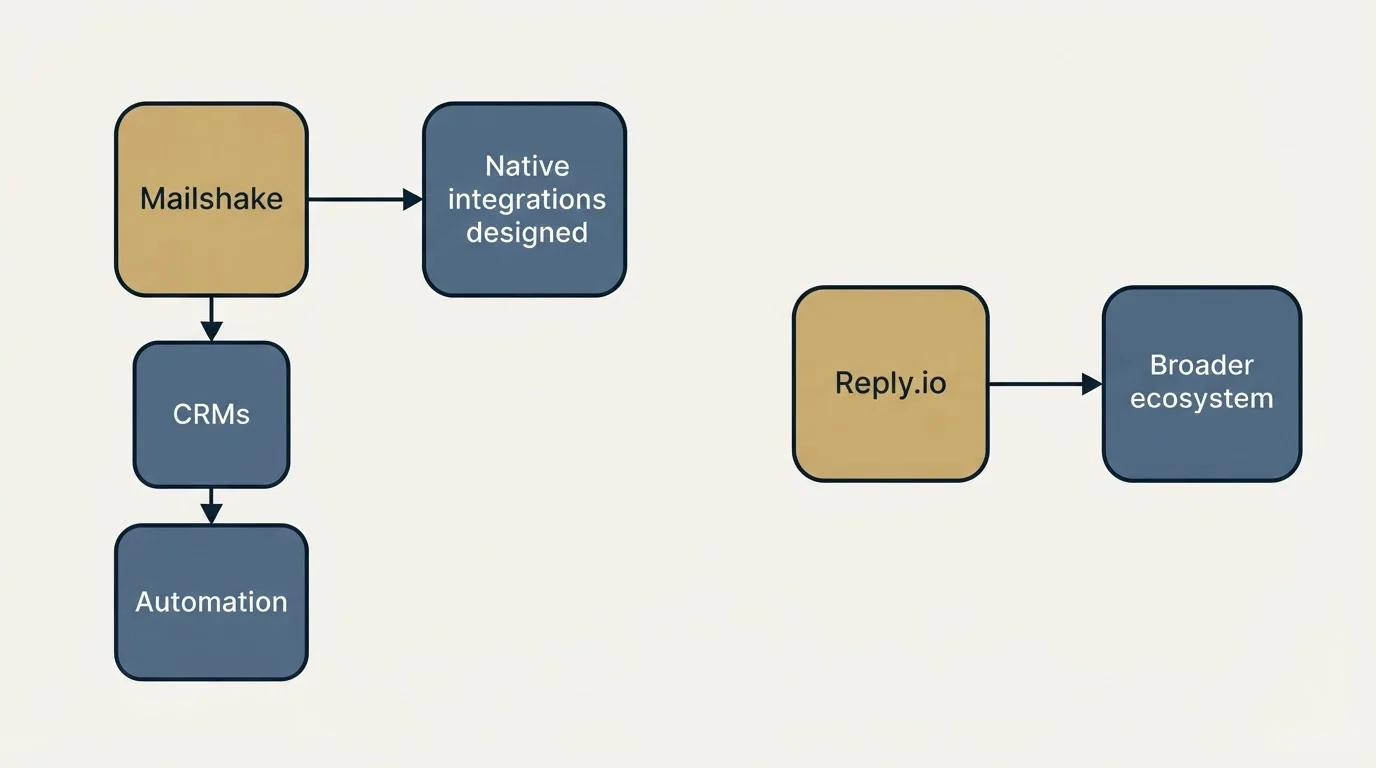
- CRMs: Salesforce, Pipedrive, HubSpot
- Automation: 1,000+ integrations via Zapier
- CRM integrations start on Email Outreach, not Starter
Reply.io Integrations
- An integrations hub, webhooks and the Reply API
- An MCP server that lets AI agents work across Reply and the rest of a stack
- A Zapier step inside sequences for any other channel
Integration Comparison
Mailshake names its three CRM integrations on the pricing page and routes everything else through Zapier. Reply.io builds for developers and agents as well as CRMs, through webhooks, its API and an MCP server. Check your own CRM on each vendor's integrations page before buying, because neither pricing page lists every connector.
Interface and Usability
Mailshake has fewer moving parts to configure. Its pricing page describes three plans and two add-ons, and its page for sales leaders promises reps sending sequences the same day you sign up.
Reply.io has more depth: three product tabs, eleven Email Volume steps by active contacts, two add-ons and an AI SDR. More capability means more to set up, which is the usual trade.
Use Case Recommendations
Best Fit for Mailshake
- Small sales teams: Simpler setup, faster time to first campaign
- Teams calling North American prospects: Unlimited free dialer minutes on Sales Engagement
- Users who value simplicity: Cleaner interface with less configuration required
- Budget-conscious teams: A $29 entry plan, $25 billed yearly
Best Fit for Reply.io
- Teams running LinkedIn and email together: Both included on Multichannel
- AI-forward organizations: AI SDR and personalization for scale
- Agencies: Agency Core from $210 a month with client workspaces
- Teams building on APIs: Webhooks, the Reply API and an MCP server
Feature Comparison Summary
| Feature | Mailshake | Reply.io |
|---|---|---|
| Email warmup included | Yes (all plans) | Yes (every mailbox) |
| Built-in contact data | Data Finder, 50 to 2,500 credits | 50 live data credits a month |
| Calling | Sales Engagement, free North American minutes | Multichannel, or $29 add-on |
| LinkedIn automation | Not listed | Multichannel, or $69 add-on |
| AI SDR product | No | Jason, from $500 a month billed annually |
| CRM integrations | Salesforce, Pipedrive, HubSpot | Integrations hub, API, webhooks, MCP |
| Free trial | None, paid up front | 14-day trial on Multichannel |
| Entry price | $29 a month | $59 per user a month |
Getting Started Checklist
Whichever platform you choose:
Dedicated domains, not your main one. Connect two or three accounts and enable warmup on each.
Two weeks or more before the first campaign sends.
Import leads or spend the plan's contact credits, then write one message and make it worth answering.
Spread sends across business hours, sync replies to your CRM, and watch bounces and replies.
Final Thoughts
Both Mailshake and Reply.io are capable cold email platforms with loyal user bases. The decision depends on your priorities:
Choose Mailshake for: Simplicity, a built-in dialer with free North American minutes, and a $29 entry plan
Choose Reply.io for: LinkedIn automation in the same plan, the Jason AI SDR, developer and agent integrations, and a 14-day trial
The tool you choose matters less than how you use it. Proper warmup, targeted lists and one message worth answering drive results on any platform. Pick the one that fits your current workflow and budget, then focus on the fundamentals.
Related Reading
- Instantly vs Mailshake: Which Cold Email Platform Fits Your Sales Process?
- Lemlist vs Mailshake: Which Cold Email Platform Fits Your Outreach Strategy?
- Smartlead vs Mailshake: Comparing Cold Email Platforms for Sales Teams
If you would rather have this run for you, RevenueFlow books qualified meetings on a pay-per-meeting basis and publishes client results.
Pricing and features are from Mailshake's and Reply.io's own pricing pages, in US dollars. Prices change; check both pages before you buy.
Frequently asked questions.
Frequently asked questions- Is Mailshake or Reply.io cheaper?
- At the entry level Mailshake is: Starter is $29 a month, or $25 billed yearly, against $59 per user a month for Reply.io's Email Volume, or $49 billed annually. At the multichannel level the list prices match at $99 a month, with Mailshake's Sales Engagement at $85 yearly and Reply.io's Multichannel at $89 annually.
- Does Mailshake include LinkedIn automation?
- Its pricing page lists none on any plan. Mailshake's multichannel plan, Sales Engagement, adds five phone numbers, a power dialer with unlimited free minutes to North American numbers and 2,500 Data Finder credits. Reply.io includes LinkedIn on Multichannel and sells it at $69 a month per account on Email Volume.
- Does Reply.io charge extra for calls and LinkedIn?
- Only on Email Volume, where LinkedIn automation is $69 a month per account and calls and SMS are $29. Reply.io's Multichannel plan, from $99 per user a month, includes email, LinkedIn, calls, SMS and WhatsApp semi-automation, so a team that needs LinkedIn should compare Multichannel rather than Email Volume plus add-ons.
- Do Mailshake and Reply.io have free trials?
- Reply.io offers a 14-day trial on its Multichannel plan. Mailshake does not: its pricing FAQ says payment is collected up front, with concierge onboarding, deliverability training and support resources offered instead, and plans can be cancelled before the renewal date.
About the author.

Tim Carden is CMO / CTO at RevenueFlow, which builds and operates outbound revenue engines for B2B companies. Studied at McGill University.
Tim Carden · CMO / CTO
Connect on LinkedIn →Explore more.
Ready to scale your outreach?
We build GTM engines that book real meetings. See the receipts.
Related articles.
Mailshake vs Pipedrive: A Sender and a CRM, Side by Side
Mailshake sells per-user sending with a two-way Pipedrive sync from its middle tier; Pipedrive is a per-seat CRM with sequences from Growth. Both read 18 September 2026.
Chili Piper vs LeanData: Form-First Against CRM-First
Chili Piper publishes a seat floor and bundles scheduling and chat; LeanData prices by Salesforce object and sells scheduling separately. Both read 18 September 2026.
Zoom Revenue Accelerator vs Gong: An Add-On vs a Platform
Zoom's support centre documents Revenue Accelerator as a licence on a Zoom account in two classes; Gong sells a platform per user plus a platform fee. Neither has a rate.
Cognism vs Upcell: A Data Provider Against a Data Layer
Cognism sells compliance-first contact data by quote and credit; Upcell sells a layer that runs your providers, Cognism included, through one record. Read 18 Sep 2026.
PromptLoop vs ZoomInfo: Web Research Against a Database
PromptLoop builds a dataset from the live web in credits it publishes; ZoomInfo sells access to a maintained database by quote. Both pages read 18 September 2026.
Metadata vs 6sense: Paid Media Execution vs Intent
Metadata runs paid B2B campaigns through seven AI agents; 6sense ranks accounts on intent and sells contact data by credit. Neither publishes a rate. Read 18 Sep 2026.