Smartlead vs Mailshake: Cold Email Platforms Compared
Two cold email platforms with different approaches to sales outreach. Here's an objective breakdown of pricing, features, and use cases to help you choose the right tool for your team.
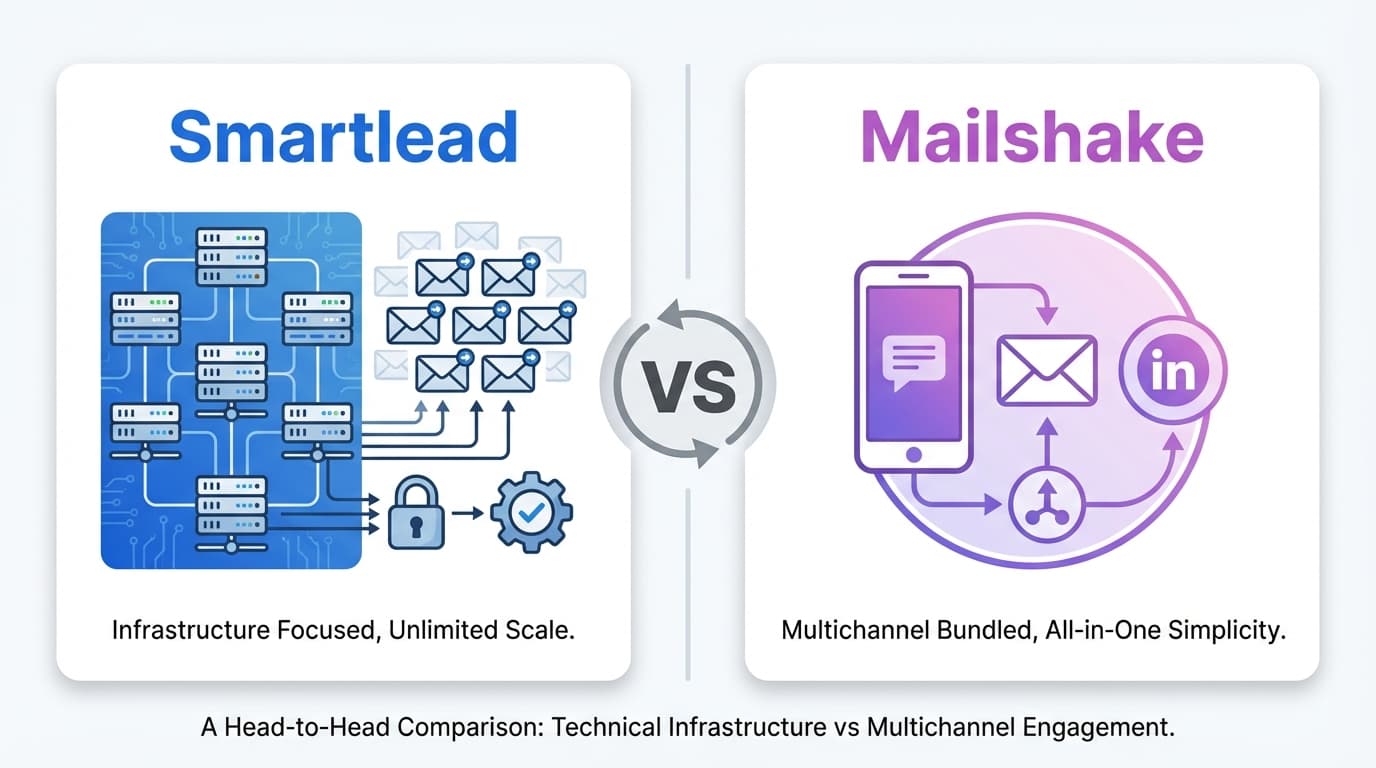
Smartlead prioritizes high-volume email infrastructure with unlimited email accounts across all plans, dedicated SmartServers for isolated sending, and detailed deliverability controls, making it ideal for agencies and high-volume senders. Mailshake emphasizes multichannel sales engagement, combining email with an integrated VOIP dialer and LinkedIn automation in its Sales Engagement tier at $99/month, making it better suited for teams that actively call and message prospects across multiple channels.
Key takeaways
- Smartlead includes unlimited email accounts on all plans starting at $39/month, while Mailshake limits accounts based on tier.
- Mailshake's Sales Engagement plan at $99/month includes a VOIP dialer with unlimited US and Canada calling plus LinkedIn automation.
- Smartlead's Unlimited Prime plan at $379/month supports 170,000 emails per month with unlimited contacts for high-volume sending.
- SmartServers cost $39 per server per month and provide dedicated sending infrastructure to isolate client campaigns.
- Mailshake includes email warmup at no extra cost on all plans, while Smartlead requires either a $59/month add-on or the Unlimited Smart tier at $174/month.
Reviewed and updated September 15, 2026
Smartlead vs Mailshake: Comparing Cold Email Platforms for Sales Teams
Smartlead and Mailshake both serve sales teams running cold email campaigns, but they approach the problem from different angles. Smartlead emphasizes high-volume email sending with unlimited accounts and dedicated infrastructure options. Mailshake positions itself as a multichannel sales engagement platform that combines email with phone and LinkedIn outreach.
This guide provides an objective comparison to help you decide which platform fits your outreach strategy.
The Quick Answer
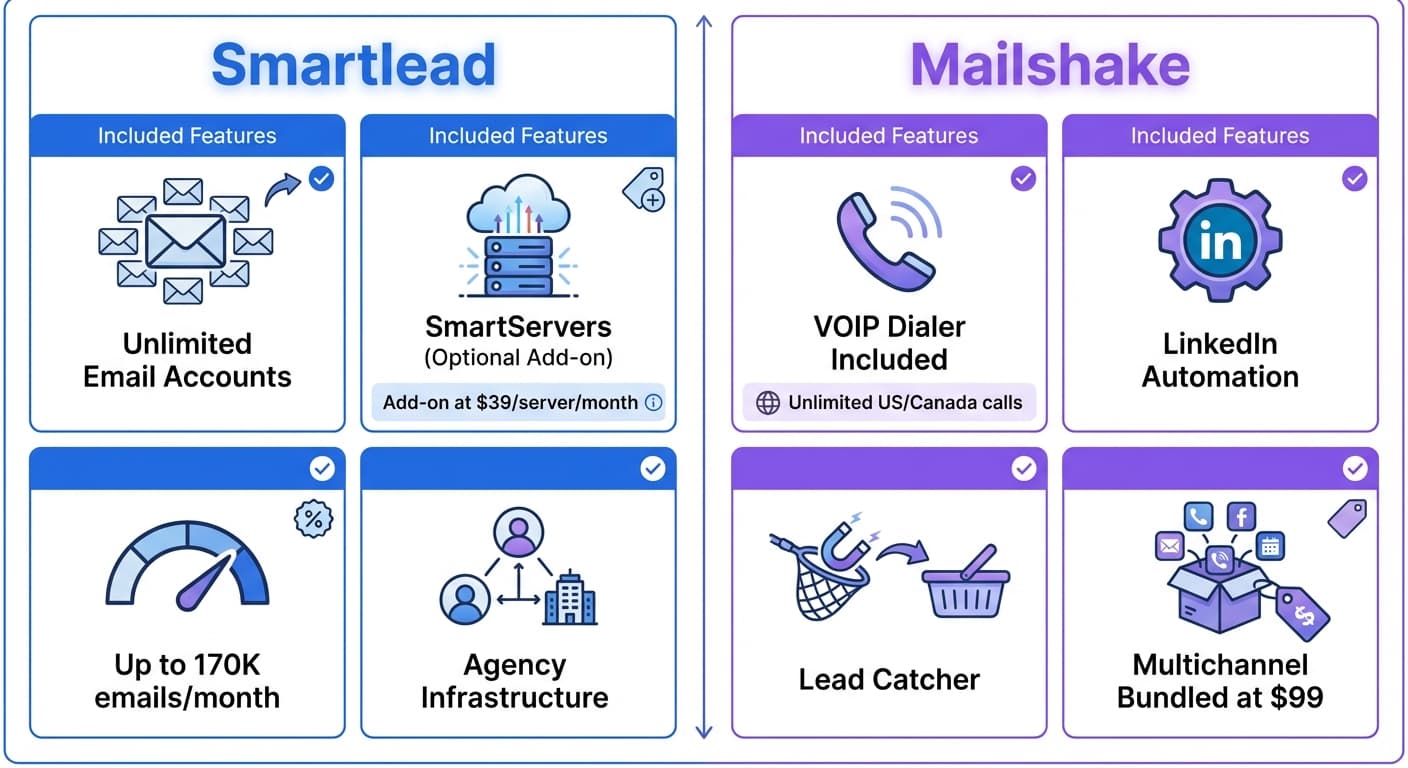
If you need to send high volumes of cold email with unlimited sending accounts, want dedicated infrastructure control, or run an agency managing multiple clients, Smartlead is designed for those use cases. The platform offers SmartServers for isolated sending infrastructure and granular control over your setup.
Teams evaluating infrastructure choices before scaling outreach might also weigh how enrichment platforms stack up when deciding where prospect data will come from.
If you want multichannel outreach that combines email sequences with phone calls and LinkedIn automation in a single platform, Mailshake delivers those capabilities. The Sales Engagement tier includes a VOIP dialer with unlimited US/Canada calling, making it practical for teams that want to call prospects as part of their workflow.
Understanding the Core Difference
Both platforms let you create email sequences, run A/B tests, and track campaign results. The similarity ends there.
Smartlead focuses on email infrastructure and deliverability. The platform offers unlimited email accounts, SmartServers for dedicated sending infrastructure, and detailed control over warmup settings. Smartlead is built for users who want maximum control over their email sending setup, particularly agencies managing multiple clients who need isolated environments.
Mailshake focuses on multichannel sales engagement. The platform combines email with phone calling and LinkedIn automation in a unified interface. Mailshake is built for sales teams that touch prospects across multiple channels and want all their activity tracked in one place.
Pricing Comparison
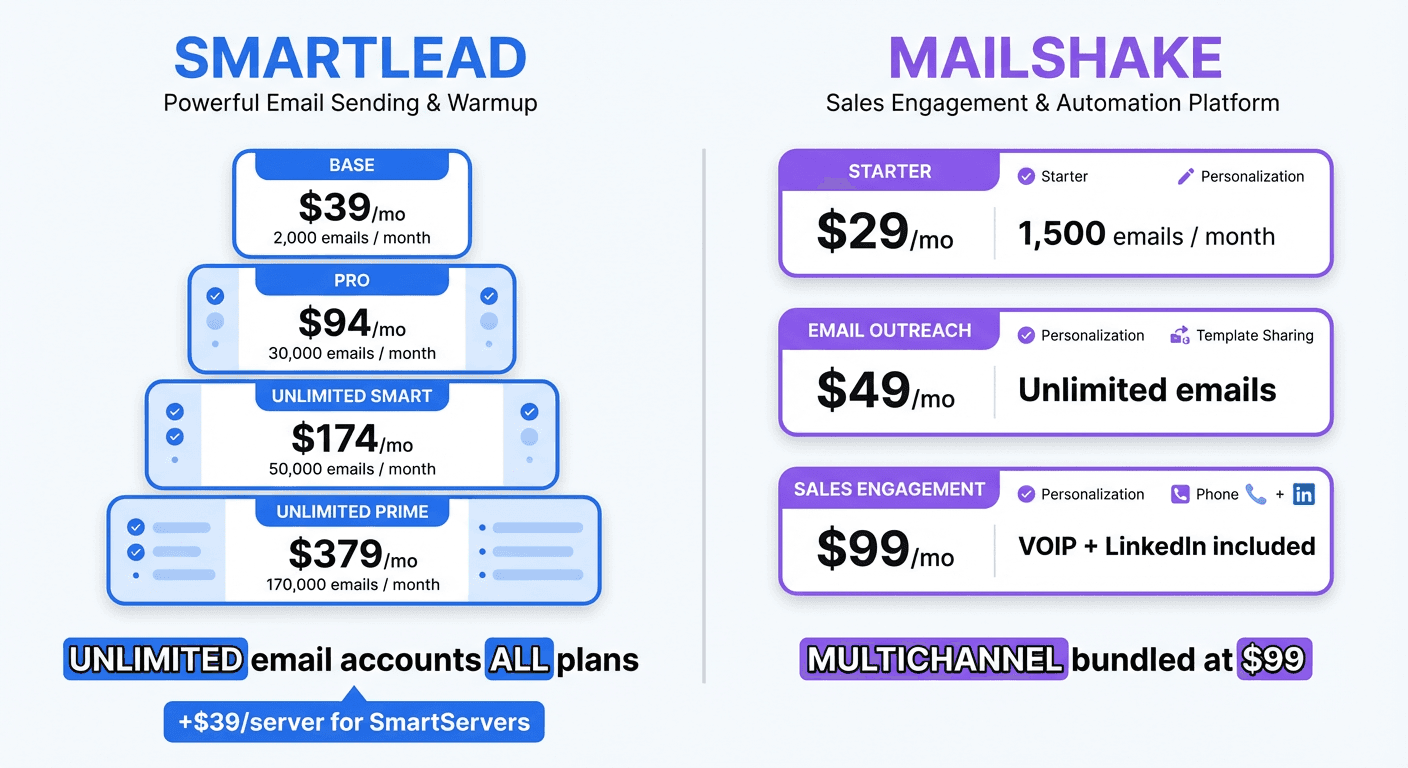
Smartlead Pricing (as of January 2026)
| Plan | Monthly Price | Contacts | Emails/Month |
|---|---|---|---|
| Base | $39 | 2,000 | 2,000 |
| Pro | $94 | 30,000 | 30,000 |
| Unlimited Smart | $174 | Unlimited | 50,000 |
| Unlimited Prime | $379 | Unlimited | 170,000 |
All Smartlead plans include unlimited email accounts. SmartServers (dedicated sending infrastructure) are available as an add-on at $39 per server per month. The warmup pool is included on Unlimited Smart and above, or available as a $59/month add-on on lower tiers.
Source: smartlead.ai/pricing
Mailshake Pricing (as of January 2026)
| Plan | Monthly Price | Features |
|---|---|---|
| Starter | $29 | 1,500 emails/month, basic sequences |
| Email Outreach | $59 | Unlimited emails, A/B testing |
| Sales Engagement | $99 | Phone dialer, LinkedIn automation |
The Sales Engagement plan includes the VOIP dialer with unlimited calling to US and Canada, plus LinkedIn automation features for multichannel sequences.
Source: mailshake.com/pricing
Pricing Analysis
The pricing reflects each platform's focus:
For high-volume email: Smartlead offers significantly higher sending limits. The Unlimited Prime plan ($379) supports 170,000 emails per month with unlimited contacts. Mailshake's unlimited email tier starts at $59/month but is designed for lower volumes with fewer accounts.
For multichannel outreach: Mailshake's Sales Engagement plan ($99) includes phone and LinkedIn features that would require separate subscriptions with Smartlead. If your team makes phone calls, the included dialer provides real value.
For agencies: Smartlead's SmartServers ($39/server/month) allow agencies to isolate client campaigns on dedicated infrastructure. This prevents one client's deliverability issues from affecting others.
Entry-level comparison: Mailshake's Starter plan ($29) is the lowest cost option, though with limited sending volume. Smartlead's Base plan ($39) costs slightly more but includes unlimited email accounts from the start.
Email Warmup
Email warmup builds sender reputation before launching campaigns. Both platforms include warmup functionality with different approaches.
Smartlead Warmup
Smartlead offers access to their warmup pool on Unlimited Smart ($174) and above. On lower tiers, warmup access costs $59/month as an add-on. The platform provides granular control over warmup volume and timing, allowing users to customize their warmup schedule based on their needs.
Mailshake Warmup
Mailshake includes unlimited warmup on all plans, starting with the Starter tier. The warmup runs automatically on connected accounts to build reputation before sending campaigns.
Warmup Comparison
For budget-conscious users, Mailshake includes warmup at no extra cost on all plans. Smartlead's warmup requires either an add-on purchase or a higher tier subscription. However, Smartlead offers more control over warmup settings for users who want to customize the process.
Email Accounts and Infrastructure
This is a key differentiator between the platforms.
Smartlead Infrastructure
Smartlead includes unlimited email accounts on all plans. The platform supports:
- OAuth authentication: Connect Google and Microsoft accounts with OAuth for better deliverability
- Custom SMTP: Add any SMTP server for sending flexibility
- SmartServers: Dedicated sending infrastructure at $39/server/month
SmartServers deserve special attention. This feature provides dedicated IP addresses and sending infrastructure separate from other Smartlead users. For agencies, this means client campaigns run on isolated infrastructure. If one client's campaign triggers spam complaints, other clients are protected.
Mailshake Infrastructure
Mailshake's account limits vary by plan. The Starter plan includes limited account access, while higher tiers expand capacity. The platform supports standard email connections but does not offer dedicated infrastructure options comparable to SmartServers.
Infrastructure Comparison
For teams needing dedicated infrastructure control, Smartlead offers more options. Agencies managing multiple clients benefit from SmartServers' isolation. For solo users or small teams sending moderate volumes, Mailshake's infrastructure handles standard use cases without requiring additional configuration.
Multichannel Features
Mailshake has a clear advantage for multichannel outreach.
Mailshake Multichannel Capabilities
- Phone Dialer: The Sales Engagement plan ($99) includes a VOIP dialer with unlimited calling to US and Canada numbers. Calls are logged automatically and can be recorded for review.
- LinkedIn Automation: The product can pair LinkedIn connection requests and messages with email, so a prospect is reached on both channels from one coordinated workflow.
- Unified Timeline: All activity (emails sent, calls made, LinkedIn touches) appears in a single prospect view.
Smartlead Multichannel Capabilities
Smartlead focuses primarily on email. The platform does not include a native phone dialer or LinkedIn automation. Teams needing these channels would integrate external tools via Zapier or the API.
Multichannel Comparison
If phone calls are part of your sales process, Mailshake's included dialer at $99/month likely costs less than Smartlead plus a separate phone tool subscription. If LinkedIn outreach is important, Mailshake's native integration simplifies the workflow compared to managing separate tools.
If email is your primary channel and you prefer to handle phone and LinkedIn separately, Smartlead's email-focused approach may be preferable.
Lead Management
Neither platform includes a built-in lead database. Both require external lead sources.
Smartlead Lead Management
Smartlead accepts lead imports via CSV upload. The platform includes basic lead management features, tagging, and segmentation. For lead sourcing, users rely on external tools like Apollo, ZoomInfo, Clay, or similar platforms.
Clearbit vs Datanyze breaks down how these enrichment tools differ on data coverage and technographic depth, useful context before feeding lists into Smartlead.
Mailshake Lead Management
Mailshake includes a "Lead Catcher" feature that helps identify which prospects are ready for follow-up based on engagement. The platform supports CSV imports and integrates with CRMs for two-way lead syncing.
Lead sourcing quality matters just as much as sequencing, so teams building prospect lists may want to compare enrichment tools for finding contact data before importing to Mailshake.
Lead Management Comparison
Both platforms require external lead sources. Mailshake's Lead Catcher provides some additional intelligence around engagement tracking. Neither platform offers the built-in prospecting databases found in tools like Instantly or Apollo.
Choosing a lead source to pair with either platform becomes the next decision, and reviewing data enrichment tool options can help narrow that choice.
Team Collaboration and Agency Features

Smartlead Agency Features
Smartlead is built with agencies in mind:
- Client workspaces: Manage multiple client accounts from a single dashboard
- SmartServers: Isolate client infrastructure for deliverability protection
- White-label options: Available on higher tiers for agency branding
- Unlimited email accounts: Add accounts for each client without per-account fees
Mailshake Team Features
Mailshake supports team collaboration:
- User seats: Add team members on higher tiers
- Team inbox: Shared view of replies and engagement
- Activity tracking: See team performance across campaigns
- Lead assignments: Route prospects to specific team members
Collaboration Comparison
For agencies managing client campaigns, Smartlead's architecture (workspaces, SmartServers, white-label) provides more relevant features. For internal sales teams collaborating on shared campaigns, Mailshake's team inbox and activity tracking support that workflow.
Deliverability Features
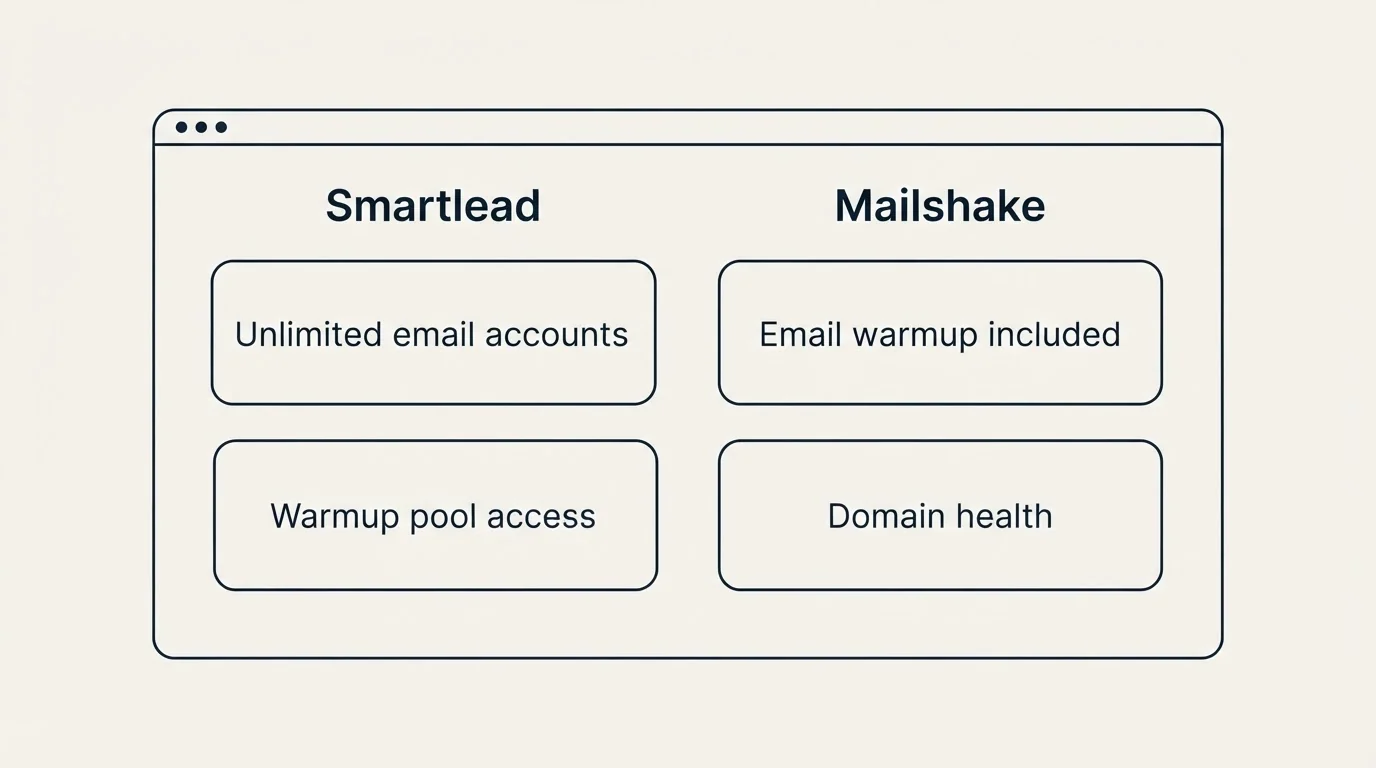
Smartlead Deliverability
- Unlimited email accounts (all plans)
- Warmup pool access (add-on or included in higher tiers)
- SmartServers for dedicated infrastructure
- OAuth support for Google and Microsoft
- Custom SMTP integration
- Granular sending controls
Mailshake Deliverability
- Email warmup included (all plans)
- Domain health monitoring
- A/B testing for subject lines and copy
- AI-assisted email writing
- Lead Catcher for engagement tracking
Deliverability Comparison
Smartlead offers more infrastructure-level control, particularly through SmartServers and custom SMTP options. Mailshake includes practical features like domain health monitoring and AI writing assistance. Both platforms cover core deliverability requirements.
Integrations
Smartlead Integrations
- CRMs: HubSpot, Salesforce (via OutboundSync)
- Automation: Zapier
- Enrichment: Clay, LeadMagic, ListKit
- LinkedIn: Expandi integration
- Communication: Slack
- API access available
Mailshake Integrations
- CRMs: Salesforce, Pipedrive, HubSpot
- Automation: Zapier
- Native: VOIP dialer, LinkedIn automation
- Calendar integrations
- API access available
Integration Comparison
Both platforms integrate with major CRMs and Zapier for automation. Smartlead's Expandi integration is notable for teams running LinkedIn outreach through that platform. Mailshake's native phone and LinkedIn features reduce the need for external integration in those areas.
Interface and Usability
Smartlead has a utilitarian interface with many configuration options visible. The dashboard provides access to campaigns, accounts, warmup settings, and analytics. New users may need time to explore all available features. The learning curve is moderate.
Mailshake has a clean interface designed around sequences and prospect activity. The dashboard shows campaign performance, upcoming tasks, and reply notifications. The multichannel timeline provides a unified view of prospect interactions. The learning curve is relatively gentle.
Neither platform is difficult to learn. Smartlead requires more initial configuration for optimal setup. Mailshake gets users to their first campaign faster but offers less infrastructure control.
Use Case Recommendations
Best Fit for Smartlead
- Agencies managing multiple clients: SmartServers and workspaces provide client isolation
- High-volume email senders: Higher email limits support scale (up to 170K/month)
- Teams needing dedicated infrastructure: Control over sending setup and IP reputation
- Users who want unlimited email accounts: All plans include unlimited accounts
- Teams comfortable with technical configuration: More settings to optimize
Best Fit for Mailshake
- Sales teams making phone calls: Built-in dialer with unlimited US/Canada calling
- Multichannel sales processes: Email, phone, and LinkedIn in one platform
- Teams wanting simplicity: Faster setup with less configuration
- Budget-conscious users: $29 entry point for basic email outreach
- Internal sales teams: Team collaboration features support shared workflows
Feature Comparison Summary
| Feature | Smartlead | Mailshake |
|---|---|---|
| Unlimited email accounts | Yes (all plans) | No (varies by plan) |
| Email warmup included | Higher tiers ($59 add-on on lower) | Yes (all plans) |
| Built-in lead database | No | No |
| Dedicated infrastructure | Yes (SmartServers $39/server) | No |
| Phone dialer | No | Yes (Sales Engagement) |
| LinkedIn automation | Via Expandi integration | Yes (higher tiers) |
| A/B testing | Yes | Yes |
| Custom SMTP | Yes | No |
| Entry price | $39/month | $29/month |
Getting Started Checklist
Regardless of which platform you choose:
Week 1-2: Setup
- Purchase dedicated domains for sending (never use your main domain)
- Connect 2-3 email accounts to start
- Enable warmup on all connected accounts
- Let warmup run at least 2 weeks before launching campaigns
Week 2-3: First Campaign
- Import a small lead list (200-500 contacts to start)
- Write one message and make it worth answering
- Configure sending schedule across business hours
- Set up reply notifications
Week 3+: Launch and Iterate
- Start campaigns at conservative volume (50-100 emails per day per account)
- Monitor open rates, reply rates, and bounce rates
- Adjust targeting and messaging based on results
- Gradually increase volume as deliverability proves stable
Final Thoughts
Smartlead and Mailshake serve different primary use cases:
Choose Smartlead for: High-volume email, agency client management, dedicated infrastructure, granular control over sending configuration
Choose Mailshake for: Multichannel sales engagement, built-in phone dialer, LinkedIn automation, simpler setup process
The platform you choose matters less than executing the fundamentals well. Good targeting, relevant messaging, and proper deliverability setup drive results regardless of which tool you use. Pick the platform that fits your workflow, configure it properly, and focus on the strategy behind your outreach.
Related Reading
- Mailshake vs Smartlead: Cold Email Platform Comparison
- Mailshake vs Reply.io: Which Cold Email Platform Fits Your Sales Process?
- Instantly vs Mailshake: Which Cold Email Platform Fits Your Sales Process?
If you would rather have this run for you, RevenueFlow books qualified meetings on a pay-per-meeting basis and publishes client results.
Pricing and features verified as of January 2026. Visit official websites for current information.
Frequently asked questions.
Frequently asked questions- Which platform is cheaper for getting started with cold email?
- Mailshake's Starter plan at $29/month is the lowest entry price, though it limits you to 1,500 emails per month. Smartlead's Base plan costs $39/month but includes unlimited email accounts from the start, making it better for users who need multiple sending accounts. The choice depends on whether you prioritize absolute lowest cost or account flexibility.
- Does Smartlead or Mailshake include phone calling features?
- Mailshake includes phone calling in its Sales Engagement plan at $99/month, with a VOIP dialer that provides unlimited calling to US and Canada. Smartlead focuses exclusively on email infrastructure and does not include phone calling features. If your sales process requires calling prospects, Mailshake integrates that capability directly into the platform.
- How many email accounts can I connect on each platform?
- Smartlead offers unlimited email accounts on all plans, starting at $39/month. Mailshake limits the number of email accounts based on your plan tier. For agencies or teams that need to send from many accounts to distribute volume and protect deliverability, Smartlead's unlimited accounts provide significant flexibility.
- What are SmartServers and do I need them?
- SmartServers are dedicated sending infrastructure available from Smartlead at $39 per server per month. They provide isolated IP addresses separate from other users, preventing one campaign's deliverability issues from affecting others. Agencies managing multiple clients benefit most, as each client can run on isolated infrastructure. Solo users sending moderate volumes typically don't need this feature.
- Which platform is better for multichannel outreach?
- Mailshake is built for multichannel outreach, combining email sequences with phone calling and LinkedIn automation in its Sales Engagement tier at $99/month. Smartlead focuses exclusively on email infrastructure without native phone or LinkedIn features. If your outreach strategy touches prospects via email, phone, and LinkedIn, Mailshake consolidates those channels in one platform.
About the author.

Tim Carden is CMO / CTO at RevenueFlow, which builds and operates outbound revenue engines for B2B companies. Studied at McGill University.
Tim Carden · CMO / CTO
Connect on LinkedIn →Explore more.
Ready to scale your outreach?
We build GTM engines that book real meetings. See the receipts.
Related articles.
Mailshake vs Pipedrive: A Sender and a CRM, Side by Side
Mailshake sells per-user sending with a two-way Pipedrive sync from its middle tier; Pipedrive is a per-seat CRM with sequences from Growth. Both read 18 September 2026.
Chili Piper vs LeanData: Form-First Against CRM-First
Chili Piper publishes a seat floor and bundles scheduling and chat; LeanData prices by Salesforce object and sells scheduling separately. Both read 18 September 2026.
Metadata vs 6sense: Paid Media Execution vs Intent
Metadata runs paid B2B campaigns through seven AI agents; 6sense ranks accounts on intent and sells contact data by credit. Neither publishes a rate. Read 18 Sep 2026.
Zoom Revenue Accelerator vs Gong: An Add-On vs a Platform
Zoom's support centre documents Revenue Accelerator as a licence on a Zoom account in two classes; Gong sells a platform per user plus a platform fee. Neither has a rate.
Cognism vs Upcell: A Data Provider Against a Data Layer
Cognism sells compliance-first contact data by quote and credit; Upcell sells a layer that runs your providers, Cognism included, through one record. Read 18 Sep 2026.
PromptLoop vs ZoomInfo: Web Research Against a Database
PromptLoop builds a dataset from the live web in credits it publishes; ZoomInfo sells access to a maintained database by quote. Both pages read 18 September 2026.