Reply.io vs Smartlead: Which Cold Email Platform Fits You?
Two powerful cold email platforms with different approaches to multichannel outreach. Here's an objective comparison of pricing, features, and ideal use cases to help you make the right choice.
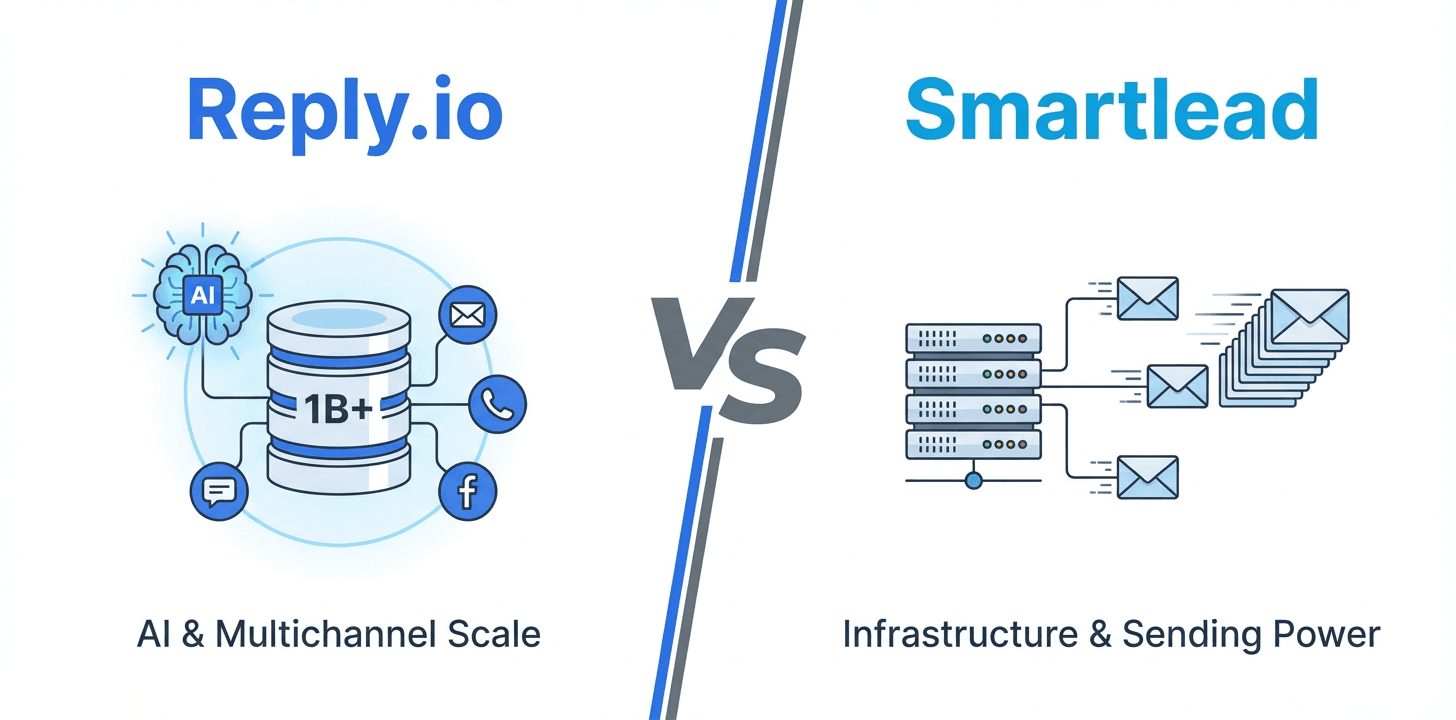
Reply.io fits teams that want a full multichannel sales engagement platform with a built-in 1B+ contact database, AI personalization, and an AI SDR option starting at $59 per user monthly. Smartlead fits teams prioritizing email sending infrastructure control, dedicated SmartServers, and flat pricing starting at $39 monthly regardless of team size.
Key takeaways
- Reply.io's Email Volume plan starts at $59 per user monthly with 1,000 active contacts, while its Multichannel plan is $99 per user monthly with unlimited contacts and 10 mailboxes.
- Smartlead's Base plan starts at $39 monthly flat for 2,000 contacts and 2,000 emails, with an Unlimited Smart tier at $174 monthly offering unlimited contacts and 50,000 emails.
- Reply.io includes a built-in B2B database of over 1 billion contacts searchable by job title, company, industry, and location directly within the platform.
- Smartlead has no native prospect database, requiring external tools like Apollo, ZoomInfo, Clay, or LinkedIn Sales Navigator to source leads before importing them.
- Smartlead offers SmartServers as a dedicated sending infrastructure add-on at $39 per server monthly, popular with agencies managing multiple client accounts.
Reviewed and updated September 5, 2026
Reply.io vs Smartlead: Which Cold Email Platform Fits Your Outreach Strategy?
Reply.io and Smartlead both serve the cold email market, but they take different approaches to solving the same problem. Reply.io positions itself as a multichannel sales engagement platform with AI-powered features and a built-in B2B database. Smartlead focuses on email infrastructure control and high-volume sending capabilities.
This comparison breaks down the objective differences between both platforms.
The Quick Answer
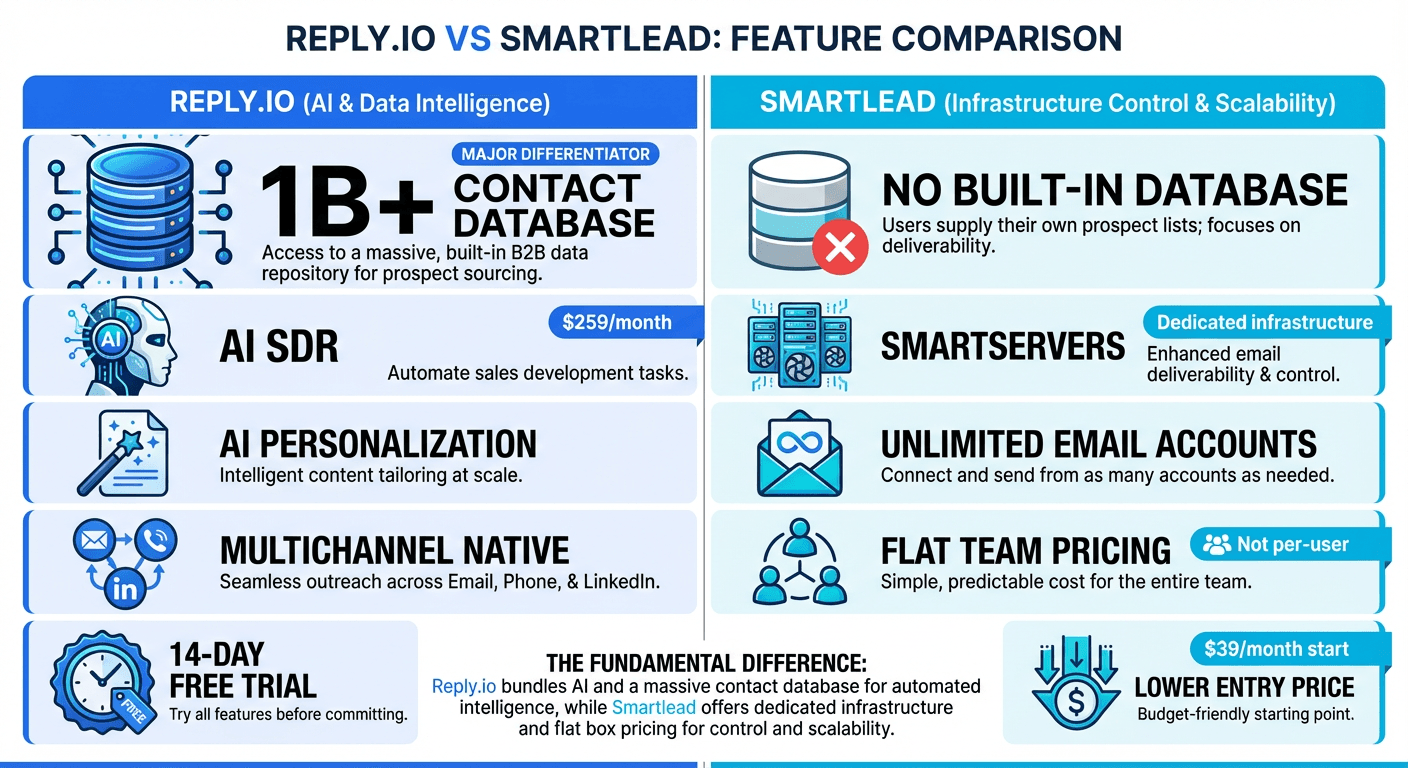
If you want a full sales engagement platform with built-in prospect data, AI personalization, and multichannel capabilities (email, LinkedIn, SMS, calls), Reply.io offers a more comprehensive toolkit. The platform includes access to a 1B+ contact database and AI-powered features including an AI SDR option.
Teams weighing multichannel prospect databases against dedicated cold email execution will find Apollo.io versus Reply.io a useful comparison of how the two categories complement each other.
If you prioritize sending infrastructure control, unlimited contacts at lower price points, or need dedicated servers for agency client isolation, Smartlead provides more flexibility in how you manage your email sending setup.
Understanding the Core Difference
Both platforms handle cold email campaigns. Both include email warmup. Both integrate with major CRMs. The differences emerge in their broader approach.
Since CRM integration is another piece of the outreach puzzle, readers evaluating platform tradeoffs may also find the Copper and Zoho CRM comparison useful for choosing sales tools.
Reply.io is built as a multichannel sales engagement platform. Beyond email, the platform supports LinkedIn automation, SMS, and calls as add-on channels. The built-in B2B database (1B+ contacts) positions it as an all-in-one prospecting and outreach solution. AI features, including personalization and the AI SDR option, are central to the product direction.
Smartlead focuses on email sending infrastructure. SmartServers provide dedicated sending servers for users who want isolation from shared infrastructure. The platform offers more control over technical sending configuration, making it popular with agencies managing multiple client accounts.
Pricing Comparison
Reply.io Pricing (as of January 2026)
| Plan | Monthly Price | Contacts | Key Features |
|---|---|---|---|
| Email Volume | $59/user | 1,000 active | Core email features |
| Multichannel | $99/user | Unlimited | 10 mailboxes, multichannel |
| Agency Core | $210 | Unlimited clients & users | Agency-focused features |
| AI SDR Starter | $800 | 1,000 active | AI-powered automation |
Add-ons available:
- LinkedIn automation: $69/month
- SMS and calls: $29/month
Reply.io offers a 14-day free trial on all plans.
Source: reply.io/pricing
Smartlead Pricing (as of January 2026)
| Plan | Monthly Price | Contacts | Emails/Month |
|---|---|---|---|
| Base | $39 | 2,000 | 2,000 |
| Pro | $94 | 30,000 | 30,000 |
| Unlimited Smart | $174 | Unlimited | 50,000 |
| Unlimited Prime | $379 | Unlimited | 170,000 |
Add-ons available:
- SmartServers: $39/server/month
- Warmup pool (lower tiers): $59/month
Source: smartlead.ai/pricing
Pricing Analysis
The pricing structures differ significantly.
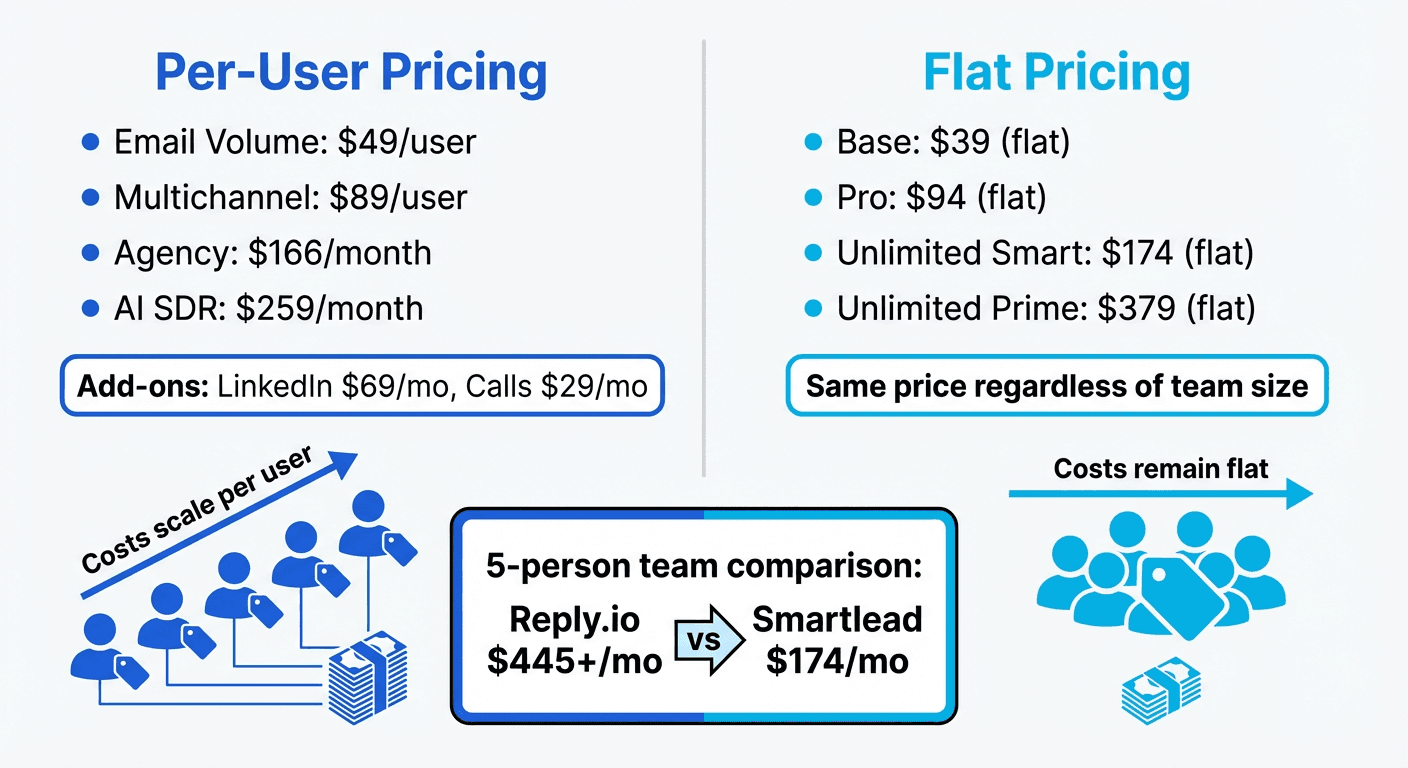
Per-user vs flat pricing: Reply.io charges per user, while Smartlead uses flat monthly pricing regardless of team size. For teams with multiple users, Smartlead can be more cost-effective.
Contact limits: Reply.io's Email Volume plan limits active contacts to 1,000. Smartlead's Base plan includes 2,000 contacts. Both offer unlimited contacts at higher tiers (Reply.io Multichannel at $99/user, Smartlead Unlimited Smart at $174 flat).
Multichannel costs: Reply.io includes multichannel capabilities in the $99/user plan, with LinkedIn ($69/month) and SMS/calls ($29/month) as add-ons. Smartlead focuses primarily on email, with LinkedIn capabilities available through Expandi integration.
Entry point: Smartlead's Base plan ($39) offers a lower entry point than Reply.io's Email Volume ($59/user).
Built-in Prospect Database
This is where the platforms diverge significantly.
Reply.io
Reply.io includes access to a B2B contact database with over 1 billion contacts. Users can search by job title, company, industry, location, and other criteria directly within the platform. Leads can be added to sequences without external data sourcing tools.
Since built-in prospecting databases vary widely in verification depth and compliance, teams sourcing external contacts may benefit from the data enrichment tool comparison.
The database is integrated into the workflow, reducing the need for separate prospecting tools like Apollo or ZoomInfo.
Smartlead
Smartlead does not include a native prospect database. Users need external tools (Apollo, ZoomInfo, Clay, LinkedIn Sales Navigator, etc.) to source leads before importing them into Smartlead.
Database Comparison
For teams currently paying for separate lead data subscriptions, Reply.io's included database could consolidate costs. For teams with existing data workflows or specific data requirements, Smartlead's approach allows flexibility in choosing data providers.
Email Warmup
Both platforms include email warmup functionality.
Reply.io Warmup
Reply.io includes unlimited email warmup on all plans. The anti-spam suite includes warmup alongside other deliverability features. The system automatically warms up connected accounts within their user network.
Dedicated warmup specialists take a narrower approach than Reply.io's built-in feature, focusing solely on deliverability prep rather than full campaign execution, a contrast explored in the InboxAlly and Reply.io comparison.
Smartlead Warmup
Smartlead's warmup pool is included on Unlimited Smart ($174/month) and above. Lower tier plans require the warmup add-on ($59/month). The platform offers granular control over warmup volume and scheduling for users who want to customize their warmup approach.
Warmup Comparison
Reply.io includes warmup on all plans without additional cost. Smartlead includes warmup only on higher tiers, charging extra on Base and Pro plans. For budget-conscious users on lower tiers, this cost difference matters.
Multichannel Capabilities
Reply.io
Reply.io is built for multichannel outreach. The Multichannel plan ($99/user) includes:
- Email sequences
- LinkedIn automation (add-on $69/month)
- SMS messaging (add-on $29/month)
- Voice calls (included in SMS/calls add-on)
- Task management for manual touchpoints
The platform allows building sequences that combine these channels. For example, an email followed by a LinkedIn connection request, then a follow-up call.
Smartlead
Smartlead focuses primarily on email. Multichannel capabilities are available through integrations rather than native features:
- LinkedIn: Via Expandi integration
- Other channels: Through Zapier or native API
Multichannel Comparison
For teams running true multichannel campaigns across email, LinkedIn, and phone, Reply.io offers a more integrated solution. For teams focused primarily on email with occasional LinkedIn touchpoints, Smartlead's integration approach may be sufficient.
AI Features
Reply.io
Reply.io has invested heavily in AI capabilities:
- AI personalization: Automatic email personalization based on prospect data
- AI SDR Starter plan ($800/month): Automated prospecting and outreach handled by AI
- Smart suggestions: AI-powered recommendations for improving sequences
The AI SDR option is unique in the market, handling tasks typically done by sales development representatives.
Smartlead
Smartlead includes CRM functionality and automation features, but does not emphasize AI capabilities as a core product differentiator. The focus remains on sending infrastructure and deliverability control.
AI Comparison
For teams interested in AI-powered personalization and automation, Reply.io offers more in this area. For teams who prefer manual control and proven sequences, Smartlead's approach works without the AI layer.
Sending Infrastructure
Smartlead
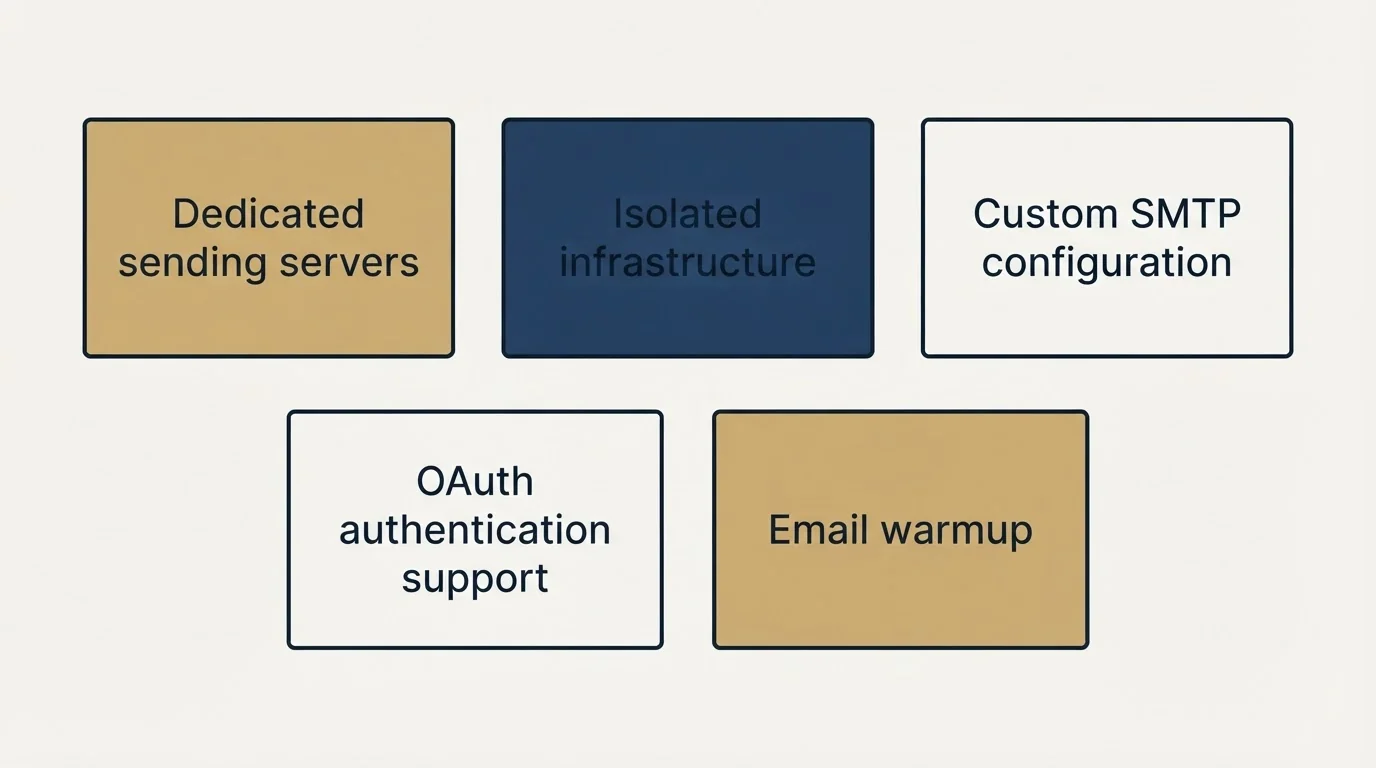
Smartlead's SmartServers feature ($39/server/month) is a key differentiator:
- Dedicated sending servers separate from other users
- Isolated infrastructure for agency clients
- Custom SMTP configuration options
- OAuth authentication support
This matters for agencies where one client's deliverability issues should not affect another client's campaigns.
Reply.io
Reply.io uses shared infrastructure with anti-spam protections. The platform includes:
- Email warmup for reputation building
- Anti-spam suite for deliverability
- Standard SMTP connections
Infrastructure Comparison
For users who need dedicated infrastructure control (typically agencies or high-volume senders with specific requirements), Smartlead's SmartServers provide more options. For most users, Reply.io's shared infrastructure with proper warmup delivers acceptable results.
Integrations
Reply.io Integrations
- CRMs: HubSpot, Salesforce, Pipedrive, Copper CRM, Zendesk Sell, Close
- Automation: Zapier, Make, n8n
- Email providers: Gmail, Outlook
- API access available
Smartlead Integrations
- CRMs: HubSpot, Salesforce
- Automation: Zapier
- Email providers: Gmail, Outlook (OAuth supported)
- LinkedIn: Expandi
- Enrichment: Clay
- Communication: Slack
- API access available
Integration Comparison
Reply.io offers broader native CRM integrations, including Pipedrive, Copper, Zendesk Sell, and Close. Smartlead covers the major CRMs (HubSpot, Salesforce) with a simpler integration ecosystem. Both platforms offer Zapier for extending connections.
Interface and Usability
Reply.io
Reply.io's interface reflects its position as a comprehensive sales engagement platform. The dashboard includes:
- Sequence builder with multichannel options
- Contact database search
- Performance analytics
- AI feature controls
The learning curve is moderate. Users new to sales engagement platforms may need time to explore all features.
Smartlead
Smartlead's interface is more focused on email campaign management. The dashboard emphasizes:
- Campaign management
- Deliverability metrics
- Mailbox health monitoring
- Sending configuration
The interface prioritizes email-specific workflows over broader sales engagement features.
Usability Comparison
Reply.io offers more features, which means more to learn. Smartlead's narrower focus on email makes it quicker to master for users focused solely on cold email campaigns.
Use Case Recommendations
Best Fit for Reply.io
- Teams wanting multichannel outreach: Native email, LinkedIn, SMS, and call capabilities
- Users needing built-in prospect data: 1B+ contact database reduces external tool costs
- AI-curious teams: AI personalization and AI SDR options for automation
- Sales teams with multiple CRMs: Broader native CRM integration options
- Teams wanting a free trial: 14-day trial available on all plans
Best Fit for Smartlead
- Agencies managing multiple clients: SmartServers provide client isolation
- Teams needing dedicated infrastructure: More control over sending setup
- Budget-conscious users: Lower entry point and flat team pricing
- Email-focused teams: Purpose-built for email without multichannel complexity
- High-volume senders: Clear email volume limits and pricing
Feature Comparison Summary
| Feature | Reply.io | Smartlead |
|---|---|---|
| Built-in B2B database | Yes (1B+ contacts) | No |
| Email warmup included | Yes (all plans) | Higher tiers only |
| LinkedIn automation | Add-on ($69/month) | Via Expandi integration |
| SMS/Calls | Add-on ($29/month) | No |
| Dedicated infrastructure | No | SmartServers ($39/server) |
| AI personalization | Yes | No |
| AI SDR option | Yes ($800/month) | No |
| Free trial | Yes (14 days) | No |
| Per-user pricing | Yes | No (flat pricing) |
| Custom SMTP | Limited | Yes |
Getting Started Checklist
Whichever platform you choose:
Week 1-2: Setup
- Set up dedicated sending domains (separate from your main domain)
- Connect 2-3 email accounts initially
- Enable warmup on all accounts
- Allow warmup to run 2+ weeks before campaign launch
Week 2-3: First Campaign
- Import or source your initial lead list (200-500 leads to start)
- Write a 2-3 message sequence
- Configure sending schedule (spread throughout business hours)
- Set up reply notifications and tracking
Week 3+: Launch and Iterate
- Start campaign at conservative volume (50-100 emails/day per account)
- Monitor deliverability and bounce rates
- Track reply rates and positive responses
- Adjust targeting, copy, and offer based on results
Final Thoughts
Reply.io and Smartlead serve different priorities within the cold email market.
Choose Reply.io for: Multichannel sales engagement, built-in prospect data, AI-powered personalization, broader CRM integrations, and the 14-day trial to test before committing.
Choose Smartlead for: Sending infrastructure control, agency client isolation, lower entry pricing, flat team-based pricing, and focused email-only workflows.
The platform you select matters less than your targeting accuracy, message quality, and offer relevance. Pick the tool that matches your current workflow, set it up properly, and focus on the fundamentals that drive results.
Related Reading
- Lemlist vs Smartlead: Which Cold Email Platform Fits Your Outreach Strategy?
- Instantly vs Reply.io: Which Cold Email Platform Fits Your Outreach Strategy?
If you would rather have this run for you, RevenueFlow books qualified meetings on a pay-per-meeting basis and publishes client results.
Pricing and features verified as of January 2026. Visit official websites for current information.
Frequently asked questions.
Frequently asked questions- What is the main difference between Reply.io and Smartlead?
- Reply.io is a multichannel sales engagement platform with a built-in 1B+ contact database, AI features, and support for LinkedIn, SMS, and calls as add-on channels. Smartlead focuses on email sending infrastructure control, including dedicated SmartServers, and does not include a native prospect database.
- Which platform is cheaper for a team with multiple users?
- Smartlead can be more cost-effective for teams with multiple users because it uses flat monthly pricing regardless of team size. Reply.io charges per user, so costs scale up as more team members are added to the platform.
- Does Smartlead include a prospect database like Reply.io does?
- No, Smartlead does not include a native prospect database. Users need to source leads through external tools such as Apollo, ZoomInfo, Clay, or LinkedIn Sales Navigator and then import them into Smartlead for campaigns.
- Which plan has the lowest entry price between the two platforms?
- Smartlead's Base plan at $39 monthly offers a lower entry point than Reply.io's Email Volume plan at $59 per user monthly. Smartlead's Base plan includes 2,000 contacts and 2,000 emails per month.
- Does Reply.io support multichannel outreach beyond email?
- Yes, Reply.io supports LinkedIn automation, SMS, and calls as add-on channels alongside email. LinkedIn automation costs $69 per month extra and SMS and calls cost $29 per month extra, while full multichannel capability is included in the $99 per user Multichannel plan.
About the author.

Tim Carden is CMO / CTO at RevenueFlow, which builds and operates outbound revenue engines for B2B companies. Studied at McGill University.
Tim Carden · CMO / CTO
Connect on LinkedIn →Explore more.
Ready to scale your outreach?
We build GTM engines that book real meetings. See the receipts.
Related articles.
Mailshake vs Pipedrive: A Sender and a CRM, Side by Side
Mailshake sells per-user sending with a two-way Pipedrive sync from its middle tier; Pipedrive is a per-seat CRM with sequences from Growth. Both read 18 September 2026.
Chili Piper vs LeanData: Form-First Against CRM-First
Chili Piper publishes a seat floor and bundles scheduling and chat; LeanData prices by Salesforce object and sells scheduling separately. Both read 18 September 2026.
Zoom Revenue Accelerator vs Gong: An Add-On vs a Platform
Zoom's support centre documents Revenue Accelerator as a licence on a Zoom account in two classes; Gong sells a platform per user plus a platform fee. Neither has a rate.
Cognism vs Upcell: A Data Provider Against a Data Layer
Cognism sells compliance-first contact data by quote and credit; Upcell sells a layer that runs your providers, Cognism included, through one record. Read 18 Sep 2026.
PromptLoop vs ZoomInfo: Web Research Against a Database
PromptLoop builds a dataset from the live web in credits it publishes; ZoomInfo sells access to a maintained database by quote. Both pages read 18 September 2026.
Metadata vs 6sense: Paid Media Execution vs Intent
Metadata runs paid B2B campaigns through seven AI agents; 6sense ranks accounts on intent and sells contact data by credit. Neither publishes a rate. Read 18 Sep 2026.