The Salesforce Sales Funnel: Why History Tracking Matters
A report on Opportunity shows where deals are now. How they moved, and how long each step took, needs Field History Tracking, and history is never retrospective.
A Salesforce funnel report becomes a measurement rather than a snapshot once Field History Tracking is enabled on Opportunity and reports are built on the Opportunity History report type. History starts when tracking is switched on and cannot be recovered retrospectively, so enable it before the figures are requested.
Key takeaways
- Field History Tracking is not retrospective: an org that ran for two years with it off has no record of how any of those deals moved.
- Salesforce splits the journey across Lead and Opportunity, so a report on either object measures half the funnel and flatters the half it can see.
- A conversion rate computed over an already-filtered set improves whenever the filter tightens, which is why every rate needs its entering count beside it.
- Adding a Salesforce stage is trivial and removing one is a data migration, which is why stage lists only grow and why five or six is the practical ceiling.
Reviewed and updated September 1, 2026
A funnel report in Salesforce shows where every deal is right now. That is not what anyone building a funnel report actually wants to know. They want to know how deals moved, which stage they died in, and how long each step took, and none of that is in a report on the Opportunity object.
The bridge is Field History Tracking on Opportunity and the Opportunity History report type built on top of it. Without history tracking switched on, Salesforce holds a snapshot and no memory, so a funnel report drawn from it is a photograph of a pipeline rather than a measurement of one. Switching it on is a two-minute administrative step, and it is the difference between a chart and an instrument.
This page covers the mechanics that follow from Salesforce's data model. What a stage should mean, which is a harder and more valuable question, is covered separately in our piece on defining every stage exit by something the buyer did, and this page assumes you have settled it.
Two objects, one funnel, and the seam between them
Salesforce splits the journey across Lead and Opportunity, and every funnel measurement problem in the platform starts at that seam.
Teams wondering where lead sourcing tools fit before deals ever reach Opportunity can see how the two categories divide in Apollo.io compared with Salesforce.
Since sequencing and engagement happen upstream of the stages this funnel measures, it helps to see how Outreach and Salesforce divide the work between orchestration and pipeline tracking.
A Lead is an unqualified person. An Opportunity is a potential sale attached to an Account and Contact. Conversion is the moment a Lead becomes some combination of Account, Contact and Opportunity. Before conversion the record lives on one object, after it on another, and a report on either object sees only half the journey.
The same seam gets searched as leads vs opportunities, and the answer that survives a forecast review is about commitment: an Opportunity carries an amount and a close date somebody will be asked about, and a Lead carries neither.
The Clay and Salesforce comparison clarifies how lead enrichment and pipeline tracking serve different stages of the same funnel, before and after conversion.
That produces three specific errors, all of them common.
Measuring the funnel from Opportunity alone, which starts the count after qualification and hides everything that happened before it. The stages will look healthy because the population entering them was already filtered.
Measuring conversion rate without its denominator. Any rate computed over an already-filtered set reports on the survivors. If lead-to-opportunity conversion tightens, opportunity-stage conversion improves for reasons that have nothing to do with anything getting better, and the team celebrates a rate that rose because the population shrank. Never read a rate without reading the count entering the stage next to it.
Treating leads that were never converted as absent rather than as an outcome. They are the largest population in most Salesforce orgs and the least reported on.
- Step 1Turn on Field History Tracking
On Opportunity, and on the fields you will measure, because history is not retained retrospectively
- Step 2Build on Opportunity History
The report type that exposes stage changes over time rather than current stage
- Step 3Add cumulative and next-stage columns
Formula columns that turn a stage count into a progression rate
- Step 4Report the denominator beside every rate
A rate that improved while the entering count fell is one number, not two
- Step 5Join the Lead side separately
Conversion crosses objects, so the pre-qualification half needs its own report
History tracking is not retrospective
This is the single most expensive thing to learn late about Salesforce funnel reporting: history begins when you enable tracking, not when the deal was created.
An org that has been running for two years with tracking off has two years of deals and no record of how any of them moved. Enabling it today gives you a measurable funnel starting today, and there is no configuration that recovers the past.
So the correct time to enable it is before you need it, which is a difficult thing to act on and a cheap one. If you are reading this because somebody asked for stage-conversion figures and you do not have them, turn tracking on now, because the same conversation will happen again next quarter and the answer will be the same unless the clock has started.
The related consequence is that the fields you track are the fields you can measure. Stage is the obvious one. Amount and Close Date are the two most worth adding, because they turn a funnel report into a forecast-quality one: a deal whose close date has moved four times is telling you something a stage cannot.
Stage count, and why fewer is usually right
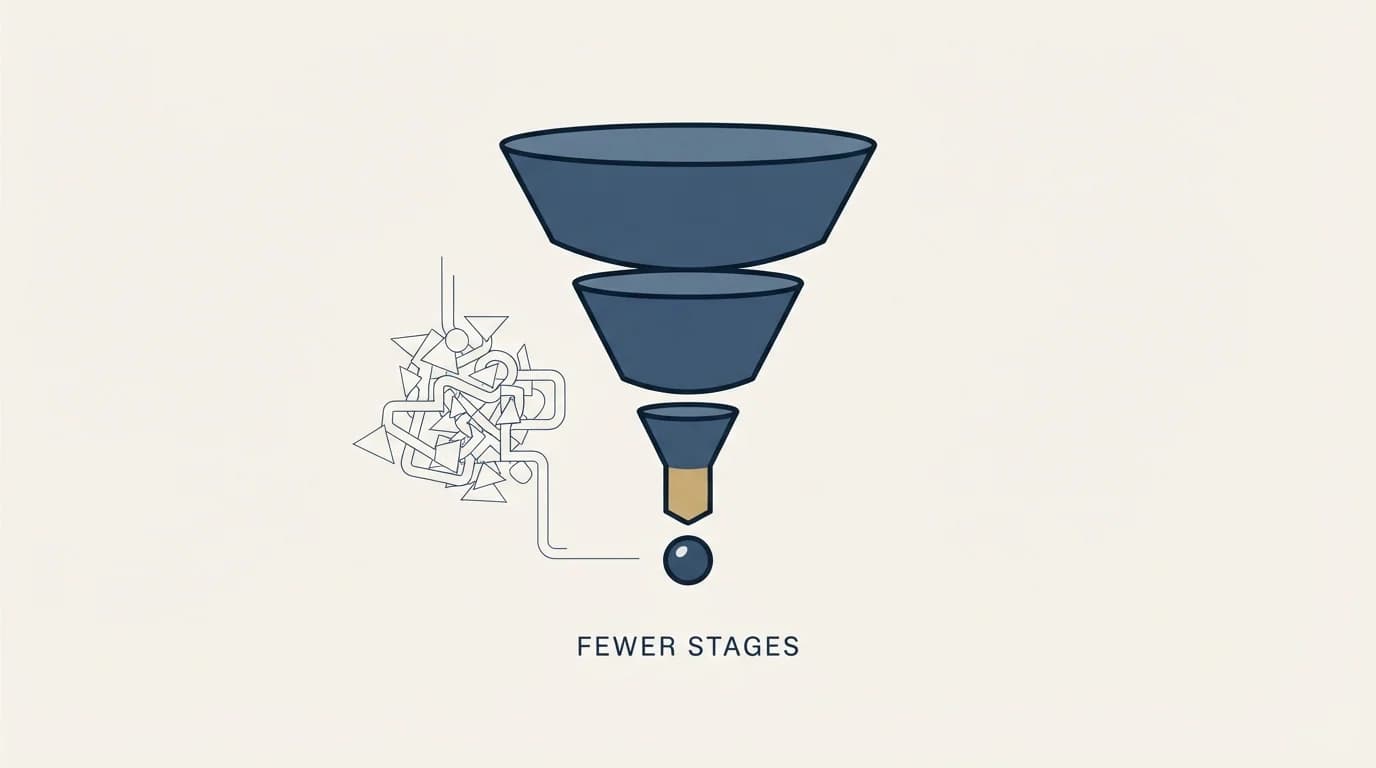
Every quarter somebody adds a stage to capture a distinction that mattered in one deal. Two years later the pipeline has eleven, of which four are entered and exited in the same week.
A stage earns its place on two tests. Deals have to sit in it long enough to be counted. And the conversion rate out of it has to differ meaningfully from its neighbours. If two adjacent stages convert at nearly the same rate and deals pass through one in three days, they are one stage carrying two names, and merging them makes every downstream number more stable by increasing the sample in each bucket.
The practical ceiling for most pipelines is five or six. The arithmetic is unforgiving on small teams: twenty deals a quarter across eight stages is two or three deals per stage, and a rate computed on three deals is a story rather than a measurement.
Salesforce makes proliferation easy because adding a picklist value is trivial and removing one is a data migration. That asymmetry is why stage lists only ever grow, and it is worth resisting at the point of addition rather than fixing later.
- Yes: Field History Tracking enabled on Opportunity, including Stage, Amount and Close Date
- Yes: Reports built on Opportunity History rather than on current stage alone
- Yes: A separate report covering the Lead side, since conversion crosses objects
- Yes: Every conversion rate displayed beside the count entering that stage
- Yes: A documented inactivity window per stage, after which a deal moves back or to closed lost
- Yes: A required reason code on every loss
- No: Two adjacent stages that convert at the same rate and are passed through in days
- No: Stage entered on the strength of a good call rather than something the buyer did
Deals move backwards, and a pipeline that forbids it lies
Most Salesforce configurations make backward movement awkward. Nobody is stopped from doing it, but the path of least resistance is to leave the deal where it is, so late stages accumulate deals that stopped being real months ago.
A late-stage deal with no buyer action in sixty days has told you something by its silence, and a pipeline that cannot represent that will carry it into three consecutive forecasts. Write the rule down: define the inactivity window per stage, and make moving backwards or to closed lost a routine step rather than an admission of failure. The forecast improves immediately, because it stops including deals nobody believes in.
The companion discipline is a required reason code on every loss. Losses to a competitor, to budget, to no decision and to wrong fit are four completely different problems, and only one of them is a sales problem. Without codes they aggregate into a single unhelpful number, and the most common finding hiding inside that number is that most losses were never winnable, which is a targeting question rather than a selling one.
Cycle length is where the report earns its keep

Stage counts tell you where deals are. Stage durations tell you where they are stuck, and the second question is the one worth building the report for.
Once history tracking is running, every stage transition carries a date, which makes time-in-stage computable per deal and per stage. Two readings come out of it and they answer different questions.
The first is median time in stage, by stage, for deals that eventually closed won. That is the shape of a successful deal in your business, and it gives every rep and every forecast a reference point that is not a feeling. Use the median rather than the mean, because a handful of year-long enterprise deals will drag an average somewhere no real deal lives.
The second is the age distribution of deals currently sitting in each stage, compared against that median. A deal at three times the median for its stage is not slow, it is a different kind of object, and treating it as an in-flight deal is what fills a forecast with things nobody believes in. This is the report that makes the inactivity rule below enforceable rather than aspirational, because it names the deals rather than describing a policy.
One caution on both. Time in stage is only meaningful if reps move deals when something happens rather than in a weekly tidy-up. If stage changes cluster on Friday afternoons, you are measuring an administrative habit, and the fix is a definition change rather than a reporting one.
What the funnel measures, and what it does not
Everything above is measurement of demand that already exists. A well-instrumented funnel with nothing entering it is a well-instrumented empty funnel, and the reporting will be immaculate.
Two things sit outside the model and both change the numbers inside it.
The first is who was allowed into the funnel in the first place. A stage-conversion problem is frequently a targeting problem wearing a process costume, and the place to test that is the ideal customer profile rather than the stage definitions. The second is what happens after close, because how much you can afford to spend acquiring a customer depends on how long they stay, and a retention change moves the economics of every stage upstream.
For the part that fills the funnel, the arithmetic of what an attempt costs in each channel and where each stops making sense is in outbound lead generation for B2B SaaS. The conceptual model underneath the whole exercise, independent of platform, is in sales pipeline stages.
Where we sit

RevenueFlow does not implement Salesforce, resell it, or take a fee for building reports in it. We run cold email and LinkedIn outbound on Email Bison and HeyReach, and this is a documentation-grounded read of the platform's reporting model rather than a walkthrough of an org we administer.
Our own constraint pairs naturally with a buyer-action funnel, and it is worth stating because it is unusual: a campaign carries one message, built on one premise, and is sent once, with any later approach being a separate campaign with a reason of its own. Both that constraint and a well-defined funnel refuse to count seller activity as progress. A message sent is not a stage, and a stage entered without the buyer doing anything is the same error one layer down.
If the problem is what enters the funnel rather than how it is measured, we can put a campaign in front of your market and you can measure the result in whichever report you have just built.
Report types, history-tracking behaviour and object availability differ by Salesforce edition. Confirm each against Salesforce Help for your own edition before building on it, and verify current terms with the vendor as of mid-2026.
Frequently asked questions.
Frequently asked questions- Why does my Salesforce funnel report only show current stage?
- Because a standard Opportunity report holds a snapshot. Stage movement over time comes from Field History Tracking on the Opportunity object and the Opportunity History report type built on it. Enable tracking on Stage, and on Amount and Close Date if you want forecast-quality reporting, then rebuild the report against the history type rather than the object.
- Can I recover stage history from before tracking was enabled?
- No. Salesforce begins retaining history when tracking is switched on, and there is no configuration that recovers earlier movement. If you have been asked for stage-conversion figures you cannot produce, enable tracking immediately, because the same request will arrive next quarter and the answer will be identical unless the clock has started.
- How many opportunity stages should we have?
- Five or six for most pipelines. A stage earns its place if deals sit in it long enough to be counted and if the conversion rate out of it differs meaningfully from its neighbours. Two adjacent stages converting at the same rate, with deals passing through one in days, are one stage carrying two names, and merging them stabilises every downstream number.
- How should we handle deals that stop moving?
- Define an inactivity window per stage and make moving backwards or to closed lost a routine step rather than an admission of failure. A late-stage deal with no buyer action in sixty days has told you something by its silence. Pair it with a required loss reason code, because losses to competitor, budget, no decision and wrong fit are four different problems.
About the author.

B2B cold email experts helping companies generate qualified leads through done-for-you outreach campaigns.
RevenueFlow Team
Explore more.
Ready to scale your outreach?
We build GTM engines that book real meetings. See the receipts.
Related articles.
Account Planning in Salesforce: The Native Object's Gap
Salesforce now ships an Account Plans object with SWOT, objectives and a relationship map. What it gives you, and why the measurement that matters is contact depth.
Salesforce Lead Routing: Rule Order Is the Policy
Assignment rules stop at the first matching entry, so sort order is your routing policy. Salesforce ships no round robin, so fair distribution is a build.
Reply.io Salesforce Integration: The Sixteen Sync Steps
Reply's support article lists sixteen sync steps, two profiles, required field mappings and a two-hour cadence. What the native Salesforce integration moves.
LeanData Pricing: Three Editions and No Published Rate
LeanData's pricing page carries three editions, a scheduling family and no currency figure. What it does publish is the meter, and that is estimable.
LeanData Competitors: Sorted by the Job They Replace
The LeanData shortlist hides two different problems. Sorting the field by the job each product replaces cuts it down faster than any feature grid.
CRM Setup: The Objects, Stages and Write-Back Loop
A vendor neutral CRM setup for an outbound team: the object model, stage exit criteria, the required field set, ownership rules and the campaign write-back loop.