Account Planning in Salesforce: The Native Object's Gap
Salesforce now ships an Account Plans object with SWOT, objectives and a relationship map. What it gives you, and why the measurement that matters is contact depth.
Salesforce ships an Account Plans feature, enabled from Setup, carrying structured research including a SWOT section, objectives with measurable metrics, and an optional Buyer Relationship Map. Access is restricted by default, so a permission set precedes rollout. The measurement that predicts revenue is distinct engaged contacts per planned account.
Key takeaways
- Salesforce Account Plans is a native, customisable object enabled from Setup, with SWOT sections, objectives supported by metrics, and an optional relationship map.
- The Buyer Relationship Map needs its View Relationship Map action added to the Account page layout before the button appears.
- Account planning and target-account selection are different jobs with different failure modes: a wish-list of accounts versus a complete plan for an account nobody contacts.
- Trend distinct engaged contacts per planned account rather than plan completeness, because depth moves months before pipeline does.
Reviewed and updated September 1, 2026
For years, running account planning in Salesforce meant building it: custom fields on the Account, a convention everyone agreed to follow, and reports assembled by hand. Salesforce now ships a dedicated Account Plans feature, enabled from Setup, with structured sections for research, objectives with measurable metrics, and an optional relationship map.
That changes the build-or-buy question and it does not change the harder one. An account plan is a document about intent, and the thing that decides whether the programme works is whether anybody contacts the people the plan names.
That is the operating half of what gets sold as key account management: a programme name for selecting a small number of accounts, planning each one, and holding somebody to the contact that follows.
What the native feature gives you
Salesforce's own learning material describes Account Plans as strategic tools for deepening relationships with key customers, letting teams research accounts, set clear objectives supported by actionable metrics, and monitor progress over time inside the Salesforce ecosystem. It describes the framework as grounded in best practice but customisable, since every business has its own model.
Three elements do the work.
Structured research, including a SWOT section for capturing the account's strengths, weaknesses, opportunities and threats, plus dedicated fields for customer needs and market dynamics. The value here is not the framework, which is decades old. It is that the framework lives on an object rather than in a slide deck, so it is queryable.
Objectives with metrics. An objective without a measurable metric attached is an intention, and intentions do not roll up. This is the section that determines whether account planning produces a reviewable programme or a collection of documents.
A relationship map, which Salesforce describes as an optional feature on the Account Plan record, showing how stakeholders connect and who the decision makers and influencers are. Enabling it requires adding the View Relationship Map action to the Account page layout, which is the kind of step that quietly explains why a colleague cannot see a button you can.
Account Plan is a customisable object like any other: you can add custom fields through Object Manager, set field-level security, and put them on page layouts. By default the access is restricted, so getting a sales team started means a permission set rather than an announcement.
- Step 1Enable from Setup
Find Account Plans in Quick Find and enable it, then decide which fields you are adding to the standard framework
- Step 2Grant access deliberately
Access is restricted by default, so a permission set and sharing settings come before any rollout
- Step 3Add the relationship map action
The Buyer Relationship Map is optional and needs its View Relationship Map action on the Account page layout
- Step 4Attach it to a review that already happens
A plan reviewed in an existing pipeline meeting stays current; one reviewed in a meeting created for it does not
Account planning and target-account selection are different jobs
Key account management, and the key account strategy people write to support it, is a third job again: it governs the accounts you have already won and are trying to grow, where the plan below governs the accounts you are trying to win.
Teams searching for a key account management plan template are after that third job in document form, and the six sections it carries, with the test that finishes each one, are set out in the key account plan template.
The distinction is worth drawing explicitly, because the two get conflated and they fail differently.
Target-account selection decides which accounts are in the programme at all. It produces a list, a tier, a set of criteria and a sign-off, and its failure mode is a list that becomes a wish list because everybody can edit it. The native Salesforce setup for that, using a target-account flag, a tier picklist and campaigns organised by cluster, is covered in our guide to account-based marketing in Salesforce, and it needs no new licence.
Account planning decides what you are going to do inside one named account. It produces a plan, a set of objectives, and a map of who matters. Its failure mode is a beautifully complete plan for an account nobody has contacted.
Both are downstream of a third thing, which is the market-level carve that decides which accounts anyone is responsible for at all. That is territory planning, and its own most useful insight applies with force here: assignment is recorded as coverage, and they are different facts. An account can be owned, planned, mapped and never contacted, and every report will show it as covered.
The number that tells you whether it is working

Account plans generate a lot of things to measure and most of them are activity. One measurement is worth more than the rest.
Distinct engaged contacts per planned account, trended over time. Not contacts held, contacts engaged. One engaged contact across fifty accounts is a materially weaker position than four engaged contacts across fifteen, and depth moves months before pipeline does.
The relationship map is what makes that measurable, because it names the roles you need rather than the people you happen to know. A plan showing a strong relationship with one champion and no contact in the economic-buyer or blocker roles is telling you something specific and actionable, and it is invisible in a contact count.
The second measurement worth having is unglamorous: how many planned accounts received any real contact in the period. Compare it to the number of planned accounts. In most programmes the gap is larger than anyone expects, and it is the gap that decides whether the planning exercise produced revenue or produced documents.
Closing that contact gap often means pairing Salesforce with a dedicated sequencing tool, and outreach orchestration versus CRM tracking explains how the two categories divide the work.
- Plans created against target accounts
- SWOT sections filled in
- Objectives entered with metrics attached
- Relationship maps populated
- Improves whenever somebody spends an afternoon on it
- Distinct engaged contacts per planned account
- Whether the buying roles you named are reachable at all
- Planned accounts that received real contact in the period
- Movement in the objectives' own metrics
- Improves only when somebody talks to somebody
Where account plans quietly break
Four failure modes recur, and each produces a plan that looks fine and is wrong.
Duplicate account records. Engagement splits across the duplicates, so every account-level number understates reality, and the duplicates are usually created by integrations rather than by people. A coverage number built on a duplicated account base teaches everybody to distrust the reports. Deduplicate before you build the reporting.
Contacts with no account. An orphan contact is invisible to every account-level view by construction. They accumulate from form fills and list imports, and the count is worth checking before you trust anything.
Orphan contacts point to a data-quality gap upstream of planning, and the Datanyze and Salesforce comparison explains why many teams pair a dedicated enrichment tool with the CRM rather than fixing every field by hand.
Free-text where a picklist belongs. Somebody types Tier 1, somebody else types tier one, and the report groups them separately. This applies to every classification field you add to the plan, including buying role, and it is the cheapest of these to prevent and the most tedious to fix.
Plans maintained for the review rather than for the work. The tell is a plan that is edited in the week before a quarterly business review and untouched otherwise. A plan on that cadence is a reporting artefact, and it will describe an account as it was three months ago every time somebody reads it.
The general point underneath all four is that account planning is reporting rather than automation, so bad inputs surface as confident wrong answers rather than as errors. The maintenance discipline that keeps a CRM worth querying is data hygiene, and it is a prerequisite here rather than an adjacent concern.
Native object or custom build
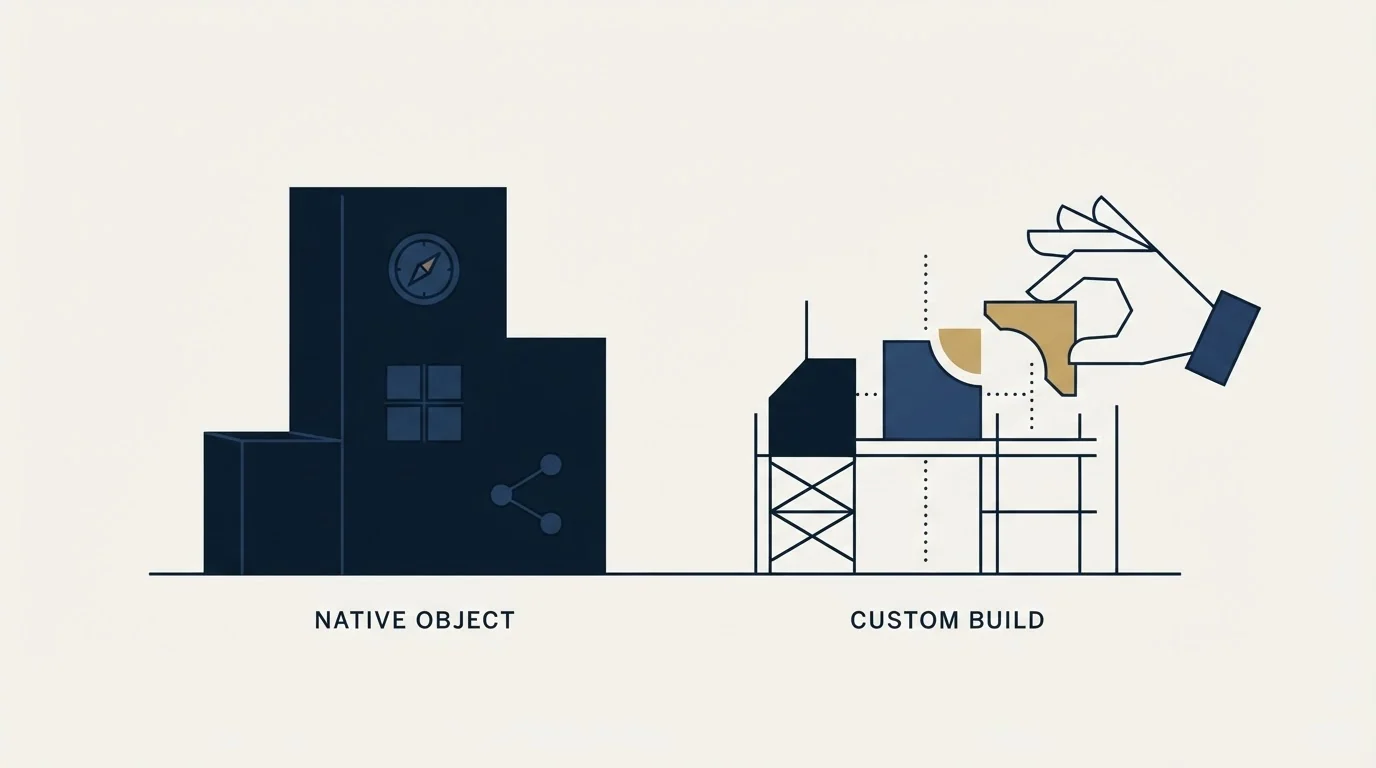
Two implementations of account planning now exist in Salesforce, and the choice is less about features than about who maintains it.
The native object arrives with a framework already opinionated: SWOT, objectives with metrics, and the relationship map. That opinion is the point. A team that has never run structured account planning gets a defensible starting shape without a design phase, and the fields are already reportable. The cost is that the shape is somebody else's, and adapting it means adding custom fields to a standard object rather than designing from scratch.
A custom build on the Account, using your own fields and a page layout you designed, gives you exactly the model your business runs on. The cost is ownership: every change is yours, every report is yours to build, and the convention holds only for as long as somebody enforces it. Custom builds that predate the native object are the common case, and rebuilding on the native one is rarely worth the migration on its own.
The question that decides it is not which model is better on paper. It is whether the plans are currently being maintained, because a framework nobody fills in is the same artefact in both implementations. If adoption is the problem, moving objects will not fix it, and the native framework's real advantage is that it removes the design argument that often delays a rollout by a quarter.
The gap the plan cannot close
The most common outcome of an account-planning programme is a set of complete, thoughtful plans for accounts that receive no contact.
That is not a criticism of planning. It is arithmetic. A seller can hold a bounded number of live conversations at once, and a planned account list is usually built from strategic importance rather than from that capacity. The accounts that get worked are the ones easiest to see: an inbound signal, an old relationship, a familiar name. The plan produced intent. It did not produce contact.
Naming that gap converts a silent failure into a decision. The part of the planned list that will not receive a seller's personal attention needs a motion that does not depend on one, and choosing that motion deliberately is better than discovering at the end of the period which accounts happened to get lucky.
For the outbound half of that, the constraint worth knowing about is that a campaign is written for a defined population. A message built on one premise fits a segment; a message built for a blended list of unrelated accounts fits none of them well. Our reasoning on that is in the outbound playbook, and how the buying group's roles get identified before anyone writes anything is the subject of building a target list you can work.
Where we sit

RevenueFlow does not implement Salesforce, resell it, or take a fee for configuring Account Plans. We run cold email and LinkedIn outbound on Email Bison and HeyReach, so this is a documentation-grounded read of a native feature rather than a walkthrough of an org we administer.
The half we run is the one that closes the gap above: contacting the named roles inside planned accounts, priced per qualified meeting against criteria agreed in writing before launch. Our campaigns send one message per prospect with nothing scheduled behind it, which suits an account-planning motion better than it suits a volume one, because the premise can be written for a segment you have actually defined. If that is the piece missing from your programme, we will build the first campaign against your account list.
If the platform decision is still open, Salesforce alternatives covers the field, and Pipedrive against Salesforce is the comparison smaller teams run most often.
Account Plans capabilities, including the SWOT section, objectives with metrics, the optional Buyer Relationship Map and its page-layout requirement, and the Setup enablement path, are per Salesforce's own Trailhead learning material, fetched 15 August 2026. Confirm current behaviour and availability against Salesforce Help for your own edition before building on it.
Frequently asked questions.
Frequently asked questions- How do you turn on Account Plans in Salesforce?
- Search for Account Plans in Setup's Quick Find and enable it. Access is restricted by default, so getting a sales team started means creating a permission set granting access to the account plan objects and reviewing your sharing settings. The Buyer Relationship Map is optional and requires adding its View Relationship Map action to the Account page layout separately.
- Is account planning the same as account-based marketing?
- No, and conflating them hides two different failures. Target-account selection decides which accounts are in the programme and fails by becoming a wish list everyone can edit. Account planning decides what you will do inside one named account and fails by producing a thorough plan for an account nobody contacts. They need different reports and different owners.
- What should we measure in an account-planning programme?
- Distinct engaged contacts per planned account, trended over time, plus the count of planned accounts that received any real contact in the period. Plan completeness improves whenever somebody spends an afternoon on it, which makes it a poor signal. Depth improves only when somebody talks to somebody, and it moves earlier than pipeline does.
- Why do account plans stop being accurate?
- Usually because they are maintained for a review rather than for the work. A plan edited in the week before a quarterly business review and untouched otherwise describes the account as it was three months ago. Duplicate account records and contacts with no account cause a quieter version of the same problem, understating engagement in every account-level report.
About the author.

B2B cold email experts helping companies generate qualified leads through done-for-you outreach campaigns.
RevenueFlow Team
Explore more.
Ready to scale your outreach?
We build GTM engines that book real meetings. See the receipts.
Related articles.
Salesforce Lead Routing: Rule Order Is the Policy
Assignment rules stop at the first matching entry, so sort order is your routing policy. Salesforce ships no round robin, so fair distribution is a build.
CRM Setup: The Objects, Stages and Write-Back Loop
A vendor neutral CRM setup for an outbound team: the object model, stage exit criteria, the required field set, ownership rules and the campaign write-back loop.
Salesforce Einstein AI for Sales: The Agentforce Rename
Four products still carry the Einstein name on Salesforce's rate card. The pricing page's own data says which editions include them, and contradicts its footnote.
Reply.io Salesforce Integration: The Sixteen Sync Steps
Reply's support article lists sixteen sync steps, two profiles, required field mappings and a two-hour cadence. What the native Salesforce integration moves.
LeanData Pricing: Three Editions and No Published Rate
LeanData's pricing page carries three editions, a scheduling family and no currency figure. What it does publish is the meter, and that is estimable.
LeanData Competitors: Sorted by the Job They Replace
The LeanData shortlist hides two different problems. Sorting the field by the job each product replaces cuts it down faster than any feature grid.