The Cold Calling Stack: Four Purchases People Think Are One
Cold calling software is four categories wearing one name: telephony, contact data, recording and analysis, and CRM logging. The seam between them is what breaks.
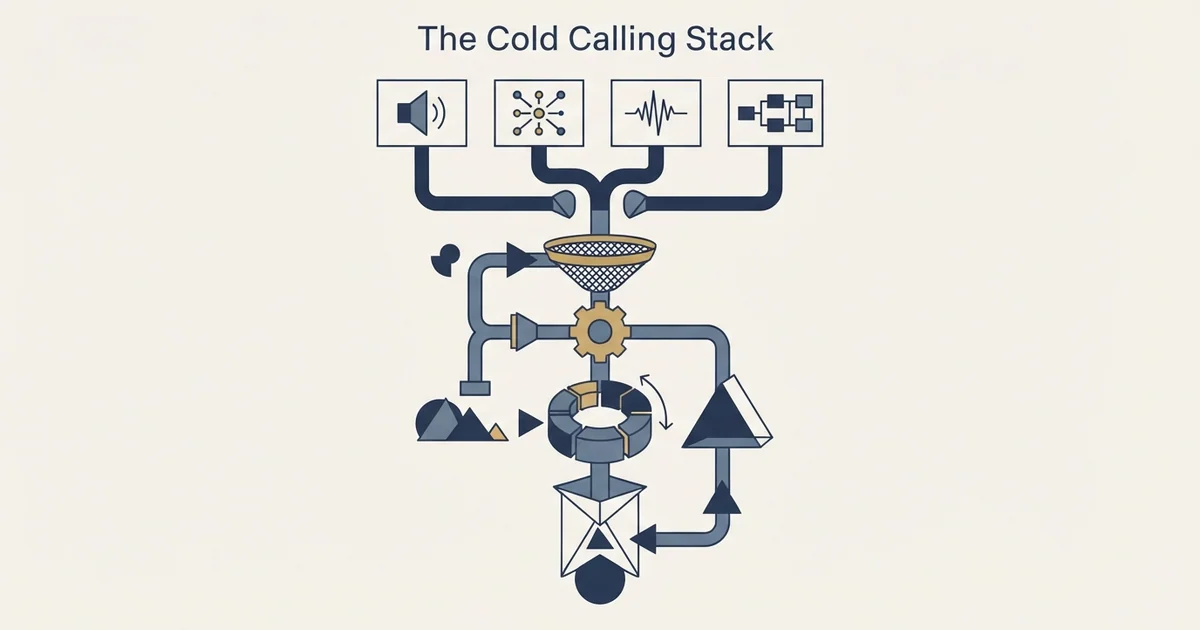
Cold calling software covers four separate purchases: telephony and dialing, contact data, recording with conversation analysis, and CRM logging. Buy contact data first, because every layer downstream multiplies whatever quality you start with. The join between the dialer and the CRM is where these stacks usually fail.
Key takeaways
- Buy contact data before the dialer, because a faster dialer applied to bad numbers reaches the wrong people faster.
- Test the CRM write-back from every surface a rep will use, including a mobile handset, before signing anything.
- Superhuman Prospecting's pricing page prices researched list building at $3.00 per contact, a rare public anchor for data cost.
- Several dialers include a light CRM and several CRMs include a light dialer, so teams routinely pay twice and use neither.
Reviewed and updated August 28, 2026
A sales leader signs a dialer, watches talk time go up, and discovers three months later that nobody can answer a simple question about which openings work. The dialer was one purchase out of four, and the other three were the ones that produced the answer.
Cold calling software is not a product category. It is four categories that overlap at the edges, sold by vendors who each claim to cover the others. Knowing where the seams are is the difference between a stack that compounds and a stack that produces call logs nobody reads.
The four purchases
Telephony and dialing places the call and controls the mode. This is the layer people mean when they say cold calling software, and it is the cheapest of the four in most configurations. JustCall's pricing page, for example, lists seats at $29, $49 and $89 per user per month billed annually with a two-licence minimum. PhoneBurner's pricing page describes its own product as a dialer and CRM together, which is the first sign that these categories do not have clean walls.
Contact data supplies the number. This is the layer that decides whether the programme works, and it is priced in ways that make it hard to compare against the rest. Some vendors sell it per record, some per seat with credits, some fold it into a bundle. As a published reference point, Superhuman Prospecting's pricing page sells list building separately from its calling packages at $3.00 per contact, which is a useful anchor for what researched B2B contact data costs when somebody has to price it honestly on its own.
Recording and conversation analysis turns calls into evidence. Without it, a manager coaching a team is working from what reps remember about calls that did not go well, which is the least reliable data source in the building.
CRM and routing decides where the outcome lands and who works the account next. If this layer is missing, the other three produce activity that never becomes pipeline anybody can forecast.
Choosing which platform holds that account record is its own decision, and firms in regulated fields can compare options in a review of CRM options for legal practices.
- Step 1Contact data
The number and the person. Buy first, because everything downstream multiplies whatever quality you start with.
- Step 2Telephony and dialing
Placing the call and choosing the mode. Cheap relative to the rest, and the easiest to switch.
- Step 3Recording and analysis
Turning calls into evidence a manager can coach against.
- Step 4CRM and routing
Where the outcome lands, who owns the account next, and how pipeline gets counted.
Why the buy order is backwards in most teams

Teams buy the dialer first because it is the thing that feels like the job, and because a dialer demo is satisfying to watch. Data gets bought last, usually after somebody works out that a large share of the mobile numbers do not reach the named person.
Reverse it. A dialer applied to bad data reaches the wrong people faster and damages your number reputation while it does so. The test is cheap: pull two hundred records from your existing source, have someone dial them by hand, and record what proportion reached the intended human. That measurement decides everything else in the stack, and it should be run on your own market rather than taken from a provider's published coverage claim. The method for running that test properly is set out in our piece on testing contact data accuracy on your own market, and phone fields degrade faster than email fields because people change handsets and companies more often than they change their name.
A cold calling database is that first layer under a shopping name, and the same test decides whether one is worth buying: run it on your own market before comparing providers, because a row count and a reach rate are two different numbers and only the second one predicts what the programme produces.
The seam that actually breaks
The four layers each work. What fails is the join between them, and it fails in a specific place: the write-back.
A call happens. The outcome exists in the dialer. The recording exists in the analysis tool. The account record lives in the CRM. If the dialer writes an outcome code that the CRM does not recognise, or writes it against a contact rather than an account, or writes nothing when the rep marks the call from their phone rather than the app, then within a quarter the CRM contains a partial history that nobody trusts. Reps then keep their real notes somewhere else, which ends the possibility of managing the programme from data.
CRM call recording is the name given to closing that gap inside one purchase, and the question it hides is which of the four layers the single product is weakest at.
Test this before signing anything, in this order. Place a call from each surface a rep will actually use, including a mobile handset. Mark each of the outcome types your team will use. Then look at the CRM and check that all of them arrived, against the right object, with the recording attached and the timestamp intact. Vendors demonstrate the happy path. The failure modes live in the third or fourth outcome type and in the mobile app.
Choosing the CRM end of that join is its own decision, and the field is crowded with tools built for different jobs. Our roundup of CRM tools for SDR teams covers the ones designed around outbound activity rather than around account management.
What the analysis layer is actually for
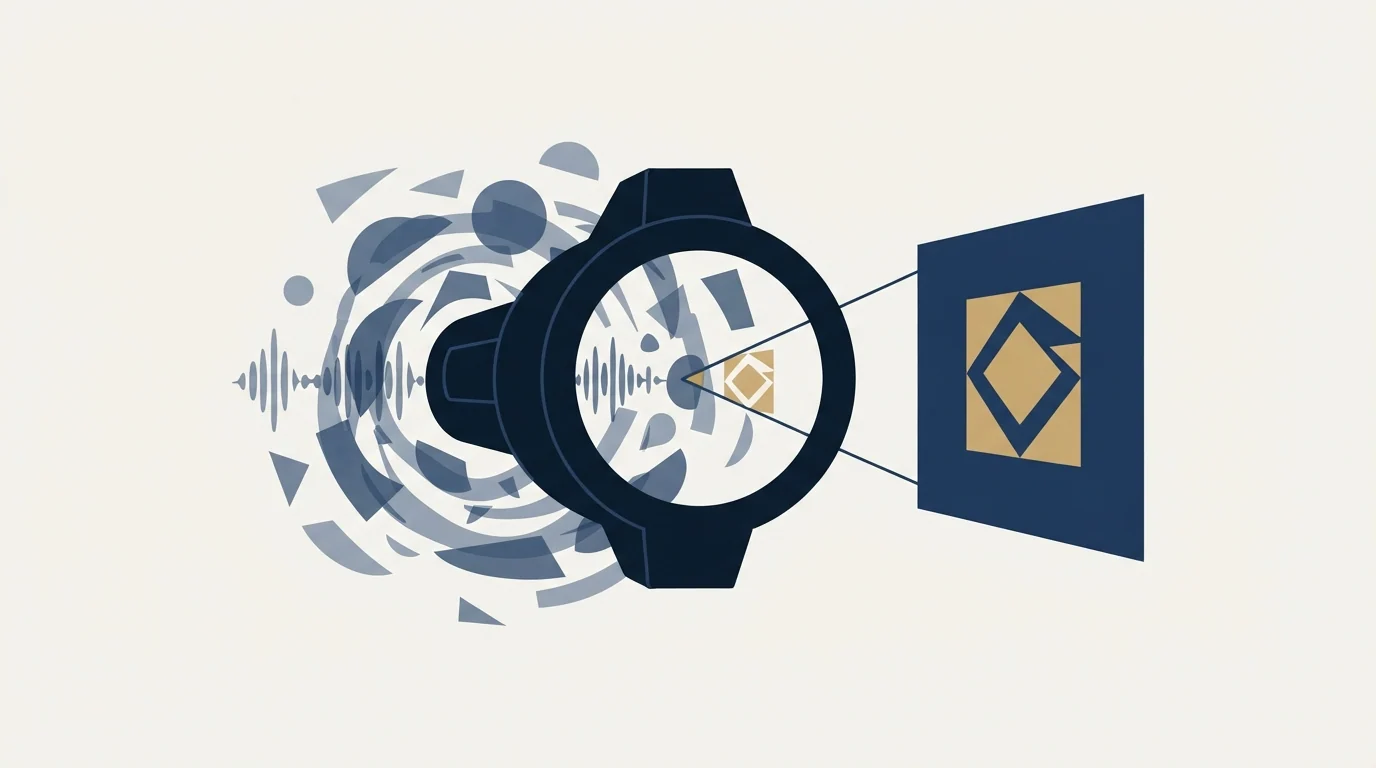
Conversation analysis gets sold on transcription, which is the least valuable thing it does. Transcripts are searchable text nobody reads. The value sits in three narrower jobs.
Finding the moment things go wrong across many calls at once. A manager can listen to six calls a week. A search across six hundred can show where in the call people leave, and whether the exits cluster at the opening, at the qualifying question or at the ask. That distribution is a diagnosis; six calls is an anecdote.
Settling arguments about what was said. Sales and marketing disagree constantly about which objections come up, and both sides are reasoning from memory of the calls that annoyed them most. Recorded evidence ends that argument in an afternoon.
Onboarding new callers on real material. A new rep listening to twenty recordings of the same objection handled well learns faster than one reading a script, and it costs nothing to produce because the recordings already exist.
Recording carries an obligation that varies by jurisdiction, and it is the one part of this stack where getting it wrong is a legal problem rather than a commercial one. Several US states require the consent of all parties to a recorded call, and consent rules differ again outside the country. Configure recording behaviour per jurisdiction before the first call rather than switching it on globally and reading about it later.
What each layer is worth paying for
- Yes: Does the dialer write every outcome type back to the CRM, including from mobile
- Yes: Is contact data priced per record, per seat or bundled, and can you export what you paid for
- Yes: Are recordings retained in a way that satisfies the strictest jurisdiction you call into
- Yes: Can a manager find every call where a specific objection came up, without listening to all of them
- Yes: Does the analysis layer work on the audio your dialer actually produces
- Depends: If you cancel the dialer, do you keep the call history
Spend most on the layer that is scarcest for you. A team with excellent data and weak coaching should buy analysis. A team with a great manager and a stale list should buy data. The default of spending most on the dialer is right only for teams whose problem is genuinely that reps are not dialing enough, which is less common than it looks and usually turns out to be a symptom of a list nobody believes in.
There is a floor below which none of this is worth buying. A single caller working a list of two hundred accounts needs a phone, a spreadsheet and a calendar, and every additional tool at that scale costs more attention than it saves. The stack starts paying for itself somewhere around the point where a second caller joins and a manager has to compare them, because that is the first moment the questions stop being answerable from memory.
Solo callers below that floor still want automation without the overhead, and a roundup of engagement tools built for solo operators covers the low cost, simple options worth considering.
Two purchases in this stack are frequently duplicated without anyone noticing. Several dialers include a light CRM, and several CRMs include a light dialer, so teams end up paying twice and using neither properly. Decide which system holds the account record before buying, and treat the other one's version of that feature as unused.
Shopping for a CRM with a power dialer is this decision asked backwards, because each product ships a thin version of the other and the usual outcome is paying for both and adopting neither.
CRM email integration has followed a similar path, and the piece on Salesforce email integration pricing changes explains how that once-separate capability became a licensing question inside Sales Engagement.
The dialing layer has its own decisions that this piece deliberately leaves alone: which dialing mode to run, what the abandoned-call rules require, how local presence affects number reputation, and how the arithmetic changes with your connect rate. Those all live in our piece on dialer modes and connect rates.
The build-or-buy version of the same question
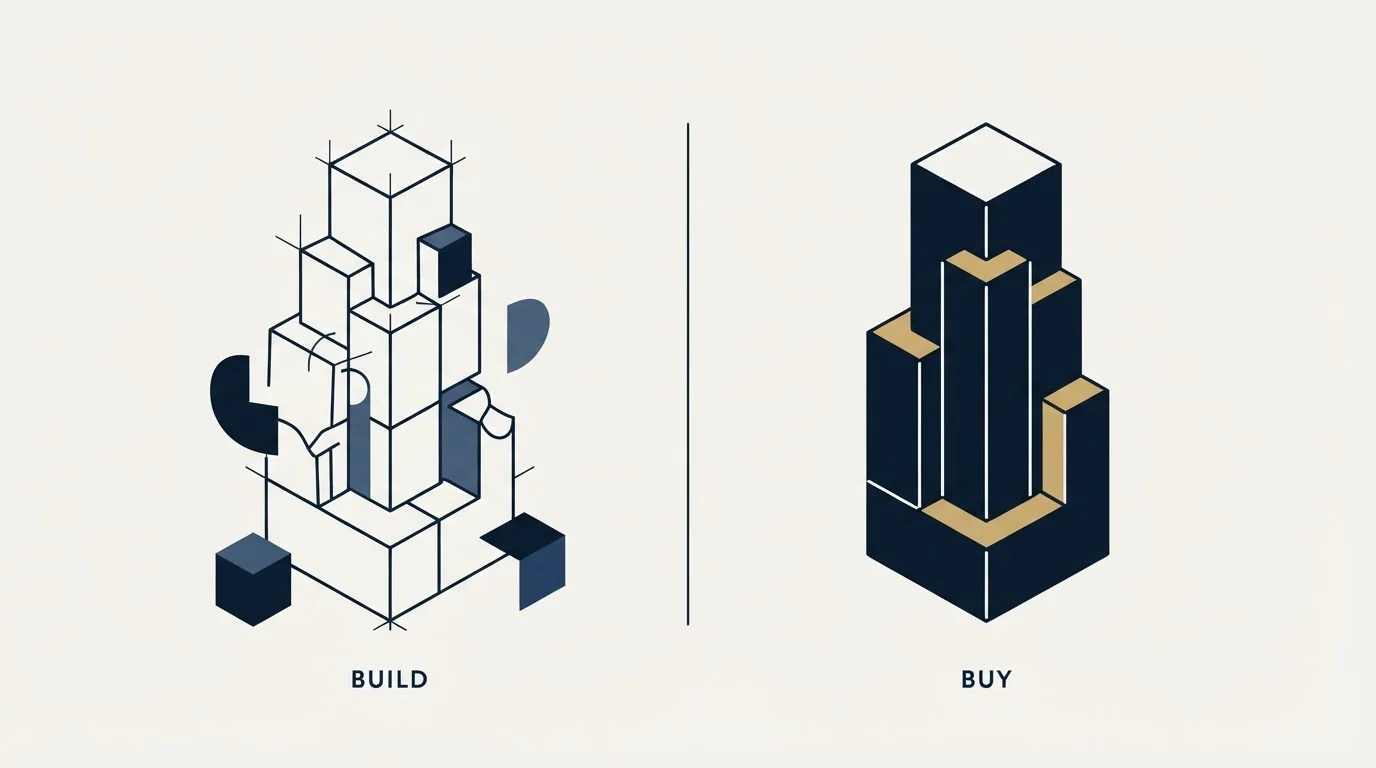
Assembling four layers is a project, and it competes with the option of buying the whole thing as a service. A specialist firm arrives with its own stack, which removes the integration work and removes your visibility into the data at the same time. The published prices for that route, and the questions worth asking before signing one, are in our guide to what a cold calling firm charges.
The rule of thumb that survives most of these decisions: buy the stack if the calling motion is permanent and central, buy the service if you are testing whether the phone works for your market at all. Assembling a four-layer stack to answer a question you could answer in a quarter with a contract is the most expensive way to get a no.
RevenueFlow does not sell calling software and does not run calling programmes. We build and run cold email and LinkedIn outbound, where the equivalent stack question is sending infrastructure and deliverability rather than dialers and number reputation. If you want the written half built and running while you decide about the phone, we will build the first campaign and run it as part of our outbound programmes.
Vendor pricing verified against JustCall's, PhoneBurner's and Superhuman Prospecting's own pages as of mid-2026, with dated snapshots retained. Verify current terms with each vendor before relying on them.
Frequently asked questions.
Frequently asked questions- What software do you need for cold calling?
- Four things, and only one is the dialer. You need contact data with accurate phone numbers, telephony that places the call, recording with some way to search across calls, and a CRM that receives the outcome. A team of one caller working two hundred accounts needs a phone and a spreadsheet instead.
- What should you buy first?
- Contact data. Pull two hundred records from your current source, dial them by hand, and record what share reached the intended person. That measurement decides whether any of the other purchases are worth making, and it is cheap. Buying the dialer first is the common order and the expensive one.
- How do you test a dialer and CRM integration?
- Place a call from every surface a rep will actually use, including the mobile app, and mark each outcome type your team uses. Then check the CRM for all of them, against the right object, with the recording attached and the timestamp intact. Vendors demo the happy path, and failures live in the fourth outcome type.
- Is conversation intelligence worth paying for?
- It earns its cost on three jobs: finding where in the call people leave across hundreds of calls at once, settling arguments about which objections actually come up, and onboarding new callers on real recordings. Transcription alone is the least valuable part, because transcripts are searchable text nobody reads.
About the author.

B2B cold email experts helping companies generate qualified leads through done-for-you outreach campaigns.
RevenueFlow Team
Explore more.
Ready to scale your outreach?
We build GTM engines that book real meetings. See the receipts.
Related articles.
Which CRMs and Tools the Outbound Stack Connects To: Integration Data From 342 Sales Tools
HubSpot is named as an integration by 52.3% of 342 verified sales tools, Zapier by 50.3% and Salesforce by 43.3%. Here is the full map by category.
RevOps Tools: Nine Products and the Job Each Does
Nine revenue operations products sorted by the six jobs the category covers, with every product fact and price read off the vendor's own pages and dated.
Best CRM for Google Workspace: What Lives in Gmail
Working with Google Workspace covers four separate integrations, and most of the category ships as a browser extension. What five vendors publish about theirs.
Sales Engagement Platform Pricing in 2026: What 61 Tools Charge and Which Hide It
Sales engagement platforms start at a median of $75 a month, 70.5% carry a quote-only tier, and AI SDR platforms start at $204.50. Data from 61 verified tools.
Sales Data: The Classes, and Which Ones You Can Buy
Sales data covers two collections with almost nothing in common: the account attributes a provider sells you, and the outcomes only your own sending produces.
Is Clay Free? The Free Plan, the Trial and Where Each Stops
Clay's free plan, its 14-day trial and the no-charge-on-a-miss rule are three different things. What each holds and where it stops, from clay.com on 19 September 2026.