Advanced Email Personalization: Injecting AI Variables
Stop using AI to write your entire email. Instead, use it to inject hyper-specific variables like competitors and normalized names into your proven copy.
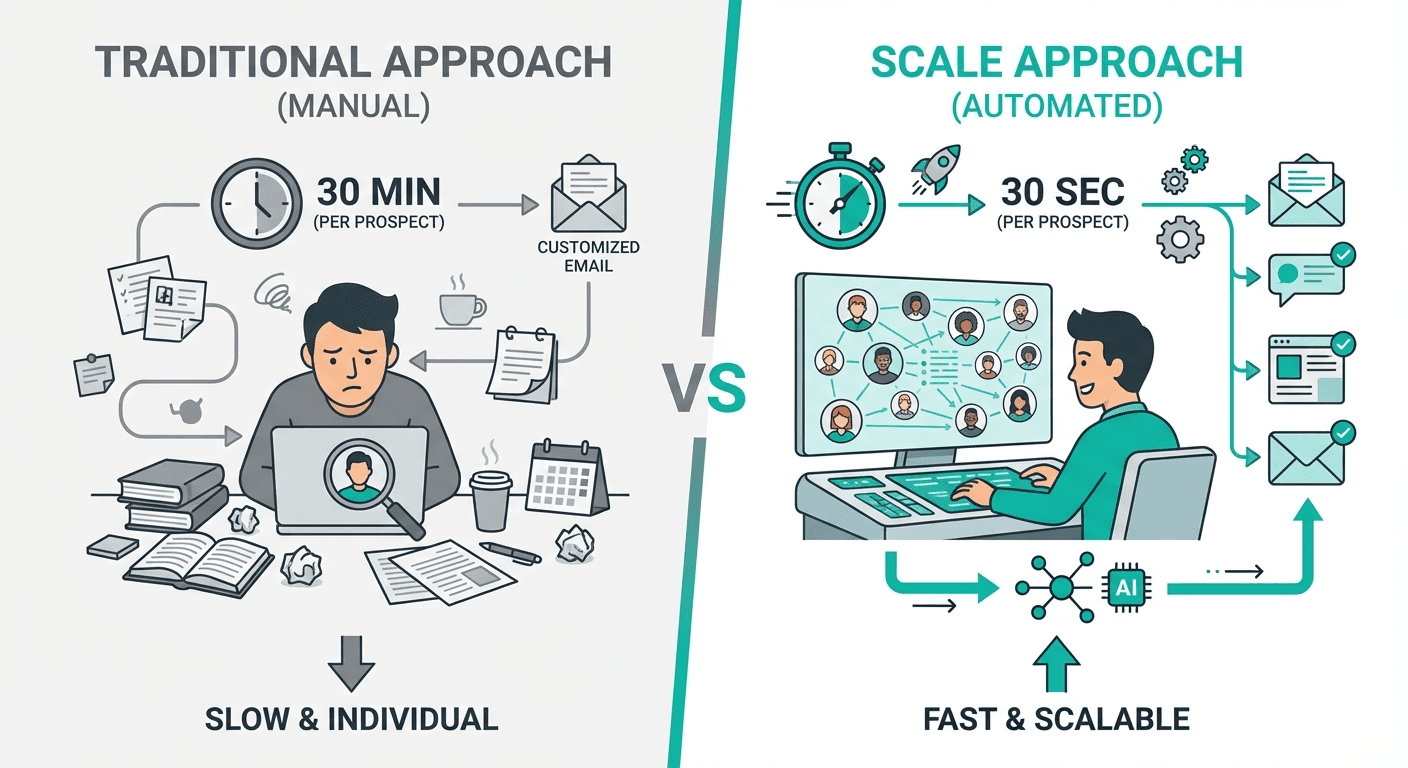
AI-powered email personalization works best when you write the email template yourself and use AI to generate specific variables (normalized company names, relevant competitors, and targeted customer types) that get injected into proven copy. This approach maintains control over tone and offer while making each email appear individually researched, with competitor mentions delivering the highest ROI by instantly building authority through names prospects recognize.
Key takeaways
- Using AI to write entire cold emails is less effective than using it to generate hyper-specific variables that inject into manually crafted copy templates.
- Normalizing company names by removing suffixes like 'Inc.' or 'LLC' makes automated emails sound human and individually written.
- Mentioning three relevant competitors from your client list that prospects recognize in their region instantly builds authority and proves research.
- Changing generic language like '2,000 potential customers' to specific terms like '2,000 e-commerce brands' significantly increases response rates by demonstrating market knowledge.
- Clay enables variable injection through AI columns that compare prospect data against client customer lists to identify the most relevant competitors to mention.
Reviewed and updated September 2, 2026
Advanced Email Personalization: Injecting AI Variables into Proven Copy
There is a misconception that using AI in cold email means letting ChatGPT write your entire message.
This is a mistake.
The best way to use AI for email copy isn't to have it write the email. It's to have it write the variables.
You want to create the copy lines yourself to ensure the tone and offer are perfect, and then use AI to find specific data points to insert into that copy. This gives you control over the output while making every email look 100% researched and personalized to the prospect.
Research about the individual rather than the company is the harder variable to fill, and an email built on one researched insight is the format that asks for exactly that.
Here is how we execute this strategy using Clay.
The "Variable Injection" Strategy
Instead of a generic prompt like "Write me a cold email for a bank," you write the email template yourself and leave placeholders for specific data.
Because these variable-driven templates rely on Clay for the underlying data enrichment, how Clay differs from a CRM like Close clarifies why the two tools work best together rather than as substitutes.
Generic Approach:
"We help companies like yours grow deposits..."
Variable Injection Approach:
"We help [Competitor A] and [Competitor B] grow deposits..."
The difference is subtle but powerful. It proves you know who they are and who they compete with.
Example 1: The "E-commerce" Shift

We used to send emails for a client saying:
"We can reach out to 2,000 potential customers for you."
People replied asking, "Who are my customers?" It wasn't compelling.
We changed the variable to be specific to their target market:
"We can reach out to 2,000 e-commerce brands for you."
Suddenly, the prospect thinks, "Okay, these guys actually know who we target." It looks less generic and significantly more personalized.
- We help companies like yours grow deposits...
- We can reach out to 2,000 potential customers for you.
- We help [Competitor A] and [Competitor B] grow deposits...
- We can reach out to 2,000 e-commerce brands for you.
Example 2: The "Competitor Drop"
Let's say you are reaching out to a bank, like Northfield Bank.
1. Company Name Normalization
First, never use the raw company name from a database. "Northfield Bank Inc." or "Revenue Flow LLC" screams automation. Use a simple AI prompt in Clay to "Normalize this company name."
- Bad: "Want to grow Revenue Flow LLC's deposits?"
- Good: "Want to grow Revenue Flow's deposits?"
2. Relevant Competitors
This is the highest-ROI play. Ask your client for a list of all the banks they currently serve. Then, for every prospect you scrape, use Clay/AI to:
- Look at the prospect's region and size.
- Compare it against your client's customer list.
- Pick the top 3 biggest competitors from your list that the prospect definitely knows.
The Resulting Copy:
"We've generated $25B in deposits for hundreds of institutions, including [Competitor A], [Competitor B], and [Competitor C]."
If you mention three banks in their region that they compete with daily, you instantly build authority.
How to Execute This in Clay
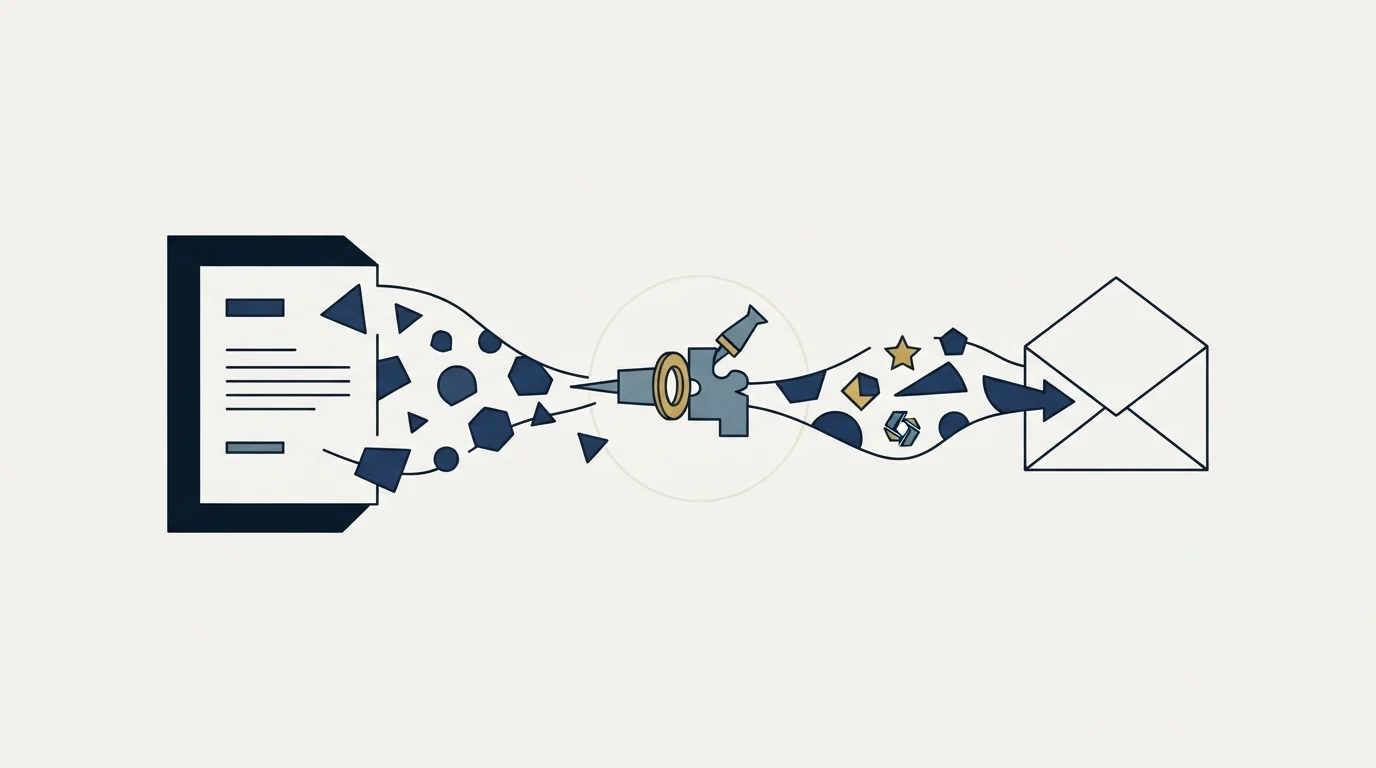
You don't need to overcomplicate this. You don't need a 50-step waterfall to get started.
- Create your Columns: In Clay, set up columns for the variables you need (e.g.,
Normalized Name,Competitor 1,Competitor 2). - The Prompt: Use an AI column (like Claude or GPT-4) to find the information.
Here is a list of my client's customers: [List].

Here is the prospect I am emailing: [Prospect Name].

Find the 3 companies from my list that are the most direct competitors to this prospect.
- Iterate: You will likely need to run this prompt 5-10 times to refine it. Make sure it doesn't hallucinate or pick irrelevant companies.
- Insert: Map these output columns directly into your email sender variables.
For a more advanced way to handle data processing in Clay (especially if the data structure is complex), check out our guide on how to find decision makers in Clay which covers handling list outputs.
The Low-Hanging Fruit

You don't need to get too fancy yet. Start with these low-lift variables:
- Normalized Company Name: Essential for sounding human.
- Specific Customer Type: "E-commerce brands" vs "customers".
- Relevant Competitors/Partners: Mentioning names they recognize.
Since Clay powers much of this variable sourcing, it helps to see how the platform compares with other revenue tools in Clay versus Gong feature comparison.
The offer is still the most important part of your email. But adding these specific variables makes a strong offer feel like it was written just for them.
If you want to see how we scale this approach across hundreds of prospects, read our guide on scaling personalization with Clay.
Related Reading
If you would rather have this run for you, RevenueFlow books qualified meetings on a pay-per-meeting basis and publishes client results.
Frequently asked questions.
Frequently asked questions- What is the variable injection strategy for cold email personalization?
- Variable injection means writing your email template manually with placeholders, then using AI to fill those placeholders with specific data points like normalized company names, relevant competitors, or targeted customer types. Instead of saying 'companies like yours,' you say 'we help [Competitor A] and [Competitor B],' proving you know exactly who they compete with while maintaining control over your core message and offer.
- Why should I normalize company names in cold emails?
- Raw company names from databases like 'Northfield Bank Inc.' or 'Revenue Flow LLC' immediately signal automation to recipients. Normalizing removes corporate suffixes to create natural phrasing like 'Revenue Flow's deposits' instead of 'Revenue Flow LLC's deposits.' This simple AI-powered adjustment makes emails sound like they were written by a human who researched the company rather than scraped from a list.
- How do I find relevant competitors to mention in cold emails?
- Get a list of all companies your client currently serves, then use Clay's AI columns to compare each prospect's region and size against that list. Have the AI select the three biggest, most direct competitors the prospect definitely recognizes. The prompt structure is: provide your client's customer list, identify the prospect, and ask AI to find the three most relevant competitors from your list to insert into your email copy.
- What are the easiest personalization variables to start with?
- Begin with three low-lift variables: normalized company names to sound human, specific customer types instead of generic terms like 'customers' (such as 'e-commerce brands'), and relevant competitors or partners the prospect recognizes. These require minimal setup but dramatically improve how personalized emails appear, making strong offers feel custom-written for each recipient without complex automation workflows.
About the author.

Tim Carden is CMO / CTO at RevenueFlow, which builds and operates outbound revenue engines for B2B companies. Studied at McGill University.
Tim Carden · CMO / CTO
Connect on LinkedIn →Explore more.
Ready to scale your outreach?
We build GTM engines that book real meetings. See the receipts.
Related articles.
Can Buyers Tell an Email Was Written by AI?
Buyers are not running a classifier on your cold email. What they react to is a message containing nothing only somebody who looked could have written.
BASHO Email: Four Sentences Built on One Insight
A BASHO email is four or five sentences built on one researched insight about a specific person. The format is documented, and it cannot be produced at volume.
Cold Email Frameworks: Which One Fits Your Offer
AIDA, PAS and Before-After-Bridge arrange the same four elements in different orders. What each one assumes about the reader, and what none of them fix.
ABM Personalization at Scale: Automated vs Manual
Retrieval automates well and judgement does not. The three tiers of personalization, what we automate in every build, and the failure modes worth designing against.
How to Write a Third Follow Up Email, Line by Line
A third follow up email belongs only in a thread where the person replied or agreed to something. When to send one, and how to write it line by line.
How to Write a New Year Outreach Email, Line by Line
A new year outreach email works only where January is a fact about the account. Who that is, the structure line by line, and two worked examples.