Best CRM Tools for FinTech (2026)
The five CRM tools worth comparing for FinTech in 2026, with every price attributed to the page it came from and the unverifiable ones marked.
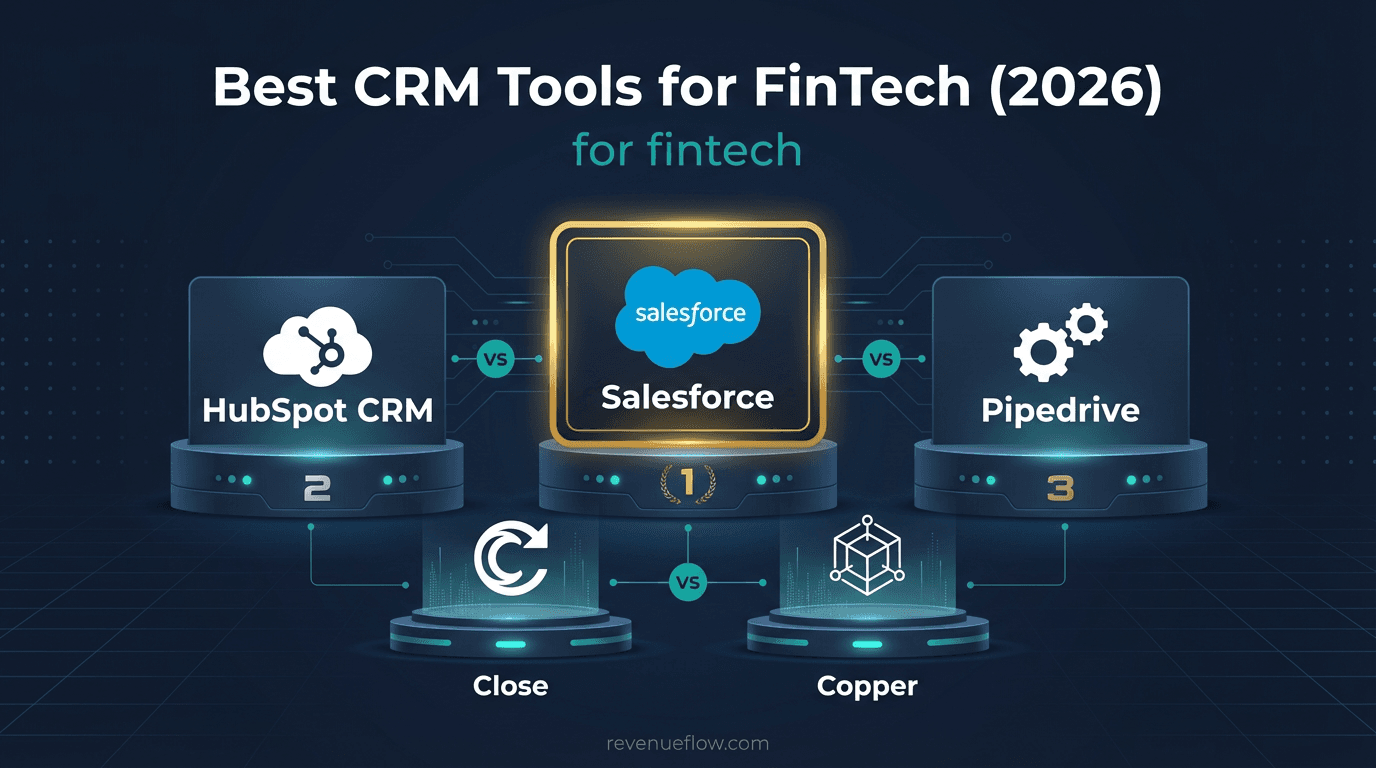
A fintech CRM is an ordinary sales CRM bought under a regulated buyer's rules: data residency and retention settled in the contract, and access controls on the tier you buy. HubSpot lists field-level permissions on Enterprise from $75 a seat, Freshsales on Enterprise at $59, and Salesforce's enhanced security sits on Advanced at $395.
Key takeaways
- The best CRM for fintech is the one whose controlled tier you can afford, because field-level permissions, audit logs and sandboxes sit at or near the top of every ladder that places them.
- HubSpot's CRM page lists Free, then Starter from $15, Professional from $50 and Enterprise from $75 a seat, with single sign-on and field-level permissions on Enterprise.
- Salesforce Sales Cloud now runs Free Suite $0, Starter Suite $25, Pro Suite $100, Core $195, Advanced $395 and Max $550 per user a month, everything above Starter billed annually.
- Zoho and Pipedrive served their ladders in pounds, at £12 to £42 and £14 to £79 a user a month, so price them in your own currency before comparing.
Reviewed and updated September 21, 2026
A fintech selling into banks will have its CRM named in a security questionnaire long before anyone asks whether the pipeline view is nice. Where the data lives, who can reach it, and how long it is kept are the questions that decide this purchase, and none of them appear on a features page. That is what separates a fintech CRM from the same software bought by anyone else, and it is the lens this guide uses on five tools.
What is a fintech CRM?
A fintech CRM is an ordinary sales CRM bought under a regulated buyer's rules: the contract has to answer where prospect data is stored and processed and how long it is kept, and the tier has to carry access controls such as field-level permissions and audit logs. None of the five here markets itself as a compliance product, so the best CRM for fintech is the one whose controlled tier you can afford.
On the three pricing pages that say where those controls sit, they sit at or near the top. HubSpot's CRM page lists single sign-on and field-level permissions on Enterprise, Freshsales lists field-level permissions, sandbox and audit logs on Enterprise, and Salesforce describes Advanced as the tier with enhanced security.
What FinTech Companies Need
Data residency and retention are the gate. A fintech's own customers will ask where prospect data is processed, and the answer comes from a contract rather than a marketing page. Establish it before a trial, because a CRM that clears the commercial evaluation and fails security review has wasted both.
Access control is the second demand and it is tier-gated almost everywhere, which means the price a fintech should plan against is rarely the entry price.
Enrichment is CRM-adjacent rather than CRM-native: the CRM holds firmographic fields and integrates a provider, and is not itself a data source. Budget the data separately and check the field ceiling at your tier so it has somewhere to land.
FinTech Compliance Considerations
Financial regulation applies to the markets you sell into and to what you do with customer data, not to a CRM as such, and no vendor on this page markets itself as a compliance product. The rules that constrain outbound are settled before a list is built.
What lands on this purchase is contractual and access-related: where prospect data is stored and processed, how long it is retained, and who at the vendor can reach it.
How This Guide Was Put Together
Every price here was read off the vendor's own pricing page and is attributed to the page it came from. All five pages could be read, but not all in one currency. Zoho and Pipedrive served their ladders in pounds to the location they were read from, and the rendered Freshsales page did the same while its underlying page carries US dollars. Where a page served pounds, the figures below are in pounds, and no sum on this page adds two currencies together.
No lab test sits behind this either, so the guide makes no claim about which CRM is fastest to deploy. It judges what each pricing model rewards and where each tier puts the controls a security review asks about.
Top 5 CRM Tools for FinTech

1. HubSpot CRM
An all-in-one CRM platform with a free tier covering contact management, deal tracking and email, plus separate Hubs for marketing, sales, service and content.
From HubSpot's CRM product page: Free with no credit card required, then Starter from $15/month per seat, Professional from $50 and Enterprise from $75. The Starter price carries an asterisk: discount available for new customers only.
| Plan (HubSpot CRM product page) | Price | What the page lists first |
|---|---|---|
| Free | Free, no credit card required | Contact management, deal pipelines, CRM import |
| Starter | Starts at $15/month per seat | Required fields, permission sets, multiple currencies |
| Professional | Starts at $50/month per seat | Duplicate management, calculated properties, custom reporting |
| Enterprise | Starts at $75/month per seat | Custom objects, single sign-on, field-level permissions |
Common in fintech go-to-market for its marketing and sales combination, with a free entry point. HubSpot's page lists the single sign-on and field-level permissions a regulated buyer asks about on Enterprise, so plan against its $75 a seat, not the free tier.
2. Zoho CRM
A broad, low-cost CRM from the Zoho ecosystem, with sales automation, multichannel communication, analytics and the Zia AI assistant, integrated across the rest of the Zoho suite.
From the Zoho CRM pricing page, as displayed in pounds: free forever for 3 users, then Standard at £12, Professional at £18, Enterprise at £35 and Ultimate at £42 per user a month. The page defaults to its Annually tab, which says you save up to 34% with yearly plans; its Monthly tab did not respond when driven for this guide, so the monthly prices are not quoted here.
| Edition (Zoho CRM pricing page, GBP) | Per user per month | What the card lists first |
|---|---|---|
| Free | Free forever for 3 users | Leads, deals, workflows, reports, mobile app |
| Standard | £12 | Workflows and assignment rules, cadences |
| Professional | £18 | CPQ, process automation, inventory management |
| Enterprise | £35 | AI sales assistant, territory management, customer portals |
| Ultimate | £42 | Enhanced feature limits, migration assistance |
Cost-effective and feature-broad. Its plan cards do not say which edition carries sandbox or audit controls, so ask for the edition comparison before a trial, and price it in your own currency.
3. Freshsales
An AI-assisted CRM from Freshworks combining contact and deal management with built-in email and phone, and Freddy AI for lead scoring and deal insights.
From the Freshsales pricing page: $9 /user/month, billed annually on Growth, up to $59 /user/month, billed annually on Enterprise. Those are the page's US dollar figures; rendered for a visitor in the UK the same cards read £7, £29 and £49.
| Plan (Freshsales pricing page) | Price | Billing basis |
|---|---|---|
| Growth | $9 /user/month | billed annually |
| Pro | $39 /user/month | billed annually |
| Enterprise | $59 /user/month | billed annually |
Three details from that page change the arithmetic. Those are the page's ANNUAL prices, shown with a Monthly and an Annually toggle at Save 20%, so a monthly commitment costs more. The page lists no free plan, only a free trial. And the page prices two add-ons separately: Branded documents at $19/user/month, and the Freddy AI Agent at $49 /100 sessions.
For a fintech the relevant number on that page is Enterprise at $59 /user/month, billed annually.
4. Salesforce
The largest CRM platform, with sales, service, marketing and commerce products, deep customisation, Einstein AI and the AppExchange ecosystem.
From the Salesforce Sales Cloud pricing page: a Free Suite at $0, then $ 25 USD/User/Month on Starter Suite, up to $ 550 USD/User/Month on Max.
| Edition (Salesforce pricing page) | Price | Billing basis |
|---|---|---|
| Free Suite | $ 0 user/month | |
| Starter Suite | $ 25 USD/User/Month | Billed monthly or annually |
| Pro Suite | $ 100 USD/User/Month | Billed annually |
| Core | $ 195 USD/User/Month | Billed annually |
| Advanced | $ 395 USD/User/Month | Billed annually |
| Max | $ 550 USD/User/Month | Billed annually |
Two things there are worth carrying into a plan. Only Starter Suite is offered billed monthly or annually; every paid edition above it is billed annually. And the page runs a currency converter rather than geo-forcing one, publishing GBP beside USD at £ 20, £ 80, £ 156, £ 316 and £ 440 for the paid editions from Starter Suite to Max. For a fintech the edition to price is Advanced, which the page describes as the CRM for sales with enhanced security, adding Backup & Recover, Archive, Data Detect and Security Center.
The default where a security review is coming, with published pricing from $ 25 USD/User/Month to $ 550 and a currency converter rather than geo-forcing. Everything above the entry tier is billed annually.
5. Pipedrive
A sales-first CRM built around a visual deal pipeline and activity-based selling, with workflow automation and an AI sales assistant.
From Pipedrive's pricing page, as rendered in pounds: Lite at £14 per seat a month billed annually, up to Ultimate at £79. The page refuses a plain request with a 403 and serves a browser, and to the location it was read from it served pounds, so its dollar ladder is not quoted here. The page offers a free 14-day trial with no credit card required, and says annual billing saves up to 42%.
| Plan (Pipedrive pricing page, GBP) | Per seat per month | Billed annually |
|---|---|---|
| Lite | £14 | £168 per seat per year |
| Growth | £39 | £468 per seat per year |
| Premium | £59 | £708 per seat per year |
| Ultimate | £79 | £948 per seat per year |
Suits an early fintech that wants pipeline discipline before governance becomes the constraint, which is also the usual answer for a CRM for fintech startups: start on Lite or Growth and move when the first bank asks the security questions.
What the CRM Actually Has to Do With Outbound
A CRM does not send cold email and does not improve deliverability, so the reason it belongs in an outbound stack is narrower than a feature list suggests: it is the record of truth that outlives every other tool in that stack.
Sending platforms get replaced, warmup subscriptions lapse, sequences get rebuilt. What survives is who was contacted, when, and what they said, because that record stops the same person being pitched twice and settles a dispute about whether a meeting counted. So the practical test of a CRM in an outbound context is whether activity arrives intact and attributable, which is a question about the write-back path rather than about features.
Two consequences follow, both cheap now and expensive later. Decide which system is the record of truth before integrating anything, because a team treating both as authoritative reconciles them monthly. And agree the qualification criteria in writing before the first campaign, in the CRM's own fields, so a meeting is judged against a definition rather than a memory. Budget, timing and authority are never among those criteria.
The house rule follows: one message per campaign, no bumps and no thread replies. A CRM will happily record a five-touch sequence, and recording it does not make it a good idea.
Comparison Table
| Tool | Entry paid tier | Controls listed on | Served in |
|---|---|---|---|
| HubSpot CRM | Starter, from $15 a seat | Enterprise, from $75 | US dollars |
| Zoho CRM | Standard, £12 a user | Not stated on the cards | Pounds |
| Freshsales | Growth, $9 a user, annual | Enterprise, $59, annual | US dollars, pounds when rendered |
| Salesforce | Starter Suite, $25 a user | Advanced, $395, annual | US dollars, with a converter |
| Pipedrive | Lite, £14 a seat, annual | Not stated on the cards | Pounds |
Recommendation by Budget

The entry points. Freshsales publishes $9 /user/month, billed annually on Growth, HubSpot's CRM page starts Starter at $15/month per seat, and Salesforce starts Starter Suite at $ 25 USD/User/Month. Zoho's free edition covers 3 users, and HubSpot's free CRM needs no credit card.
The number to plan against. For a fintech the relevant price is the tier with the controls, and the arithmetic is worth doing before a demo. Here it is for a 10-seat team, labelled illustrative because list prices are the start of a negotiation: Freshsales Enterprise at $59 comes to $590 a month billed annually, HubSpot Enterprise from $75 to $750 a month, and Salesforce Advanced at $395 to $3,950 a month billed annually. Zoho and Pipedrive are left out because their pages served pounds, and their plan cards do not say which tier carries these controls.
Before budgeting, open the pages yourself in your own currency. A CRM is a multi-year commitment with migration costs at both ends.
How to Choose for FinTech
Where is data stored and processed, and for how long? Contract terms, not features. Answer them before a trial rather than during a security review.
At which tier do audit logs and field permissions appear? Usually the top one. On Freshsales' published page they are on Enterprise, so plan against that price.
Which systems does it have to talk to? Which CRM integrates with your existing fintech systems is answered by your own stack, not by a vendor's logo wall: list the systems that must write into the CRM, then check each vendor's marketplace for a native connector at the tier you would buy, and plan an API route for the rest.
Is there a sandbox? Regulated buyers change process carefully. Testing configuration changes against live data is how a fintech creates its own incident.
Does the CRM hold enrichment, or supply it? It holds it. Budget the data separately and confirm the field ceiling at your tier.
Which system is the record of truth for outbound activity? Decide before integrating, because an unreconciled second source of truth is exactly what an auditor will find.
Teams still deciding that can start with structure rather than software, and a spreadsheet pipeline built on four tabs makes the two common failures hard.
Getting It Adopted
Storage, processing and retention, and the tier that carries the controls, before the trial.
Retrofitting permissions onto a populated CRM means auditing every record.
Nothing sensitive in free-text notes.
Name one system as the record of truth for outbound activity, then test write-back with real records.
Settle storage, processing and retention in the contract before the trial, with the tier that carries the controls. Model permissions while the CRM is empty, because retrofitting them onto a populated CRM means auditing every record, and build the fields for the security review, with nothing sensitive in free-text notes.
Keep outbound on dedicated sending domains, let the CRM own the activity record, and send one message per campaign. Complaints from regulated firms travel further than the marginal reply is worth, and the CRM is where the evidence of what was sent has to live.
Where the Tool Stops Mattering
The tool stops mattering at the security review, which is a contract question. A perfect pipeline view does not survive an unanswered question about data residency.
The second limit is timing. Fintech buying clusters around audits, renewals and mandates, and a CRM records those dates once you learn them rather than telling you they exist.
Final Thoughts

A security review is coming: Salesforce, whose Advanced edition carries the enhanced security. Audit logs and permissions at a published price: Freshsales Enterprise at $59 /user/month, billed annually. Marketing and sales together with a free start: HubSpot. Cost-led and broad: Zoho. Early-stage pipeline discipline: Pipedrive.
Related Reading
- Best HubSpot CRM Alternatives in 2026
- Best Zoho CRM Alternatives in 2026
- Best Salesforce Alternatives in 2026
- Best Pipedrive Alternatives in 2026
- Best Freshsales Alternatives in 2026
- Email sending tools for fintech teams
If you would rather have this run for you, RevenueFlow books qualified meetings on a pay-per-meeting basis and publishes client results.
Pricing and features are taken from the vendors' own pages. Verify current terms with the vendor before relying on them.
Frequently asked questions.
Frequently asked questions- What is a fintech CRM?
- It is an ordinary sales CRM bought under a regulated buyer's rules. The contract has to say where prospect data is stored and processed and how long it is kept, and the tier has to carry access controls such as field-level permissions and audit logs. None of the five tools compared here markets itself as a compliance product, so the tier decides the fit.
- What is the best CRM for a fintech startup?
- An early team usually wants pipeline discipline before governance, so a low tier of Pipedrive, HubSpot or Freshsales is the common start: Pipedrive Lite is £14 a seat billed annually where its page serves pounds, HubSpot has a free CRM, and Freshsales Growth is $9 a user billed annually. Move up when the first bank's security questionnaire arrives.
- Which CRM tier has audit logs and field-level permissions?
- On the pages that say, the top ones. Freshsales lists field-level permissions, sandbox and audit logs on Enterprise at $59 a user a month billed annually. HubSpot's CRM page lists single sign-on and field-level permissions on Enterprise from $75 a seat. Salesforce describes Advanced, at $395, as the edition with enhanced security.
- How do I check which CRM integrates with our fintech systems?
- Start from your own stack. List every system that has to write into the CRM, then check each vendor's marketplace for a native connector at the tier you would actually buy, and plan an API route for anything without one. Decide which system is the record of truth before connecting anything, or two sources will need reconciling every month.
About the author.

B2B cold email experts helping companies generate qualified leads through done-for-you outreach campaigns.
RevenueFlow Team
Explore more.
Ready to scale your outreach?
We build GTM engines that book real meetings. See the receipts.
Related articles.
CRM Report Template: Four Reports, Field by Field
A CRM report template is four saved queries: pipeline by stage, activity by owner, conversion by source and stale deals, each with its filter, fields and formulas.
Which CRMs and Tools the Outbound Stack Connects To: Integration Data From 342 Sales Tools
HubSpot is named as an integration by 52.3% of 342 verified sales tools, Zapier by 50.3% and Salesforce by 43.3%. Here is the full map by category.
Sales Data: The Classes, and Which Ones You Can Buy
Sales data covers two collections with almost nothing in common: the account attributes a provider sells you, and the outcomes only your own sending produces.
Excel CRM Template, and the Google Sheets Version
Four tabs, two controlled vocabularies and three rules. The spreadsheet CRM template that survives contact with a real pipeline, in Excel and Google Sheets.
Best Time to Send a Sales Email: What Was Measured
The send time studies behind the midweek morning answer, what each one actually counted, and why a broadcast finding does not transfer to a sales email.
Best Time to Cold Call: What the Studies Counted
The best time to cold call figures traced to their originals: one inbound study from six companies, three vendor call datasets, and what survives the read.