Best Data Enrichment Tools for SDR Teams (2026)
For a rep team the integration is the product: data that does not land in the CRM is data nobody uses. Compare Apollo.io, LeadIQ, Lusha, Clay and UpLead.
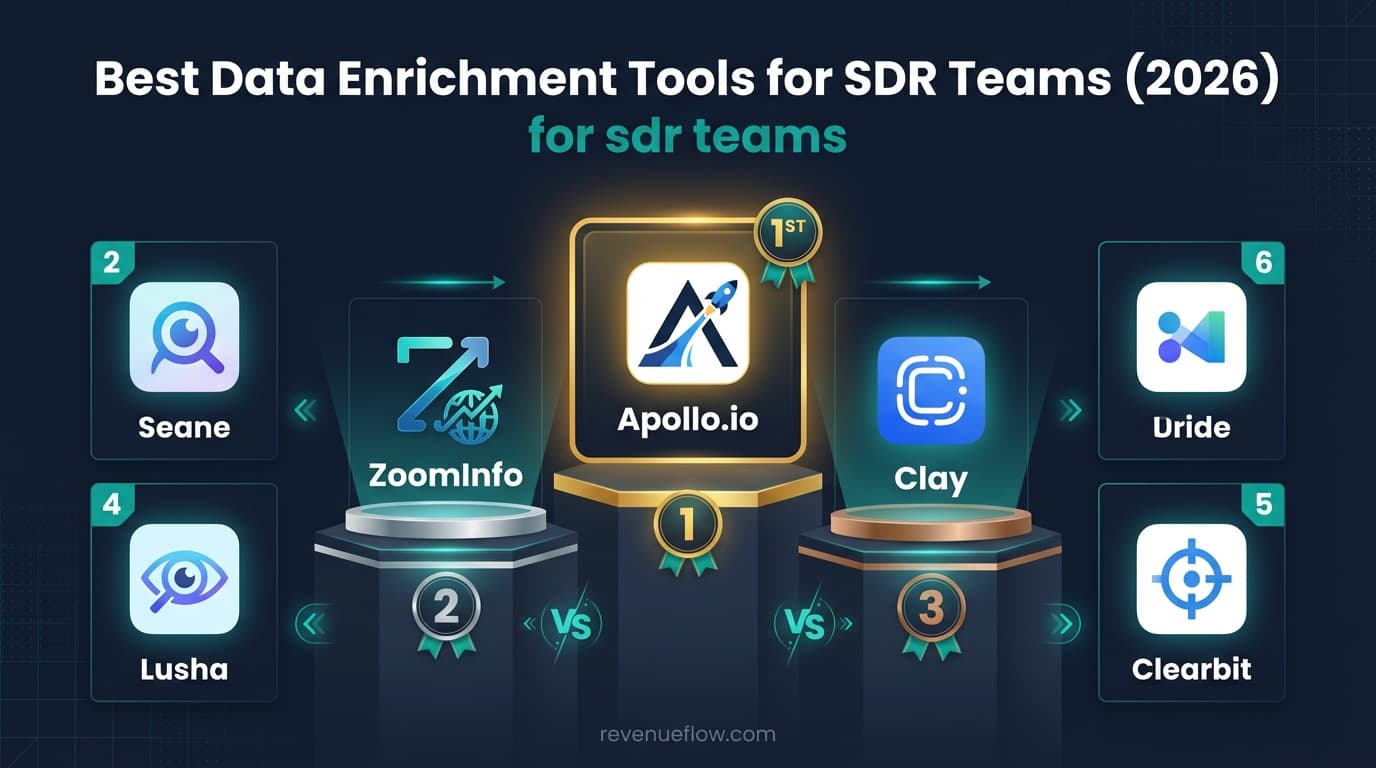
Apollo.io suits most SDR teams because one subscription covers database, sequencing and tracking, while LeadIQ is the most rep-shaped tool with one-click CRM capture and champion tracking at $15.00 a month on an annual plan. CRM write-back is what decides whether either gets used.
Key takeaways
- CRM write-back is the highest-value requirement for a rep team, and it is an integration question rather than a data one.
- A shared credit pool means the rep running the largest export decides everyone else's month, so per-rep allocation matters.
- LeadIQ's pricing page lists Pro at $15.00 a month with five users, on an annual plan, alongside a free tier covering one user and 50 credits.
- Clay works in an SDR team as an operations tool whose output reps consume, and fails when reps are expected to operate it themselves.
Reviewed and updated September 21, 2026
Data enrichment for SDRs is judged by one thing before any other: whether the enriched record lands in the CRM where the reps work. An SDR team gets a tool that enriches beautifully and watches half the enriched records never reach the CRM, because the write-back mapping was never tested. For a team of reps the integration is the product: data that does not land where the work happens is data nobody uses.
Data enrichment for SDRs: what the team actually needs
What an SDR team needs from this category is narrower than the marketing suggests and more operational.
CRM write-back that a rep never thinks about. Every record has to land in the right object with the right owner and the right fields, automatically. When it does not, reps build private spreadsheets, the CRM stops being the record, and pipeline reporting quietly becomes fiction. This is the single highest-value requirement and it is an integration question rather than a data one.
Credit governance across reps. A shared pool with no allocation means the rep running the biggest export decides everyone else's month. Per-seat or per-team allocation is worth more than a marginally better match rate.
Vendors differ in how openly they publish that allocation rule, and HG Insights pricing is the useful case to read because the company withholds every figure while publishing the credit rates and the rollover ceiling that decide the bill.
Speed inside the workflow. A rep working a list should not be switching tools to enrich a record. Extensions and one-click capture exist for this and they are the difference between a tool that gets used and one that gets bought.
Enrichment that keeps up with movement. Contacts change jobs constantly, and a list enriched last quarter is decaying. Job-change signal turns that decay into a trigger rather than a problem.
Nothing about sequencing structure. Enrichment fills fields; how many messages a campaign sends is a separate decision, and RevenueFlow's is one message per campaign with no bumps, which puts the weight back on list quality.
The five tools, priced on their own pages
| Tool | For an SDR team | Entry paid price |
|---|---|---|
| Apollo.io | Database, sequencing and dialer in one subscription | Basic $49 a seat, billed annually |
| LeadIQ | One-click capture into the CRM and job-change tracking | Pro $15.00, five users, annual |
| Lusha | Browser-extension capture for reps who prospect by hand | Starter $37.45 billed yearly, $49.90 monthly |
| Clay | An operations tool: waterfalls across 200+ providers | Launch $167 |
| UpLead | Credit-metered exports of verified emails | Essentials $99 for 170 credits |
Every price in the table was read on the vendor's own pricing page. Lusha and Apollo default to annual billing on those pages, and LeadIQ sells Pro on an annual plan only; monthly prices, where a vendor offers them, are in the section below.
Reading the Roster: What Each Tool Is Actually For
The five tools above get compared as if they were interchangeable. They are not, and the differences matter more than the pricing table suggests.
Clay is a workflow platform rather than a database. It buys from 200+ providers in its data marketplace, runs them in a waterfall so a miss at one provider falls through to the next, and lets an AI agent research whatever the providers leave blank. That is the most capable option here and the one with the steepest setup. Its pricing page lists a free plan, then Launch from $167/mo and Growth from $446/mo, with Enterprise custom, and above those entry points the cost scales with actions and data credits rather than seats.
Lusha is the browser-extension option: work a LinkedIn profile or a company page, reveal contacts, push them to the CRM. It suits people who prospect by hand and want the data where they already are. Its pricing page defaults to yearly billing, with Starter at $37.45 a month and Premium at $299.95 billed yearly; paid monthly, Starter is $49.90, Pro $69.90 and Premium $399.90.
UpLead sells accuracy over volume. Its pricing page states a 95% data accuracy rate for the emails it verifies, and lists Essentials at $99 a month for 170 credits and Plus at $199 for 400, with Professional custom and on annual billing only. Credit-metered pricing rewards a small, well-chosen list and punishes a scattergun one.
LeadIQ is built around the prospecting motion rather than bulk export: capture from LinkedIn into the CRM in one click, track when a known contact changes job, and draft outreach from what it found. Its pricing page lists a free tier at 50 credits for one user and Pro at $15.00 a month with five users included, on an annual plan.
Apollo.io is the all-in-one: a 240M+ contact database with sequencing, dialer and analytics on top, and a free plan with 900 credits per seat per year. Buying one subscription instead of three is the appeal, and the trade is that each layer is adequate rather than best in class.
Which of These Fits SDR Teams

Apollo.io is the most common right answer, because it collapses the database, the sequencing and the activity tracking into one subscription with a 240M+ contact database behind it. For a team, one vendor and one integration is a real operational advantage over a best-of-breed stack.
LeadIQ is the most SDR-shaped tool in the roundup: one-click capture from LinkedIn into the CRM, and champion tracking so a rep hears when a known contact moves. Its pricing page lists Pro at $15.00 a month with five users included, on an annual plan.
Lusha covers the same capture motion more simply, and suits teams whose reps live in LinkedIn.
Clay belongs in an SDR team as an operations tool rather than a rep tool: someone builds the list-building workflows, and the reps consume the output. That division works well and fails badly if reps are expected to operate it themselves.
UpLead fits when the team works a defined account list and export accuracy matters more than volume.
Right object, right owner, right fields, no rep intervention.
A shared pool means the biggest export decides everyone's month.
One click where the rep already works, not a second tool to open.
Job-change signal on tracked contacts instead of a stale list.
Where Enrichment Stops
Enrichment tools fill in fields. That is genuinely useful and it is a narrower job than the category's marketing implies, so it is worth naming the boundary before the selection criteria.
Enrichment does
- Fill missing fields on records you already chose
- Verify that an address exists
- Flag when a tracked contact changes job
Enrichment does not
- Decide who is worth contacting
- Make a message land
- Fix deliverability
- Replace a campaign structure
They do not decide who is worth contacting. A tool that returns a verified address for every row on a badly chosen list has done its job perfectly and produced nothing, because the list was the problem. Enrichment quality and targeting quality are separate decisions, and the second one is where results actually move.
They do not make a message land. Merge fields are not personalisation, and a paragraph assembled from enriched attributes reads exactly like a paragraph assembled from enriched attributes. What earns a reply is a relevant offer, and no data provider supplies one.
They do not fix deliverability. A verified address means the mailbox exists, not that mail reaches it. Sender reputation, authentication and sending volume decide that, and they sit in a different part of the stack entirely.
And they are not a substitute for a defensible campaign structure. RevenueFlow sends one message per campaign, with no bump sequences and no thread replies, so re-contacting a non-replier is a fresh campaign rather than step two of a cadence. Under that structure the enrichment budget goes into getting the list right the first time rather than into finding more ways to touch the same people.
Choosing for an SDR Team
Does the write-back work with your CRM, tested on a real record? Do this in the first hour of the trial. An integrations page listing your CRM is not evidence that the field mapping works.
How are credits allocated? Per-rep or per-team allocation prevents the shared-pool problem. Ask specifically; it is rarely on the pricing page.
How many tools does a rep have open? Every additional window is adoption you will not get. Consolidation is worth a quality compromise here.
Who builds the lists? If it is an operations function, a workflow platform is a strong addition. If reps build their own, buy something they can use unaided.
What is the cost per contacted person at your real volume? Not per credit, and not at the plan headline. Model it on last month's actual activity.
Getting It Running Without Burning Credits
Every tool here meters something, so the first month is where the money goes wrong.
Start with a sample. Take 100 rows you know well, run them through the free tier or the trial, and check the results against reality rather than against the tool's own confidence score. Coverage varies enormously by segment, and a provider that is excellent on one population can be thin on the next. That check costs an afternoon and it is the only thing that tells you whether the tool works on your list.
Enrich late, not early. Pulling a full record for every company in a target market before anybody has decided who is worth contacting is the most common way a credit balance disappears. Qualify first, enrich the survivors.
Verify at the point of use. A record enriched six months ago is not a current record, and stale addresses turn into bounces, which cost deliverability rather than credits. Re-verify before a send rather than trusting the export date.
Then track cost per usable record instead of cost per credit. The credit price is the number on the pricing page; the number that matters is what you paid for each contact that turned out to be real, current and worth contacting.
How This Comparison Was Put Together
Prices, plan names and capability claims come from each vendor's own pricing or product page, read on the day of writing and kept as a dated snapshot. Where a vendor's page no longer renders its prices, that is said rather than filled in from a third-party roundup, because a figure copied from another article is not a source.
Salesgenie is one case where that rule bites: its marketing site refuses automated requests outright, so its published starting price and subscription terms are taken from its own help centre instead, in Salesgenie cost.
No tool here was ranked by measured match rate or data accuracy, and nothing in this guide is presented as a test result. Enrichment coverage depends on the segment, the geography and the seniority of the people being looked up, so a league table built on somebody else's list would not predict yours. That is why the setup section above leads with a 100-row sample: the only accuracy figure worth acting on is the one you measure on your own data.
The Short Version

Apollo.io is the strongest single answer for most SDR teams, because one subscription covering database, sequencing and tracking removes an integration and a vendor. LeadIQ is the most SDR-shaped tool here, with one-click CRM capture and champion tracking, at $15.00 a month with five users on the Pro plan its pricing page lists. Lusha covers the capture motion more simply for LinkedIn-heavy teams, and Clay belongs behind the team as an operations tool rather than in front of it.
Test the CRM write-back with a real record in the first hour of any trial. It is the requirement that decides whether the tool gets used, and it is the one evaluations routinely check last.
Related Reading
If you would rather have this run for you, RevenueFlow books qualified meetings on a pay-per-meeting basis and publishes client results.
Pricing and features are taken from the vendors' own pages. Verify current terms with the vendor before relying on them.
Frequently asked questions.
Frequently asked questions- Which enrichment tool works best with a CRM?
- The one you have tested with a real record, which is a genuine answer rather than a dodge. An integrations page listing your CRM says nothing about whether the field mapping puts data in the right object with the right owner. Apollo.io and LeadIQ are both built around CRM capture, so start there, then verify.
- How do we stop one rep using all the credits?
- Allocate them per rep or per team rather than running a shared pool. This is rarely covered on a pricing page, so ask during the trial. Without allocation the rep who runs the largest export in week one determines what everyone else can do for the rest of the month, which causes more friction than the credits are worth.
- Is an all-in-one tool better than separate best-of-breed tools?
- For most SDR teams, yes. One vendor means one integration, one login and one bill, and the operational saving usually outweighs a modest quality gap on any single layer. Best-of-breed pays off once a specific layer is genuinely holding the team back and there is someone to maintain the stack.
- Does enrichment help with follow-up sequences?
- It fills fields; it does not decide campaign structure. How many messages a prospect receives is a separate choice, and RevenueFlow sends one message per campaign with no bumps or thread replies. Under that structure enrichment budget goes into getting the list right rather than into finding more ways to contact the same people.
About the author.

B2B cold email experts helping companies generate qualified leads through done-for-you outreach campaigns.
RevenueFlow Team
Explore more.
Ready to scale your outreach?
We build GTM engines that book real meetings. See the receipts.
Related articles.
Seamless.AI Email Finder: How It Works, What a Credit Buys
How Seamless.AI's email finder resolves a contact in real time, what one Universal Credit buys, the Total AI score on every address, and what the Chrome extension reads.
Is Clay Free? The Free Plan, the Trial and Where Each Stops
Clay's free plan, its 14-day trial and the no-charge-on-a-miss rule are three different things. What each holds and where it stops, from clay.com on 19 September 2026.
Snitcher Pricing: The $49 Table Is the Annual Rate
Snitcher's visible price table is the annual-billing ladder. The ten bands at both billing states, the unique-company meter, and the rules on a help page.
Firmographic Data Providers: What Six of Them Publish
Six firmographic data providers read from their own pages: the fields each sells, the coverage each states, how the data is delivered, and who prints a price.
Apollo Integrations: What Connects, and on Which Plan
Apollo's integrations marketplace sorted by job: what its own pages say each CRM sync moves, which plan ticks which integration, and what a sync costs.
Autobound Pricing: One-Time Credit Packs, Not Seats
Autobound's pricing page sells one-time credit packs for a signal data API, not seats. The six packs, the per-endpoint meter, and what a company costs.