Best Email Warmup Tools for Agencies (2026)
The five email warmup tools worth comparing for Agencies in 2026, with prices read off each vendor's own pricing page and an honest read on fit.
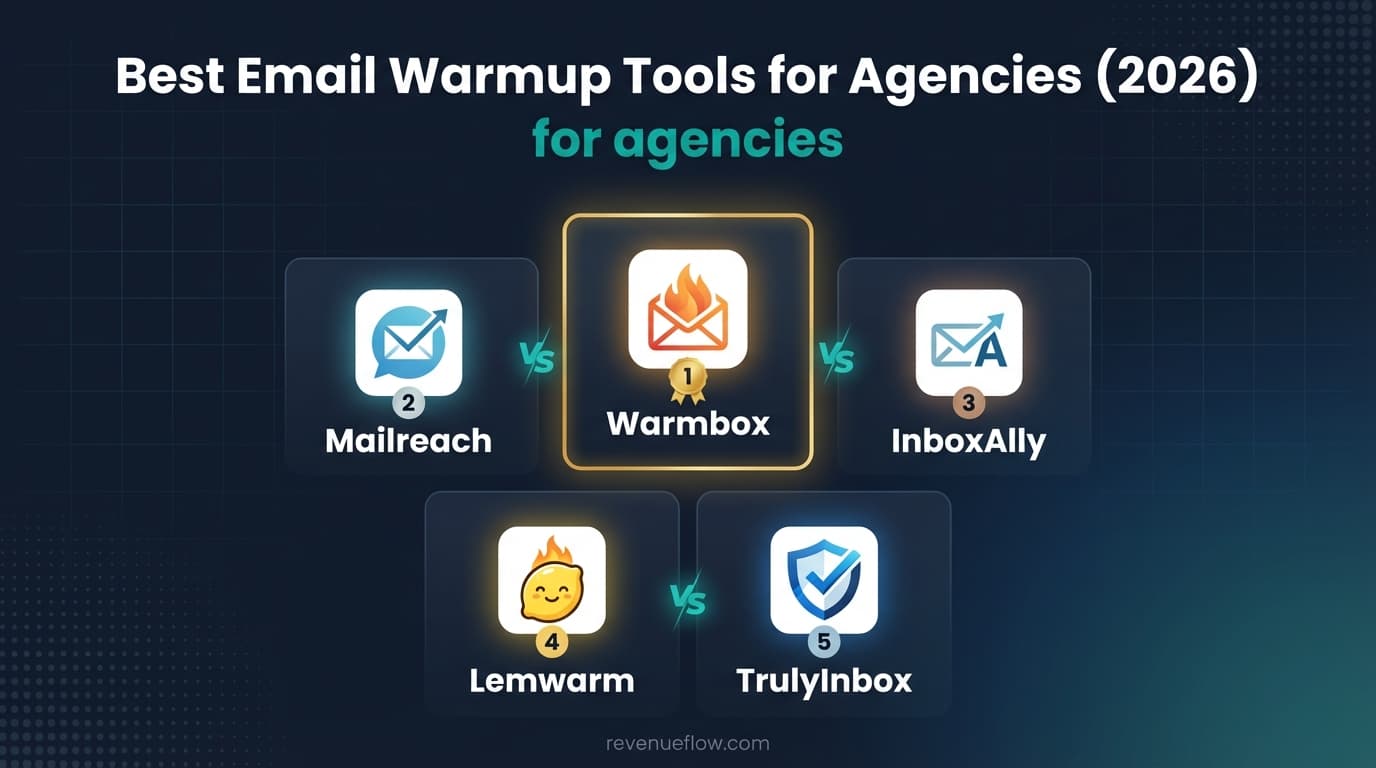
Email warmup for agencies is warmup bought per client roster, so the billing unit is multiplied by the client count. TrulyInbox fits best on published pricing, with unlimited accounts priced on daily volume and white-label options on Scale Plus; InboxAlly suits one damaged client domain from $149 a month.
Key takeaways
- An agency's mailbox count is clients times inboxes per client, so a per-mailbox or per-address price multiplies across the roster while a volume price does not.
- TrulyInbox lists unlimited accounts and API access on every paid plan, and its comparison table puts white-label options only on the Scale Plus tiers, from $479 a month billed monthly.
- In an illustrative sum at 50 client mailboxes on monthly billing, TrulyInbox Scale is $199, Lemwarm Essential comes to $1,450, and InboxAlly moves to Enterprise at Contact us.
- InboxAlly lists workspaces for multi-account switching and a dedicated CSM on every plan, and Warmbox lists multi-account for agencies, though its largest named plan covers 6 inboxes.
Reviewed and updated September 21, 2026
An agency warming inboxes for ten clients is carrying ten separate reputations on one subscription. The pricing unit is therefore not a detail, it is the margin: a per-mailbox charge multiplied across a client roster is the difference between a profitable outbound service line and one that quietly is not. That is what makes email warmup for agencies a different purchase from warmup for one sales team, and it is how this guide reads five tools.
Email warmup for agencies: what the tool has to handle
Email warmup for agencies is warmup bought per client roster: every client gets its own domains and inboxes, so the tool's billing unit is multiplied by the client count. The published plans that fit that shape best price on volume with unlimited accounts, and the agency features worth checking are multi-account switching, per-client reporting and white-label options.
On the five pricing pages, those features sit in different places. TrulyInbox connects unlimited accounts and lists API access on every paid plan, but its comparison table puts white-label options only on the Scale Plus tiers, so an agency that wants white-label reporting from a multi-client warm-up platform is pricing Scale Plus. InboxAlly lists workspaces for multi-account switching on every plan, and Warmbox lists multi-account for agencies among the features included in all its plans.
| Tool | Multi-client feature on the page | Where it starts |
|---|---|---|
| TrulyInbox | Unlimited accounts and API access on paid plans; white-label options on Scale Plus only | Starter $29; Scale Plus $479, monthly |
| InboxAlly | Workspaces for multi-account switching and a dedicated CSM on every plan | $149 a month |
| Warmbox | Multi-account for agencies, included in all plans | Solo $19 for 1 inbox |
| Mailreach | A For Agencies section offering flexible pricing | €25 a mailbox |
| Lemwarm | A Custom plan for teams of more than 10 users | $29 an address |
On engagement, InboxAlly's page describes seven distinct engagement actions executed at human cadence from its own seed network, and Warmbox lists automated interactions, auto-remove from spam, auto-reply to emails and mark as favorite on every plan. Agencies with clients in insurance or wider financial services can read the best email warm-up tool for financial services outreach, weighed against renewal deadlines.
What Agencies Need From a Email Warmup Tool
Unit economics decide this purchase. Every client needs its own domains and its own inboxes, so an agency's mailbox count is client count multiplied by inboxes per client, and that product grows fast. A tool that charges per mailbox turns correct per-client isolation into the most expensive way to operate, while one that charges for warmup volume across unlimited accounts absorbs it.
Bulk operations follow directly. Onboarding a client means adding and warming a set of mailboxes, and doing that by hand across a roster is where the delivery margin goes. Judge these tools on how quickly a new client's inboxes can be added, because that is the operation an agency performs most often.
Per-client reporting is the commercial requirement rather than an operational one. An agency has to show a client its own deliverability without exposing anyone else's, and it needs to see a single client's domain drifting before that client does.
How This Guide Was Put Together
Every price, plan name, inbox cap and volume limit here was read off the vendor's own pricing page and is attributed to the page it came from. No lab test sits behind this, so the guide makes no claim about which tool produces the best inbox placement. It judges the pricing model, the capacity limits, and the shape of agency each set of published plans was drawn for.
Top 5 Email Warmup Tools for Agencies

1. TrulyInbox
Warmup platform priced on the emails you send rather than the accounts you connect, with adaptive sending patterns, AI-written warmup content and per-mailbox scoring.
From the TrulyInbox pricing page: free forever for 1 account at 10 warmup emails/day, up to $479/mo paid monthly on Scale Plus, above which the plan is quoted as Custom.
| Plan (TrulyInbox pricing page) | Billed annually | Paid monthly | Warmup emails/day | Reply rate |
|---|---|---|---|---|
| Free | Free forever, 1 account | Free | 10 | |
| Starter | $22/mo, $264/year | $29/mo | 200 | up to 25% |
| Growth | $84/mo, $1,008/year | $99/mo | 1,000 | up to 45% |
| Scale | $169/mo, $2,028/year | $199/mo | 3,000 | up to 60% |
| Scale Plus | $407/mo, $4,884/year | $479/mo | 5,000 | 65% |
Two things there matter more than the prices. It states Unlimited Accounts on every paid plan, describing its model as pay for emails sent, not accounts connected, the opposite of how the rest of this list bills. And it publishes the sizing rule: warmup runs on a 2:1 ratio, two warmup emails per cold email, ongoing. That is the number to take away whichever tool you buy.
The strongest fit for agency economics, because its page connects unlimited accounts and prices on warmup emails per day, so onboarding a client adds mailboxes without adding a line to the bill. API access on the published plans is what makes bulk onboarding practical.
2. Mailreach
Warmup and deliverability platform that drives positive engagement signals with a multi-parameter algorithm, bundled with spam testing and DNS monitoring.
From the Mailreach pricing page: €25 per mailbox a month, or €20 on annual billing, and above 100 mailboxes that page stops naming a number and quotes custom pricing. The page served its prices in euros when it was read for this guide, so the dollar price a US visitor sees is not confirmed here.
| Mailreach pricing page (as displayed) | Published figure |
|---|---|
| Warmup rate, monthly | €25 / mailbox Per Month |
| Warmup rate, annually | €20 / mailbox Per Month, Save 20% |
| Mailbox slider | 1, 20, 40, 60, 80, 100+ |
| Included with the warmer | 20 spam test credits |
| Sending ceiling | Up to 100 emails per day |
That page is a calculator rather than a plan ladder, so its running totals depend on where the sliders sit. Its For Agencies section offers to talk about flexible pricing options for agencies.
At the published €25 per mailbox the arithmetic is clear and it is the shape that hurts an agency most, since the unit is exactly the thing that multiplies across a roster. Above 100 mailboxes that page moves to custom pricing, which is where an agency of any size lands.
3. InboxAlly
Deliverability platform that trains inbox placement using its own seed inboxes, which open, read and reply to your mail rather than exchanging it with other senders.
| Plan (InboxAlly pricing page) | Price | Seed emails per day | Sender profiles |
|---|---|---|---|
| Starter | $149 / month | 100 | 1 |
| Plus | $645 / month | 500 | 5 |
| Premium | $1,190 / month | 1,000 | 10 |
| Enterprise | Contact us | Custom volume | Unlimited |
That page publishes no annual discount, prices everything billed monthly, and offers a free trial of 10 days with no credit card required. The seed model explains the price gap: you are buying inboxes the vendor controls rather than a slot in a peer network.
Published with workspaces for multi-account switching and a dedicated CSM at every tier, which is genuinely agency-shaped, but from $149 / month for 1 sender profile it is priced per client rather than per roster. Use it for a specific client with a damaged domain.
4. Lemwarm
Warmup tool from lemlist that builds sender reputation across a network of real inboxes, with a technical setup check and a daily deliverability score.
| Plan (Lemwarm pricing page) | Yearly | Monthly | Priced per |
|---|---|---|---|
| Essential Plan | $24 | $29 | PER EMAIL /month |
| Smart Plan | $40 | $49 | PER EMAIL /month |
| Custom | Contact sales | Contact sales | More than 10 users |
The per-address unit is the detail to carry into a budget, because those figures read like a team price and are not. That page also offers Quarterly billing at Save 10% against Yearly at Save 20%, and states that every lemlist plan includes lemwarm, so check what you already own before buying separately. The Essential plan card lists a warm-up network of 20k+ healthy domains.
PER EMAIL /month across a client roster is the least favourable unit here, and its Custom tier begins above 10 users. Relevant where an agency has standardised its clients on lemlist, whose plans that page says include lemwarm.
5. Warmbox
Warmup tool with fixed plans, a fully custom warm-up option, spam score monitoring and a reporting dashboard, covering a wide spread of mailbox providers.
| Plan (Warmbox pricing page) | Yearly billing | Monthly billing | Inboxes | Emails/day | Members |
|---|---|---|---|---|---|
| Solo | $15 /month | $19 /month | 1 inbox warm-up | 50 emails/day | 1 |
| Start-up | $69 /month | $79 /month | 3 inbox warm-up | 250 emails/day | 3 |
| Growth | $139 /month | $159 /month | 6 inbox warm-up | 500 emails/day | 6 |
| Team | Contact Us | Contact Us | Custom | Custom | Custom |
The inbox cap decides whether Warmbox is cheap or unusable for you: Growth is the largest named plan on that page and covers 6 inboxes. A team running more than that is into Contact Us territory whatever the headline suggests, which is a very different position from the tools here that connect unlimited accounts.
Its largest named plan covers 6 inbox warm-up, which is roughly one client. An agency would be buying a subscription per client, which is worth pricing but rarely wins.
The Five Tools Price on Five Different Units
Comparing headline prices across warmup tools is close to meaningless, because no two of these five charge for the same thing.
- TrulyInbox bills warmup emails sent per day, with unlimited accounts connected.
- Mailreach bills each mailbox warmed, per month.
- InboxAlly bills seed emails per day and sender profiles.
- Lemwarm bills each email address, per month.
- Warmbox bills a plan with a fixed inbox cap.
A team with 40 inboxes sending lightly is cheapest on the tool that ignores inbox count; the same team sending hard is cheapest on the one that ignores volume. Work out both numbers before comparing any prices.
Which warm-up tool suits an agency managing 10 to 50 client domains?
At 10 to 50 client domains the unit decides it, so here is the arithmetic on monthly billing, labelled illustrative and assuming one warmed mailbox per client domain. At 10 mailboxes, TrulyInbox Growth at $99 is the plan its page suggests for 15 inboxes; Lemwarm Essential comes to 10 x $29 = $290; InboxAlly's Premium, with 10 sender profiles, is $1,190; and Warmbox's pricing page names no price, because its largest named plan covers 6 inboxes. At 50 mailboxes, TrulyInbox Scale at $199 is the plan its page suggests for 50 inboxes, Lemwarm comes to $1,450, and InboxAlly moves to Enterprise at Contact us. Mailreach, in euros here, would be €250 and €1,250 at €25 a mailbox, which is why it is left out of the chart.
So for an agency in that range, TrulyInbox's volume pricing is the model that does not grow with the client list, and InboxAlly is priced per client, which suits a remediation job for one domain rather than the whole roster.
Recommendation by Budget

Starting at nothing. The TrulyInbox pricing page publishes a free forever plan for 1 account at 10 warmup emails/day, the only ongoing free plan on this list.
The cheapest paid tiers. Warmbox Solo is published at $15 /month yearly for 1 inbox warm-up, Lemwarm Essential at $24 yearly PER EMAIL /month, and TrulyInbox Starter at $22/mo annually for 200 warmup emails/day across unlimited accounts. For an agency, only the last of those survives the second client.
How to Choose
What does an additional mailbox cost? Multiplied across a roster this is the single largest determinant of whether the service line is profitable.
How fast can a client be onboarded? Adding and warming a set of mailboxes is the operation you will perform most. Time it during the trial, including through an API if there is one.
Can client reputations be isolated? Separate domains and separate inboxes per client, always. Confirm the tool enforces the separation rather than merely permitting it.
Does reporting segment per client? A client report must show that client and nothing else, and you need to see one client's domain drifting before they do.
Does the pricing shape match the retainer? Volume pricing inside a fixed retainer transfers risk to the agency, so price the retainer against expected warmup volume or choose a model that does not move with it.
Warming Without Wasting the Month
Inboxes attached to those domains, set up before the first campaign.
Running on every inbox from day one, not from launch.
Warmbox's FAQ gives 15-30 days of uninterrupted warming before first results.
The reputation a bump spends belongs to the client.
Build the per-client architecture before the first campaign: dedicated domains per client, inboxes attached to those domains, and warmup running on all of them from onboarding rather than from launch.
Build the warmup lead time into the onboarding schedule and tell the client about it: Warmbox's pricing page FAQ says it usually took between 15-30 days of warming without any interruption to see the first results. An agency that promises campaigns in week one and spends weeks three and four explaining poor placement has sold the wrong timeline; the honest version is that warmup starts on day one and sending starts later.
One message per campaign, across every client. The reputation a bump spends belongs to the client, and it is the asset the agency is being paid to build.
Where the Tool Stops Mattering
Warmup protects delivery for a campaign whose offer and list the client largely controls. An agency can build perfect infrastructure and still produce nothing from a weak offer, which then becomes a retention conversation.
The second limit is the qualification definition. Meetings booked against criteria nobody wrote down get disputed at invoice time, so agree what counts in writing before launch and never accept budget, timing or authority as billing conditions.
Final Thoughts

Many clients, protecting the margin: TrulyInbox, where mailbox count does not drive the bill. Clear per-mailbox arithmetic and a custom-pricing path above 100 mailboxes: Mailreach. One client with a damaged domain: InboxAlly. Clients standardised on lemlist: Lemwarm. Warmbox is roughly one client per subscription.
Related Reading
- Best Lemlist Alternatives in 2026
- Best Mailreach Alternatives in 2026
- Best Warmbox Alternatives in 2026
- Best TrulyInbox Alternatives in 2026
- Best InboxAlly Alternatives in 2026
- Email sending tools for agencies
If you would rather have this run for you, RevenueFlow books qualified meetings on a pay-per-meeting basis and publishes client results.
Pricing and features are taken from the vendors' own pages. Verify current terms with the vendor before relying on them.
Frequently asked questions.
Frequently asked questions- What is the best email warmup tool for agencies?
- On published pricing, TrulyInbox fits agency economics best, because its page connects unlimited accounts and prices on warmup emails per day, so adding a client adds mailboxes without adding a line to the bill. InboxAlly suits a specific client with a damaged domain, and Lemwarm suits an agency whose clients are already on lemlist, whose plans include it.
- Which warm-up tool offers white-label reporting for agencies?
- TrulyInbox's pricing page comparison table lists white-label options only on its Scale Plus tiers, which start at $479 a month billed monthly, or $407 billed annually, for 5,000 warmup emails a day. None of the other four pricing pages in this guide lists white-label options, so ask each vendor directly if per-client branding is a requirement.
- How much does warm-up cost for 50 client domains?
- It depends on the unit. In an illustrative sum with one mailbox per client domain on monthly billing, TrulyInbox Scale, which its page suggests for 50 inboxes, is $199 a month, Lemwarm Essential comes to 50 x $29 = $1,450, and InboxAlly moves to Enterprise at Contact us. Warmbox publishes no price above 6 inboxes.
- How long does warm-up take for a new agency client?
- Warmbox's pricing page FAQ says it usually took between 15-30 days of warming without any interruption to see the first results. Start warm-up on the day a client is onboarded, on dedicated domains attached only to that client, and tell the client that sending starts later than onboarding, so the timeline is sold honestly from the first week.
About the author.

B2B cold email experts helping companies generate qualified leads through done-for-you outreach campaigns.
RevenueFlow Team
Explore more.
Ready to scale your outreach?
We build GTM engines that book real meetings. See the receipts.
Related articles.
PlusVibe Pricing: Three Tiers and a Credit Slider
PlusVibe publishes its whole ladder, monthly and annual, with an enrichment credit slider on every tier. The entry figure is the lowest step, not the price.
Best Time to Cold Call: What the Studies Counted
The best time to cold call figures traced to their originals: one inbound study from six companies, three vendor call datasets, and what survives the read.
Best Time to Send a Sales Email: What Was Measured
The send time studies behind the midweek morning answer, what each one actually counted, and why a broadcast finding does not transfer to a sales email.
Social Selling Tools by Job, and the Account-Risk Line
Fourteen social selling tools sorted into six jobs, split by whether each acts through your LinkedIn account or beside it, from the vendors' own pages.
Seamless.AI Email Finder: How It Works, What a Credit Buys
How Seamless.AI's email finder resolves a contact in real time, what one Universal Credit buys, the Total AI score on every address, and what the Chrome extension reads.
Is Clay Free? The Free Plan, the Trial and Where Each Stops
Clay's free plan, its 14-day trial and the no-charge-on-a-miss rule are three different things. What each holds and where it stops, from clay.com on 19 September 2026.