Bounce Back Email: Diagnose It Before It Costs a Domain
A bounce back email carries the receiving server's verbatim reason for refusing you. Here is how to read the codes, and what the shape of a batch tells you.
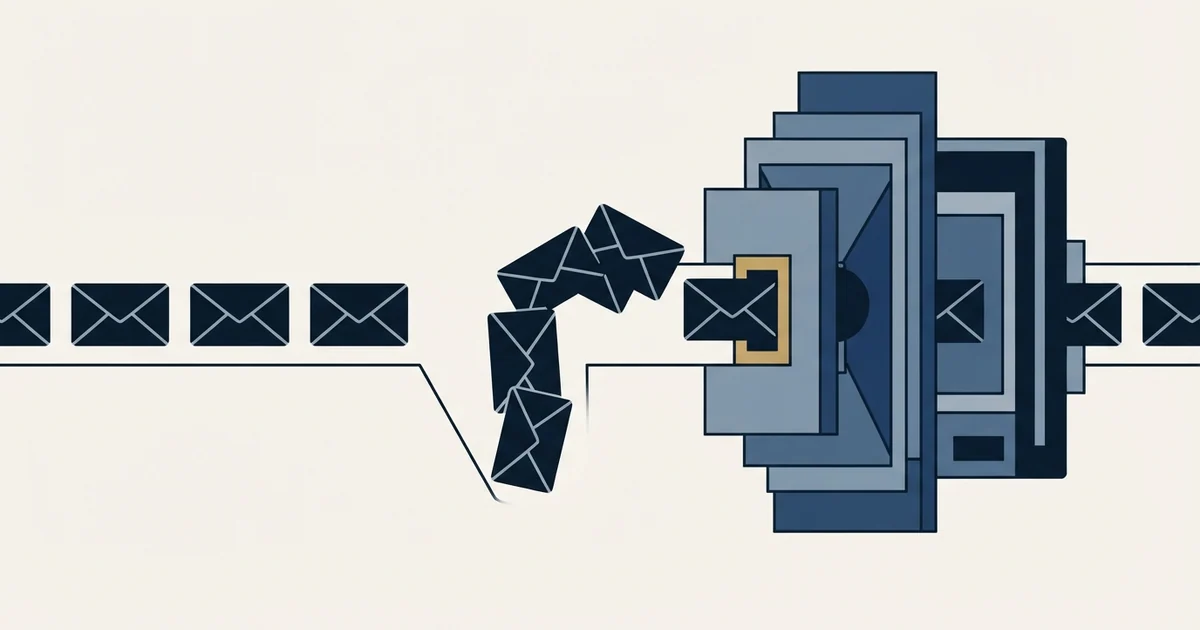
A bounce back email is the delivery failure report your own mail system writes, carrying the receiving server's verbatim refusal. The three-digit reply code says whether the refusal is final. The middle digit of the dotted status code says whether the subject was the recipient, their infrastructure, or a decision about you.
Key takeaways
- The friendly summary at the top of a bounce back is your provider's paraphrase, while the quoted server response beneath it is the receiving system's own words and is the actual evidence.
- RFC 3463 defines a permanent failure as one needing a change to the message or the destination, so a permanent refusal is not automatically a statement that the address is wrong.
- The middle digit of the dotted status code sorts every refusal in seconds: X.1 and X.2 are about the recipient, X.3 and X.4 are far-end infrastructure, and X.7 is a policy decision about the sender.
- Refusals concentrated on one recipient mail vendor mean a gateway has decided against your sending, which is invisible in a headline bounce rate and is not fixed by list cleaning.
Reviewed and updated September 1, 2026
Bounce Back Email for B2B Teams: How to Diagnose It Before It Costs a Domain
A send goes out at nine in the morning. By four minutes past, fourteen bounce-backs have landed in the sending inbox, and eleven of them came from companies whose mail is handled by the same security vendor. The sending platform shows a bounce rate, rounds it, and colours it amber. The eleven near-identical rejections sitting unread in a folder are the actual finding, and nothing in the dashboard points at them.
A bounce back email is the report your own mail system writes when a message you sent could not be delivered. It is the single richest diagnostic a cold sender gets, it arrives free, and most teams read the summary line and delete it. This is how to read the whole thing, and what each shape of failure means for a live campaign.
A bounce-back is two documents stacked on top of each other
The top of the report is written by your provider. It is a paraphrase, produced for a human, and it is where the phrases people quote to each other come from ("address not found", "message blocked").
Underneath it sits the part that matters: the verbatim reply the receiving server gave during the SMTP conversation. Microsoft publishes the structure of an Exchange Online non-delivery report field by field, and the list is worth knowing because every provider assembles something close to it: the generating server, the rejected recipient, the remote server, the enhanced status code, the SMTP response, and the original message headers. Microsoft also notes something that tells you how to weight the two halves. The SMTP response and the message header fields "are in English and aren't customizable" (Microsoft Learn, Email nondelivery reports and SMTP errors in Exchange Online).
That is the tell. The friendly sentence at the top is your provider talking. The quoted response is the receiving system talking, passed through untouched. When those two disagree, and they often do, the quoted response is the evidence and the summary is an interpretation.
The whole report is a defined format rather than a convention. RFC 3464 specifies delivery status notifications as a multipart/report message carrying a message/delivery-status part, which is why bounce-backs from wildly different systems still have the same bones.
Two codes, and only one of them is precise
Every quoted response carries a three-digit reply code, and most carry a second, dotted code beside it.
The three-digit code is coarse. A 550 covers a missing mailbox and a policy refusal equally, so on its own it tells you almost nothing beyond permanence.
The dotted code is the useful one. RFC 3463 defines it as class.subject.detail, and it defines the two classes a sender meets in plain language.
A class 4 result is a "persistent transient failure", which the standard describes as one where "the message as sent is valid, but persistence of some temporary condition has caused abandonment or delay of attempts to send the message. If this code accompanies a delivery failure report, sending in the future may be successful."
A class 5 result is a "permanent failure", defined as one "which is not likely to be resolved by resending the message in the current form. Some change to the message or the destination must be made for successful delivery."
Read that second definition again, because the standard is saying something most tooling hides. A permanent failure means the message as written will not be accepted. It does not mean the address is wrong. The change required might be to the destination, and it might equally be to the message or to the system that sent it. Our glossary entry on the hard bounce works through why that distinction decides what you do next.
The middle digit tells you whose problem it is

This is the part almost nobody uses, and it converts a wall of codes into four or five buckets.
RFC 3463 defines the subject digit as a classification that applies to all three result classes. An X.1.x is an addressing status, reporting "on the originator or destination address". An X.2.x is a mailbox status, where "mailbox issues are assumed to be under the general control of the recipient". An X.3.x is a mail system status, under the control of the destination system administrator. An X.4.x is network and routing. An X.7.x is the security and policy family.
So before you look up a single specific code, the middle digit has already sorted the failure:
X.1andX.2are about the recipient. Your list is the thing under review.X.3andX.4are about infrastructure at the far end. Usually not yours, usually temporary.X.7is a decision somebody made about you. Your list is irrelevant to it.
An X.7.x arriving in volume is the one that should stop a campaign, and it is also the one most commonly misfiled as a list-quality problem because the platform labelled it a hard bounce.
- The address or the mailbox itself
- Fix belongs in list building and verification
- A rising rate means data quality, not sending behaviour
- Destination server or routing
- Usually outside anyone's control and usually short lived
- Worth watching, rarely worth acting on
- Policy, authentication, reputation, filtering
- Your list quality is not the variable
- Volume here is a stop-and-diagnose signal
The refusals a cold sender actually meets
Google and Microsoft both publish their own code tables, which makes this one of the few areas of deliverability where you can work from primary sources rather than folklore.
From Google Workspace Admin Help, quoting its published error text:
| Reply | Status | What Google publishes | Reading |
|---|---|---|---|
| 550 | 5.1.1 | "The email account that you tried to reach does not exist." | The address is genuinely dead |
| 553 | 5.1.2 | "We weren't able to find the recipient domain." | The domain is wrong or gone |
| 550 | 5.7.1 | "The user or domain that you are sending to (or from) has a policy that prohibits the email that you sent." | A policy decision, nothing to do with the address |
| 550 | 5.7.26 | "This email has been blocked because the sender is unauthenticated. Gmail requires all senders to authenticate with either SPF or DKIM." | Your authentication, on your side, fixable today |
| 550 | 5.7.25 | Blocked because the sending IP has no PTR record | Your infrastructure |
| 421 | 4.7.28 | "Gmail has detected an unusual rate of email... email has been temporarily rate limited." | Your volume, right now |
| 452 | 4.2.2 | "The recipient's inbox is out of storage space." | Their mailbox, temporary |
| 552 | 5.2.2 | "The recipient's inbox is out of storage space and inactive." | Their mailbox, now judged permanent |
Those last two rows are the clearest illustration on the page of how thin the line is. The same physical condition, a full mailbox, produces a class 4 result or a class 5 result depending on whether Google has additionally decided the account is inactive. The permanence is a judgment made at the far end, not a property of the address.
Microsoft's published NDR table sorts the same territory with its own labels: 5.1.1 is "Bad destination mailbox address", 5.7.1 appears twice with two different meanings ("Delivery not authorized" and "Unable to relay"), and 5.1.8 is "Access denied, bad outbound sender", which Microsoft attributes to an account "blocked for sending too much spam".
Note what 5.7.1 being two different things at Microsoft does to any tool that maps codes to causes. The code is the start of the diagnosis rather than the end of it, and the quoted text beside it is what disambiguates.
Read the batch, not the message

One bounce-back is an anecdote. The distribution across a send is the diagnosis, and it takes about two minutes with a spreadsheet.
Sort every rejection from a run by recipient domain and by status code, then look at which axis the failures cluster on.
- Yes: Concentrated on one recipient domain or one mail vendor, with policy codes: a security gateway in front of that organisation is refusing your sending
- Yes: Spread widely across unrelated domains, almost all X.1.1: the list is stale or was never verified
- Yes: Spread widely, almost all X.7.x: your authentication, your domain reputation, or a listing
- Yes: One provider, class 4, appearing suddenly partway through a run: you are being rate limited by volume
- Depends: Scattered X.2.x and X.3.x at a low rate: ordinary background noise, no action
The first row is the one worth building a habit around, because it is invisible in a headline bounce rate and it has a specific remedy. When a single recipient-side security vendor is refusing your mail, the addresses behind it are usually fine. Continuing to send at them buys nothing and adds failures to a domain-level record that mailbox providers do read. Our operating practice is to hold the recipients sitting behind a refusing gateway out of the campaign, verify the sending inventory is genuinely clean by comparing it against campaigns running on the same senders, and only then resume. The addresses stay in the database and stay usable elsewhere.
The second row is a list problem, and it is answered upstream rather than in the inbox. Verification tooling and what it can and cannot promise is the relevant read there, along with our entry on the catch-all domain, which is the case where verification genuinely cannot help.
The third row is where a bounce-back stops being about this campaign. If policy refusals are appearing across unrelated recipients, check authentication first, because SPF, DKIM and DMARC failures are the cheapest cause to rule out and Google now states the requirement in the bounce text itself. If authentication is clean, check whether the domain or the sending address has been listed, using the blacklist check and delisting path and a report read the way MXToolbox output should be read.
What it costs while you are not reading them
Bounce-backs are not only a signal. They are also an input.
Mailbox providers form a private view of each sending domain, and repeated delivery failures are part of what they weigh. That view is described in our entry on domain reputation, and its important property for this purpose is stickiness: it attaches to the domain, it survives a change of sending infrastructure, and it takes far longer to rebuild than to damage. A month of unread bounce-backs is a month of teaching several large providers something about your domain that a new sending tool will not undo.
The rate at which this becomes dangerous is a separate question, and one worth calibrating against published bounce rate benchmarks rather than instinct.
Three things that arrive in the same folder and are not bounce-backs

An out-of-office auto-reply is a successful delivery. It proves the mailbox exists and accepts mail, which is the opposite of a bounce, and it is the most common way a bounce count gets inflated by hand.
A challenge from a sender-verification system is also a successful delivery. The message reached a real mailbox whose owner has interposed a gate.
And a catch-all domain produces no bounce-back at all, because it accepted the message before deciding what to do with it. Silence from a catch-all is not evidence of delivery, which is why an unusually low bounce rate on a list heavy with accept-all domains is a measurement artefact rather than good news.
Where we differ from standard practice
Most outbound programmes treat a delivery failure as a scheduling problem and simply try the same person again later. We run one message per campaign and never write into the same thread, so a permanent refusal ends that campaign for that person, full stop.
That constraint is what makes the diagnosis clean. A permanent failure is not somebody declining to answer. Nothing was delivered, so there was no decision to read into. The address either comes out of circulation or the refusal was about our sending, and both of those are answered by fixing something rather than by writing again. Where a company is still worth reaching, that is a fresh campaign to a different person on its own premise, planned as a first message to them. Our reasoning on the general case is set out in why we stopped using follow-ups.
The short version

The bounce-back is the receiving system telling you exactly why it refused you, in a standard format, for free. The three-digit code tells you whether the refusal was final. The middle digit of the dotted code tells you whether the subject was the recipient, the far-end infrastructure, or a decision about you. The distribution across a send tells you which of those is actually happening. Everything after that is a list fix, an authentication fix, or a decision to stop sending at an organisation that has made up its mind.
If you would rather have that read for you against a live campaign, we run the first one.
Vendor documentation and standards references verified as of mid-2026. Verify current terms with the vendor before relying on them.
Frequently asked questions.
Frequently asked questions- What is the difference between the two codes in a bounce message?
- The three-digit reply code is coarse and mostly tells you whether the refusal was final. The dotted code beside it is the enhanced status code defined by RFC 3463, written as class.subject.detail. Its first digit repeats permanence, but its middle digit classifies the subject of the failure, which is the part that tells you where the fix belongs.
- Does a hard bounce always mean the email address is wrong?
- No. RFC 3463 defines a permanent failure as one not likely to be resolved by resending in the current form, requiring a change to the message or the destination. Google and Microsoft both publish permanent codes for unauthenticated senders, missing PTR records and policy refusals. Those are verdicts on the sender, and the address behind them is often perfectly valid.
- Why do out-of-office replies show up in my bounce folder?
- Because they land in the same place, not because they are failures. An automatic reply is proof of successful delivery to a real mailbox that accepts mail, which is the opposite of a bounce. Counting them inflates a bounce rate and can trigger list cleaning that removes good addresses. Filter on the delivery status report format rather than on where the mail arrived.
- Why did a send produce almost no bounces but also no replies?
- Accept-all domains take delivery of everything addressed to them and decide validity afterwards, often discarding a message with no report to anyone. A low bounce rate on a list weighted towards those domains measures how few refusals were spoken aloud rather than how much mail arrived. Check the proportion of accept-all domains before reading the number as good news.
About the author.

Tim Carden is CMO / CTO at RevenueFlow, which builds and operates outbound revenue engines for B2B companies. Studied at McGill University.
Tim Carden · CMO / CTO
Connect on LinkedIn →Explore more.
Ready to scale your outreach?
We build GTM engines that book real meetings. See the receipts.
Related articles.
SMTP Ports: What 25, 465, 587 and 2525 Are Registered For
Three of the four ports in circulation are registered to mail and one is not. What the IANA registry and the RFCs say, and why none of it moves placement.
Email Warmup Pricing in 2026: What 20 Tools Charge, and What 10 Mailboxes Cost
Email warmup tools start at a median of $29 a month, but warming ten mailboxes costs from $7.50 to $1,190 depending on how the vendor prices a mailbox.
Mailwarm Pricing: The Page Opens on Its Yearly Tab
Mailwarm's pricing tabs open on yearly and the plans meter daily volume rather than mailboxes. Both tabs, the overage rate, the no-trial rule and the per-mailbox cost.
MailReach Pricing: The Headline Rate Is the Second Band
MailReach prices warmup on a slider with four mailbox bands and two billing states. Every band at both states, and why the printed rate is not the entry rate.
Warmup Inbox Pricing: Per Inbox, Annual Loads First
Warmup Inbox prices per inbox and its page opens on the annual switch. Both states for all three plans, the reply ceiling meter, the trial and how a fleet bill is built.
Graymail vs Spam: What the Difference Costs a Sender
Graymail is a claim about a sending pattern. Spam is a claim about intent. They respond to different repairs, and confusing them sends teams to rewrite copy.