CRM Evaluation Checklist: What to Settle Before You Sign
Most published CRM checklists were written by vendors. This is the version for a team that runs outbound, covering the record, the sync, the meter and the exit.
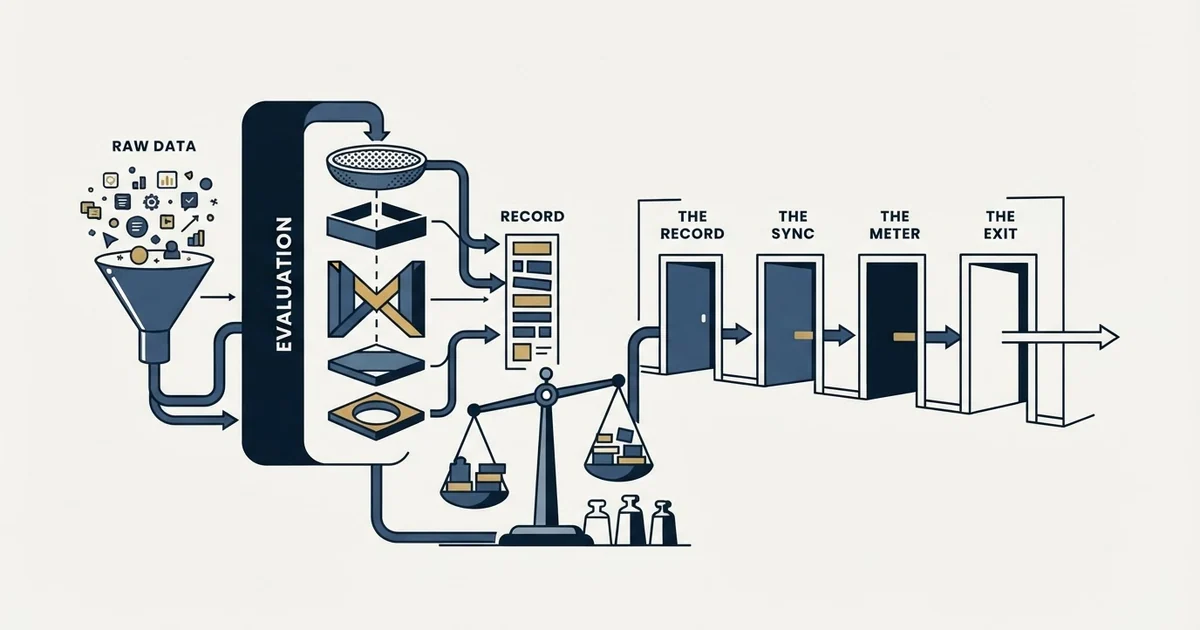
A useful CRM evaluation checklist covers four things a demo hides: what the system is a record of, what the integrations will and will not do to your fields, what the price meter counts as you grow, and what an export and the exit terms actually give you back. Settle each before signing.
Key takeaways
- Write the sentence saying what the system is a record of before the first vendor call, because a CRM built to report on rep activity is configured differently from one built to answer what is happening with an account.
- Run the trial on twenty of your own awkward records, including duplicates, missing domains and orphan contacts, rather than on the vendor's prepared demo data.
- Decide per field which system wins a conflict, and check whether a blank incoming value clears an existing one, because that default destroys data silently rather than failing loudly.
- Run an export during the trial and read the notice period before signing, since custom objects, automation logic and report definitions frequently do not leave with you.
Reviewed and updated September 2, 2026
Every published CRM evaluation checklist was written by somebody with an interest in how the evaluation ends. Most checklists published for this query come from CRM vendors, implementation partners and software directories, each written by somebody with an interest in how the evaluation ends. Each one is competent. Each one is also a list of criteria the author's product or practice happens to score well against, which is why they mostly agree about integrations and mostly say nothing about what happens when the contract ends.
This is the checklist from the other side of the table, written for a team that runs outbound and will therefore ask the system to do things a demo never covers.
What a checklist is actually for
A checklist is not a feature comparison. A feature comparison answers which product has more, and more is not the question: every mainstream CRM has more features than a growing sales team will use, and the tenth-ranked capability on a grid has never decided a renewal.
A checklist earns its place by naming the things that are expensive to discover late. Those cluster in four places: what the system is a record of, what it will not let you do, what leaving costs, and what the price does as you grow. None of the four is visible in a trial that follows the vendor's own script.
Before any of it, settle the prior question, which is what you want the system to be a record of. A CRM built to answer what is happening with this account is configured differently from one built to answer what each rep did this week, and the second one produces confident reports nobody acts on. That distinction is the whole of CRM basics and it is worth settling before a single vendor call.
- Step 1Name the question
What decision the system exists to support, written in one sentence everyone signs off
- Step 2Write the segment query
The filter you will build a campaign from, which names the fields the CRM must hold
- Step 3Shortlist on the meter
How the price moves with seats, records and API calls, before any feature is compared
- Step 4Test on your own records
A trial run on twenty of your real, awkward records rather than on the vendor's clean demo data
- Step 5Read the exit
What an export contains and what the contract says about the end, before signing the start
The record and the fields
The first section of the checklist is about what the system holds, and the failure it prevents is buying a CRM whose model does not fit how you sell.
Can one company hold several concurrent opportunities? If you sell more than one thing, or renew as well as win, the answer decides whether your pipeline is reportable. It is a modelling decision that has to be made before any report is built.
What is the identity rule for a company? Company names arrive in six spellings and only the domain survives volume. A system that matches on name will hand you duplicates and a system that lets you enforce domain will not.
How many custom fields does your tier allow, and what happens at the ceiling? Ceilings exist and are usually tier-gated. Find yours before designing the field set rather than after.
Is suppression a first-class field? A person who asked not to be contacted asked the company, not the campaign. If the only place to record that is a list inside a sending tool, every future campaign is blind to it and the CRM cannot answer the one question that matters legally and commercially.
Does a blank incoming value clear an existing one? This is the single most damaging default in any sync, because it destroys data silently rather than failing loudly. Ask it about every integration, not about the CRM in the abstract.
Keep the required field set smaller than instinct suggests. Every required field is a tax charged on every record forever, and the ones nobody uses get filled with whatever passes validation. The starting set that actually earns its place is worked through in CRM setup for an outbound team.
The integrations, tested rather than confirmed
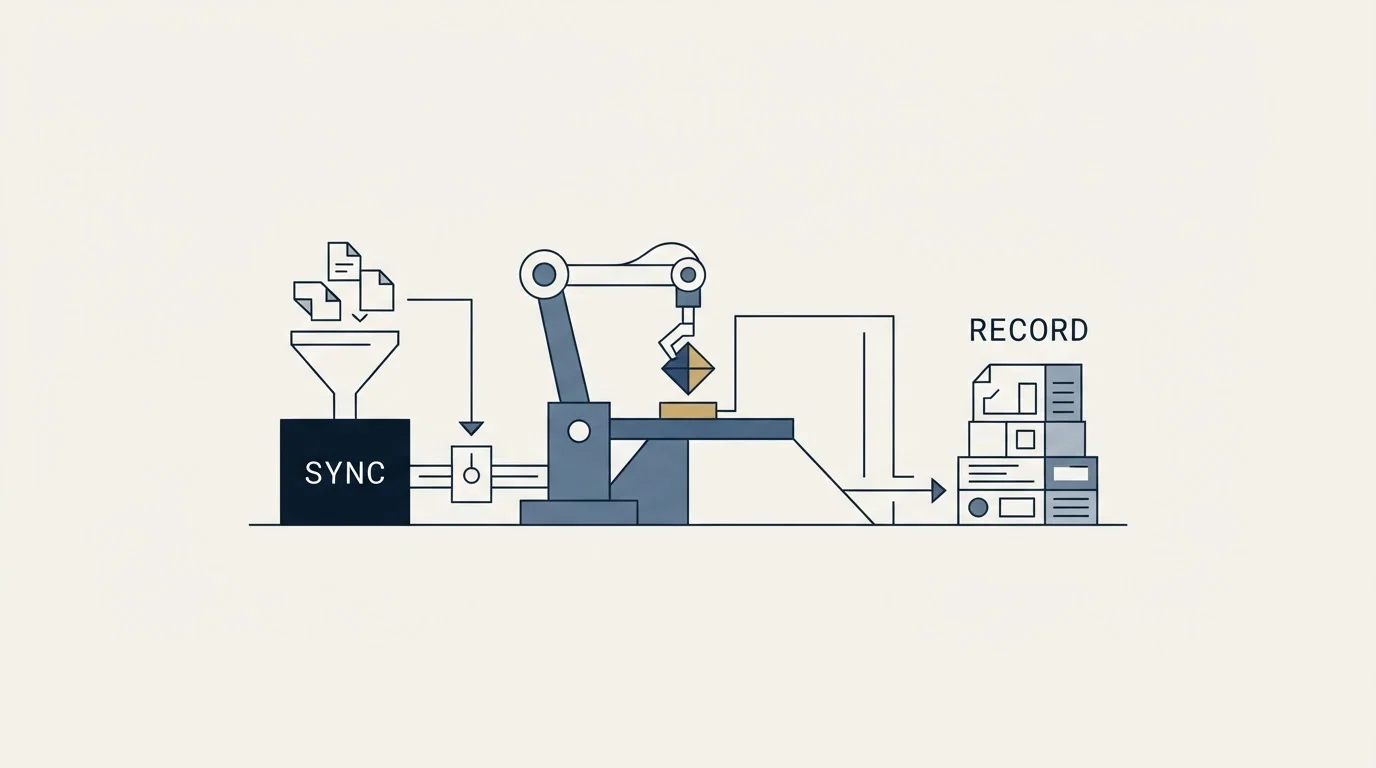
Every vendor's answer to "does it integrate with X" is yes. The useful questions are narrower and none of them is answered by a logo on a page.
Which objects does the connector create, and which fields does it update? Not "contact data". The specific properties.
What does it match on? Email for a person, domain for a company. A system handed a company name will usually return a match, and nothing in the response tells you whether it matched the company you meant.
Which side wins when the two values disagree, per field? The safe default is that a human-entered value beats a system-supplied one, because a rep who typed a job title after a conversation knows something no provider does. The default most integrations ship with is last write wins, which discards exactly that knowledge.
Is the connector native, a general automation platform, or your own code? A native app is maintained by somebody else, which matters when an endpoint changes. An automation platform is right for low volume and one direction. Your own code is right when the logic is genuinely yours.
What are the API limits, and are they metered as a plan resource? A sync that polls every record hourly and one that responds to a webhook do the same job at very different cost. That difference is a budget decision as much as an engineering one, and the reasoning behind it is in CRM integration.
Answer those in writing, per connected system, before anything is switched on. An integration whose rules live only inside a configuration screen is one nobody can reason about after the person who built it leaves. The general version of the argument, that the decision is which system owns each field rather than which apps to install, is worked through in Pipedrive integrations.
The outbound section nobody else writes
If you run cold outreach, four questions belong on the checklist that the vendor-written versions tend to skip.
Where do sequences run: the CRM or the sending tool? One of them, never both. Two systems sequencing one contact is how duplicate sends happen, and it is discovered by a prospect rather than by a report.
Does the reporting lead with replies or with opens? Opens are inflated by mail security scanning, so a dashboard built on them will look healthy through a quarter in which nothing was sold.
Can outcomes come back against the right record with the right owner and timestamp? Sends, replies, bounces, opt-outs and booked meetings. If they cannot, the programme generates no evidence and every campaign is the first one.
Can you exclude before you send? Existing customers, open opportunities and accounts a colleague owns have to be removable from a target list by a join against the CRM rather than by somebody's memory.
That last one is the cheapest to test and the most often skipped. Ask the vendor to demonstrate it on your own data during the trial.
- Clean records chosen to show the product working
- Every integration shown as connected already
- Reporting built on a full quarter of invented activity
- Tells you the product can do the thing
- Cannot tell you what it does with your data
- Includes the duplicates, the missing domains and the orphan contacts
- Integrations connected by you, in the time you actually have
- Reporting read record by record rather than by summary count
- Tells you what happens to the awkward cases
- Costs an hour and settles most of the shortlist
Price, over the term rather than at the door
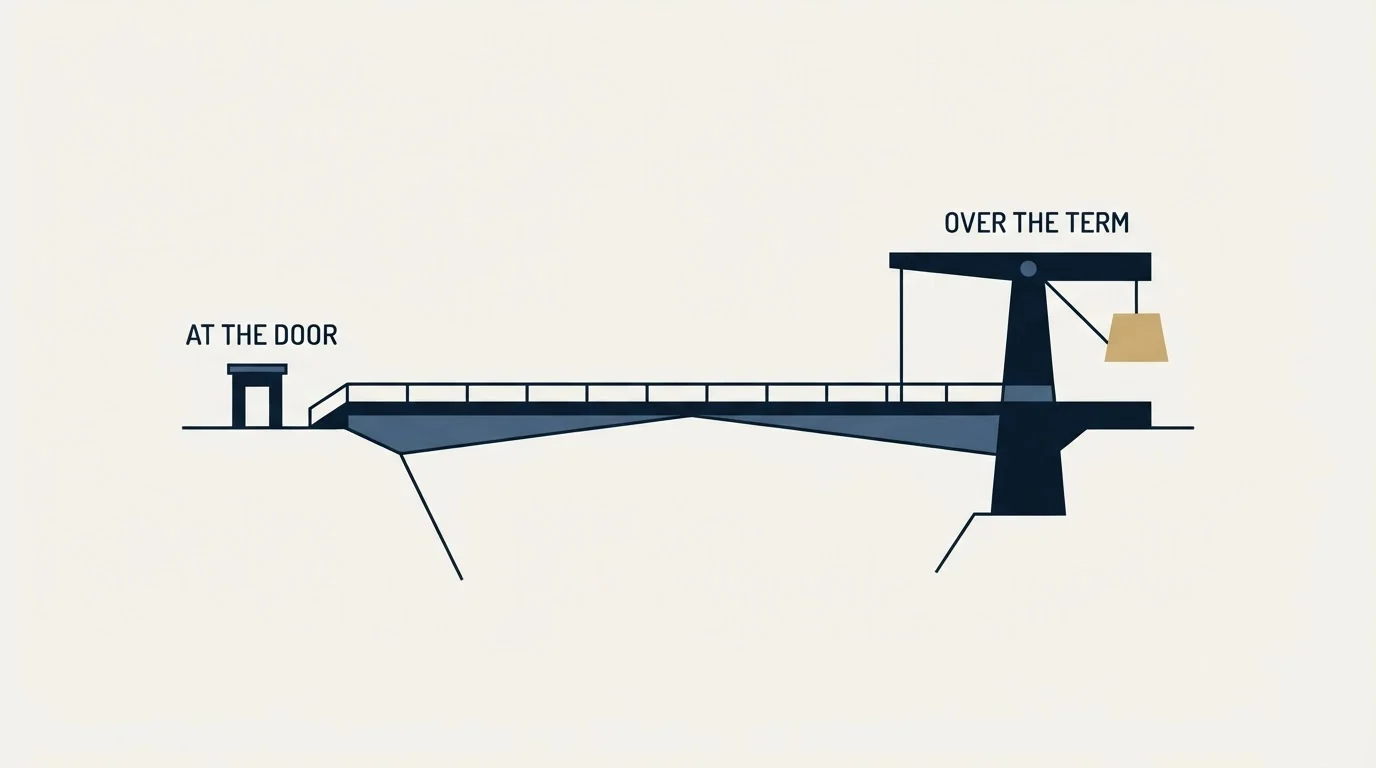
The entry rate is the least useful number on a pricing page, and three things move the real cost.
What the meter counts. Per seat is the common case, and a subscription calculated on seats rather than on active users means you pay for a seat whether or not somebody is in it. Integration service accounts that need their own login need their own seat.
Which tier your workflow actually needs. Sequencing, custom fields, permissions and API access are routinely gated above the entry plan. Map the workflow you intend to run onto tiers before buying the cheapest one, because the tier you need is the price you are paying.
What is excluded from the published figure. Required onboarding fees, add-ons priced separately and metered resources such as API tokens or automation runs all sit outside the per-seat rate on real pricing pages, and none of them appears in the number a spreadsheet gets built on.
Model it at the headcount you expect in two years rather than today's. A CRM is a multi-year commitment with migration costs at both ends, and the per-seat difference that looks trivial at five people is a line item at twenty.
The exit, read before the entrance
This is the section every vendor checklist omits, for the obvious reason.
What does an export actually contain? Run one during the trial. An export is the cheapest integration test available and the only honest answer to what you would get back. Check whether it carries activity history and notes or only the records, because the history is the part that cannot be rebuilt.
Who owns the data and for how long after cancellation? A window measured in days is common and is not always long enough to run a migration through.
What is the notice period and the renewal shape? Auto-renewal with a notice window is normal. Discovering the window three weeks after it closed is also normal.
Can you leave with your custom objects intact? Custom fields usually export. Custom objects, automation logic and report definitions frequently do not, and they are where the configuration effort went.
Nobody wants to plan a divorce during the engagement. The point is narrower than that: a system you cannot cheaply leave is a system whose renewal you will not really negotiate, and knowing that before signing changes what you are willing to build on top of it.
- Yes: The question the system is a record of, written in one sentence
- Yes: The segment query written first, naming the fields the CRM must hold
- Yes: Company identity rule set to domain rather than name
- Yes: Suppression available as a field on the record
- Yes: Per field, which system wins a conflict, in writing
- Yes: Sequencing running in one system, decided before launch
- Yes: A trial run on twenty of your own awkward records
- Yes: An export run and read during the trial
- Yes: Notice period, data retention window and what leaves with you
- No: A criteria list weighted by a scoring system nobody agreed in advance
Who should be in the room

Vendor checklists reliably recommend involving every department, and that advice is half right. A CRM touching sales, marketing and service does need those views represented, and a requirements list assembled by consensus tends to grow until it selects the largest product.
The workable version is narrower. One person owns the decision and the question the system is a record of. Sales, service and whoever runs the sending each get a veto on a small number of things they cannot live without, stated as specific behaviours rather than as feature names. Everything else is a preference to be recorded and not scored.
That keeps the evaluation anchored to decisions rather than to wishes, which is the same discipline that keeps the field set small once the system is live. The maintenance side of it is data hygiene, and it starts on day one rather than at the first audit.
What to do next
Settle the one sentence naming the question your system exists to answer, and get it agreed before the first vendor call. Draft the segment query you will build a campaign from, and let it name the fields. Then shortlist on the meter, trial on your own awkward data, and open the export and the exit terms before the signature. None of those five steps needs anybody's cooperation but your own, which is the point of doing them first.
If the shortlist is genuinely open, the comparison most outbound teams run is CRM tools for SDR teams.
And if the honest problem is that the pipeline is empty rather than badly recorded, no CRM on any shortlist fixes it. See what a first campaign produces against your own market first.
Frequently asked questions.
Frequently asked questions- What should be on a CRM evaluation checklist?
- Four sections rather than a feature grid. What the system is a record of and which fields it must hold, what each integration creates and updates and which side wins a conflict, where sequencing runs and whether outcomes come back against the right record, and what the meter counts alongside what an export and the exit terms return. Features rank below all four.
- How many criteria should a CRM evaluation have?
- Fewer than most published lists suggest. A long weighted criteria list tends to select the largest product, because breadth scores well against breadth. Keep the list to things that are expensive to discover after signing, give each stakeholder a veto on a small number of specific behaviours they cannot live without, and record everything else as a preference rather than scoring it.
- Should sales, marketing and service all be involved in choosing a CRM?
- Their views should be represented, but consensus should not pick the product. One person owns the decision and the question the system exists to answer. Each function gets a veto on a few specific behaviours, stated as things the system must do rather than as feature names. Requirements assembled by committee grow until they select the most expensive option.
- What do vendor CRM checklists usually leave out?
- The exit. Vendor checklists tend to skip what an export contains, whether activity history and notes come with the records, how long the data is retained after cancellation, or what the notice period is. They also tend to skip which tier your actual workflow needs, since sequencing, custom fields and API access are routinely gated above the plan a checklist quotes.
About the author.

B2B cold email experts helping companies generate qualified leads through done-for-you outreach campaigns.
RevenueFlow Team
Explore more.
Ready to scale your outreach?
We build GTM engines that book real meetings. See the receipts.
Related articles.
Sales Enablement Charters: What the Published Ones Ask For
Six publishers set out what a sales enablement charter should contain. Five describe a document nobody can check, and one writes a definition with inspection in it.
Sales Cycle Length Benchmarks: What Each Figure Counts
The published B2B sales cycle benchmarks, sorted by what each page says it counted. The same number means two different things in two of them.
Sales Kickoff Agendas: Five Published, Session by Session
Five publishers print a sales kickoff agenda. They agree on four blocks and disagree on session length, rehearsal and where the agenda comes from.
Win Rate Benchmarks: Which Figures State a Population
A catalogue of the published average sales win rates, sorted by whether the page names the population behind its own number. Most do not.
Sales Comp Plan Design: What the Publishers Prescribe
Four publishers set out how to design a sales compensation plan. Here are their procedures, their components, and which of their ratios carry a population.
Sales Prospecting for SEO Agencies: Four Public Signals
How an SEO agency builds its own prospect list from signals Google documents: the index check, position, core update dates and site moves, under the warning owners read.