Dialpad Pricing: Four Products, Four Ladders
Dialpad publishes four separate price ladders on one page, from $15 to $150 per user per month. Which product you are buying decides the number.
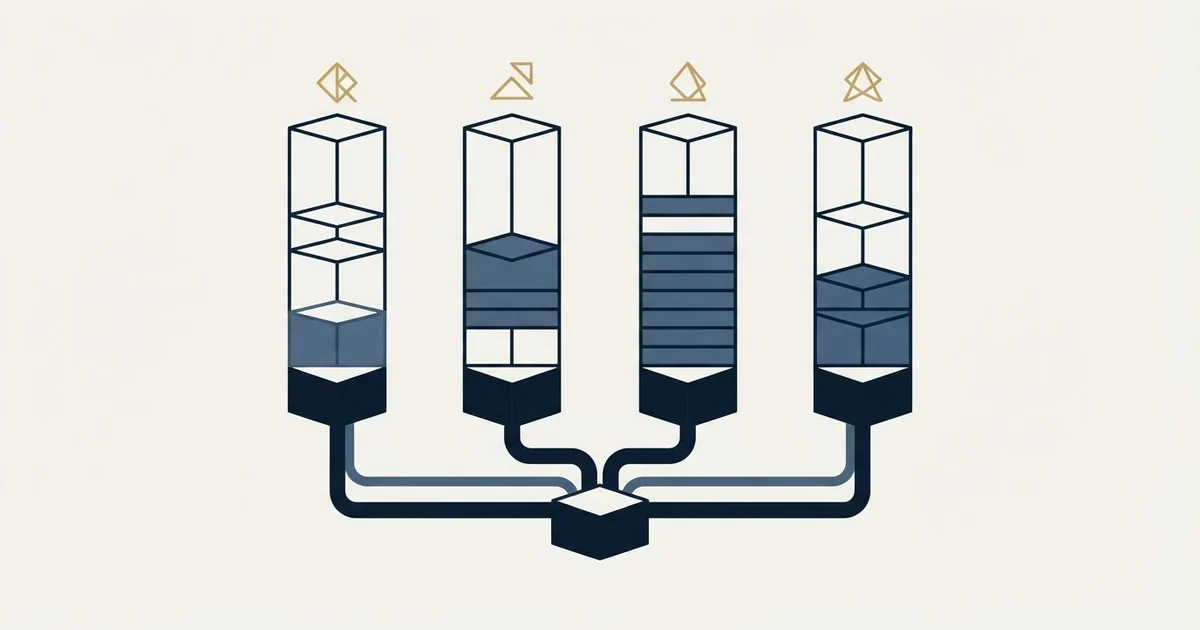
Dialpad publishes four ladders on one pricing page, in US dollars on the annual state as of 1 September 2026: Connect from $15 per user per month, Sell from $39, Support from $80, and AI Agent with no published price, sold as a pool of credits billed only when the AI acts. An outbound team is pricing Sell.
Key takeaways
- Dialpad's pricing page carries four product ladders, and the entry rates run from $15 to $80 per user per month on the annual state.
- The $15 figure most roundups lead with is Dialpad Connect, a phone system; the outbound sales product, Dialpad Sell, starts at $39.
- The AI Agent product publishes no price at all and is sold as a pool of AI Agent Credits billed only when the AI retrieves information or takes an action.
- The page's own footnote says the published price may differ from your actual price by region, so every figure is a starting point for a quote.
Reviewed and updated October 1, 2026
Dialpad's pricing page opens on a tab carrying no price at all, and that page is the one every roundup quotes from. Its first tab is the AI Agent product, headed "One AI platform for every conversation, workflow, and channel" and answered with a Talk to sales button rather than a rate. Three other products sit behind tabs beside it, and each one carries its own three-tier ladder.
So the single number people quote for this vendor is always a number from one of four separate price lists, and which list it came from decides whether it is off by a factor of ten.
That matters most for an outbound team, because the product built for outbound sales is not the cheap one and is not the one the roundups quote.
What follows is read from Dialpad's own pricing page, fetched on 1 September 2026, in US dollars. That page ships a currency selector and a monthly and annual toggle, and its content payload includes all six currencies it offers at once, so every figure below names both its currency and its billing period.
Four products, not four tiers
The tabs on the pricing page are Dialpad AI Agent, Dialpad Support, Dialpad Sell and Dialpad Connect. The vendor's own descriptions separate them cleanly, and they are worth reading in its words rather than in a summary of them.
Its own page calls Connect "the all-in-one communications platform that uses AI to transcribe, summarize, and deliver real-time insights", introduces Support as a "Contact center solution with real-time AI to help your team achieve impressive customer experiences", and heads the Sell product page "Coach every call without being on every call", offering to "Give your reps live battle cards, sentiment analysis, and Real-Time Assist (RTA) cards to handle objections the moment they happen". AI Agent it describes as "Autonomous voice and chat agents".
Those are four purchases, not four sizes of one purchase. A rep making outbound calls sits in Sell. A support queue sits in Support. A company phone system sits in Connect. Comparing this vendor to another on a single figure is comparing one of these four against whatever the other vendor happened to publish.
- The all-in-one communications platform, in its own words
- Standard and Pro each carry a Try free button
- The Enterprise rate is withheld on the page itself
- The cheapest ladder, and the one usually quoted
- Coach every call without being on every call, in its own words
- Live battle cards and Real-Time Assist during the call
- Essentials carries a Try free button, the two above it Talk to sales
- The ladder an outbound team is actually buying
- Support carries an Essentials, Advanced and Premium ladder
- AI Agent shows no rate and no tiers on the page
- AI Agent is sold as a pool of AI Agent Credits
- Billable only when the AI retrieves information or acts
What each ladder publishes
Every figure below is a per user per month rate taken from Dialpad's pricing page as fetched on 1 September 2026, in US dollars. That page heads its ladders "Pick the perfect plan" and labels the rate beneath each tier "user/month". Where two numbers appear, the first is the annual state and the second is the monthly state.
Dialpad Connect publishes Standard at $15 annual or $27 monthly on that page, and Pro at $25 annual or $35 monthly. Its Enterprise tier offers only a Talk to sales button, and the sidebar beside the ladder reads "Find the right plan for you" rather than naming a rate.
Dialpad Sell, whose tab on the same page is subtitled "AI-enabled sales outreach", publishes Essentials at $39 annual or $49 monthly, Advanced at $95 annual or $110 monthly, and Premium at $150 annual or $170 monthly.
Dialpad Support, which the same page offers to "Compare all plan features" against the others, publishes Essentials at $80 annual or $95 monthly, Advanced at $115 annual or $135 monthly, and Premium at $150 annual or $170 monthly.
The AI Agent tab shows no rate on that page, and its own copy explains the model instead. It answers its own question "How does conversation-based pricing work?" with "Dialpad prices Agentic AI the same way customers experience it: one conversation at a time", then sets out the terms: "You purchase a pool of AI Agent Credits", "Credits are used only when AI delivers value", "If no work is done, you're not charged", and "A conversation is billable only when the AI retrieves information or executes a real action like scheduling, routing, or order lookup".
AI Agent, Support, Sell and Connect, each behind its own tab
AI Agent shows no tiers and no rate at all
Annual and monthly, both present in the same document
Each labelled with its own currency code, so the figures do not depend on the reader's location
Two things fall out of that ladder immediately. The gap between the cheapest entry point and the most expensive tier is ten times, on one vendor, on one page. And Sell Essentials at $39 is two and a half times Connect Standard at $15, which is the substitution producing most of the confusion in the roundups: on those published rates the $15 figure buys a phone system, and the sales product starts at $39.
The disclaimer on the page itself

Dialpad's pricing page carries its own qualification beneath the ladders, and it is worth reading in full because it changes what any published figure means. It reads: "The price you see on the website may differ from your actual price due to regional pricing and currency based on your country." It then invites you to "Contact our Sales team" for a custom quote based on your needs, for your region.
That is unusually direct, and it is the correct way to read every number above. They are the published US dollar rates on the annual state as fetched on 1 September 2026. They are not a quote.
The currency handling on that page is better than most of this category. Its content payload sets out Australian dollars, Canadian dollars, euros, pounds, New Zealand dollars and US dollars for every priced tier, each labelled with its own currency code, so the figures do not depend on where the reader happens to be sitting. Several vendors in the adjacent dialer category geolocate a single currency onto the page with nothing announcing it, which is how two people reading the same page correctly end up with different numbers.
What a per-seat rate does and does not settle
A seat rate is the floor of a telephony bill, never the whole of it. The parts that sit outside it are the same across this category: number rental, per-minute charges to destinations outside the plan, messaging registration fees imposed by the carriers rather than the vendor, and recording storage.
That floor is visible elsewhere in the category, and CallRail meters numbers, minutes and transcription above every plan fee, with overages that are not refundable.
No per-minute rate card and no number inventory price sits alongside the tiers there, so a buyer has to ask for those elements rather than read them. That is a real gap for a buyer building a budget, and it is the reason a seat comparison across vendors so often reverses once the usage is added. The same pattern shows up on the CRM side: Pipedrive's calling documentation puts the dialer in a Marketplace app with its own separate subscription.
For an outbound team the sharper question is which of the four products the volume actually lands in. A team running high call volume through a business phone system rather than a sales or contact centre product is buying at the wrong layer, and the fair-usage terms across this category are written to catch exactly that.
- Yes: Name which of the four products you are pricing, because the ladders differ by up to ten times
- Yes: State the billing period, since every tier prints two numbers
- Yes: State the currency, since the page carries six of them
- Yes: Ask for the per-minute rates and number rental, which the pricing page does not list
- Yes: Count seats by who actually needs the product, not by headcount
- No: Treat the published rate as a quote, since the page says regional pricing may differ
- No: Compare the cheapest Connect entry against another vendor's sales product
Reading the comparison pages that rank for this query

Search for this vendor's price and most of the first page is written by companies that sell against it. The ranked results on 1 September 2026 included pricing breakdowns on CloudTalk, Nextiva, Emitrr, GetVoIP and Squaretalk, plus a cost comparison calculator hosted by a competitor, against the vendor's own tab headed "One AI platform for every conversation, workflow, and channel". Those pages are not worthless, and several of them report the ladders accurately. They are, however, written by a party with an interest in the total looking large, and the easiest way to make a total look large is to add the products together.
The honest version of that criticism is narrower and still real: the headline figure most often quoted is the Connect entry tier, and the features an outbound team assumes are included sit in a different product rather than a higher tier of the same one. That is a genuine structural point about how this vendor sells, and it is visible from published pages without needing a quote.
Reconstructed price lists are a category-wide problem, and Adobe publishes four Marketo packages with no rate, leaving the limits on its own page as the only checkable figures.
Anyone asking how much Dialpad is should first fix which product is being priced, because the number depends on which of the four products is being priced, so a figure quoted without a product name beside it is not comparable to another.
A related habit worth carrying into any of these evaluations is to read the vendor's own page beside the roundup, in the same sitting, and note the date. Rates in this category move, and a roundup carrying last year's ladder reads exactly like one carrying this year's.
Where this sits in a sales stack
Dialpad appears in our own writing on AI sales coaching tools as an example of the real-time assist mechanism, which is the category where guidance appears on screen while the conversation is happening. That is a stack decision as much as a coaching one, because the mechanism requires the calls to run through the vendor's telephony.
Which is the point that connects the rate to the architecture. Buying the assist capability means buying the phone system underneath it, and the seat rate you end up paying is the one attached to whichever product includes the capability you actually wanted. A team that wants live coaching on outbound calls is pricing Sell rather than Connect, and on Dialpad's own two entry rates the difference is $24 per user per month before anything else is added.
For teams weighing the mode rather than the vendor, what a dialer seat costs across the category sets out the published per-seat bands and the billing-state trap, and parallel dialing covers the line-count decision that changes the arithmetic more than any seat rate does.
How we read this category

We run email and LinkedIn outbound rather than phone, so this is a documentation read rather than an operating account of the product. What transfers from our side is the discipline about repetition. A dialer makes a second attempt trivially cheap in the same way a sequence builder makes a follow-up trivially cheap, and cheap repetition is how a list gets burned. We send one message per campaign, with no bumps and no thread replies.
The pricing consequence is worth naming, because it cuts against the way seat rates are usually justified. A tool priced per seat rewards more activity per seat, and the fair-usage terms across this category then cap exactly that activity. Reading both documents together tells you more about what a vendor expects you to do than the feature list does.
The short version
Four separate ladders sit on one Dialpad pricing page. On the rates it published on 1 September 2026, Connect starts at $15 per user per month on the annual state, Sell at $39 and Support at $80, while the AI Agent tab shows no rate on that page at all and sells a pool of credits, "billable only when the AI retrieves information or executes a real action like scheduling, routing, or order lookup".
The number worth carrying is the one attached to the product you are buying. For an outbound sales team that is Sell rather than Connect, and on the two entry rates set out above the first is two and a half times the second.
Every figure here is the US dollar rate on the annual billing state as fetched on 1 September 2026, beneath a Dialpad footnote reading "The price you see on the website may differ from your actual price due to regional pricing and currency based on your country". Treat it as a starting point for a quote, ask for the per-minute and number-rental rates the pricing page leaves out, and count the seats by who needs the product rather than by headcount.
Where the constraint turns out to be the number of conversations rather than the cost of making them, see what a first campaign produces.
Rates and product descriptions verified against Dialpad's own pricing and product pages, fetched on 1 September 2026, with dated snapshots retained. Figures are US dollars on annual billing. Verify current terms with the vendor before relying on them.
Frequently asked questions.
Frequently asked questions- How much does Dialpad actually cost per user?
- It depends which of its four products you buy. On the annual state in US dollars as published on 1 September 2026, Connect starts at $15 per user per month, Sell at $39 and Support at $80, with Premium tiers on Sell and Support both at $150. AI Agent publishes no per-user rate and is sold as a credit pool instead.
- Why do comparison pages quote such different Dialpad prices?
- Because they are quoting different products. A page citing $15 is reading the Connect ladder, one citing $80 is reading Support, and one citing $150 is reading a Premium tier. The pricing page also toggles between monthly and annual states and offers six currencies, so a figure without those two labels is not comparable to another.
- Which Dialpad product does an outbound sales team need?
- Dialpad Sell, which the vendor describes as coaching every call without being on every call, with live battle cards, sentiment analysis and Real-Time Assist cards. Its entry tier is $39 per user per month on the annual state, which is two and a half times the Connect entry rate that most price roundups lead with.
- Does the published Dialpad price include calling minutes and numbers?
- The pricing page publishes per-seat rates and does not list a per-minute rate card or number rental alongside the tiers, so those elements are quoted rather than published. Budget them separately, because usage and number inventory are where per-seat comparisons across this category most often reverse once the real bill arrives.
About the author.

B2B cold email experts helping companies generate qualified leads through done-for-you outreach campaigns.
RevenueFlow Team
Explore more.
Ready to scale your outreach?
We build GTM engines that book real meetings. See the receipts.
Related articles.
Sales Automation Software for Small Business: Four Buys
One search returns four unrelated products, and on at least one vendor's published plan list the automation is gated above the tier a small team buys.
ConnectAndSell: What You Get for the Seat, and the Filings
ConnectAndSell sells conversations rather than dials, using human agents to get past gatekeepers. Its audited accounts and its sale add a second diligence question.
Pipedrive Pricing: Half the Numbers Online Are Retired
Pipedrive renamed every plan in 2025, so most pricing write-ups quote a retired rate card. The five inputs that actually decide your bill, from the vendor's own docs.
Avoma Pricing: Recorder Seats, Free Viewers, and the Add-Ons
Avoma charges only for people whose meetings get recorded and makes viewers free, so the seat count to price is smaller than the team and the add-ons are larger.
HubSpot Power Dialers: Pooled Minutes Are the Real Cap
HubSpot's calling minutes are pooled across the whole account rather than granted per seat. That changes the arithmetic of a calling programme more than the dialer does.
Calendly Pricing: Every Plan and What Changes With Seats
Calendly's published rates read as annual by default. What each tier unlocks, why the same page shows three currencies, and where the non-profit discount lives.