Email Deliverability Platforms Compared
Deliverability platform means three products. Warmup builds reputation, seed lists show where mail lands, monitoring alerts on change. Buying wrong wastes money.
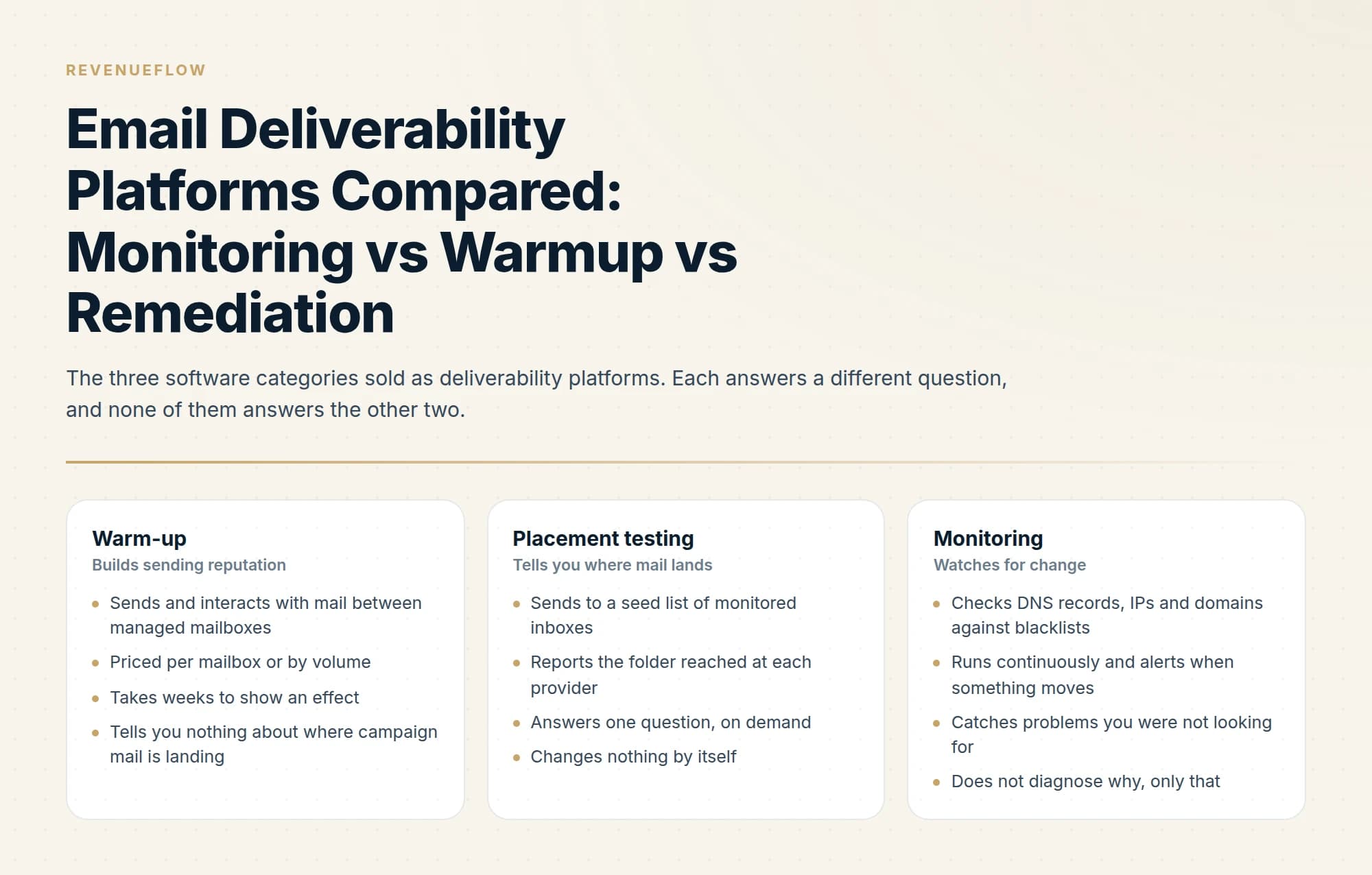
Email deliverability platforms fall into three categories that solve different problems. Warmup tools build sending reputation, placement testing uses seed inboxes to show where mail lands, and monitoring watches blacklists and DNS continuously. Combined platforms bundle all three with expert support at a higher price.
Key takeaways
- Warmup, placement testing and monitoring are three distinct products, and a tool that does one well often does not do the others at all.
- MailReach publishes a per-mailbox rate from $25 a month, falling to $19.50 from six mailboxes and $16 above fifty, for warmup plus spam testing, while Warmy publishes no figures and prices by volume with expert review.
- Instantly and Smartlead bundle warmup into their sending plans, so a separate warmup subscription may be duplicated spend.
- Third-party pricing roundups frequently disagree with vendor pages, so verify any figure against the vendor's own site before budgeting.
Reviewed and updated September 5, 2026
Mail starts landing in spam, someone goes shopping for a deliverability platform, and what arrives in the account is a warm-up subscription that needs two weeks before it does anything and was never going to say which provider was filtering the campaign. The purchase was reasonable. The category label is doing too much work.
"Deliverability platform" covers three genuinely different products, plus a fourth that bundles them. They solve different problems, they cost different amounts, and buying the wrong one is the most common way money leaves this category without anything changing.
Three products sharing one phrase
- Sends and interacts with mail between managed mailboxes
- Priced per mailbox or by volume
- Takes weeks to show an effect
- Tells you nothing about where campaign mail is landing
- Sends to a seed list of monitored inboxes
- Reports the folder reached at each provider
- Answers one question, on demand
- Changes nothing by itself
- Checks DNS records, IPs and domains against blacklists
- Runs continuously and alerts when something moves
- Catches problems you were not looking for
- Does not diagnose why, only that
The useful way to choose is by the question you are trying to answer. "Is my domain ready to send" is warm-up. "Where is my mail landing right now" is placement testing. "Tell me when something breaks" is monitoring. Teams reliably buy the first when they needed the second.

Warmy sells B2B, B2C and custom plans on volume-based pricing, without publishing a rate. Captured 11 August 2026.
Warm-up tools
Warm-up tools send mail between mailboxes the vendor manages, and have those mailboxes open, reply to and rescue the messages, so a new domain accumulates a record of normal-looking correspondence before any campaign traffic touches it. MailReach, Warmy, InboxAlly, Lemwarm and Mailivery all sell some version of this. Instantly and Smartlead bundle warm-up into their sending plans instead of selling it as a separate product, which matters if you already pay for one of them.
Two of the standalone vendors publish enough on their own pages to compare directly, and they have chosen opposite models.
- $25 per mailbox per month for one to five mailboxes, falling to $19.50 at six, $18 at twenty-one and $16 at fifty-one
- Warm-up plus spam testing, 20 spam test credits
- Smart AI warming algorithm, multiple ESP warm-up
- Up to 100 emails per day
- Domain and inbox health checks covering blacklist, SPF, DKIM, DMARC and ETS
- Reputation tracking dashboard
- Three plan types: B2B sender, B2C sender, Custom
- Volume-based pricing, quoted rather than listed
- Google Postmaster integration and deliverability monitoring
- Dedicated deliverability expert review
- 7-day free trial, no card required
- Upgrade, downgrade or cancel at any time
The billing unit is where the real cost lives. A per-mailbox price multiplies by inbox count, and the rate itself steps down with volume, so a twenty-mailbox setup on MailReach's published rate is $390 a month while a five-mailbox setup is $125, the smaller setup paying $25 a mailbox against the larger one's $19.50. Volume-based pricing scales with how much you send instead, which suits a small number of heavily used mailboxes and penalises a wide, thin sending pattern. Neither model is cheaper in general. Work out your own mailbox count and daily volume first, then ask for the number.
MailReach also publishes the one operational constraint worth taking from this section regardless of which vendor you pick. Its pricing page states that "the initial warmup phase should last 14 days minimum" and that "no campaigns should be sent during this phase", and it advises keeping warming running for as long as you send campaigns and between them. That is a vendor describing its own product honestly: warm-up is a floor on your launch date and an ongoing subscription rather than a setup task. Warmy publishes no duration and no guarantee.
Worth being clear about the limit of the category. Warm-up builds a record where none exists, which is why it is the right purchase for new domains and fresh mailboxes. A domain that already has a poor record with receivers is a different situation, and running warm-up traffic alongside campaign traffic on a domain that is currently being filtered mostly buys you a dashboard showing improvement while the campaign continues to land in spam. Establish where the campaign is landing before deciding which of those two situations you are in.
One caution before you compare anything. The warm-up roundups circulating online do not match the vendor pages. One of them quotes Warmy at $49 to $189 per inbox and MailReach at $25, while Warmy's own pricing page publishes no figures at all. MailReach's $25 is real, but it is the one-to-five-mailbox rate, quoted without the band it belongs to. Cite the vendor page or budget against a quote you have actually been given.
Placement testing
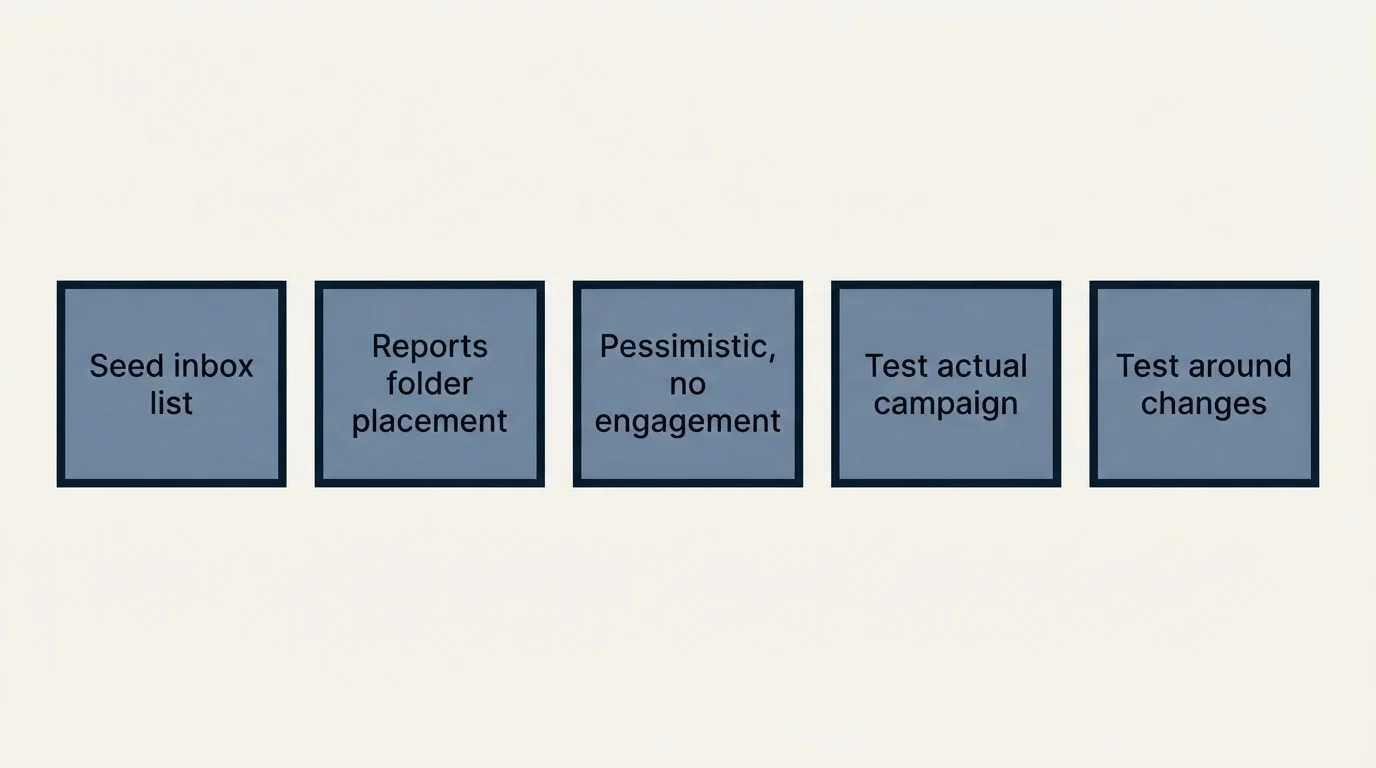
Placement testing works with a seed list, which is a set of real monitored inboxes spread across Gmail, Outlook, Yahoo and other providers. You send your campaign to the list, and the tool reports which folder the message reached at each one. GlockApps is a common example of the category.
This is the only one of the three that answers the question people actually arrive with, which is where the mail went. It is worth understanding what a seed result describes. A seed inbox exists to receive test mail, so it has no history with your domain, has never opened one of your messages and has no reason to. The result describes how each provider treats your mail on its own merits at that moment, from authentication, infrastructure, content and domain reputation. Real recipients bring engagement history that the seed list cannot simulate, which usually means the seed result is the more pessimistic of the two.
Two habits make the output usable. Test the actual campaign rather than a sample message, because a stripped-down test with no links and no tracking domain measures a message you are not sending. And test before and after every change, holding everything else constant, since a placement test is a measuring instrument and its value comes from the comparison rather than the single reading.
Monitoring
Monitoring tools watch DNS records, IPs and domains against blacklists continuously and raise an alert when the status changes. The value is entirely in the timing. Finding out you were listed on the day it happened is a routine delisting request. Finding out six weeks later means the delisting comes after a month and a half of degraded sending you attributed to the copy.
MXToolbox is the reference point most people start from. Its blacklist check queries more than 100 DNS-based blacklists in a single lookup, and its SMTP diagnostic suite runs a defined set of checks: SMTP Connect, SMTP Connection Time, SMTP DNS Resolution, SMTP Open Relay, SMTP Banner Check, SMTP Reverse DNS Mismatch, SMTP Reverse DNS Resolution, SMTP Server Disconnected, SMTP TLS and SMTP Transaction Time. Reading what each of those results implies for a sending setup is its own topic, covered in the MXToolbox deliverability guide.
Blacklists are only half of what a monitor watches. The other half is DNS drift. Records get edited by whoever holds the registrar login, a website migration replaces a TXT record, a new tool asks for an SPF include and pushes the record past its lookup budget, and none of that produces an error message anywhere you look. An alert on the record changing is the cheapest possible protection against a change nobody announced.
Monitoring is the category most worth keeping permanently, and the cheapest of the three to run. It is also the one that gets cancelled first during a tools audit, because a monitoring tool that has found nothing all quarter looks exactly like a tool doing nothing.
Combined platforms
The fourth shape pairs software with human review, which is where the remediation part of the category lives. Folderly splits into three components: Inbox Insights for placement analysis, a core module handling warm-up and spam-trigger fixes, and Pulse for monitoring and alerts. Warmy includes a dedicated deliverability expert review alongside its software. The pitch is that somebody reads the output and tells you what to do about it.
That is a real gap being filled, because the three standalone categories all produce data rather than decisions. What to watch is the boundary: a combined platform bundles the tooling cost with an advisory cost, and the advisory portion is the part worth pricing separately in your head. If you already have someone who reads placement reports, you are buying the software twice.
The order to buy in
- Step 1Fix authentication first
SPF, DKIM and DMARC on every sending domain. No tool in this category compensates for records that do not resolve, and this part costs nothing.
- Step 2Measure before you subscribe
Run a placement test to find out whether you have a delivery problem at all, and which providers it affects. This is a per-test cost rather than a retainer.
- Step 3Buy the category that matches the finding
New or cold domains point at warm-up. A provider-specific filtering problem points at diagnosis and remediation. Nothing found points somewhere else entirely.
- Step 4Add monitoring and keep it
Cheapest of the three, and the only one whose job is to tell you about a problem you have not noticed yet.
Step two is the one that gets skipped, and skipping it is what converts a diagnosis into a subscription. A placement test is a small, bounded purchase that tells you whether the expensive purchase is warranted.
What none of these platforms do
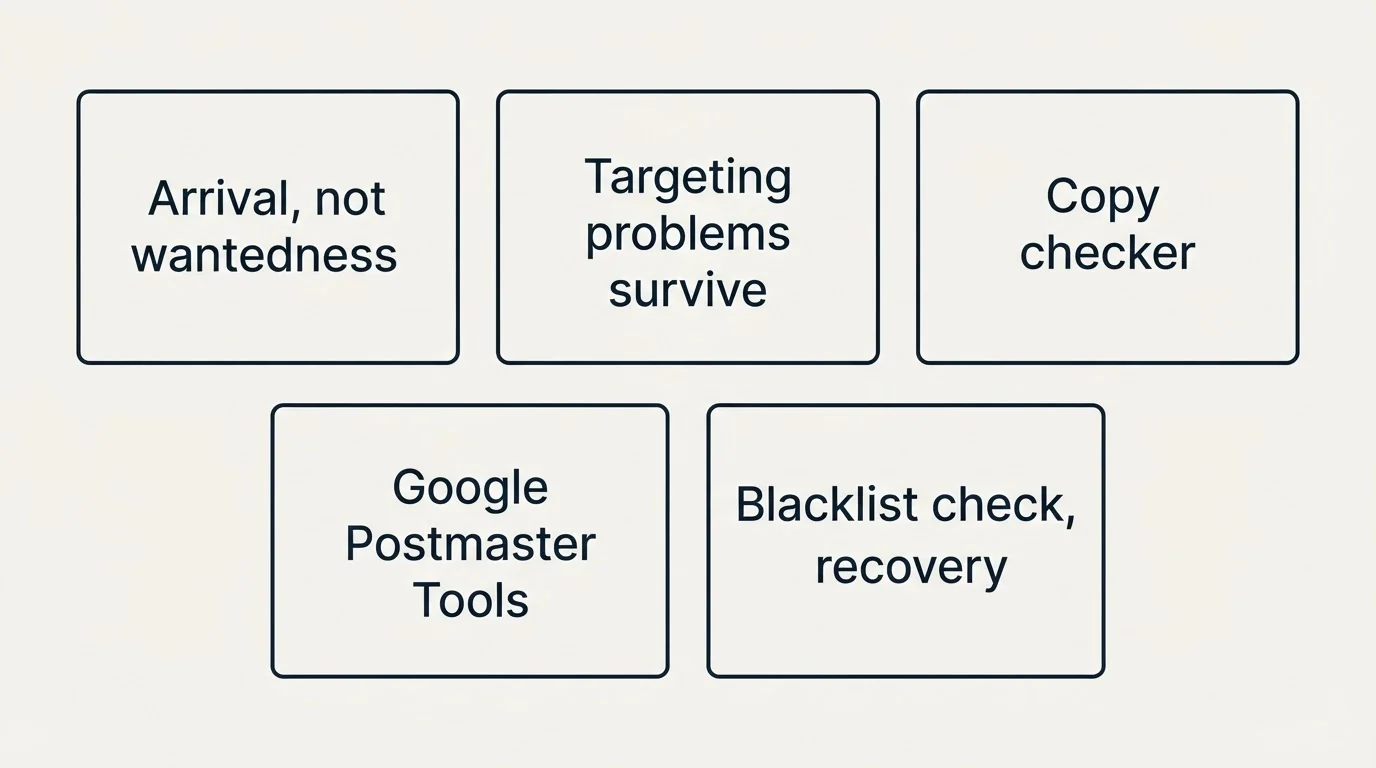
Every tool above operates on whether a message arrives. None of them has an opinion about whether the recipient wanted it, which means a targeting problem and an offer problem both survive the entire tool stack untouched. The distinction, and how to tell which one you have before spending anything, is in what deliverability services fix and what they cannot.
Since none of these tools examine the message's own copy, a cold email checker fills that separate gap by scoring drafts for authentication and compliance issues before send.
Two adjacent things worth having in place regardless of which platform you choose. Google Postmaster Tools reports what Gmail recorded about your sending, including the spam rate that Google's bulk sender requirements hold to below 0.30%, and it costs nothing. And if a domain is already listed somewhere, blacklist check and recovery covers the delisting process that a monitoring alert is meant to trigger. For the warm-up category specifically, email warmup services goes deeper on how the tools differ in method.
The short version
Three separate products are sold under one label. Warm-up builds reputation on new domains, is priced per mailbox by MailReach from $25 a month falling to $16 with volume, and by volume at Warmy, and MailReach's own page sets the floor at 14 days minimum with no campaigns sent during that phase. Placement testing uses a seed list of monitored inboxes to report which folder you reached at each provider, and it is the only category that answers the question most buyers arrive with. Monitoring watches DNS and blacklists and alerts on change, costs the least, and is the one to keep permanently. Combined platforms add human review on top, which is worth pricing separately. Fix authentication, measure, then buy, and ignore the roundup prices, because they do not match the vendor pages.
RevenueFlow runs and monitors its own sending infrastructure as part of an engagement, so the tooling decisions above sit on our side of the line. You can see what a campaign would look like for your market.
Vendor pricing and features verified against the vendors' own pages as of mid-2026. Verify current terms with the vendor before relying on them.
Sources: MailReach pricing, Warmy pricing, Google email sender guidelines
Frequently asked questions.
Frequently asked questions- What is an email deliverability platform?
- A loose term covering three different products. Warmup tools build reputation by sending and interacting between managed mailboxes. Placement testing sends to a seed list of monitored inboxes to show which folder you land in. Monitoring watches DNS, IPs and blacklists and alerts you when something changes.
- How much do deliverability tools cost?
- It varies widely by category. MailReach publishes a per-mailbox rate from $25 a month, falling to $19.50 from six mailboxes and $16 above fifty, for warmup with spam testing included. Warmy publishes no figures and prices by volume. Some sending platforms including Instantly and Smartlead bundle warmup into their plans rather than charging separately.
- Do I need a separate warmup tool?
- Check your sending platform first, because several bundle warmup already and paying twice is common. A separate tool makes sense when you need warmup across mailboxes on multiple platforms, or when you want the spam testing and health checks that standalone warmup products tend to include.
- What is a seed list in deliverability testing?
- A set of real, actively monitored inboxes across providers such as Gmail, Outlook and Yahoo. Sending a test message to that list reveals which folder the message reached at each provider, which is the only direct way to observe placement rather than infer it from open rates.
About the author.

Tim Carden is CMO / CTO at RevenueFlow, which builds and operates outbound revenue engines for B2B companies. Studied at McGill University.
Tim Carden · CMO / CTO
Connect on LinkedIn →Explore more.
Ready to scale your outreach?
We build GTM engines that book real meetings. See the receipts.
Related articles.
Email Warmup Pricing in 2026: What 20 Tools Charge, and What 10 Mailboxes Cost
Email warmup tools start at a median of $29 a month, but warming ten mailboxes costs from $7.50 to $1,190 depending on how the vendor prices a mailbox.
MailReach Pricing: The Headline Rate Is the Second Band
MailReach prices warmup on a slider with four mailbox bands and two billing states. Every band at both states, and why the printed rate is not the entry rate.
Warmup Inbox Pricing: Per Inbox, Annual Loads First
Warmup Inbox prices per inbox and its page opens on the annual switch. Both states for all three plans, the reply ceiling meter, the trial and how a fleet bill is built.
Mailwarm Pricing: The Page Opens on Its Yearly Tab
Mailwarm's pricing tabs open on yearly and the plans meter daily volume rather than mailboxes. Both tabs, the overage rate, the no-trial rule and the per-mailbox cost.
SMTP Ports: What 25, 465, 587 and 2525 Are Registered For
Three of the four ports in circulation are registered to mail and one is not. What the IANA registry and the RFCs say, and why none of it moves placement.
Reading MXToolbox Like a Deliverability Engineer
What each MXToolbox check actually inspects, what a failure implies, and which findings are urgent versus cosmetic for a cold email sender specifically.