Email Validation APIs: The Five Decisions Left to You
Wiring an email validation API takes an afternoon. Deciding what a catch-all verdict authorises, and what happens when the endpoint is down, takes longer.

An email validation API returns a verdict about one address at one moment. The integration work is deciding five things the documentation does not: where the key lives, whether an outage fails open or closed, what a catch-all result authorises, how long a cached verdict stays trustworthy, and how to stop paying to check the same address repeatedly.
Key takeaways
- Real-time validation at signup and batch validation before a send fail in opposite directions, so a rule copied from one into the other usually rejects registrations it should accept.
- Catch-all is a real answer about a real server configuration rather than a soft failure, and it needs its own branch: a strict rule discards corporate buyers, a permissive one keeps addresses that bounce.
- Store every verdict with a timestamp, because a verification result describes one moment and data decay makes an indefinite cache a rotting one.
- The bill is driven by call count rather than the sticker price, and the common pattern of checking one address at signup, at CRM entry, at list build and before send charges four times for one answer.
Reviewed and updated September 2, 2026
Wiring an email validation API into a signup form takes an afternoon. Every vendor ships a REST endpoint that takes an address and returns a verdict, the client libraries are thin, and the quickstart works on the first try.
The afternoon is not the hard part. The hard part arrives three weeks later, at two in the morning, when the endpoint returns catch-all for a real buyer's corporate address and nobody has decided what the form should do with that. Every vendor's documentation stops precisely there, because the answer depends on what the address is for, and that is your business rather than theirs.
Five decisions sit in that gap. None of them is in a quickstart.
Two integration shapes, with different failure modes
Before the decisions, the split that governs them. An email validation API gets used two ways, and they fail in opposite directions.
Real time, at the point of capture. One address, one call, a person waiting. Latency is a user-experience cost, the API is now in the critical path of your signup, and an outage becomes your outage.
Batch, before a send. A list submitted as a file or a bulk job, results collected later, nobody waiting. Latency is irrelevant, throughput and cost per thousand dominate, and a failure means retrying tomorrow rather than losing a registration.
Cost per thousand is only half the purchase in this category, because Kickbox's opt-in restriction rules out purchased and harvested lists whatever the ladder says.
- Latency is user-visible
- Vendor outage becomes your outage
- Needs an explicit fail-open or fail-closed rule
- Volume is unpredictable and spiky
- Caching saves little on first contact
- Latency does not matter
- An outage means retry, not lost signup
- Cost per thousand dominates
- Volume is known in advance
- Caching saves a great deal on repeat lists
Teams that build one and then reuse the code for the other inherit the wrong defaults, which is how a signup form ends up rejecting registrations because a batch job's strict rule was copied into it.
Decision one: where the key lives, and what your logs keep
Auth style varies more than you would expect for such a small surface. Some vendors take a key in a header, some take it as a query parameter on a GET request, and that second shape has a consequence worth catching early: a key in a query string ends up in access logs, proxy logs, browser history and error trackers by default. The ZeroBounce API works this way, and the same page covers a related sharp edge, a credits call that returns a successful HTTP response carrying a sentinel value rather than an error, so health checks that only look at status codes read a dead key as healthy.
Two rules cover it whatever the vendor. Redact the key in whatever logging middleware you already run, before the first production call rather than after the first audit. And write the health check against the response body, not the response code.
Decision two: fail open or fail closed
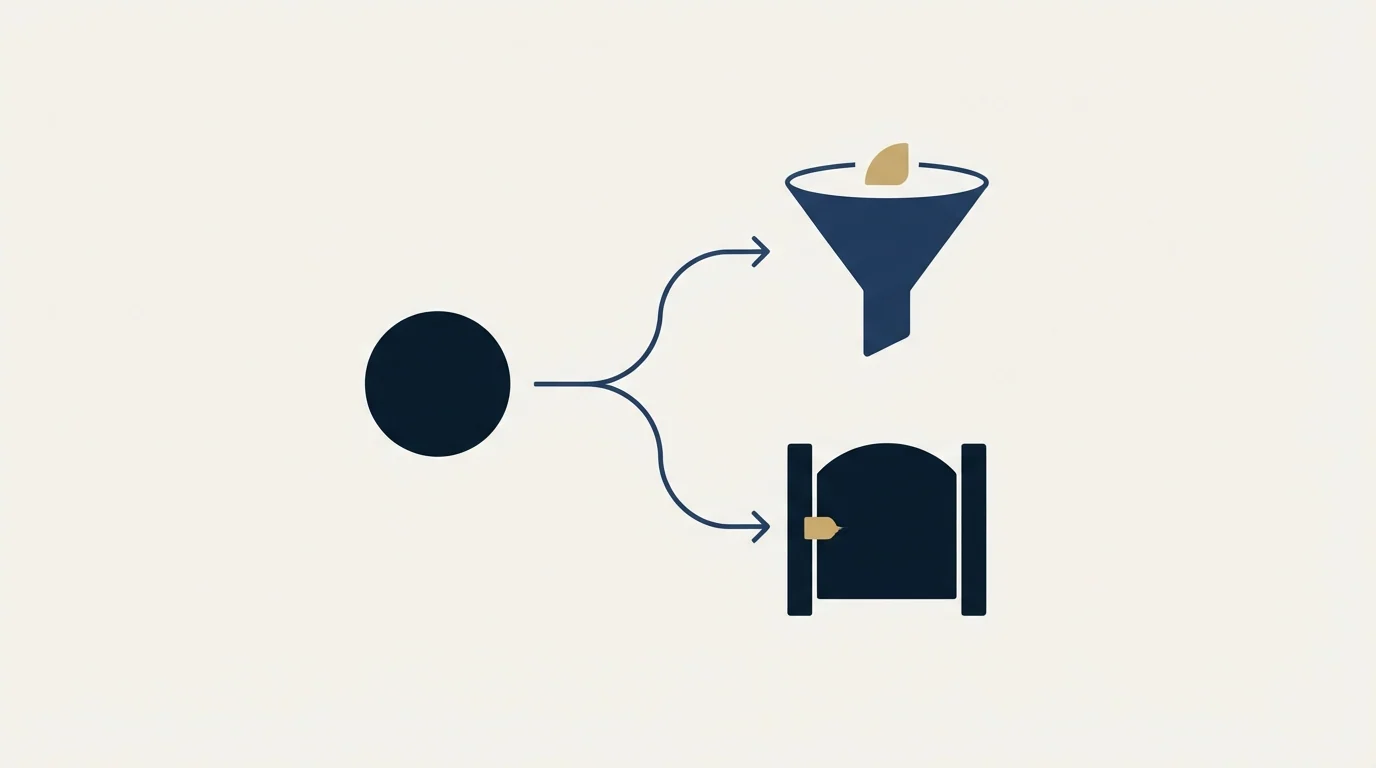
This is the decision that most deserves to be made deliberately, and it is almost always made by accident, in a try block, by whoever wrote the integration.
If the validation API is unreachable, does the signup succeed?
Fail open accepts the address and lets the registration through. You take on some bad data, and you keep the revenue. Fail closed rejects or blocks the registration. You keep the list clean, and you turn a vendor's incident into lost customers who saw an error they could do nothing about.
For a signup form on a product, fail open with a flag on the record is usually right: accept, mark the address unverified, and sweep the flagged records in a batch job later. For a system where a bad address carries a real cost, a password reset flow or an invoice destination, fail closed is defensible. What is never right is discovering your choice by reading the stack trace after the incident.
- Step 1Address captured
Check your own cache and suppression list first. A known address needs no call at all.
- Step 2Call the API
With a timeout you have chosen. The default in most HTTP clients is longer than a person will wait.
- Step 3Handle the failure branch
Timeout, rate limit or outage. Fail open with a flag, or fail closed, decided in advance.
- Step 4Map the verdict to an action
Accept, reject, or accept and mark for review. The catch-all bucket needs its own rule.
- Step 5Store the result with its date
The verdict is a fact about one moment, not a permanent property of the address.
Decision three: what a verdict actually authorises
Vendors publish similar-looking buckets: deliverable, undeliverable, risky or unknown, and a catch-all or accept-all category that is the one that matters.
A catch-all result is not a soft version of deliverable. It means the receiving server accepts mail for every address at that domain, so the check could not distinguish a real mailbox from a typo. Plenty of enterprise domains are configured this way, which means a strict rule discards good corporate buyers, and a permissive rule keeps addresses that will bounce.
Two things follow. First, map the buckets to actions in your own vocabulary rather than passing the vendor's string through to your business logic, because vendor bucket names change and your rules should not have to. Second, treat catch-all as its own branch with its own decision, not as a rounding error on one of the other two. Where a vendor publishes a per-address deliverability signal alongside the bucket, that signal is the thing to read for this case. What we do not do is chase a definitive catch-all verdict through services that claim to produce one; the honest answer is that the receiving server is not telling anyone, and a tool that says otherwise is inferring. Email verification tools covers how the vendors differ on exactly this point.
A note on rate limits, which sit underneath all of this and are usually read as a throughput ceiling when they are really a design constraint. A published limit tells you the shape the vendor expects your traffic to have. A generous per-second limit with a small burst allowance is built for a steady batch worker; a modest sustained limit with a large burst is built for a signup form that sees nothing for an hour and then forty registrations in a minute. Match the shape rather than the number, and put the retry behaviour in one place, because a limit hit in four different call sites gets handled four different ways. Read the limit on the vendor's own documentation rather than in a comparison post, and re-read it when your volume changes tier, since several vendors scale the limit with the plan.
Decision four: what to cache, and for how long

Caching is the only lever that moves both cost and latency at once, and it is bounded by a fact about data rather than about software.
A verification result describes one address at one moment. People leave companies, mailboxes are decommissioned, domains change hands. Data decay is the term for the rate at which that happens, and it means an indefinite cache is a slowly rotting one.
Store the verdict, the sub-status or reason code if the vendor gives one, and the timestamp. The timestamp is the field teams forget, and it is the one that makes the cache safe: without it you cannot expire anything, and you cannot answer the question of whether a verdict is worth trusting. Expire on an interval you can defend for your own list, and re-verify a list before a send rather than trusting a build-time result from months earlier. The economics of that re-verification are worked through in email list cleaning.
Decision five: where the credits go
Every vendor in this market prices per address checked, in credits or per thousand, and the pricing pages are close enough to each other that the sticker rarely decides anything. What decides the bill is how many times you call.
The pattern that burns credits is the one nobody notices: an address gets checked at signup, again when it enters the CRM, again when the marketing list is built, and again before the send. Four calls, one address, four charges. Deduplicating against your own store before the call is worth more than any discount you will negotiate.
The corollary is that a suppression list is also a cost control. An address you already know bounced, unsubscribed or complained does not need a verdict; it needs to not be sent to. Checking it is paying to learn something you recorded yourself. Per-vendor mechanics and figures live on the vendor pages: the Emailable API and the BriteVerify API publish different shapes of limit and different batch behaviour, and those pages carry the numbers rather than this one, because a figure belongs to the page it was published on.
- Depends: API key redacted in logs, including query-string auth
- Depends: Health check reads the response body, not just the status code
- Depends: Timeout set explicitly, shorter than a person will wait
- Depends: Fail-open or fail-closed behaviour chosen and written down
- Depends: Catch-all handled as its own branch with its own rule
- Depends: Verdict stored with a timestamp so it can expire
- Depends: Own cache and suppression list checked before any paid call
- Depends: Vendor bucket names mapped to your own vocabulary at the boundary
The part the API cannot decide

Verification answers one narrow question, which is whether an address is likely to accept mail. It says nothing about whether the person behind it wants to hear from you, and nothing about whether your sending setup will reach their inbox once it does.
A perfectly verified list still lands in spam if the sending domain has no reputation, and a clean bounce rate is a floor rather than an outcome. The infrastructure side of that is the cold email deliverability guide. If you would rather see the whole motion run for your market than build it, you can see what a campaign would look like.
The short version
The endpoint is easy and the decisions around it are not. Keep the key out of your logs and check health on the body rather than the status code. Choose fail open or fail closed deliberately instead of inheriting it from a try block. Give catch-all its own branch, because it is a real answer about a real configuration rather than a soft failure. Store every verdict with its timestamp so the cache can expire. And deduplicate against your own records before you spend a credit, because the same address checked four times is the bill nobody budgeted for.
Vendor behaviour verified as of mid-2026 and cited on the per-vendor pages linked above. Verify current terms with the vendor before relying on them.
Frequently asked questions.
Frequently asked questions- Should my signup form fail open or fail closed when the validation API is down?
- For a product signup, fail open with a flag on the record is usually right: accept the registration, mark the address unverified, and sweep the flagged records in a batch job later. Fail closed is defensible where a bad address carries real cost, such as an invoice destination. What matters is choosing deliberately rather than discovering the behaviour during an incident.
- What should I do with a catch-all result?
- Treat it as its own decision rather than rounding it toward deliverable or undeliverable. It means the receiving server accepts mail for every address at that domain, so the check could not tell a real mailbox from a typo. Many enterprise domains are configured this way. Where a vendor publishes a per-address deliverability signal alongside the bucket, read that.
- How long can I cache an email validation result?
- Long enough to avoid paying twice in one workflow, and not long enough to trust before a send. People change jobs and mailboxes are decommissioned, so a verdict ages. Store the result with its timestamp so you can expire it on an interval you can defend, and re-verify a list before sending rather than relying on a check made months earlier at build time.
- Is a validation API enough to keep a list clean?
- It is necessary and not sufficient. Verification answers whether an address is likely to accept mail. It says nothing about whether the person wants to hear from you, and nothing about whether your sending domain has the reputation to reach their inbox. A perfectly verified list still lands in spam behind a domain with no sending history.
About the author.

Tim Carden is CMO / CTO at RevenueFlow, which builds and operates outbound revenue engines for B2B companies. Studied at McGill University.
Tim Carden · CMO / CTO
Connect on LinkedIn →Explore more.
Ready to scale your outreach?
We build GTM engines that book real meetings. See the receipts.
Related articles.
The ZeroBounce API: Auth, Rate Limits and What to Store
ZeroBounce publishes three different answers to its own rate-limit question. Here is which one to build against, plus the statuses no API can decide for you.
The NeverBounce API: What It Automates and Hands Back
NeverBounce refuses automated requests on its marketing pages and renders its docs in JavaScript. Here is the v4 API, read from surfaces that answer a fetcher.
ZeroBounce Pricing: The Three Things Buyers Miss
What the ZeroBounce pricing page actually publishes, which billing state it shows by default, and the credit rules that decide what a buyer really pays.
BriteVerify: What It Verifies and the Price to Ask For
BriteVerify checks email, phone and postal address under Validity, and publishes no rate card on any surface that returns a page. What that means for buyers.
NeverBounce Under ZoomInfo: What Buying Verification Changes
NeverBounce serves no pricing page to automated requests, so here is what its own surfaces do show, and what changes when your verifier belongs to a data platform.
Email Address Capitalization: What It Changes for Senders
Capitalization in an email address does not decide delivery. It decides whether two rows are one person, and that is where a suppression list quietly fails.