Emailable Review: What It Verifies, Costs and Where It Fits
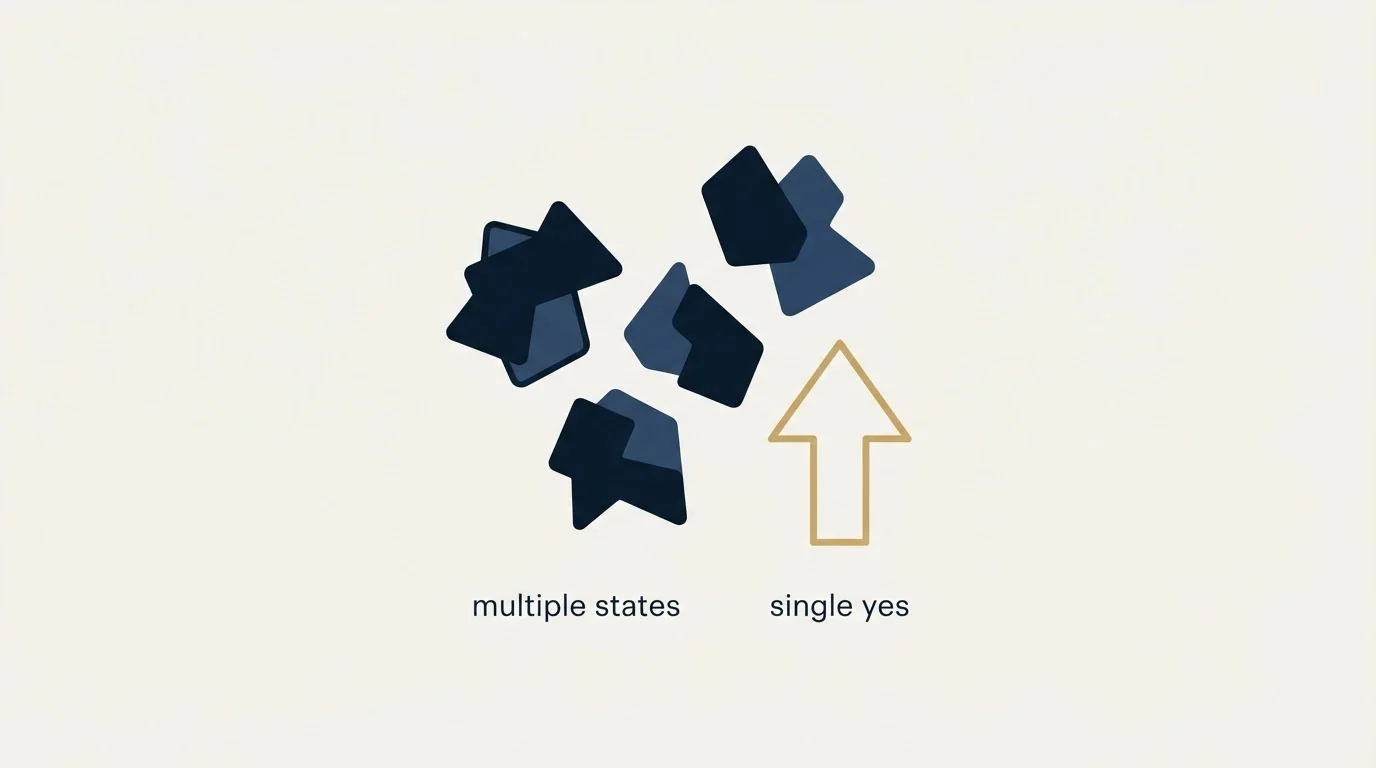
Emailable returns five verdicts and only one is a straight yes. Read against its own documentation: the states, the accept-all logic, and what the guarantee covers.

Emailable is an email verification service that returns one of five states per address: deliverable, risky, undeliverable, unknown or duplicate. Its documentation describes how accept-all domains are handled and its guarantee covers only addresses marked deliverable. Verification is priced at one credit per check across bulk, API and widget.
Key takeaways
- Emailable publishes five verification states, and the two that decide a B2B bounce rate are risky and unknown rather than deliverable.
- The published guarantee is that no more than 1 percent of addresses verified as deliverable will bounce, so it covers one state out of five.
- The accept-all documentation is unusually candid: some addresses on accept-all domains resolve to a concrete verdict and some stay risky whatever you pay.
- The vendor's homepage and pricing page publish throughput figures that do not reconcile, so treat list turnaround as something to measure on your own first batch.
Reviewed and updated September 1, 2026
Emailable Review: What emailable.com Verifies, What It Costs, and Where It Fits
Emailable returns five possible verdicts on an email address, and only one of them is a straight yes. That single design decision tells you more about whether the tool suits B2B outbound than any star rating will, because the four verdicts that are not "deliverable" are exactly the addresses that decide whether your sending domain survives a campaign.
This is a read of Emailable against its own documentation and its own pricing page, checked in mid-2026. We have not run Emailable on a client list, so nothing here is a performance result. Everything below is either something the vendor publishes or something that follows from how the product is built.
What you are actually buying
Emailable sells verification in four delivery shapes and a separate deliverability product on top.
The verification shapes are Bulk (upload a list), Verifier (check one address), API (verify from your own code), and Widget (validate an address in a web form as somebody types it). Emailable's pricing page prices all four identically at one credit per verification, which is unusual and worth noticing: plenty of vendors charge more for real-time checks than for batch ones, and this one does not.
Five decisions every validation API forces covers the integration choices, like where the key lives and whether an outage fails open or closed, that this pricing model does not answer.
The deliverability product is separate and metered differently. Emailable's pricing page lists Inbox Reports at 100 credits per report and Blacklist Monitors at 5 credits per check. Those are inbox-placement and reputation tools rather than list-cleaning tools, and they compete with a different set of products.
The homepage claims 300,000 or more businesses use the service, and states a platform uptime figure of 99.99 percent. Both are vendor claims on a marketing page, not audited figures, and neither is the reason to buy or skip a verifier.
The five verdicts, and what each one commits to
Emailable's documentation on verification states is unusually direct, and the states are where a verifier earns its keep.
Deliverable means the vendor can determine with high confidence that the address exists and can receive mail. The documentation calls this the strongest positive result and says to keep and use these addresses.
Risky means the address may be valid but carries quality or deliverability concerns. The docs split this into Low Quality and Low Deliverability, and note that role-based behaviour, accept-all behaviour and disposable usage can all push an address here.
Undeliverable means high confidence that the address is invalid. Four documented reasons sit under it: Invalid Email (syntax), Invalid Domain, Rejected Email (the receiving server said the mailbox does not exist), and Invalid SMTP (an unexpected server response).
Unknown means the verification could not reach a confident answer. The documented reasons are No Connect, Timeout, Unavailable SMTP and Unexpected Error, and the docs are explicit that unknown addresses should not automatically be assumed invalid, because greylisting and temporary server behaviour produce them.
Duplicate is list-scoped rather than address-scoped. Emailable's docs say duplicate detection applies within a single uploaded list, and the same address across two separate lists is treated as two addresses.
- Mailbox confirmed to accept mail
- Vendor calls it the strongest positive result
- Keep in the sending list
- Risky: Low Quality, Low Deliverability
- Unknown: No Connect, Timeout, Unavailable SMTP, Unexpected Error
- Docs warn Unknown is not the same as invalid
- Invalid Email (syntax)
- Invalid Domain
- Rejected Email (mailbox does not exist)
- Invalid SMTP
The practical consequence for an outbound team is that your policy has to say what happens to Risky and Unknown before the first campaign, not after the first bounce report. Those two buckets are where every verifier's marketing goes quiet and where your bounce rate is actually decided.
Accept-all is where any verifier gets judged

A catch-all domain accepts mail for every address at the domain whether the mailbox exists or not. No SMTP probe can confirm a mailbox behind one, at any vendor, because the server answers yes to everything.
Emailable does not pretend otherwise, and its accept-all documentation is more specific than most. It describes four outcomes: a full verification where the address resolves to a concrete Deliverable or Undeliverable; positive certainty, where the result is Deliverable or Risky (Accept-All); negative certainty, where the result is Undeliverable or Risky (Accept-All); and neutral certainty, where the domain's configuration prevents any proof either way and the result stays Risky (Accept-All).
Read that carefully, because it is the honest version of a claim other vendors make loosely. Emailable is saying that on some accept-all domains it can reach a concrete answer, and on others it cannot and will tell you so. A verifier that returns a clean "valid" for every accept-all address is describing an inference as a fact.
That matters more in B2B than in consumer email marketing, because accept-all configurations cluster at exactly the enterprises an outbound campaign most wants to reach. Our own policy is that we do not send to a mailbox nobody can evidence: unresolved accept-all contacts get held rather than mailed, and volume comes from sourcing more addresses we can confirm. A verifier that marks them clearly is doing the job. A verifier that quietly converts them to "valid" is handing you a hard bounce with a delay on it.
The guarantee is narrower than the headline
Emailable's homepage leads with a 99 percent deliverability guarantee. The sentence underneath it is the part to read: the guarantee is that no more than 1 percent of emails verified as Deliverable will bounce upon sending.
That scope is reasonable and it is also limited. The guarantee attaches only to the Deliverable bucket. It says nothing about Risky, nothing about Unknown, and nothing about the accept-all addresses that the same documentation says cannot always be resolved. If your list is mostly enterprise domains, the guaranteed bucket may be a modest share of what you uploaded, and the guarantee cannot cover the part of the list you were most worried about.
None of that makes the guarantee dishonest. It makes it a guarantee about a subset, which is what every verification guarantee in the category actually is. Compare the terms rather than the percentage when you look at email verification tools side by side.
The vendor's own throughput numbers disagree

Emailable publishes speed claims on two surfaces, and they do not match.
The homepage advertises verification throughput above 30,000 addresses a minute, alongside a second figure of 100,000 addresses in under three minutes. The pricing page FAQ, answering how long a list takes, says the service typically processes 10,000 in two to three minutes, and that a list of 250,000 addresses takes about ten minutes.
Those are not reconcilable as written. Ten thousand in two to three minutes is an order of magnitude slower than the homepage figure, while 250,000 in about ten minutes is roughly consistent with it. The likely explanation is that the FAQ answer is old and the homepage is current, but the vendor has not said so, so the useful thing to record is the disagreement rather than a pick between them.
The operational reading: treat list turnaround as something to measure on your own first batch rather than something to plan a launch around. Both figures are fast enough that verification is not the bottleneck in a campaign build.
- Yes: Run a sample of your real list, not a clean test list, and read the Risky and Unknown share
- Yes: Confirm what your sending platform does with a Risky verdict on import
- Yes: Check whether your accept-all share makes the Deliverable-only guarantee meaningful for you
- Yes: Decide the policy for Unknown before launch, since the docs say it is not the same as invalid
- No: Do not compare vendor accuracy percentages, since none of them share a benchmark
Where a verifier sits in an outbound stack
Verification is one control among several, and it protects one specific thing: the share of your sends that bounce, and through that your sending reputation. It does nothing about targeting, authentication, or copy that generates complaints.
The sequence that works is unglamorous. Source addresses, verify them, hold everything you cannot confirm, send one message per campaign to the addresses that passed, and never follow that message with a bump or a thread reply. We run outbound on email and LinkedIn only, we send exactly one message per campaign, and we treat an unconfirmed mailbox as a contact to re-source rather than a risk to take. A verifier makes that policy cheap to enforce. It does not replace it.
If your bounce rate is already elevated, verification is the second thing to fix, not the first. Start with a deliverability audit so you know whether the problem is the list or the infrastructure, because cleaning a list will not repair authentication records or a burned domain.
Who Emailable fits
It fits a team that wants one credit price across batch, API and form-widget verification, that values a documented state vocabulary it can write policy against, and that would otherwise buy blacklist monitoring separately.
The Emailable pricing breakdown explains exactly what a single verification credit covers across bulk, API and widget use, and how unresolved results get refunded.
It fits less well if you need the accept-all tail resolved rather than labelled, because the documentation is candid that some of those addresses will stay Risky no matter what you pay. That is a category limit rather than a product flaw, and any vendor promising you the opposite is worth a second look.
The thing that should decide it is your own list. Take a representative sample, run it, and read the distribution of the five states before you buy credits at volume. The distribution is a property of your data source as much as of the verifier, which is why no review, including this one, can tell you the number you actually care about.
Want the sourcing and verification path built for your list rather than argued about? Get a free campaign plan and we will show you where the addresses come from and what happens to the ones nobody can confirm.
Pricing and features verified as of mid-2026. Verify current terms with the vendor before relying on them.
Frequently asked questions.
Frequently asked questions- What do Emailable's verification results actually mean?
- Deliverable means the address was confirmed to accept mail. Undeliverable means the syntax, domain or mailbox failed. Risky means the address may work but carries quality or deliverability concerns. Unknown means the server never gave a confident answer, and the documentation warns that unknown is not a synonym for invalid. Duplicate is scoped to a single uploaded list.
- Does Emailable handle catch-all domains?
- It handles them explicitly rather than silently. The documentation describes four outcomes, ranging from a concrete deliverable or undeliverable verdict on some domains through to a result that stays risky when the domain's configuration prevents any proof either way. No verifier can confirm every mailbox behind an accept-all server.
- What does the 99 percent deliverability guarantee actually cover?
- The wording on the homepage is that no more than 1 percent of emails verified as deliverable will bounce upon sending. It attaches to the deliverable bucket only. Risky, unknown and unresolved accept-all addresses sit outside it, which on an enterprise-heavy list can be a large share of what you uploaded.
- Is Emailable a good fit for B2B cold outreach?
- It fits teams that want one credit price across batch, API and form validation and a documented state vocabulary to write policy against. It fits less well if you need the accept-all tail resolved rather than labelled, since the vendor's own documentation says some of those addresses stay unresolved.
About the author.

Tim Carden is CMO / CTO at RevenueFlow, which builds and operates outbound revenue engines for B2B companies. Studied at McGill University.
Tim Carden · CMO / CTO
Connect on LinkedIn →Explore more.
Ready to scale your outreach?
We build GTM engines that book real meetings. See the receipts.
Related articles.
ZeroBounce Pricing: The Three Things Buyers Miss
What the ZeroBounce pricing page actually publishes, which billing state it shows by default, and the credit rules that decide what a buyer really pays.
BriteVerify: What It Verifies and the Price to Ask For
BriteVerify checks email, phone and postal address under Validity, and publishes no rate card on any surface that returns a page. What that means for buyers.
NeverBounce Under ZoomInfo: What Buying Verification Changes
NeverBounce serves no pricing page to automated requests, so here is what its own surfaces do show, and what changes when your verifier belongs to a data platform.
The ZeroBounce API: Auth, Rate Limits and What to Store
ZeroBounce publishes three different answers to its own rate-limit question. Here is which one to build against, plus the statuses no API can decide for you.
Choosing a NeverBounce Alternative: Name Your Reason
Three reasons teams leave NeverBounce, each pointing at a different replacement, plus how to run a two-vendor split test on your own list that actually settles it.
The NeverBounce API: What It Automates and Hands Back
NeverBounce refuses automated requests on its marketing pages and renders its docs in JavaScript. Here is the v4 API, read from surfaces that answer a fetcher.