Lead Routing Software: The Four Walls Native CRM Hits
Your CRM already routes leads. Dedicated software earns its place at four boundaries, and the default rule nobody configures is where records quietly go to die.
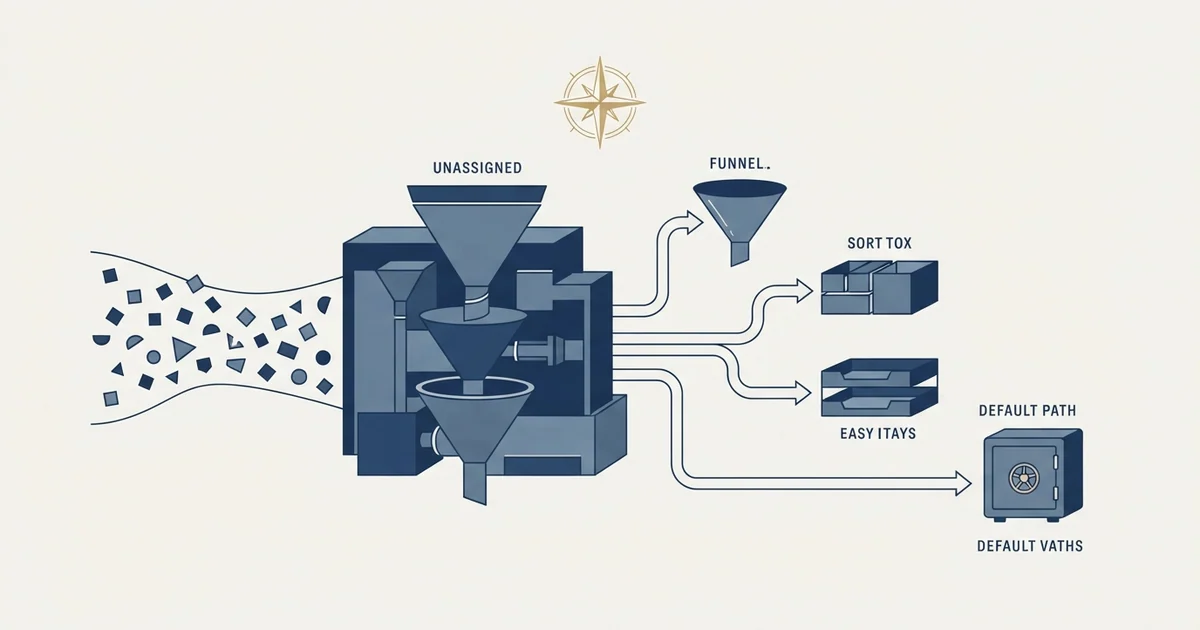
Lead routing software automates who owns an arriving lead. Native CRM assignment already handles territory, field-based rules and round robin, so dedicated tools earn their place at four boundaries: fuzzy lead-to-account matching, live capacity and SLA reassignment, complex rule composition, and per-record auditability.
Key takeaways
- If your rules are field matches plus even distribution, the CRM you already own expresses them. Buying software at that stage adds a subscription and an integration for no new capability.
- Lead-to-account matching is the boundary that most often justifies a purchase, because native rules match exact field values while the real problem is fuzzy-matching a typed company name to an account.
- The default rule, which owns anything matching no other criteria, should point at a named human rather than an unwatched queue, and the share of records reaching it is one of the most diagnostic weekly metrics available.
- Ignore speed-to-lead marketing when comparing tools. Routing software assigns an owner; whether that owner responds quickly is a question about workload and process, not about the software.
Reviewed and updated September 2, 2026
Most CRMs can already route a lead. Salesforce has assignment rules, Flow and Omni-Channel; HubSpot has workflows; every mid-market CRM has some form of round-robin. So the question worth answering is not what lead routing software does, it is what a dedicated tool does that the routing already sitting in your CRM does not, and whether your team has hit that boundary yet.
Products sold as lead management software bundle capture, scoring, assignment and handoff into one purchase, and assignment is the job inside that bundle where a dedicated tool most often earns its seat.
Plenty of teams buy the category before they need it, and a few discover far too late that they needed it two years ago. The difference is not team size. It is whether routing has become a matching problem rather than an assignment problem.
An inbound CRM is the same purchase framed from the other end, bundling visitor identification and scoring in front of the assignment step, and the framing does not change whether the matching problem exists yet.
What the native tools already do well
Native CRM routing handles a large share of real cases competently, and it is worth being specific about which, because a vendor comparison will never tell you.
Fields those rules read may be written by other software, and CRM autofill on a fixed field count stores an estimate where a routing rule expects a fact.
Assignment by territory works natively. So does assignment by a field on the record, round-robin distribution across a queue, and routing that fires from a form submission. If your rules are of the form "records where country equals Germany go to this queue, then distribute evenly", the CRM you already own can express that, and buying software for it adds a subscription and an integration for no capability you did not have.
Lead distribution is the same job under a different name, and this is the part of it a CRM already does without any additional purchase.
The definitional groundwork behind those rules, meaning the rule bases in common use and the order they have to run in, is set out in lead routing, and the fairness mechanism most of them fall back on is covered in round-robin assignment. Both are worth reading before evaluating any tool, because a vendor demo will show you its own vocabulary rather than the underlying decisions.
The four boundaries where native routing stops

Dedicated routing software earns its place at four specific walls. If you have not hit one, you probably do not need it yet.
Lead-to-account matching. The genuinely hard problem. An inbound lead arrives with a personal email address and a company name typed by hand, and the correct owner is whoever already owns that company's account. Making that connection means fuzzy-matching a free-text company name against an account table, and native assignment rules match on exact field values rather than on similarity. This is where most routing tools actually justify themselves, and it is the same identity problem set out in record matching. Apollo and HubSpot's deduplication rules is the clearest worked example of two systems disagreeing about which record is which.
Live capacity. Native round-robin distributes evenly regardless of what is happening. It hands a lead to a rep who is on holiday, at capacity, or already sitting on forty untouched records. Routing that reads availability and current load, and that reassigns when an SLA timer expires, is a real capability gap rather than a packaging difference.
Complex composition. Rules that need to run in a defined order, with conditions that depend on the outcome of earlier rules, get unwieldy fast in a native rule builder. Teams past a certain rule count end up with a configuration nobody can safely change, which is a maintenance problem rather than a capability one, and it is a legitimate reason to buy. The same threshold shows up across workflow automation in a CRM generally, and routing is usually where a team meets it first.
Rule-based qualification forms face a similar ceiling, as explored in Calendly routing form limitations, where self-reported answers cannot substitute for CRM facts.
Auditability. Explaining why a specific record went to a specific person, six weeks after the fact, is hard in most native implementations and is exactly the question that arrives when commission is disputed. Tools that log the evaluated path per record answer it in seconds.
- Yes: Inbound leads regularly arrive with a company that already has an owner, and the match is being made by hand
- Yes: Records sit unassigned or unworked because round-robin ignored availability and load
- Yes: Nobody on the team will change the existing rules, because nobody can predict what will break
- Yes: Ownership disputes take days to settle because the routing path was never logged
- No: The rules are simple field matches and even distribution, which the CRM already does
- No: Response time is slow because nobody is watching the queue, which routing does not fix
The default rule is the one nobody configures
Every routing system needs a catch-all, and the catch-all is where leads go to die quietly.
A default lead routing rule is the fallback that owns any record matching none of your other criteria. Most platforms provide one and do not let you delete it, precisely because the alternative is unassigned records. Some distribute the remainder round-robin across all active users; some park them in a queue.
The failure this prevents is specific and expensive. Not every arriving record matches your rules: an unrecognised country, a blank industry field, a company size outside every band you defined, a form that changed shape. Without a catch-all, those records sit unassigned indefinitely. That is a silent pipeline leak rather than a visible error, because nothing generates an alert about a record nobody was given.
Three things make a default rule actually work rather than merely exist.
Point it at a named human, not at a queue nobody watches. A shared queue with no assignee is a document rather than a task, and the record ages in it just as invisibly as it would have unassigned.
Report on it as a metric in its own right. The proportion of records hitting the default rule is one of the most diagnostic numbers in the whole system: a rising share means your rules have drifted out of alignment with the traffic actually arriving, usually because a form changed or a new segment started converting. Nobody notices that from the assignment logs, and everybody would notice it from a single weekly figure.
Review what lands there monthly and fix the rules rather than the symptom. A default rule that quietly absorbs a quarter of your inbound is not a working safety net, it is the routing system telling you it no longer describes your traffic.
- Step 1Deduplicate and honour existing ownership
A record whose company already has an owner joins them rather than being reassigned
- Step 2Apply named-account and segment rules
Evaluated in a defined order, because the order is the actual policy
- Step 3Split within the qualifying group
Round robin, weighting, or live capacity decides the individual
- Step 4Fall through to the default rule
Anything matching nothing goes to a named human, never to nobody
- Step 5Report the default share weekly
A rising proportion means the rules no longer describe the traffic arriving
What to ask a vendor, and what to ignore

Speed-to-lead figures dominate this category's marketing and they are the least useful thing in it. The claim that responding within a few minutes beats responding within an hour is old, widely repeated and not something any routing vendor measured on your pipeline. Routing software does not respond to anybody. It assigns an owner, and whether that owner responds quickly is a question about your team's process and workload, not about the software.
The questions that separate tools are duller and more decisive.
How does lead-to-account matching work, and what is the match rate on a sample of your own records rather than on the vendor's demo data. Ask to run it on two hundred real inbound leads. Any vendor confident in the matching will agree.
What happens when the assigned owner does nothing. SLA timers with automatic reassignment are the difference between a routing tool and an assignment tool.
Can it read live availability, and from where. Calendar, CRM status, an explicit capacity setting, or nothing.
Does it log the evaluated rule path per record, retrievably, months later.
And what it writes back to the CRM, in what fields, because the routing tool is now a system with an opinion about ownership and CRM integration governs whether that opinion lands cleanly.
Rolling it out without breaking the quarter
Routing changes ownership, and ownership touches compensation, so an implementation that surprises people costs more in trust than it saves in efficiency.
Run the new rules in parallel before they take effect. Most tools can evaluate and log an assignment without writing it, which gives you a week of side-by-side comparison against what the existing system actually did. The disagreements are the whole point: each one is either a bug in the new rules or a case the old rules were getting wrong, and you want to know which before anyone's pipeline moves.
Announce the change with the rules attached rather than as a policy statement. A rep who can read why a record went elsewhere will accept it; a rep who cannot will assume the system is against them, and the assumption is very hard to unwind later.
Pick the boundary of a compensation period to switch. Mid-period ownership changes create records that were half-worked by one person and closed by another, and no routing tool resolves who gets credit for that.
Keep the old rules recoverable for a month. Not enabled, recoverable. The rollback nobody planned for is the one that gets improvised badly under pressure.
Where this fits an outbound programme
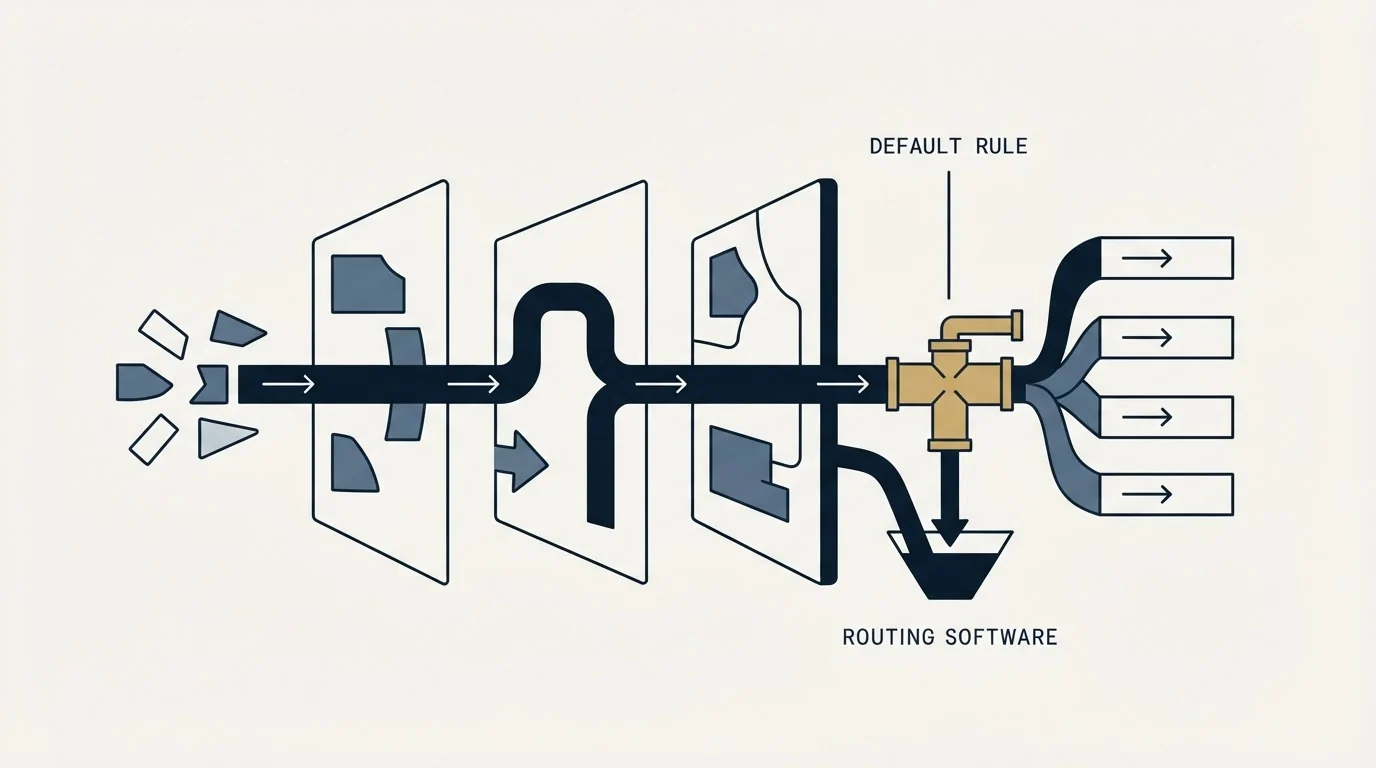
Routing exists to answer inbound. For outbound, ownership is usually decided before the campaign rather than on arrival, which changes what the tool is for: the records that need routing are the replies, and they arrive as a trickle rather than a flood.
That trickle still deserves a rule. A positive reply landing in a shared inbox with no owner is the same silent leak as an unassigned inbound lead, and it is more expensive per record because the prospect already raised their hand.
Our own practice keeps this simpler than a sequence-based programme would. Every campaign carries exactly one message, with no bumps and no thread replies, so a reply is a single unambiguous event rather than one turn in a thread whose ownership might already have changed. A second contact is a new campaign with a genuinely new angle. That is worth knowing when sizing a routing requirement, because much of what routing tools handle in a multi-step motion is thread state that a one-message programme never generates.
For the CRM underneath, best CRM tools for SDR teams is the comparison, and data hygiene covers why routing on fields nobody maintains produces confident assignments to the wrong people.
Pipedrive and PandaDoc explains which plan tiers unlock the integration and how deal data flows into signed documents.
If the more useful question is what actually generates the replies that need routing, see what a first campaign looks like.
Frequently asked questions.
Frequently asked questions- Do I need lead routing software if my CRM already assigns leads?
- Usually not at first. Native assignment handles territory rules, field-based conditions, form-triggered assignment and round-robin distribution competently. The case for a dedicated tool starts when you need fuzzy lead-to-account matching, live capacity awareness, SLA-driven reassignment, or an auditable record of why each lead went where it went.
- What is a default lead routing rule?
- It is the catch-all that owns any record matching none of your other criteria, and most platforms provide one that cannot be deleted. Without it, records with an unrecognised country, a blank field or a shape your rules never anticipated sit unassigned indefinitely, which is a silent pipeline leak rather than a visible error.
- Why do leads end up unassigned?
- Because the arriving traffic stopped matching the rules and nothing reported it. A changed form, a new converting segment or a blank field can put records outside every defined condition. A default rule pointed at a named human catches them, and tracking the share of records reaching it tells you when the rules have drifted.
- What should I ask a lead routing vendor?
- How lead-to-account matching works and what its match rate is on two hundred of your own real records rather than demo data. What happens when an assigned owner does nothing. Whether it reads live availability and from where. Whether it logs the evaluated rule path per record retrievably. And exactly what it writes back to the CRM.
About the author.

B2B cold email experts helping companies generate qualified leads through done-for-you outreach campaigns.
RevenueFlow Team
Explore more.
Ready to scale your outreach?
We build GTM engines that book real meetings. See the receipts.
Related articles.
CRM Setup: The Objects, Stages and Write-Back Loop
A vendor neutral CRM setup for an outbound team: the object model, stage exit criteria, the required field set, ownership rules and the campaign write-back loop.
Salesforce Lead Routing: Rule Order Is the Policy
Assignment rules stop at the first matching entry, so sort order is your routing policy. Salesforce ships no round robin, so fair distribution is a build.
Sales Automation Software for Small Business: Four Buys
One search returns four unrelated products, and on at least one vendor's published plan list the automation is gated above the tier a small team buys.
Sybill: The Credit Meter Is the Number to Model
Sybill meters by credits per week rather than by seat, and its pricing page carries three different figures for the same two plans. Both facts change the model.
HubSpot and Zapier: The Search Step That Decides Duplicates
Zapier's HubSpot app has one action that matches on email address and a search family that does the rest. Which you pick decides your duplicate rate.
Pipedrive Calling: Native Surfaces, Marketplace Dialers
Pipedrive's knowledge base says it has no built-in calling integration. What ships natively is a set of shortcuts to your phone, and the dialer is a second subscription.