HubSpot and Zapier: The Search Step That Decides Duplicates
Zapier's HubSpot app has one action that matches on email address and a search family that does the rest. Which you pick decides your duplicate rate.
Create or Update Contact is the only action in Zapier's HubSpot app that resolves a person to an existing record by itself, matching on email address. Companies, deals and tickets have no such key, so a Find search has to run before the create step. Zapier marks several Find or Create variants deprecated.
Key takeaways
- Create or Update Contact matches on email address, so the contact path needs no branch; every other create action in the app is a plain create.
- Zapier's own app documentation marks Find or Create Company and Find or Create Deal deprecated and points to the plain Find searches instead.
- Zapier states that HubSpot Professional accounts allow 650,000 API requests per day and 190 per 10 seconds, with Enterprise at 1 million per day and the same 190 per 10 seconds.
- Only one Zapier connection to a HubSpot account can exist at a time, and reconnecting the same account invalidates the previous connection.
Reviewed and updated September 2, 2026
A prospect fills in your demo form on Tuesday, then fills it in again on Thursday from a different browser. If the Zap behind that form ends in Create Contact, HubSpot now holds two records for one person, each with half the history. Sales sees the newer one, marketing scores the older one, and the person gets contacted twice by people who cannot see each other's notes.
That failure comes from a choice made in the second step of a Zap rather than from a defect in either product, and it takes about a minute to make correctly once you know which step to look at.
The one action that matches on email address
Zapier's HubSpot app publishes a long menu of actions, and exactly one of them resolves a person to an existing record by itself. In Zapier's own words, Create or Update Contact "creates a new contact or updates an existing contact based on email address." That last clause is the whole thing. Email is the match key, so a second submission from the same address lands on the same record instead of beside it.
Every other create action in the app is a create. Create Contact makes a contact. Create Company makes a company. Create Deal makes a deal. None of them look for what is already there.
For objects that are not contacts, the app has no equivalent shortcut, because a company or a deal has no natural unique key the way an email address is one for a person. What it has instead is a set of search steps: Find Company, Find Deal, Find Product, Find Custom Object, Find Line_item, Find Ticket, and Find Contact. Each returns the record if it exists, and a Zap can branch on whether it found anything.
Zapier also lists a Find or Create family, and reading the small print on those entries is worth the thirty seconds. Several of them are marked deprecated in the app's own documentation, with the instruction to switch to the plain Find search "for the most reliable experience with your Zap." Find or Create Company and Find or Create Deal both carry that note. If you inherited a Zap built two years ago, that is the step most likely to be quietly wrong.
- Step 1Trigger
New Form Submission, or a property change on a record you care about.
- Step 2Find first
Find Contact, Find Company or Find Deal, so the Zap knows whether the record exists.
- Step 3Branch
Found means update the record in place. Not found means create it.
- Step 4Write once
Create or Update Contact matches on email address, so the contact path needs no branch at all.
Polling and instant triggers behave differently, and the difference shows up as duplicates
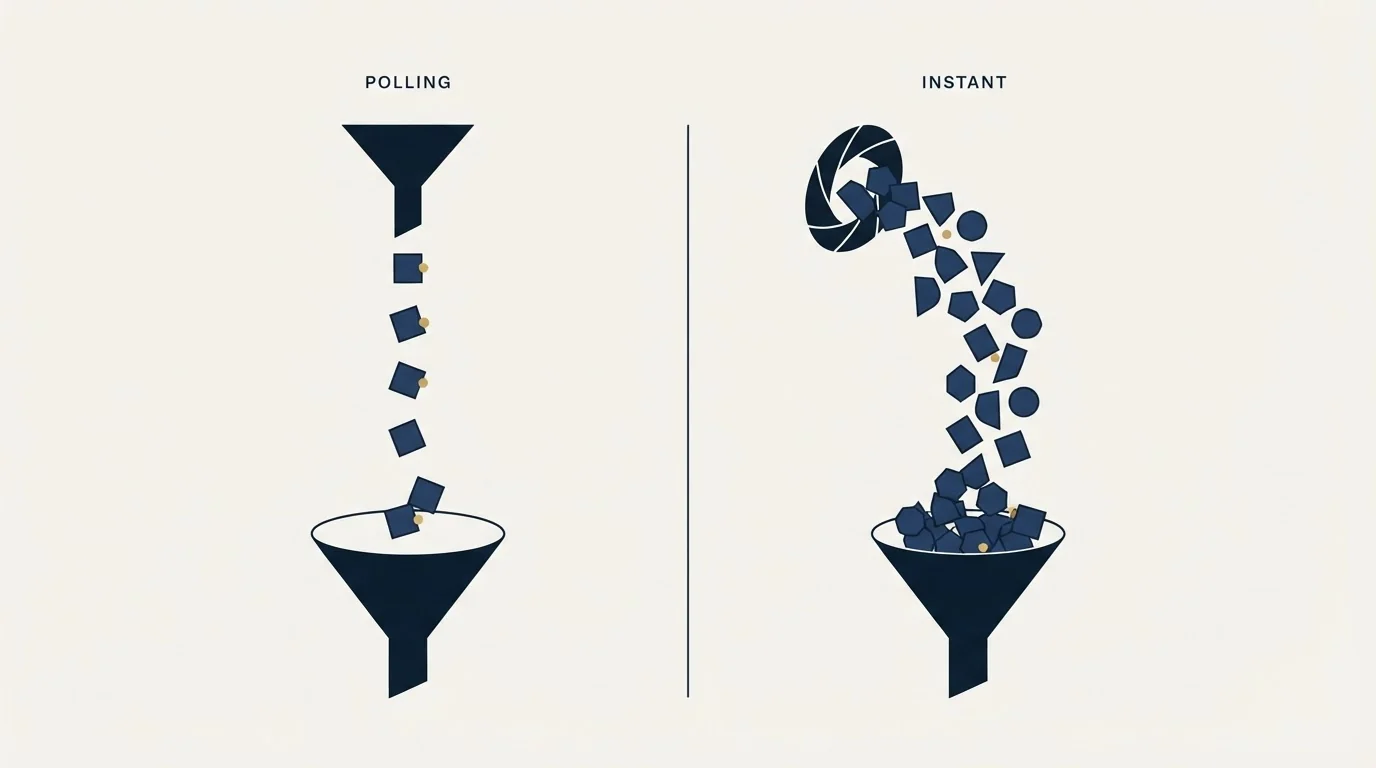
Zapier's HubSpot triggers come in two flavours and the app labels each one. New Form Submission, New Contact in List, New Deal, New Custom Object, New Contact Property Change and New Custom Object Property Change are marked Instant. New Contact, Contact Recently Created or Updated, New Company, New Product, New Ticket, New Engagement and New Email Event are marked Polling.
An instant trigger fires because HubSpot told Zapier something happened. A polling trigger fires because Zapier asked, on a schedule, and found something new since it last asked. The practical consequence for record hygiene is that a polling trigger sees the world in snapshots. A record created and edited between two polls arrives as one event, and a record edited repeatedly can arrive as several. Recently Created or Updated triggers are the ones to watch here, because an update stream is much noisier than a creation stream, and every event downstream of it hits your create step again.
If a Zap is producing duplicates and the trigger is a Recently Created or Updated one, the search step matters more than any deduplication rule you could write inside HubSpot.
The limits Zapier publishes about this integration
Zapier's help article for the HubSpot app carries a short limitations section that answers most of the questions people ask after something breaks.
You can only hold one app connection to a HubSpot account in Zapier at a time. Connecting the same HubSpot account again invalidates the previous connection, which is the usual explanation when a colleague reauthorises and a set of Zaps stop firing the same afternoon.
Dates need care. HubSpot requires dates as a UNIX timestamp, and date or time values sent through Zapier to HubSpot are rounded down to UTC midnight. A meeting booked at 16:40 local time becomes a date, not a moment, by the time it lands.
The Add Contact to List action works only with static lists. Active lists do not appear in the dropdown, because membership of an active list is computed by HubSpot from its own criteria rather than assigned. That same action also requires the contact to exist in HubSpot already, which is another reason the search step belongs before it rather than after.
HubSpot's own API limits apply to everything a Zap does. Zapier's article states that HubSpot Professional accounts have 650,000 requests per day and 190 requests per 10 seconds, and Enterprise accounts have 1 million requests per day with the same 190 requests per 10 seconds. The per-day number is generous for a form-to-CRM workflow and nearly irrelevant. The 10-second number is the one that bites during a bulk import or a backfill, because a Zap that loops over a spreadsheet can hit it in a burst while a human-triggered workflow never comes close.
A few triggers and actions are gated to paid HubSpot plans, including the New COS Blog Article trigger, the New Calendar Task trigger, the New Email Event trigger and the Create Calendar Task action. Connecting the app itself needs an active HubSpot account on any plan, free included, plus Super Admin permissions in that account.
- New Form Submission, New Deal, New Contact in List
- One event per thing that happened
- Latency measured in seconds
- Duplicates come from the create step, not the trigger
- New Contact, Contact Recently Created or Updated, New Ticket
- A snapshot view, so edits can collapse or multiply
- Latency depends on your Zapier plan's polling interval
- Update-flavoured triggers are the noisiest source of repeat writes
What Zapier charges to run this
Zapier meters usage in tasks, and its pricing page now applies that same task model to AI steps, code steps and the SDK. On the page as served on 16 August 2026, the Free plan is listed at zero with 100 tasks per month and two-step Zaps, Professional starts from $19.99 per month and adds multi-step Zaps, unlimited premium apps and webhooks, and Team starts from $69 per month for 25 users with shared connections and SAML SSO. The page carries both a monthly and an annual state and a currency selector, so confirm which state you are reading before you budget from it.
The number that matters for a CRM sync sits under the plan price: every step in every run is a task. A three-step Zap that searches, branches and writes costs three times what a one-step Zap costs, and the search step you add to prevent duplicates is a permanent line on that bill. It is still cheaper than a deduplication project six months later, which is the actual comparison.
Deciding which system owns each field
The duplicate problem is the visible half of a larger question, which is which system is allowed to write which field. A Zap that syncs both directions without an ownership rule produces records that flip between two versions of the truth, and neither team trusts the field afterwards.
Deciding which system gets to act automatically raises the same governance question for automated prospecting, which the prospecting agent decision breakdown covers in terms of enrolment scope and credit spend.
Write the rule down before you build. For each field that both systems touch, name the owner, and let the other system read it. Lifecycle stage owned by HubSpot, sequence status owned by the sending platform, company size owned by whatever enrichment source you have chosen, and so on. Our own documented practice is to agree the field map in writing before a campaign launches rather than after the first sync argument, for the same reason we agree qualification criteria in writing before launch.
Ownership is decided at the system level first, and which of two jobs costs more today is the test that settles a work platform against a CRM.
The enrichment side of this deserves its own decision, because an enrichment provider writing directly into HubSpot through a Zap will happily overwrite a human-verified value with a probabilistic one. The provider order and the cost per resolved record are worth settling first; waterfall enrichment covers the sequencing, and the enrichment tool comparison for SDR teams covers who fits where.
- Yes: Every create step for a person is Create or Update Contact, or sits behind a Find Contact search.
- Yes: Company and deal writes sit behind a Find search rather than a deprecated Find or Create step.
- Yes: You know whether your trigger is instant or polling, and expect the matching event volume.
- Yes: Dates are sent as UNIX timestamps, and you have accepted rounding down to UTC midnight.
- Yes: Any list step targets a static list and runs after the contact exists.
- Yes: One HubSpot connection per account, with the owner recorded so a reauthorisation does not surprise anyone.
- Depends: A field-ownership map exists in writing for every field both systems touch.
Where this sits next to the alternatives

A Zap is the right tool when the volume is human-scale and the logic is simple. It stops being the right tool at the point where you are rebuilding retry semantics, ordering guarantees and idempotency inside a visual editor, which is what a queue and a small service are for.
Teams that outgrow Zaps and start building their own receiver will find HubSpot's webhook journal model explains the scopes and rate limits that shape a custom sync.
Two comparisons worth making before you commit. Native integrations often already do the thing you are about to build with a Zap, and Apollo's HubSpot integration is a worked example of a vendor connector whose deduplication rules are worth reading before you route the same data through Zapier as well. And if the sync friction is really a platform-fit problem, the HubSpot CRM alternatives comparison is a cheaper place to start than a bigger automation.
For outbound specifically, the rule we hold to is that the sending platform owns send state and the CRM owns the relationship. One message per campaign, no bumps, no thread replies, and a re-approach to a non-replier is a new campaign with a new angle rather than an extension of the old one. That keeps the sync surface small, because there is only one event per prospect per campaign to write back. If you want that built and run rather than assembled, our free campaign build is where that starts.
Pricing and features verified as of mid-2026. Verify current terms with the vendor before relying on them.
Frequently asked questions.
Frequently asked questions- Why does my HubSpot Zap keep creating duplicate contacts?
- Almost always because the Zap ends in Create Contact rather than Create or Update Contact. The plain create action makes a new record every run and never looks for an existing one. Create or Update Contact matches on email address, so a repeat form submission from the same address updates the record already there instead of adding a second.
- What is the difference between an instant and a polling trigger in Zapier?
- An instant trigger fires because HubSpot pushed the event to Zapier, so one thing that happened produces one event. A polling trigger fires because Zapier checked on a schedule and found something new since the last check, so it sees the world in snapshots. Recently Created or Updated triggers are polling and generate the noisiest event streams.
- Can I connect the same HubSpot account to Zapier twice?
- No. Zapier's help documentation states that you can hold only one app connection to a HubSpot account at a time, and connecting the same account again invalidates the previous connection. If a colleague reauthorises while your Zaps are running, that is the usual reason a set of them stops firing on the same day.
- Do I need a paid HubSpot plan to use Zapier with HubSpot?
- Connecting the app needs an active HubSpot account on any plan, free included, plus Super Admin permissions in that account. Some individual triggers and actions are gated to paid HubSpot plans, including the New COS Blog Article trigger, the New Calendar Task trigger, the New Email Event trigger and the Create Calendar Task action.
About the author.

B2B cold email experts helping companies generate qualified leads through done-for-you outreach campaigns.
RevenueFlow Team
Explore more.
Ready to scale your outreach?
We build GTM engines that book real meetings. See the receipts.
Related articles.
Pipedrive Calling: Native Surfaces, Marketplace Dialers
Pipedrive's knowledge base says it has no built-in calling integration. What ships natively is a set of shortcuts to your phone, and the dialer is a second subscription.
Pipedrive and PandaDoc: The Two Plan Gates
PandaDoc places its Pipedrive integration on Business and Enterprise plans and requires each user to install it individually. Both facts precede any configuration.
Copper HubSpot Integration: Two Paths, Neither Native
Copper documents a Zapier bridge to HubSpot Marketing Hub on all four plans; HubSpot documents its own two-way Data Sync app for Copper. Both read 18 September 2026.
Apollo and Clay Integration: What Connects, Who Meters What
Clay's docs list one Apollo source and eleven actions. How the account connects, which way each action moves data, and which vendor bills each step.
CRM Setup: The Objects, Stages and Write-Back Loop
A vendor neutral CRM setup for an outbound team: the object model, stage exit criteria, the required field set, ownership rules and the campaign write-back loop.
Sales Automation Software for Small Business: Four Buys
One search returns four unrelated products, and on at least one vendor's published plan list the automation is gated above the tier a small team buys.