HubSpot AI Agents: What the Prospecting Agent Decides
Credits are consumed at enrolment, not at send. The Agent Hub settings that decide cost, sender identity and how many emails one person receives.
HubSpot Agent Hub bundles pre-built data, prospecting and customer agents with custom agents and agentic workflows. Credits are consumed when a lead is enrolled for prospecting rather than when mail is sent, so enrolment scope sets cost. Volume per contact is governed by two dropdowns you set yourself.
Key takeaways
- HubSpot documents that credits are consumed when a lead is enrolled for prospecting, so an automatic enrolment ruleset written loosely spends budget without anyone approving each batch.
- Maximum emails per enrolment and minimum days between emails are configurable, which means the agent's default cadence is a choice rather than a constraint, and a ceiling of one message is a valid setting.
- Agent Hub sends through inboxes already connected to your CRM, so the campaign inherits the sending reputation of whatever domain your real mail runs on.
- Credit-consuming prospecting actions cannot be completed in sandbox accounts, so a sandbox trial never exercises the path that costs money or produces real drafts.
Reviewed and updated September 2, 2026
HubSpot's Agent Hub carries a BETA label and a line above the documentation that decides most of the evaluation before you read a feature list: "HubSpot Credits required". Credits are the metering unit, and the knowledge base is specific about when they are spent. For the agent that matters to an outbound team, the prospecting agent, HubSpot states that "HubSpot Credits are consumed when a lead is enrolled for prospecting".
That single sentence reframes what you are buying. The unit of cost is enrolment, not sending, not replies and not meetings. Every contact you put into the agent draws down credits at the moment you put them in, whatever happens next. A team that enrols broadly and qualifies afterwards is paying for the qualification it has not done yet.
What is actually in Agent Hub
HubSpot's own index page for Agent Hub describes it as bringing together pre-built agents, custom agents and agentic workflows in one place, so you can see where HubSpot's AI tools are active across the customer journey. Three pre-built agents are named on that page, and their jobs are distinct.
Vendors use the phrase loosely, so it helps to know what an agentic workflow actually is before judging which of these agents earns the name.
The data agent enriches and maintains CRM data to improve data quality. The prospecting agent researches target companies and generates personalised outreach. The customer agent responds to support conversations and resolves requests. Alongside those, the documentation covers creating custom agents in an agent builder, building agentic workflows that automate multi-step processes, installing agents from an Agent Marketplace, and a Context tab where you define business information the agents draw on, described as broad details such as company messaging, tone, brand and ideal customer profiles.
Whether that data has somewhere coherent to land is a prior question, and deciding what a CRM is the record of sets the object model before any agent touches it.
For anyone running outbound, the prospecting agent is the whole story and the rest is adjacent. It is also the one whose settings encode a set of assumptions worth surfacing before you turn it on.
- Enriches and maintains CRM data
- Aimed at data quality rather than outreach
- Closest in job to a standing enrichment process
- Researches target companies
- Generates personalised outreach
- Enrols contacts manually or by ruleset
- Credits consumed at enrolment
- Responds to support conversations
- Resolves requests
- Post-sale surface, not a pipeline tool
How enrolment works, and where the cost lands
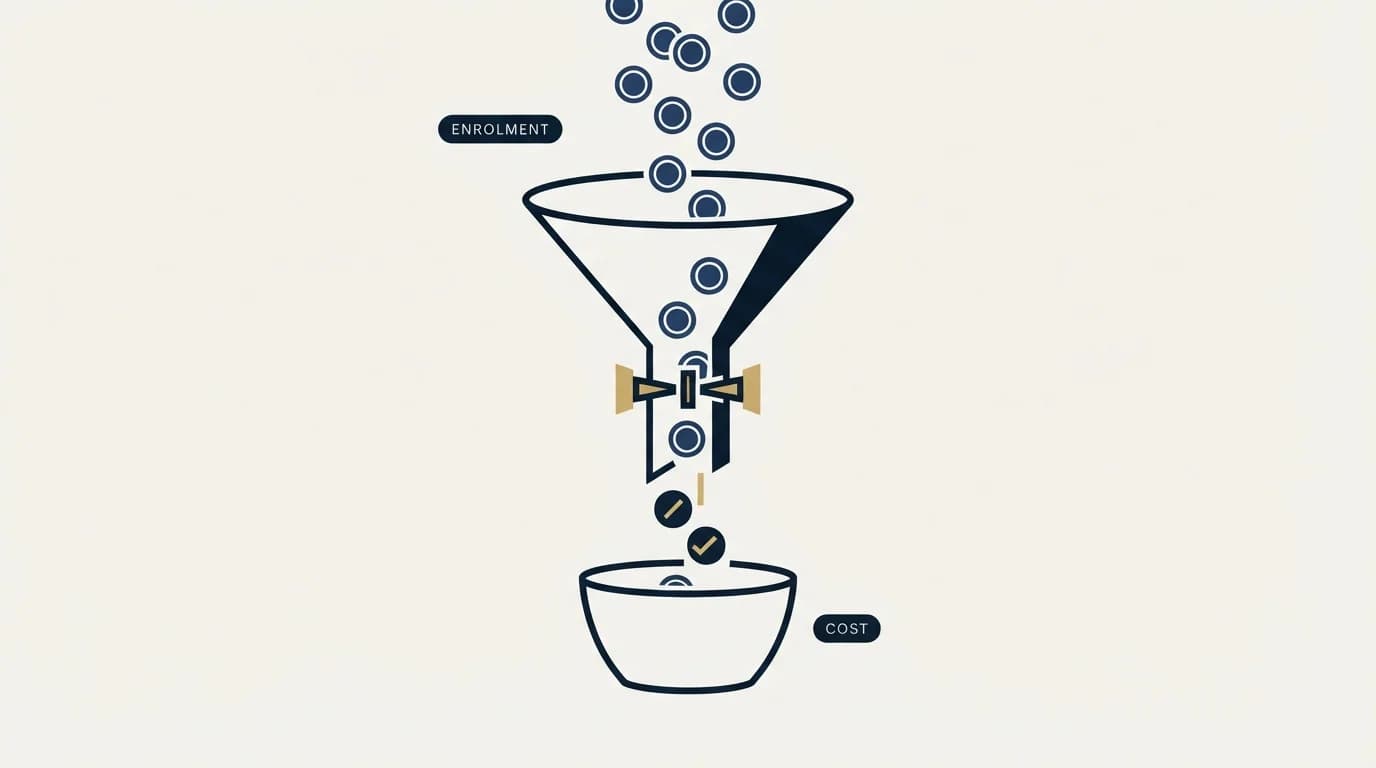
HubSpot documents two routes into the prospecting agent. You can manually select contacts for enrolment, or set up rulesets that automatically enrol contacts when they meet criteria you define. The documentation also notes you can research target accounts and generate emails from that research without enrolling the companies at all, which is a useful distinction: research and enrolment are separable, and only one of them is the metered event.
Automatic enrolment by ruleset is where credit consumption stops being a decision anyone makes deliberately. A ruleset written loosely at setup keeps enrolling for as long as it matches, and the spend accrues without a person approving each batch. HubSpot provides a control for this: the documentation notes that users with billing permissions can temporarily pause the prospecting agent's use of credits, and points at instructions for tracking credit usage. Knowing that control exists before you need it is worth more than finding it afterwards.
Two operational notes from the same page are worth carrying into setup. Prospecting agent actions that require credits cannot be completed in sandbox accounts, so a dry run in a sandbox will not exercise the expensive path. And HubSpot advises that before enrolling a contact you should ensure their email address has not previously bounced, which is a reminder that the agent inherits whatever list hygiene your CRM already has. A CRM full of records accumulated over years is not a clean sending list, and the agent does not make it one.
The settings that decide how many emails a person receives
This is the part of the configuration that a sending team should read most carefully, because the defaults describe a particular philosophy of outreach.
HubSpot's setup flow includes an Email approval choice with two options. "Review before sending" means you review and approve each message before it goes, with an in-app notification when a draft is ready and an option to receive those as a daily email. "Send automatically" means the agent sends without review, based on your outreach settings. HubSpot calls this autonomous mode.
Under outreach options, two settings govern volume per person. There is a "Minimum days between emails" dropdown, illustrated in the documentation with four days. There is a "Maximum emails per enrollment" dropdown, illustrated with five emails. There is also an automated send window with a time range and a default time zone.
Together those two dropdowns describe a multi-send cadence. That is HubSpot's documented design, reported here as the vendor documents it, and it is entirely conventional for the category.
It also runs against the rule this company operates by, and the disagreement is worth stating rather than glossing.
One message per campaign is our documented practice. We do not send bumps and we do not send thread replies, because a second message under an unanswered first one reads as a bump whatever the tooling calls it. When we want to reach a non-replier again, we build a new single-message campaign on a new angle rather than extending the old one. We have written up the reasoning and what changed for us in why we stopped using follow-ups, and the surrounding benchmark context is in cold email follow-up benchmarks.
The practical point for someone configuring the agent is that both dropdowns are yours to set. Maximum emails per enrolment can be set to one. If you want the agent's research and drafting without its cadence, that is the setting that separates the two, and it is a single dropdown rather than a workaround.
- Yes: Maximum emails per enrolment set deliberately rather than left at a default
- Yes: Email approval set to review before sending until the drafts have been read in volume
- Yes: Enrolment rulesets scoped narrowly, since credits are consumed at enrolment
- Yes: Sender identity chosen and a fallback sender configured
- Yes: Previously bounced addresses excluded before enrolment
- No: Testing the credit-consuming path in a sandbox account
- No: Enrolling broadly on the assumption that qualification happens later
Sender identity, and the deliverability question nobody asks the agent
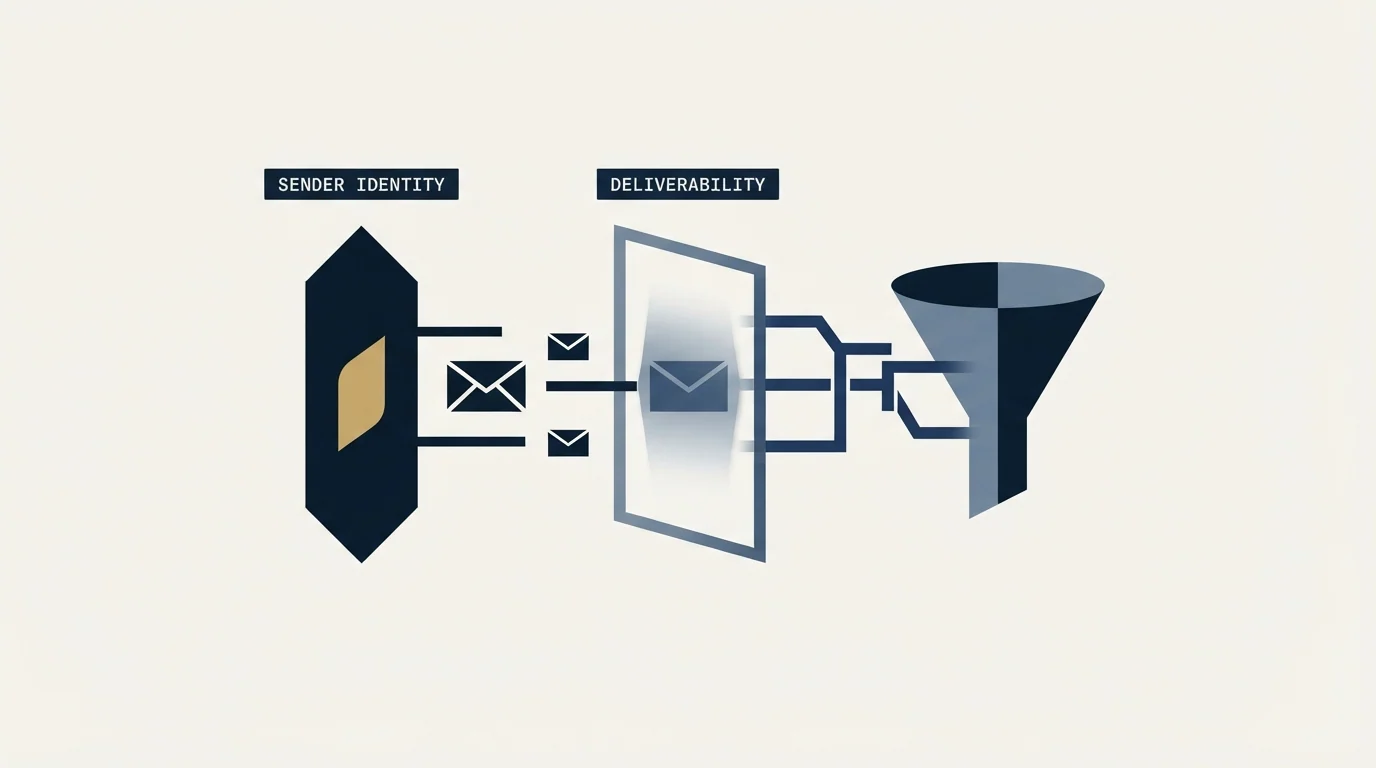
The identity settings are more consequential than they look. HubSpot documents three choices for who the agent sends as. Send from contact owner routes each message from the owner's email address. Send from company owner uses the owner of the contact's primary associated company. Send from single user sends everything from one connected inbox. The first two require a fallback sender for contacts that have no owner at enrolment, or whose owner has not enabled the right email settings.
Reading that as a deliverability decision rather than an attribution decision changes the answer. Send from contact owner spreads volume across many mailboxes, which is closer to how a healthy sending setup distributes load, but it also means messages leave from inboxes whose sending history, warmup state and authentication you may not have checked. Send from single user concentrates everything on one address, which is simple to monitor and easy to overload.
Neither option is a sending infrastructure. Agent Hub sends through connected inboxes on your existing domains, so whatever reputation those domains carry is what the campaign inherits. Teams that send meaningful cold volume generally separate the sending domain from the domain their real mail runs on, for reasons covered in our cold email deliverability guide and in email warmup services. Pointing an agent at your primary domain because it is the domain already connected to the CRM is an easy default and an expensive one.
One further detail from the documentation: the prospecting agent uses the email signature configured in the Identity section of agent setup, not whatever signature the individual sender uses elsewhere. That is a small thing that surprises people when the first message goes out.
Segmentation inside the agent runs through what HubSpot calls a selling profile, which carries the value proposition, tone and positioning for a given product, audience or both. The documentation states that "You can create up to 85 selling profiles". That ceiling is high enough not to constrain anybody in practice, and the number is useful for a different reason: it tells you the product expects segmentation to happen here rather than in the list. A team running one profile across every segment is using the agent below its design, and the generated drafts will read that way.
- Step 1Define the selling profile
HubSpot generates a summary of your products from your website and expects you to edit it. That text becomes the basis of every draft, so editing it is the highest-leverage ten minutes in the setup.
- Step 2Enrol a narrow first cohort
Credits are consumed at enrolment, so the first cohort is the cheapest place to find out whether the research is any good.
- Step 3Read every draft
Review before sending exists for this phase. Read enough drafts to know what the agent does with a thin company website.
- Step 4Set the volume ceiling
Decide maximum emails per enrolment on purpose. One message is a valid setting.
- Step 5Widen or stop
Judge on replies that lead to a qualified conversation, against criteria written down before launch, rather than on drafts produced.
Where it fits, and what it does not replace

Agent Hub is a CRM-native automation layer. Its advantage is proximity: the agent sits on the same records as your pipeline, uses a context definition you wrote once, and needs no integration work to read your data. HubSpot's framing on the Agent Hub page is that it lets you identify where AI tools are active across the customer journey and review outcomes, which is a management view as much as an execution tool.
What it is not is a cold outbound sending stack. Selling profiles, generated drafts and enrolment rulesets sit on top of the contacts you already have. Sourcing new companies that match a definition, finding and verifying addresses for people who are not in your CRM, and sending from infrastructure built for cold volume are all outside it. HubSpot has a beta named in the documentation, "Prospecting Agent Gets Smarter: Buying Signals and Contact Sourcing", that moves toward the sourcing half, and its existence is a reasonable signal about direction rather than a feature you can plan around today.
The category question underneath this one is what an agent is worth relative to a person doing the same job, and that is a more interesting comparison than the feature grid. We have written about the shape of it in AI sales agents and about how the roles are separating in SDR vs AI SDR vs GTM engineer.
If the honest conclusion is that you want the pipeline without operating the machinery, see what a first campaign looks like.
Product behaviour described here was verified against raw page bytes from knowledge.hubspot.com in mid-2026, and Agent Hub carried a BETA label at that time. Verify current terms and credit costs with the vendor before relying on them.
Frequently asked questions.
Frequently asked questions- How much do HubSpot AI agents cost?
- HubSpot meters agent work in HubSpot Credits and states that credits are consumed when a lead is enrolled for prospecting, with availability tied to qualifying subscriptions. Because the metered event is enrolment rather than sending, the cost of a campaign is set by how many contacts you enrol, which makes enrolment rulesets the budget control.
- What does the HubSpot prospecting agent actually do?
- It researches target companies and generates personalised outreach for contacts you enrol, either by selecting them manually or through rulesets that enrol automatically on criteria. HubSpot also allows researching accounts and generating emails without enrolling, which separates the research step from the metered one.
- Can I stop the agent from sending follow-ups?
- Yes. HubSpot exposes a maximum emails per enrolment dropdown and a minimum days between emails dropdown, and both are yours to set. Setting the maximum to one gives you the research and drafting without a cadence. Our own practice is one message per campaign, with a new campaign on a new angle rather than a reminder on the old one.
- Is Agent Hub a replacement for a cold outbound stack?
- No. It works on contacts already in your CRM and sends from inboxes already connected to it. Sourcing companies that match a definition, finding and verifying addresses for people you do not hold, and sending from infrastructure separated from your primary domain all sit outside it. A buying-signals and contact-sourcing beta is named in the documentation.
About the author.

B2B cold email experts helping companies generate qualified leads through done-for-you outreach campaigns.
RevenueFlow Team
Explore more.
Ready to scale your outreach?
We build GTM engines that book real meetings. See the receipts.
Related articles.
CRM Setup: The Objects, Stages and Write-Back Loop
A vendor neutral CRM setup for an outbound team: the object model, stage exit criteria, the required field set, ownership rules and the campaign write-back loop.
HubSpot and Zapier: The Search Step That Decides Duplicates
Zapier's HubSpot app has one action that matches on email address and a search family that does the rest. Which you pick decides your duplicate rate.
Pipedrive Sequences: A 250-Item Cap and What the Tool Is For
Ten steps, 250 items and a per-sequence sending authorisation. Pipedrive's caps describe the audience the feature was designed for more clearly than its feature list.
HubSpot Power Dialers: Pooled Minutes Are the Real Cap
HubSpot's calling minutes are pooled across the whole account rather than granted per seat. That changes the arithmetic of a calling programme more than the dialer does.
Cold Outreach Automation: Where the Line Sits
Cold outreach automation is seven decisions, not one purchase. Four stages automate cleanly, two produce confident nonsense, and one is the feature we decline.
Sales Automation Software for Small Business: Four Buys
One search returns four unrelated products, and on at least one vendor's published plan list the automation is gated above the tier a small team buys.