Calendly Routing Forms: What Rules Cannot Decide
A routing form is a qualification policy that executes itself. What the three destinations do, why the fallback route is a measurement, and what rules cannot verify.
A Calendly routing form asks a visitor questions, evaluates the answers against rules, and sends them to an event type, a custom message or an external URL. Only owners, admins and group admins can create one. Routing on CRM lookups uses facts you hold; routing on self-reported budget or authority routes on claims.
Key takeaways
- Only owners, admins and group admins can create routing forms, so the person who owns the qualification criteria is often not the person allowed to change them.
- The fallback route is a measurement rather than an edge case: volume accumulating there means the form's categories do not match the market.
- Salesforce and HubSpot lookup route on records you already hold, while form answers about budget or authority are claims a stranger has an incentive to guess.
- Deleted routing logic cannot be recovered or restored, so a copy of the rules kept outside the tool is the only protection against a tidy-up.
Reviewed and updated September 2, 2026
A Calendly routing form is a qualification policy that executes itself. Someone writes down what makes a lead worth a rep's time, and from then on the rules decide, at the moment of the form submission, without anyone reading it.
That is the part worth thinking about before building one. The mechanics take an afternoon. The consequences of the rules run for as long as nobody revisits them.
Rules that nobody revisits are the same hazard in meeting tooling, where Circleback's automation surface matters less for the notes than for who maintains what it triggers.
Group scheduling is the same policy question one level up: a group event type lets several hosts sit behind one link, and the rules deciding who gets the booking are the routing rules described here.
What the feature does and where it sits
Calendly's own help documentation describes routing forms as a way to direct visitors to specific people or destinations based on factors like industry, company size and interests. The visitor answers questions, the rules evaluate the answers, and the visitor is sent somewhere.
Access is restricted by role. The help article states that only owners, admins and group admins can create routing forms. All users can view and share a form once it exists, and for a user to edit one, an owner or admin has to grant editing permission. That is a sensible default and it has an operational consequence: the person who understands the qualification criteria and the person allowed to change the form are frequently not the same person.
The plan requirement is where Calendly's own pages disagree with each other, and it is worth knowing before budgeting. The routing form help article lists availability on Professional, Teams and Enterprise. The pricing page, fetched the same day, sells Free, Standard, Teams and Enterprise, with "Qualify and route leads" listed as a Teams feature at $16 per seat per month on annual billing, and routing with Salesforce lookup reserved for Enterprise. Professional is a plan name the pricing page no longer carries. Both pages are live and the safe reading is that Teams is the tier to budget for, with the discrepancy raised with support rather than assumed away.
- Step 1Answer
The visitor completes the questions you defined
- Step 2Evaluate
Conditions test each answer, combined with and or or
- Step 3Route
A matching route sends them to an event type, a message, or a URL
- Step 4Fall back
Anything matching no route hits the fallback, a custom message by default
The three destinations, and the one people forget
A route ends at one of three places, and Calendly names them plainly: an event type, which routes a qualified visitor to a calendar; a custom message, which is how a disqualified visitor is handled; and an external URL, which sends them to another page.
The middle one is the design decision. Sending someone who does not qualify to a message means telling a person who raised their hand that they are not going to get a meeting, and how that message reads is a brand decision made once and then delivered thousands of times. A curt version of it costs goodwill that never shows up in any dashboard, because the people it annoys do not write in.
Better handling usually routes disqualified visitors somewhere useful rather than nowhere: to self-serve documentation, to a resource that answers their question, or to a lower-cost motion. The external URL destination exists for exactly that, and using it is the difference between a filter and a dead end.
Then there is the fallback route, which applies to anyone whose answers match no route at all. It defaults to a custom message. Every routing form accumulates traffic here, because real submissions do not respect the categories a form designer imagined. The fallback is not an edge case, it is a measurement: a fallback filling up is a routing form describing a world your buyers do not live in.
Rule-based routing decides what you told it, not what is true
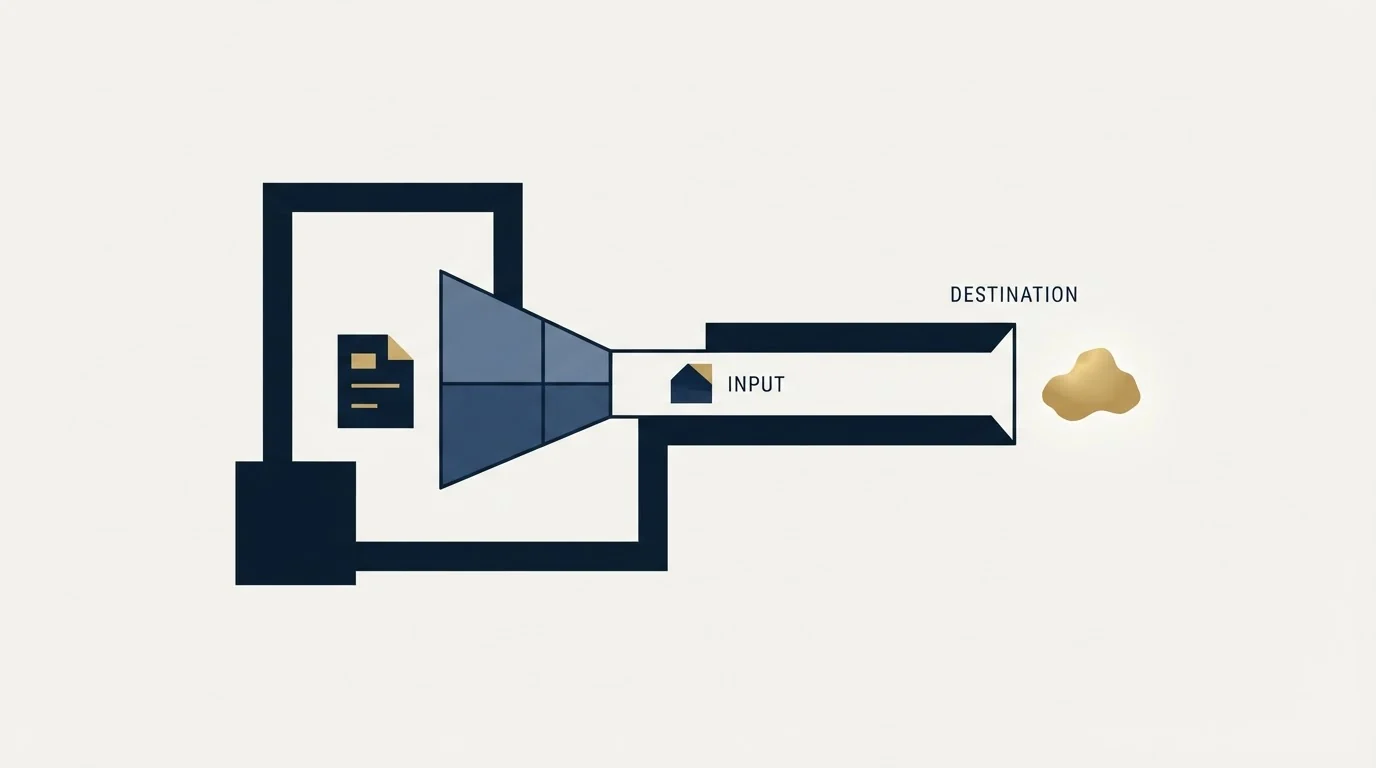
The questions a routing form can ask are the questions a stranger will answer honestly on a web form, and that is a narrower set than most qualification frameworks assume.
Company size, industry and product interest are usually answered accurately, because there is no incentive to lie and the answer is not sensitive. Budget, timeline and authority are a different matter. A person filling in a form to get a demo has an obvious incentive to select whichever option opens the calendar, and no way to know what the thresholds are. Routing on self-reported budget teaches your buyers to guess the password.
This is also where our own documented practice sits, and it is worth stating because it is a policy rather than a result. RevenueFlow agrees qualification criteria in writing before a campaign launches, and budget, timing and authority are never billing conditions for a meeting. A routing form is the same discipline expressed in software: write the criteria down, agree them, and then let them run. What it cannot do is verify the answers.
The way around that limitation is to route on data rather than on claims. Calendly documents routing with Salesforce lookup and HubSpot lookup as separate setup paths, which evaluate the submitter against records you already hold instead of against what they typed. An account that already belongs to a rep is a fact. A stated headcount of 500 is a claim. The concepts underneath are covered in lead qualification and lead routing, which is the rule set that decides who owns an inbound reply.
Distributing across a team
Once a route reaches an event type, the second question is which of several people it lands on, and this is a separate mechanism from the form.
Calendly's pricing page lists round-robin meetings on the same Teams tier as lead routing, so the two capabilities arrive together. The team scheduling options published by the vendor cover round robin, collective event types where several people must be free at once, and group events. In practice a Calendly team page is the container for all of it: members are brought under shared branding with combined availability, and meetings are assigned automatically rather than by hand.
Round robin is where fairness and revenue quietly diverge. Even distribution is fair to reps and indifferent to outcomes, and it treats a team as interchangeable when it rarely is. A rep who closes enterprise deals and a rep who is three weeks into ramp receiving alternate inbound is a fair split that costs money. Round-robin assignment sets out the mechanism and how it misallocates, and the practical mitigation is to route by segment first and distribute within the segment second, rather than distributing across the whole team and hoping.
- Yes: Write the qualification criteria down and agree them with the people who own the number.
- Yes: Decide what a disqualified visitor sees, and have somebody read it aloud.
- Yes: Route on CRM data where you can, and on self-reported answers only where you must.
- Yes: Segment first, then distribute within the segment rather than across the whole team.
- Yes: Name the person who reviews the fallback volume, and how often.
- Yes: Keep an export of the routing logic elsewhere, since deletions are not recoverable.
Two operational details that cost people real money

The setup documentation carries a warning that is easy to read past: deleted routing logic cannot be recovered or restored. There is no undo and no version history. A rule set built over months can be removed in a moment by somebody tidying up, and the only defence is a copy kept somewhere outside the tool. Screenshotting the logic before a significant edit is a crude answer that works.
The second is that preview responses are not recorded. Calendly recommends previewing and testing the form before publishing, and states that responses submitted during preview are not stored. That is exactly what you want for testing, and it also means a preview run leaves no evidence. Test in preview to check the logic, then submit one real test through the published form to confirm the whole chain, including whatever your CRM does when the record arrives.
Where a routing form stops being the answer
A routing form is a conversion instrument. It improves what happens to inbound demand and it does nothing whatever to create it.
That distinction decides whether this work is worth doing. Sorting a hundred submissions a month properly is valuable, and sorting four is a rounding error dressed up as a project. Count the volume before building anything, and if the number is small the honest next step is upstream, where inbound lead generation sets out where the submissions come from and appointment setting against lead generation separates two purchases that are routinely confused.
The common unit that makes the comparison possible is the cost of a meeting that actually happens, which is set out in the cost of a booked appointment and run across setters, agencies and software in the comparison of AI appointment setters against human setters.
What to take away

A routing form encodes a qualification policy, so write the policy first and build the form second. Route on data you hold rather than on claims a stranger types, using the Salesforce and HubSpot lookup paths where they are available to you.
Teams that still want to route on Salesforce data rather than typed claims will find how the Salesforce integration is packaged and gated useful before committing to a plan.
Design the disqualified path deliberately, because it is a message you will send thousands of times. Watch the fallback volume, since it measures the gap between your categories and your market. Keep a copy of the logic outside the tool, because deletion is final. Segment before distributing, because an even split across an uneven team is fair and expensive.
If the count of submissions is the problem rather than their routing, RevenueFlow books qualified meetings on a pay-per-meeting basis, against a qualification standard agreed in writing before launch, and the b2b appointment setting guide sets out how that work runs.
Product behaviour and pricing verified as of mid-2026 against calendly.com's own pricing and help pages as served. Verify current terms with the vendor before relying on them.
Frequently asked questions.
Frequently asked questions- What plan do I need for Calendly routing forms?
- Calendly's own pages disagree. The routing form help article lists Professional, Teams and Enterprise, while the current pricing page sells Free, Standard, Teams and Enterprise, with qualifying and routing leads listed as a Teams feature at $16 per seat per month. Routing with Salesforce lookup is Enterprise. Budget for Teams and confirm with support.
- Who can create a Calendly routing form?
- Only owners, admins and group admins can create them. All users can view and share a form once it exists, and an owner or admin has to grant editing permission before another user can change one. That restriction is sensible for governance and it means routing changes usually queue behind an administrator's availability.
- What happens to visitors who do not qualify?
- They hit whichever destination the rule sends them to, and there are three: an event type, a custom message, or an external URL. Sending a disqualified visitor to a bare message is a brand decision delivered thousands of times. Routing them to documentation or a self-serve path through the external URL destination is usually the better use of the moment.
- Can a routing form verify what someone tells it?
- No. A routing form evaluates the answers given, and a person filling in a form to reach a calendar has an obvious incentive to select whatever opens it. Routing on Salesforce or HubSpot lookup evaluates records you already hold, which is a fact rather than a claim, and is the reliable path where the data supports it.
About the author.

B2B cold email experts helping companies generate qualified leads through done-for-you outreach campaigns.
RevenueFlow Team
Explore more.
Ready to scale your outreach?
We build GTM engines that book real meetings. See the receipts.
Related articles.
Calendly API: What You Can Automate and What You Cannot
Read access runs on any plan, webhooks need a paid one, and programmatic deletion is Enterprise-only. The scope decision that quietly breaks integrations, first.
Calendly Workflows: Seven Triggers and One Boundary
Calendly Workflows fire automated email and text on seven published triggers. The limits that catch people out, and the line between correspondence and bumping.
Calendly Alternatives: What to Move To, and What You Give Up
Cal.com, TidyCal and SavvyCal sorted by the job you are hiring a scheduler for, with each vendor's own published rates and what the free tiers really cover.
Calendly vs Setmore: Per Seat Against Unlimited Users
Setmore prices Pro at $5 USD per user a month on annual billing; Calendly charges per seat for routing and CRM sync. Free tiers, prices and which problem each solves.
ScheduleOnce vs Calendly: The Product Is Now OnceHub
ScheduleOnce is OnceHub now, and its tiers bundle phone numbers Calendly does not sell. Published prices, where routing sits, and what a security review costs on each.
Calendly Pricing: Every Plan and What Changes With Seats
Calendly's published rates read as annual by default. What each tier unlocks, why the same page shows three currencies, and where the non-profit discount lives.