Calendly and Salesforce: The Package, Flow and Plan Gates
The Calendly Salesforce integration installs a package into your org and runs a Flow. Which plan buys the write path, which buys routing, and what the default does.
Calendly's Salesforce integration installs a managed package into your Salesforce org and runs a Flow your admin can edit. Calendly's pricing page lists sending meetings to Salesforce on the Teams plan and routing by Salesforce lookup on Enterprise, so the two capabilities carry different prices and different rollout work.
Key takeaways
- The integration is a versioned managed package installed inside Salesforce, with a documented sandbox path and an upgrade route from version 1 to version 2, so the install is an admin task rather than a Calendly toggle.
- Calendly's pricing page separates the capabilities by plan: the Teams card lists sending meetings to Salesforce, and the Enterprise card lists routing with Salesforce lookup.
- The default behaviour creates a lead, contact or opportunity for a new prospect and appends the event to an existing record, so duplicate prevention rests entirely on whether the match succeeds.
- The customisation surface is Salesforce Flow work: which object gets created, whether the lead owner follows the event owner, what happens on cancellation, and when the flow is allowed to run.
Reviewed and updated September 1, 2026
A sales team turns on the Calendly Salesforce integration expecting a background sync, and gets something structurally different: a managed package installed inside their own Salesforce org, running a Salesforce Flow that their admin can edit, break, or filter into silence. Nothing about that is hidden. It just does not match the mental model most buyers arrive with, and the mismatch decides who has to own the thing after launch.
That ownership question matters more than the feature list, because the parts most teams actually need are gated behind two different plans, and the routing capability that appears in the integration's own headline list is not the one that comes with the plan most teams buy.
What actually gets installed
Calendly's Salesforce help hub, updated 19 March 2026 on calendly.com/help/calendly-salesforce, describes the integration through its package rather than through an API. Its article index covers installing the Calendly package in Salesforce, post-install steps for package version 2, installing the package into a Salesforce sandbox for testing, the default behaviour of the package, upgrading from version 1 to version 2, and the package's component list and release notes.
Three practical consequences follow from that shape, and each one lands on a different person.
The install is a Salesforce administration task, not a Calendly settings toggle. The same hub lists the integration as available to Owners and Admins, so the person who can turn it on is not usually the person who wanted it.
There is a sandbox path, and it is documented as its own article. An integration that writes records into a production CRM is exactly the class of change that deserves a sandbox rehearsal, and the vendor has made that cheap rather than leaving you to improvise it.
The package is versioned, with release notes and an upgrade article from version 1 to version 2. An org that connected Calendly two years ago and has not looked since is quite possibly running the older package, and the behaviour described in current documentation is describing something that org does not have.
The customisation surface sits in Salesforce too. The hub's own section headings sort it into what you create, what you update, when the flow runs, and how data is mapped. Those are Flow concepts, so the work of shaping this integration is Salesforce admin work with Calendly as the trigger.
The two plan gates, which are not the same gate
The integration page and the pricing page answer the plan question at different resolutions, and the difference is the most useful thing on either.
calendly.com/integration/salesforce marks the whole integration block as available with the Teams plan and the Enterprise plan, and separately notes that syncing data for specific Calendly groups is for teams on Calendly's Enterprise plan.
calendly.com/pricing is more precise, because its plan cards separate the capabilities by name. The Teams card lists "Send meetings to Salesforce". The Enterprise card lists "Route with Salesforce lookup". Those are two different products of the same integration: pushing a booked meeting into Salesforce, and looking a prospect up in Salesforce before deciding who they book with.
On the pricing page as served on 16 August 2026, the billing toggle is set to yearly by default, so the per-seat figures a visitor sees first are the annual-billing prices: Standard at $10 per seat per month and Teams at $16 per seat per month. Enterprise carries no per-seat figure and is published as starting at $15k per year with a contact-sales path. The same page states that payment via invoice is available on the Standard or Teams plan for $5,000 and the Enterprise plan for $15,000.
- No Salesforce capability listed on either card
- Standard lists HubSpot, Mailchimp, Zapier and webhooks instead
- A booked meeting reaches Salesforce only if you build the path yourself
- Lists 'Send meetings to Salesforce'
- Round-robin and lead qualification and routing appear here
- This is the plan that buys the write path into Salesforce
- Lists 'Route with Salesforce lookup'
- Group-scoped syncing is named as Enterprise on the integration page
- This is the plan that buys the read-before-routing path
The buying consequence is worth stating plainly. A team that reads "route leads by Salesforce ownership" on the integration page, prices the integration at the Teams tier, and builds a rollout plan around ownership-based routing has priced the wrong plan. The pricing page's own feature naming is the thing that resolves it.
What the default flow does to a record

The integration page describes the default write behaviour in one sentence worth reading closely: when a meeting is scheduled with a new prospect, Salesforce automatically creates a new lead, contact or opportunity, and if the prospect already exists, the event is simply added to the existing record.
That second clause is the duplicate-prevention behaviour, and it rests entirely on a match. Whether a booker "already exists" is a question your Salesforce org answers using the identifiers it has, against whatever the booker typed into the booking form. A prospect who books with a personal address, a plus-addressed alias, or a newly-issued work address after a job change is a new person as far as that match is concerned, and a new record is the correct output of the rule you actually configured.
This is the same failure the rest of the CRM integration category runs into, and it is worth reading the Apollo and HubSpot deduplication rules alongside this one, because the two integrations differ in almost every detail and fail in the same place. The match key is the integration. Everything else is plumbing around it.
- Step 1Meeting booked
A prospect completes a Calendly booking form
- Step 2Flow fires
The installed package's Salesforce Flow runs in your org
- Step 3Match attempted
Salesforce checks whether the person already exists
- Step 4Append or create
An existing record gets the event; a new one gets a lead, contact or opportunity
The customisations that decide whether this fits outbound
The default is a starting point, and the help hub documents the changes an outbound team is most likely to need. Its article index names each of the following as its own procedure.
You can create a contact, opportunity, or another object record instead of a lead. Teams that run their outbound against contacts rather than leads have to change this, or they get a parallel object filling up with people who already exist elsewhere in the org.
You can create a task or a case rather than an event record, which suits teams whose reps work a task queue instead of a calendar view.
You can update an existing record with the responses captured in the booking flow, which is how the qualifying questions on a booking form become fields rather than notes nobody reads.
You can update the Salesforce lead owner to match the event owner. Booked meetings and record ownership drift apart otherwise, and the rep who ran the call is not the rep the record says to contact.
You can delete the event record in Salesforce when a Calendly event is cancelled or rescheduled, by adjusting the package's cancel-event flow. Left alone, a rescheduled meeting can leave its original record behind and inflate every count built on top of it.
You can filter the flow to run only on certain conditions, and you can delay the sync between the two systems. Both exist because a flow that fires on every booking, immediately, is not always what an org wants.
- Yes: Which plan you are on, and whether you need the Enterprise lookup routing or only the Teams write path
- Yes: Which object a booking should create, since lead is the default and contact is often the answer
- Yes: What your match key is, and what happens when a booker uses a different address
- Depends: Whether the lead owner should be reassigned to the event owner
- Yes: What happens to the Salesforce record when a meeting is cancelled or rescheduled
- Depends: Whether the flow should be filtered so it does not fire on internal or test bookings
- Yes: Which package version the org is running, since version 1 behaves differently
Where the routing gate actually bites
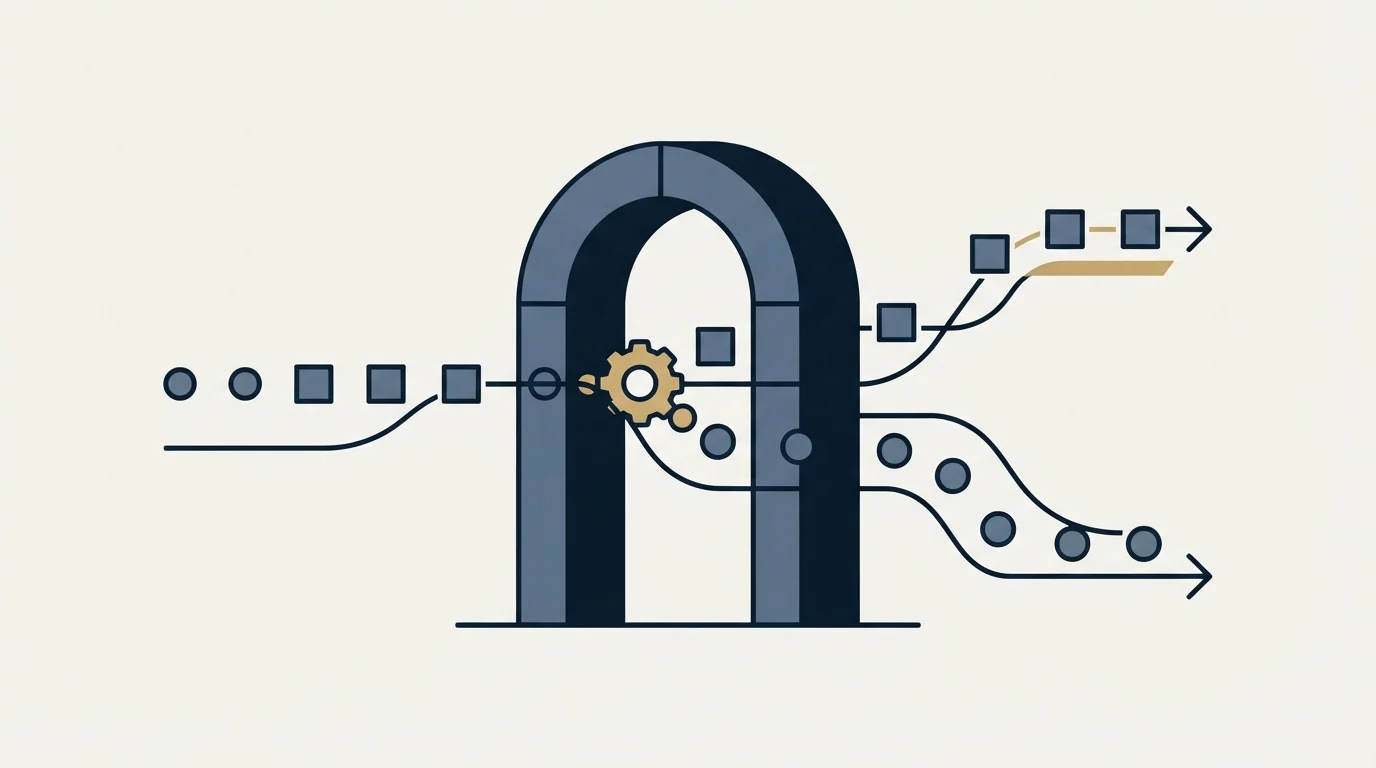
Routing by Salesforce ownership is the capability that changes an outbound motion rather than tidying it. The integration page describes it as scheduling inbound form leads against real-time Salesforce assignment status, filtered by deal stage, territory, or other Salesforce fields, so that known leads and existing customers land with the person who already owns them.
That is a genuinely different product from pushing a booking into a record after the fact, and the pricing page puts it on the Enterprise card. A team on Teams that needs ownership-aware routing has two honest options: pay for the tier that includes it, or route on data the booking form itself collects rather than on data Salesforce holds. The second is weaker, because a form can only route on what a stranger is willing to type, and it is often enough for a small territory model. The concept itself is worth being precise about, and lead routing has a settled meaning that is easy to blur.
Salesforce's own assignment logic is doing real work underneath either path, and a team standing this up alongside an outbound programme should read how account-based motions run in Salesforce before deciding that the scheduling tool is where routing belongs.
Test it on twenty records
The cheapest way to find out what your configuration does is to run it on a small, deliberately awkward set before it runs against a real campaign. Book against a contact that already exists, one that does not, one that exists under a different email address, one that books and then reschedules, and one that books and then cancels. Five behaviours, four or five records each, and the whole exercise fits in an afternoon.
The arithmetic below is invented for illustration and uses no RevenueFlow data. Suppose a team books 120 meetings in a quarter, and suppose 15 percent of bookers use an address that does not match the one on their existing record. That is 18 duplicate records per quarter, each one splitting a person's history across two rows and each one eventually reaching a rep as a fresh lead. Substitute your own booking volume and your own match rate; the point is that the number is not zero and nobody notices it until a report disagrees with itself.
Scheduling is one stage in a longer chain, and the stages either side of it decide whether a clean Salesforce record was worth anything. The B2B appointment setting chain sets out where booking sits, and the no-show recovery step is the one that most often turns a booked meeting into an attended one.
Where we sit

We run booked meetings into a CRM as a matter of documented policy rather than preference: the qualification criteria for a meeting are agreed in writing before a campaign launches, which means the record a booking creates has to carry the fields those criteria are checked against. An integration that writes a tidy activity but leaves the qualifying answers in a notification email fails that test regardless of how well it syncs.
Choosing the CRM at all is the earlier decision, and it constrains everything above. Teams weighing that choice against an outbound motion rather than a general sales motion will find the CRM options for cold email teams framed for that narrower job.
Teams still deciding what belongs in their stack before wiring up any sync may want the broader Apollo.io and Salesforce comparison, which clarifies why the two tools get paired rather than swapped.
Deciding what feeds Salesforce in the first place is easier after comparing it against a sourcing tool like LeadIQ, covered in this lead enrichment versus CRM comparison.
If the targeting, the sending infrastructure and the booked meetings are the part you would rather have operated for you than configured, see if you qualify.
Pricing and features verified as of mid-2026. Verify current terms with the vendor before relying on them.
Frequently asked questions.
Frequently asked questions- Which Calendly plan do I need for Salesforce?
- It depends which capability you mean. Calendly's pricing page lists 'Send meetings to Salesforce' on the Teams card and 'Route with Salesforce lookup' on the Enterprise card. The integration page marks the integration as available with Teams and Enterprise, and names group-scoped syncing as Enterprise. Price the capability you actually need rather than the integration as a whole.
- Does the Calendly Salesforce integration create duplicate records?
- It can, and the mechanism is the match rather than the sync. The integration page states that a new prospect produces a new lead, contact or opportunity, and an existing prospect has the event added to their record. A booker using a personal address, an alias, or a new work address does not match, so a second record is the configured behaviour working as written.
- Is Calendly's Salesforce integration an API sync?
- Not in the way most people picture. Calendly's help hub documents it as a managed package installed into your Salesforce org, with post-install steps, a sandbox install path, release notes and a version 1 to version 2 upgrade. The customisation articles are organised around what the flow creates, what it updates, when it runs and how fields map.
- Can I stop the Calendly flow firing on every booking?
- Yes. The help hub documents filtering the Salesforce flow to run only on certain conditions, and separately documents delaying the sync between the two systems. Both are useful when internal meetings, test bookings or recruiting calls share the same Calendly account as the outbound team and should not be creating CRM records.
About the author.

B2B cold email experts helping companies generate qualified leads through done-for-you outreach campaigns.
RevenueFlow Team
Explore more.
Ready to scale your outreach?
We build GTM engines that book real meetings. See the receipts.
Related articles.
Reply.io Salesforce Integration: The Sixteen Sync Steps
Reply's support article lists sixteen sync steps, two profiles, required field mappings and a two-hour cadence. What the native Salesforce integration moves.
Salesforce API Integration: Pick the Interface, Then Code
Salesforce sells programmatic access as a line item and publishes four interfaces. Which one each job belongs on, and what breaks in production but never in a sandbox.
Calendly API: What You Can Automate and What You Cannot
Read access runs on any plan, webhooks need a paid one, and programmatic deletion is Enterprise-only. The scope decision that quietly breaks integrations, first.
Calendly Workflows: Seven Triggers and One Boundary
Calendly Workflows fire automated email and text on seven published triggers. The limits that catch people out, and the line between correspondence and bumping.
The Pipedrive API: A Daily Token Budget
Pipedrive prices API calls rather than counting them. The published token budget, the cost of each endpoint type, and the two ceilings a sync has to respect.
Zoom Scheduler vs Calendly: Round-Robin, Routing, CRM Sync
Both tools book meetings the same way. The difference is packaging: round-robin, routing forms and Salesforce sync sit on Calendly Teams and on Zoom's entry paid tier.