Showpad Pricing: Quote Only, and What Moves at Renewal
Showpad publishes three plans and no rates. The model is per user, and a packaging transition documented in its own help centre lands at your renewal date.
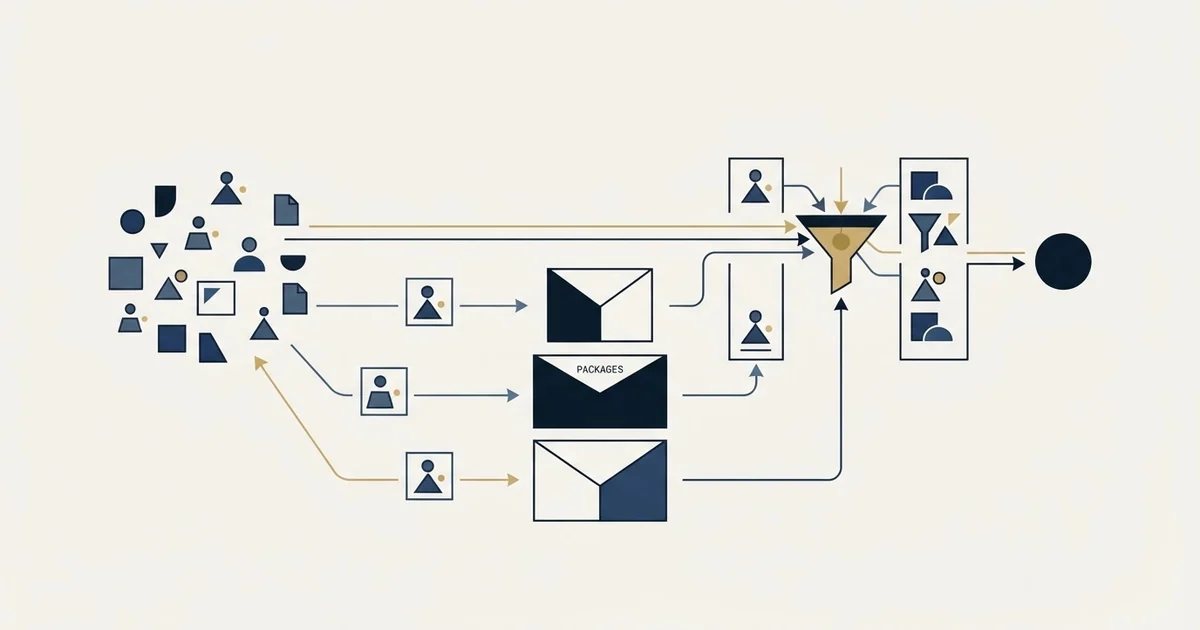
Showpad publishes no rates. Its pricing page carries three plans, Professional, Advanced and Expert, each behind a quote request, and its FAQ states the product is licensed on a per-user basis. A packaging transition that started in 2025 is reviewed at renewal, and it moves some AI features and mutual action plans between tiers.
Key takeaways
- Showpad publishes three plans, Professional, Advanced and Expert, and no rate on any of them, as fetched on 1 September 2026.
- The vendor's own FAQ states the licensing model in one line: Showpad is licensed on a per-user basis.
- Showpad's help centre, updated 31 July 2026, says the packaging transition is reviewed as a renewal date approaches and that the customer must start the conversation.
- Several AI features become Expert-tier only at general availability, and mutual action plans move into a Collaborate add-on bundle, which is a price change with no rate change.
Reviewed and updated September 2, 2026
Showpad's pricing page publishes three plans, a long feature list under each, and no number anywhere. Professional, Advanced and Expert all carry the same call to action, and the FAQ underneath states the model in one line: "Showpad is licensed on a per-user basis." That is the whole published answer on price, as fetched from showpad.com/pricing on 1 September 2026.
For a buyer that is less useless than it looks, because the tier boundaries are published in full and they tell you what a quote will be shaped around. It is also incomplete in a way the page does not advertise. A repackaging is still working its way through the customer base, and the vendor documents it separately, in a help centre article stating that "The transition to the new pricing and packaging started in 2025." That article, rather than the pricing page, is where a renewing customer finds out what changes.
What the pricing page actually publishes
Three plans, each with a "Request a quote" button rather than a rate.
Professional is described for teams who rely on solid foundations to grow the bottom line. Its included list covers the Genie Assistant and Agents with Conversation Starters, Text Chat and Vision Intelligence; Content Management with a Content Library, Pages and Collections plus Advanced Experiences; Sales Readiness with a Training Library and Courses; Buyer Engagement with Shared Spaces and 3D and AR asset hosting; Analytics and Insights with a Report Builder and Dashboard Builder; extensions for CRM, email, Chrome and marketing automation; single sign-on; and standard support.
Advanced adds voice chat, deep research and podcast creation to the Genie assistant, AI-powered content governance, Roleplay AI, knowledge checks and certifications, a My Team manager hub, Shared Space templates, Search AI for shared spaces, Analytics AI, sales engagement integrations, and a developer bundle for building custom apps through the API and SDK, webhooks and a reporting API.
Expert adds the Genie Agent Studio with custom agents, agent templates and agent integrations for Salesforce and MCP connectors, plus Library AI, Search AI, AI-powered asset FAQs, an AI-powered page builder, AI-powered CRM recommendations, Authoring AI, the Field Seller Agent, Shared Spaces quick actions, a remote MCP server, enterprise AI integrations and priority support.
Six things sit in every plan regardless of tier: access on mobile, offline and browser, integrations, single sign-on, enterprise-grade security, GDPR and SOC2 compliance, and support plus community access. Three add-on bundles sit outside the tiers, named Empower, Learn and Collaborate.
- Genie assistant with text chat and conversation starters
- Content library, pages, collections and advanced experiences
- Training library and courses
- Report builder and dashboard builder
- Standard support
- Roleplay AI, knowledge checks and certifications
- My Team manager hub
- AI-powered content governance
- Developer bundle for custom apps, webhooks and a reporting API
- Sales engagement integrations
- Genie Agent Studio with custom agents and templates
- Library AI, Search AI and the AI-powered page builder
- Field Seller Agent
- Remote MCP server and enterprise AI integrations
- Priority support
Reading those three columns as a budget exercise gives you the shape of the negotiation. The jump from Professional to Advanced is where structured training, manager tooling and API access arrive, which are the three things an enablement function usually discovers it needs six months in. The jump from Advanced to Expert is where you buy the ability to build your own agents rather than use the ones shipped. Neither jump is priced, so both are quoted against how much of that list you can argue you need.
The repackaging, which is the part with a date on it
Showpad's help centre carries an article titled Preparing for Pricing and Packaging changes, last updated on 31 July 2026 and first published in December 2024. Two of its sentences do the work. "Your current package will be reviewed as your renewal date approaches." And: "You must contact your Account Manager to discuss your options, confirm your transition timeline, and explore packages that align with your needs."
That single paragraph is worth more to a buyer than the pricing page, because it names the moment the conversation happens and who has to start it.
The article then maps the old catalogue onto the new one. Four legacy packages are named: Showpad Content Essential, Content Plus, Content Ultimate, and Content Ultimate with Coach Plus. Each maps forward to a set of the new eOS packages rather than to one, so the transition is a choice rather than a substitution. Content Ultimate maps to eOS Advanced, eOS Expert or eOS Professional. Content Plus and Content Essential each map to eOS Professional or eOS Advanced. Content Ultimate with Coach Plus maps to all three.
- Step 1Renewal approaches
The help centre states that the current package is reviewed as the renewal date approaches, rather than on a fixed calendar date.
- Step 2You start the conversation
The article puts the obligation on the customer to contact the account manager, not the other way around.
- Step 3A legacy package maps to several new ones
Each named legacy package maps forward to two or three eOS packages, so the move is a selection rather than a like-for-like swap.
- Step 4Feature availability shifts
Some capabilities move up a tier and some move into an add-on bundle, which is where a like-for-like renewal quietly stops being like-for-like.
Where features move, and why that is the real price change

The most useful detail in the help centre article is not the mapping, it is the movement.
For a customer transitioning from Content Ultimate to eOS Advanced, the article names what arrives and what leaves. Arriving: a training library, courses and paths, live training, knowledge checks with certifications, the My Team hub for manager coaching, single sign-on, divisions up to ten, and API and SDK access. Continuing: pages, collections and experiences, shared spaces, Showpad reporting, and admin-focused AI tools including analytics AI and AI-powered file naming, tagging and video subtitling.
Then the part that costs money. A set of advanced AI tools currently in beta, named as search, page builder, message composer, CRM recommendations and FAQs, "will be available in the eOS Expert tier only once GA". And on the collaboration side: "Buyer uploads and Mutual Action Plans (MAPs) will now be part of the new Collaborate+ bundle".
So a customer on Advanced who is using beta AI features today, or who is using mutual action plans, is looking at either a tier upgrade or an add-on line at renewal to keep them. That is a price increase that never appears as a rate change, and it is documented by the vendor rather than inferred.
The Expert tier is described in the same article as built for complex enterprises looking for maximum flexibility. Read against the pricing page, that maps cleanly: Expert is where the agent-building tools live, and the beta AI features are converging on it.
What to do with a quote-only pricing page
The absence of a published rate is a fact about the vendor's go-to-market rather than a fact about the cost, and it has practical consequences for how you run the evaluation.
Ask for the quote against a named user count and a named tier, because the model is per user and the tier decides which of those three feature columns you are buying. A quote without both numbers attached is not comparable to anything, including the same vendor's quote next year.
The nearest competitor runs the same play, and three packages named Good, Better and Best all carry a contact sales button with no rate beside them.
Ask which of the beta AI features you are being shown are actually in your tier at general availability. The vendor's own help centre says several are Expert-only once they ship, and a demo does not distinguish a feature you will keep from one you are being shown from a tier above.
Ask whether mutual action plans and buyer uploads are in the base package or in the Collaborate bundle for your specific contract, because the help centre says they moved.
Ask what the implementation and services line looks like separately. The pricing page names professional services, prescriptive guidance, hands-on configuration, priority support and custom training as tailored services rather than as included items, and services on an enablement platform of this size are rarely a rounding error.
- Yes: Name the tier and the user count you want quoted, since the model is per user
- Yes: Confirm which beta AI features are in your tier at general availability
- Yes: Confirm whether mutual action plans sit in your package or in the Collaborate add-on
- Yes: Get services and implementation quoted as their own line
- Yes: Ask what happens to your package at the next renewal review
- No: Treating a third-party roundup's figure as this vendor's price
Reading the third-party numbers that rank for this query

Searching for what Showpad costs, as this article did on 1 September 2026, returns procurement marketplaces, competitor comparison pages and review-site pricing summaries, several of them carrying specific figures. Those figures come from customer contracts or from analyst estimates rather than from the vendor, and none of them is on a Showpad surface.
They are not worthless. A procurement marketplace's range tells you the order of magnitude other buyers landed on, which is genuinely useful for a budget line. What they cannot tell you is which tier that contract was, how many users it covered, which add-ons were attached, or whether it predates the repackaging above. A per-user platform with three tiers, three add-on bundles and a live transition programme produces a wide spread of real contract values, and a single number pulled out of that spread is not a price.
The one figure worth holding is your own user count, because it is the only variable in the model the vendor published.
Vendors that do print a ladder move the guesswork elsewhere, and three usage meters under Wistia's annual rates are the lines a plan price does not cover.
Where this sits in the category
Showpad competes in the content management corner of a category that runs much wider than content. The six shapes hiding under the sales enablement tools label are worth sorting before any vendor conversation, because the duplicate spend in this category comes from buying two products that do the same job under different names. The readiness half of Showpad's own tiers overlaps with the four mechanisms sold as AI sales coaching, and a team that already runs conversation intelligence is buying something narrower here than the demo suggests.
The vendor's own footer links comparisons against Seismic, Highspot and Allego, which is a fair statement of the competitive set.
If the constraint turns out to be too few qualified conversations rather than the quality of the material your sellers carry into them, no tier on this page touches it. See what a first campaign produces, and settle which pipeline stages earn their place before either purchase.
The short version

Three plans, no rate on any of them, and one line of model in the vendor's own FAQ: "Showpad is licensed on a per-user basis." The three tiers are detailed enough to work out which feature boundary your quote will be argued over.
The more consequential document is the help centre article on the pricing and packaging transition, updated on 31 July 2026. It says the review happens at renewal, that the customer starts the conversation, that four legacy packages map forward to the three current ones, and that several AI features and the mutual action plan capability move up a tier or into an add-on bundle. Those moves are a price change without a rate change, and they are the reason a renewal on this platform deserves a real evaluation rather than a signature.
Plan structures, feature lists and the packaging-transition detail above are taken from Showpad's pricing page and its help centre article Preparing for Pricing and Packaging changes, fetched 1 September 2026 and re-read on 2 September 2026, with dated snapshots retained. Neither of those two surfaces carried a rate at that fetch. Verify current terms with the vendor before relying on them.
Frequently asked questions.
Frequently asked questions- How much does Showpad cost per user?
- Showpad does not publish a per-user rate. Its pricing page carries three plans and a quote request under each, and its own FAQ confirms only that the product is licensed on a per-user basis. Any specific figure circulating for Showpad comes from a procurement marketplace, a competitor page or a review site rather than from the vendor, so treat it as another buyer's contract rather than as a price.
- What is the difference between the Showpad Professional, Advanced and Expert plans?
- Professional carries content management, a training library, reporting and the base Genie assistant. Advanced adds Roleplay AI, knowledge checks and certifications, the My Team manager hub, AI-powered content governance and a developer bundle with API and SDK access. Expert adds the Genie Agent Studio for building custom agents, several AI features across search and authoring, the Field Seller Agent and priority support.
- What changes when a legacy Showpad Content package moves to the new packaging?
- Showpad's help centre maps Content Essential, Content Plus, Content Ultimate and Content Ultimate with Coach Plus forward to two or three eOS packages each, so the move is a selection rather than a swap. Moving from Content Ultimate to eOS Advanced adds structured learning, the My Team hub, single sign-on, divisions up to ten and API access, while buyer uploads and mutual action plans shift into an add-on bundle.
- When does the Showpad repackaging affect an existing customer?
- At renewal. The help centre article states that the transition started in 2025, that a current package is reviewed as the renewal date approaches, and that the customer must contact their account manager to discuss options and confirm a transition timeline. That puts the obligation on the buyer to open the conversation, which is worth diarising ahead of the renewal rather than discovering in it.
About the author.

B2B cold email experts helping companies generate qualified leads through done-for-you outreach campaigns.
RevenueFlow Team
Explore more.
Ready to scale your outreach?
We build GTM engines that book real meetings. See the receipts.
Related articles.
Sales Enablement Charters: What the Published Ones Ask For
Six publishers set out what a sales enablement charter should contain. Five describe a document nobody can check, and one writes a definition with inspection in it.
Sales Kickoff Agendas: Five Published, Session by Session
Five publishers print a sales kickoff agenda. They agree on four blocks and disagree on session length, rehearsal and where the agenda comes from.
Sales Prospecting for Consulting Firms: Find the Event
Prospecting for a consulting firm: where triggers are published by practice, who inside the firm reads them, why alumni and referrals come first, when to skip it.
LinkedIn Outreach for Utilities: Selling to the Sector
How a vendor selling to utilities uses LinkedIn next to a published sourcing process: the three ownership models, the registration gate and what a message may ask.
SDR Outsourcing for Financial Services: The Third Party
What a bank, broker-dealer, adviser or agency's regulators say about an outside team that speaks for it, the licensed line, and which arrangement survives due diligence.
Cold Calling for Telecom Companies: A Carrier's Own Rules
What only a telecom company meets on the phone: the FTC exemption that stops at its contractor, the verified carrier change, and the CPNI limit on lists.